2017 MAZDA MX5 MIATA brake light
[x] Cancel search: brake lightPage 180 of 568

4 –66 When Driving
ABS/TCS/DSC
Traction Control System
(TCS) The Traction Control System (TCS)
enhances traction and safety by controlling
engine torque and braking. When the TCS
detects driving wheel slippage, it lowers
engine torque and operates the brakes to
prevent loss of traction.
This means that on a slick surface, the
engine adjusts automatically to provide
optimum power to the drive wheels,
limiting wheel spin and loss of traction.
The warning light turns on when the
system has a malfunction.
Refer to Warning Indication/Warning
Lights on page 4-26 .
WARNINGDo not rely on the Traction Control
System (TCS) as a substitute for safe
driving:
The Traction Control System (TCS)
cannot compensate for unsafe and
reckless driving, excessive speed,
tailgating (following another vehicle
too closely), and hydroplaning
(reduced tire friction and road contact
because of water on the road surface).
You can still have an accident.
Use snow tires or tire chains and drive at
reduced speeds when roads are covered
with ice and/or snow:
Driving without proper traction devices
on snow and/or ice-covered roads
is dangerous. The Traction Control
System (TCS) alone cannot provide
adequate traction and you could still
have an accident. NOTE
To turn off the TCS, press the DSC OFF
switch (page 4-68 ).
TCS/DSC Indicator Light
This indicator light stays on for a few
seconds when the ignition is switched
ON. If the TCS or DSC is operating, the
indicator light flashes.
If the light stays on, the TCS, DSC
or the brake assist system may have a
malfunction and they may not operate
correctly. Take your vehicle to an
Authorized Mazda Dealer.
NOTE
In addition to the indicator light
flashing, a slight lugging sound will
come from the engine. This indicates
that the TCS/DSC is operating properly.
On slippery surfaces, such as fresh
snow, it will be impossible to achieve
high rpm when the TCS is on.
MX-5_8FR4-EA-16J_Edition1.indb 66 2016/08/11 20:28:58
Page 181 of 568

4 –67 When Driving
ABS/TCS/DSC
Dynamic Stability
Control (DSC) The Dynamic Stability Control (DSC)
automatically controls braking and engine
torque in conjunction with systems such
as ABS and TCS to help control side slip
when driving on slippery surfaces, or
during sudden or evasive maneuvering,
enhancing vehicle safety.
Refer to ABS (page 4-65 ) and TCS
(page 4-66 ).
DSC operation is possible at speeds
greater than 20 km/h (12 mph).
The warning light turns on when the
system has a malfunction.
Refer to Warning Indication/Warning
Lights on page 4-26 .
WARNING Do not rely on the Dynamic Stability
Control as a substitute for safe driving:
The Dynamic Stability Control (DSC)
cannot compensate for unsafe and
reckless driving, excessive speed,
tailgating (following another vehicle
too closely), and hydroplaning
(reduced tire friction and road contact
because of water on the road surface).
You can still have an accident. CAUTION
The DSC may not operate correctly
unless the following are observed:
Use tires of the correct size specified
for your Mazda on all four wheels.
Use tires of the same manufacturer,
brand and tread pattern on all four
wheels.
Do not mix worn tires.
The DSC may not operate correctly when
tire chains are used or a temporary spare
tire is installed because the tire diameter
changes.
TCS/DSC Indicator Light
This indicator light stays on for a few
seconds when the ignition is switched
ON. If the TCS or DSC is operating, the
indicator light flashes.
If the light stays on, the TCS, DSC
or the brake assist system may have a
malfunction and they may not operate
correctly. Take your vehicle to an
Authorized Mazda Dealer.
MX-5_8FR4-EA-16J_Edition1.indb 67 2016/08/11 20:28:58
Page 194 of 568

4 –80 When Driving
i-ACTIVSENSE
CAUTION Do not modify the suspension. If the vehicle height or the damping force of the
suspensions is changed, the LDWS may not operate correctly.
NOTE
If your vehicle deviates from its traffic lane, the LDWS operates (warning sound and
indicator light). Steer the vehicle adequately to drive the vehicle to the center of the lane.
When the turn signal lever is operated for a lane change, the LDWS warning is
automatically canceled. The LDWS warning becomes operable when the turn signal lever
is returned and the system detects the white or yellow lines.
If the steering wheel, accelerator pedal, or brake pedal is operated abruptly and the
vehicle moves close to a white or yellow line, the system determines that the driver is
making a lane change and the LDWS warning is automatically canceled.
The LDWS may not operate during the period immediately after the vehicle has deviated
from its lane and the LDWS has operated, or the vehicle deviates from its lane repeatedly
within a short period of time.
The LDWS does not operate if it does not detect the white or ye llow lines of the traffic
lane.
MX-5_8FR4-EA-16J_Edition1.indb 80 2016/08/11 20:29:01
Page 197 of 568

4 –83 When Driving
i-ACTIVSENSEAuto cancel warning
When the following operations are
performed, the LDWS determines that
the driver intends to make a lane change
and the LDWS warning is canceled
automatically. The LDWS is enabled
automatically after the driver performs the
operation.
The steering wheel is operated abruptly.
The brake pedal is depressed abruptly.
The accelerator pedal is depressed
abruptly.
The turn signal lever is operated (after
the turn signal lever is returned, the
LDWS may not operate for about 3
seconds which is the period of time
required to make a lane correction).
NOTE
After about 60 seconds have elapsed with
the turn signal lever left operating, the
LDWS warning may operate if the vehicle
is close to a white or yellow line.
Canceling the SystemPress the LDWS OFF switch to cancel the
LDWS. The LDWS OFF indicator light
turns on.
Vehicle lane display (vehicles with
multi-information display)
The vehicle lane lines are no longer
indicated in the multi-information display
when the LDWS is canceled. NOTE
When the ignition is switched OFF, the
LDWS becomes operational the next time
the ignition switched ON.
LDWS Warning If the system determines that there is the
possibility of a lane departure, the LDWS
warning beep activates and the LDWS
warning light flashes. Operate the steering
wheel appropriately and steer the vehicle
to the center of the lane.
For vehicles equipped with the multi-
information display and the active driving
display, the color of the lane line in the
direction which the system determined
that the vehicle may be deviating from its
lane changes from white to amber and the
vehicle lane line flashes.
Indication on display
MX-5_8FR4-EA-16J_Edition1.indb 83 2016/08/11 20:29:01
Page 217 of 568

4 –103 When Driving
Cruise Control To Increase Cruising SpeedFollow either of these procedures.
To increase speed using cruise control
switch
Press the RESUME/
switch and hold it.
Your vehicle will accelerate. Release the
switch at the desired speed.
Press the RESUME/
switch and release
it immediately to adjust the preset speed.
Multiple operations will increase the
preset speed according to the number of
times it is operated.
Increasing speed with a single
RESUME/
switch operation
Instrument cluster display for vehicle
speed indicated in km/h: 1 km/h (0.6 mph)
Instrument cluster display for vehicle
speed indicated in mph: 1 mph (1.6 km/h)
To increase speed using accelerator
pedal
Depress the accelerator pedal to accelerate
to the desired speed. Press the SET/
switch and release it immediately.
NOTE
Accelerate if you want to speed up
temporarily when the cruise control is on.
Greater speed will not interfere with or
change the set speed. Take your foot off the
accelerator to return to the set speed. To Decrease Cruising Speed Press the SET/ switch and hold it. The
vehicle will gradually slow.
Release the switch at the desired speed.
Press the SET/
switch and release it
immediately to adjust the preset speed.
Multiple operations will decrease the
preset speed according to the number of
times it is operated.
Decreasing speed with a single SET/
switch operation
Instrument cluster display for vehicle
speed indicated in km/h: 1 km/h (0.6 mph)
Instrument cluster display for vehicle
speed indicated in mph: 1 mph (1.6 km/h)
To Resume Cruising Speed at
More Than 25 km/h (16 mph) If some other method besides the OFF/
CANCEL switch was used to cancel
cruising speed (such as applying the brake
pedal) and the system is still activated, the
most recent set speed will automatically
resume when the RESUME/
switch is
pressed.
If vehicle speed is below 25 km/h (16
mph), increase the vehicle speed up to 25
km/h (16 mph) or more and press the
RESUME/
switch.
To Temporarily Cancel
To temporarily cancel the system, use one
of these methods:
Slightly depress the brake pedal.
(Manual transmission)
Depress the clutch pedal.
Press the OFF/CANCEL switch.
MX-5_8FR4-EA-16J_Edition1.indb 103 2016/08/11 20:29:05
Page 218 of 568

4 –104 When Driving
Cruise Control If the RESUME/ switch is pressed when
the vehicle speed is 25 km/h (16 mph) or
higher, the system reverts to the previously
set speed. NOTE
If any of the following conditions occur,
the cruise control system is temporarily
canceled.
The parking brake is applied.
(Automatic transmission)
The selector lever is in the P or N
position.
(Manual transmission)
The shift lever is in the neutral
position.
When the cruise control system is
temporarily canceled by even one of the
applicable cancel conditions, the speed
cannot be re-set.
(Automatic transmission)
The cruise control cannot be cancelled
while driving in manual mode (selector
lever shifted from D to M position).
Therefore, engine braking will not
be applied even if the transmission
is shifted down to a lower gear. If
deceleration is required, lower the set
speed or depress the brake pedal.
To Deactivate
When a cruising speed has been set
(cruise set indicator light/cruise set
indication(green) turns on)
Long-press the OFF/CANCEL switch or
press the OFF/CANCEL switch 2 times.
When a cruising speed has not been set
(cruise main indicator light (amber)/
cruise main indication (white)turns on)
Press the OFF/CANCEL switch.
MX-5_8FR4-EA-16J_Edition1.indb 104 2016/08/11 20:29:05
Page 222 of 568

4 –10 8 When Driving
Tire Pressure Monitoring System Tire Pressure Monitoring System
InitializationIn the following cases, system
initialization must be performed so that the
system operates normally.
A tire pressure is adjusted.
Tire rotation is performed.
A tire or wheel is replaced.
The battery is replaced or completely
drained.
The tire pressure monitoring system
warning light is illuminated.
Initialization method
1. Park the car in a safe place and firmly
apply the parking brake.
2. Let the tires cool, then adjust the tire
pressure of all four (4) tires to the
specified pressure indicated on the tire
pressure label located on the driver's
door frame (door open).
Refer to Tires on page 9-8 .
3. Switch the ignition ON.
4. Press and hold the tire pressure
monitoring system set switch and
verify that the tire pressure monitoring
system warning light in the instrument
cluster flashes twice and a beep sound
is heard once. CAUTION If the system initialization is performed
without adjusting the tire pressure,
the system cannot detect the normal
tire pressure and it may not illuminate
the tire pressure monitoring system
warning light even if a tire pressure is
low, or it may illuminate the light even
if the pressures are normal.
Adjust the tire pressure on all four
tires and initialize the system when
the warning light is turned on. If the
warning light turns on for a reason
other than a flat tire, the tire pressure
of all four tires may have decreased
naturally.
The system initialization will not be
performed if the switch is pressed while
the vehicle is being driven.
MX-5_8FR4-EA-16J_Edition1.indb 108 2016/08/11 20:29:06
Page 363 of 568
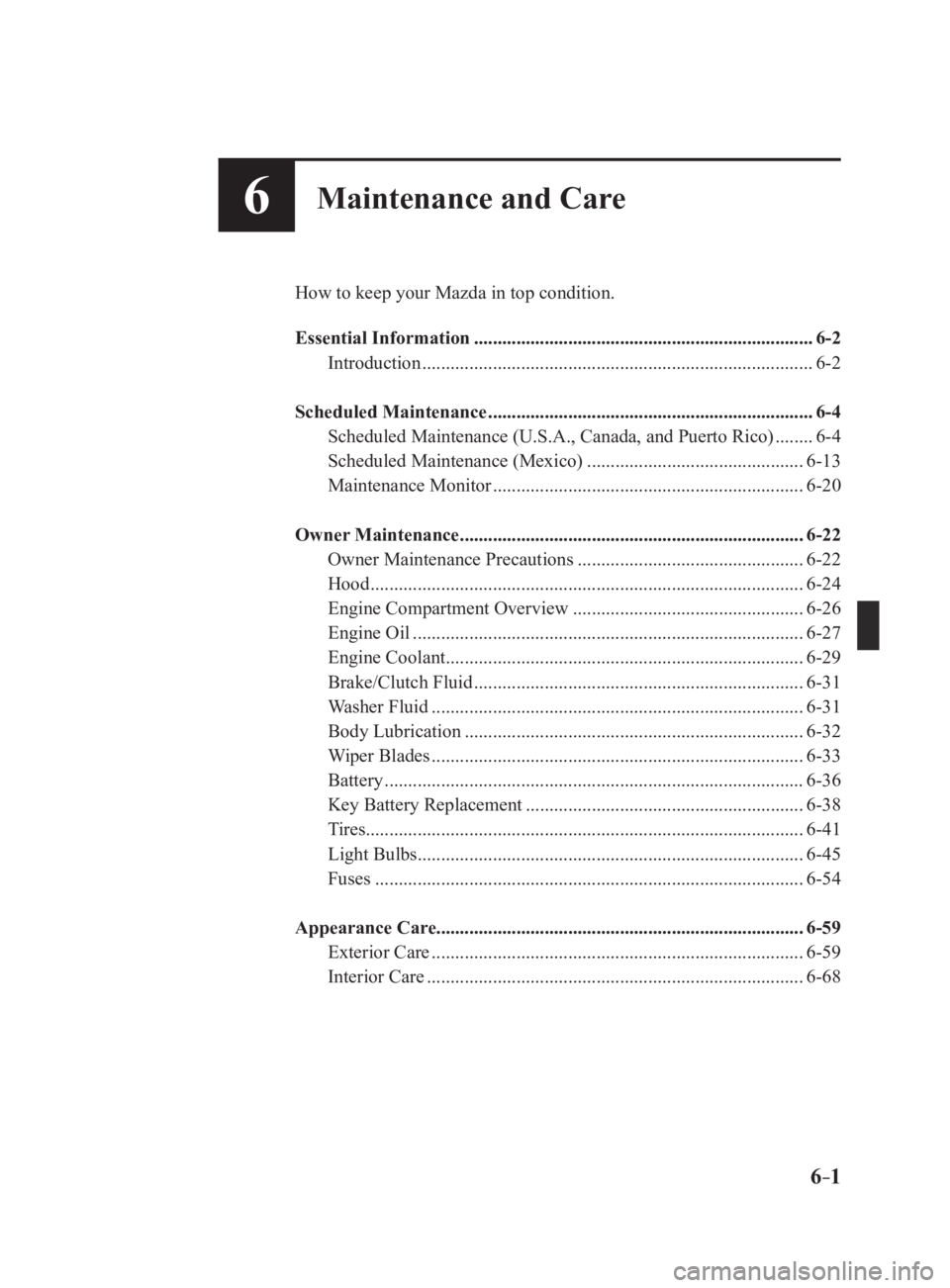
6 –16 Maintenance and Care How to keep your Mazda in top condition.
Essential Information ........................................................................ 6-2
Introduction
................................................................................... 6-2
Scheduled Maintenance ..................................................................... 6-4
Scheduled Maintenance (U.S.A., Canada, and Puerto Rico)
........ 6-4
Scheduled Maintenance (Mexico)
.............................................. 6-13
Maintenance Monitor
.................................................................. 6-20
Owner Maintenance ......................................................................... 6-22
Owner Maintenance Precautions
................................................ 6-22
Hood
............................................................................................ 6-24
Engine Compartment Overview
................................................. 6-26
Engine Oil
................................................................................... 6-27
Engine Coolant
............................................................................ 6-29
Brake/Clutch Fluid
...................................................................... 6-31
Washer Fluid
............................................................................... 6-31
Body Lubrication
........................................................................ 6-32
Wiper Blades
............................................................................... 6-33
Battery
......................................................................................... 6-36
Key Battery Replacement
........................................................... 6-38
Tires ............................................................................................. 6-41
Light Bulbs
.................................................................................. 6-45
Fuses
........................................................................................... 6-54
Appearance Care .............................................................................. 6-59
Exterior Care ............................................................................... 6-59
Interior Care
................................................................................ 6-68
MX-5_8FR4-EA-16J_Edition1.indb 1 2016/08/11 20:29:37