Page 454 of 692
4545-12. Other function
IS300h_EE(OM53D89E)
NOTICE
■To avoid damaging the smartphone
●Depending on the size and shape of the smartphone that is connected to the system,
the console box may not close fully. In this case, do not forcibly close the console box
as this may damage the smartphone or the terminal, etc.
●Do not leave your smartphone in the vehicle. The temperature inside may rise to a
level that could dama ge the smartphone.
●Do not push down on or apply unnecessary pressure to the smartphone device while it is connected.
●Do not insert foreign objects into the port.
Page 457 of 692
4575-12. Other function
5
Lexus Display Audio system
IS300h_EE(OM53D89E)
You can register desired contacts to enable the speech command system. Up to
50 contacts per phone can be registered.
Go to “Voice tags”: “MENU” button “Setup” “Telephone” “Contact/
call history settings” “Voice tag” “New” or “Edit”
Select the desired contact.
Move the controller to the left and then select “REC”.
Say the registered voice tag.
To play the registered voice, select “Play”.
■Deleting a voice tag
Display the “Voice tags” screen.
Select “Delete” and then the desired contact.
Move the controller to the left and then select “Delete”.
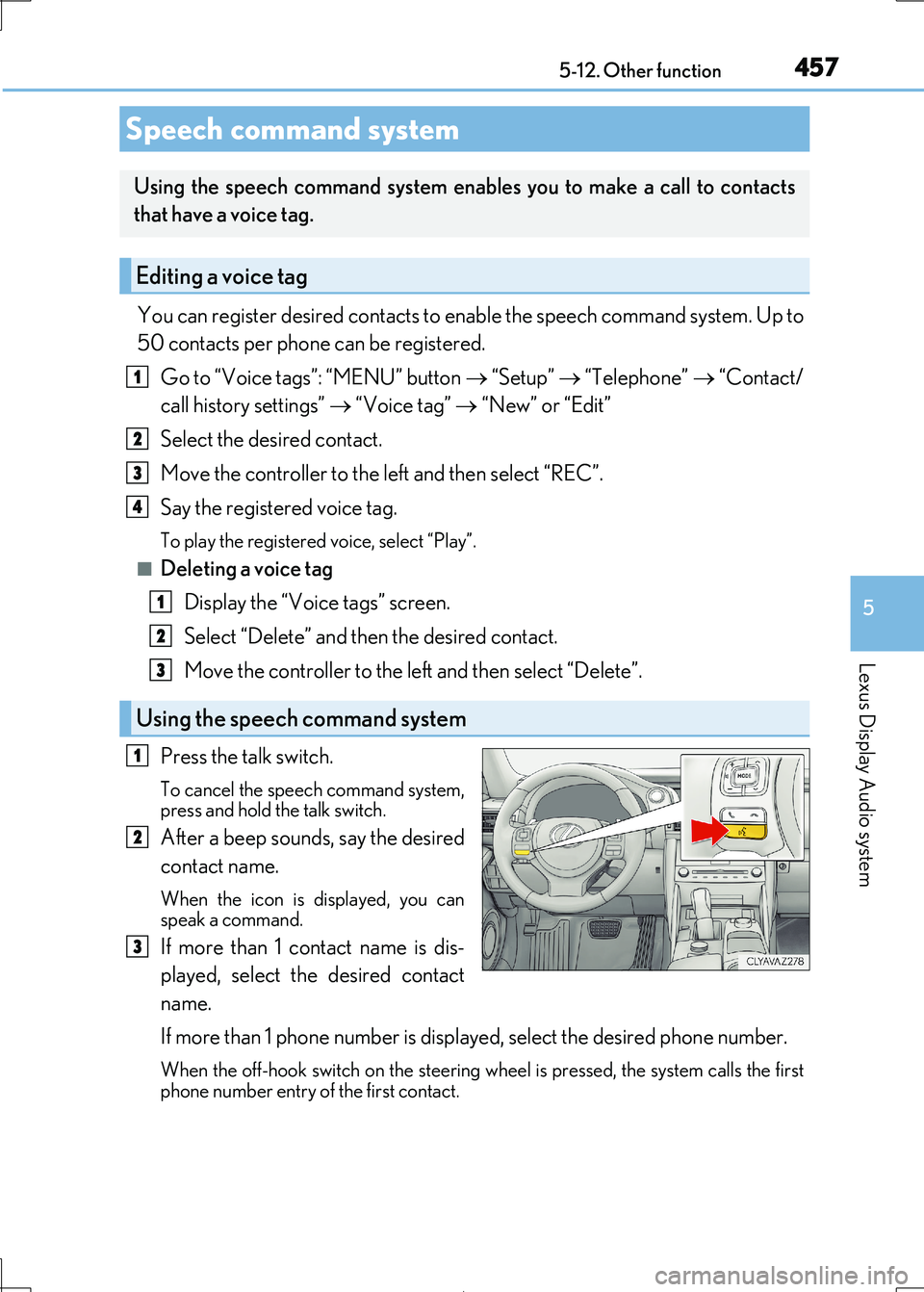
Press the talk switch.
To cancel the speech command system, press and hold the talk switch.
After a beep sounds, say the desired
contact name.
When the icon is displayed, you can
speak a command.
If more than 1 contact name is dis-
played, select the desired contact
name.
If more than 1 phone number is displayed, select the desired phone number.
When the off-hook switch on the steering wheel is pressed, the system calls the first
phone number entry of the first contact.
Speech command system
Using the speech command system enables you to make a call to contacts
that have a voice tag.
Editing a voice tag
Using the speech command system
1
2
3
4
1
2
3
1
2
3
Page 458 of 692
4585-12. Other function
IS300h_EE(OM53D89E)
■Microphone
P. 422
■Speech commands may not be recognized if:
●Spoken too quickly
●Spoken at a low or high volume
●Passengers are talking while speech commands are spoken
Page 465 of 692

4656-1. Basic operation of the Remote Touch screen
6
Interior features
IS300h_EE(OM53D89E)
■Selecting the operation screen
When selecting the main display, move the Remote Touch knob to the left.
When selecting the side display, move the Remote Touch knob to the right.
■ Main display
For details about the functions and operat ion of the main display, refer to the
respective section and “NAVIGATION AND MULTIMEDIA SYSTEM
OWNER’S MANUAL”.
■Side display
Basic screens
To change the screen displayed on the side display, use the screen buttons on
the right side of the display.
Navigation system*
Audio*
Phone*
Vehicle information ( P. 134)
Air conditioning system
( P. 472)
Select to hide the side display. If
the item displayed on the main
display is full screen display com-
patible ( P. 464), it will be dis-
played full screen.
Interruption screens
Each of the following screens is displayed automatically in accordance with
conditions.
• Lexus parking assist-sensor ( P. 310)
•Phone*
•Driving mode ( P. 348)
*: Refer to the “NAVIGATION AND MULTIMEDIA SYSTEM OWNER’S MAN-
UAL”.
Split-screen display operation
1
2
3
4
5
6
Page 496 of 692

4966-5. Using the other interior features
IS300h_EE(OM53D89E)
“SOS” button
Indicator lights
Microphone
■Automatic Collision Notification
If any airbag deploys, the system is designed to automatically call the Public
Safety Answering Point (PSAP).* The responding agent receives the vehicle's
location and attempts to speak with the vehicle occupants to assess the level
of emergency. If the o ccupants are unable to communicate, the agent auto-
matically treats the call as an emergency, contacts the nearest emergency
services provider to describe the situ ation, and requests that assistance be
sent to the location.
*: In some cases, the call cannot be made.( P. 498)
ERA-GLONASS
: If equipped
ERA-GLONASS is a telematics service th at uses Global Navigation Satellite
System (GLONASS) data and embedded cellular technology to enable the
following emergency calls to be ma de: Automatic emergency calls (Auto-
matic Collision Notificati on) and manual emergency calls (by pressing the
“SOS” button). This service is required by Eurasian Customs Union Regula-
tions.
System components
1
2
3
Emergency Notification Services
Page 498 of 692

4986-5. Using the other interior features
IS300h_EE(OM53D89E)
WARNING
■When the Emergency Call may not be made
●Any of the followings may occur. In such cases, report to the Public Safety Answering
Point (PSAP) by other means su ch as nearby public phones.
• It may sometimes be difficult to connect to the public Safety Answering Point (PSAP) even in the reception area of t he cellular phone due to the reception level,
or if the line is busy. In such cases, you may not be able to connect to the Public
Safety Answering Point (PSAP) and thus will not be able to make emergency calls and report to the emergency departments even though the system tries to con-
nect to the Public Safety Answering Point (PSAP).
• When the vehicle is out of the cellular phone service area, the Emergency Call cannot be made.
• When any related equipment (such as the “SOS” button panel, indicator lights,
microphone, speaker, DCM, antenna, or any wires connecting the equipment.) has an abnormality, is damaged or brok en, the Emergency Call cannot be made.
• During the Emergency Call, the system makes repeated attempts to connect to
the Public Safety Answerin g Point (PSAP). However, if it cannot connect to the Public Safety Answering Point (PSAP) due to poor radio wave reception, the sys-
tem may not be able to connect to the ce llular network and the call may finish with-
out connecting. The red indi cator light will blink for approximately 30 seconds to indicate this disconnection.
• This device may not function if a shock is applied to it.
●If the 12-volt battery’s voltage decreases or there is a disconnection, the system may
not be able to access the Public Safety Answering Point (PSAP).
■When replacing DCM to a new one
ERA-GLONASS have to be activated. Contac t any authorized Lexus retailer or Lexus
authorized repairer, or any reliable repairer.
Page 500 of 692
5006-5. Using the other interior features
IS300h_EE(OM53D89E)
NOTICE
■To prevent damage
Do not pour any liquid on to the “SOS” butt on panel etc. and make any impact to it.
■If the “SOS” button panel malfunctions
It may not be able to make the Emergency Call or inform you of the correct condition of the system. If the “SOS” button panel has been broken, please consult any autho-
rized Lexus retailer or Lexus authorized repairer, or any reliable repairer.
■If there is any malfunction of the speaker or the microphone during the Emergency Call or the Manual Maintenance Check
You will not be able to communicate with the Public Safety Answering Point (PSAP)
operator.
If any of this equipment has been broken, please consult any authorized Lexus retailer
or Lexus authorized repairer , or any reliable repairer.
Page 529 of 692

5297-3. Do-it-yourself maintenance
7
Maintenance and care
IS300h_EE(OM53D89E)
■Situations in which the tire pressure warning system may not operate properly
●In the following cases, the tire pressure warning system may not operate properly.
• If non-genuine Lexus wheels are used.
• A tire has been replaced with a tire th at is not an OE (Original Equipment) tire.
• A tire has been replaced with a tire that is not of the specified size. • Tire chains etc. are equipped.
• An auxiliary-supported run-flat tire is equipped.
• If a window tint that affects th e radio wave signals is installed. • If there is a lot of snow or ice on the vehi cle, particularly around the wheels or wheel
housings.
• If the tire inflation pressure is extremely higher than the specified level. • If tires not equipped with tire pressure warning valves and transmitters are used.
• If the ID code on the tire pressure warning valves and transmitters is not registered
in the tire pressure warning computer.
●Performance may be affected in the following situations.
• Near a TV tower, electric power plant, gas station, radio station, large display, air- port or other facility that generates strong radio waves or electrical noise
• When carrying a portable ra dio, cellular phone, cordless phone or other wireless
communication device
●When the vehicle is parked, the time taken for the warning to start or go off could be
extended.
●When tire inflation pressure declines rapidly for example when a tire has burst, the
warning may not function.
■The initialization operation
●Make sure to carry out init ialization after adjusting the tire inflation pressure.
Also, make sure the tires are cold before carr ying out initialization or tire inflation pres-
sure adjustment.
●If you have accidentally turned the power switch off during initialization, it is not neces- sary to press the reset switch again as initialization will restart automatically when the
power switch has been turned to ON mode for the next time.
●If you accidentally press the reset switch when initialization is not necessary, adjust the tire inflation pressure to th e specified level when the tires are cold, and conduct initial-
ization again.
■Warning performance of the tire pressure warning system
The warning of the tire pressu re warning system will change in accordance with the con-
ditions under which it was initialized. For this reason, the system may give a warning even
if the tire pressure does not reach a low enough level, or if the pressure is higher than the pressure that was adjusted to when the system was initialized.


