2017 KIA Sportage reset
[x] Cancel search: resetPage 86 of 595
Features of your vehicle
Folding key . . . . . . . . . . . . . . . . . . . . . . . . . . . . . . . . 4-5
• Record your key number . . . . . . . . . . . . . . . . . . . . . . . 4-5
• Key operations . . . . . . . . . . . . . . . . . . . . . . . . . . . . . . . . 4-5
• Transmitter precautions . . . . . . . . . . . . . . . . . . . . . . . . 4-7
• Battery replacement . . . . . . . . . . . . . . . . . . . . . . . . . . . 4-8
• Immobilizer system . . . . . . . . . . . . . . . . . . . . . . . . . . . . 4-9
Smart key . . . . . . . . . . . . . . . . . . . . . . . . . . . . . . . . 4-12
• Record your key number . . . . . . . . . . . . . . . . . . . . . . 4-12
• Smart key function . . . . . . . . . . . . . . . . . . . . . . . . . . . 4-12
• Loss of the smart key . . . . . . . . . . . . . . . . . . . . . . . . . 4-16
• Smart key precautions . . . . . . . . . . . . . . . . . . . . . . . . 4-16
• Battery replacement . . . . . . . . . . . . . . . . . . . . . . . . . . 4-17
• Smart key immobilizer system . . . . . . . . . . . . . . . . . . 4-18
Theft-alarm system . . . . . . . . . . . . . . . . . . . . . . . . 4-19
• Armed stage . . . . . . . . . . . . . . . . . . . . . . . . . . . . . . . . . 4-19
• Theft-alarm stage . . . . . . . . . . . . . . . . . . . . . . . . . . . . 4-20
• Disarmed stage. . . . . . . . . . . . . . . . . . . . . . . . . . . . . . . 4-20
Door locks . . . . . . . . . . . . . . . . . . . . . . . . . . . . . . . . 4-22
• Operating door locks from outside the vehicle . . . . 4-22
• Operating door locks from inside the vehicle . . . . . . 4-23
• Impact sensing door unlock system . . . . . . . . . . . . . . 4-25
• Child-protector rear door lock. . . . . . . . . . . . . . . . . . 4-25
Liftgate (for manual liftgate) . . . . . . . . . . . . . . . . 4-26
• Opening the liftgate . . . . . . . . . . . . . . . . . . . . . . . . . . . 4-26
• Closing the liftgate. . . . . . . . . . . . . . . . . . . . . . . . . . . . 4-26
• Emergency liftgate safety release. . . . . . . . . . . . . . . . 4-27
Power liftgate . . . . . . . . . . . . . . . . . . . . . . . . . . . . . 4-28
• Opening the liftgate . . . . . . . . . . . . . . . . . . . . . . . . . . 4-29
• Closing the liftgate . . . . . . . . . . . . . . . . . . . . . . . . . . . 4-30
• Smart Power Liftgate . . . . . . . . . . . . . . . . . . . . . . . . . 4-33
Windows . . . . . . . . . . . . . . . . . . . . . . . . . . . . . . . . . 4-38
• Power windows . . . . . . . . . . . . . . . . . . . . . . . . . . . . . . 4-39
Hood. . . . . . . . . . . . . . . . . . . . . . . . . . . . . . . . . . . . \
. 4-43
• Opening the hood . . . . . . . . . . . . . . . . . . . . . . . . . . . . 4-43
• Closing the hood . . . . . . . . . . . . . . . . . . . . . . . . . . . . . 4-44
Fuel filler lid . . . . . . . . . . . . . . . . . . . . . . . . . . . . . . 4-45
• Opening the fuel filler lid . . . . . . . . . . . . . . . . . . . . . . 4-45
• Closing the fuel filler lid . . . . . . . . . . . . . . . . . . . . . . . 4-45
Panoramic sunroof . . . . . . . . . . . . . . . . . . . . . . . . . 4-48
• Sunroof open warning. . . . . . . . . . . . . . . . . . . . . . . . . 4-49
• Sunshade . . . . . . . . . . . . . . . . . . . . . . . . . . . . . . . . . . . 4-\
49
• Sliding the sunroof . . . . . . . . . . . . . . . . . . . . . . . . . . . 4-50
• Tilting the sunroof . . . . . . . . . . . . . . . . . . . . . . . . . . . 4-52
• Closing the sunroof . . . . . . . . . . . . . . . . . . . . . . . . . . . 4-52
• Resetting the sunroof . . . . . . . . . . . . . . . . . . . . . . . . . 4-52
4
Page 117 of 595
Features of your vehicle
32
4
Automatic reversal
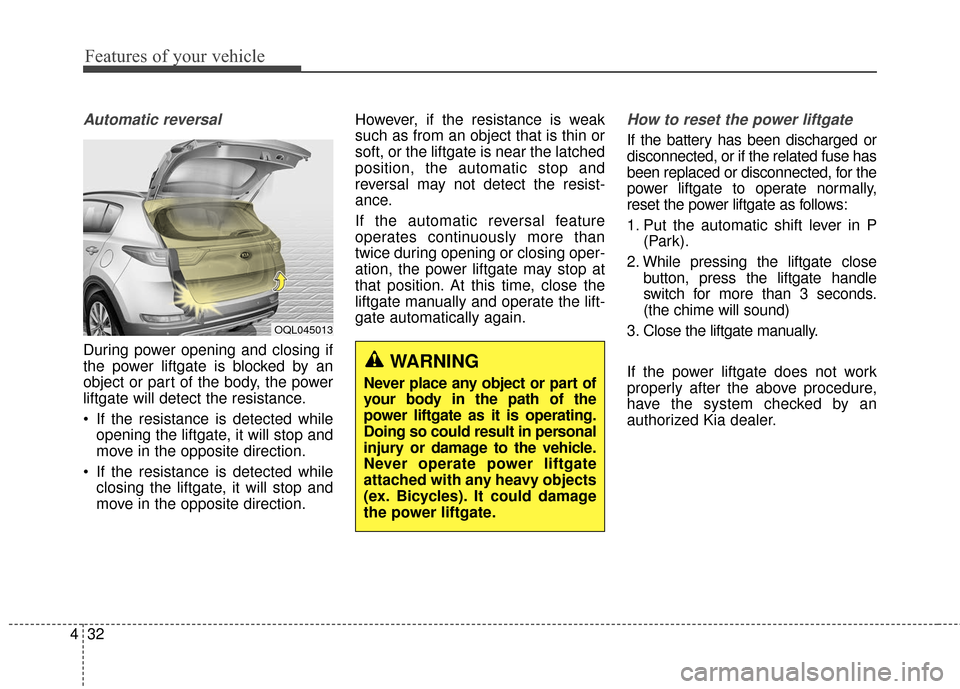
During power opening and closing if
the power liftgate is blocked by an
object or part of the body, the power
liftgate will detect the resistance.
If the resistance is detected while
opening the liftgate, it will stop and
move in the opposite direction.
If the resistance is detected while closing the liftgate, it will stop and
move in the opposite direction. However, if the resistance is weak
such as from an object that is thin or
soft, or the liftgate is near the latched
position, the automatic stop and
reversal may not detect the resist-
ance.
If the automatic reversal feature
operates continuously more than
twice during opening or closing oper-
ation, the power liftgate may stop at
that position. At this time, close the
liftgate manually and operate the lift-
gate automatically again.
How to reset the power liftgate
If the battery has been discharged or
disconnected, or if the related fuse has
been replaced or disconnected, for the
power liftgate to operate normally,
reset the power liftgate as follows:
1. Put the automatic shift lever in P
(Park).
2. While pressing the liftgate close button, press the liftgate handle
switch for more than 3 seconds.
(the chime will sound)
3. Close the liftgate manually.
If the power liftgate does not work
properly after the above procedure,
have the system checked by an
authorized Kia dealer.
OQL045013
WARNING
Never place any object or part of
your body in the path of the
power liftgate as it is operating.
Doing so could result in personal
injury or damage to the vehicle.
Never operate power liftgate
attached with any heavy objects
(ex. Bicycles). It could damage
the power liftgate.
Page 125 of 595
Features of your vehicle
40
4
Auto up/down window
(Driver's window)
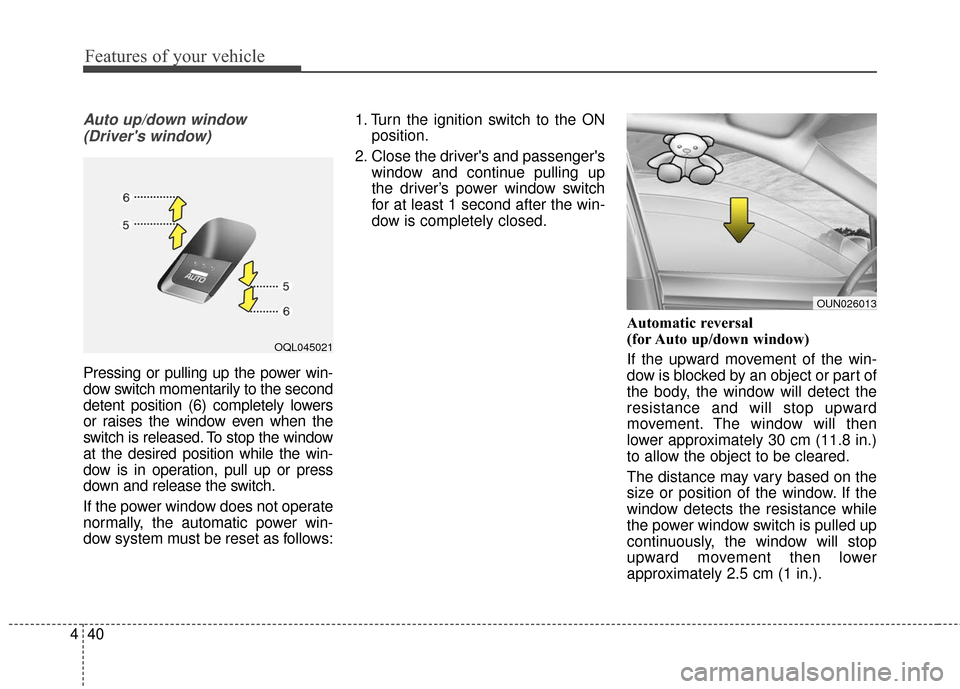
Pressing or pulling up the power win-
dow switch momentarily to the second
detent position (6) completely lowers
or raises the window even when the
switch is released. To stop the window
at the desired position while the win-
dow is in operation, pull up or press
down and release the switch.
If the power window does not operate
normally, the automatic power win-
dow system must be reset as follows: 1. Turn the ignition switch to the ON
position.
2. Close the driver's and passenger's window and continue pulling up
the driver’s power window switch
for at least 1 second after the win-
dow is completely closed.
Automatic reversal
(for Auto up/down window)
If the upward movement of the win-
dow is blocked by an object or part of
the body, the window will detect the
resistance and will stop upward
movement. The window will then
lower approximately 30 cm (11.8 in.)
to allow the object to be cleared.
The distance may vary based on the
size or position of the window. If the
window detects the resistance while
the power window switch is pulled up
continuously, the window will stop
upward movement then lower
approximately 2.5 cm (1 in.).
OQL045021
OUN026013
Page 137 of 595
Features of your vehicle
52
4
Tilting the sunroof
When the sunshade is closed
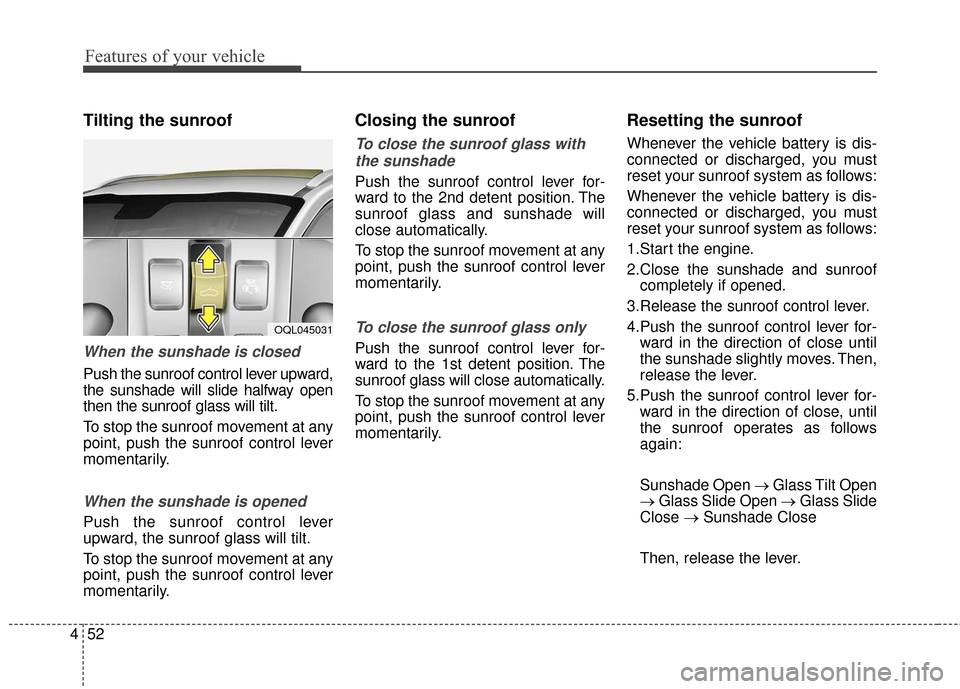
Push the sunroof control lever upward,
the sunshade will slide halfway open
then the sunroof glass will tilt.
To stop the sunroof movement at any
point, push the sunroof control lever
momentarily.
When the sunshade is opened
Push the sunroof control lever
upward, the sunroof glass will tilt.
To stop the sunroof movement at any
point, push the sunroof control lever
momentarily.
Closing the sunroof
To close the sunroof glass with
the sunshade
Push the sunroof control lever for-
ward to the 2nd detent position. The
sunroof glass and sunshade will
close automatically.
To stop the sunroof movement at any
point, push the sunroof control lever
momentarily.
To close the sunroof glass only
Push the sunroof control lever for-
ward to the 1st detent position. The
sunroof glass will close automatically.
To stop the sunroof movement at any
point, push the sunroof control lever
momentarily.
Resetting the sunroof
Whenever the vehicle battery is dis-
connected or discharged, you must
reset your sunroof system as follows:
Whenever the vehicle battery is dis-
connected or discharged, you must
reset your sunroof system as follows:
1.Start the engine.
2.Close the sunshade and sunroof completely if opened.
3.Release the sunroof control lever.
4.Push the sunroof control lever for- ward in the direction of close until
the sunshade slightly moves. Then,
release the lever.
5.Push the sunroof control lever for- ward in the direction of close, until
the sunroof operates as follows
again:
Sunshade Open → Glass Tilt Open
→ Glass Slide Open → Glass Slide
Close → Sunshade Close
Then, release the lever.
OQL045031
Page 138 of 595
453
Features of your vehicle
When this is complete, the sunroof
system has been reset and one
touch open and close should be
restored.
✽ ✽NOTICE
If you do not reset the sunroof, it
may not work properly.
Page 155 of 595
Features of your vehicle
70
4
Instrument Cluster Control
Adjusting Instrument Cluster
Illumination
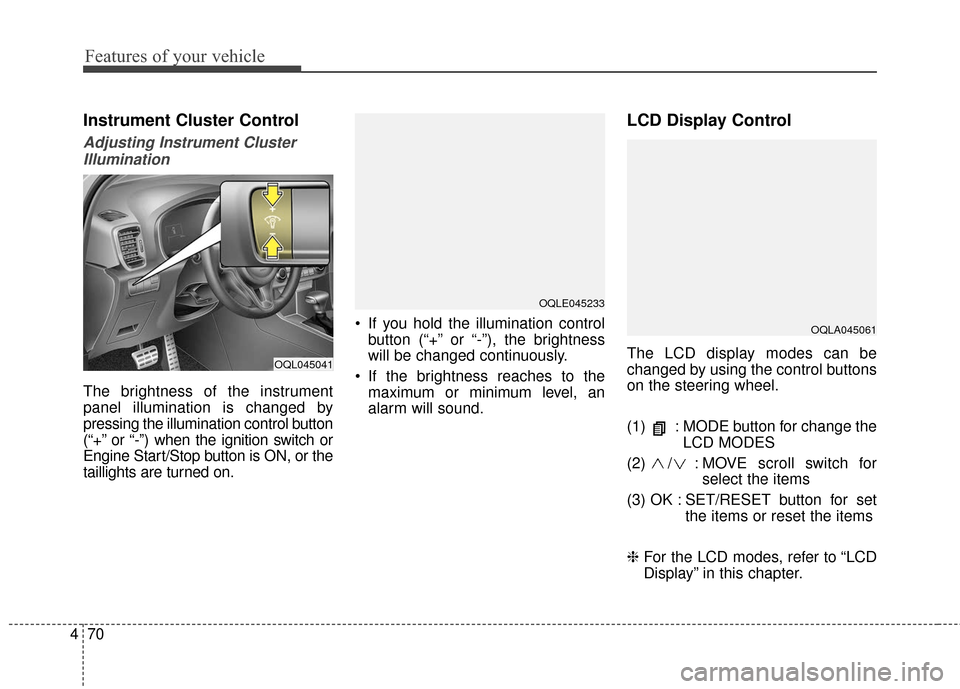
The brightness of the instrument
panel illumination is changed by
pressing the illumination control button
(“+” or “-”) when the ignition switch or
Engine Start/Stop button is ON, or the
taillights are turned on. If you hold the illumination control
button (“+” or “-”), the brightness
will be changed continuously.
If the brightness reaches to the maximum or minimum level, an
alarm will sound.
LCD Display Control
The LCD display modes can be
changed by using the control buttons
on the steering wheel.
(1) : MODE button for change the LCD MODES
(2) / : MOVE scroll switch for select the items
(3) OK : SET/RESET button for set the items or reset the items
❈ For the LCD modes, refer to “LCD
Display” in this chapter.OQL045041
OQLA045061
OQLE045233
Page 162 of 595
477
Features of your vehicle
Service required
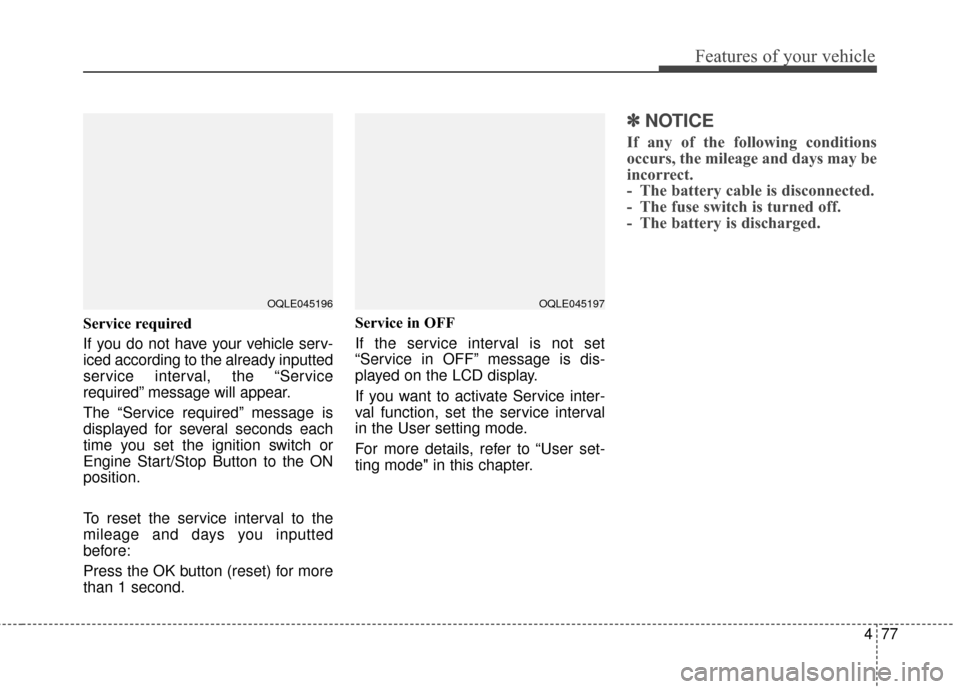
If you do not have your vehicle serv-
iced according to the already inputted
service interval, the “Service
required” message will appear.
The “Service required” message is
displayed for several seconds each
time you set the ignition switch or
Engine Start/Stop Button to the ON
position.
To reset the service interval to the
mileage and days you inputted
before:
Press the OK button (reset) for more
than 1 second.Service in OFF
If the service interval is not set
“Service in OFF” message is dis-
played on the LCD display.
If you want to activate Service inter-
val function, set the service interval
in the User setting mode.
For more details, refer to “User set-
ting mode" in this chapter.
✽ ✽
NOTICE
If any of the following conditions
occurs, the mileage and days may be
incorrect.
- The battery cable is disconnected.
- The fuse switch is turned off.
- The battery is discharged.
OQLE045196OQLE045197
Page 168 of 595
483
Features of your vehicle
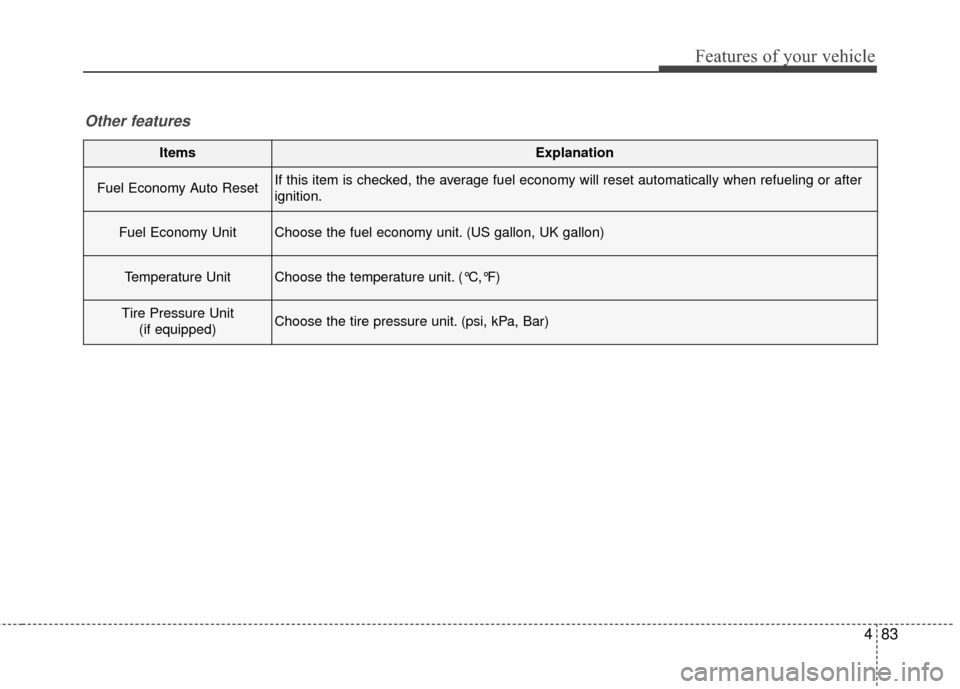
ItemsExplanation
Fuel Economy Auto ResetIf this item is checked, the average fuel economy will reset automatically when refueling or after
ignition.
Fuel Economy UnitChoose the fuel economy unit. (US gallon, UK gallon)
Temperature UnitChoose the temperature unit. (°C,°F)
Tire Pressure Unit(if equipped)Choose the tire pressure unit. (psi, kPa, Bar)
Other features