Page 89 of 595
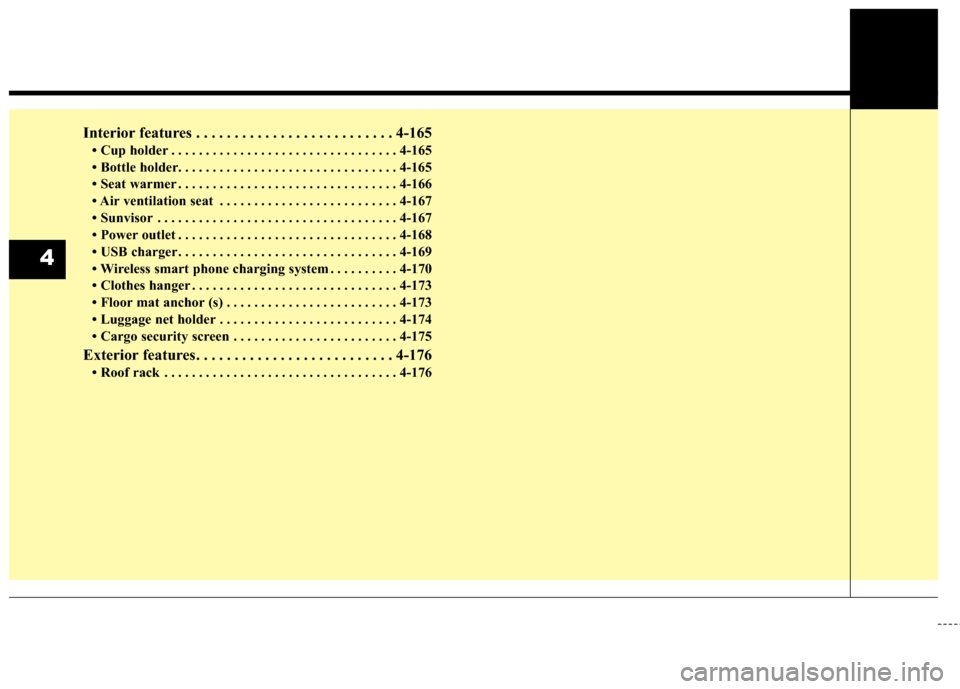
Interior features . . . . . . . . . . . . . . . . . . . . . . . . . . 4-165
• Cup holder . . . . . . . . . . . . . . . . . . . . . . . . . . . . . . . . . 4-165
• Bottle holder. . . . . . . . . . . . . . . . . . . . . . . . . . . . . . . . 4-\
165
• Seat warmer . . . . . . . . . . . . . . . . . . . . . . . . . . . . . . . . 4-166
• Air ventilation seat . . . . . . . . . . . . . . . . . . . . . . . . . . 4-167
• Sunvisor . . . . . . . . . . . . . . . . . . . . . . . . . . . . . . . . . . . 4-\
167
• Power outlet . . . . . . . . . . . . . . . . . . . . . . . . . . . . . . . . 4-168
• USB charger . . . . . . . . . . . . . . . . . . . . . . . . . . . . . . . . 4-169
• Wireless smart phone charging system . . . . . . . . . . 4-170
• Clothes hanger . . . . . . . . . . . . . . . . . . . . . . . . . . . . . . 4-173
• Floor mat anchor (s) . . . . . . . . . . . . . . . . . . . . . . . . . 4-173
• Luggage net holder . . . . . . . . . . . . . . . . . . . . . . . . . . 4-174
• Cargo security screen . . . . . . . . . . . . . . . . . . . . . . . . 4-175
Exterior features . . . . . . . . . . . . . . . . . . . . . . . . . . 4-176
• Roof rack . . . . . . . . . . . . . . . . . . . . . . . . . . . . . . . . . . 4-17\
6
4
Page 140 of 595
455
Features of your vehicle
(Continued)
• When the charging system warninglight comes on due to the low volt-
age (When the alternator or bat-
tery) does not operate normally or
malfunctions), the steering wheel
may require increased steering
effort.Tilt and telescopic steering
Tilt and telescopic steering allows
you to adjust the steering wheel
before you drive. You can also raise it
to give your legs more room when
you exit and enter the vehicle.
The steering wheel should be posi-
tioned so that it is comfortable for
you to drive, while permitting you to
see the instrument panel warning
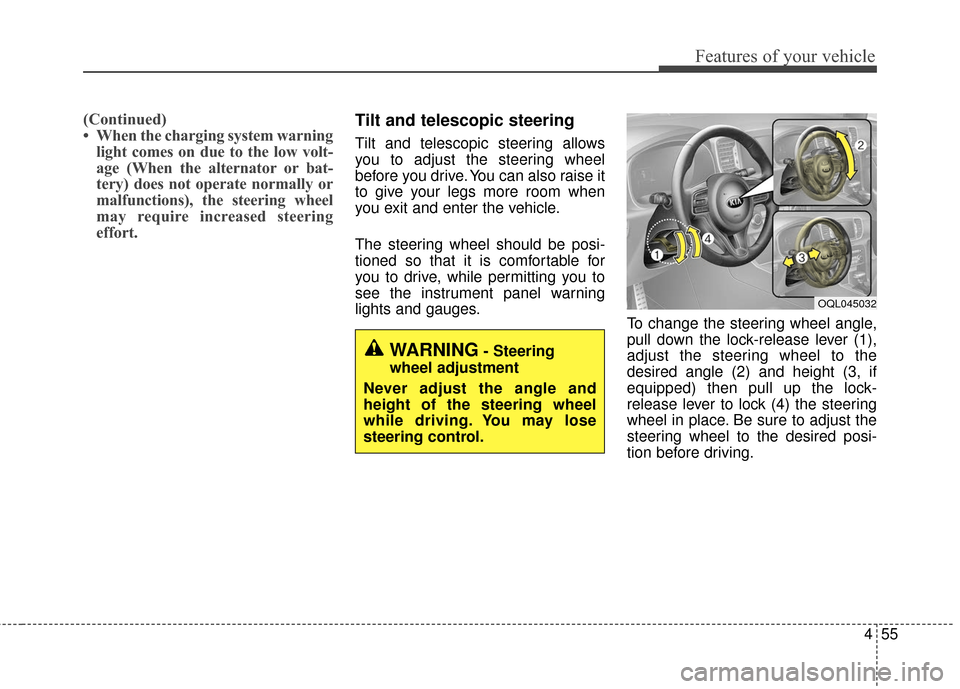
lights and gauges. To change the steering wheel angle,
pull down the lock-release lever (1),
adjust the steering wheel to the
desired angle (2) and height (3, if
equipped) then pull up the lock-
release lever to lock (4) the steering
wheel in place. Be sure to adjust the
steering wheel to the desired posi-
tion before driving.
WARNING- Steering
wheel adjustment
Never adjust the angle and
height of the steering wheel
while driving. You may lose
steering control.
OQL045032
Page 167 of 595
Features of your vehicle
82
4
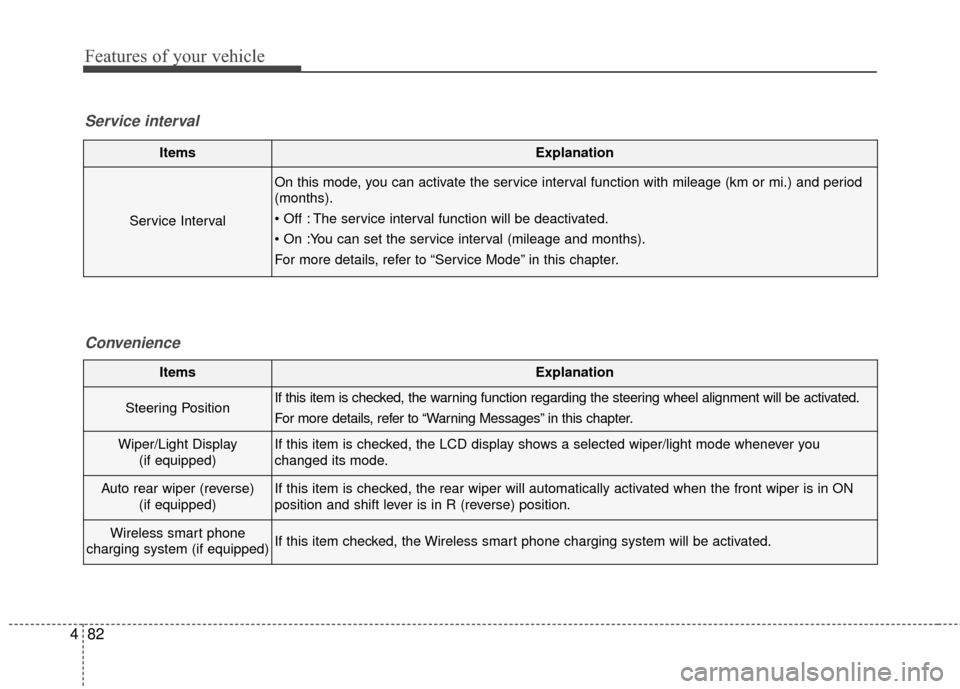
ItemsExplanation
Service Interval
On this mode, you can activate the service interval function with mileage (km or mi.) and period
(months).
The service interval function will be deactivated.
For more details, refer to “Service Mode” in this chapter.
Service interval
Convenience
ItemsExplanation
Steering PositionIf this item is checked, the warning function regarding the steering wheel alignment will be activated.
For more details, refer to “Warning Messages” in this chapter.
Wiper/Light Display(if equipped)If this item is checked, the LCD display shows a selected wiper/light mode whenever you
changed its mode.
Auto rear wiper (reverse) (if equipped)If this item is checked, the rear wiper will automatically activated when the front wiper is in ON
position and shift lever is in R (reverse) position.
Wireless smart phone
charging system (if equipped)If this item checked, the Wireless smart phone charging system will be activated.
Page 181 of 595
Features of your vehicle
96
4
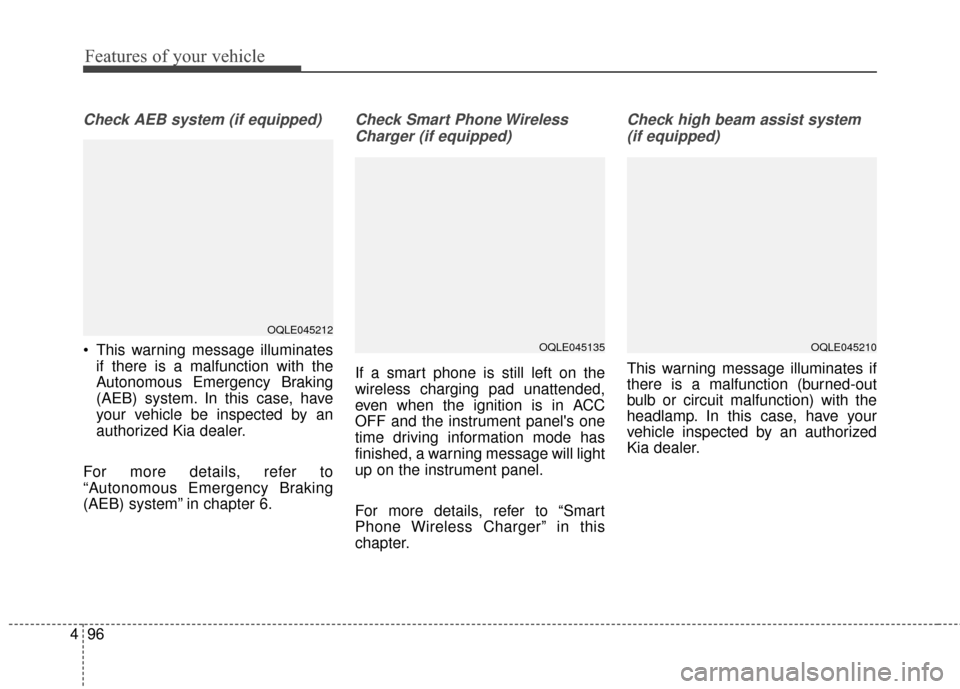
Check AEB system (if equipped)
This warning message illuminates
if there is a malfunction with the
Autonomous Emergency Braking
(AEB) system. In this case, have
your vehicle be inspected by an
authorized Kia dealer.
For more details, refer to
“Autonomous Emergency Braking
(AEB) system” in chapter 6.
Check Smart Phone Wireless Charger (if equipped)
If a smart phone is still left on the
wireless charging pad unattended,
even when the ignition is in ACC
OFF and the instrument panel's one
time driving information mode has
finished, a warning message will light
up on the instrument panel.
For more details, refer to “Smart
Phone Wireless Charger” in this
chapter.
Check high beam assist system(if equipped)
This warning message illuminates if
there is a malfunction (burned-out
bulb or circuit malfunction) with the
headlamp. In this case, have your
vehicle inspected by an authorized
Kia dealer.
OQLE045212
OQLE045135OQLE045210
Page 186 of 595
4101
Features of your vehicle
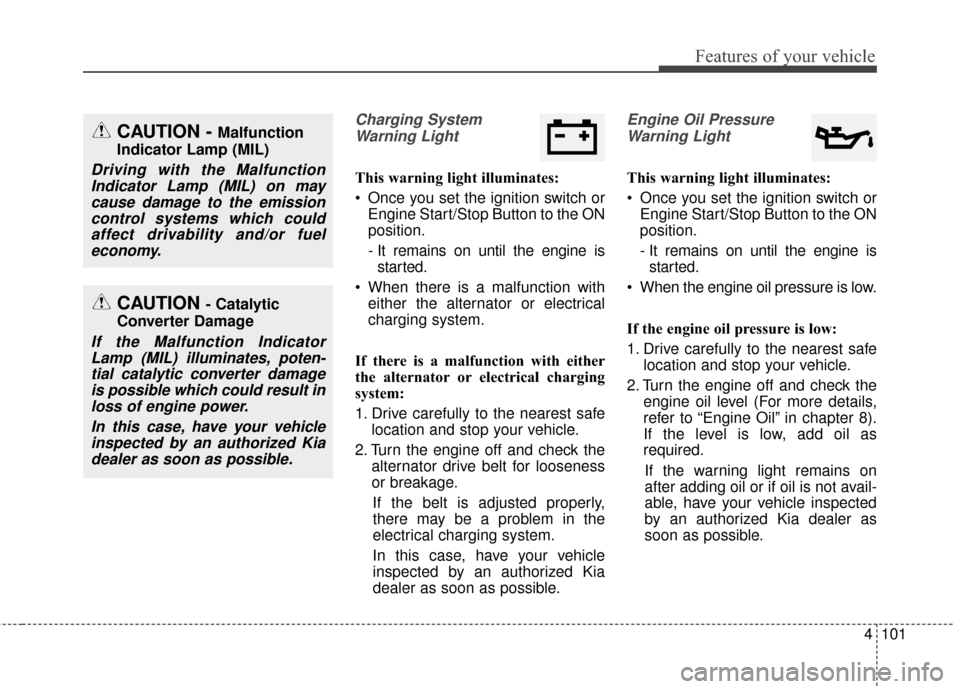
Charging SystemWarning Light
This warning light illuminates:
Once you set the ignition switch or Engine Start/Stop Button to the ON
position.
- It remains on until the engine isstarted.
When there is a malfunction with either the alternator or electrical
charging system.
If there is a malfunction with either
the alternator or electrical charging
system:
1. Drive carefully to the nearest safe location and stop your vehicle.
2. Turn the engine off and check the alternator drive belt for looseness
or breakage.
If the belt is adjusted properly,
there may be a problem in the
electrical charging system.
In this case, have your vehicle
inspected by an authorized Kia
dealer as soon as possible.
Engine Oil Pressure Warning Light
This warning light illuminates:
Once you set the ignition switch or Engine Start/Stop Button to the ON
position.
- It remains on until the engine isstarted.
When the engine oil pressure is low.
If the engine oil pressure is low:
1. Drive carefully to the nearest safe location and stop your vehicle.
2. Turn the engine off and check the engine oil level (For more details,
refer to “Engine Oil” in chapter 8).
If the level is low, add oil as
required.
If the warning light remains on
after adding oil or if oil is not avail-
able, have your vehicle inspected
by an authorized Kia dealer as
soon as possible.
CAUTION - Catalytic
Converter Damage
If the Malfunction Indicator Lamp (MIL) illuminates, poten-tial catalytic converter damageis possible which could result inloss of engine power.
In this case, have your vehicleinspected by an authorized Kiadealer as soon as possible.
CAUTION - Malfunction
Indicator Lamp (MIL)
Driving with the Malfunction Indicator Lamp (MIL) on maycause damage to the emissioncontrol systems which couldaffect drivability and/or fueleconomy.
Page 217 of 595
Features of your vehicle
132
4
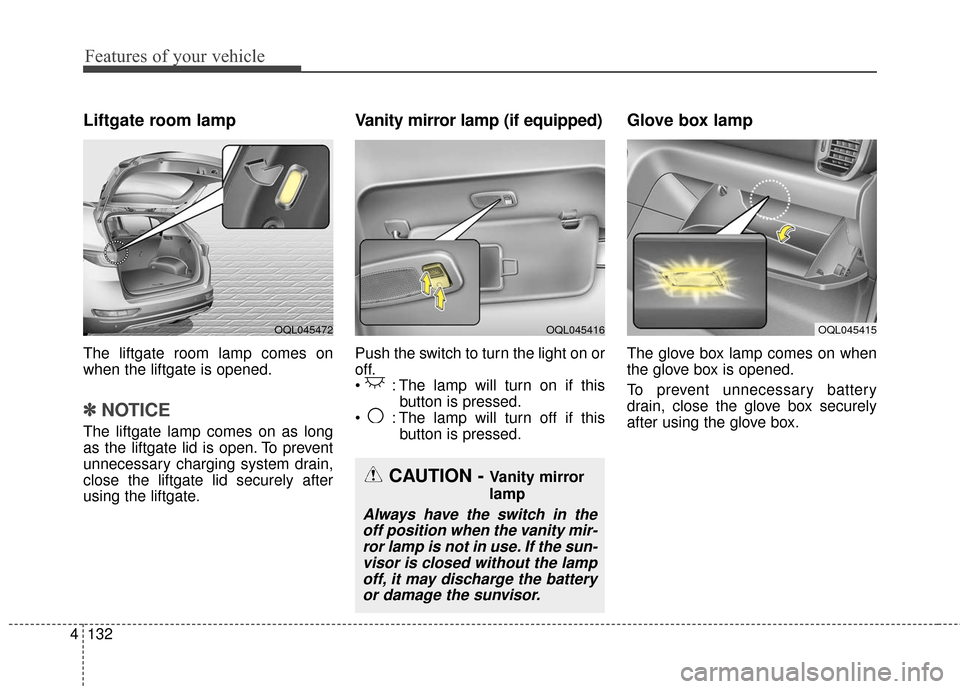
Liftgate room lamp
The liftgate room lamp comes on
when the liftgate is opened.
✽ ✽
NOTICE
The liftgate lamp comes on as long
as the liftgate lid is open. To prevent
unnecessary charging system drain,
close the liftgate lid securely after
using the liftgate.
Vanity mirror lamp (if equipped)
Push the switch to turn the light on or
off.
: The lamp will turn on if this
button is pressed.
: The lamp will turn off if this button is pressed.
Glove box lamp
The glove box lamp comes on when
the glove box is opened.
To prevent unnecessary battery
drain, close the glove box securely
after using the glove box.
OQL045415OQL045416OQL045472
CAUTION - Vanity mirror
lamp
Always have the switch in theoff position when the vanity mir-ror lamp is not in use. If the sun-visor is closed without the lampoff, it may discharge the batteryor damage the sunvisor.
Page 254 of 595
4169
Features of your vehicle
Plug in battery equipped electronicdevices with reverse current protec-
tion. The current from the battery
may flow into the vehicle’s electri
cal/electronic system and cause
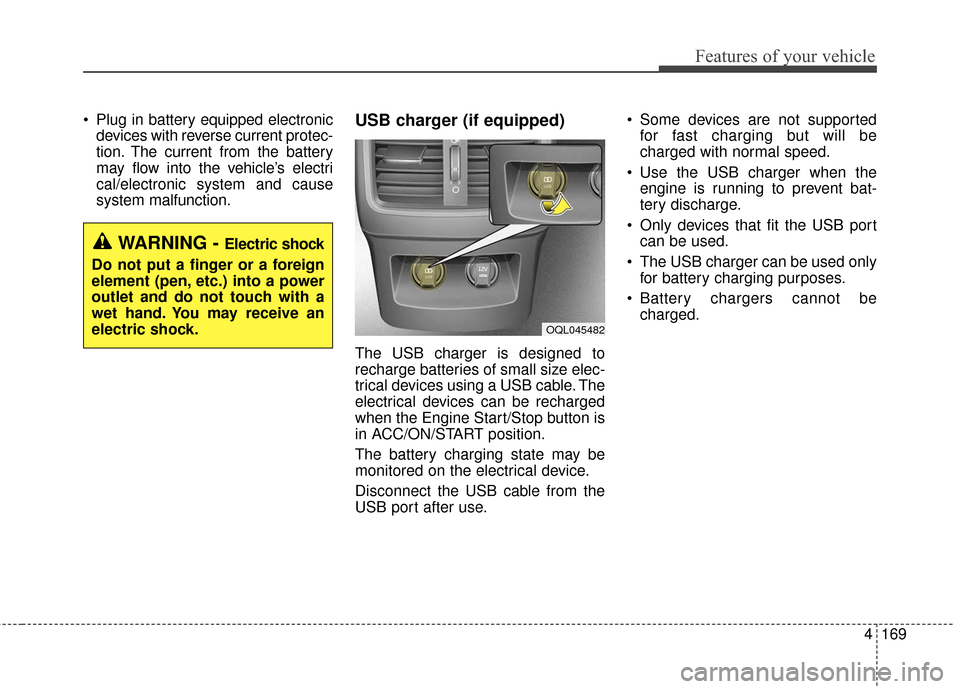
system malfunction.USB charger (if equipped)
The USB charger is designed to
recharge batteries of small size elec-
trical devices using a USB cable. The
electrical devices can be recharged
when the Engine Start/Stop button is
in ACC/ON/START position.
The battery charging state may be
monitored on the electrical device.
Disconnect the USB cable from the
USB port after use. Some devices are not supported
for fast charging but will be
charged with normal speed.
Use the USB charger when the engine is running to prevent bat-
tery discharge.
Only devices that fit the USB port can be used.
The USB charger can be used only for battery charging purposes.
Battery chargers cannot be charged.
WARNING - Electric shock
Do not put a finger or a foreign
element (pen, etc.) into a power
outlet and do not touch with a
wet hand. You may receive an
electric shock.
OQL045482
Page 255 of 595
Features of your vehicle
170
4
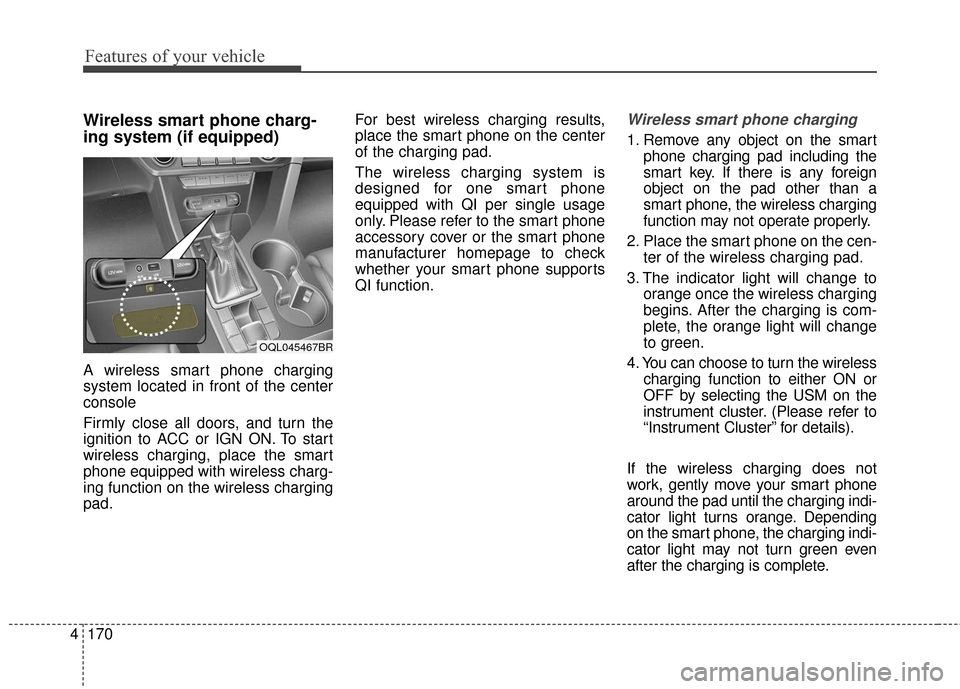
Wireless smart phone charg-
ing system (if equipped)
A wireless smart phone charging
system located in front of the center
console
Firmly close all doors, and turn the
ignition to ACC or IGN ON. To start
wireless charging, place the smart
phone equipped with wireless charg-
ing function on the wireless charging
pad. For best wireless charging results,
place the smart phone on the center
of the charging pad.
The wireless charging system is
designed for one smart phone
equipped with QI per single usage
only. Please refer to the smart phone
accessory cover or the smart phone
manufacturer homepage to check
whether your smart phone supports
QI function.
Wireless smart phone charging
1. Remove any object on the smart
phone charging pad including the
smart key. If there is any foreign
object on the pad other than a
smart phone, the wireless charging
function may not operate properly.
2. Place the smart phone on the cen- ter of the wireless charging pad.
3. The indicator light will change to orange once the wireless charging
begins. After the charging is com-
plete, the orange light will change
to green.
4. You can choose to turn the wireless charging function to either ON or
OFF by selecting the USM on the
instrument cluster. (Please refer to
“Instrument Cluster” for details).
If the wireless charging does not
work, gently move your smart phone
around the pad until the charging indi-
cator light turns orange. Depending
on the smart phone, the charging indi-
cator light may not turn green even
after the charging is complete.
OQL045467BR