2017 KIA Soul EV change time
[x] Cancel search: change timePage 219 of 470
![KIA Soul EV 2017 2.G Owners Manual Features of your vehicle
4149
List
A list of all channels is displayed.
Press the desired channel.
Favorite channels can be saved to
[Presets] by pressing the [+].
Menu
Press the [Menu], and select th](/manual-img/2/2984/w960_2984-218.png "KIA Soul EV 2017 2.G Owners Manual Features of your vehicle
4149
List
A list of all channels is displayed.
Press the desired channel.
Favorite channels can be saved to
[Presets] by pressing the [+].
Menu
Press the [Menu], and select th")
Features of your vehicle
4149
List
A list of all channels is displayed.
Press the desired channel.
Favorite channels can be saved to
[Presets] by pressing the [+].
Menu
Press the [Menu], and select the
desired function.
Presets: Save up to 40 frequentlyused channels.
To listen to a preset, press the
desired channel.
Press and hold the desired slot
from 1 through 40. This saves the
current channel in the selected
slot.
If the slot is empty, simply pressing
saves the channel to the slot.
Categories: Channels can be searched by category.
Direct Tune: The desired channel can be selected by entering num-
bers.
Sound Settings: Audio sound set- tings can be changed. Tag Song: Tag the current song
information.
When an Apple device (iPhone
®,
iPod®) is connected, tagged song
information is sent automatically to
the connected device.
Up to 50 songs can be tagged.
Scan: All channels available in the vehicle's current location are
played for ten seconds each.
Program Schedule: View the pro- gram schedule.
Featured Favorites: The Featured Favorites feature allows SiriusXM™
to broadcast additional presets.
- Example 1: During holidays,“Holiday Music” might include all
SiriusXM™ channels that are
playing holiday music for easy
access by users.
Multiple sets of Featured Favorites
data can be broadcast by
SiriusXM™ and can change from
time to time.
Information: View detailed channel information. Category Lock: Search or scan
channels in the current category
only.
Page 234 of 470
Features of your vehicle
164
4
Phone
✽ ✽
NOTICE - Using
Bluetooth®Wireless
Technology Phone
• Bluetooth®Wireless Technology is
a near-field wireless networking
technology that uses the 2.4 GHz
frequency to connect various
devices within a certain distance
wirelessly.
• The technology is used in PCs, peripherals, Bluetooth
®Wireless
Technology phones, tablet PCs,
household appliances and automo-
biles. Devices supporting
Bluetooth
®Wireless Technology
can exchange data at high speeds
without physical cable connec-
tions.
• Bluetooth
®Wireless Technology
Handsfree devices enable conven-
ient access to phone functions
through cell phones equipped with
Bluetooth
®Wireless Technology. (Continued) (Continued)
• Some
Bluetooth
®Wireless Technology
devices may not be supported by
the Bluetooth
®Wireless Technology
Handsfree function.
• When Bluetooth
®Wireless
Technology is connected and calls
are attempted through a connect-
ed cell phone from outside the
vehicle, the call is connected
through the Bluetooth
®Wireless
Technology Handsfree function of
the vehicle.
• Please be sure to disconnect the Bluetooth
®Wireless Technology
Handsfree function through your
Bluetooth
®Wireless Technology
device or the audio screen.
• The Bluetooth
®Wireless
Technology Handsfree function
helps drivers to drive safely. By
connecting a Bluetooth
®Wireless
Technology-enabled phone to the
vehicle’s audio system, phone calls
can be made and received through
the audio system and contacts can
be managed. Consult the user
manual before use. (Continued)(Continued)
• Excessive manipulation of con-
trols while driving, making it diffi-
cult to pay attention to the road
ahead, can lead to accidents. Do
not operate the device excessively
while driving.
• Looking at the screen for a pro- longed time increases the risk of
accidents. Keep time spent looking
at the screen to a minimum.
Page 243 of 470
![KIA Soul EV 2017 2.G Owners Manual Features of your vehicle
4173
Setup
Access Display, Sound, Date/Time,
Bluetooth, System, Screen Saver
and Display Off settings.
Select the [SETUP]button on the
audio system.
Display
Select the [SETUP](/manual-img/2/2984/w960_2984-242.png "KIA Soul EV 2017 2.G Owners Manual Features of your vehicle
4173
Setup
Access Display, Sound, Date/Time,
Bluetooth, System, Screen Saver
and Display Off settings.
Select the [SETUP]button on the
audio system.
Display
Select the [SETUP")
Features of your vehicle
4173
Setup
Access Display, Sound, Date/Time,
Bluetooth, System, Screen Saver
and Display Off settings.
Select the [SETUP]button on the
audio system.
Display
Select the [SETUP] button on the
audio system ➟ Select [Display].
Mode: Audio screen brightness can be adjusted to the time of day.
Illumination: The brightness of the audio screen can be changed.
Sound
Select the [SETUP] button on the
audio system ➟ Select [Sound].
Position: Sound balance and pan- ning can be adjusted.
Tone: Sound tone color can be adjusted.
Speed Dependent Volume: Automatically adjust volume based
on vehicle speed.
Beep: Select whether to play a sound when the screen is touched.
Date/Time
Select the [SETUP] button on the
audio system ➟ Select
Set Time: Set the time displayed on the audio screen.
Time Format: Choose between 12- hour and 24-hour time formats.
Set Date: Set the date displayed on the audio screen.
Bluetooth
Select the [SETUP] button on the
audio system ➟ Select [Bluetooth].
Connections: Control pairing, dele- tion, connection and disconnection
of
Bluetooth®Wireless Technology
devices.
Auto Connection Priority: Set the connection priority of
Bluetooth®
Wireless Technology devices when
the vehicle is started.
Download Contacts: Contacts can be downloaded from connected
Bluetooth®Wireless Technology
devices.
Bluetooth Voice Prompts: Play or mute voice prompts for
Bluetooth®
Wireless Technology device pair-
ing, connection and errors.
Page 244 of 470
Features of your vehicle
174
4
✽ ✽
NOTICE
• When paired devices are deleted,
the call history and contacts of the
device saved to the audio system
are deleted.
• For Bluetooth
®Wireless Technology
connections with low connection
priority, some time may be
required for the connection to be
established.
• Contacts can be downloaded only from the currently connected
Bluetooth
®Wireless Technology
device.
If no Bluetooth
®Wireless Technology
device is connected, the download
contacts button is disabled.
• If the language setting is Korean, Bluetooth
®Wireless Technology
voice prompts are not supported.
System
Select the [SETUP] button on the
audio system ➟ Select [System].
Memory Information: View My Music memory usage.
Language: Change the user lan- guage.
Default: Reset the audio system.
✽ ✽ NOTICE
The system resets to the default val-
ues, and all saved data and settings
are lost.
Screen Saver
Set the information displayed when
the audio system is switched off or
the screen is turned off.
Select the [SETUP] button on the
audio system ➟ Select [Screen
Saver].
Analog: An analog clock is dis- played.
Digital: A digital clock is displayed.
None: No information is displayed.
Display Off
To prevent glare, the screen can be
turned off with the audio system in
operation.
Select the [SETUP] button on the
audio system ➟ Select [Display Off].
Page 250 of 470
55
Driving your vehicle
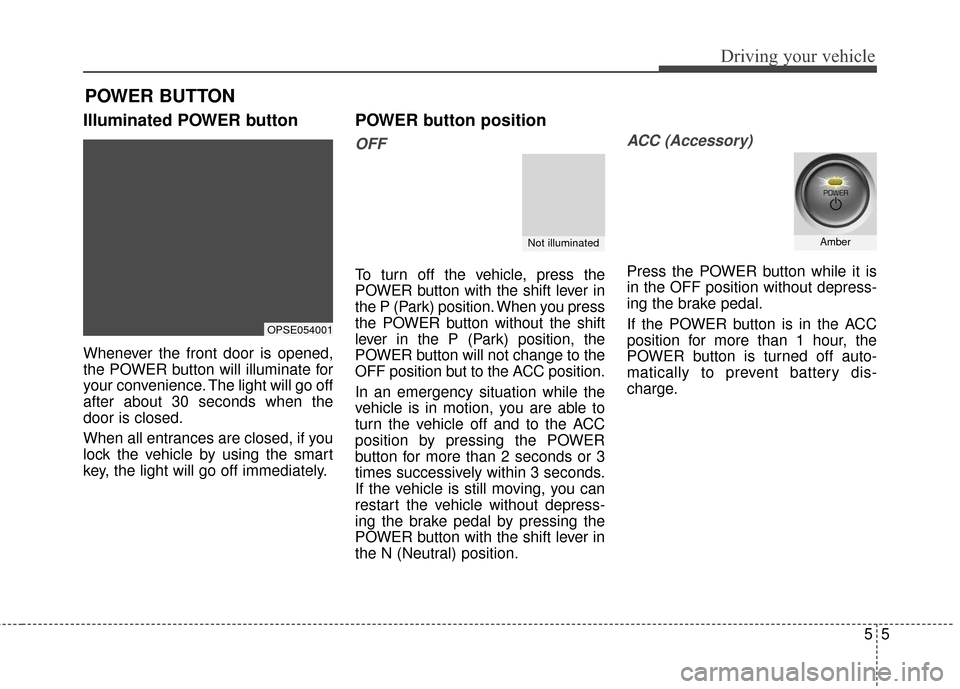
Illuminated POWER button
Whenever the front door is opened,
the POWER button will illuminate for
your convenience. The light will go off
after about 30 seconds when the
door is closed.
When all entrances are closed, if you
lock the vehicle by using the smart
key, the light will go off immediately.
POWER button position
OFF
To turn off the vehicle, press the
POWER button with the shift lever in
the P (Park) position. When you press
the POWER button without the shift
lever in the P (Park) position, the
POWER button will not change to the
OFF position but to the ACC position.
In an emergency situation while the
vehicle is in motion, you are able to
turn the vehicle off and to the ACC
position by pressing the POWER
button for more than 2 seconds or 3
times successively within 3 seconds.
If the vehicle is still moving, you can
restart the vehicle without depress-
ing the brake pedal by pressing the
POWER button with the shift lever in
the N (Neutral) position.
ACC (Accessory)
Press the POWER button while it is
in the OFF position without depress-
ing the brake pedal.
If the POWER button is in the ACC
position for more than 1 hour, the
POWER button is turned off auto-
matically to prevent battery dis-
charge.
POWER BUTTON
OPSE054001
Not illuminatedAmber
Page 251 of 470
Driving your vehicle
65
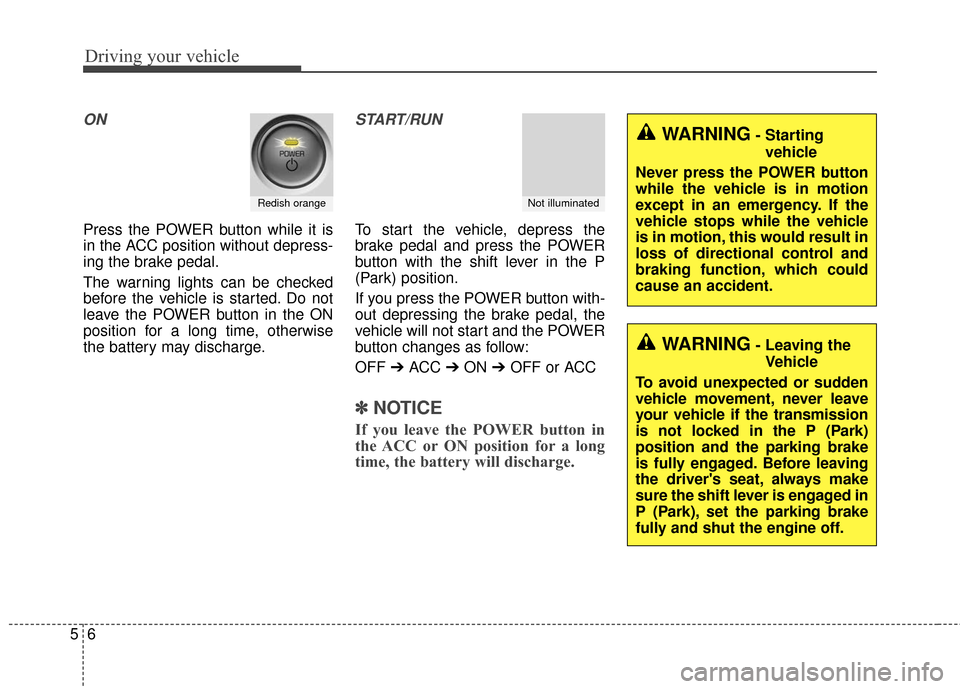
ON
Press the POWER button while it is
in the ACC position without depress-
ing the brake pedal.
The warning lights can be checked
before the vehicle is started. Do not
leave the POWER button in the ON
position for a long time, otherwise
the battery may discharge.
START/RUN
To start the vehicle, depress the
brake pedal and press the POWER
button with the shift lever in the P
(Park) position.
If you press the POWER button with-
out depressing the brake pedal, the
vehicle will not start and the POWER
button changes as follow:
OFF ➔ACC ➔ON ➔OFF or ACC
✽ ✽
NOTICE
If you leave the POWER button in
the ACC or ON position for a long
time, the battery will discharge.
Redish orangeNot illuminated
WARNING- Starting
vehicle
Never press the POWER button
while the vehicle is in motion
except in an emergency. If the
vehicle stops while the vehicle
is in motion, this would result in
loss of directional control and
braking function, which could
cause an accident.
WARNING- Leaving the Vehicle
To avoid unexpected or sudden
vehicle movement, never leave
your vehicle if the transmission
is not locked in the P (Park)
position and the parking brake
is fully engaged. Before leaving
the driver's seat, always make
sure the shift lever is engaged in
P (Park), set the parking brake
fully and shut the engine off.
Page 279 of 470
Driving your vehicle
34
5
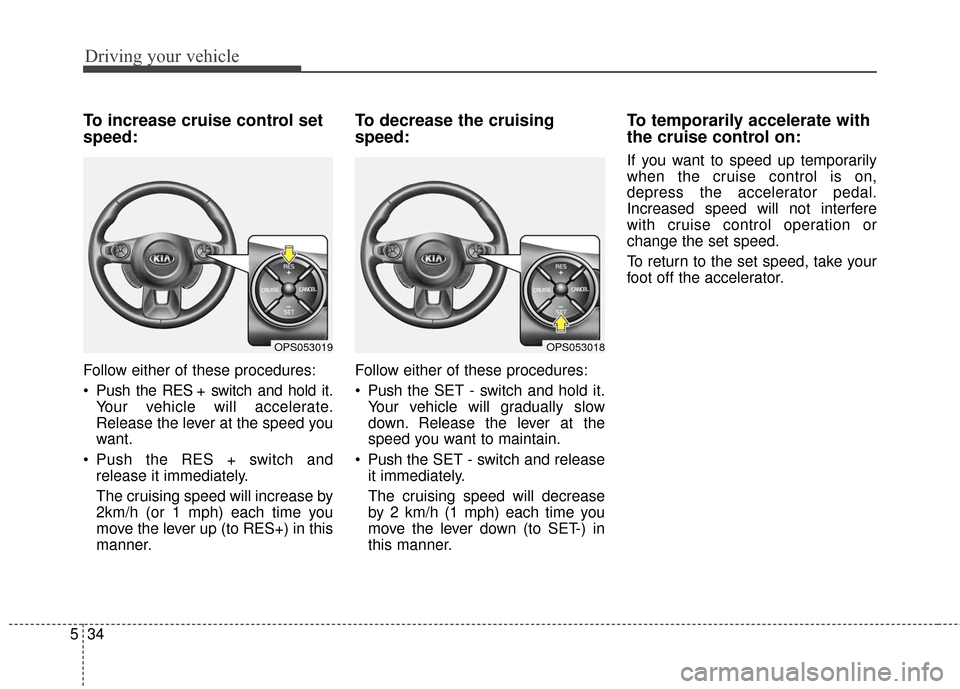
To increase cruise control set
speed:
Follow either of these procedures:
Push the RES + switch and hold it.
Your vehicle will accelerate.
Release the lever at the speed you
want.
Push the RES + switch and release it immediately.
The cruising speed will increase by
2km/h (or 1 mph) each time you
move the lever up (to RES+) in this
manner.
To decrease the cruising
speed:
Follow either of these procedures:
Push the SET - switch and hold it.Your vehicle will gradually slow
down. Release the lever at the
speed you want to maintain.
Push the SET - switch and release it immediately.
The cruising speed will decrease
by 2 km/h (1 mph) each time you
move the lever down (to SET-) in
this manner.
To temporarily accelerate with
the cruise control on:
If you want to speed up temporarily
when the cruise control is on,
depress the accelerator pedal.
Increased speed will not interfere
with cruise control operation or
change the set speed.
To return to the set speed, take your
foot off the accelerator.
OPS053019OPS053018
Page 407 of 470
I5
Index
LCD Display . . . . . . . . . . . . . . . . . . . . . . . . . . . . . . . . . 4-46A/V Mode. . . . . . . . . . . . . . . . . . . . . . . . . . . . . . . . . 4-48
EV information mode. . . . . . . . . . . . . . . . . . . . . . . . 4-47
LCD Modes . . . . . . . . . . . . . . . . . . . . . . . . . . . . . . . 4-46
Service Mode . . . . . . . . . . . . . . . . . . . . . . . . . . . . . . 4-48
User Settings Mode . . . . . . . . . . . . . . . . . . . . . . . . . 4-49
Warning Messages . . . . . . . . . . . . . . . . . . . . . . . . . . 4-51
Light bulbs . . . . . . . . . . . . . . . . . . . . . . . . . . . . . . . . . . 7-59\
Front light replacement . . . . . . . . . . . . . . . . . . . . . . 7-59
High mounted stop light bulb replacement . . . . . . . 7-66
Interior light bulb replacement. . . . . . . . . . . . . . . . . 7-68
License plate light bulb replacement . . . . . . . . . . . . 7-67
Rear combination light bulb replacement . . . . . . . . 7-64
Side repeater light bulb replacement . . . . . . . . . . . . 7-64
Lighting. . . . . . . . . . . . . . . . . . . . . . . . . . . . . . . . . . . . \
. 4-81 Abnormal lamp operation . . . . . . . . . . . . . . . . . . . . 4-82
Abnormal lamp operation due to stabilization ofelectric control system . . . . . . . . . . . . . . . . . . . . . . 4-82
Battery saver function . . . . . . . . . . . . . . . . . . . . . . . 4-81
Daytime running light . . . . . . . . . . . . . . . . . . . . . . . 4-81
Front fog light . . . . . . . . . . . . . . . . . . . . . . . . . . . . . 4-86
Headlamp escort . . . . . . . . . . . . . . . . . . . . . . . . . . . . 4-81
High beam operation . . . . . . . . . . . . . . . . . . . . . . . . 4-84
Lighting control . . . . . . . . . . . . . . . . . . . . . . . . . . . . 4-82
Turn signals and lane change signals . . . . . . . . . . . . 4-85
Luggage volume . . . . . . . . . . . . . . . . . . . . . . . . . . . . . . . 8-3 Maintenance services . . . . . . . . . . . . . . . . . . . . . . . . . . . 7-3
Owner maintenance precautions . . . . . . . . . . . . . . . . 7-4
Owner’s responsibility . . . . . . . . . . . . . . . . . . . . . . . . 7-3
Mirrors . . . . . . . . . . . . . . . . . . . . . . . . . . . . . . . . . . . . \
. 4-35 Inside rearview mirror . . . . . . . . . . . . . . . . . . . . . . . 4-35
Outside rearview mirror . . . . . . . . . . . . . . . . . . . . . . 4-36
Motor number . . . . . . . . . . . . . . . . . . . . . . . . . . . . . . . . . 8-8
Motor room compartment. . . . . . . . . . . . . . . . . . . . . . . . 2-6
Owner maintenance . . . . . . . . . . . . . . . . . . . . . . . . . . . . 7-5 Owner maintenance schedule. . . . . . . . . . . . . . . . . . . 7-6
Panoramic sunroof . . . . . . . . . . . . . . . . . . . . . . . . . . . . 4-24 Closing the sunroof . . . . . . . . . . . . . . . . . . . . . . . . . . . . . 4-28
Resetting the sunroof . . . . . . . . . . . . . . . . . . . . . . . . . . . . 4-29
Sliding the sunroof . . . . . . . . . . . . . . . . . . . . . . . . . . 4-25
Sunroof open warning . . . . . . . . . . . . . . . . . . . . . . . 4-25
Sunshade. . . . . . . . . . . . . . . . . . . . . . . . . . . . . . . . . . 4-27\
Tilting the sunroof . . . . . . . . . . . . . . . . . . . . . . . . . . 4-26
Parking assist system . . . . . . . . . . . . . . . . . . . . . . . . . . 4-76 Non-operational conditions of parking assist system . . 4-77
Operation of the parking assist system . . . . . . . . . . 4-76
M
O
P
L