Page 382 of 586

Driving your vehicle
38
5
AEB Front Radar Sensor
In order for the AEB system to oper-
ate properly, always make sure the
radar sensor lens cover is clean and
free of dirt, snow, and debris. Dirt,
snow, or foreign substances on the
lens may adversely affect the sens-
ing performance of the radar.
Warning message and warning
light
When the sensor lens cover is
blocked with dirt, snow, or debris, the
AEB system operation may stop tem-
porarily. If this occurs, a warning mes-
sage will appear on the LCD display.
Remove any dirt, snow, or debris and
clean the radar sensor lens cover
before operating the AEB system.
The AEB may not properly operate in
an area (e.g. open terrain), where
any substances are not detected
after turning ON the engine.
✽ ✽ NOTICE
• Do not apply foreign objects such
as a bumper sticker or a bumper
guard near the radar sensor.
Doing so may adversely affect the
sensing performance of the radar.
• Always keep the radar sensor and lens cover clean and free of dirt
and debris.
• Use only a soft cloth to wash the vehicle. Do not spray pressurized
water directly on the sensor or
sensor cover.
• Be careful not to apply unneces- sary force on the radar sensor or
sensor cover. If the sensor is
forcibly moved out of proper
alignment, the AEB system may
not operate correctly. In this case,
a warning message may not be dis-
played. Have the vehicle inspected
by an authorized Kia dealer. (Continued)
OYP054140N
OYP057193R
Page 390 of 586
Driving your vehicle
46
5
The cruise control system allows you
to program the vehicle to maintain a
constant speed without depressing
the accelerator pedal.
This system is designed to function
above approximately 40 km/h (25
mph).
If the cruise control is left on,
(CRUISE indicator light in the instru-
ment cluster illuminated) the cruise
control can be switched on acciden-
tally. Keep the cruise control system
off (CRUISE indicator light OFF)
when the cruise control is not in use,
to avoid inadvertently setting a
speed.
Use the cruise control system only
when traveling on open highways in
good weather.
Do not use the cruise control when
driving in heavy or varying traffic, or
on slippery (rainy, icy or snow-cov-
ered) or winding roads or over 6%
up-hill or down-hill roads.✽ ✽
NOTICE
• During normal cruise control
operation, when the SET switch is
activated or reactivated after
applying the brakes, the cruise
control will energize after approx-
imately 3 seconds. This delay is
normal.
• To activate cruise control, depress the brake pedal at least once after
turning the ignition switch to the
ON position or starting the engine.
This is to check if the brake switch
which is important part to cancel
cruise control is in normal condi-
tion.
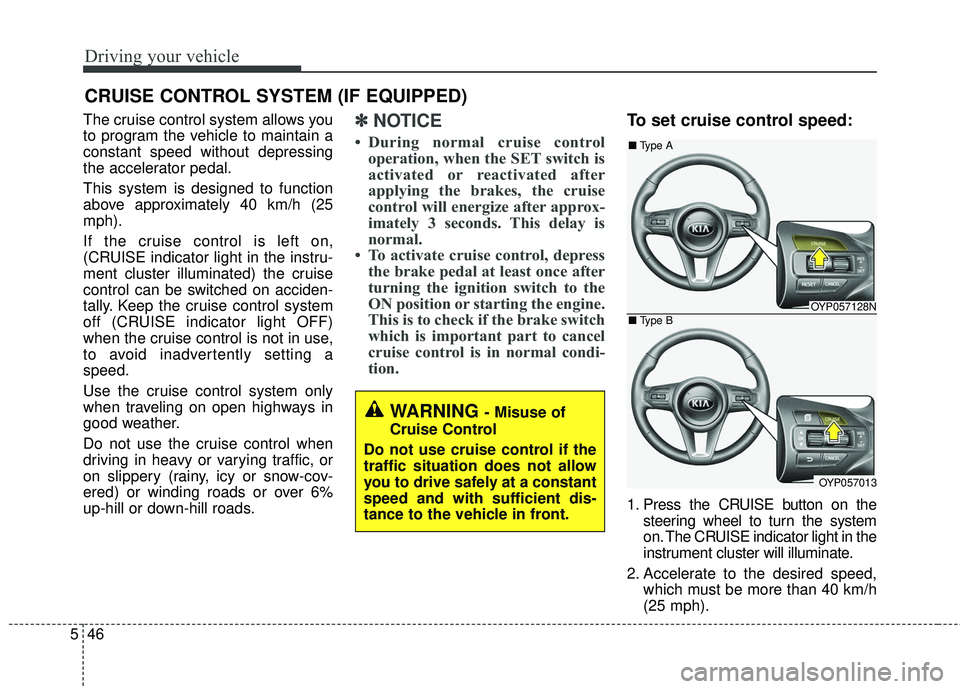
To set cruise control speed:
1. Press the CRUISE button on the
steering wheel to turn the system
on. The CRUISE indicator light in the
instrument cluster will illuminate.
2. Accelerate to the desired speed, which must be more than 40 km/h
(25 mph).
CRUISE CONTROL SYSTEM (IF EQUIPPED)
WARNING - Misuse of
Cruise Control
Do not use cruise control if the
traffic situation does not allow
you to drive safely at a constant
speed and with sufficient dis-
tance to the vehicle in front.
OYP057128N
OYP057013
■ Type A
■ Type B
Page 397 of 586

553
Driving your vehicle
Cancelled automatically
The driver's door is opened.
The shift lever is shifted to N(Neutral), R (Reverse) or
P(Parking).
The vehicle speed is over 190 km/h (120 mph )
The ESC, ABS or TCS is operat- ing.
The ESC is turned off.
The sensor or the cover is dirty or blocked with foreign matter.
The engine speed is over 7000 RPM.
The SCC system has malfunc- tioned.
Decreasing the vehicle speed to less than approximately 10 km/h (5
mph). The accelerator pedal is continu-
ously depressed for more than 5
minute.
The AEB is activated.
Each of these actions will cancel
the SCC operation. (the SET indi-
cator, set speed and vehicle to
vehicle distance on the LCD dis-
play will go off.)
In a condition the SCC is cancelled
automatically, the SCC will not
resume even though the RES+ or
SET- lever is moved.
If the SCC is cancelled by other than
the reasons mentioned, have the
system checked by an authorized
Kia dealer. If the system is automatically can-
celled, the warning chime will sound
and a message will appear for a few
seconds.
You must adjust the vehicle speed by
depressing the accelerator or brake
pedal according to the road condition
ahead and driving condition.
Always check the road conditions.
Do not rely on the warning chime.
OYP054135N
Page 399 of 586
555
Driving your vehicle
Vehicle to vehicle distance
setting (SCC)
To set vehicle to vehicle distance:
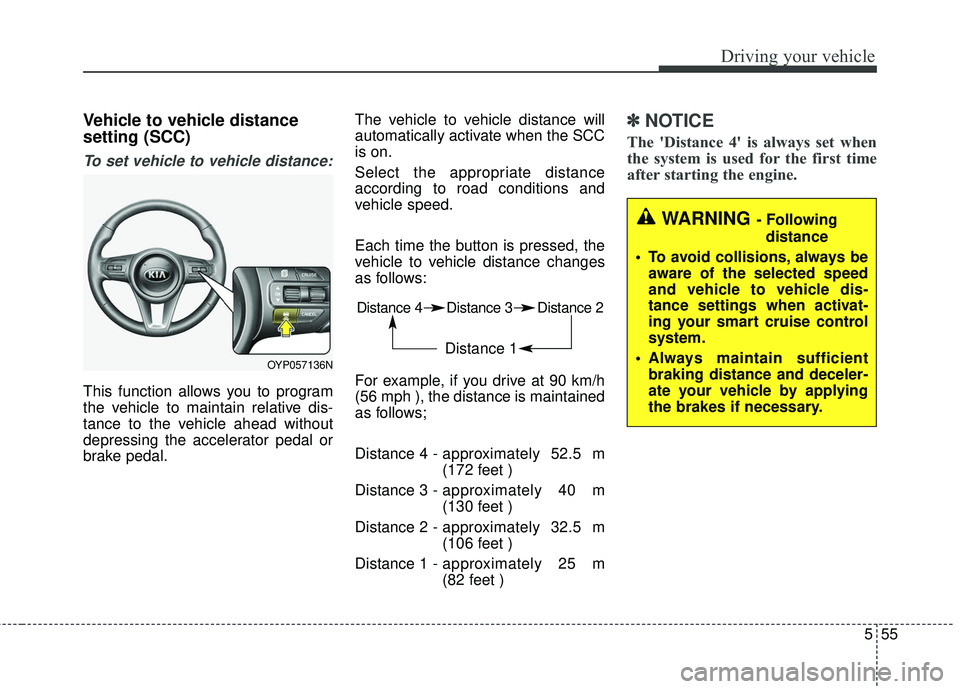
This function allows you to program
the vehicle to maintain relative dis-
tance to the vehicle ahead without
depressing the accelerator pedal or
brake pedal.The vehicle to vehicle distance will
automatically activate when the SCC
is on.
Select the appropriate distance
according to road conditions and
vehicle speed.
Each time the button is pressed, the
vehicle to vehicle distance changes
as follows:
For example, if you drive at 90 km/h
(56 mph ), the distance is maintained
as follows;
Distance 4 -
approximately 52.5 m
(172 feet )
Distance 3 - approximately 40 m
(130 feet )
Distance 2 - approximately 32.5 m
(106 feet )
Distance 1 - approximately 25 m
(82 feet )
✽ ✽
NOTICE
The 'Distance 4' is always set when
the system is used for the first time
after starting the engine.
Distance 4 Distance 3 Distance 2
Distance 1
WARNING - Following
distance
To avoid collisions, always be aware of the selected speed
and vehicle to vehicle dis-
tance settings when activat-
ing your smart cruise control
system.
Always maintain sufficient braking distance and deceler-
ate your vehicle by applying
the brakes if necessary.
OYP057136N
Page 408 of 586

Driving your vehicle
64
5
Always be cautious for vehicles
with higher height or vehicles car-
rying loads that sticks out to the
back of the vehicle. - After an engine start, please stop
for several seconds. If system ini-
tialization is not completed, the
SCC does not normally operate.
- After an engine start, if any objects are not detected or the sensor
cover is obscured with foreign sub-
stances, there is a possibility that
the SCC system may not work.
- Below conditions are not allowed: over baggage loading in a trunk,
suspension remodeling, tire
replacement with unauthorized
tires or tires with different worn-out
and pressure levels.
OYP054151N
WARNING - Safe Use of
SCC
The SCC can provide you with
an additional level of safety and
fatigue reduction. However you
must maintain careful observa-
tion of the roadway in from of
and around you and maintain
control of your vehicle and
spacing around other vehicles
as you normally would. For
example, this will require you to
apply the brakes as needed
when coming upon a slower
moving vehicle, or when a vehi-
cle from another lane drives
quickly in front of you.
WARNING - Inclines & Towing
Do not use SCC on steep
inclines or when towing another
vehicle or trailer since such
extreme loading can interfere
with your vehicle's ability to
maintain the selected speed.
Page 410 of 586
Driving your vehicle
66
5
Active ECO operation
Active ECO helps improve fuel effi-
ciency by controlling the engine and
transaxle. But fuel-efficiency can be
affected by the driver's driving habits
and road conditions.
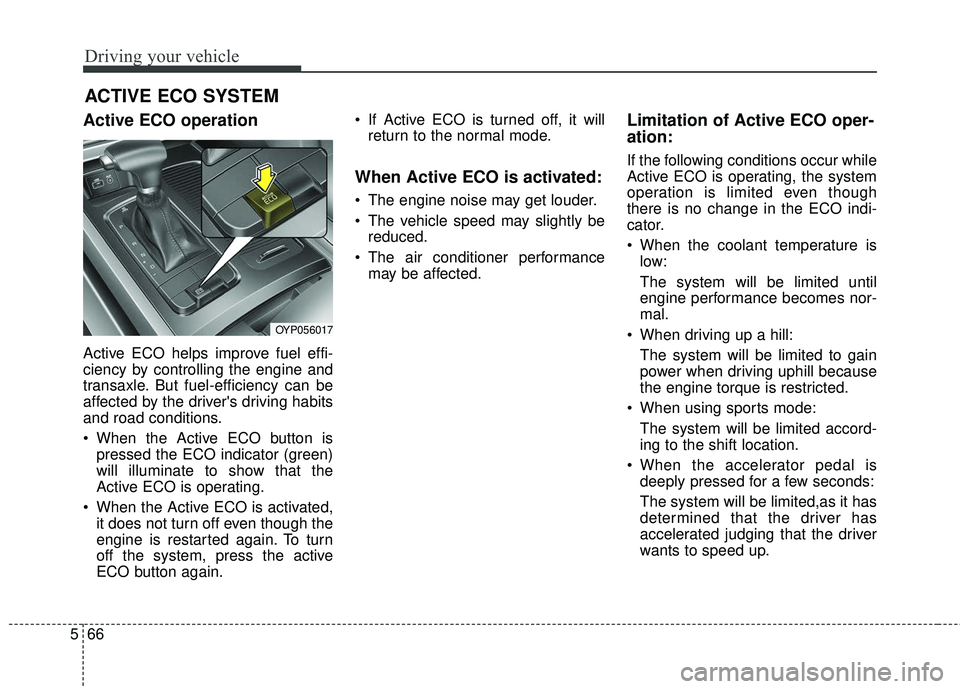
When the Active ECO button is
pressed the ECO indicator (green)
will illuminate to show that the
Active ECO is operating.
When the Active ECO is activated, it does not turn off even though the
engine is restarted again. To turn
off the system, press the active
ECO button again. If Active ECO is turned off, it will
return to the normal mode.
When Active ECO is activated:
The engine noise may get louder.
The vehicle speed may slightly bereduced.
The air conditioner performance may be affected.
Limitation of Active ECO oper-
ation:
If the following conditions occur while
Active ECO is operating, the system
operation is limited even though
there is no change in the ECO indi-
cator.
When the coolant temperature islow:
The system will be limited until
engine performance becomes nor-
mal.
When driving up a hill: The system will be limited to gain
power when driving uphill because
the engine torque is restricted.
When using sports mode: The system will be limited accord-
ing to the shift location.
When the accelerator pedal is deeply pressed for a few seconds:
The system will be limited,as it has
determined that the driver has
accelerated judging that the driver
wants to speed up.
ACTIVE ECO SYSTEM
OYP056017
Page 411 of 586
567
Driving your vehicle
DRIVE mode
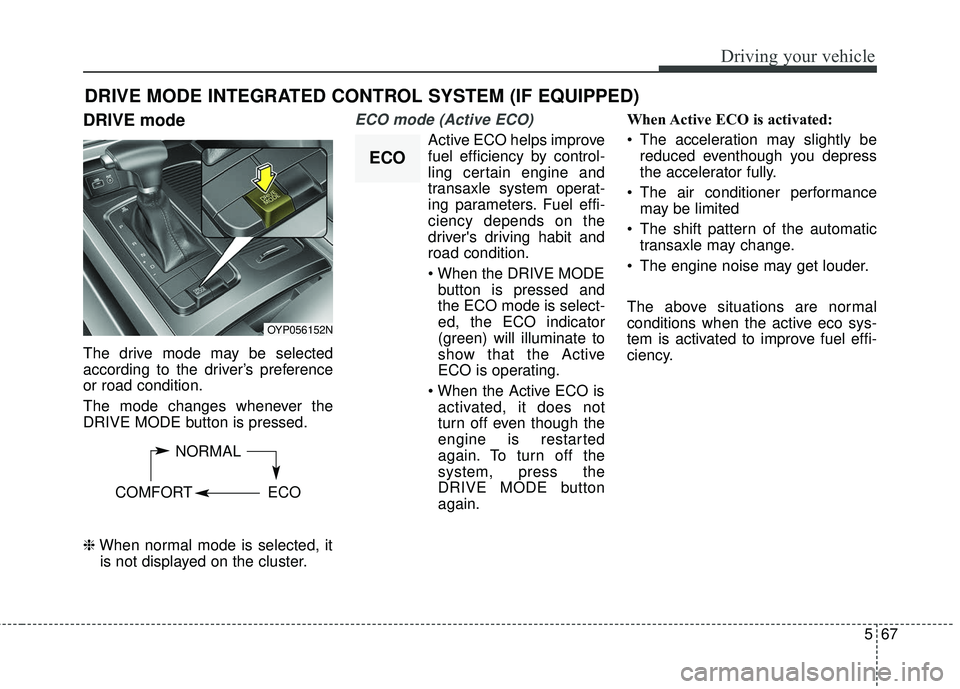
The drive mode may be selected
according to the driver’s preference
or road condition.
The mode changes whenever the
DRIVE MODE button is pressed.
\bWhen normal mode is selected, it
is not displayed on the cluster.
ECO mode (Active ECO)
Active ECO helps improve
fuel efficiency by control-
ling certain engine and
transaxle system operat-
ing parameters. Fuel effi-
ciency depends on the
driver's driving habit and
road condition.
button is pressed and
the ECO mode is select-
ed, the ECO indicator
(green) will illuminate to
show that the Active
ECO is operating.
activated, it does not
turn off even though the
engine is restarted
again. To turn off the
system, press the
DRIVE MODE button
again. When Active ECO is activated:
The acceleration may slightly be
reduced eventhough you depress
the accelerator fully.
The air conditioner performance may be limited
The shift pattern of the automatic transaxle may change.
The engine noise may get louder.
The above situations are normal
conditions when the active eco sys-
tem is activated to improve fuel effi-
ciency.
DRIVE MODE INTEGRATED CONTROL SYSTEM (IF EQUIPPED)
OYP056152N
NORMAL
COMFORT ECO
ECO
Page 412 of 586
Driving your vehicle
68
5
Limitation of Active ECO operation:
If the following conditions occur while
Active ECO is operating, the system
operation is limited even though
there is no change in the ECO indi-
cator.
When the coolant temperature is
low:
The system will be limited until
engine performance becomes nor-
mal.
When driving up a hill: The system will be limited to gain
power when driving uphill because
the engine torque is restricted.
When using manual mode: The system will be limited accord-
ing to the shift location.
When the accelerator pedal is deeply depressed for a few sec-
onds:
The system will be limited, judging
that the driver wants to speed up.Comfort mode
The steering wheel
becomes lighter. The
comfort mode is usually
used when driving in the
city or when parking the
vehicle.
press the steering mode
button while operating
the steering wheel, but
the steering effort will
not change immediately.
After operating the
steering wheel, the
steering effort will
change automatically to
the selected mode.
changing the steering
mode while driving.
power steering is not
operating properly, the
flex steering wheel will
not work.