Features of your vehicle
1764
Bluetooth®Wireless Technology
System Off
This feature is used when you do not wish to use the
Bluetooth®Wireless
Technology system.
Select [Bluetooth System Off] Set
through TUNE knob ❈ If a phone is already connected, dis- connect the currently connected
phone and turn the Bluetooth®
Wireless Technology system off. Using the
Bluetooth®Wireless
Technology System
To use
Bluetooth®Wireless Technology
when the system is currently off, follow
these next steps.
Turning On
Bluetooth®Wireless
Technology through the Key
Press the key Screen Guidance ❈ Moves to the screen where
Bluetooth®
Wireless Technology functions can be
used and displays guidance.
Turning On
Bluetooth®Wireless
Technology through the Key
Press the key Select [Phone] ➀ A screen asking whether to turn on
Bluetooth®Wireless Technology will be
displayed.
➁ On the screen, select to turn on
Bluetooth®Wireless Technology and
display guidance. ❈
If the
Bluetooth®Wireless Technology
system is turned on, the system will
automatically try to connect the mostrecently connected
Bluetooth®
Wireless Technology mobile phone.
YES
SETUP CLOCK
SETUPCLOCK
PHONE
PHONE
CAUTION
Bluetooth®Wireless Technology
connection may become intermit- tently disconnected in some
mobile phones. Follow these nextsteps to try again.
1) Turn the Bluetooth
®Wireless
Technology function within the
mobile phone ON/OFF and try to connect again.
2) Turn the mobile phone power ON/OFF and try to connect again.
3) Completely remove the mobile phone battery, reboot, and thentry to connect again.
4) Reboot the audio system and try to connect again
5) Delete all paired devices in your mobile phone and the audio sys-
tem and pair again for use.
Page 252 of 488
177
Features of your vehicle
4
SYSTEM SETTINGS
Press the key Select [System]
Memory Information
Displays currently used memory and
total system memory.
Select [Memory Information] OK
The currently used memory is displayed on the left side while the total system
memory is displayed on the right side.
RADIO (for RDS model) ❈
RADIO may differ depending on the
selected audio.
Changing RADIO mode SEEK
Press the key
Shortly pressing the key (under 0.8 seconds): Changes the frequency.
Pressing and holding the key (over 0.8 seconds): Automatically searches for
the next frequency. Preset SEEK Press
the ~ key
seconds): Plays the frequency saved in
the corresponding key.
seconds): Pressing and holding thedesired key from ~ will
save the currently playing broadcast to
the selected key and sound a BEEP.
SCAN
Press the key
seconds): The broadcast frequency
increases and previews each broadcast
for 5 seconds each. After scanning all
frequencies, returns and plays the cur-
rent broadcast frequency.
TA
SCAN
61
61
SEEK
TRACK
SETUP
CLOCK
Page 255 of 488
Features of your vehicle
1804BASIC METHOD OF USE :
Audio CD / MP3 CD / USB / iPod
®
/
My Music
Press the key to change the mod mode in order of CD ➟ USB(iPod ®
) ➟ AUX
➟ My Music ➟ BT Audio.
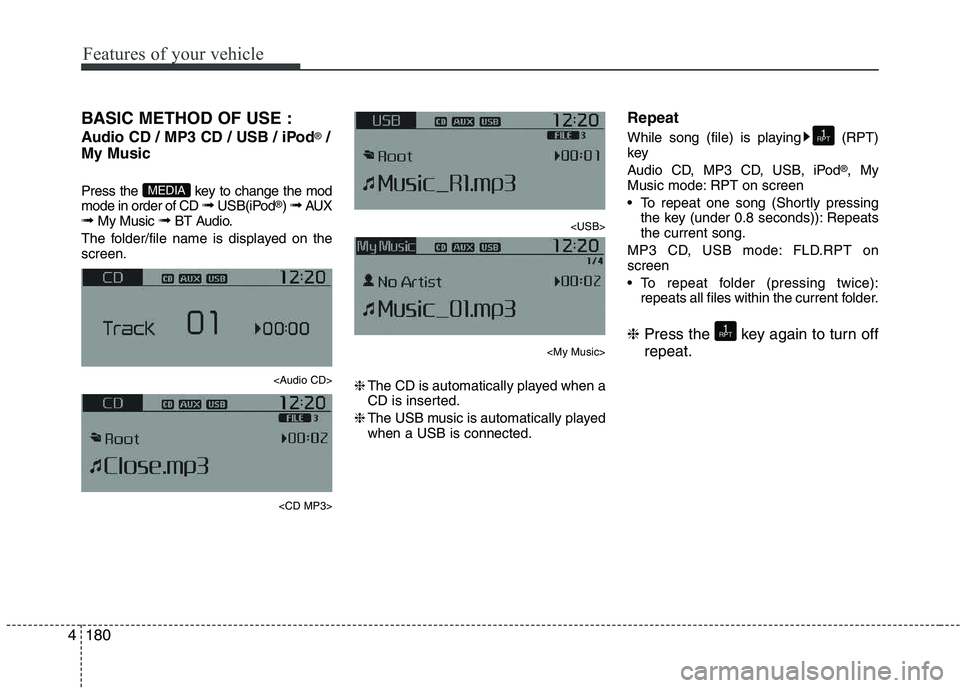
The folder/file name is displayed on thescreen.
Page 257 of 488
Features of your vehicle
1824Folder Search : MP3 CD, USB Mode
While file is playing (Folder
Up) key
While file is playing (Folder
Down) key
❈
If a folder is selected by pressing the
TUNE knob, the first file within the
selected folder will be played.
Searching Songs (File)
TUNE knob : Searches for songs (files)
TUNE knob : Plays select- ed song (file). MENU : Audio CD
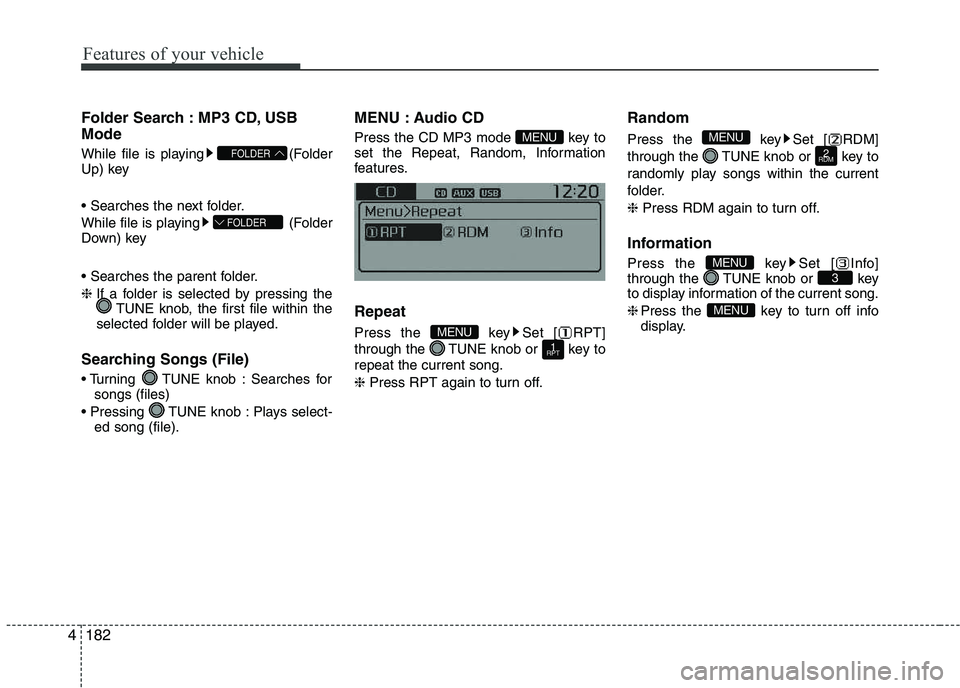
Press the CD MP3 mode key to
set the Repeat, Random, Information
features. Repeat
Press the key Set [ RPT]
through the TUNE knob or key torepeat the current song. ❈
Press RPT again to turn off. Random
Press the key Set [ RDM]
through the TUNE knob or key to
randomly play songs within the current
folder. ❈
Press RDM again to turn off.
Information
Press the key Set [ Info]
through the TUNE knob or key
to display information of the current song. ❈ Press the key to turn off info
display.
MENU
3MENU
2
RDM
MENU
1
RPTMENU
MENU
FOLDER
FOLDER
Page 258 of 488
183
Features of your vehicle
4
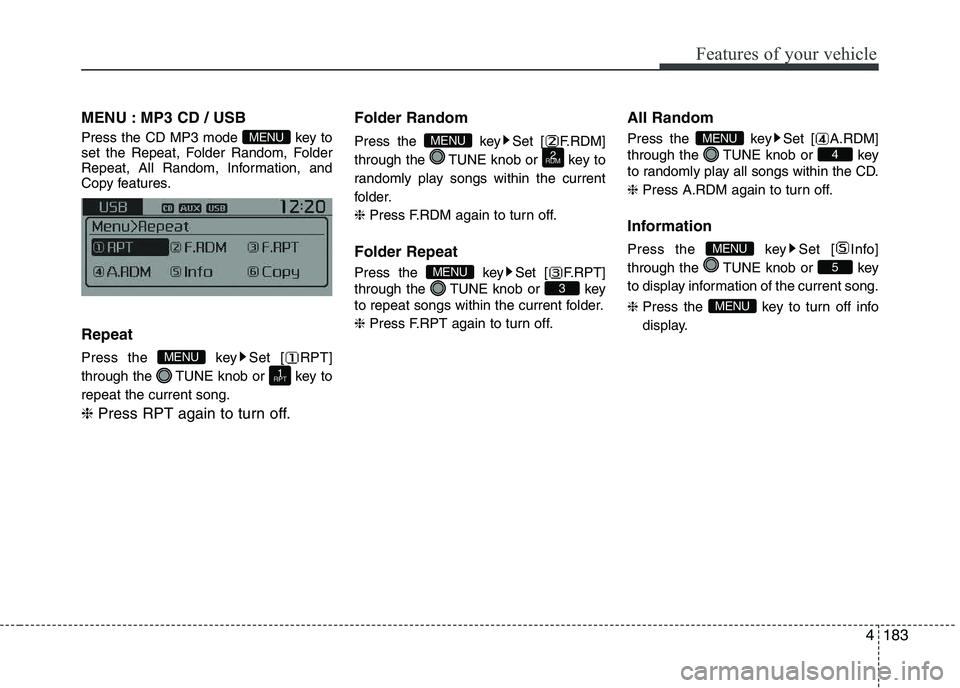
MENU : MP3 CD / USB
Press the CD MP3 mode key to
set the Repeat, Folder Random, Folder
Repeat, All Random, Information, and
Copy features. Repeat
Press the key Set [ RPT]
through the TUNE knob or key torepeat the current song. ❈
Press RPT again to turn off. Folder Random
Press the key Set [ F.RDM]
through the TUNE knob or key to
randomly play songs within the current
folder. ❈
Press F.RDM again to turn off.
Folder Repeat
Press the key Set [ F.RPT]
through the TUNE knob or key
to repeat songs within the current folder. ❈ Press F.RPT again to turn off. All Random
Press the key Set [ A.RDM]
through the TUNE knob or key
to randomly play all songs within the CD. ❈
Press A.RDM again to turn off.
Information
Press the key Set [ Info]
through the TUNE knob or key
to display information of the current song. ❈ Press the key to turn off info
display.
MENU
5
MENU
4
MENU
3
MENU
2
RDMMENU
1
RPT
MENU
MENU
Page 259 of 488
Features of your vehicle
1844Copy (if equipped)
Press the key Set [ Copy]
through the TUNE knob or key.
This is used to copy the current song into
My Music. You can play the copied Music
in My Music mode. ❈
If another key is pressed while
copying is in progress, a pop up
asking you whether to cancel
copying is displayed.
❈ If another media is connected or
inserted (USB, CD, iPod ®
, AUX)
while copying is in progress, copy-ing is canceled.
❈ Music will not be played while
copying is in progress. MENU : iPod
®
In iPod ®
mode, press the key to
set the Repeat, Random, Information and
Search features. Repeat
Press the key Set [ RPT]
through the TUNE knob or key torepeat the current song. ❈ Press RPT again to turn repeat off. Random
Press the key Set [ RDM]
through the TUNE knob or key.
Plays all songs within the currently play-
ing category in random order. ❈
Press RDM again to turn off.
Information
Press the key Set [ Info]
through the TUNE knob or key.
Displays information of the current song. ❈ Press the key to turn off
info display.
Search
Press the key Set [ Search]
through the TUNE knob or key.
Displays iPod ®
category list.
❈ Searching iPod ®
category is
key pressed, move to par-
ent category.
MENU
4MENU
MENU
3MENU
2
RDM
MENU
1
RPT
MENU
MENU6MENU
Page 260 of 488
185
Features of your vehicle
4
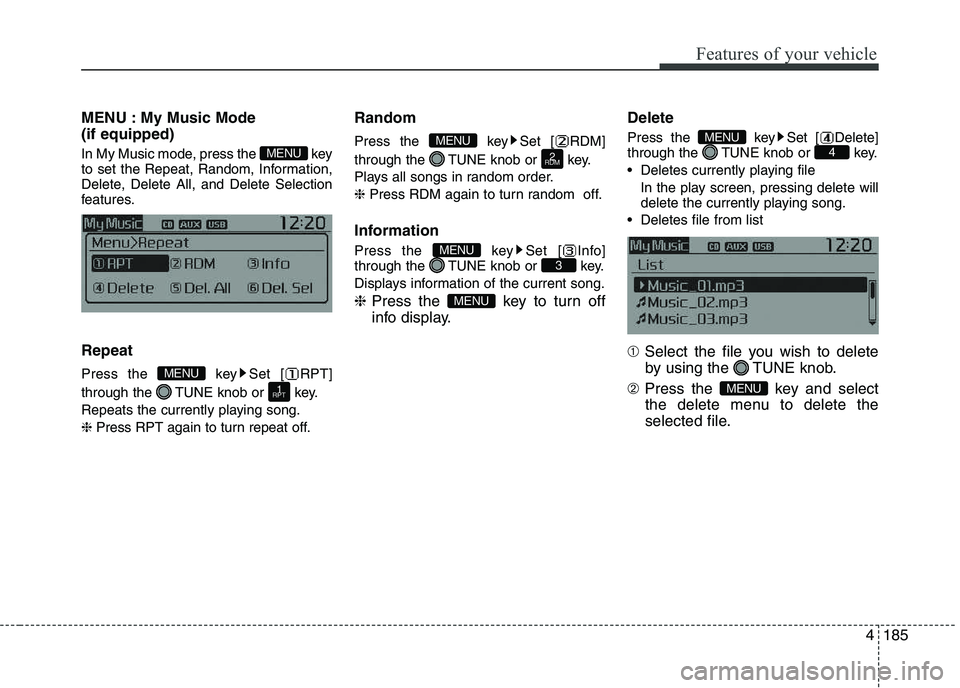
MENU : My Music Mode (if equipped)
In My Music mode, press the key
to set the Repeat, Random, Information,
Delete, Delete All, and Delete Selection
features. Repeat
Press the key Set [ RPT]
through the TUNE knob or key.
Repeats the currently playing song.❈
Press RPT again to turn repeat off. Random
Press the key Set [ RDM]
through the TUNE knob or key.
Plays all songs in random order.❈
Press RDM again to turn random off.
Information
Press the key Set [ Info]
through the TUNE knob or key.
Displays information of the current song. ❈ Press the key to turn off
info display. Delete
Press the key Set [ Delete]
through the TUNE knob or key.
Deletes currently playing file
In the play screen, pressing delete will
delete the currently playing song.
Deletes file from list ➀ Select the file you wish to delete
by using the TUNE knob.
➁ Press the key and select
the delete menu to delete the
selected file.
MENU
4MENU
MENU
3MENU
2
RDM
MENU
1
RPT
MENU
MENU
Page 264 of 488
189
Features of your vehicle
4
PHONE (IF EQUIPPED)
Before using the
Bluetooth®Wireless
Technology phone features
In order to use
Bluetooth®Wireless
Technology phone, you must first pair and connect the
Bluetooth®Wireless
Technology mobile phone.
If the mobile phone is not paired or connected, it is not possible to enter
Phone mode. Once a phone is pairedor connected, the guidance screen will
be displayed.
If Priority is set upon vehicle ignition (IGN/ACC ON), the
Bluetooth®
Wireless Technology phone will be
automatically connected. Even if you
are outside, the
Bluetooth®Wireless
Technology phone will be automatical-
ly connected once you are in the vicin-
ity of the vehicle. If you do not wantautomatic
Bluetooth®Wireless
Technology phone connection, set the
Bluetooth®Wireless Technology power
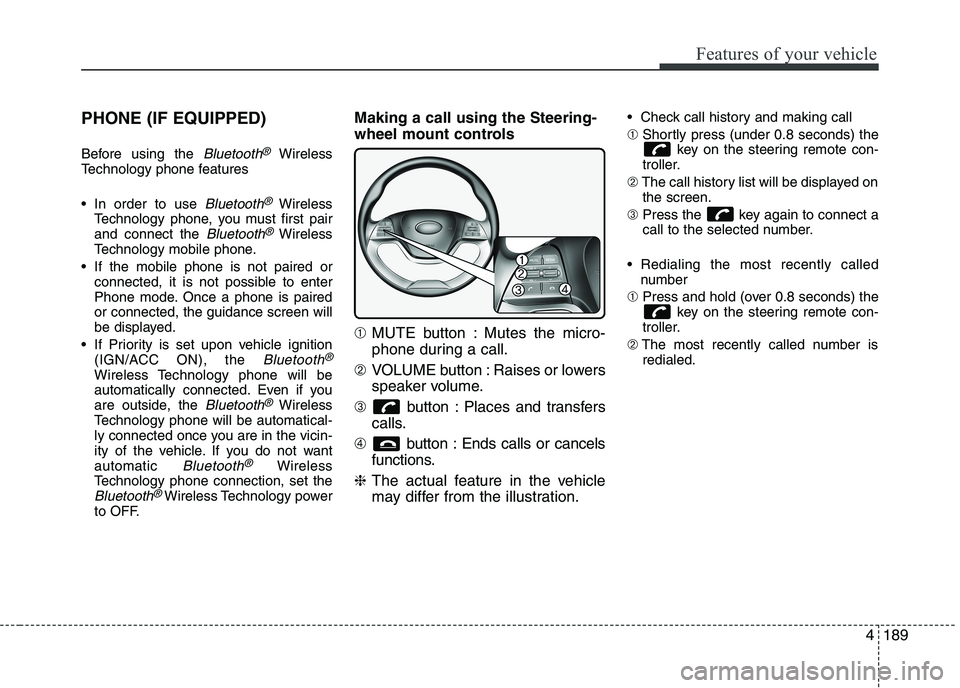
to OFF. Making a call using the Steering-
wheel mount controls ➀
MUTE button : Mutes the micro-
phone during a call.
➁ VOLUME button : Raises or lowers
speaker volume.
➂ button : Places and transfers
calls.
➃ button : Ends calls or cancels
functions.
❈ The actual feature in the vehicle
may differ from the illustration. Check call history and making call ➀
Shortly press (under 0.8 seconds) the
key on the steering remote con-
troller.
➁ The call history list will be displayed on
the screen.
➂ Press the key again to connect a
call to the selected number.
Redialing the most recently called number
➀ Press and hold (over 0.8 seconds) the
key on the steering remote con-
troller.
➁ The most recently called number is
redialed.
![KIA PICANTO 2017 Owners Manual Features of your vehicle
1764
Bluetooth®Wireless Technology
System Off
This feature is used when you do not wish to use the
Bluetooth®Wireless
Technology system.
Select [Bluetooth System Off] Set](/manual-img/2/57964/w960_57964-250.png "KIA PICANTO 2017 Owners Manual Features of your vehicle
1764
Bluetooth®Wireless Technology
System Off
This feature is used when you do not wish to use the
Bluetooth®Wireless
Technology system.
Select [Bluetooth System Off] Set")
![KIA PICANTO 2017 Owners Manual 177
Features of your vehicle
4
SYSTEM SETTINGS
Press the key Select [System]
Memory Information
Displays currently used memory and
total system memory.
Select [Memory Information] OK
The curren](/manual-img/2/57964/w960_57964-251.png "KIA PICANTO 2017 Owners Manual 177
Features of your vehicle
4
SYSTEM SETTINGS
Press the key Select [System]
Memory Information
Displays currently used memory and
total system memory.
Select [Memory Information] OK
The curren")
![KIA PICANTO 2017 Owners Manual Features of your vehicle
1844Copy (if equipped)
Press the key Set [ Copy]
through the TUNE knob or key.
This is used to copy the current song into
My Music. You can play the copied Music
in My](/manual-img/2/57964/w960_57964-258.png "KIA PICANTO 2017 Owners Manual Features of your vehicle
1844Copy (if equipped)
Press the key Set [ Copy]
through the TUNE knob or key.
This is used to copy the current song into
My Music. You can play the copied Music
in My")