2017 KIA NIRO warning
[x] Cancel search: warningPage 249 of 552
Features of your vehicle
146
4
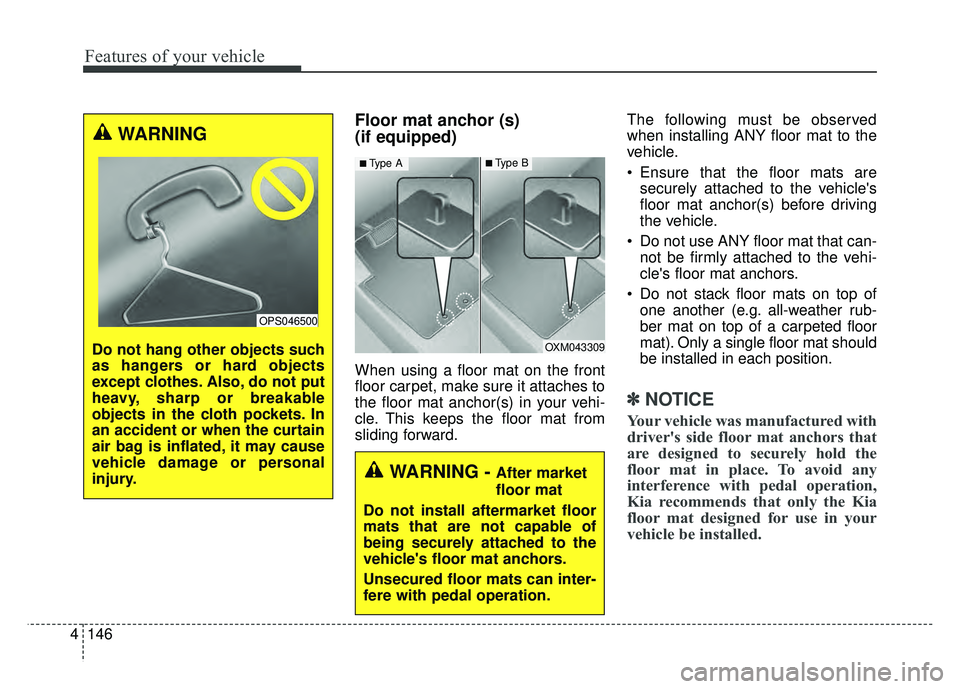
Floor mat anchor (s)
(if equipped)
When using a floor mat on the front
floor carpet, make sure it attaches to
the floor mat anchor(s) in your vehi-
cle. This keeps the floor mat from
sliding forward. The following must be observed
when installing ANY floor mat to the
vehicle.
Ensure that the floor mats are
securely attached to the vehicle's
floor mat anchor(s) before driving
the vehicle.
Do not use ANY floor mat that can- not be firmly attached to the vehi-
cle's floor mat anchors.
Do not stack floor mats on top of one another (e.g. all-weather rub-
ber mat on top of a carpeted floor
mat). Only a single floor mat should
be installed in each position.
✽ ✽ NOTICE
Your vehicle was manufactured with
driver's side floor mat anchors that
are designed to securely hold the
floor mat in place. To avoid any
interference with pedal operation,
Kia recommends that only the Kia
floor mat designed for use in your
vehicle be installed.
OXM043309
■Type A■Type B
WARNING - After market
floor mat
Do not install aftermarket floor
mats that are not capable of
being securely attached to the
vehicle's floor mat anchors.
Unsecured floor mats can inter-
fere with pedal operation.
WARNING
Do not hang other objects such
as hangers or hard objects
except clothes. Also, do not put
heavy, sharp or breakable
objects in the cloth pockets. In
an accident or when the curtain
air bag is inflated, it may cause
vehicle damage or personal
injury.
OPS046500
Page 250 of 552
4147
Features of your vehicle
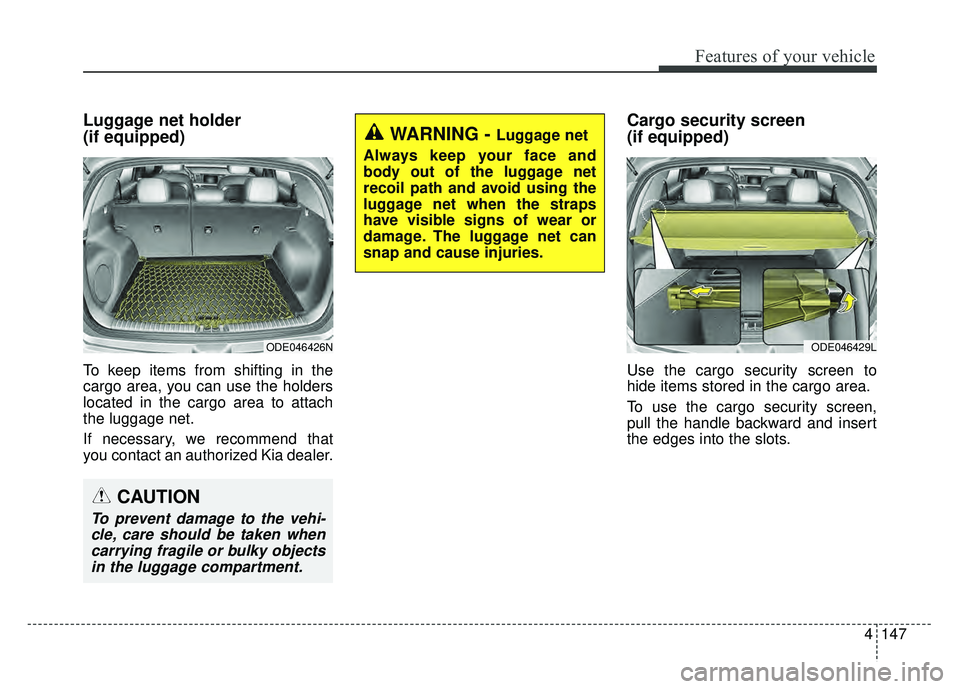
Luggage net holder
(if equipped)
To keep items from shifting in the
cargo area, you can use the holders
located in the cargo area to attach
the luggage net.
If necessary, we recommend that
you contact an authorized Kia dealer.
Cargo security screen
(if equipped)
Use the cargo security screen to
hide items stored in the cargo area.
To use the cargo security screen,
pull the handle backward and insert
the edges into the slots.
WARNING - Luggage net
Always keep your face and
body out of the luggage net
recoil path and avoid using the
luggage net when the straps
have visible signs of wear or
damage. The luggage net can
snap and cause injuries.
ODE046429L
CAUTION
To prevent damage to the vehi- cle, care should be taken whencarrying fragile or bulky objectsin the luggage compartment.
ODE046426N
Page 251 of 552
Features of your vehicle
148
4
WARNING - Cargo
Security Screen
Do not place objects on the
cargo security screen. Such
objects may be thrown about
inside the vehicle and possibly
injure vehicle occupants during
an accident or when braking.
CAUTION
Do not place luggage on the cargo security screen. This maycause the security screen tobecome damaged or malformed.
Page 253 of 552
Features of your vehicle
150
4
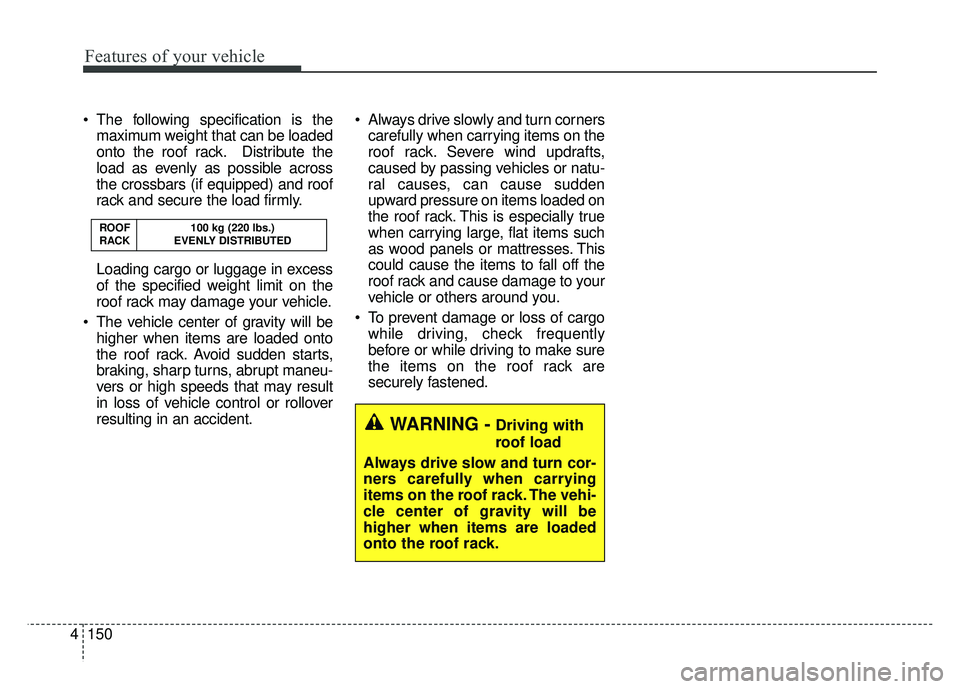
The following specification is the
maximum weight that can be loaded
onto the roof rack. Distribute the
load as evenly as possible across
the crossbars (if equipped) and roof
rack and secure the load firmly.
Loading cargo or luggage in excess
of the specified weight limit on the
roof rack may damage your vehicle.
The vehicle center of gravity will be higher when items are loaded onto
the roof rack. Avoid sudden starts,
braking, sharp turns, abrupt maneu-
vers or high speeds that may result
in loss of vehicle control or rollover
resulting in an accident. Always drive slowly and turn corners
carefully when carrying items on the
roof rack. Severe wind updrafts,
caused by passing vehicles or natu-
ral causes, can cause sudden
upward pressure on items loaded on
the roof rack. This is especially true
when carrying large, flat items such
as wood panels or mattresses. This
could cause the items to fall off the
roof rack and cause damage to your
vehicle or others around you.
To prevent damage or loss of cargo while driving, check frequently
before or while driving to make sure
the items on the roof rack are
securely fastened.
ROOF 100 kg (220 lbs.)
RACK EVENLY DISTRIBUTED
WARNING -Driving with
roof load
Always drive slow and turn cor-
ners carefully when carrying
items on the roof rack. The vehi-
cle center of gravity will be
higher when items are loaded
onto the roof rack.
Page 261 of 552

Audio system
58 Adjust the volume to levels that
allow the driver to hear sounds
from outside of the vehicle. Driving
in a state where external sounds
cannot be heard may lead to acci-
dents.
Pay attention to the volume setting when turning the device on. A sud-
den output of extreme volume
upon turning the device on could
lead to hearing impairment. (Adjust
the volume to a suitable levels
before turning off the device.)
If you want to change the position of device installation, please
inquire with your place of purchase
or service maintenance center.
Technical expertise is required to
install or disassemble the device. Turn on the car ignition before
using this device. Do not operate
the audio system for long periods
of time with the ignition turned off
as such operations may lead to
battery discharge.
In case of product malfunction, please contact your place of pur-
chase or After Service center.
Placing the audio system within an electromagnetic environment may
result in noise interference.
WARNING - Driver
distraction
Operating the device while driv-
ing could lead to accidents due
to a lack of attention to external
surroundings. First park the
vehicle before operating the
device.
CAUTION - LCD Monitor
Do not subject the device to severe shock or impact. Directpressure onto the front side ofthe monitor may cause damageto the LCD or touch screen.
CAUTION
When cleaning the device, make sure to turn off theaudio system and use a dryand smooth cloth.
Do not place beverages close to the audio system. Spillingbeverages may lead to systemmalfunction.
Never use tough materials, chemical cloths, or solvents(alcohol, benzene, thinners,etc.) as such materials maydamage the device panel orcause color/quality deteriora-tion.
Prevent caustic solutions such as perfume and cosmetic oilfrom contacting the dashboardbecause they may cause dam-age or discoloration.
Page 272 of 552

Audio system
19
5
✽
✽
NOTICE - Using Bluetooth®
Wireless Technology
Audio
•Bluetooth®Wireless Technology
Audio mode can only be used if a
Bluetooth
®Wireless Technology-
enabled phone is connected. Only
devices that support Bluetooth
®
Wireless Technology audio can be
used.
• If the Bluetooth
®Wireless
Technology-enabled phone is dis-
connected during play, the music
stops.
• When the TRACK UP/DOWN but- tons are used during Bluetooth
®
Wireless Technology audio stream-
ing, a popping noise or sound inter-
ruptions may occur, depending on
the cell phone device.
• Depending on the cell phone model, the audio streaming func-
tion may not be supported.
• If a phone call is made or received when music is playing in
Bluetooth
®Wireless Technology
Audio mode, the call may mix with
the music. (Continued)(Continued)
• When returning to Bluetooth
®
Wireless Technology Audio mode
after ending a call, play might not
resume automatically for some cell
phone models.
• Bluetooth
®Wireless Technology
Handsfree is a feature that enables
drivers to practice safe driving.
Connecting the car audio system
with a Bluetooth
®Wireless
Technology phone allows the user
to conveniently make calls, receive
calls, and manage the phone book.
Before using the Bluetooth
®
Wireless Technology, carefully
read the contents of this user’s
manual.
• Excessive use or operations while driving may lead to negligent driv-
ing practices and be the cause of
accidents.
• Do not operate the device exces- sively while driving.
• Viewing the screen for prolonged periods of time is dangerous and
may lead to accidents.
• When driving, view the screen only for short periods of time.
WARNING
Driving while distracted can
result in a loss of vehicle con-
trol that may lead to an acci-
dent, severe personal injury,
and death. The driver’s primary
responsibility is in the safe and
legal operation of a vehicle, and
use of any handheld devices,
other equipment, or vehicle sys-
tems which take the driver’s
eyes, attention and focus away
from the safe operation of a
vehicle or which are not permis-
sible by law should never be
used during operation of the
vehicle.
Page 290 of 552
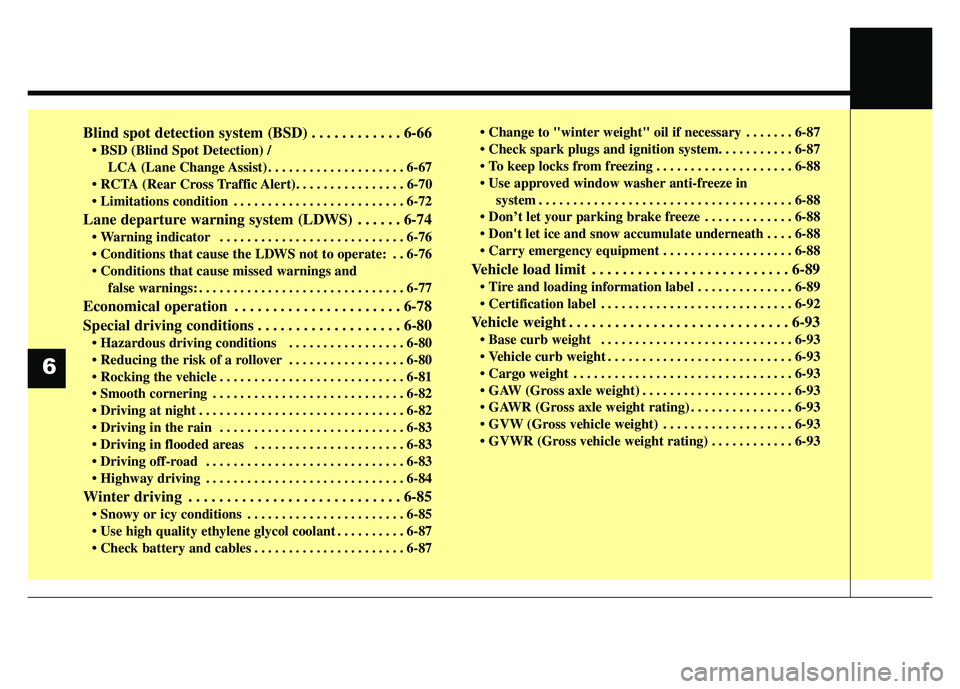
Blind spot detection system (BSD) . . . . . . . . . . . . 6-66
LCA (Lane Change Assist) . . . . . . . . . . . . . . . . . . . . 6-67
. . . . . . . . . . . . . . . . . . . . . . . . . 6-72
Lane departure warning system (LDWS) . . . . . . 6-74
. . . . . . . . . . . . . . . . . . . . . . . . . . . 6-76
. . 6-76
false warnings: . . . . . . . . . . . . . . . . . . . . . . . . . . . . . . 6-77
Economical operation . . . . . . . . . . . . . . . . . . . . . . 6-78
Special driving conditions . . . . . . . . . . . . . . . . . . . 6-80
. . . . . . . . . . . . . . . . . 6-80
. . . . . . . . . . . . . . . . . 6-80
. . . . . . . . . . . . . . . . . . . . . . . . . . . 6-81
. . . . . . . . . . . . . . . . . . . . . . . . . . . . 6-82
. . . . . . . . . . . . . . . . . . . . . . . . . . . . . . 6-82
. . . . . . . . . . . . . . . . . . . . . . 6-83
. . . . . . . . . . . . . . . . . . . . . . . . . . . . . 6-83
. . . . . . . . . . . . . . . . . . . . . . . . . . . . . 6-84
Winter driving . . . . . . . . . . . . . . . . . . . . . . . . . . . . 6-85
. . . . . . . . . . . . . . . . . . . . . . . 6-85
. . . . . . . . . . 6-87
. . . . . . . . . . . . . . . . . . . . . . 6-87 . . . . . . . 6-87
. . . . . . . . . . . . . . . . . . . . 6-88
system . . . . . . . . . . . . . . . . . . . . . . . . . . . . . . . . . . . . \
. 6-88
. . . . . . . . . . . . . 6-88
. . . . 6-88
. . . . . . . . . . . . . . . . . . . 6-88
Vehicle load limit . . . . . . . . . . . . . . . . . . . . . . . . . . 6-89
. . . . . . . . . . . . . . 6-89
. . . . . . . . . . . . . . . . . . . . . . . . . . . . 6-92
Vehicle weight . . . . . . . . . . . . . . . . . . . . . . . . . . . . . 6-93
. . . . . . . . . . . . . . . . . . . . . . . . . . . . 6-93
. . . . . . . . . . . . . . . . . . . . . . . . . . . 6-93
. . . . . . . . . . . . . . . . . . . . . . . . . . . . . . . . 6-93
. . . . . . . . . . . . . . . . . . . . . . 6-93
. . . . . . . . . . . . . . . 6-93
. . . . . . . . . . . . . . . . . . . 6-93
. . . . . . . . . . . . 6-93
6
Page 291 of 552

63
Driving your vehicle
Be sure the exhaust system does
not leak.
The exhaust system should be
checked whenever the vehicle is
raised to change the oil or for any
other purpose. If you hear a change in
the sound of the exhaust or if you drive
over something that strikes the under-
neath side of the vehicle, have the
exhaust system checked as soon as
possible by an authorized Kia dealer.
WARNING- Engineexhaust
Do not inhale exhaust fumes or
leave your engine running in a
enclosed area for a prolonged
time. Exhaust fumes contain
carbon monoxide, a colorless,
odorless gas that can cause
unconsciousness and death by
asphyxiation.
WARNING- Open liftgate
Do not drive with the liftgate
open. Poisonous exhaust gases
can enter the passenger com-
partment. If you must drive with
the liftgate open proceed as fol-
lows:
1. Close all windows.
2. Open side vents.
3. Set the air intake control at "Fresh", the air flow control at
"Floor" or "Face" and the fan
at the highest speed.WARNING - CALIFORNIA
PROPOSITION 65
Engine exhaust and a wide vari-
ety of automobile components
and parts, including compo-
nents found in the interior fur-
nishings in a vehicle, contain or
emit chemicals known to the
State of California to cause can-
cer and birth defects and repro-
ductive harm. In addition, cer-
tain fluids contained in vehicles
and certain products of compo-
nent wear contain or emit chem-
icals known to the State of
California to cause cancer and
birth defects or other reproduc-
tive harm.