Page 391 of 595
Driving your vehicle
48 5
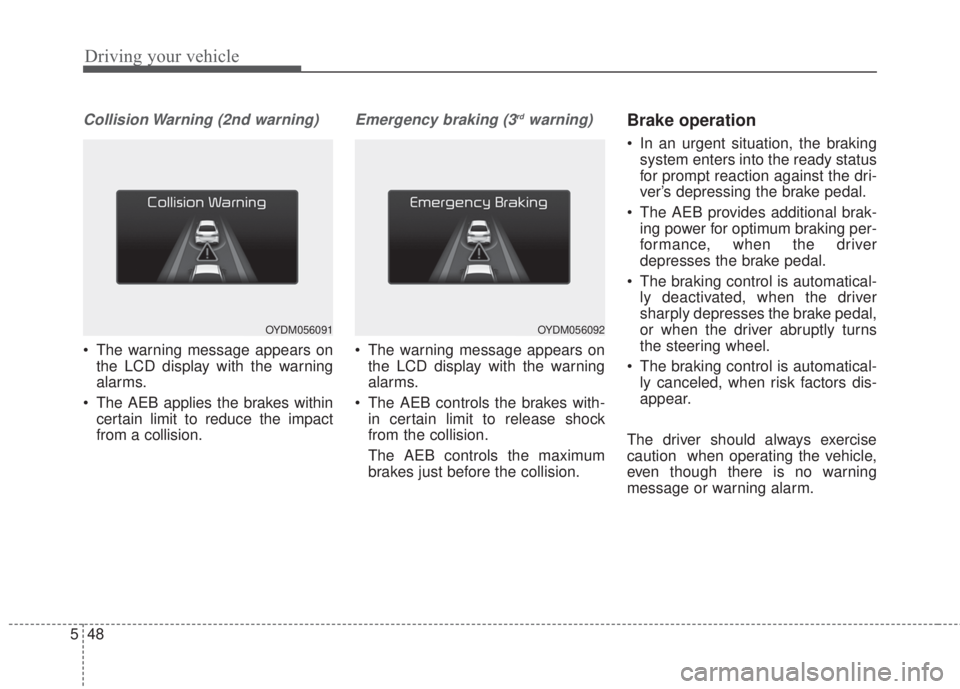
Collision Warning (2nd warning)
• The warning message appears on
the LCD display with the warning
alarms.
• The AEB applies the brakes within
certain limit to reduce the impact
from a collision.
Emergency braking (3rdwarning)
• The warning message appears on
the LCD display with the warning
alarms.
• The AEB controls the brakes with-
in certain limit to release shock
from the collision.
The AEB controls the maximum
brakes just before the collision.
Brake operation
• In an urgent situation, the braking
system enters into the ready status
for prompt reaction against the dri-
ver’s depressing the brake pedal.
• The AEB provides additional brak-
ing power for optimum braking per-
formance, when the driver
depresses the brake pedal.
• The braking control is automatical-
ly deactivated, when the driver
sharply depresses the brake pedal,
or when the driver abruptly turns
the steering wheel.
• The braking control is automatical-
ly canceled, when risk factors dis-
appear.
The driver should always exercise
caution when operating the vehicle,
even though there is no warning
message or warning alarm.
OYDM056091OYDM056092
Page 400 of 595
557
Driving your vehicle
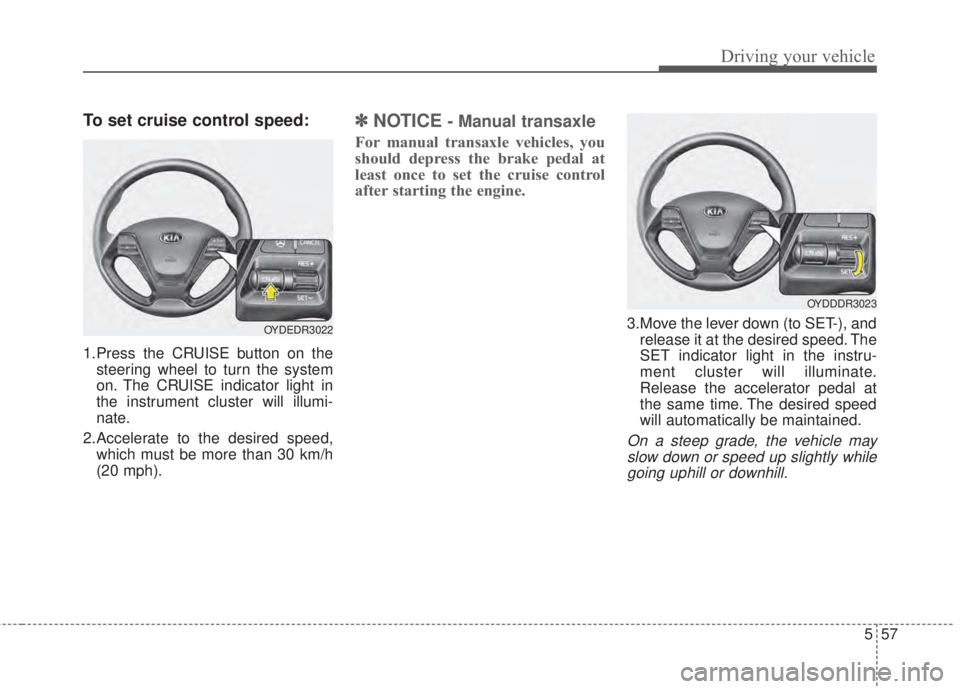
To set cruise control speed:
1.Press the CRUISE button on the
steering wheel to turn the system
on. The CRUISE indicator light in
the instrument cluster will illumi-
nate.
2.Accelerate to the desired speed,
which must be more than 30 km/h
(20 mph).
✽NOTICE- Manual transaxle
For manual transaxle vehicles, you
should depress the brake pedal at
least once to set the cruise control
after starting the engine.
3.Move the lever down (to SET-), and
release it at the desired speed. The
SET indicator light in the instru-
ment cluster will illuminate.
Release the accelerator pedal at
the same time. The desired speed
will automatically be maintained.
On a steep grade, the vehicle may
slow down or speed up slightly while
going uphill or downhill.
OYDEDR3022
OYDDDR3023
Page 402 of 595
559
Driving your vehicle
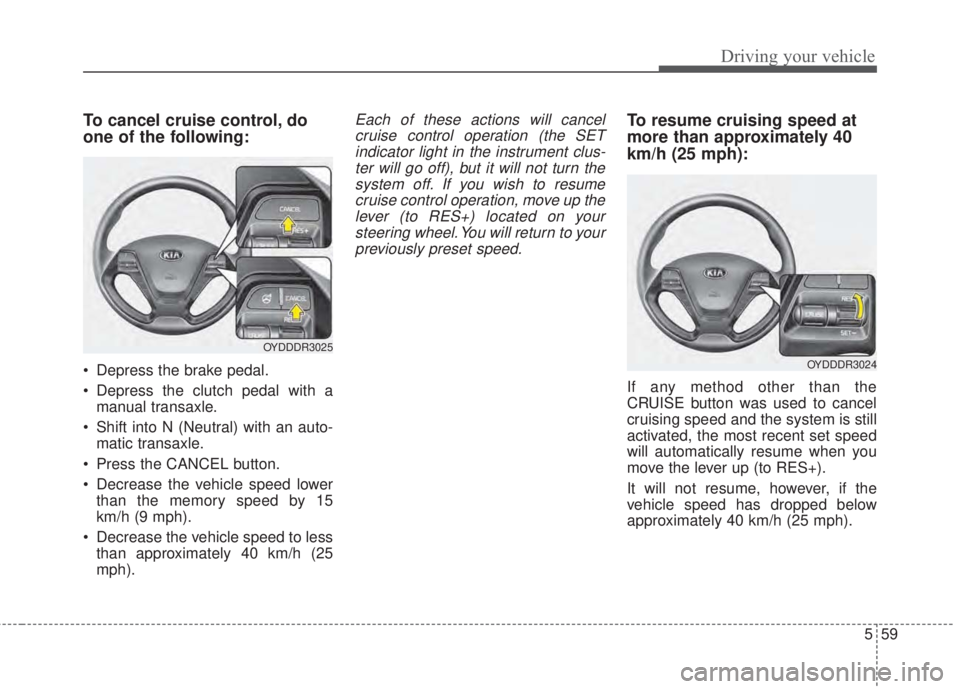
To cancel cruise control, do
one of the following:
• Depress the brake pedal.
• Depress the clutch pedal with a
manual transaxle.
• Shift into N (Neutral) with an auto-
matic transaxle.
• Press the CANCEL button.
• Decrease the vehicle speed lower
than the memory speed by 15
km/h (9 mph).
• Decrease the vehicle speed to less
than approximately 40 km/h (25
mph).
Each of these actions will cancel
cruise control operation (the SET
indicator light in the instrument clus-
ter will go off), but it will not turn the
system off. If you wish to resume
cruise control operation, move up the
lever (to RES+) located on your
steering wheel. You will return to your
previously preset speed.To resume cruising speed at
more than approximately 40
km/h (25 mph):
If any method other than the
CRUISE button was used to cancel
cruising speed and the system is still
activated, the most recent set speed
will automatically resume when you
move the lever up (to RES+).
It will not resume, however, if the
vehicle speed has dropped below
approximately 40 km/h (25 mph).
OYDDDR3025
OYDDDR3024
Page 405 of 595

Driving your vehicle
62 5
When Active ECO is activated:
• The acceleration may slightly be
reduced even though you depress
the accelerator fully.
• The air conditioner performance
may be limited
• The shift pattern of the automatic
transaxle may change.
• The engine noise may get louder.
The above situations are normal
conditions when the Active Eco
System is activated to improve fuel
efficiency.Limitation of Active ECO opera-
tion:
If the following conditions occur while
Active ECO is operating, the system
operation is limited even though
there is no change in the ECO indi-
cator.
• When the coolant temperature is
low:
The system will be limited until
engine performance becomes nor-
mal.
• When driving up a hill:
The system will be limited to gain
power when driving uphill because
the engine torque is restricted.
• When using manual mode:
The system will be limited accord-
ing to the shift location.
• When the accelerator pedal is
deeply depressed for a few sec-
onds:
The system will be limited, judging
that the driver wants to speed up.SPORT mode
SPORT mode focuses on
dynamic driving by auto-
matically adjusting the
steering wheel, engine
and transaxle system.
• When the DRIVE MODE
button is pressed and
the SPORT mode is
selected, the SPORT
indicator (yellow) will illu-
minate.
• When the SPORT mode
is activated, and the
engine start/stop button
is turned off and on it will
change to NORMAL
mode. To turn on the
SPORT mode press
DRIVE MODE button
again.
SPORT
Page 408 of 595
565
Driving your vehicle
• The system detects lane markers
and controls the steering wheel by
a camera, therefore, if the lane
markers are hard to detect, the
system may not work properly.
Please refer to "Driver's Attention".
• Do not remove any LKAS parts or
apply impact.
• Do not place objects on the dash-
board that reflects light such as
mirrors, white paper, etc. The sys-
tem may malfunction if the sunlight
is reflected.
• Loud audio sounds may interfere
with the passenger from hearing
warning chimes.
• Always have your hands on the
steering wheel while the LKAS sys-
tem is activated. If you continue to
drive with your hands off the steering
wheel after the "Hand on" warning,
the system will not control steering
automatically. When system does
not control steering automatically, if
you hold steering wheel, system will
control steering automatically
• If you drive very fast, the vehicle
may stray out of the lane. Always be
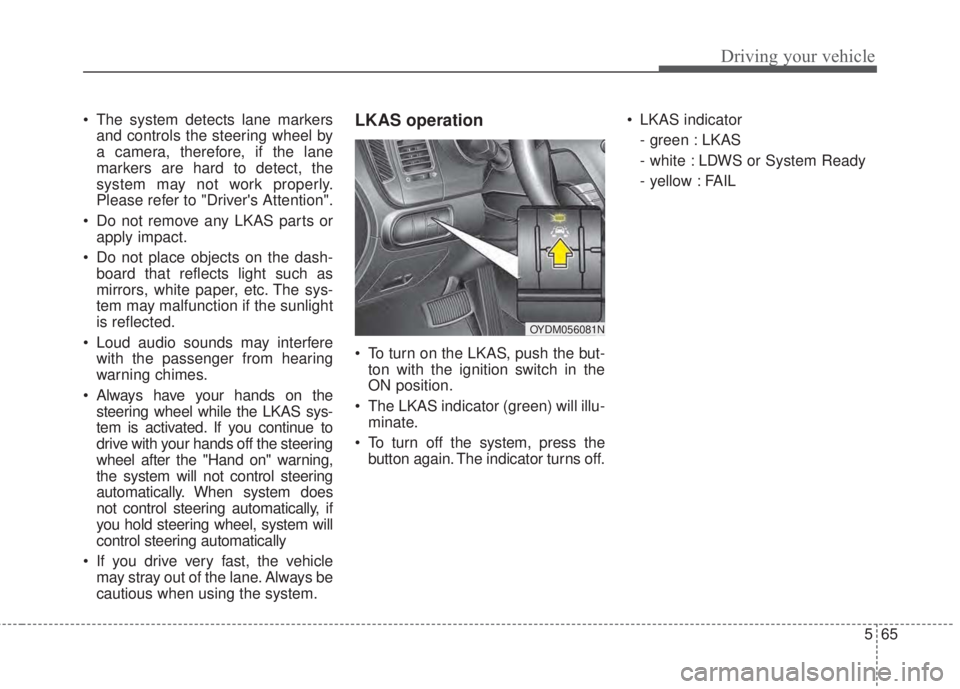
cautious when using the system.LKAS operation
• To turn on the LKAS, push the but-
ton with the ignition switch in the
ON position.
• The LKAS indicator (green) will illu-
minate.
• To turn off the system, press the
button again. The indicator turns off.• LKAS indicator
- green : LKAS
- white : LDWS or System Ready
- yellow : FAIL
OYDM056081N
Page 414 of 595
571
Driving your vehicle
LKAS function change
The driver can change LKAS to Lane
Departure Warning System (LDWS)
or change the LKAS mode between
Standard LKA and Active LKA by
selecting 'User Settings', 'Driving
Assist', and ‘Lane Keeping Assist
System’ on the LCD display. The sys-
tem is automatically set to Standard
LKA.
Lane Departure Warning (LDWS)
• The system can be converted to
LKA to LDW at the User setting
mode.
• Refer to User setting in section 4.
• LDWS alerts the driver with a visu-
al and audible warning when the
system detects the vehicle straying
from its lane.
• If the LDWS is operating the indi-
cator green/white will illuminate.
• The steering wheel will not be con-
trolled.
Standard LKA
• LKAS only starts intervention when
the vehicle is predicted to cross the
line.
• It's useful to a driver who dislikes
frequent intervention by LKAS
• LDW is generated when the vehi-
cle is about to cross the line.
Active LKA
• LKAS operates for a vehicle to
keep the region of lane center
more efficiently.
• The steering assistance is activat-
ed more frequently and earlier than
standard LKA.
• LDW is generated when the vehi-
cle is about to cross the line.
Page 418 of 595
575
Driving your vehicle
Detecting sensor
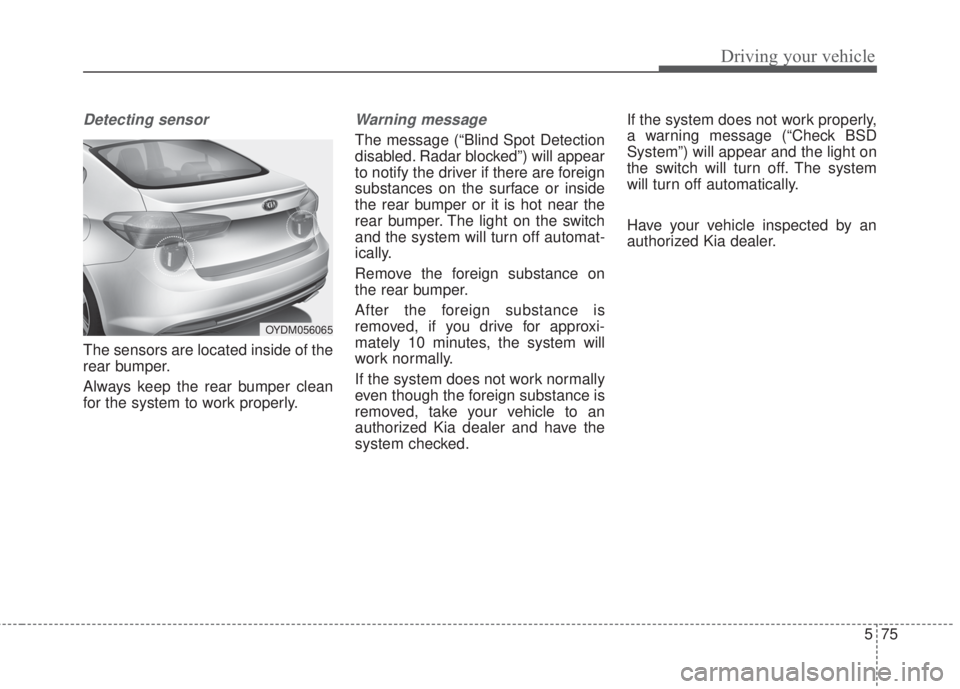
The sensors are located inside of the
rear bumper.
Always keep the rear bumper clean
for the system to work properly.
Warning message
The message (“Blind Spot Detection
disabled. Radar blocked”) will appear
to notify the driver if there are foreign
substances on the surface or inside
the rear bumper or it is hot near the
rear bumper. The light on the switch
and the system will turn off automat-
ically.
Remove the foreign substance on
the rear bumper.
After the foreign substance is
removed, if you drive for approxi-
mately 10 minutes, the system will
work normally.
If the system does not work normally
even though the foreign substance is
removed, take your vehicle to an
authorized Kia dealer and have the
system checked.If the system does not work properly,
a warning message (“Check BSD
System”) will appear and the light on
the switch will turn off. The system
will turn off automatically.
Have your vehicle inspected by an
authorized Kia dealer.
OYDM056065
Page 425 of 595
Driving your vehicle
82 5
Hazardous driving conditions
When hazardous driving conditions
are encountered such as water,
snow, ice, mud, sand, or similar haz-
ards, follow these suggestions:
• Drive cautiously and allow extra
distance for braking.
• Avoid sudden braking or steering.
• When braking with non-ABS
brakes pump the brake pedal with
a light up-and-down motion until
the vehicle is stopped.Do not pump the brake pedal on a
vehicle equipped with ABS.
• If stalled in snow, mud, or sand,
use second gear. Accelerate slow-
ly to avoid spinning the drive
wheels.
• Use sand, rock salt, or other non-
slip material under the drive
wheels to provide traction when
stalled in ice, snow, or mud.
Rocking the vehicle
If it is necessary to rock the vehicle
to free it from snow, sand, or mud,
first turn the steering wheel right and
left to clear the area around your
front wheels. Then, shift back and
forth between 1st (First) and R
(Reverse) in vehicles equipped with
a manual transaxle or R (Reverse)
and any forward gear in vehicles
equipped with an automatic
transaxle. Do not race the engine,
and spin the wheels as little as pos-
sible. If you are still stuck after a few
tries, have the vehicle pulled out by a
tow vehicle to avoid engine overheat-
ing and possible damage to the
transaxle.
The ESC system should be turned
OFF prior to rocking the vehicle.
SPECIAL DRIVING CONDITIONS
WARNING- Downshifting
Do not downshift with an auto-
matic transaxle while driving on
slippery surfaces. The sudden
change in tire speed could
cause the tires to skid and
result in an accident.
CAUTION- Vehicle
rocking
Prolonged rocking may cause
engine overheating, transaxle
damage or failure, and tire dam-
age.