Page 196 of 653
Features of your vehicle
112
4
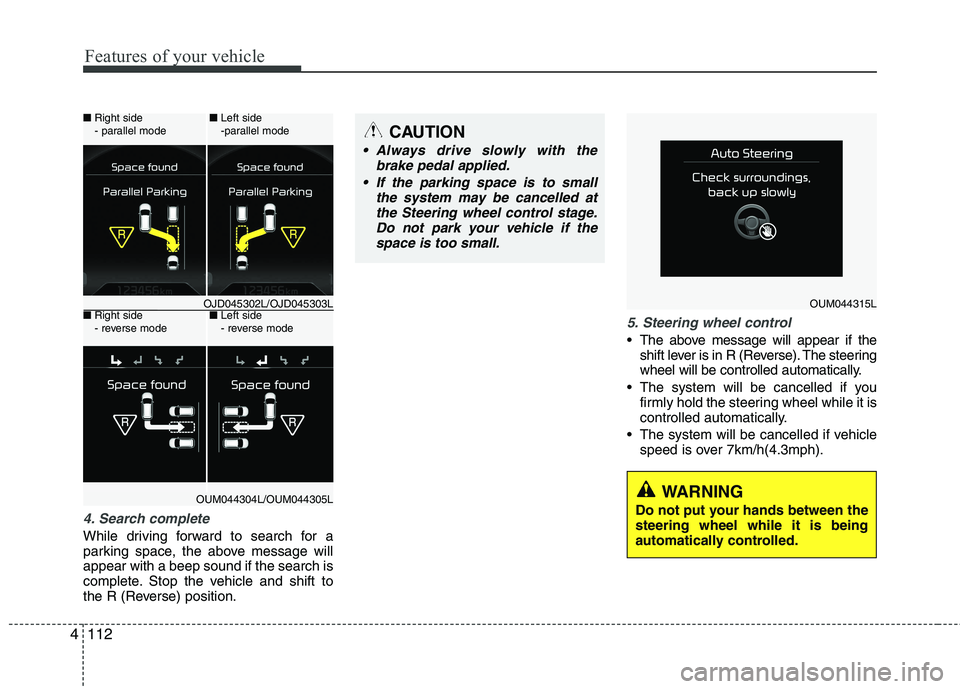
4. Search complete
While driving forward to search for a
parking space, the above message willappear with a beep sound if the search is
complete. Stop the vehicle and shift to
the R (Reverse) position.
5. Steering wheel control
The above message will appear if the
shift lever is in R (Reverse). The steering
wheel will be controlled automatically.
The system will be cancelled if you firmly hold the steering wheel while it is
controlled automatically.
The system will be cancelled if vehicle speed is over 7km/h(4.3mph).
CAUTION
Always drive slowly with the
brake pedal applied.
If the parking space is to small the system may be cancelled atthe Steering wheel control stage.Do not park your vehicle if the
space is too small.
OUM044315L
WARNING
Do not put your hands between the steering wheel while it is being
automatically controlled.
■ Right side
- parallel mode ■
Left side
-parallel mode
■ Right side
- reverse mode ■
Left side
- reverse mode
OJD045302L/OJD045303L
OUM044304L/OUM044305L
Page 197 of 653
4113
Features of your vehicle
✽✽NOTICE
If you do not follow the instructions pro- vided, you may fail to park your vehicle.
However, if the Parking Assist System
warning sound (distance from object
is within 30cm: continuous beep)
occurs, slowly drive the vehicle to the
reverse direction of the detected
object after checking the surrounding.
Always check the surrounding before
driving your vehicle if the Parking
Assist System warning sound (dis-
tance from object is within 30cm: con-
tinuous beep) is heard for the object is
close to your vehicle.
To cancel the system while parking
Press the Smart Parking Assist System
button or turn the steering wheel to the
left or right.
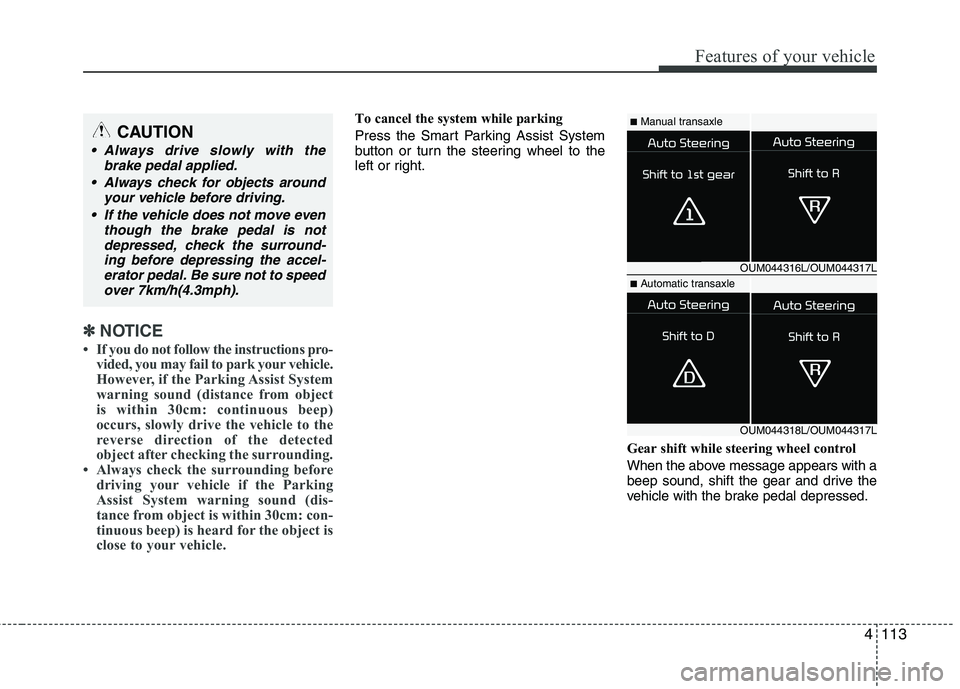
Gear shift while steering wheel control
When the above message appears with a
beep sound, shift the gear and drive the
vehicle with the brake pedal depressed.■Manual transaxle
■ Automatic transaxle
OUM044316L/OUM044317L
OUM044318L/OUM044317L
CAUTION
Always drive slowly with the
brake pedal applied.
Always check for objects around your vehicle before driving.
If the vehicle does not move even though the brake pedal is notdepressed, check the surround-
ing before depressing the accel-erator pedal. Be sure not to speedover 7km/h(4.3mph).
Page 198 of 653
Features of your vehicle
114
4
6. Smart Parking Assist System com-
pleted
Complete parking your vehicle according
to the instructions on the LCD display. If
required, manually control the steering
wheel and complete parking your vehicle.
✽✽NOTICE
The brake pedal must be depressed by
the driver while parking your vehicle.
The system may be cancelled in the below
conditions:
Ignoring the gear shift message and drive the vehicle approximately 150cm (59in).
The front and rear Parking Assist System warning sound (distance from
object is within 30cm: continuous
beep) is heard at the same time.
6 minutes have passed since the vehi- cle has been controlled by the Smart
Parking Assist System.
The shift lever is changed to the P (Park) or R (Reverse) position while
searching for parking space.
OJD045531L
WARNING
Always be careful while parking for
other vehicles or pedestrians.
CAUTION
Always check the surrounding before releasing the brake pedal.
Page 199 of 653

4115
Features of your vehicle
How the system works (Exit mode)
The Exit Mode operates in the below condition:
When vehicle speed is below 5 km/hthe first time after the engine has been
started.
After parallel parking is completed with the Smart Parking Assist System.
1. Activate the Smart Parking Assist System
The shift lever should be placed in P (Park) or N (Neutral).
2. Select Exit Mode
3. Check surroundings
4. Steering wheel control (1) Shift according to the instruction on the LCD display.
(2) Drive slowly with the brake pedal applied.
5. Exiting complete If necessary, manually adjust position
of vehicle.✽✽NOTICE
Before activating the system check if the conditions are possible to use the
system.
For your safety, always apply the
brake pedal except for when driving.
1. Activate Smart Parking Assist
System
Press the Smart Parking Assist
System button (the button indicator will illuminate).
The Parking Assist System will be acti- vated (the button indicator will illumi- nate).
A warning sound will be heard if an obstacle is detected.
Press the Smart Parking Assist System button again for more than 2
seconds to turn off the system.
The Smart Parking Assist System defaults to the OFF position whenever
the ignition switch is turned on.
OJD042082
Page 201 of 653
4117
Features of your vehicle
4. Steering wheel control
The above message will appear if theshift lever is in D (Drive) or R (Reverse) according to the distance of the front
and rear object from the sensor.
The steering wheel will be controlled
automatically.
The system will be cancelled if you firmly hold the steering wheel while it is
controlled automatically.
The system will be cancelled if vehicle speed is over 7km/h (4.3mph). To cancel the system while exiting
Press the Parking Assist System or
Smart Parking Assist System button.
WARNING
Do not put your hands between the steering wheel while it is being
automatically controlled.
CAUTION
Always drive slowly with the brake pedal applied.
OUM044318L
OUM044317L
OUM045315L
Page 202 of 653
Features of your vehicle
118
4
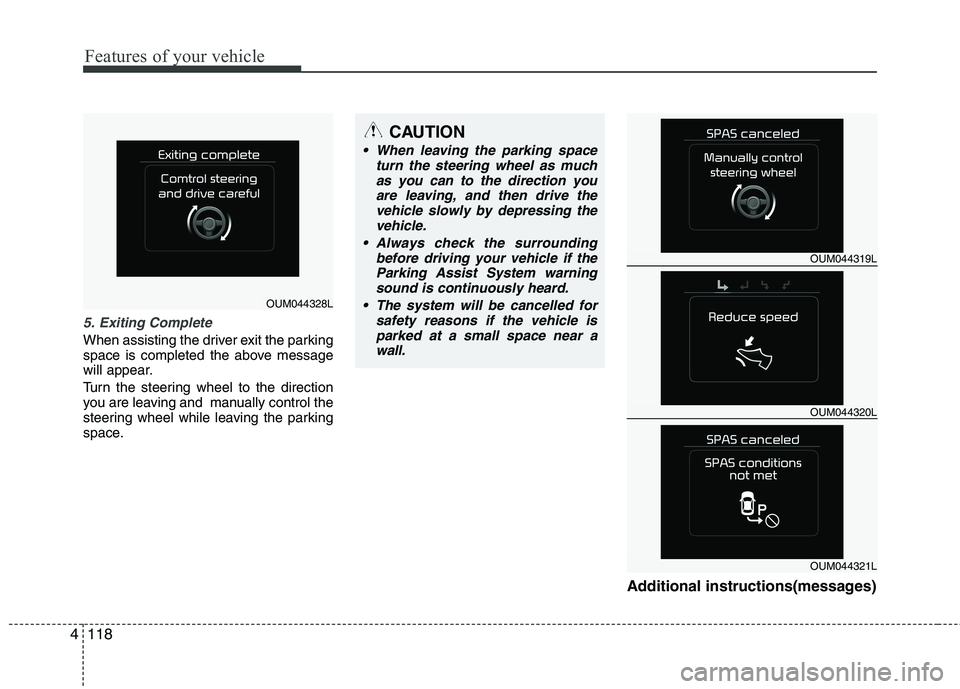
5. Exiting Complete
When assisting the driver exit the parking
space is completed the above message
will appear.
Turn the steering wheel to the direction
you are leaving and manually control the
steering wheel while leaving the parking
space.
Additional instructions(messages)
CAUTION
When leaving the parking spaceturn the steering wheel as much
as you can to the direction youare leaving, and then drive thevehicle slowly by depressing the vehicle.
Always check the surrounding before driving your vehicle if theParking Assist System warningsound is continuously heard.
The system will be cancelled for safety reasons if the vehicle isparked at a small space near awall.
OUM044328L
OUM044319L
OUM044320L
OUM044321L
Page 203 of 653
4119
Features of your vehicle
When the Smart Parking Assist System
is operating, a message may appear
regardless of the parking order. The messages will appear according to
the circumstances. Follow the instruc-
tions provided while parking your vehicle
with the Smart Parking Assist System.✽✽NOTICE
In the below conditions the system will be cancelled. Park your vehicle manually.
1. Search for parking space
- When the ABS/ESC is activated
- When the vehicle speed is over30km/h(18.6mph)
- When you press the Smart Parking Assist System button (the front and
rear Parking Assist System operates)
- When you shift the shift lever to R
(Reverse)
2. Steering wheel control
- When the ABS/ESC is activated
- When the vehicle speed is over7km/h (4.3 mph)
- When you press the Smart Parking
Assist System button (the front and
rear Parking Assist System operates)
- When you shift the shift lever to D (Drive) before entering the parking
space
- When you hold the steering wheel
firmly
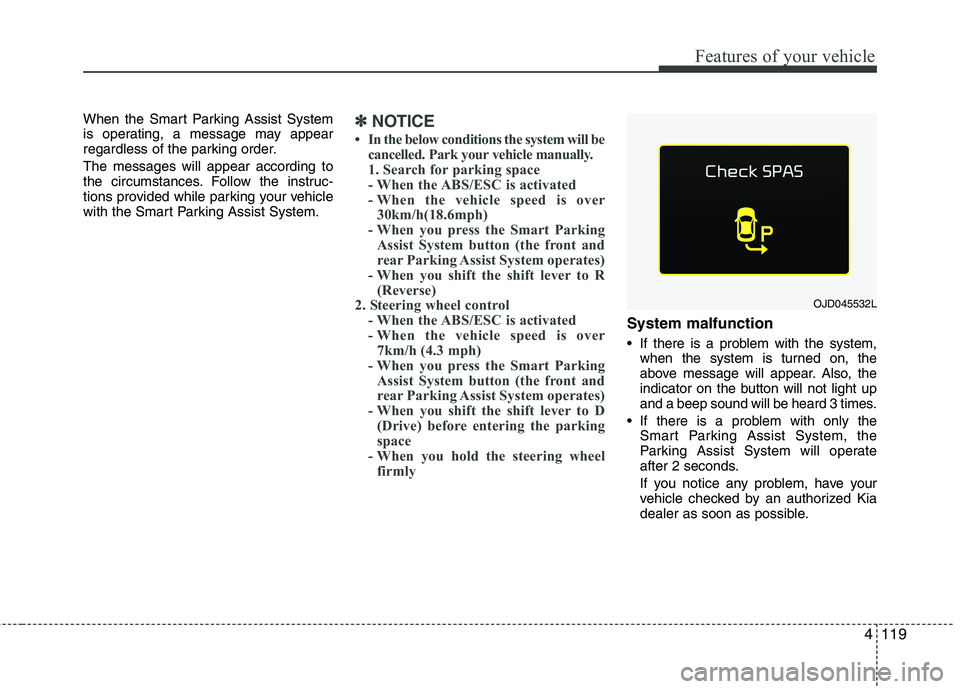
System malfunction
If there is a problem with the system, when the system is turned on, the
above message will appear. Also, the
indicator on the button will not light up
and a beep sound will be heard 3 times.
If there is a problem with only the Smart Parking Assist System, the
Parking Assist System will operate
after 2 seconds.
If you notice any problem, have your
vehicle checked by an authorized Kia
dealer as soon as possible.
OJD045532L
Page 205 of 653

4121
Features of your vehicle
Battery saver function
The purpose of this feature is to pre-vent the battery from being dis-
charged. The system automatically
turns off the parking lights when the
driver removes the ignition key (Smart
key : turns off the engine) and opens
the driver- side door.
With this feature, the parking lights will be turned off automatically if the driver
parks on the side of road at night.
If necessary, to keep the lights on
when the ignition key is removed, per-
form the following :
1) Open the driver-side door.
2) Turn the parking lights OFF and ON again using the light switch on the
steering column. Headlamp delay function (if equipped) The headlamps (and/or taillights) remain
on for same minutes (Type A: 20 minutes,
Type B: 5 minutes) after the ignition key
is removed or turned to the ACC or
LOCK position. However, if the driver’sdoor is opened and closed, the head-
lights are turned off after 15 seconds.
The headlights can be turned off by
pressing the lock button on the transmit-
ter or smart key twice or turning off the
light switch from the headlight or Autolight position.
You can activate or deactivate the head-
lamp delay fuction. Refer to “User setting”
in this chapter.
Headlight (Headlamp) welcome function (if equipped)
When the headlight switch is in the ON or
AUTO position and all doors (and tail-
gate) are closed and locked, if you press
the door unlock button on the transmitter
or smart key, the headlights will come on
for about 15 seconds.
If the headlight switch is in the AUTO
position, the function can only operate atnight.
At this time, if you press the door unlock
button again or door lock button on the
transmitter or smart key, the headlights
will turn off immediately.
You can activate or deactivate the head-
lamp welcome fuction. Refer to “User set-
ting” in this chapter.
✽✽
NOTICE
There can be turned on front fog light
and the fail light when you turn on the
headlight switch ON. In this case we rec-
ommend that you the system checked by
an authorized Kia dealer.
LIGHTING
CAUTION
If the driver gets out of the vehicle through other doors (except driver’sdoor), the battery saver function does not operate and the headlamp
delay function does not turn offautomatically. Therefore, it causes the battery to be discharged. In thiscase, make sure to turn off the lamp
before getting out of the vehicle.