Page 367 of 723
Audio system
84
5
Using MP3 CD Mode
Playing/Pausing MP3 Files
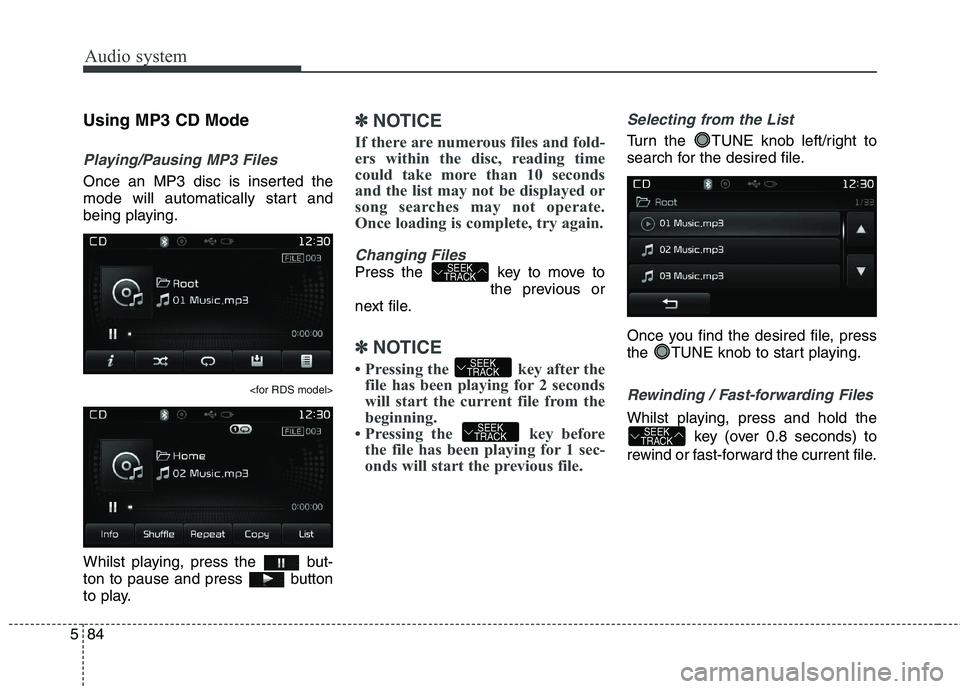
Once an MP3 disc is inserted the
mode will automatically start and
being playing.
Whilst playing, press the but-
ton to pause and press button
to play.
✽✽
NOTICE
If there are numerous files and fold-
ers within the disc, reading time
could take more than 10 seconds
and the list may not be displayed or
song searches may not operate.
Once loading is complete, try again.
Changing Files
Press the key to move to the previous or
next file.
✽✽ NOTICE
Pressing the key after the
file has been playing for 2 seconds
will start the current file from the
beginning.
Pressing the key before the file has been playing for 1 sec-
onds will start the previous file.
Selecting from the List
Turn the TUNE knob left/right to
search for the desired file.
Once you find the desired file, press
the TUNE knob to start playing.
Rewinding / Fast-forwarding Files
Whilst playing, press and hold the
key (over 0.8 seconds) to
rewind or fast-forward the current file.SEEK
TRACKSEEK
TRACK
SEEK
TRACK
SEEK
TRACK
Page 368 of 723
585
Audio system
Scan
Press the key to play the first
10 seconds of each file.
Press the key again to turn
off.
Press and hold the key to
play the file 10 seconds of each file. Pressing and holding the
key again to turn off.
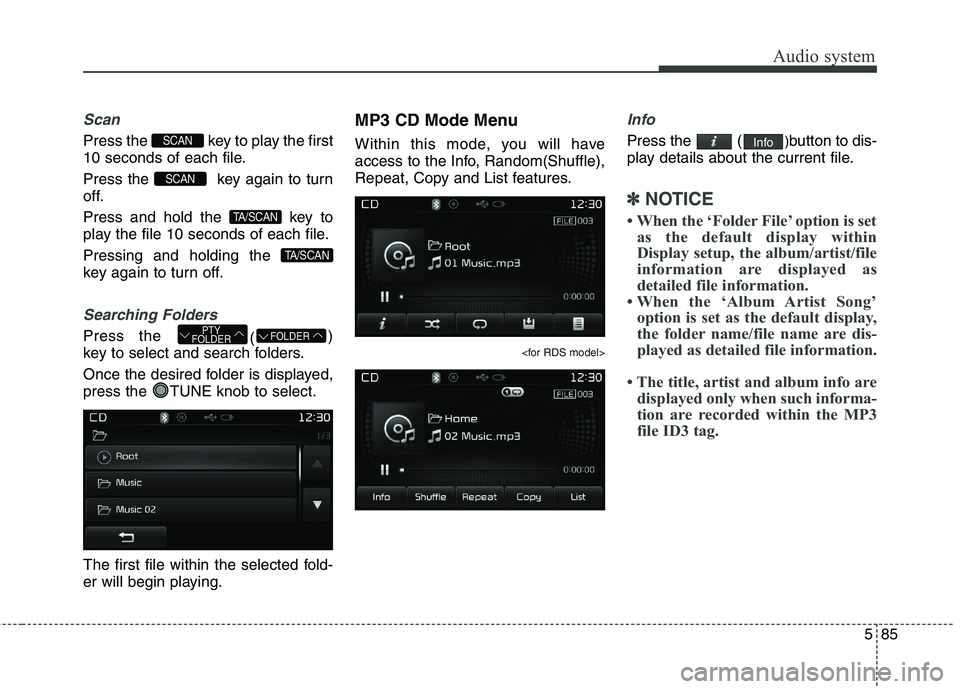
Searching Folders
Press the ()
key to select and search folders.
Once the desired folder is displayed,
press the TUNE knob to select.
The first file within the selected fold-
er will begin playing. MP3 CD Mode Menu
Within this mode, you will have
access to the Info, Random(Shuffle),
Repeat, Copy and List features.
Info
Press the (
)button to dis-
play details about the current file.
✽✽ NOTICE
When the ‘Folder File’ option is set as the default display within
Display setup, the album/artist/file
information are displayed as
detailed file information.
When the ‘Album Artist Song’ option is set as the default display,
the folder name/file name are dis-
played as detailed file information.
The title, artist and album info are displayed only when such informa-
tion are recorded within the MP3
file ID3 tag.
Info
FOLDERPTY
FOLDER
TA/SCAN
TA/SCAN
SCAN
SCAN
Page 369 of 723
Audio system
86
5
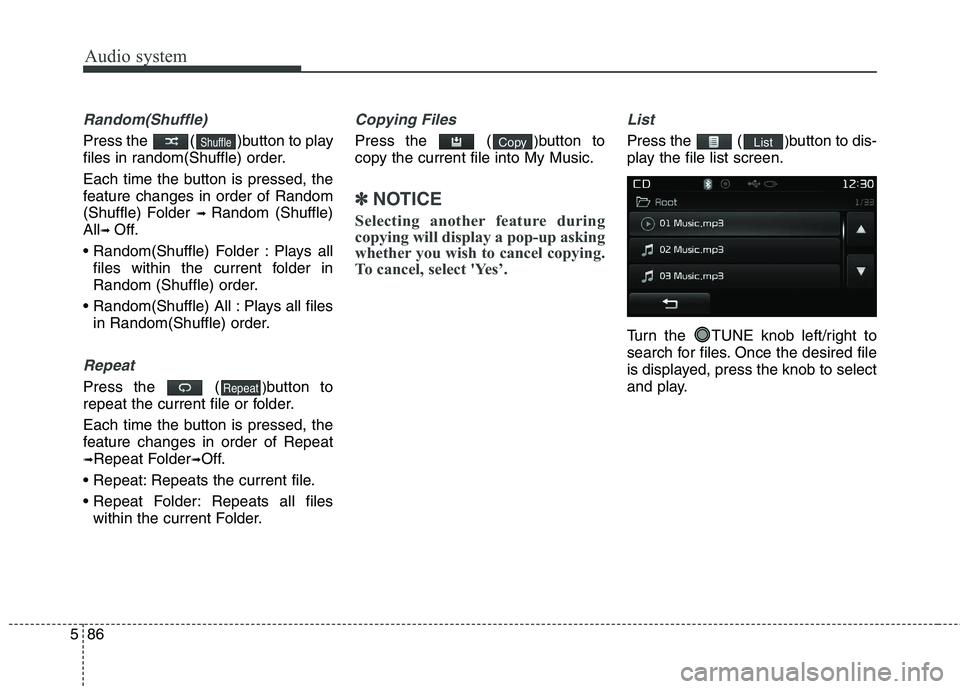
Random(Shuffle)
Press the ( )button to play
files in random(Shuffle) order.
Each time the button is pressed, the
feature changes in order of Random
(Shuffle) Folder ➟ Random (Shuffle)
All ➟ Off.
Plays all files within the current folder in
Random (Shuffle) order.
Plays all files in Random(Shuffle) order.
Repeat
Press the ( )button to
repeat the current file or folder.
Each time the button is pressed, the
feature changes in order of Repeat➟ Repeat Folder ➟Off.
Repeats the current file.
Repeats all files within the current Folder.
Copying Files
Press the ( )button to
copy the current file into My Music.
✽✽ NOTICE
Selecting another feature during
copying will display a pop-up asking
whether you wish to cancel copying.
To cancel, select 'Yes’.
List
Press the ( )button to dis-
play the file list screen.
Turn the TUNE knob left/right to
search for files. Once the desired file
is displayed, press the knob to select
and play.ListCopy
Repeat
Shuffle
Page 370 of 723
587
Audio system
✽✽NOTICE - USING THE USB DEVICE
Connect the USB device after turning on the engine. The USB
device may become damaged if it
is already connected when the
ignition is turned on.The USB
device may not operate properly if
the car ignition is turned on or off
with the USB device connected.
Heed caution to static electricity when connecting/disconnecting
USB devices.
Encoded MP3 Players will not be recognized when connected as an
external device.
When connecting an external USB device, the device may not proper-
ly recognize the USB is in some
states.
Only products formatted with byte/sectors under 64Kbyte will be
recognized.
This device recognizes USB devices formatted in FAT 12/16/32
file formats. This device does not
recognize files in NTFS file for-mat. (Continued)(Continued)
Some USB devices may not be sup-
ported due to compatibility issues.
Avoid contact between the USB connector with bodily parts or for-
eign objects.
Repeated connecting/disconnect- ing of USB devices within short
periods of time may result in prod-
uct malfunction.
A strange noise may occur when disconnecting the USB.
Make sure to connect/disconnect external USB devices with the
audio power turned off.
The amount of time required to recognize the USB device may dif-
fer depending on the type, size or
file formats stored in the USB.
Such differences in time are not
indications of malfunctions.
The device only supports USB devices used to play music files.
USB images and videos are not supported. (Continued)(Continued)
Do not use the USB I/F to charge
batteries or USB accessories that
generate heat. Such acts may lead
to worsened performance or dam-
age to the device.
The device may not recognize the USB device if separately pur-
chased USB hubs and extension
cables are being used. Connect the
USB directly with the multimedia
terminal of the vehicle.
When using mass storage USB devices with separate logical
drives, only files saved to the root
drive can be played.
Files may not properly operate if application programs are installed
to the USBs.
The device may not operate nor- mally if MP3 Players, mobile
phones, digital cameras, or other
electronic devices (USB devices
not recognized as portable disk
drives) are connected with the
device. (Continued)
Page 371 of 723
Audio system
88
5
(Continued)
Charging through the USB may
not work for some mobile devices.
The device may not support nor- mal operation when using a USB
memory type besides (Metal
Cover Type) USB Memory.
The device may not support nor- mal operation when using formats
such as HDD Type, CF, or SD
Memory.
The device will not support files locked by DRM (Digital Rights
Management.)
USB memory sticks used by con- necting an Adaptor (SD Type or
CF Type) may not be properly rec-
ognized.
The device may not operate prop- erly when using USB HDDs or
USBs subject to connection fail-
ures caused by vehicle vibrations.
(e.g. i-stick type) (Continued)(Continued)
Avoid use of USB
memory products that
can also be used as key
chains or mobile phone
accessories. Use of such products
may cause damage to the USB
jack.
Connecting an MP3 device or phone through various channels,
such as AUX/BT or Audio/USB
mode may result in pop noises or
abnormal operation.
Page 372 of 723
589
Audio system
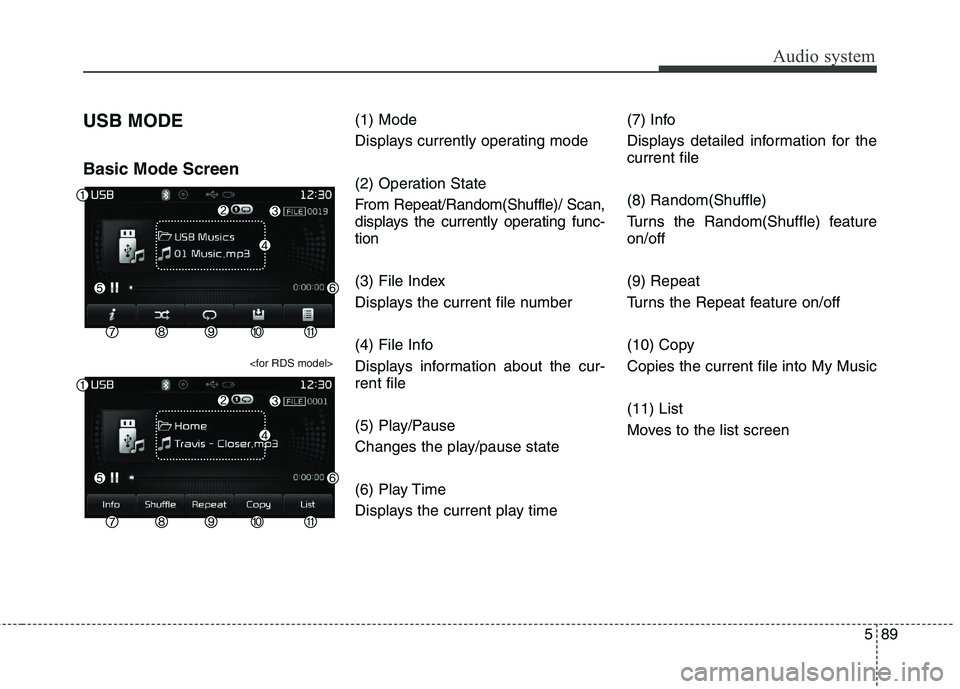
USB MODE Basic Mode Screen
(1) Mode
Displays currently operating mode
(2) Operation State
From Repeat/Random(Shuffle)/ Scan,
displays the currently operating func-tion
(3) File Index
Displays the current file number
(4) File Info
Displays information about the cur- rent file
(5) Play/Pause
Changes the play/pause state
(6) Play Time
Displays the current play time(7) Info
Displays detailed information for the current file (8) Random(Shuffle)
Turns the Random(Shuffle) feature on/off (9) Repeat
Turns the Repeat feature on/off
(10) Copy Copies the current file into My Music (11) List
Moves to the list screen
Page 373 of 723
Audio system
90
5
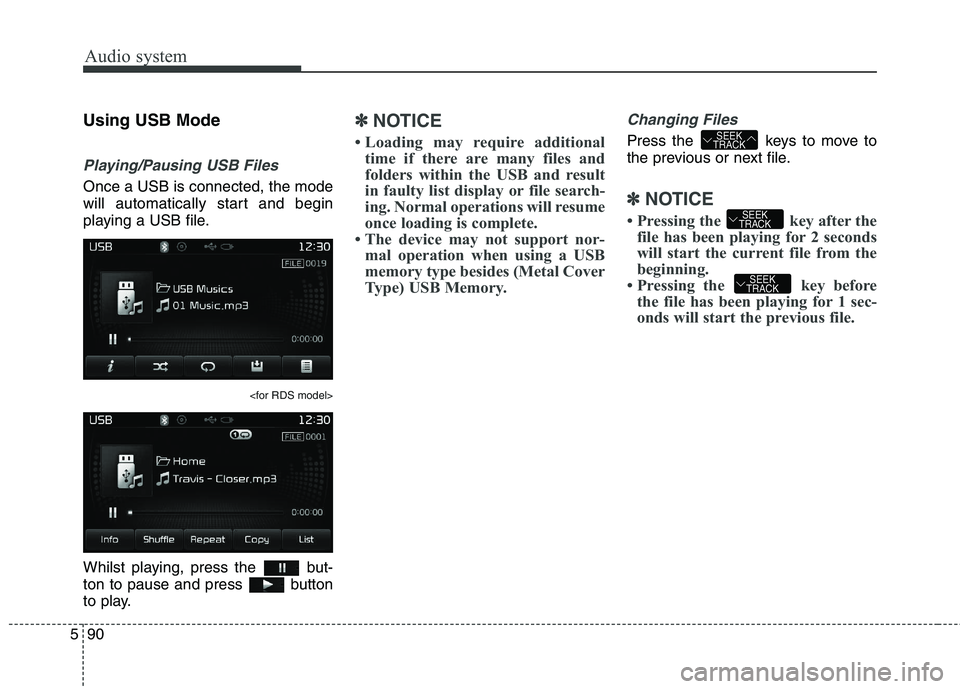
Using USB Mode
Playing/Pausing USB Files
Once a USB is connected, the mode
will automatically start and begin
playing a USB file.
Whilst playing, press the but-
ton to pause and press button
to play.
✽✽
NOTICE
Loading may require additional time if there are many files and
folders within the USB and result
in faulty list display or file search-
ing. Normal operations will resume
once loading is complete.
The device may not support nor- mal operation when using a USB
memory type besides (Metal Cover
Type) USB Memory.Changing Files
Press the keys to move to
the previous or next file.
✽✽ NOTICE
Pressing the key after the file has been playing for 2 seconds
will start the current file from the
beginning.
Pressing the key before the file has been playing for 1 sec-
onds will start the previous file.
SEEK
TRACK
SEEK
TRACK
SEEK
TRACK
Page 374 of 723
591
Audio system
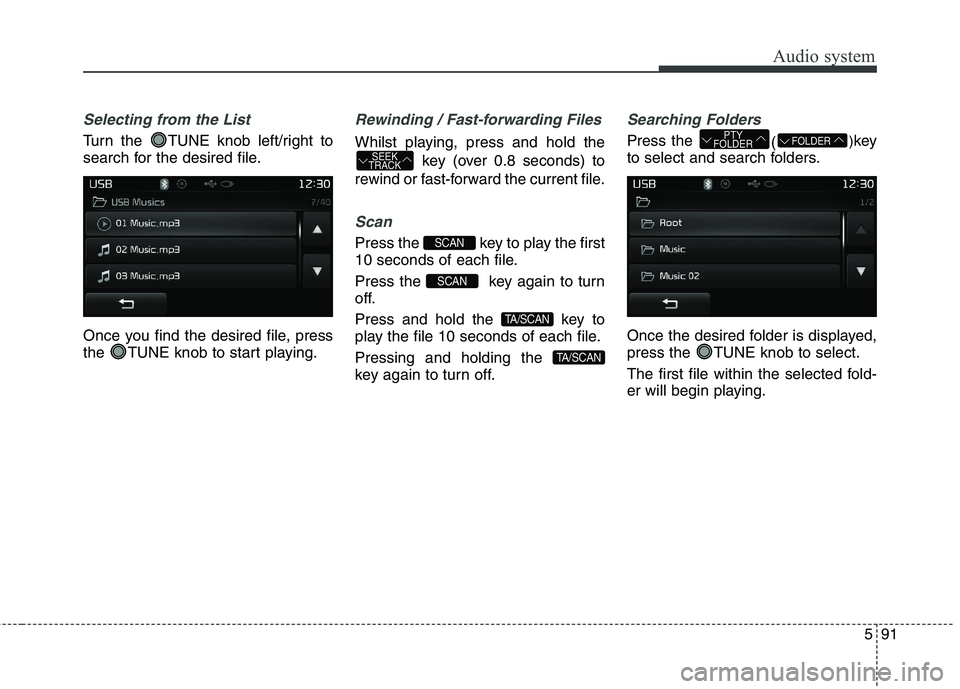
Selecting from the List
Turn the TUNE knob left/right to
search for the desired file.
Once you find the desired file, press
the TUNE knob to start playing.
Rewinding / Fast-forwarding Files
Whilst playing, press and hold thekey (over 0.8 seconds) to
rewind or fast-forward the current file.
Scan
Press the key to play the first
10 seconds of each file.
Press the key again to turn
off.
Press and hold the key to
play the file 10 seconds of each file. Pressing and holding the
key again to turn off.
Searching Folders
Press the ()
key
to select and search folders.
Once the desired folder is displayed,
press the TUNE knob to select.
The first file within the selected fold-
er will begin playing.FOLDERPTY
FOLDER
TA/SCAN
TA/SCAN
SCAN
SCAN
SEEK
TRACK