Page 103 of 516
4. Insert the screwdriver into the release tab slot to triggerthe release tab of the liftgate.
Closing
Grasp the liftgate pull handle and initiate lowering the
liftgate. Release the handle when the liftgate reaches self
closing position. NOTE:
Before closing the liftgate, make sure to be in
possession of the key because the liftgate may be locked.
Emergency Release Tab Slot Location
1 — Release Tab Slot
Closing Liftgate
1 — Liftgate Pull Handle
3
GETTING TO KNOW YOUR VEHICLE 101
Page 104 of 516
To Lock The Liftgate
With a valid Passive Entry key fob within 5 ft (1.5 m) of the
liftgate, pushing the Keyless Enter-N-Go — Passive Entry
lock button located to the right of the outside handle
release will lock the vehicle.
NOTE:The liftgate unlock feature is built into the elec-
tronic liftgate release.
Cargo Area Features
Removable Rear Shelf — If Equipped
To remove rear shelf, proceed as follows:
1. Disconnect the two links that support the shelf at the eyelets.
2. Lift the rear part of the overhead luggage shelf.
3. Clear the pins placed outside of the shelf, and thenremove the rear shelf pulling it upwards.
4. The rear shelf can be stored in the cargo area, or behind the front seatbacks.
Rear Shelf Support Links
1 — Links
2 — Eyelets
102 GETTING TO KNOW YOUR VEHICLE
Page 111 of 516
INTERNAL EQUIPMENT
Glove Compartment
The glove compartment is located on the passenger ’s side
of the instrument panel.
To open the glove compartment proceed as follows:
1. Unlock the compartment using the vehicle emergencykey.
2. Pull the handle to open the compartment.
Once the glove compartment is open, a light will turn on to
illuminate the compartment.
NOTE:
•Do not insert objects in the glove compartment that will
not allow the compartment to fully close.
• The glove compartment should be completely closed
while the vehicle is in motion.
Opening The Glove Compartment
1 — Glove Compartment Handle
3
GETTING TO KNOW YOUR VEHICLE 109
Page 112 of 516
Sun Visors
Sun visors are located on both sides of the rearview mirror.
The visors can be lowered or moved to the side to help
block sunlight from entering the windshield or door glass.
To move the sun visor against the driver or passenger door
glass, remove the sun visor from the hook and turn it
toward the side window.
The visors also have illuminated vanity mirrors to allow
use in low light conditions.Lift upward on the mirror cover to access the mirror.
Extendible Sun Visor
To extend the sun visor, proceed as follows:
1. Place the sun visor against the door glass by detaching
it from the hook and turning it toward the side window.
2. Slide the visor along the rod to provide coverage more to the rear.
Sun Visor Mirror
1 — Sun Visor Mirror CoverSliding Sun Visor
1 — Sun Visor
110 GETTING TO KNOW YOUR VEHICLE
Page 129 of 516

Oil Change Reset
Oil Change Due
Your vehicle is equipped with an engine oil change indi-
cator system. The “Oil Change Due” message will display
in the instrument cluster display for five seconds after a
single chime has sounded to indicate the next scheduled oil
change interval. The engine oil change indicator system is
duty cycle based, which means the engine oil change
interval may fluctuate, dependent upon your personal
driving style.
Unless reset, this message will continue to display each
time you turn the ignition is cycled to the ON or RUN
position. To reset the oil change indicator system (after
performing the scheduled maintenance), refer to the fol-
lowing procedure.
1. Without pushing the brake pedal, push the ENGINESTART/STOP button and cycle the ignition to the ON/
RUN position (do not start the engine).
2. Fully push the accelerator pedal, slowly, three times within 10 seconds.
3. Without pushing the brake pedal, push the ENGINE START/STOP button once to return the ignition to the
OFF/LOCK position. NOTE:
If the indicator message illuminates when you
start the vehicle, the oil change indicator system did not
reset. See your authorized dealer to have the oil life reset.
Instrument Cluster Display Menu Items
NOTE: The instrument cluster display menu items display
in the center of the instrument cluster. Menu items may
vary depending on your vehicle features.
Speedometer
Push and release the upordown arrow button until the
speedometer menu icon is displayed in the instrument
cluster display. Push and release the OKbutton to toggle
units (mph or km/h) of the speedometer.
Vehicle Info
Push and release the up or down arrow button until
�Vehicle Info� is highlighted in the instrument cluster
display. Push and release the right arrow button and
Coolant Temp will be displayed. Push the right or left
arrow button to scroll through the following information
displays:
• Tire Pressure — View the information relating to the
TPMS system (If Equipped).
4
GETTING TO KNOW YOUR INSTRUMENT PANEL 127
Page 132 of 516
Settings
This menu item allows you to change the settings for the
following:
•Display
• Units
• Clock and Date
• Security
• Safety and Assistance
• Lights
• Doors and Locks
• Compass
Vehicles Equipped With Multifunctional Display Re-
configurable:
The following menu/submenu items are
available in the cluster display.
“Display”
By selecting the �Display,�you can access the following
settings:
• Language: allows you to select the language in which to
display the information/warnings. •
Phone
• Navigation
�Units Of Measure�
By selecting the item �Units of Measure,�you can select the
unit of measure to use for displaying various magnitudes.
Possible options are:
• US
• Metric
• Custom
�Clock & Data�
By selecting the item, �Clock & Date�you can adjust the
clock.
Possible options are:
• Set Time: adjust hours/minutes
• Set Format: adjust the time format �12h�(12 hours) or
�24h� (24 hours)
• Set Date: adjust day/month/year
130 GETTING TO KNOW YOUR INSTRUMENT PANEL
Page 134 of 516

•Lanesense Strength (If Equipped)
• Side Distance Warning (If Equipped)
• Side Distance Warning Volume (If Equipped)
�Lights�
By selecting the item �Lights,�you can make the following
adjustments:
• Headlight Off Delay: set the delay for headlight shutoff
after engine shutoff
• Headlight Sensitivity (If Equipped): adjust the sensitiv-
ity of headlight brightness
• Daytime Running Lights (If Equipped): activate/
deactivate the daytime running lights
• Cornering lights (If Equipped): activate/deactivate the
cornering lights (If Equipped)
• Greeting Lights (If Equipped): activate / deactivate
greeting lights
�Doors & Locks�
By selecting the item �Doors & Locks,�you can make the
following adjustments: •
Auto Door Lock (If Equipped): activate/deactivate the
automatic locking of the doors with the vehicle moving
• Auto Unlock On Exit (If Equipped): automatic unlocking
of the doors when exiting the vehicle
• Flash Light with Lock (If Equipped): activate the direc-
tion indicators when closing the doors
• Sound Horn With Lock (If Equipped): activate/
deactivate the horn when pushing the LOCK button on
the key fob. The options are �Off,��First Press,” and
�Second Press�
• Horn With Remote Start (If Equipped): activate/
deactivate the horn at the Remote Starting of the engine
with the key fob
• Remote Door Unlock (If Equipped): allows you to open
the driver door only on the first push of the UNLOCK
button on the key fob
• Passive Entry (If Equipped): activate the automatic
locking of the doors
132 GETTING TO KNOW YOUR INSTRUMENT PANEL
Page 138 of 516
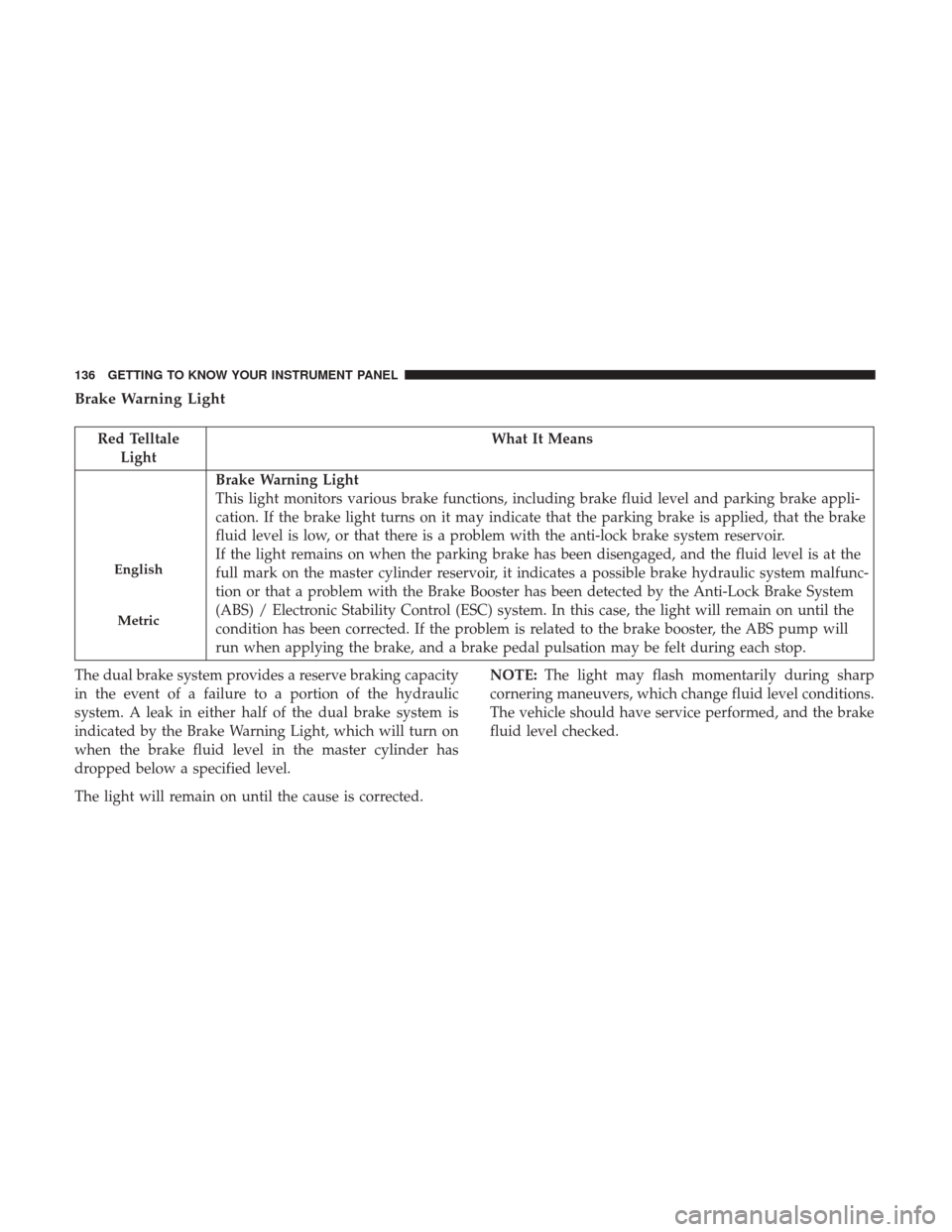
Brake Warning Light
Red TelltaleLight What It Means
English
Metric
Brake Warning Light
This light monitors various brake functions, including brake fluid level and parking brake appli-
cation. If the brake light turns on it may indicate that the parking brake is applied, that the brake
fluid level is low, or that there is a problem with the anti-lock brake system reservoir.
If the light remains on when the parking brake has been disengaged, and the fluid level is at the
full mark on the master cylinder reservoir, it indicates a possible brake hydraulic system malfunc-
tion or that a problem with the Brake Booster has been detected by the Anti-Lock Brake System
(ABS) / Electronic Stability Control (ESC) system. In this case, the light will remain on until the
condition has been corrected. If the problem is related to the brake booster, the ABS pump will
run when applying the brake, and a brake pedal pulsation may be felt during each stop.
The dual brake system provides a reserve braking capacity
in the event of a failure to a portion of the hydraulic
system. A leak in either half of the dual brake system is
indicated by the Brake Warning Light, which will turn on
when the brake fluid level in the master cylinder has
dropped below a specified level.
The light will remain on until the cause is corrected. NOTE:
The light may flash momentarily during sharp
cornering maneuvers, which change fluid level conditions.
The vehicle should have service performed, and the brake
fluid level checked.
136 GETTING TO KNOW YOUR INSTRUMENT PANEL


