2017 JEEP PATRIOT engine
[x] Cancel search: enginePage 110 of 421

Electronic Stability Control (ESC) Warning Light
Yellow TelltaleLight What It Means
Electronic Stability Control (ESC) Indicator Light — If Equipped
The “ESC Indicator Light” in the instrument cluster will come on when the ignition switch is
turned to the ON/RUN position. It should go out when the engine is running. If the “ESC Indi-
cator Light” comes on continuously with the engine running, a malfunction has been detected in
the ESC system. If this light remains on after several ignition cycles, and the vehicle has been
driven several miles (kilometers) at speeds greater than 30 mph (48 km/h), see your authorized
dealer as soon as possible to have the problem diagnosed and corrected.
•
The “ESC Off Indicator Light” and the “ESC Indicator Light” come on momentarily each
time the ignition switch is turned to ON/RUN.
• Each time the ignition is turned to ON/RUN, the ESC system will be ON, even if it was
turned off previously.
• The ESC system will make buzzing or clicking sounds when it is active. This is normal; the
sounds will stop when ESC becomes inactive following the maneuver that caused the ESC
activation.
NOTE: This telltale indicates that an ESC event is active.
108 GETTING TO KNOW YOUR INSTRUMENT PANEL
Page 114 of 421
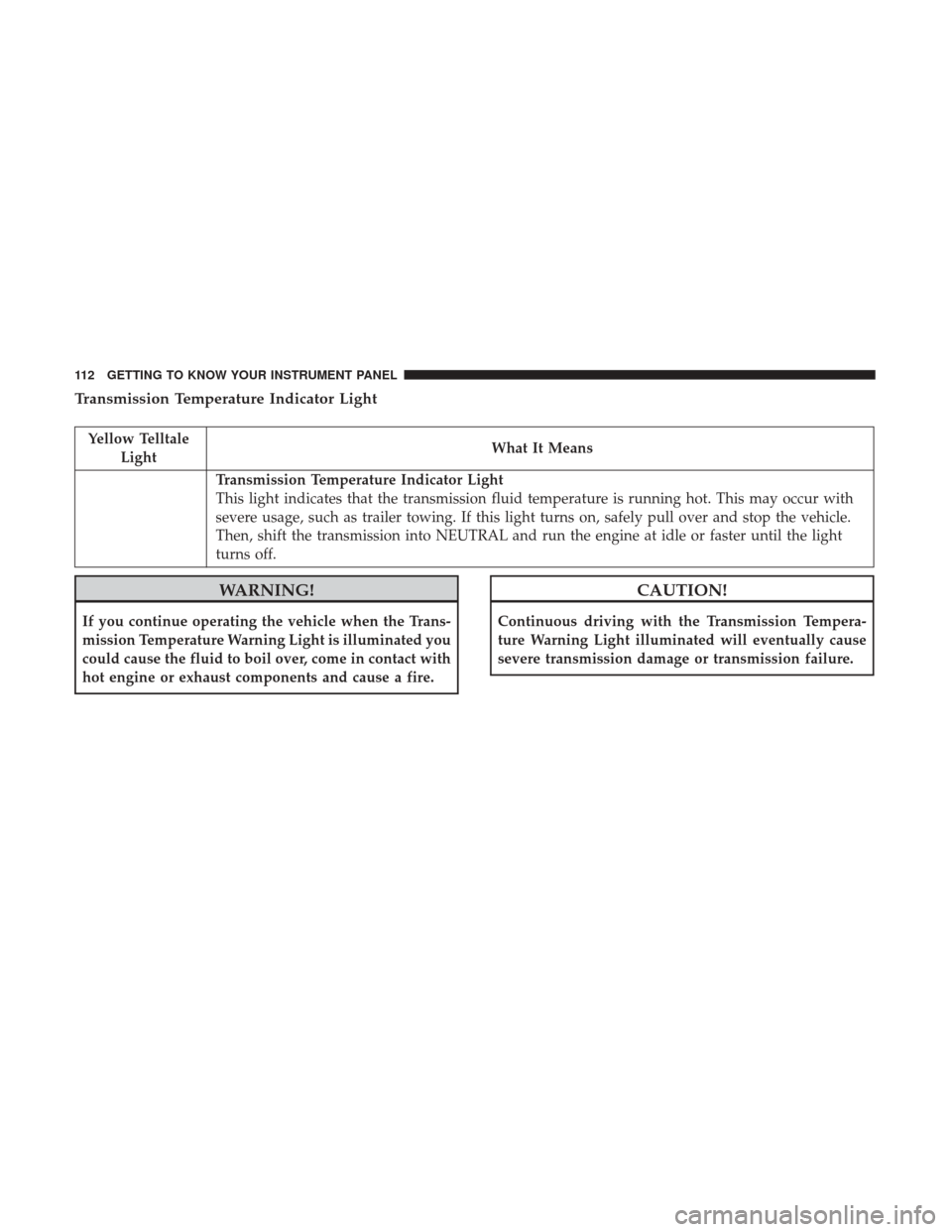
Transmission Temperature Indicator Light
Yellow TelltaleLight What It Means
Transmission Temperature Indicator Light
This light indicates that the transmission fluid temperature is running hot. This may occur with
severe usage, such as trailer towing. If this light turns on, safely pull over and stop the vehicle.
Then, shift the transmission into NEUTRAL and run the engine at idle or faster until the light
turns off.
WARNING!
If you continue operating the vehicle when the Trans-
mission Temperature Warning Light is illuminated you
could cause the fluid to boil over, come in contact with
hot engine or exhaust components and cause a fire.
CAUTION!
Continuous driving with the Transmission Tempera-
ture Warning Light illuminated will eventually cause
severe transmission damage or transmission failure.
112 GETTING TO KNOW YOUR INSTRUMENT PANEL
Page 117 of 421

White Telltale Lights
Cruise Control On Indicator Light
White TelltaleLight What It Means
Cruise Control On Indicator Light
This indicator shows when the electronic speed control system is turned on.
Hill Decent Control (HDC) Indicator Light — If Equipped
White Telltale
Light What It Means
Hill Decent Control (HDC) Indicator Light
This indicator shows when the Hill Descent Control (HDC) feature is turned on. The lamp will
be on solid when HDC is armed. HDC can only be armed when the transfer case is in the “4WD
LOW” position and the vehicle speed is less then 30 mph (48 km/h). If these conditions are not
met while attempting to use the HDC feature, the HDC indicator light will flash on/off.
MINI-TRIP COMPUTER — IF EQUIPPED
The Mini-Trip Computer is located in the instrument
cluster and features a driver-interactive trip information
and temperature display. NOTE:
The system will display the last known outside
temperature when starting the vehicle and may need to be
driven several minutes before the updated temperature is
displayed. Engine temperature can also affect the dis-
played temperature; therefore, temperature readings are
not updated when the vehicle is not moving.
4
GETTING TO KNOW YOUR INSTRUMENT PANEL 115
Page 121 of 421

•Battery Low (with a single chime)
• Personal Settings Not Avail. — Vehicle is not in PARK
(automatic transmission), or vehicle is in motion
(manual transmission).
• Door Open (with vehicle graphic showing which door is
open. A single chime sounds if the vehicle is in motion).
• Doors Open (with vehicle graphic showing which doors
are open. A single chime sounds if the vehicle is in
motion).
• Gate (with vehicle graphic showing the Liftgate open
and a single chime)
• Headlamps or Park Lamps On
• Remote Start Aborted — Door Open
• Remote Start Aborted — Hood Open
• Remote Start Aborted — L/Gate Open
• Remote Start Aborted — Fuel Low
• Remote Start Aborted — System Fault
• Key In Ignition
• Low Tire •
Low Tire Pressure Display for Premium TPM System
• Service TPM System
Oil Change Indicator System
Your vehicle is equipped with an engine oil change indi-
cator system. The “Oil Change Required” message will
display in the instrument cluster display for approximately
five seconds after a single chime has sounded to indicate
the next scheduled oil change interval. The engine oil
change indicator system is duty-cycle based, which means
the engine oil change interval may fluctuate dependent
upon your personal driving style.
Unless reset, this message will continue to display each
time you place the ignition in the ON/RUN position. To
turn off the message temporarily, push and release the Trip
Odometer button on the instrument cluster. To reset the oil
change indicator system (after performing the scheduled
maintenance), refer to the following procedure.
1. Place the ignition in the ON position. Do not start the
engine.
2. Fully push the accelerator pedal, slowly, three times within 10 seconds.
3. Place the ignition in the OFF/LOCK position.
4
GETTING TO KNOW YOUR INSTRUMENT PANEL 119
Page 126 of 421

Automatic Compass Calibration
This compass is self-calibrating, which eliminates the need
to set the compass manually. When the vehicle is new, the
compass may appear erratic, and the instrument cluster
display will display “CAL” until the compass is calibrated.
You may also calibrate the compass by completing one or
more 360 – degree turns (in an area free from large metal or
metallic objects) until the “CAL” message displayed in the
instrument cluster display turns off. The compass will now
function normally.
NOTE:A good calibration requires a level surface and an
environment free from large metallic objects such as build-
ings, bridges, underground cables, railroad tracks, etc.
Manual Compass Calibration
If the compass appears erratic and the “CAL” indicator
does not appear in the instrument cluster display, you must
put the compass into the Calibration Mode manually as
follows:
1. Start the engine. Leave the gear selector in PARK in order to enter the instrument cluster display Program-
ming Menus. 2. Push and release the
MENUbutton until the Personal
Settings (Customer-Programmable Features) menu dis-
plays in the instrument cluster display.
3. Push and release the down
arrow button until
“Calibrate Compass” displays in the instrument clus-
ter display.
4. Push and release the rightarrow button to start the
calibration. The “CAL” indicator will display in the
instrument cluster display.
5. Complete one or more 360 – degree turns (in an area free from large metal or metallic objects) until the “CAL”
indicator turns off. The compass will now function
normally.
Compass Variance
Compass Variance is the difference between Magnetic
North and Geographic North. To compensate for the
differences, the variance should be set for the zone where
the vehicle is driven, per the zone map. Once properly set,
the compass will automatically compensate for the differ-
ences and provide the most accurate compass heading.
124 GETTING TO KNOW YOUR INSTRUMENT PANEL
Page 127 of 421

NOTE:Magnetic materials should be kept away from the
top of the right rear quarter window. This is where the
compass sensor is located.
1. Turn the ignition switch ON.
2. Push and hold the compassbutton for approximately
two seconds. 3. Push and release the
downarrow button until
“Compass Variance” message and the last variance
zone number displays in the instrument cluster dis-
play.
4. Push and release the rightarrow button until the
proper variance zone is selected according to the
map.
5. Push and release the compassbutton to exit.
ONBOARD DIAGNOSTIC SYSTEM — OBD II
Your vehicle is equipped with a sophisticated Onboard
Diagnostic system called OBD II. This system monitors the
performance of the emissions, engine, and automatic trans-
mission control systems. When these systems are operating
properly, your vehicle will provide excellent performance
and fuel economy, as well as engine emissions well within
current government regulations.
If any of these systems require service, the OBD II system
will turn on the Malfunction Indicator Light (MIL). It will
also store diagnostic codes and other information to assist
Compass Variance Map
4
GETTING TO KNOW YOUR INSTRUMENT PANEL 125
Page 128 of 421

your service technician in making repairs. Although your
vehicle will usually be drivable and not need towing, see
your authorized dealer for service as soon as possible.
CAUTION!
•Prolonged driving with the MIL on could cause
further damage to the emission control system. It
could also affect fuel economy and driveability. The
vehicle must be serviced before any emissions tests
can be performed.
• If the MIL is flashing while the engine is running,
severe catalytic converter damage and power loss
will soon occur. Immediate service is required.
Onboard Diagnostic System (OBD II) Cybersecurity
Your vehicle is required to have an Onboard Diagnostic
system (OBD II) and a connection port to allow access to
information related to the performance of your emissions
controls. Authorized service technicians may need to ac-
cess this information to assist with the diagnosis and
service of your vehicle and emissions system.
WARNING!
• ONLY an authorized service technician should con-
nect equipment to the OBD II connection port in
order to diagnose or service your vehicle.
• If unauthorized equipment is connected to the
OBD II connection port, such as a driver-behavior
tracking device, it may:
• Be possible that vehicle systems, including safety
related systems, could be impaired or a loss of
vehicle control could occur that may result in an
accident involving serious injury or death.
• Access, or allow others to access, information
stored in your vehicle systems, including personal
information.
For further information, refer to “Privacy Practices” and
“Uconnect CyberSecurity” in “All About Uconnect Access”
in your Owner ’s Manual Radio Supplement and “Cyber-
security” in “Multimedia”.
126 GETTING TO KNOW YOUR INSTRUMENT PANEL
Page 129 of 421

Loose Fuel Filler Cap Message
After fuel is added, the vehicle diagnostic system can
determine if the fuel filler cap is possibly loose or improp-
erly installed. A “gASCAP” message will be displayed in
the instrument cluster. Tighten the gas cap until a “click-
ing” sound is heard. This is an indication that the gas cap
is properly tightened. Push the trip odometer RESET
button to turn off the message. If the problem persists, the
message will appear the next time the vehicle is started.
This might indicate a damaged cap. If the problem is
detected twice in a row, the system will turn on the MIL.
Resolving the problem will turn the MIL light off.
EMISSIONS INSPECTION AND MAINTENANCE
PROGRAMS
In some localities, it may be a legal requirement to pass an
inspection of your vehicle’s emissions control system.
Failure to pass could prevent vehicle registration.For states that require an Inspection and Mainte-
nance (I/M), this check verifies the “Malfunction
Indicator Light (MIL)” is functioning and is not on
when the engine is running, and that the OBD II system is
ready for testing. Normally, the OBD II system will be ready. The OBD II
system may
notbe ready if your vehicle was recently
serviced, recently had a dead battery or a battery replace-
ment. If the OBD II system should be determined not ready
for the I/M test, your vehicle may fail the test.
Your vehicle has a simple ignition actuated test, which you
can use prior to going to the test station. To check if your
vehicle’s OBD II system is ready, you must do the following:
1. Cycle the ignition switch to the ON position, but do not crank or start the engine.
NOTE: If you crank or start the engine, you will have to
start this test over.
2. As soon as you cycle the ignition switch to the ON position, you will see the “Malfunction Indicator Light
(MIL)” symbol come on as part of a normal bulb check.
3. Approximately 15 seconds later, one of two things will happen:
• The MIL will flash for about 10 seconds and then return
to being fully illuminated until you turn OFF the igni-
tion or start the engine. This means that your vehicle’s
OBD II system is not readyand you should notproceed
to the I/M station.
4
GETTING TO KNOW YOUR INSTRUMENT PANEL 127