Page 76 of 421

WARNING!
•Driving with the liftgate open can allow poisonous
exhaust gases into your vehicle. You and your pas-
sengers could be injured by these fumes. Keep the
liftgate closed when you are operating the vehicle.
• If you are required to drive with the liftgate open,
make sure that all windows are closed, and the
climate control blower switch is set at high speed. Do
not use the recirculation mode.
Gas props support the liftgate in the open position. How-
ever, because the gas pressure drops with temperature, it
may be necessary to assist the props when opening the
liftgate in cold weather.
Cargo Area Features
Cargo Light
The light is mounted in the headliner above the cargo area
to illuminate the cargo area.
Cargo Cover
The cargo area trim panels include two notches for mount-
ing the available tonneau cover that accommodates the
reclining rear seat.
To install the Cargo Cover, insert either end of the cover
into one of the two notches located in the rear trim panels.
With one of the cover ends installed, push inward on the
opposite end and install it into the same notch location of
the rear trim panel.
Rear Trim Notches
74 GETTING TO KNOW YOUR VEHICLE
Page 79 of 421
Fold Down Speakers — If Equipped
When the liftgate is open, the speakers can swing down off
the trim panel to face rearward, for tailgating and other
activities.
GARAGE DOOR OPENER — IF EQUIPPED
HomeLink replaces up to three hand-held transmitters that
operate devices such as garage door openers, motorized
gates, lighting or home security systems. The HomeLink
unit is powered by your vehicles 12 Volt battery.
The HomeLink buttons, located on either the overhead
console, headliner or sunvisor, designate the three different
HomeLink channels. The HomeLink indicator is located
above the center button.
Fold Down Speakers
HomeLink Buttons/Overhead Consoles
3
GETTING TO KNOW YOUR VEHICLE 77
Page 80 of 421

HomeLink Buttons/Sunvisor/Headliner
NOTE:HomeLink is disabled when the Vehicle Security
Alarm is active.
Before You Begin Programming HomeLink
Be sure that your vehicle is parked outside of the garage
before you begin programming.
For more efficient programming and accurate transmission
of the radio-frequency signal, it is recommended that a new
battery be placed in the hand-held transmitter of the device
that is being programmed to the HomeLink system. To erase the channels, place the ignition in the ON/RUN
position and push and hold the two outside HomeLink
buttons (I and III) for up 20 seconds or until the red
indicator flashes.
NOTE:
•
Erasing all channels should only be performed when
programming HomeLink for the first time. Do not erase
channels when programming additional buttons.
• If you have any problems, or require assistance, please
call toll-free 1-800-355-3515 or, on the Internet at
HomeLink.com for information or assistance.
Programming A Rolling Code
For programming garage door openers that were manufac-
tured after 1995:
These garage door openers can be identified by the
“LEARN” or “TRAIN” button located where the hanging
antenna is attached to the garage door opener. It is NOT the
button that is normally used to open and close the door.
The name and color of the button may vary by manufac-
turer.
78 GETTING TO KNOW YOUR VEHICLE
Page 115 of 421
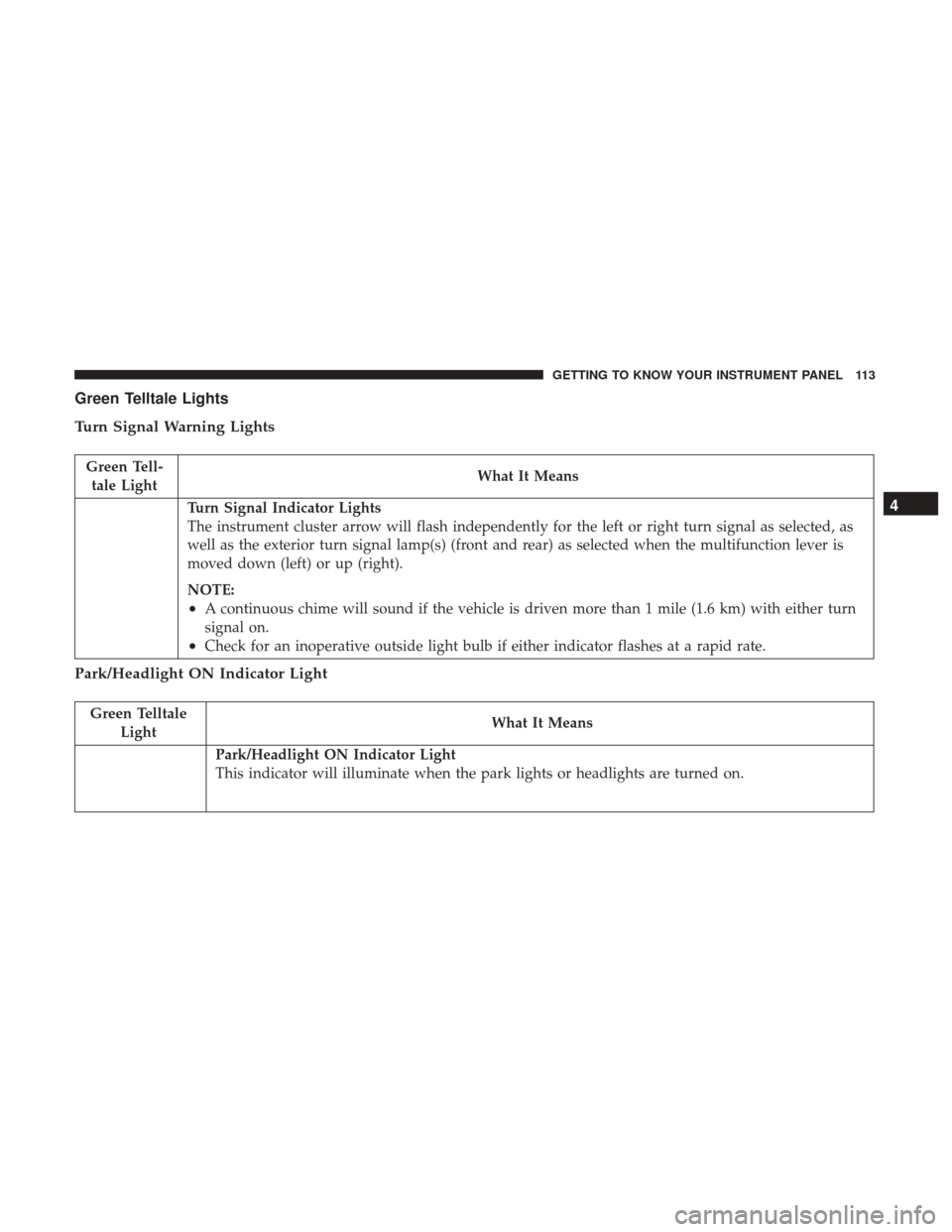
Green Telltale Lights
Turn Signal Warning Lights
Green Tell-tale Light What It Means
Turn Signal Indicator Lights
The instrument cluster arrow will flash independently for the left or right turn signal as selected, as
well as the exterior turn signal lamp(s) (front and rear) as selected when the multifunction lever is
moved down (left) or up (right).
NOTE:
•A continuous chime will sound if the vehicle is driven more than 1 mile (1.6 km) with either turn
signal on.
•Check for an inoperative outside light bulb if either indicator flashes at a rapid rate.
Park/Headlight ON Indicator Light
Green Telltale
Light What It Means
Park/Headlight ON Indicator Light
This indicator will illuminate when the park lights or headlights are turned on.
4
GETTING TO KNOW YOUR INSTRUMENT PANEL 113
Page 116 of 421
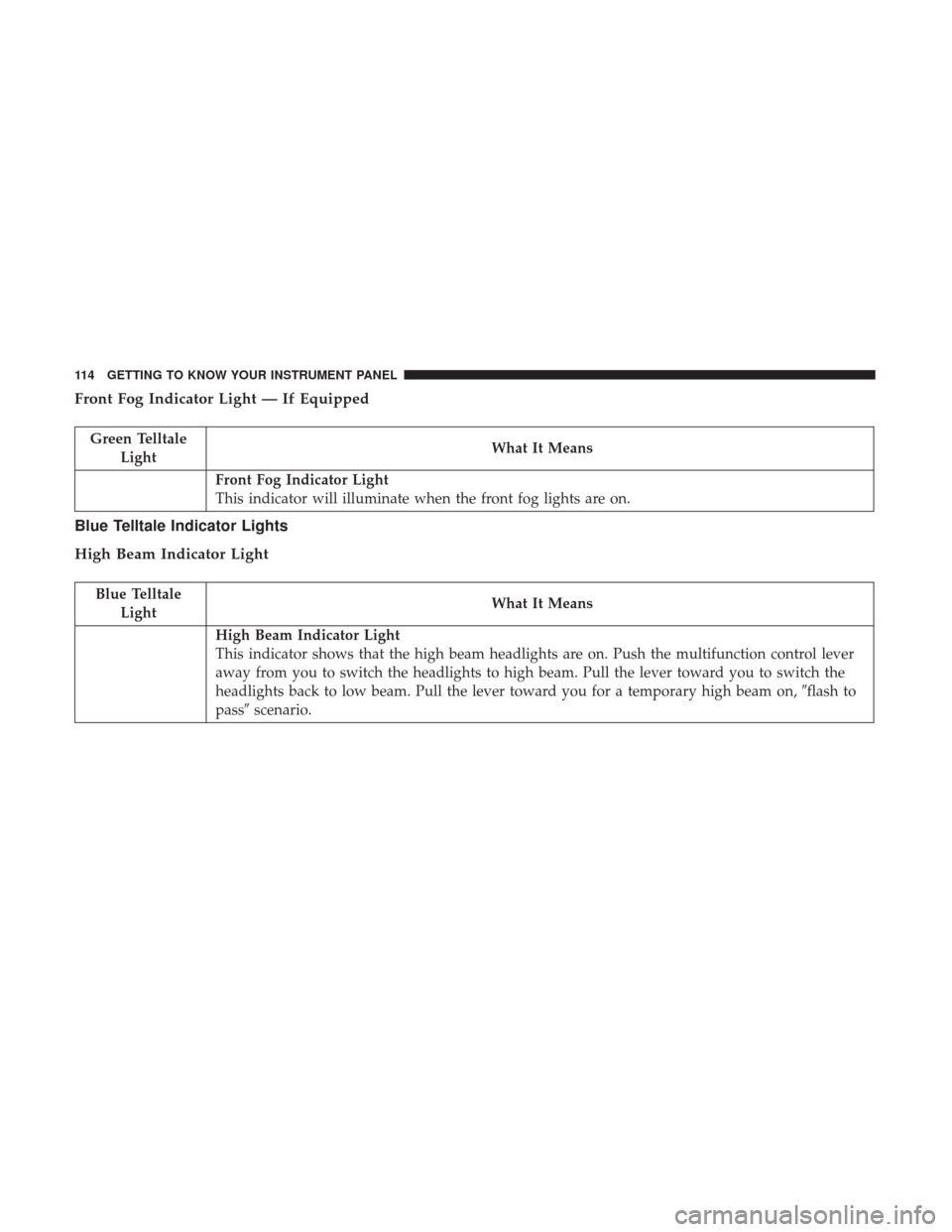
Front Fog Indicator Light — If Equipped
Green TelltaleLight What It Means
Front Fog Indicator Light
This indicator will illuminate when the front fog lights are on.
Blue Telltale Indicator Lights
High Beam Indicator Light
Blue Telltale
Light What It Means
High Beam Indicator Light
This indicator shows that the high beam headlights are on. Push the multifunction control lever
away from you to switch the headlights to high beam. Pull the lever toward you to switch the
headlights back to low beam. Pull the lever toward you for a temporary high beam on,
�flash to
pass� scenario.
114 GETTING TO KNOW YOUR INSTRUMENT PANEL
Page 119 of 421
information about your vehicle’s systems and features.
Using a driver interactive display located on the instru-
ment panel, your instrument cluster display can show you
how systems are working and give you warnings when
they aren’t. The steering wheel mounted controls allow
you to scroll through and enter the main menus and
submenus. You can access the specific information you
want and make selections and adjustments.
Interactive Display And Controls
The instrument cluster display features a driver-interactive
display that is located in the instrument cluster.The menu items consists of the following:
•
System Status
• Units
• Vehicle Information Warning Message Displays
• Personal Settings (Customer-Programmable Features)
• Compass Heading
• Outside Temperature Display
• Trip Computer Functions
• Uconnect Phone Displays (if equipped)
• Audio Mode Display
• Tire Pressure Monitor (TPM)
Instrument Cluster Display Menu Items.
4
GETTING TO KNOW YOUR INSTRUMENT PANEL 117
Page 121 of 421

•Battery Low (with a single chime)
• Personal Settings Not Avail. — Vehicle is not in PARK
(automatic transmission), or vehicle is in motion
(manual transmission).
• Door Open (with vehicle graphic showing which door is
open. A single chime sounds if the vehicle is in motion).
• Doors Open (with vehicle graphic showing which doors
are open. A single chime sounds if the vehicle is in
motion).
• Gate (with vehicle graphic showing the Liftgate open
and a single chime)
• Headlamps or Park Lamps On
• Remote Start Aborted — Door Open
• Remote Start Aborted — Hood Open
• Remote Start Aborted — L/Gate Open
• Remote Start Aborted — Fuel Low
• Remote Start Aborted — System Fault
• Key In Ignition
• Low Tire •
Low Tire Pressure Display for Premium TPM System
• Service TPM System
Oil Change Indicator System
Your vehicle is equipped with an engine oil change indi-
cator system. The “Oil Change Required” message will
display in the instrument cluster display for approximately
five seconds after a single chime has sounded to indicate
the next scheduled oil change interval. The engine oil
change indicator system is duty-cycle based, which means
the engine oil change interval may fluctuate dependent
upon your personal driving style.
Unless reset, this message will continue to display each
time you place the ignition in the ON/RUN position. To
turn off the message temporarily, push and release the Trip
Odometer button on the instrument cluster. To reset the oil
change indicator system (after performing the scheduled
maintenance), refer to the following procedure.
1. Place the ignition in the ON position. Do not start the
engine.
2. Fully push the accelerator pedal, slowly, three times within 10 seconds.
3. Place the ignition in the OFF/LOCK position.
4
GETTING TO KNOW YOUR INSTRUMENT PANEL 119
Page 122 of 421

NOTE:If the indicator message illuminates when you
start the vehicle, the oil change indicator system did not
reset. If necessary, repeat this procedure.
Instrument Cluster Display Functions
• Compass/Temperature/Audio
• Average Fuel Economy
• Distance To Empty (DTE)
• Units In
• Elapsed Time
• Tire Pressure Monitor (TPM)
• Personal Settings
To Reset The Display
Pushing and holding the rightarrow button once will
clear the function currently being displayed. Reset will
only occur if a resettable function is currently being
displayed. To reset all resettable functions, push and
release the right
arrow button a second time within
three seconds of resetting the currently displayed func-
tion. Reset ALL will be displayed during this three-
second window. Compass/Temperature/Audio
Push and release the
compassbutton to display one of
eight compass headings to indicate the direction the ve-
hicle is facing, the outside temperature, and the current
radio station.
Average Fuel Economy
Shows the average fuel economy since the last reset
(pushing and holding the right
arrow button as
prompted in the instrument cluster display to reset). When
the fuel economy is reset, the display will read “RESET” or
show dashes for two seconds. Then, the history informa-
tion will be erased, and the averaging will continue from
the last fuel reading before the reset.
Distance To Empty (DTE)
Shows the estimated distance that can be traveled with the
fuel remaining in the tank. This estimated distance is
determined by a weighted average of the instantaneous
and average fuel economy, according to the current fuel
tank level. This is not resettable.
NOTE: Significant changes in driving style or vehicle
loading will greatly affect the actual drivable distance of
the vehicle, regardless of the DTE displayed value.
120 GETTING TO KNOW YOUR INSTRUMENT PANEL