Page 317 of 563

5-9
Driving your vehicle
5
Engine Start/Stop Button
Whenever the front door is opened,
the Engine Start/Stop button will illu-
minate and will go off 30 seconds
after the door is closed.
NEVER press the Engine
Start/Stop button while the
vehicle is in motion except in
an emergency. This will result
in the engine turning off and
loss of power assist for the
steering and brake systems.(Continued)
WARNING
To turn the engine off in an
emergency:
Press and hold the Engine
Start/Stop button for more than
two seconds OR Rapidly press
and release the Engine
Start/Stop button three times
(within three seconds).
If the vehicle is still moving, you
can restart the engine without
depressing the brake pedal by
pressing the Engine Start/Stop
button with the shift lever in the
N (Neutral) position.
(Continued)This may lead to loss of direc-
tional control and braking
function, which could cause
an accident.
Before leaving the driver’s
seat, always make sure the
shift lever is in the P (Park)
position, set the parking
brake, press the Engine
Start/Stop button to the OFF
position, and take the Smart
Key with you. Unexpected
vehicle movement may occur
if these precautions are not
followed.
NEVER reach through the
steering wheel for the Engine
Start/Stop button or any other
control while the vehicle is in
motion. The presence of your
hand or arm in this area may
cause a loss of vehicle control
resulting in an accident.
WARNING
To reduce risk of serious injury
or death, NEVER allow children
or any person who is unfamiliar
with the vehicle to touch the
Engine Start/Stop button or
related parts. Unexpected and
sudden vehicle movement can
occur.
WARNING
OLF054007
Page 335 of 563
5-27
Driving your vehicle
5
Information - Kickdown
Mechanism
Use the kickdown mechanism for
maximum acceleration. Depress the
accelerator pedal beyond the pressure
point. The automatic transmission will
shift to a lower gear depending on the
engine speed. i
To reduce the risk of SERIOUS
INJURY or DEATH:
ALWAYS wear your seatbelt.
In a collision, an unbelted
occupant is significantly more
likely to be seriously injured
or killed than a properly belt-
ed occupant.
Avoid high speeds when cor-
nering or turning.
Do not make quick steering
wheel movements, such as
sharp lane changes or fast,
sharp turns.
The risk of rollover is greatly
increased if you lose control
of your vehicle at highway
speeds.
Loss of control often occurs if
two or more wheels drop off
the roadway and the driver
over steers to reenter the
roadway. (Continued)
(Continued)
In the event your vehicle
leaves the roadway, do not
steer sharply. Instead, slow
down before pulling back into
the travel lanes.
HYUNDAI recommends you
follow all posted speed limits.
WARNING
Page 351 of 563

5-43
Driving your vehicle
5
Electronic Stability Control
(ESC)
The Electronic Stability Control
(ESC) system helps to stabilize the
vehicle during cornering maneuvers.
ESC checks where you are steering
and where the vehicle is actually
going. ESC applies braking pressure
to any one of the vehicle's brakes
and intervenes in the engine man-
agement system to assist the driver
with keeping the vehicle on the
intended path. It is not a substitute
for safe driving practices. Always
adjust your speed and driving to the
road conditions.
ESC operation
ESC ON condition
When the ignition switch is in the ON
position, the ESC and the ESC OFF
indicator lights illuminate for approxi-
mately three seconds and goes off,
then the ESC is turned on.
When operating
When the ESC is in opera-
tion, the ESC indicator light
blinks:
When you apply your brakes under conditions which may lock the
wheels, you may hear sounds from
the brakes, or feel a corresponding
sensation in the brake pedal. This
is normal and it means your ESC is
active.
When the ESC activates, the engine may not respond to the
accelerator as it does under rou-
tine conditions.
Never drive too fast for the road
conditions or too quickly when
cornering. The ESC system will
not prevent accidents.
Excessive speed in turns, abrupt
maneuvers, and hydroplaning
on wet surfaces can result in
severe accidents.
WARNING
OLF054448
Page 357 of 563
5-49
Driving your vehicle
5
When Active ECO is activated:
The acceleration response may beslightly reduced as the accelerator
pedal is depressed moderately.
The air conditioner performance may be limited.
The shift pattern of the automatic transmission may change.
The above situations are normal
conditions when the Active ECO sys-
tem is activated to improve fuel effi-
ciency. Limitation of Active ECO opera-
tion:
If the following conditions occur while
Active ECO is operating, the system
operation is limited even though
there is no change in the ECO indi-
cator.
When the coolant temperature is
low:
The system will be limited until
engine performance becomes nor-
mal.
When driving up a hill: The system will be limited to gain
power when driving uphill because
engine torque is restricted.
When using the automatic trans- mission Manual shift mode:
The system will be limited accord-
ing to the shift location.SPORT mode
SPORT mode focuses ondynamic driving by auto-
matically controlling the
steering wheel, engine
and transmission system.
When the DRIVE MODE switch is pressed and the SPORT mode is
selected, the SPORT indicator
(yellow) will illuminate.
When the SPORT mode is activat- ed, and the engine is turned off
and on it will change to NORMAL
mode. To turn on the SPORT
mode, press the DRIVE MODE
switch again.
If the system is activated: - After accelerating and releasingthe accelerator pedal, the gear
and engine speed RPM may not
drop as soon as in NORMAL
mode.
- Up-shifting is delayed.
Information
In SPORT mode, the fuel efficiency
may decrease.
i
SPORT
Page 359 of 563
5-51
Driving your vehicle
5
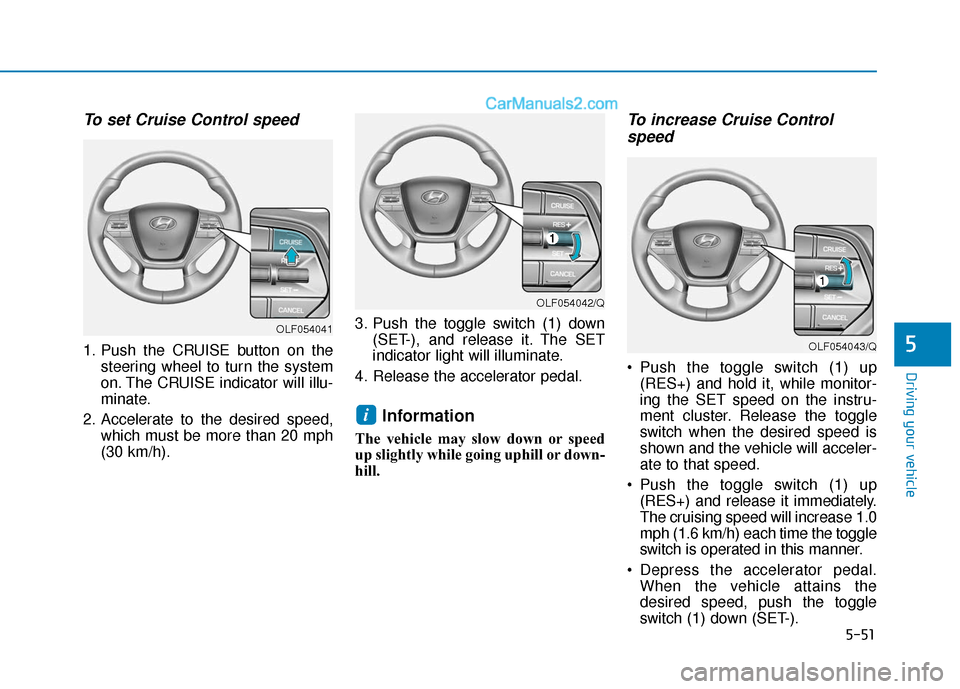
To set Cruise Control speed
1. Push the CRUISE button on thesteering wheel to turn the system
on. The CRUISE indicator will illu-
minate.
2. Accelerate to the desired speed, which must be more than 20 mph
(30 km/h). 3. Push the toggle switch (1) down
(SET-), and release it. The SET
indicator light will illuminate.
4. Release the accelerator pedal.
Information
The vehicle may slow down or speed
up slightly while going uphill or down-
hill.
To increase Cruise Control speed
Push the toggle switch (1) up
(RES+) and hold it, while monitor-
ing the SET speed on the instru-
ment cluster. Release the toggle
switch when the desired speed is
shown and the vehicle will acceler-
ate to that speed.
Push the toggle switch (1) up (RES+) and release it immediately.
The cruising speed will increase 1.0
mph (1.6 km/h) each time the toggle
switch is operated in this manner.
Depress the accelerator pedal. When the vehicle attains the
desired speed, push the toggle
switch (1) down (SET-).
i
OLF054042/Q
OLF054043/Q
OLF054041
Page 360 of 563
5-52
Driving your vehicle
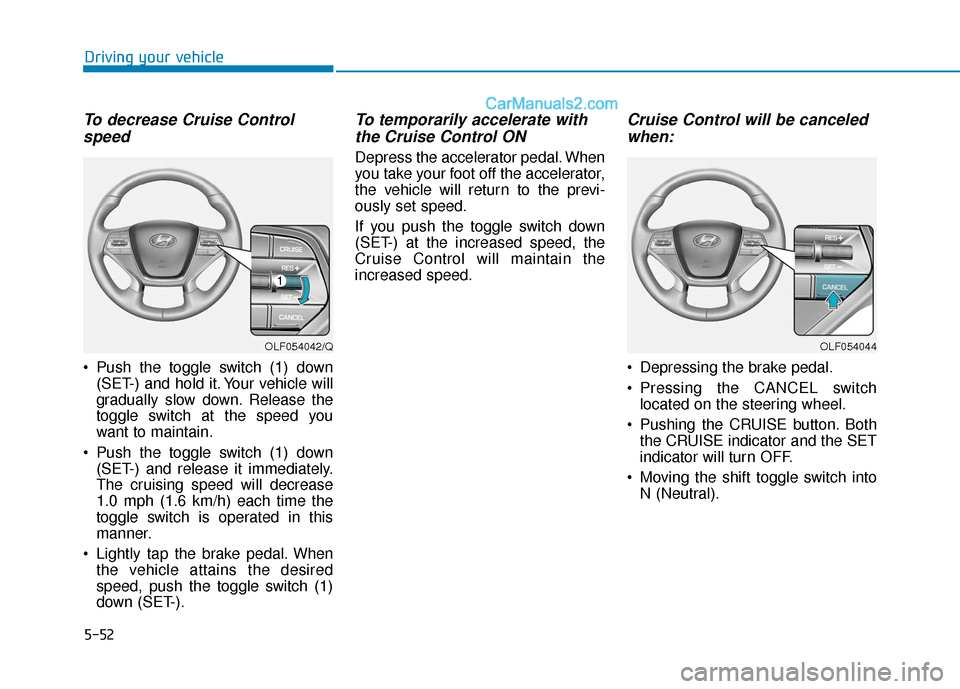
To decrease Cruise Controlspeed
Push the toggle switch (1) down
(SET-) and hold it. Your vehicle will
gradually slow down. Release the
toggle switch at the speed you
want to maintain.
Push the toggle switch (1) down (SET-) and release it immediately.
The cruising speed will decrease
1.0 mph (1.6 km/h) each time the
toggle switch is operated in this
manner.
Lightly tap the brake pedal. When the vehicle attains the desired
speed, push the toggle switch (1)
down (SET-).
To temporarily accelerate withthe Cruise Control ON
Depress the accelerator pedal. When
you take your foot off the accelerator,
the vehicle will return to the previ-
ously set speed.
If you push the toggle switch down
(SET-) at the increased speed, the
Cruise Control will maintain the
increased speed.
Cruise Control will be canceledwhen:
Depressing the brake pedal.
Pressing the CANCEL switch
located on the steering wheel.
Pushing the CRUISE button. Both the CRUISE indicator and the SET
indicator will turn OFF.
Moving the shift toggle switch into N (Neutral).
OLF054042/QOLF054044
Page 361 of 563
5-53
Driving your vehicle
5
Decreasing the vehicle speedlower than the memory speed by
5 mph (10 km/h).
Decreasing the vehicle speed to less than approximately 20 mph
(30 km/h).
The ESC (Electronic Stability Control) is operating.
Downshifting to the 2nd gear in Manual shift mode.
Information
Each of the above actions will cancel
Cruise Control operation (the SET
indicator light in the instrument clus-
ter will go off), but only pressing the
CRUISE button will turn the system
off. If you wish to resume Cruise
Control operation, push the toggle
switch up (RES+) located on your
steering wheel. You will return to your
previously preset speed, unless the
system was turned off using the
CRUISE button.
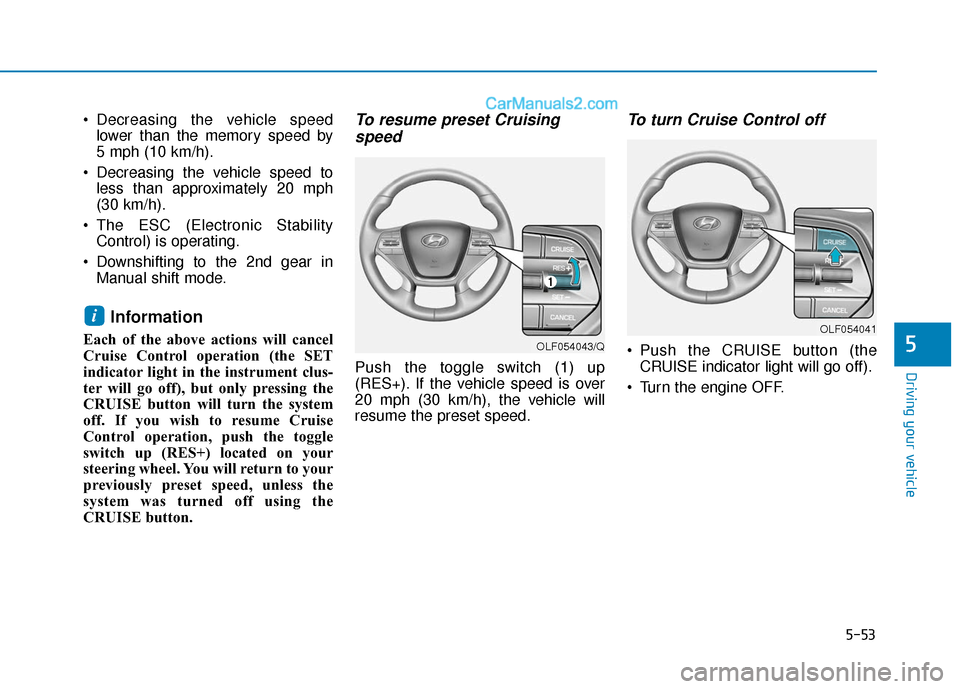
To resume preset Cruisingspeed
Push the toggle switch (1) up
(RES+). If the vehicle speed is over
20 mph (30 km/h), the vehicle will
resume the preset speed.
To turn Cruise Control off
Push the CRUISE button (the
CRUISE indicator light will go off).
Turn the engine OFF.
i
OLF054043/Q
OLF054041
Page 364 of 563
5-56
Driving your vehicle
1.Turn the Smart Cruise Control System on (the cruise indicator
light will be on but the system will
not be activated).
2.Push and hold the Vehicle-to- Vehicle Distance button for more
than 2 seconds.
3.Choose between "Smart Cruise Control (SCC) Mode" and "Cruise
Control (CC) Mode".
When the system is canceled using
the CRUISE button or the CRUISE
button is used after the engine is
turned on, the SCC Mode will turn
on.
Smart Cruise Control Speed
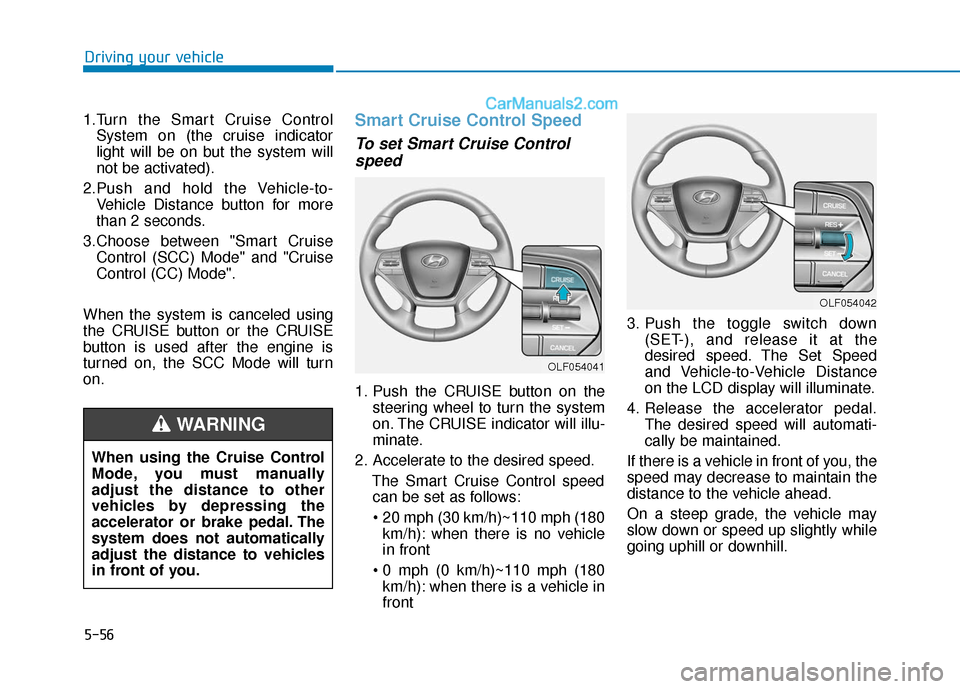
To set Smart Cruise Control speed
1. Push the CRUISE button on the
steering wheel to turn the system
on. The CRUISE indicator will illu-
minate.
2. Accelerate to the desired speed. The Smart Cruise Control speedcan be set as follows:
km/h): when there is no vehicle
in front
km/h): when there is a vehicle in
front 3. Push the toggle switch down
(SET-), and release it at the
desired speed. The Set Speed
and Vehicle-to-Vehicle Distance
on the LCD display will illuminate.
4. Release the accelerator pedal. The desired speed will automati-
cally be maintained.
If there is a vehicle in front of you, the
speed may decrease to maintain the
distance to the vehicle ahead.
On a steep grade, the vehicle may
slow down or speed up slightly while
going uphill or downhill.
OLF054042
OLF054041
When using the Cruise Control
Mode, you must manually
adjust the distance to other
vehicles by depressing the
accelerator or brake pedal. The
system does not automatically
adjust the distance to vehicles
in front of you.
WARNING