2017 Hyundai Sonata remote control
[x] Cancel search: remote controlPage 294 of 563
4-46
Multimedia System
V
VO
O I
IC
C E
E
R
R E
EC
CO
O G
GN
N I
IT
T I
IO
O N
N
Using Voice Recognition
Starting Voice Recognition
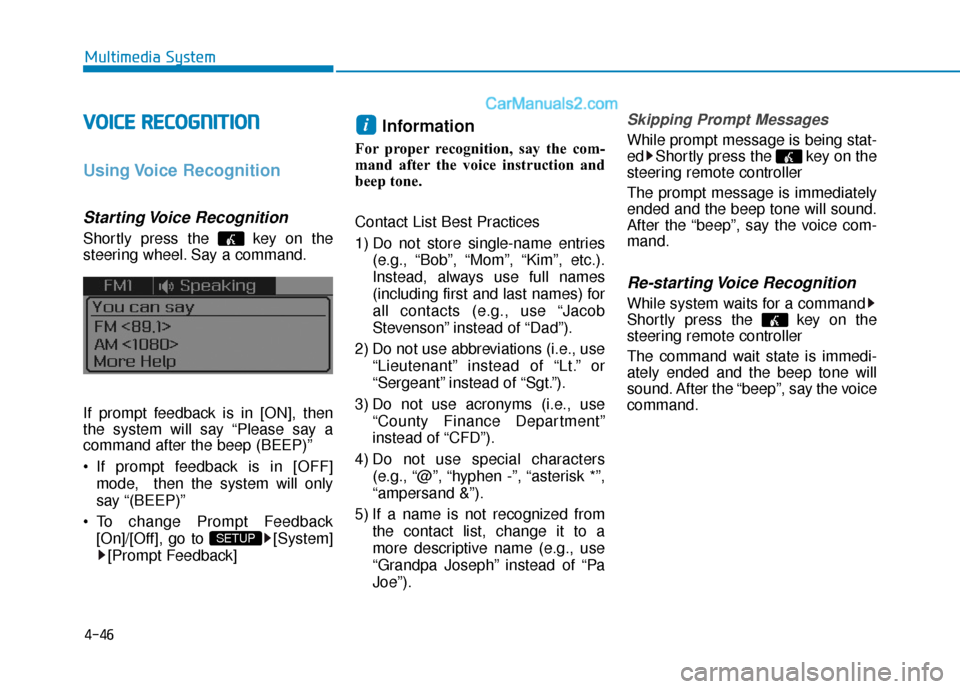
Shortly press the key on the
steering wheel. Say a command.
If prompt feedback is in [ON], then
the system will say “Please say a
command after the beep (BEEP)”
If prompt feedback is in [OFF]
mode, then the system will only
say “(BEEP)”
To change Prompt Feedback [On]/[Off], go to [System][Prompt Feedback]
Information
For proper recognition, say the com-
mand after the voice instruction and
beep tone.
Contact List Best Practices
1) Do not store single-name entries (e.g., “Bob”, “Mom”, “Kim”, etc.).
Instead, always use full names
(including first and last names) for
all contacts (e.g., use “Jacob
Stevenson” instead of “Dad”).
2) Do not use abbreviations (i.e., use “Lieutenant” instead of “Lt.” or
“Sergeant” instead of “Sgt.”).
3) Do not use acronyms (i.e., use “County Finance Department”
instead of “CFD”).
4) Do not use special characters (e.g., “@”, “hyphen -”, “asterisk *”,
“ampersand &”).
5) If a name is not recognized from the contact list, change it to a
more descriptive name (e.g., use
“Grandpa Joseph” instead of “Pa
Joe”).
Skipping Prompt Messages
While prompt message is being stat-
ed Shortly press the key on the
steering remote controller
The prompt message is immediately
ended and the beep tone will sound.
After the “beep”, say the voice com-
mand.
Re-starting Voice Recognition
While system waits for a command
Shortly press the key on the
steering remote controller
The command wait state is immedi-
ately ended and the beep tone will
sound. After the “beep”, say the voice
command.
i
SETUP
Page 295 of 563
4-47
Multimedia System
4
E
EN
N D
DI
IN
N G
G
V
V O
O I
IC
C E
E
R
R E
EC
CO
O G
GN
N I
IT
T I
IO
O N
N
While Voice Recognition is operating
Press and hold the key on the
steering remote controller
Information
• While using voice command, press- ing any steering wheel control or a
different key will end voice com-
mand.
• When the system is waiting for a voice command, say "cancel" or
"end" to end voice command.
• When the system is waiting for a voice command, press and hold the key on the steering wheel to end
voice command.
Voice Recognition and Phone
Contact Tips:
The Hyundai Voice Recognition
System may have difficulty under-
standing some accents or uncom-
mon names.
When using Voice Recognition to
place a call, speak in a moderate
tone, with clear pronunciation To
maximize the use of Voice
Recognition, consider these guide-
lines when storing contacts:
Do not store single-name entries
(e.g., “Bob”, “Mom”, etc.). Instead,
always use full names (including first
and last names) for these contacts
Do not use special characters (e.g., '@', '-', '*', '&', etc.)
Do not use abbreviations (i.e., use "Lieutenant" instead of "Lt.") or
acronyms (i.e., use "County Finance
Department" instead of "C. F. D."; Be
sure to say the name exactly as it is
entered in the contacts list
i
Page 304 of 563

4-56
Multimedia System
6. Suspend Route
"Suspend Route" VR command
allows the user to suspend and
pause Turn by Turn(TBT) route guid-
ance while in the guidance mode.
7. Resume Route
"Resume Route" VR command
allows the user to resume Turn by
Turn(TBT) route guidance.
➂ (Blue Link
®for SOS)
In the case of an emergency,
requests for help to the Blue Link
®
center.
Call is connected to the Blue Link
®
emergency rescue center. Re-press-
ing the key will end the call.
If already on a Bluetooth
®phone call,
the call will end to connect you to the
Blue Link
®Emergency Rescue
Center.
Information
• You cannot talk simultaneously on the Bluetooth®phone and Blue
Link®phone.
• While on a Bluetooth®call, pressing
the key or key will dis-
play a message indicating that you
are currently on a call.
• A message will be displayed if you receive a Bluetooth
®Bluetooth®
Wireless Technology call while already
on a Blue Link®call. At this time,
press the key on the steering
wheel remote controller to accept the
call. The phone bell will not ring.
i
Page 558 of 563

I-7
Instrument cluster ...........................................................3-67Automtice transmission shift indicator ......................3-73
Ecoshift dual clutch transmission shift indicator .......3-73
Gauges ........................................................................\
3-70
Instrument panel illumination ....................................3-69
LCD display control ...................................................3-70
Instrument panel fuse......................................................7-58
Instrument panel overview ...............................................1-5
Interior care .....................................................................7-8\
7
Interior features .............................................................3-157 Clock ........................................................................\
3-160
Clothes hanger ..........................................................3-161
Cup holder ................................................................3-157
Floor mat anchor(s) ..................................................3-162
Luggage net holder ...................................................3-163
Power outlet..............................................................3-158
Side curtain...............................................................3-163
Sunvisor ....................................................................3-15\
8
Interior lamp AUTO cut................................................3-118
Interior lights .................................................................3-118 Door courtesy lamp ..................................................3-120
Glove box lamp ........................................................3-121
Interior lamp AUTO cut ...........................................3-118
Map lamp ..................................................................3-118
Room lamp ...............................................................3-119
Trunk room lamp ......................................................3-110
Vanity mirror lamp ...................................................3-121
Interior overview...............................................................1-4 Jack and tools..................................................................6-15
Jack label........................................................................\
.6-22
Jump starting .....................................................................6-4\
Keys
Remote key...................................................................3-4
Smart key......................................................................3-\
8
Label Air bag warning labels ...............................................2-68
Jack label ....................................................................6-22\
Refrigerant label .........................................................8-10
Tire loading information label..................................5-101
Tire sidewall labeling .................................................7-47
Tire specification and pressure label ..........................8-10
Vehicle certification label .............................................8-9
Lane departure warning system (LDWS) .......................5-69
LCD display ....................................................................3-75\
A/V mode ...................................................................3-77
Information mode .......................................................3-78
LCD modes ................................................................3-75
I
Index
J
K
L
Page 560 of 563
I-9
Multimedia system............................................................4-23.8 Inch Mono TFT ....................................................4-17
Antenna ........................................................................\
4-2
AUX, USB and iPod
®port ..........................................4-2
Blue Link®..................................................................4-54
Steering wheel audio control........................................4-3
Voice recognition........................................................4-46
Occupant classification system (OCS) ...........................2-56
Odometer........................................................................\
.3-72
Oil (Engine) ....................................................................7-24\
Outside temperature gauge .............................................3-73
Owner maintenance ..........................................................7-7
Paddle shifter ..................................................................5-24
Panoramic sunroof ..........................................................3-52
Parking brake ..................................................................7-31
Parking brake (Manual) ..................................................5-29
Parking lamp position ...................................................3-110
Passenger’s front air bag.................................................2-47
Power brakes ...................................................................5-28
Power outlet ..................................................................3-158
Power window lock button .............................................3-47 Rear combination light bulb replacement.......................7-76
Rear parking assist system(RPAS) ...............................3-125
Rear seats ........................................................................\
2-12
Rear view camera .........................................................3-124
Recommended cold tire inflation pressure .....................7-42
Recommended lubricants and capacities ..........................8-6
Recommended lubricants and capacities
Recommended SAE viscosity number .........................8-8
Refrigerant label .............................................................8-10
Remote key .......................................................................3\
-4
Replacement light bulb ...................................................7-69
Reporting safety defects .................................................8-12
Reverse parking aid function ..........................................3-43
Rocking the vehicle ........................................................5-93
Room lamp ....................................................................3-119
Rotation (Tire) ................................................................7-44
Safety messages ................................................................F-6
SCC/LDWS mode...........................................................3-77
Scheduled maintenance service ........................................7-9
I
Index
O
P
R
S