Page 19 of 614
25
Your vehicle at a glance
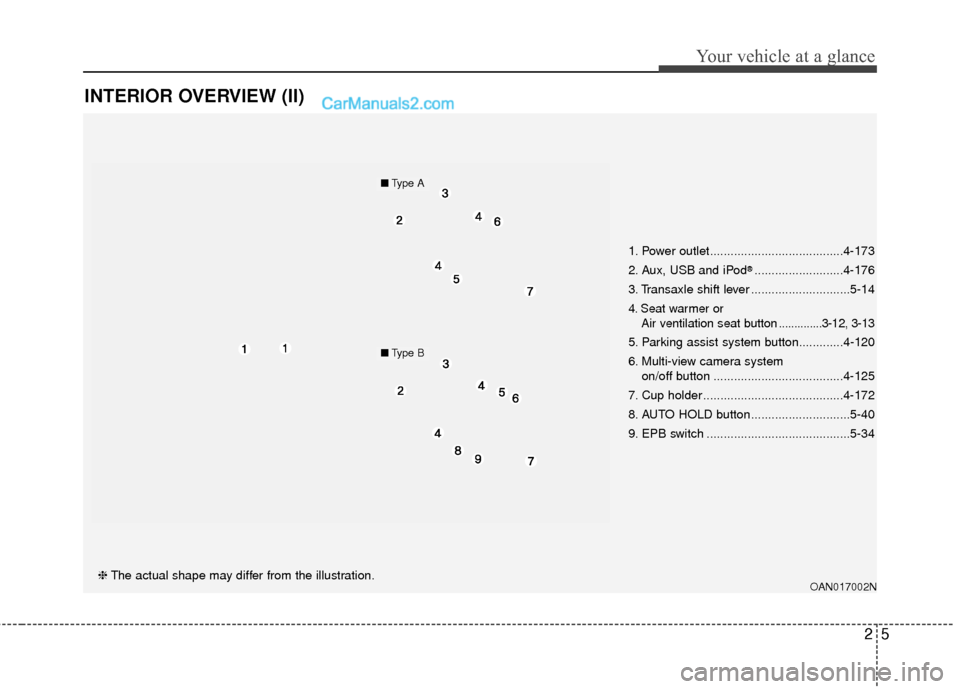
INTERIOR OVERVIEW (II)
OAN017002N❈The actual shape may differ from the illustration. 1. Power outlet.......................................4-173
2. Aux, USB and iPod
®..........................4-176
3. Transaxle shift lever .............................5-14
4. Seat warmer or Air ventilation seat button ..............3-12, 3-13
5. Parking assist system button.............4-120
6. Multi-view camera system
on/off button ......................................4-125
7. Cup holder .........................................4-172
8. AUTO HOLD button.............................5-40
9. EPB switch ..........................................5-34
■ Type A
■Type B
Page 245 of 614
Features of your vehicle
148
4
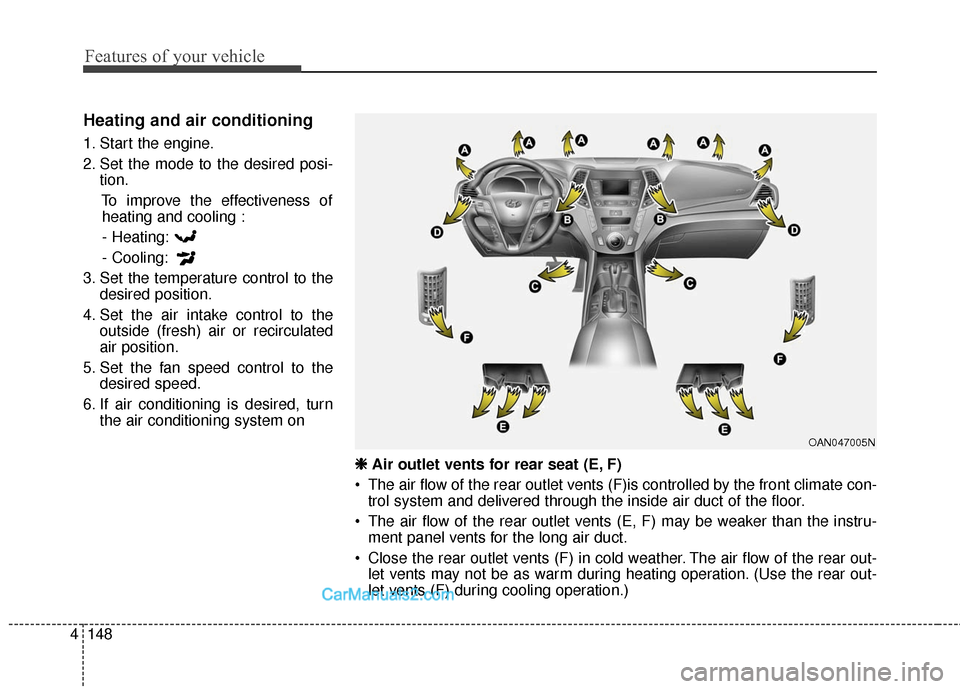
Heating and air conditioning
1. Start the engine.
2. Set the mode to the desired posi-
tion.
To improve the effectiveness ofheating and cooling :
- Heating:
- Cooling:
3. Set the temperature control to the desired position.
4. Set the air intake control to the outside (fresh) air or recirculated
air position.
5. Set the fan speed control to the desired speed.
6. If air conditioning is desired, turn the air conditioning system on
OAN047005N
❈
❈
Air outlet vents for rear seat (E, F)
The air flow of the rear outlet vents (F)is controlled by the front climate con- trol system and delivered through the inside air duct of the floor.
The air flow of the rear outlet vents (E, F) may be weaker than the instru- ment panel vents for the long air duct.
Close the rear outlet vents (F) in cold weather. The air flow of the rear out- let vents may not be as warm during heating operation. (Use the rear out-
let vents (F) during cooling operation.)
Page 246 of 614
4149
Features of your vehicle
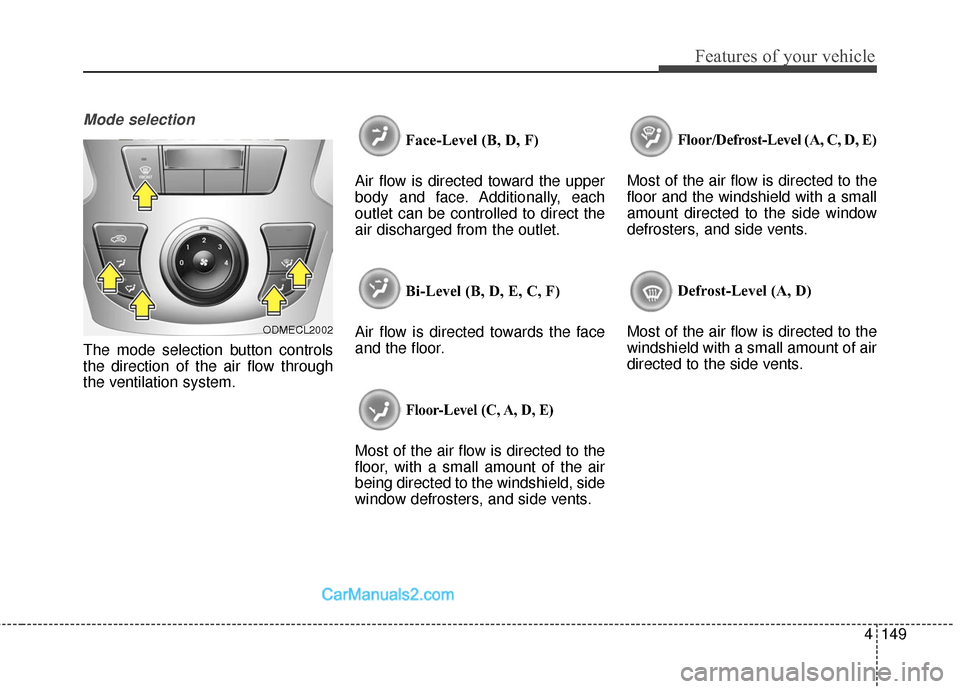
Mode selection
The mode selection button controls
the direction of the air flow through
the ventilation system.Face-Level (B, D, F)
Air flow is directed toward the upper
body and face. Additionally, each
outlet can be controlled to direct the
air discharged from the outlet.
Bi-Level (B, D, E, C, F)
Air flow is directed towards the face
and the floor.
Floor-Level (C, A, D, E)
Most of the air flow is directed to the
floor, with a small amount of the air
being directed to the windshield, side
window defrosters, and side vents. Floor/Defrost-Level (A, C, D, E)
Most of the air flow is directed to the
floor and the windshield with a small
amount directed to the side window
defrosters, and side vents.
Defrost-Level (A, D)
Most of the air flow is directed to the
windshield with a small amount of air
directed to the side vents.
ODMECL2002
Page 247 of 614
Features of your vehicle
150
4
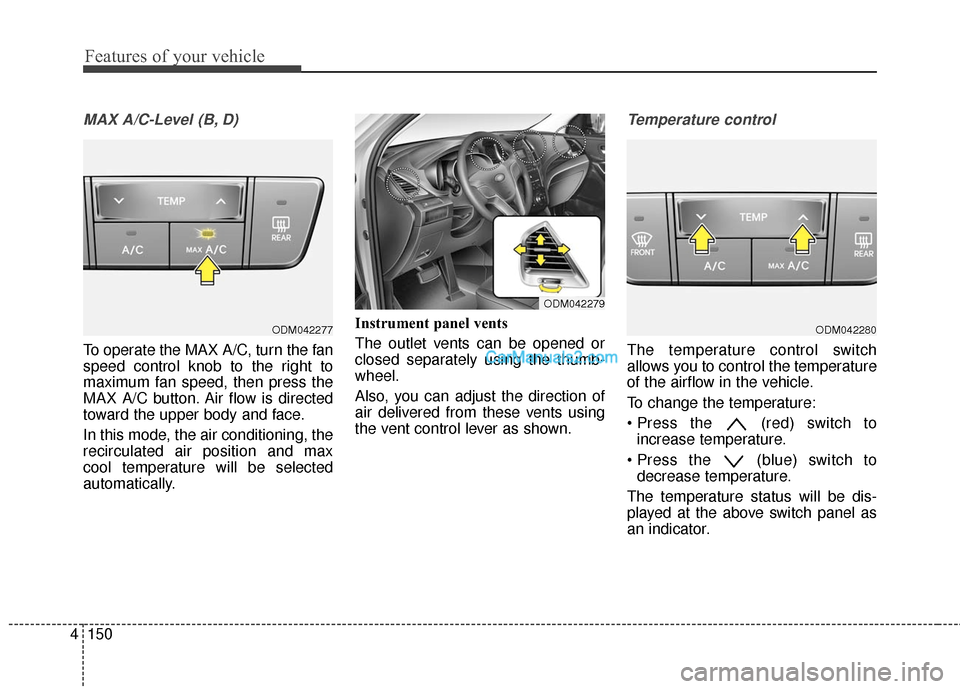
MAX A/C-Level (B, D)
To operate the MAX A/C, turn the fan
speed control knob to the right to
maximum fan speed, then press the
MAX A/C button. Air flow is directed
toward the upper body and face.
In this mode, the air conditioning, the
recirculated air position and max
cool temperature will be selected
automatically. Instrument panel vents
The outlet vents can be opened or
closed separately using the thumb-
wheel.
Also, you can adjust the direction of
air delivered from these vents using
the vent control lever as shown.
Temperature control
The temperature control switch
allows you to control the temperature
of the airflow in the vehicle.
To change the temperature:
(red) switch to
increase temperature.
(blue) switch to decrease temperature.
The temperature status will be dis-
played at the above switch panel as
an indicator.
ODM042277ODM042280
ODM042279
Page 256 of 614
4159
Features of your vehicle
✽
✽NOTICE
Never place anything over the sen-
sor located on the instrument panel
to ensure better control of the heat-
ing and cooling system.
Manual heating and air condi-
tioning
The heating and cooling system can
be controlled manually by pressing
buttons or turning knob(s) other than
the AUTO button. In this case, the
system works sequentially according
to the order of buttons or knob(s)
selected.
1. Start the engine.
2. Set the mode to the desired posi-
tion.
For improving the effectiveness of
heating and cooling;- Heating:
- Cooling:
3. Set the temperature control to the desired position.
4. Set the air intake control to the outside (fresh) air position.
5. Set the fan speed control to the desired speed.
6. If air conditioning is desired, turn the air conditioning system on.
Press the AUTO button in order to
convert to full automatic control of
the system.
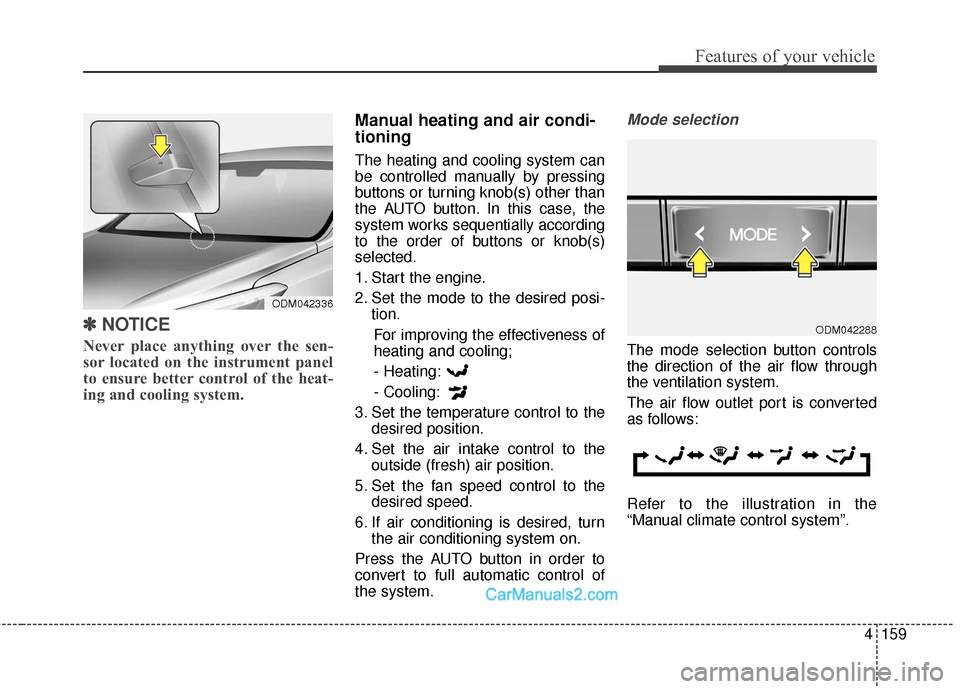
Mode selection
The mode selection button controls
the direction of the air flow through
the ventilation system.
The air flow outlet port is converted
as follows:
Refer to the illustration in the
“Manual climate control system”.
ODM042336
ODM042288
Page 257 of 614
Features of your vehicle
160
4
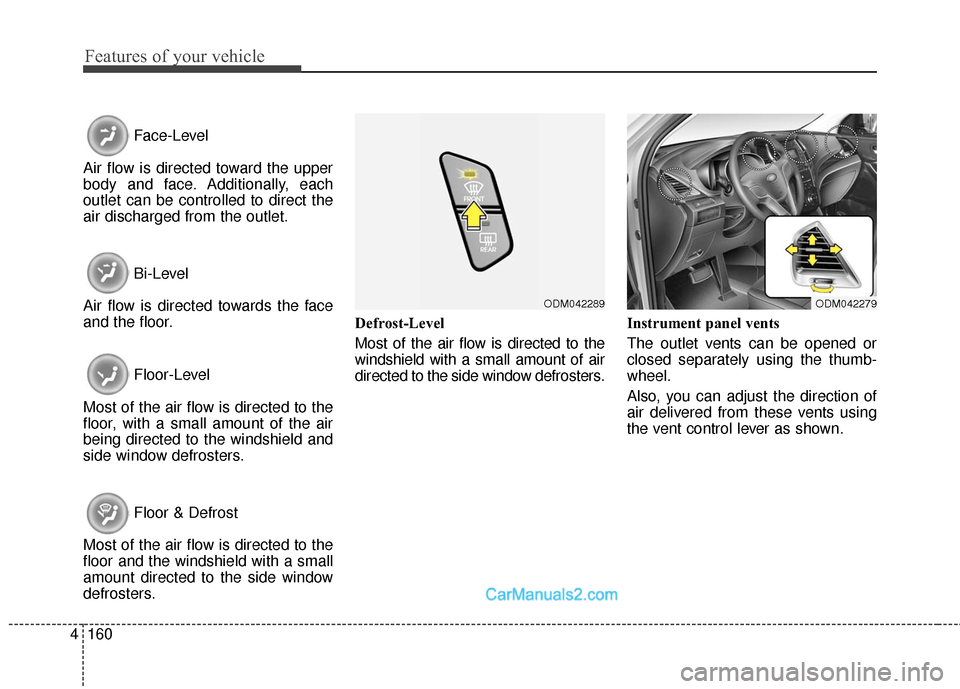
Face-Level
Air flow is directed toward the upper
body and face. Additionally, each
outlet can be controlled to direct the
air discharged from the outlet.
Bi-Level
Air flow is directed towards the face
and the floor.
Floor-Level
Most of the air flow is directed to the
floor, with a small amount of the air
being directed to the windshield and
side window defrosters.
Floor & Defrost
Most of the air flow is directed to the
floor and the windshield with a small
amount directed to the side window
defrosters. Defrost-Level
Most of the air flow is directed to the
windshield with a small amount of air
directed to the side window defrosters.
Instrument panel vents
The outlet vents can be opened or
closed separately using the thumb-
wheel.
Also, you can adjust the direction of
air delivered from these vents using
the vent control lever as shown.
ODM042279ODM042289
Page 270 of 614
4173
Features of your vehicle
Sunvisor
Use the sunvisor to shield direct light
through the front or side windows.
To use a sunvisor, pull it downward.
To use a sunvisor for a side window,
pull it downward, unsnap it from the
bracket (1) and swing it to the side (2).To use the vanity mirror, pull down
the visor and slide the mirror cover
(3).
Adjust the sunvisor extension (if
equipped) forward or backward (4).
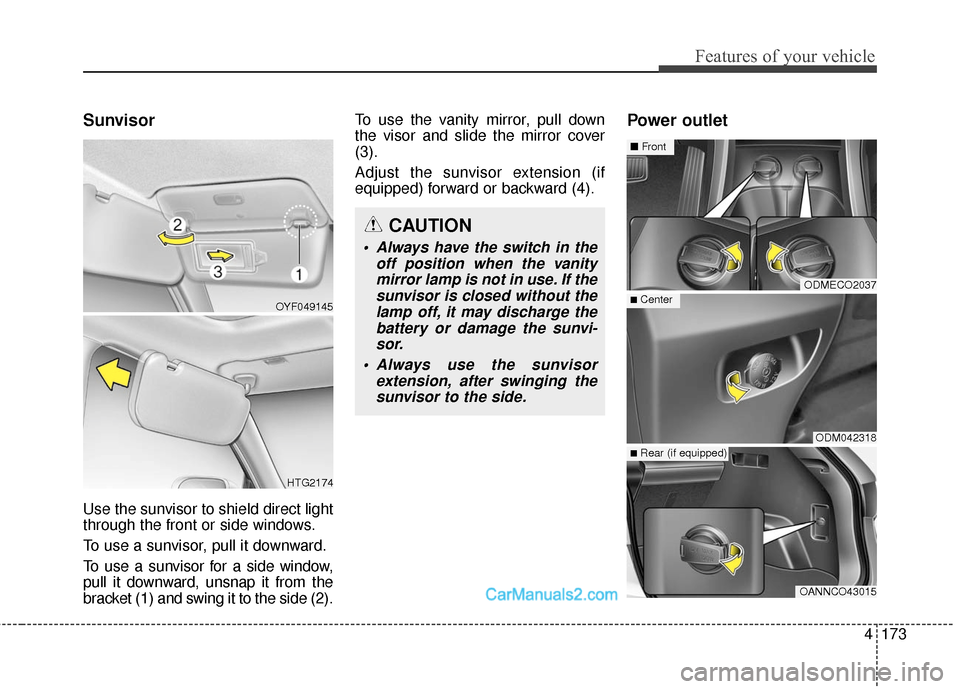
Power outlet
CAUTION
Always have the switch in the
off position when the vanitymirror lamp is not in use. If thesunvisor is closed without thelamp off, it may discharge thebattery or damage the sunvi-sor.
Always use the sunvisor extension, after swinging thesunvisor to the side.
ODMECO2037
ODM042318
OANNCO43015
■Center
■ Front
■Rear (if equipped)
OYF049145
HTG2174
Page 271 of 614
Features of your vehicle
174
4
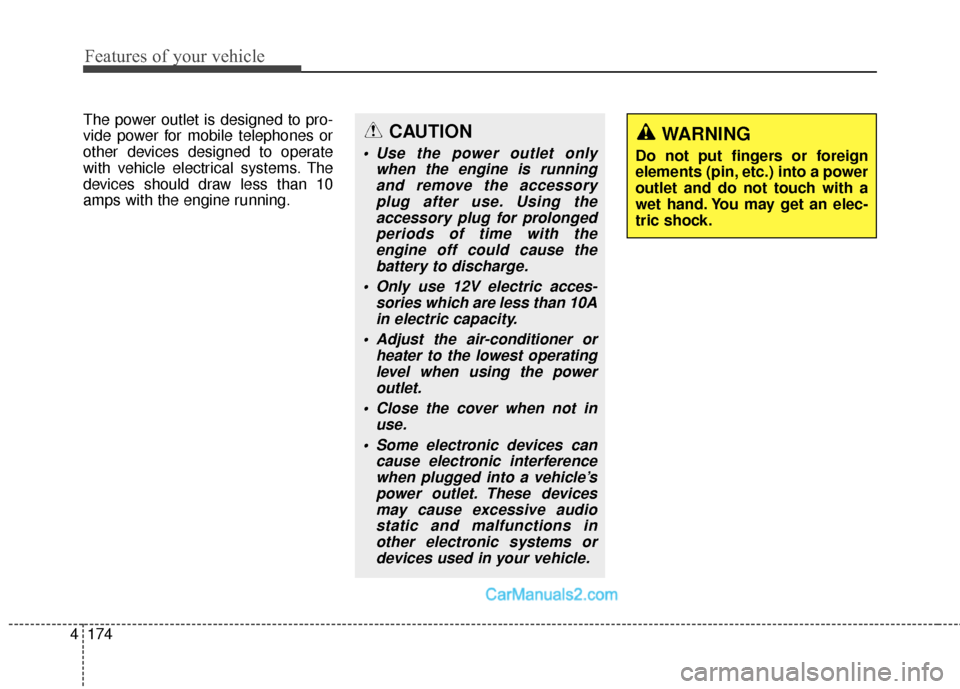
The power outlet is designed to pro-
vide power for mobile telephones or
other devices designed to operate
with vehicle electrical systems. The
devices should draw less than 10
amps with the engine running.CAUTION
Use the power outlet only
when the engine is runningand remove the accessoryplug after use. Using theaccessory plug for prolongedperiods of time with theengine off could cause thebattery to discharge.
Only use 12V electric acces- sories which are less than 10Ain electric capacity.
Adjust the air-conditioner or heater to the lowest operatinglevel when using the poweroutlet.
Close the cover when not in use.
Some electronic devices can cause electronic interferencewhen plugged into a vehicle’spower outlet. These devicesmay cause excessive audiostatic and malfunctions inother electronic systems ordevices used in your vehicle.
WARNING
Do not put fingers or foreign
elements (pin, etc.) into a power
outlet and do not touch with a
wet hand. You may get an elec-
tric shock.