Page 341 of 569
549
Driving your vehicle
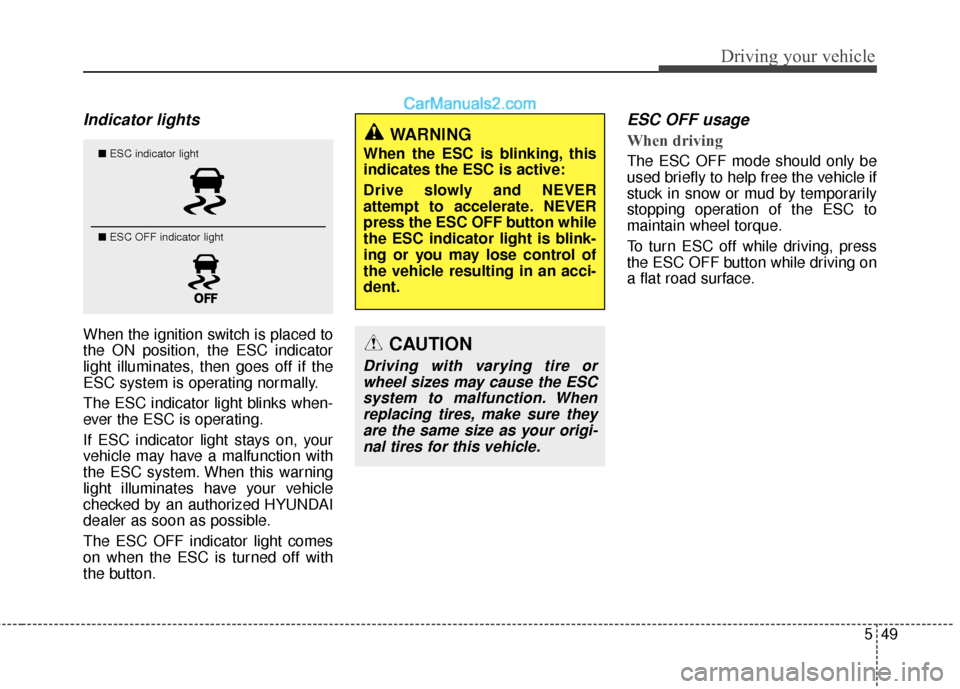
Indicator lights
When the ignition switch is placed to
the ON position, the ESC indicator
light illuminates, then goes off if the
ESC system is operating normally.
The ESC indicator light blinks when-
ever the ESC is operating.
If ESC indicator light stays on, your
vehicle may have a malfunction with
the ESC system. When this warning
light illuminates have your vehicle
checked by an authorized HYUNDAI
dealer as soon as possible.
The ESC OFF indicator light comes
on when the ESC is turned off with
the button.
ESC OFF usage
When driving
The ESC OFF mode should only be
used briefly to help free the vehicle if
stuck in snow or mud by temporarily
stopping operation of the ESC to
maintain wheel torque.
To turn ESC off while driving, press
the ESC OFF button while driving on
a flat road surface.
WARNING
When the ESC is blinking, this
indicates the ESC is active:
Drive slowly and NEVER
attempt to accelerate. NEVER
press the ESC OFF button while
the ESC indicator light is blink-
ing or you may lose control of
the vehicle resulting in an acci-
dent.
CAUTION
Driving with varying tire orwheel sizes may cause the ESCsystem to malfunction. Whenreplacing tires, make sure theyare the same size as your origi-nal tires for this vehicle.
■ ESC indicator light
■ ESC OFF indicator light
Page 342 of 569
Driving your vehicle
50
5
✽
✽
NOTICE
Turning the ESC OFF does not
affect ABS or standard brake sys-
tem operation.
Vehicle stability management
(VSM) (if equipped)
This system provides further
enhancements to vehicle stability
and steering responses when a vehi-
cle is driving on a slippery road or a
vehicle detected changes in coeffi-
cient of friction between right wheels
and left wheels when braking.
VSM operation
When the VSM is in operation, ESC
indicator light ( ) blinks.
When the vehicle stability manage-
ment is operating properly, you can
feel a slight pulsation in the vehicle
and/or abnormal steering responses
(EPS). This is only the effect of brake
and EPS control and indicates noth-
ing unusual. The VSM does not operate when:
Driving on a banked road such as
gradient or incline
Driving rearward
ESC OFF indicator light ( ) remains on the instrument cluster
EPS indicator light remains on the instrument cluster
VSM operation off
If you press the ESC OFF button to
turn off the ESC, the VSM will also
cancel and the ESC OFF indicator
light ( ) illuminates.
To turn on the VSM, press the button
again. The ESC OFF indicator light
goes out.
CAUTION
To prevent damage to thetransaxle:
Do not allow wheel(s) of one axle to spin excessively whilethe ESC, ABS, and brakewarning lights are displayed.The repairs would not be cov-ered by the vehicle warranty.Reduce engine power and donot spin the wheel(s) exces-sively while these lights aredisplayed.
When operating the vehicle on a dynamometer, ensure theESC is turned off (ESC OFFlight illuminated).
Page 343 of 569
551
Driving your vehicle
Malfunction indicator
The VSM system will automatically
be deactivated if a malfunction has
been detected somewhere in the
Electric Power Steering system or
the VSM system. If a malfunction is
detected, the ESC indicator light will
illuminate and remain on. If the ESC
indicator light ( ) or EPS warning
light remains on, take your vehicle to
an authorized HYUNDAI dealer and
have the system checked.
✽ ✽NOTICE
• The VSM is designed to function
above approximately 9 mph (15
km/h) on curves.
• The VSM is designed to function above approximately 18 mph (30
km/h) when a vehicle is braking on
a split-mu road. The split-mu road
is made of surfaces which have dif-
ferent friction forces.
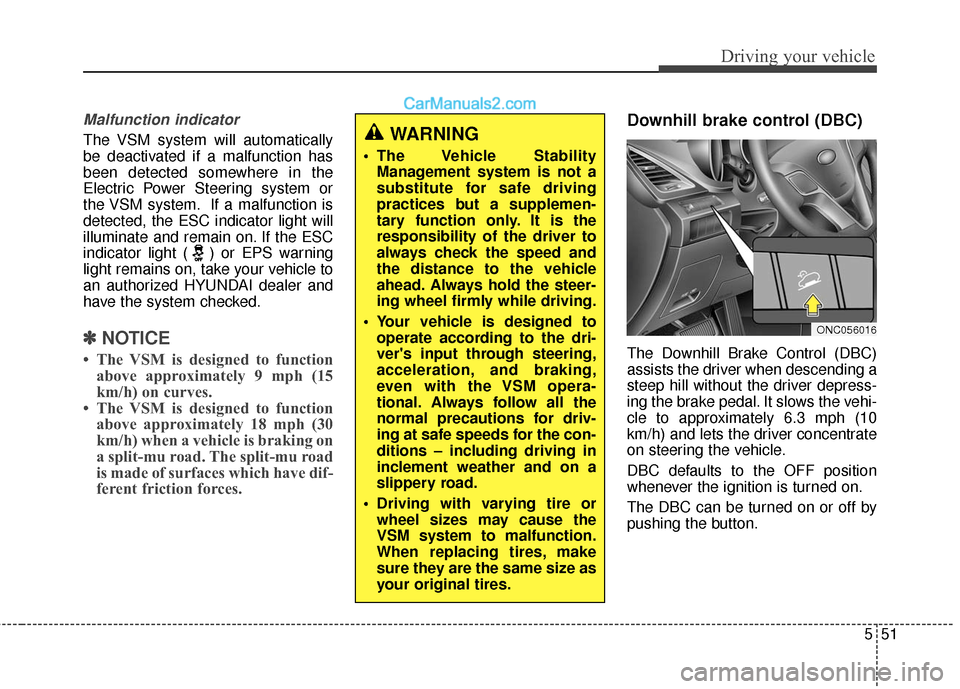
Downhill brake control (DBC)
The Downhill Brake Control (DBC)
assists the driver when descending a
steep hill without the driver depress-
ing the brake pedal. It slows the vehi-
cle to approximately 6.3 mph (10
km/h) and lets the driver concentrate
on steering the vehicle.
DBC defaults to the OFF position
whenever the ignition is turned on.
The DBC can be turned on or off by
pushing the button.
WARNING
The Vehicle Stability
Management system is not a
substitute for safe driving
practices but a supplemen-
tary function only. It is the
responsibility of the driver to
always check the speed and
the distance to the vehicle
ahead. Always hold the steer-
ing wheel firmly while driving.
Your vehicle is designed to operate according to the dri-
ver's input through steering,
acceleration, and braking,
even with the VSM opera-
tional. Always follow all the
normal precautions for driv-
ing at safe speeds for the con-
ditions – including driving in
inclement weather and on a
slippery road.
Driving with varying tire or wheel sizes may cause the
VSM system to malfunction.
When replacing tires, make
sure they are the same size as
your original tires.
ONC056016
Page 344 of 569
Driving your vehicle
52
5
WARNING
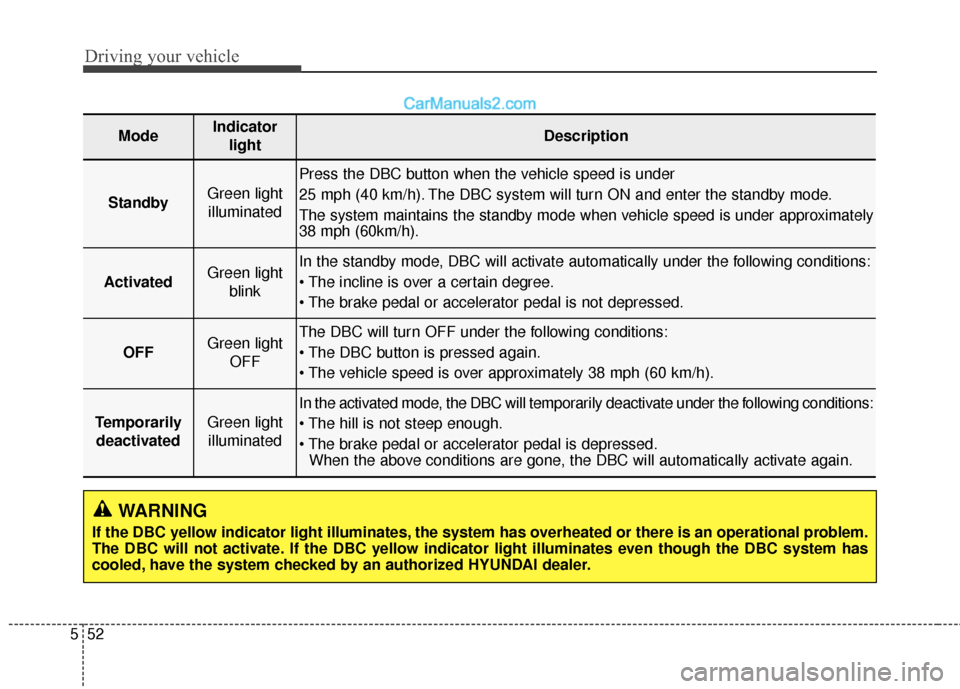
If the DBC yellow indicator light illuminates, the system has overheated or there is an operational problem.
The DBC will not activate. If the DBC yellow indicator light illuminates even though the DBC system has
cooled, have the system checked by an authorized HYUNDAI dealer.
ModeIndicator
lightDescription
StandbyGreen lightilluminated
Press the DBC button when the vehicle speed is under
25 mph (40 km/h). The DBC system will turn ON and enter the standby mode.
The system maintains the standby mode when vehicle speed is under approximately
38 mph (60km/h).
ActivatedGreen light blinkIn the standby mode, DBC will activate automatically under the following conditions:
OFFGreen light OFFThe DBC will turn OFF under the following conditions:
TemporarilydeactivatedGreen lightilluminated
In the activated mode, the DBC will temporarily deactivate under the following conditions:
When the above conditions are gone, the DBC will automatically activate again.
Page 346 of 569
Driving your vehicle
54
5
✽
✽
NOTICE
• The HAC does not operate when
the transaxle shift lever is in the P
(Park) or N (Neutral) position.
• The HAC activates even though the ESC is off but it does not acti-
vate when the ESC has malfunc-
tioned.
Good braking practices
After being parked, check to be
sure the parking brake is not
engaged and that the parking
brake indicator light is out before
driving away. Driving through water may get the
brakes wet. They can also get wet
when the vehicle is washed. Wet
brakes can be dangerous! Your
vehicle will not stop as quickly if the
brakes are wet. Wet brakes may
cause the vehicle to pull to one side.
To dry the brakes, apply the brakes
lightly until the braking action returns
to normal, taking care to keep the
vehicle under control at all times. If
the braking action does not return to
normal, stop as soon as it is safe to
do so and call an authorized
HYUNDAI dealer for assistance.
Don't coast down hills with the vehicle out of gear. This is extreme-
ly hazardous. Keep the vehicle in
gear at all times, use the brakes to
slow down, then shift to a lower
gear so that engine braking will
help you maintain a safe speed.
Don't "ride" the brake pedal. Resting your foot on the brake
pedal while driving can be danger-
ous because it can result in the
brakes overheating and losing their
effectiveness. It also increases the
wear of the brake components.
WARNING
Whenever you leave or parkyour vehicle, always set the
parking brake as far as possi-
ble and fully engage the vehi-
cle's transaxle into the P (Park)
position. If the parking brake is
not fully engaged, the vehicle
may move inadvertently and
injure yourself and others.
All vehicles should always have the parking brake fully
engaged when parking to
avoid inadvertent movement
of the vehicle which can injure
occupants or pedestrians.
Page 359 of 569
567
Driving your vehicle
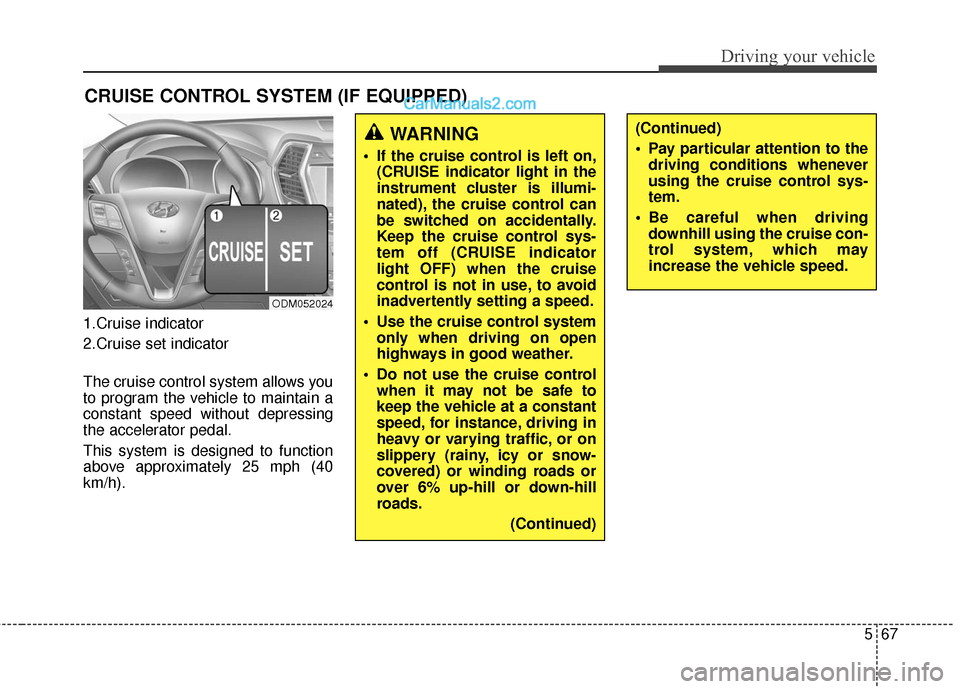
1.Cruise indicator
2.Cruise set indicator
The cruise control system allows you
to program the vehicle to maintain a
constant speed without depressing
the accelerator pedal.
This system is designed to function
above approximately 25 mph (40
km/h).
CRUISE CONTROL SYSTEM (IF EQUIPPED)
ODM052024
WARNING
If the cruise control is left on,(CRUISE indicator light in the
instrument cluster is illumi-
nated), the cruise control can
be switched on accidentally.
Keep the cruise control sys-
tem off (CRUISE indicator
light OFF) when the cruise
control is not in use, to avoid
inadvertently setting a speed.
Use the cruise control system only when driving on open
highways in good weather.
Do not use the cruise control when it may not be safe to
keep the vehicle at a constant
speed, for instance, driving in
heavy or varying traffic, or on
slippery (rainy, icy or snow-
covered) or winding roads or
over 6% up-hill or down-hill
roads.
(Continued)
(Continued)
Pay particular attention to thedriving conditions whenever
using the cruise control sys-
tem.
Be careful when driving downhill using the cruise con-
trol system, which may
increase the vehicle speed.
Page 360 of 569
Driving your vehicle
68
5
✽
✽
NOTICE
• During normal cruise control
operation, when the SET switch is
activated or reactivated after
applying the brakes, the cruise
control will energize after approx-
imately 3 seconds. This delay is
normal.
• To activate cruise control, depress the brake pedal at least once after
turning the ignition switch to the
ON position or starting the engine.
This is to check if the brake switch
which is important part to cancel
cruise control is in normal condi-
tion.
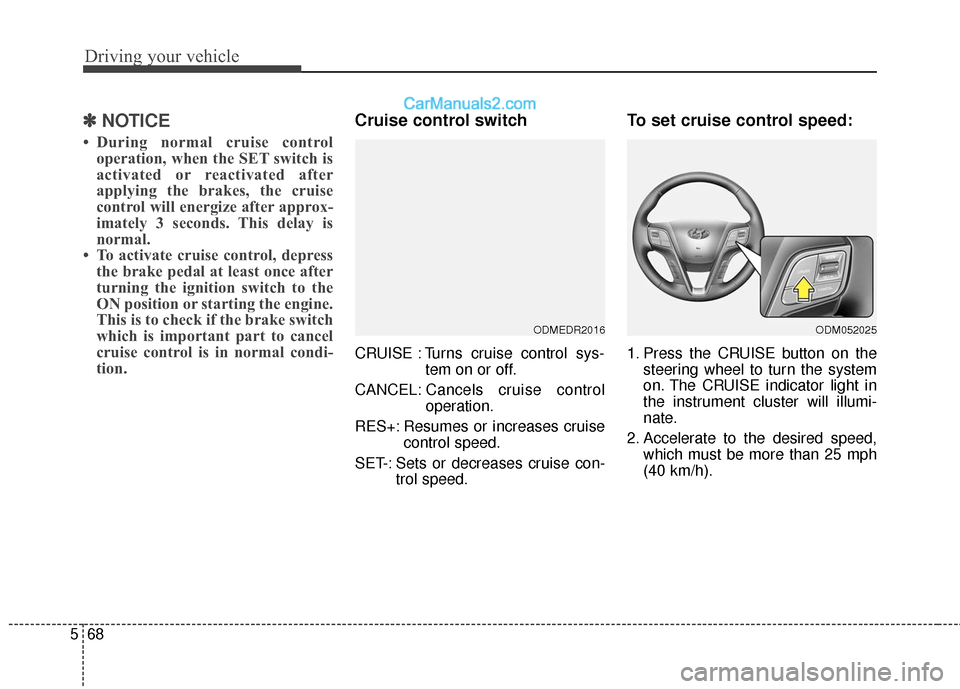
Cruise control switch
CRUISE : Turns cruise control sys-
tem on or off.
CANCEL: Cancels cruise control
operation.
RES+: Resumes or increases cruise control speed.
SET-: Sets or decreases cruise con- trol speed.
To set cruise control speed:
1. Press the CRUISE button on thesteering wheel to turn the system
on. The CRUISE indicator light in
the instrument cluster will illumi-
nate.
2. Accelerate to the desired speed, which must be more than 25 mph
(40 km/h).
ODMEDR2016ODM052025
Page 361 of 569
569
Driving your vehicle
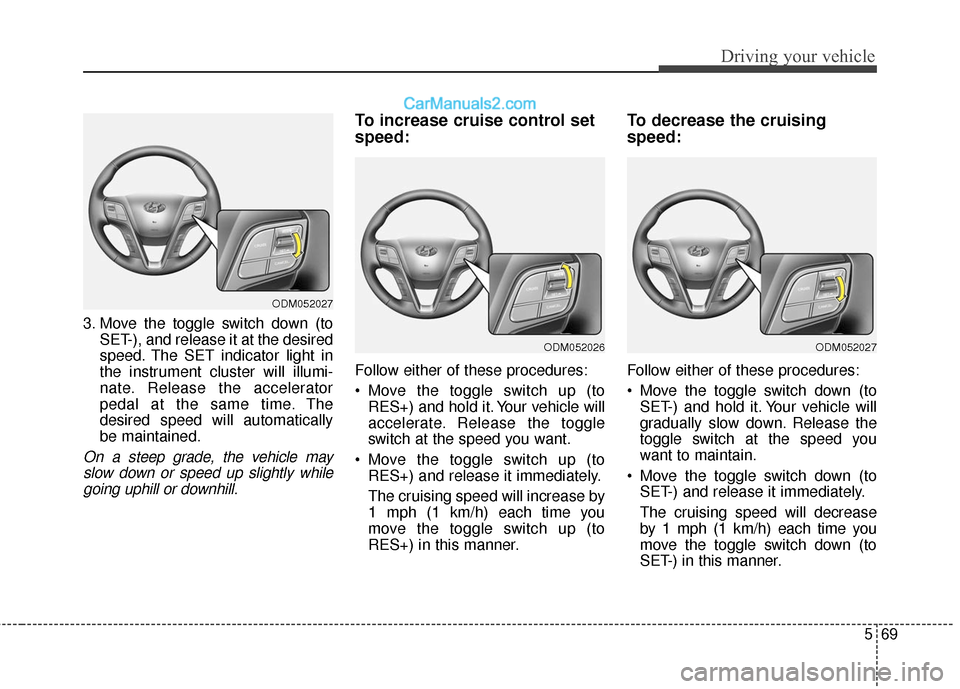
3. Move the toggle switch down (toSET-), and release it at the desired
speed. The SET indicator light in
the instrument cluster will illumi-
nate. Release the accelerator
pedal at the same time. The
desired speed will automatically
be maintained.
On a steep grade, the vehicle mayslow down or speed up slightly whilegoing uphill or downhill.
To increase cruise control set
speed:
Follow either of these procedures:
Move the toggle switch up (to RES+) and hold it. Your vehicle will
accelerate. Release the toggle
switch at the speed you want.
Move the toggle switch up (to RES+) and release it immediately.
The cruising speed will increase by
1 mph (1 km/h) each time you
move the toggle switch up (to
RES+) in this manner.
To decrease the cruising
speed:
Follow either of these procedures:
Move the toggle switch down (toSET-) and hold it. Your vehicle will
gradually slow down. Release the
toggle switch at the speed you
want to maintain.
Move the toggle switch down (to SET-) and release it immediately.
The cruising speed will decrease
by 1 mph (1 km/h) each time you
move the toggle switch down (to
SET-) in this manner.
ODM052027
ODM052026ODM052027