Page 181 of 553
3-79
Convenient features of your vehicle
3
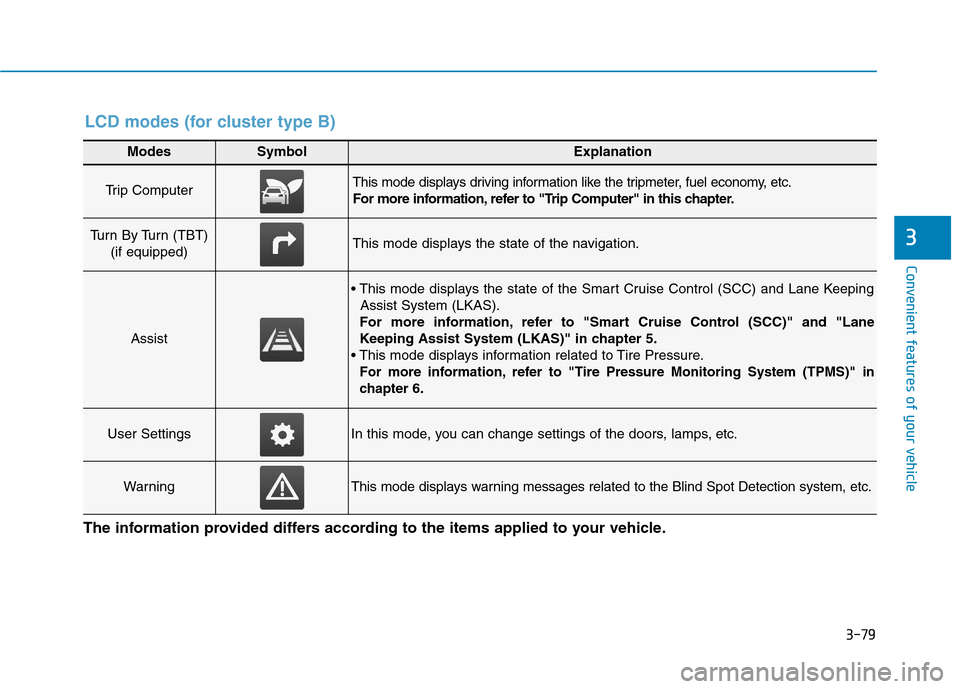
Modes SymbolExplanation
Trip Computer This mode displays driving information like the tripmeter, fuel economy, etc.
For more information, refer to "Trip Computer" in this chapter.
Turn By Turn (TBT) (if equipped)This mode displays the state of the navigation.
Assist
Assist System (LKAS).
For more information, refer to "Smart Cruise Control (SCC)" and "Lane
Keeping Assist System (LKAS)" in chapter 5.
For more information, refer to "Tire Pressure Monitoring System (TPMS)"in
chapter 6.
User SettingsIn this mode, you can change settings of the doors, lamps, etc.
WarningThis mode displays warning messages related to the Blind Spot Detection system, etc.
The information provided differs according to the items applied to your vehicle.
LCD modes (for cluster type B)
Page 183 of 553
3-81
Convenient features of your vehicle
3
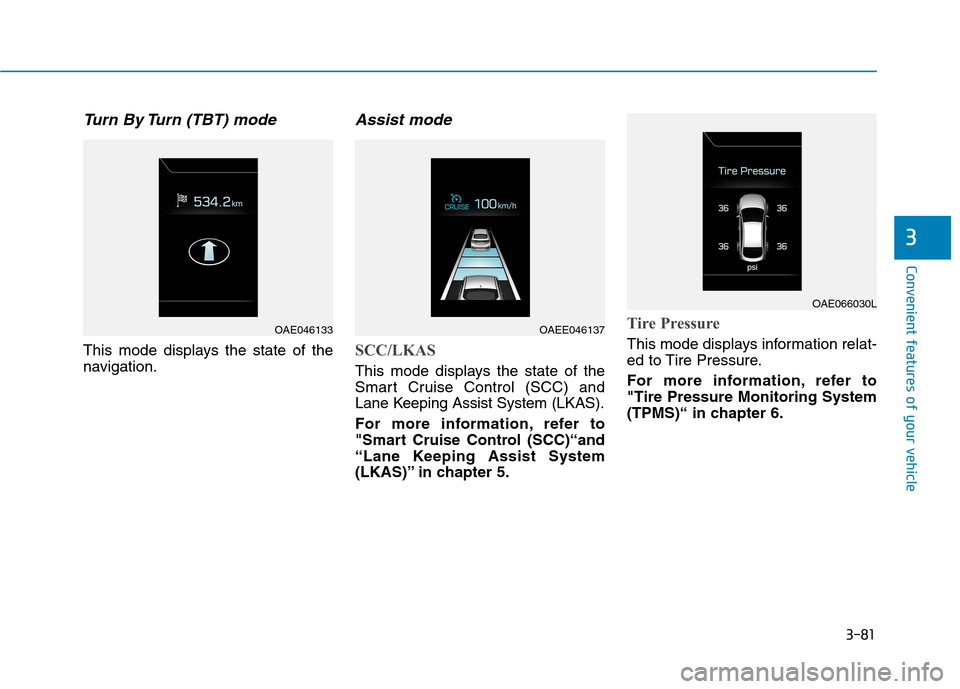
Turn By Turn (TBT) mode
This mode displays the state of the
navigation.
Assist mode
SCC/LKAS
This mode displays the state of the
Smart Cruise Control (SCC) and
Lane Keeping Assist System (LKAS).
For more information, refer to
"Smart Cruise Control (SCC)“and
“Lane Keeping Assist System
(LKAS)” in chapter 5.
Tire Pressure
This mode displays information relat-
ed to Tire Pressure.
For more information, refer to "Tire Pressure Monitoring System
(TPMS)“ in chapter 6.
OAE046133OAEE046137
OAE066030L
Page 184 of 553

3-82
Convenient features of your vehicle
Warning mode
If one of followings occurs, warning
messages will be displayed in the
information mode for several seconds.
- Lower washer fluid ((if equipped)
- Exterior lamp malfunction
- Blind Spot Detection (BSD) mal-function (if equipped)
- Autonomous Emergency Braking (AEB) malfunction
- Smart cruise control malfunction
- Tire Pressure Monitoring System (TPMS) malfunction (if equipped)
User settings mode
In this mode, you can change the
setting of the instrument cluster,
doors, lamps, etc.
1. Driving Assist
2. Door
3. Lights
4. Sound
5. Convenience
6. Service Interval
7. Other Features
8. Reset
The information provided differs
according to the items applied to your
vehicle. 1. Driving Assist
- Lane Departure/Standard LKA/Active
LKA
To adjust the sensitivity of the Lane
Keeping Assist System.
For more information, refer to the
"Lane Keeping Assist System" in
chapter 5.
- Slow/Normal/Fast To adjust the sensitivity of the
Smart Cruise Control system.
For more information, refer to the
"Smart Cruise Control" in chapter5.
To activate or deactivate the Autonomous
Emergency Braking (AEB).
For more information, refer to
"Autonomous Emergency Braking
(AEB)" in chapter 5.
Page 285 of 553

Driving your vehicle
Before driving.........................................................5-4Before entering the vehicle ...........................................5-4
Before starting...................................................................5-4
Ignition switch ........................................................5-5 Key ignition switch ............................................................5-6
Engine Start/Stop button ................................................5-9
Dual clutch transmission .....................................5-15 Dual clutch transmission operation ............................5-15
Parking ...............................................................................5-23
Good driving practices ...................................................5-23
Braking system.....................................................5-25 Power brakes ...................................................................5-25
Disc brakes wear indicator ...........................................5-26
Parking brake ...................................................................5-26
Anti-lock Brake System (ABS) ....................................5-29
Electronic Stability Control (ESC)................................5-31
Vehicle Stability Management (VSM).........................5-34
Hill-Start Assist Control (HAC) ....................................5-36
Emergency Stop Signal (ESS) ......................................5-36
Good braking practices..................................................5-37
Blind Spot Detection system (BSD) ..................5-38 BSD (Blind Spot Detection) /
LCA (Lane Change Assist) .............................................5-39RCTA (Rear Cross Traffic Alert) ..................................5-43
Limitations of the system .............................................5-45 Autonomous Emergency Braking (AEB)...........5-47
System setting and activation......................................5-47
AEB warning message and system control ..............5-49
AEB front radar sensor .................................................5-52
System malfunction ........................................................5-53
Limitations of the system .............................................5-55
Lane Keeping Assist System (LKAS) .................5-59 LKAS operation ................................................................5-60
Warning light and message ..........................................5-64
LKAS function change ...................................................5-65
Limitations of the System .............................................5-66
Speed limit control system .................................5-67 Speed Limit Control Operation.....................................5-67
Cruise control .......................................................5-69 Cruise Control operation ...............................................5-69
Smart Cruise Control system..............................5-75 To Adjust the Sensitivity of
Smart Cruise Control ......................................................5-77To convert to Cruise Control mode ............................5-77
Smart Cruise Control speed ..........................................5-78
Smart Cruise Control Vehicle-to-Vehicle
Distance .............................................................................5-83 Sensor to detect distance to the vehicle ahead .....5-85
Limitations of the system .............................................5-87
5
Page 316 of 553

5-32
Driving your vehicle
When operating
When the ESC is in opera- tion, the ESC indicator light
blinks:
conditions which may lock the
wheels, you may hear sounds from
the brakes, or feel a corresponding
sensation in the brake pedal. This is
normal and it means your ESC is
active.
cle may not respond to the acceler-ator as it does under routine condi-
tions.
when the ESC activates, the Cruise
Control automatically disengages.
The Cruise Control can be reen-
gaged when the road conditions
allow. See "Cruise Control System"
later in this chapter. (if equipped)
driving on a slippery road, the
engine rpm (revolutions per minute)
may not increase even if you press
the accelerator pedal deeply. This is
to maintain the stability and traction
of the vehicle and does not indicate
a problem.
ESC OFF condition
To cancel ESC operation :
Press the ESC OFF button briefly. The ESC OFF indicator light and
message "Traction Control disabled"
will illuminate. In this state, the trac-tion control function of ESC (engine
management) is disabled, but the
brake control function of ESC (brak-
ing management) still operates.
Press and hold the ESC OFF button
continuously for more than 3 sec-
onds. The ESC OFF indicator light
and message "Traction & Stability
Control disabled" illuminates and a
warning chime sounds. In this state,
both the traction control function ofESC (engine management) and the
brake control function of ESC (brak-
ing management) are disabled.
If the ignition switch is placed to the
LOCK/OFF position when ESC is off,
ESC remains off. Upon restarting the
vehicle, the ESC will automatically
turn on again.
■
Type A■Type B
OLF054101N/OAE056018L
■Type A■Type B
OTLE055140/OAE056020L
Page 351 of 553
5-67
Driving your vehicle
5
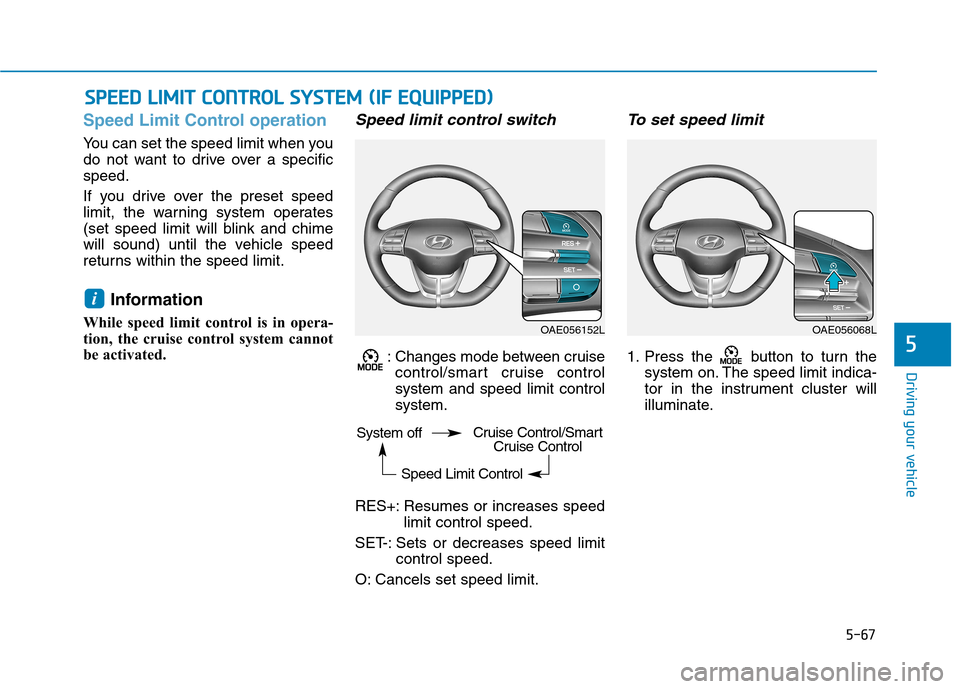
Speed Limit Control operation
You can set the speed limit when you
do not want to drive over a specificspeed.
If you drive over the preset speed
limit, the warning system operates
(set speed limit will blink and chime
will sound) until the vehicle speed
returns within the speed limit.Information
While speed limit control is in opera-
tion, the cruise control system cannot
be activated.
Speed limit control switch
: Changes mode between cruise control/smart cruise controlsystem and speed limit controlsystem.
RES+: Resumes or increases speed limit control speed.
SET-: Sets or decreases speed limit control speed.
O: Cancels set speed limit.
To set speed limit
1. Press the button to turn the system on. The speed limit indica-
tor in the instrument cluster will
illuminate.
i
SSPP EEEEDD LL IIMM IITT CC OO NNTTRR OO LL SS YY SSTT EEMM (( IIFF EE QQ UUIIPP PPEEDD ))
OAE056152LOAE056068L
System off
Speed Limit ControlCruise Control/SmartCruise Control
Page 353 of 553
5-69
Driving your vehicle
5
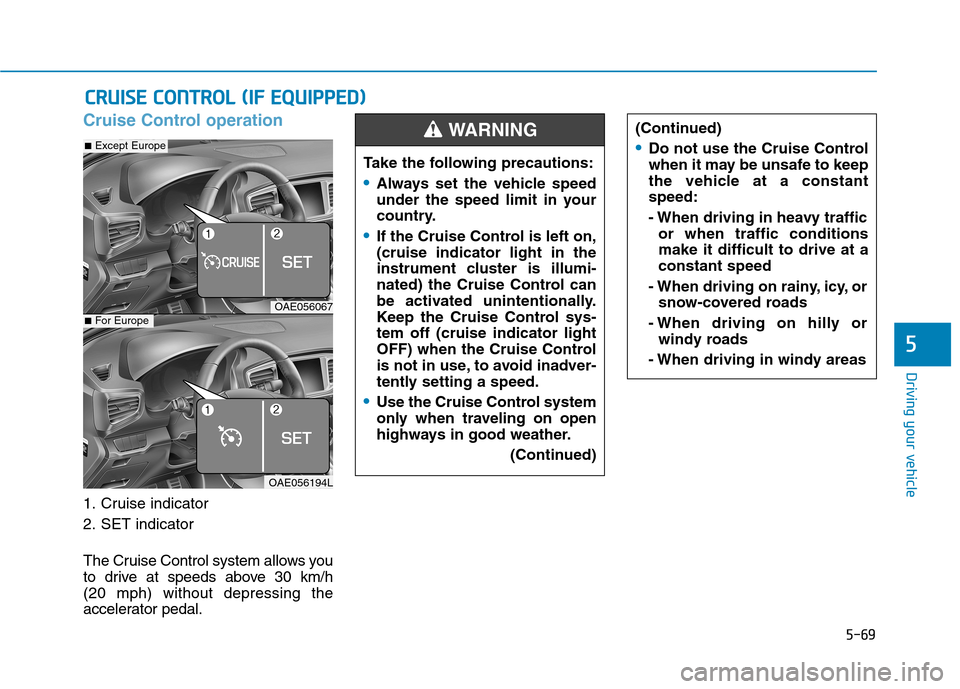
Cruise Control operation
1. Cruise indicator
2. SET indicator
The Cruise Control system allows you
to drive at speeds above 30 km/h (20 mph) without depressing the
accelerator pedal.
CCRR UU IISS EE CC OO NNTTRR OO LL (( IIFF EE QQ UUIIPP PP EEDD ))
Take the following precautions:
Always set the vehicle speed
under the speed limit in your
country.
If the Cruise Control is left on, (cruise indicator light in the
instrument cluster is illumi-
nated) the Cruise Control can
be activated unintentionally.
Keep the Cruise Control sys-tem off (cruise indicator light
OFF) when the Cruise Control
is not in use, to avoid inadver-
tently setting a speed.
Use the Cruise Control system
only when traveling on open
highways in good weather.
(Continued)
(Continued)
Do not use the Cruise Control
when it may be unsafe to keep
the vehicle at a constantspeed:
- When driving in heavy trafficor when traffic conditions make it difficult to drive at aconstant speed
- When driving on rainy, icy, or snow-covered roads
- When driving on hilly or windy roads
- When driving in windy areas
WARNING
OAE056067
OAE056194L
■ Except Europe
■For Europe
Page 354 of 553
5-70
Driving your vehicle
Information
During normal cruise control opera- tion, when the SET switch is activat-
ed or reactivated after applying the
brakes, the cruise control will ener-
gize after approximately 3 seconds.
This delay is normal.
Before activating the cruise control function, the system will check to
verify that the brake switch is oper-
ating normally. Depress the brake
pedal at least once after turning ON
the ignition or starting the vehicle.
Cruise control switch
CANCEL/O : Cancels cruise control operation.
CRUISE / : Turns cruise control system on or off.
RES+: Resumes or increases cruise control speed.
SET-: Sets or decreases cruise con- trol speed. Information
First, switch the mode to Cruise
Control by pressing the button if
equipped with the Speed Limit
Control System.
The mode changes, as below, whenev-
er the button is pressed.
ii
OAE056068L
OAE056153L
■ Type A
■Type B
System off Cruise ControlSpeed Limit Control