Page 186 of 637
3-91
Convenient features of your vehicle
3
Fuel economy
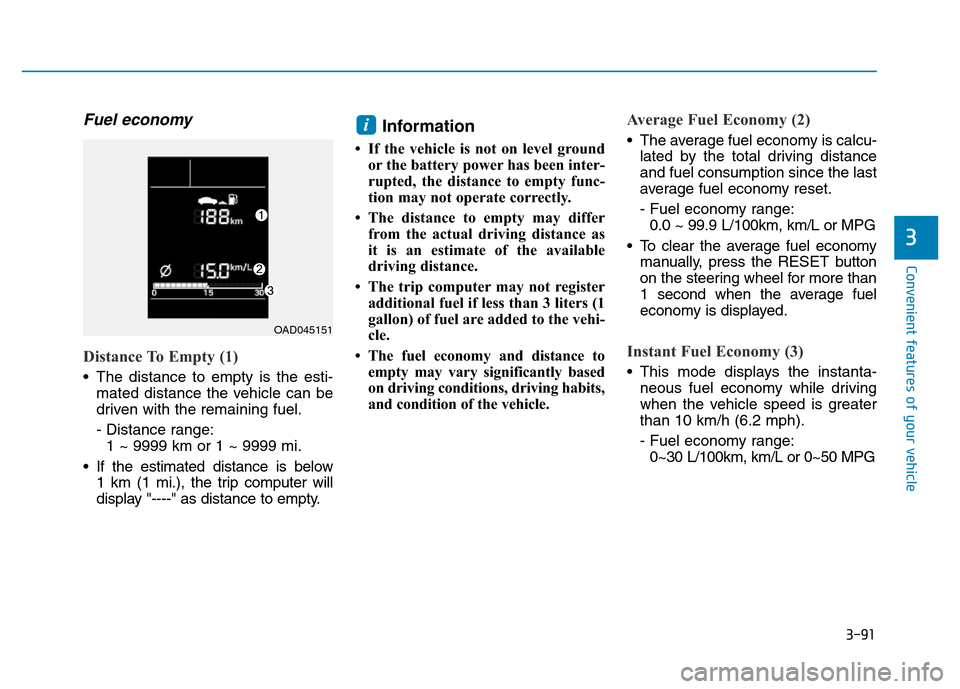
Distance To Empty (1)
• The distance to empty is the esti-
mated distance the vehicle can be
driven with the remaining fuel.
- Distance range:
1 ~ 9999 km or 1 ~ 9999 mi.
• If the estimated distance is below
1 km (1 mi.), the trip computer will
display "----" as distance to empty.
Information
• If the vehicle is not on level ground
or the battery power has been inter-
rupted, the distance to empty func-
tion may not operate correctly.
• The distance to empty may differ
from the actual driving distance as
it is an estimate of the available
driving distance.
• The trip computer may not register
additional fuel if less than 3 liters (1
gallon) of fuel are added to the vehi-
cle.
• The fuel economy and distance to
empty may vary significantly based
on driving conditions, driving habits,
and condition of the vehicle.
Average Fuel Economy (2)
• The average fuel economy is calcu-
lated by the total driving distance
and fuel consumption since the last
average fuel economy reset.
- Fuel economy range:
0.0 ~ 99.9 L/100km, km/L or MPG
• To clear the average fuel economy
manually, press the RESET button
on the steering wheel for more than
1 second when the average fuel
economy is displayed.
Instant Fuel Economy (3)
• This mode displays the instanta-
neous fuel economy while driving
when the vehicle speed is greater
than 10 km/h (6.2 mph).
- Fuel economy range:
0~30 L/100km, km/L or 0~50 MPG
i
OAD045151
Page 189 of 637
3-94
Convenient features of your vehicle
Supervision cluster
The trip computer is a microcomput-
er-controlled driver information sys-
tem that displays information related
to driving.
Information
Some driving information stored in the
trip computer (for example Average
Vehicle Speed) resets if the battery is
disconnected.
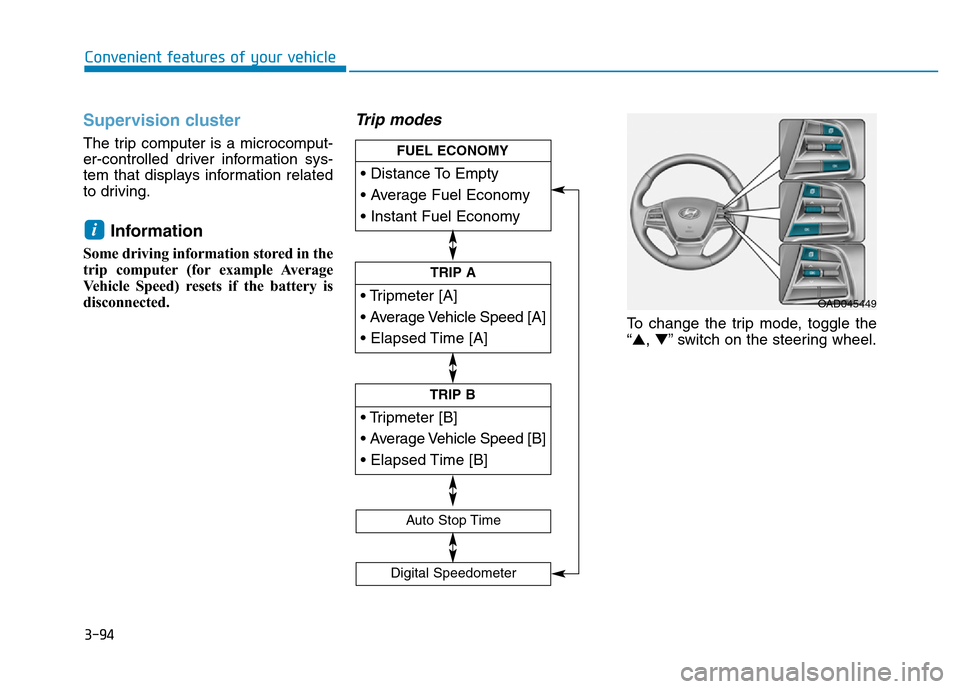
Trip modes
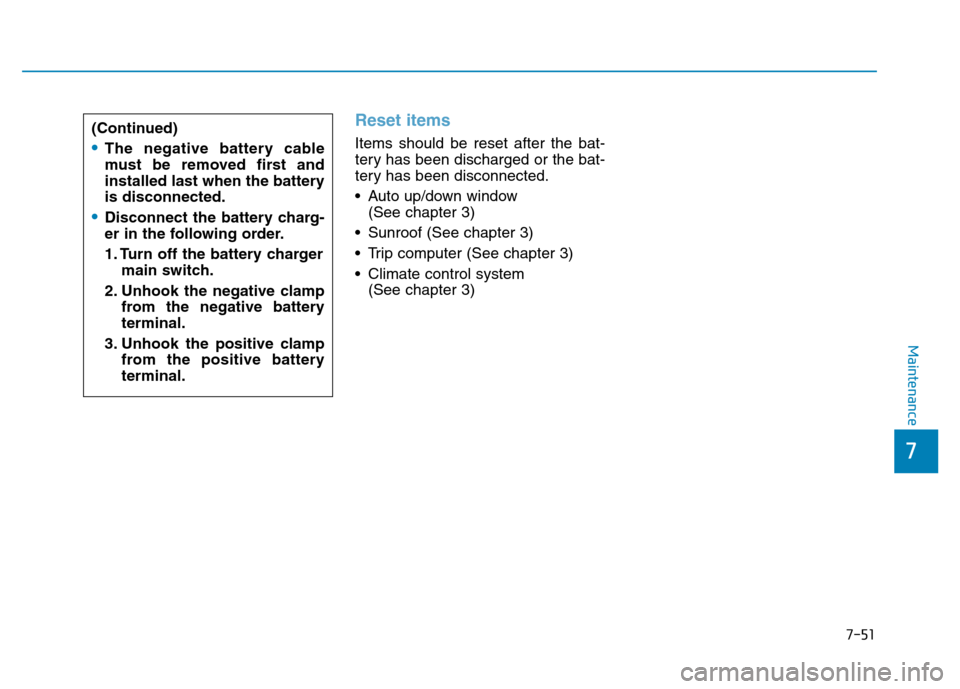
To change the trip mode, toggle the
“▲,▼” switch on the steering wheel.
i
• Tripmeter [A]
• Average Vehicle Speed [A]
• Elapsed Time [A]
TRIP A
• Tripmeter [B]
• Average Vehicle Speed [B]
• Elapsed Time [B]
TRIP B
• Distance To Empty
• Average Fuel Economy
• Instant Fuel Economy
FUEL ECONOMY
Digital Speedometer
Auto Stop Time
OAD045449
Page 190 of 637
3-95
Convenient features of your vehicle
3
Fuel economy
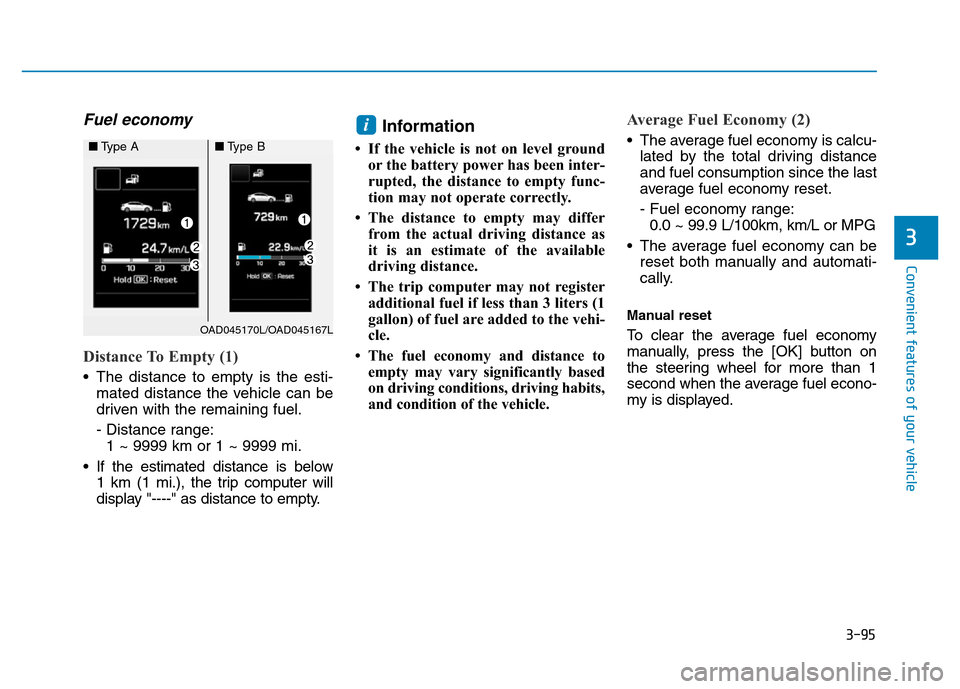
Distance To Empty (1)
• The distance to empty is the esti-
mated distance the vehicle can be
driven with the remaining fuel.
- Distance range:
1 ~ 9999 km or 1 ~ 9999 mi.
• If the estimated distance is below
1 km (1 mi.), the trip computer will
display "----" as distance to empty.
Information
• If the vehicle is not on level ground
or the battery power has been inter-
rupted, the distance to empty func-
tion may not operate correctly.
• The distance to empty may differ
from the actual driving distance as
it is an estimate of the available
driving distance.
• The trip computer may not register
additional fuel if less than 3 liters (1
gallon) of fuel are added to the vehi-
cle.
• The fuel economy and distance to
empty may vary significantly based
on driving conditions, driving habits,
and condition of the vehicle.
Average Fuel Economy (2)
• The average fuel economy is calcu-
lated by the total driving distance
and fuel consumption since the last
average fuel economy reset.
- Fuel economy range:
0.0 ~ 99.9 L/100km, km/L or MPG
• The average fuel economy can be
reset both manually and automati-
cally.
Manual reset
To clear the average fuel economy
manually, press the [OK] button on
the steering wheel for more than 1
second when the average fuel econo-
my is displayed.
i
OAD045170L/OAD045167L
■Type A■Type B
Page 562 of 637
7-51
7
Maintenance
Reset items
Items should be reset after the bat-
tery has been discharged or the bat-
tery has been disconnected.
• Auto up/down window
(See chapter 3)
• Sunroof (See chapter 3)
• Trip computer (See chapter 3)
• Climate control system
(See chapter 3) (Continued)•The negative battery cable
must be removed first and
installed last when the battery
is disconnected.
•Disconnect the battery charg-
er in the following order.
1. Turn off the battery charger
main switch.
2. Unhook the negative clamp
from the negative battery
terminal.
3. Unhook the positive clamp
from the positive battery
terminal.