Page 355 of 606

uuBluetooth ® HandsFreeLink ®u HFL Menus
354
Features
■To add a voice tag to a stored speed
dial number
1. Press the button or the button.
2. Rotate to select Phone Setup, then
press .
3. Rotate to select Speed Dial, then press
.
4. Select an existing speed dial entry.
5. Rotate to select Store Voice Tag , then
press .
6. Using the button, follow the prompts to
complete the voice tag.
■To change a voice tag
1. Press the button or the button.
2. Rotate to select Phone Setup, then
press .
3. Rotate to select Speed Dial, then press
.
4. Select an existing speed dial entry.
5. Rotate to select Change Voice Tag,
then press .
6. Using the button, follow the prompts to
complete the voice tag.
1Speed Dial
Avoid using duplicate voice tags.
Avoid using “home ” as a voice tag.
It is easier for HFL to re cognize a longer name. For
example, use “ John Smith” instead of “John .”
Change Speed Dial
Delete Speed Dial
Store Voice Tag
Change Speed Dial
Delete Speed DialChaChaChaChaChangengengeee SpSpSpSppeedeedeedeeeeDiDi DiDiDialalalalal
DelDelDelDelDeleteeteeteeteete SpSpSpSppeedeedeedeedee Di Di DiDialalalalal
Page 356 of 606
355
uuBluetooth ® HandsFreeLink ®u HFL Menus
Continued
Features
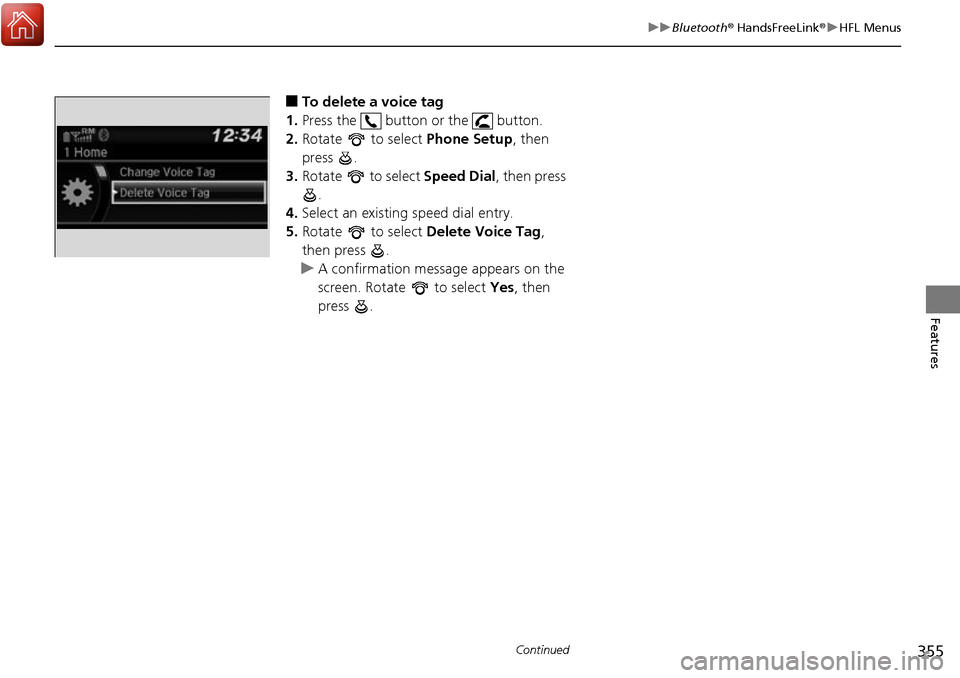
■To delete a voice tag
1. Press the button or the button.
2. Rotate to select Phone Setup, then
press .
3. Rotate to select Speed Dial, then press
.
4. Select an existing speed dial entry.
5. Rotate to select Delete Voice Tag,
then press .
u A confirmation message appears on the
screen. Rotate to select Yes, then
press .
Page 357 of 606
uuBluetooth ® HandsFreeLink ®u HFL Menus
356
Features
You can make calls by inpu tting any phone number, or by using the imported
phonebook, call history, speed dial entries, or redial.
■Making a Call1 Making a Call
Voice-tagged speed dial en tries can be dialed by
voice from any screen.
Press the button and follow the prompts.
Once a call is connected, you can hear the voice of
the person you are call ing through the audio
speakers.
Page 358 of 606

Continued357
uuBluetooth ® HandsFreeLink ®u HFL Menus
Features
■To make a call using the imported
phonebook
When your phone is paired, the contents of its
phonebook are automatically imported to
HFL.
1. Press the button or the button.
2. Rotate to select Phonebook, then
press .
3. The phonebook is stor ed alphabetically.
Rotate to select the initial, then press .
4. Rotate to select a name, then press .
5. Rotate to select a number, then press
.
u Dialing starts automatically.
■To make a call using a phone number
1. Press the button or the button.
2. Rotate to select Dial, then press .
3. Rotate to select a number, then press
.
4. Rotate to select , then press .
u Dialing starts automatically.
1To make a call using the imported phonebook
This function is disabled while the vehicle is moving.
However, you can call a stored voice-tagged speed
dial number using voice commands. 2 Limitations for Manual Operation P. 338
2 Speed Dial P. 352
1To make a call using a phone number
This function is disabled while the vehicle is moving.
However, you can call a stored voice-tagged speed
dial number using voice commands. 2 Limitations for Manual Operation P. 338
2 Speed Dial P. 352
Page 359 of 606
uuBluetooth ® HandsFreeLink ®u HFL Menus
358
Features
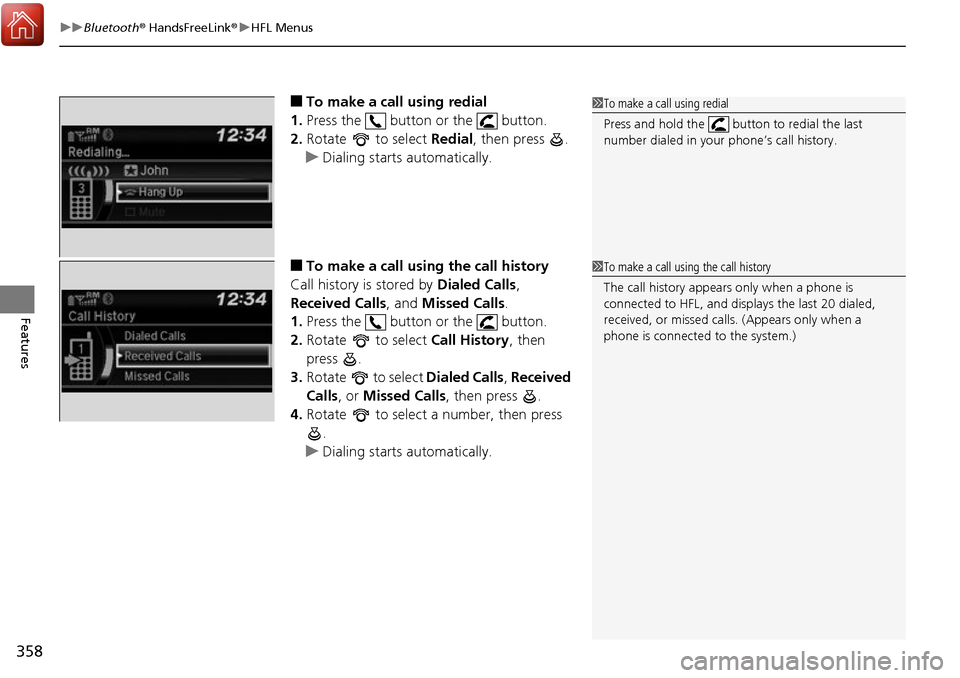
■To make a call using redial
1. Press the button or the button.
2. Rotate to select Redial, then press .
u Dialing starts automatically.
■To make a call using the call history
Call history is stored by Dialed Calls,
Received Calls , and Missed Calls .
1. Press the button or the button.
2. Rotate to select Call History, then
press .
3. Rotate to select Dialed Calls, Received
Calls , or Missed Calls, then press .
4. Rotate to select a number, then press
.
u Dialing starts automatically.
1To make a call using redial
Press and hold the butt on to redial the last
number dialed in your phone’s call history.
1 To make a call using the call history
The call history appear s only when a phone is
connected to HFL, and displays the last 20 dialed,
received, or missed calls. (Appears only when a
phone is connected to the system.)
Page 360 of 606
Continued359
uuBluetooth ® HandsFreeLink ®u HFL Menus
Features
■To make a call using a speed dial entry
1. Press the button or the button.
2. Rotate to select Speed Dial, then press
.
3. Rotate to select a number, then press
.
u Dialing starts automatically.1To make a call using a speed dial entry
When a voice tag is stored, press the button and
call the number using voice commands.
2 Speed Dial P. 352
Voice-tagged speed dial en tries can be dialed by
voice from any screen. Press the button and
follow the prompts.
Page 361 of 606
uuBluetooth ® HandsFreeLink ®u HFL Menus
360
Features
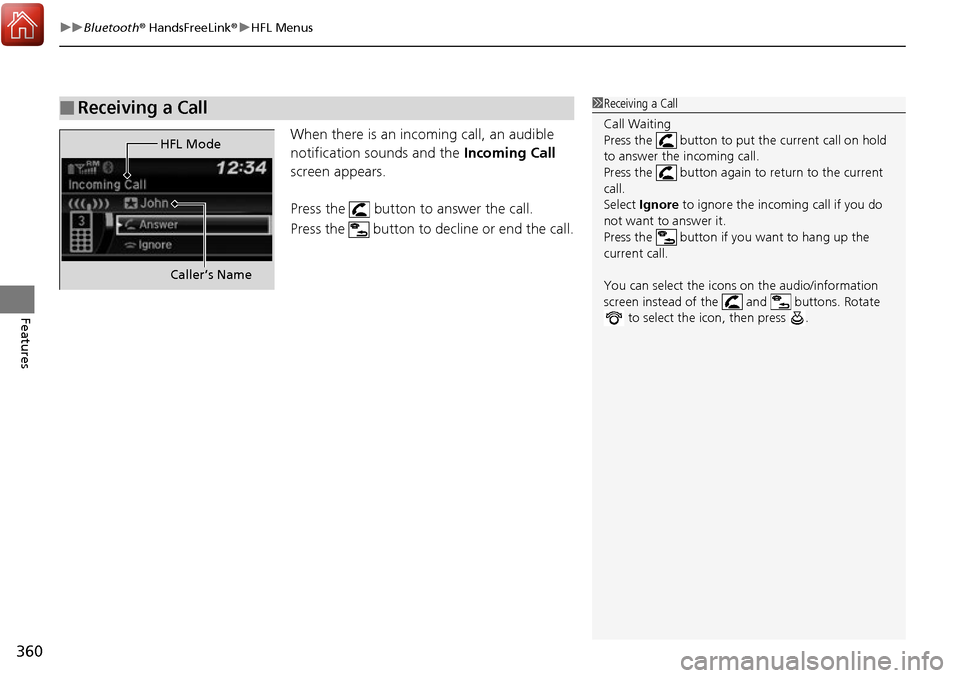
When there is an incoming call, an audible
notification sounds and the Incoming Call
screen appears.
Press the button to answer the call.
Press the button to decline or end the call.
■Receiving a Call1 Receiving a Call
Call Waiting
Press the button to put the current call on hold
to answer the incoming call.
Press the button again to return to the current
call.
Select Ignore to ignore the incoming call if you do
not want to answer it.
Press the button if you want to hang up the
current call.
You can select the icons on the audio/information
screen instead of the and buttons. Rotate to select the icon, then press .
HFL Mode
Caller’s Name
Page 362 of 606
361
uuBluetooth ® HandsFreeLink ®u HFL Menus
Features
The following options are available during a call.
Swap Call: Put the current call on hold to answer the incoming call.
Mute: Mute your voice.
Transfer Call: Transfer a call from HFL to your phone.
Dial Tones: Send numbers during a call. This is useful when you call a menu-driven
phone system. 1.To view the available options, press the
button.
2. Rotate to select the option, then press
.
u The check box is checked when Mute is
selected. Select Mute again to turn it off.
■Options During a Call1Options During a Call
Dial Tones: Available on some phones.