Page 79 of 606

78
uuIndicators u
Instrument Panel
IndicatorNameOn/BlinkingExplanationMessage
Electric Power
Steering (EPS)
System Indicator
●Comes on when you set the
power mode to ON, and goes off
when the engine starts.
●Comes on if there is a problem
with the EPS system.
●Stays on constantly or does not come on
at all - Have your vehicle checked by a
dealer.
2If the Electric Power Steering (EPS)
System Indicator Comes On P. 573
Low Tire Pressure/
TPMS Indicator
●Comes on for a few seconds
when you set the power mode to
ON, then goes off.
●Comes on if the tire pressure of
any of the tires becomes
significantly low.
●Blinks for about one minute, and
then stays on if there is a problem
with the TPMS with Tire Fill
Assist, or when a compact spare
tire is temporarily installed.
●Comes on while driving - Stop in a safe
place, check tire pres sures, and inflate the
tire(s) if necessary.
●Blinks and remains on - Have your vehicle
checked by a dealer. If the vehicle is fitted
with a compact spare, get your regular tire
repaired or replaced and put back on your
vehicle as soon as you can.
Turn Signal and
Hazard Warning
Indicators●Blinks when you operate the turn
signal lever.
●Blink when you press the hazard
warning button.
●Does not blink or blinks rapidly - A turn
signal light bulb has blown. Change the
bulb immediately.
2 Replacing Light Bulbs P. 526, 527
—
High Beam
Indicator●Comes on when the high beam
headlights are on.——
Page 81 of 606

80
uuIndicators u
Instrument Panel
IndicatorNameOn/BlinkingExplanationMessage
Security System
Alarm Indicator
●Blinks when the security system
alarm has been set.
2Security System Alarm P. 131—
System Message
Indicator
●Comes on for a few seconds
when you set the power mode to
ON, then goes off.
●Comes on along with a beep
when a problem is detected. A
system message on the multi-
information display appears at
the same time.
●While the indicator is on, press the
(information) button to see the message
again.
●Refer to the Indicators information in this
chapter when a system message appears on
the multi-information display. Take the
appropriate action for the message.
●The multi-information display does not
return to the normal screen unless the
warning is canceled, or the button
is pressed.
—
CRUISE MAIN
Indicator*
●Comes on when you press the
CRUISE button.2Cruise Control* P. 431—
CRUISE
CONTROL
Indicator
*
●Comes on when you have set a
speed for crui se control.
2Cruise Control* P. 431—
Indicator
* Not available on all models
Page 90 of 606
89
uuIndicators uMulti-Information Display Warning and Information Messages
Continued
Instrument Panel
Multi-Information Display Warn ing and Information Messages
The following messages appear only on th e multi-information display. Press the (i nformation) button to see the message again
with the system message indicator on.
*1:When the tailgate is dropped open, the message does not appear.
MessageConditionExplanation
●Appears if a door, the trunk or the tailgate*1 is not
completely closed.●Goes off when all the doors, the trunk and the tailgate
are closed.
Page 92 of 606
91
uuIndicators uMulti-Information Display Warning and Information Messages
Continued
Instrument Panel
MessageConditionExplanation
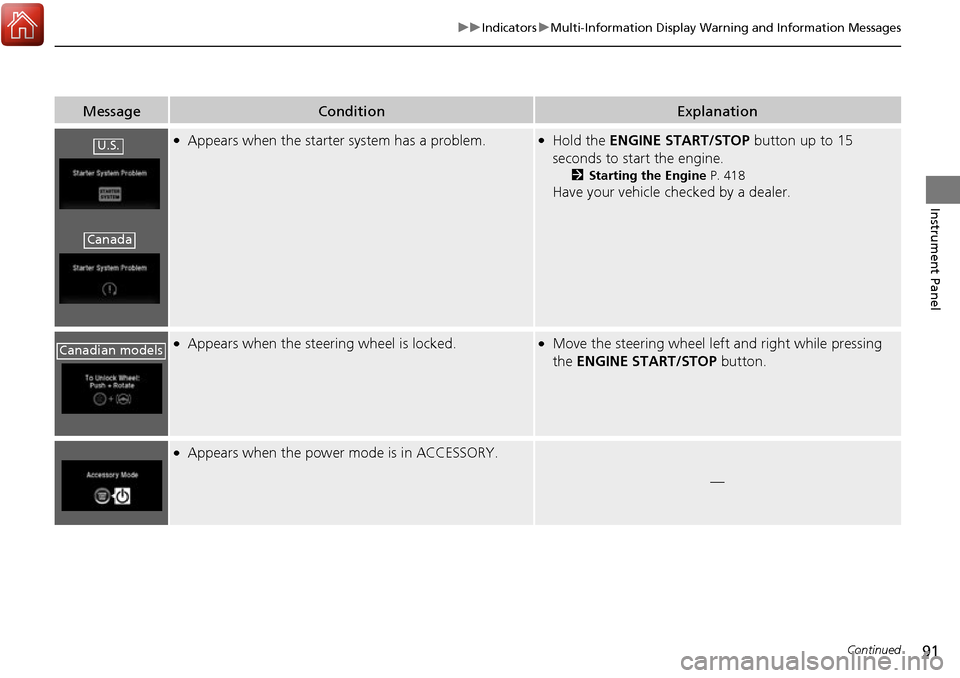
●Appears when the starter system has a problem.●Hold the ENGINE START/STOP button up to 15
seconds to start the engine.
2 Starting the Engine P. 418
Have your vehicle checked by a dealer.
●Appears when the steering wheel is locked.●Move the steering wheel left and right while pressing
the ENGINE START/STOP button.
●Appears when the power mode is in ACCESSORY.
—
U.S.
Canada
Canadian models
Page 94 of 606
93
uuIndicators uMulti-Information Display Warning and Information Messages
Continued
Instrument Panel
MessageConditionExplanation
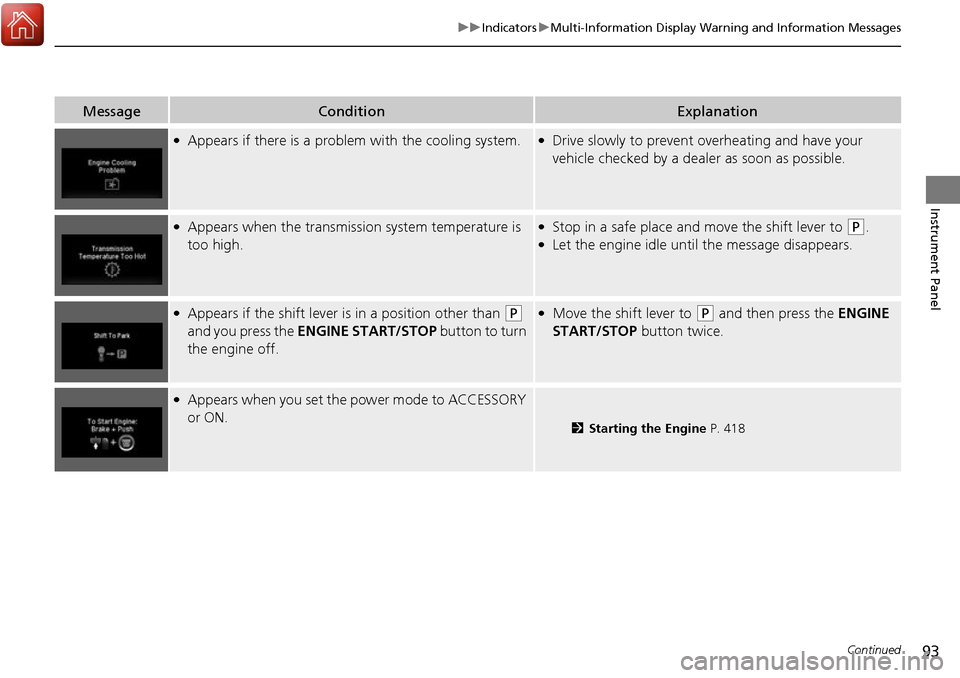
●Appears if there is a problem with the cooling system.●Drive slowly to prevent overheating and have your
vehicle checked by a dealer as soon as possible.
●Appears when the transmission system temperature is
too high.●Stop in a safe place and move the shift lever to (P.●Let the engine idle until the message disappears.
●Appears if the shift lever is in a position other than (P
and you press the ENGINE START/STOP button to turn
the engine off. ●Move the shift lever to (P and then press the ENGINE
START/STOP button twice.
●Appears when you set the power mode to ACCESSORY
or ON.
2 Starting the Engine P. 418
Page 96 of 606
95
uuIndicators uMulti-Information Display Warning and Information Messages
Continued
Instrument Panel
MessageConditionExplanation
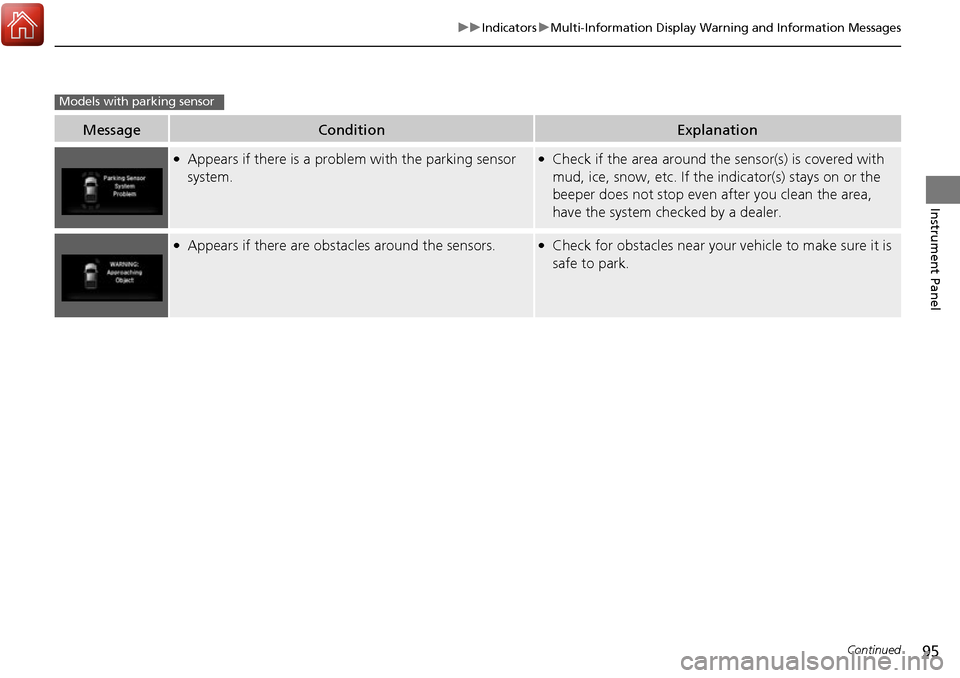
●Appears if there is a problem with the parking sensor
system.●Check if the area around the sensor(s) is covered with
mud, ice, snow, etc. If the indicator(s) stays on or the
beeper does not stop even after you clean the area,
have the system checked by a dealer.
●Appears if there are obstacles around the sensors.●Check for obstacles near your vehicle to make sure it is
safe to park.
Models with parking sensor
Page 98 of 606
97
uuIndicators uMulti-Information Display Warning and Information Messages
Continued
Instrument Panel
MessageConditionExplanation
●Appears when you unlock an d open the driver’s door
while the engine is running by the smart entry remote.
2Remote Engine Start* P. 420
Models with remote engine start
* Not available on all models
Page 99 of 606

98
uuIndicators uMulti-Information Display Warn ing and Information Messages
Instrument Panel
MessageConditionExplanation
●Appears when the vehicle is driving out of a detected
lane. Rapid vibrations on the steering wheel.●Keep the vehicle within the lane you are driving.●The color of either line changes from white to amber as
the vehicle gets closer to th at side of the lane line.
2Lane Keeping Assist System (LKAS)* P. 454
●Rapid vibrations on the stee ring wheel when the vehicle
is drifting out of a detected lane.
●Rapid vibrations on the steering wheel with steering
assist when the vehicle is drifting out of a detected lane.
●Keep the vehicle within the lane you are driving.●The color of either line chan ges from white to amber as
the vehicle gets closer to th at side of the lane line.
2Road Departure Mitigation (RDM) System* P. 436
●Blinks when you fail to steer the vehicle. The beeper
sounds simultaneously.●Operate the steering wheel to resume the LKAS.
Models with LKAS
When you selected Warning Only
When you selected Normal or Wide
* Not available on all models