Page 326 of 673
325
uuBlu-ray/DVD Rear Entertainment System*uOverhead Screen
Features
Overhead Screen
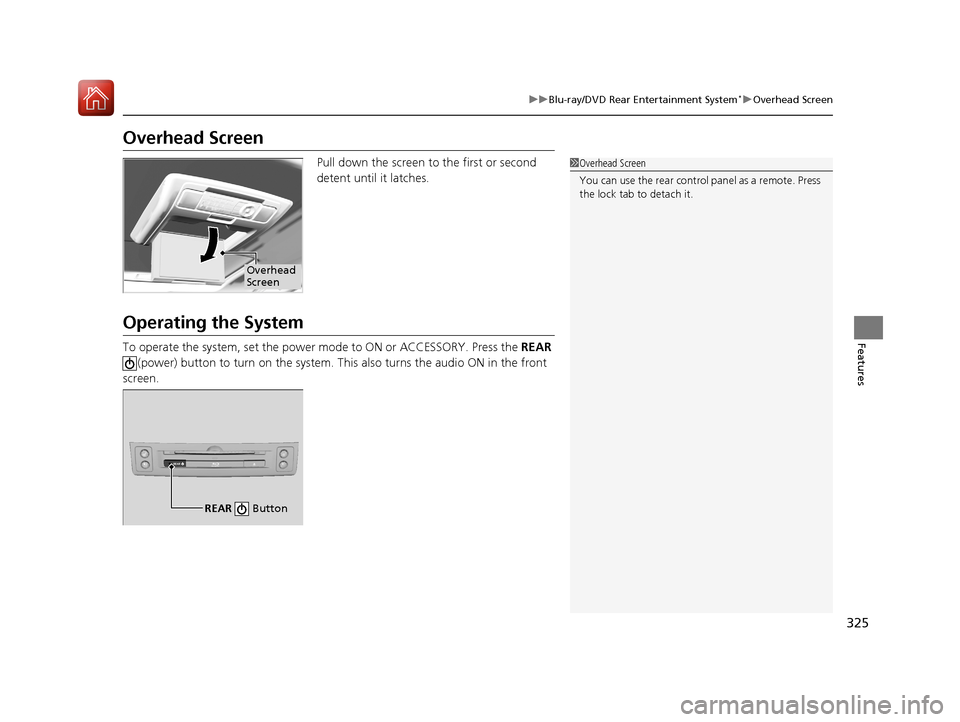
Pull down the screen to the first or second
detent until it latches.
Operating the System
To operate the system, set the power mode to ON or ACCESSORY. Press the REAR
(power) button to turn on the system. This also turns the audio ON in the front
screen.
1 Overhead Screen
You can use the rear control panel as a remote. Press
the lock tab to detach it.
Overhead
Screen
REAR
REAR Button
17 PILOT-31TG76100.book 325 ページ 2016年9月20日 火曜日 午後4時9分
Page 327 of 673
326
uuBlu-ray/DVD Rear Entertainment System*uPlaying a DVD/Blu-rayTM*
Features
Playing a DVD/Blu-rayTM*
To play a DVD or Blu-rayTM *, insert a DVD or Blu-rayTM * into the lower slot of the
front audio system, and press the REAR button.
u The system automatically starts the DVD or Blu-ray
TM *. DVD or Blu-rayTM * is
available for the rear seat passenger only.
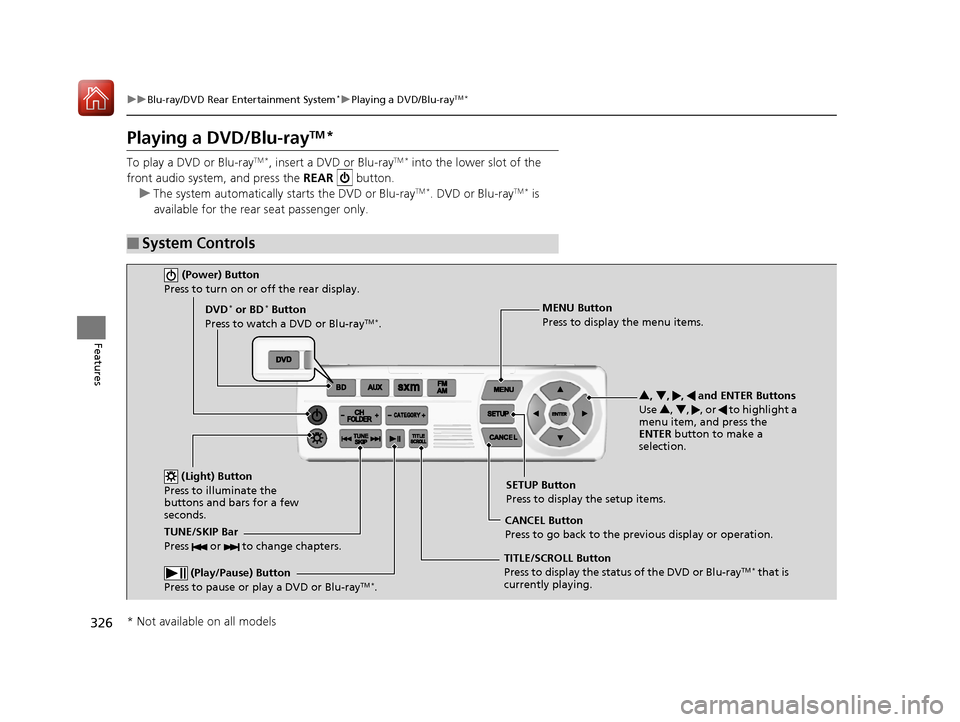
■System Controls
(Power) Button
Press to turn on or off the rear display.
DVD* or BD* Button
Press to watch a DVD or Blu-rayTM *.
(Light) Button
Press to illuminate the
buttons and bars for a few
seconds.
TUNE/SKIP Bar
Press or to change chapters.
(Play/Pause) Button
Press to pause or play a DVD or Blu-rayTM *.
TITLE/SCROLL Button
Press to display the status of the DVD or Blu-rayTM * that is
currently playing. MENU Button
Press to display the menu items.
SETUP Button
Press to display the setup items.
CANCEL Button
Press to go back to the previous display or operation. 3
, 4 , , and ENTER Buttons
Use 3, 4 , , or to highlight a
menu item, and press the
ENTER button to make a
selection.
* Not available on all models
17 PILOT-31TG76100.book 326 ページ 2016年9月20日 火曜日 午後4時9分
Page 328 of 673

Continued327
uuBlu-ray/DVD Rear Entertainment System*uPlaying a DVD/Blu-rayTM*
Features
1. Press the MENU button on the remote to
display the Menu screen.
2. Select an item and then press the ENTER
button on the remote.
The following items are available:
• Top Menu : Displays the top menu of the DVD or Blu-ray
TM *.
• Popup Menu : Displays the menu of the Blu-rayTM *.
• Play Mode : Displays while a DVD or Blu-rayTM * is playing and changes the DVD
or Blu-rayTM * preferences.
2 Setting the Play Mode P. 328
•Search / NumInput : Skips to a title or chapte r by entering the number.
2Searching a Title/Chapter P. 329
•Repeat :
TITLE REPEAT: Repeats the current title.
CHAPTER REPEAT: Repeats the current chapter.
• Menu (When playing a DVD): Displays the menu.
• Pause / Play: Pauses or resumes the playback.
• Stop : Stops the playback.
• Return (When playing a DVD): Return s to the previous screen.
• BD Control Menu (When playing a Blu-ray
TM): Displays the Blu-rayTM control
menu.
■Rear DVD or Blu-rayTM* Menu1 Rear DVD or Blu-rayTM* Menu
During Blu-ray
TM operation, when the source is
changed or the vehicle is turned off, Blu-rayTM
operation stops. For certain Blu-rayTM discs, it can only
be restarted from the RES.
* Not available on all models
17 PILOT-31TG76100.book 327 ページ 2016年9月20日 火曜日 午後4時9分
Page 329 of 673
328
uuBlu-ray/DVD Rear Entertainment System*uPlaying a DVD/Blu-rayTM*
Features
If you press the MENU button on the remote while the DVD or Blu-rayTM * is not
playing, the option Play Mode changes to Initial Settings .
2Initial Settings P. 334
■Setting the Play Mode
1.Press the MENU button on the remote to
display the Menu screen.
2. Select Play Mode.
3. Select an item and then press the ENTER
button on the remote.
The following items are available:
• Audio: Selects the language of the DVD audio.
• Subtitle : Selects the language of the DVD subtitle.
• Angle : Selects the angle of the scen e shot with multiple cameras.
* Not available on all models
17 PILOT-31TG76100.book 328 ページ 2016年9月20日 火曜日 午後4時9分
Page 330 of 673
329
uuBlu-ray/DVD Rear Entertainment System*uPlaying a DVD/Blu-rayTM*
Continued
Features
■Searching a Title/Chapter
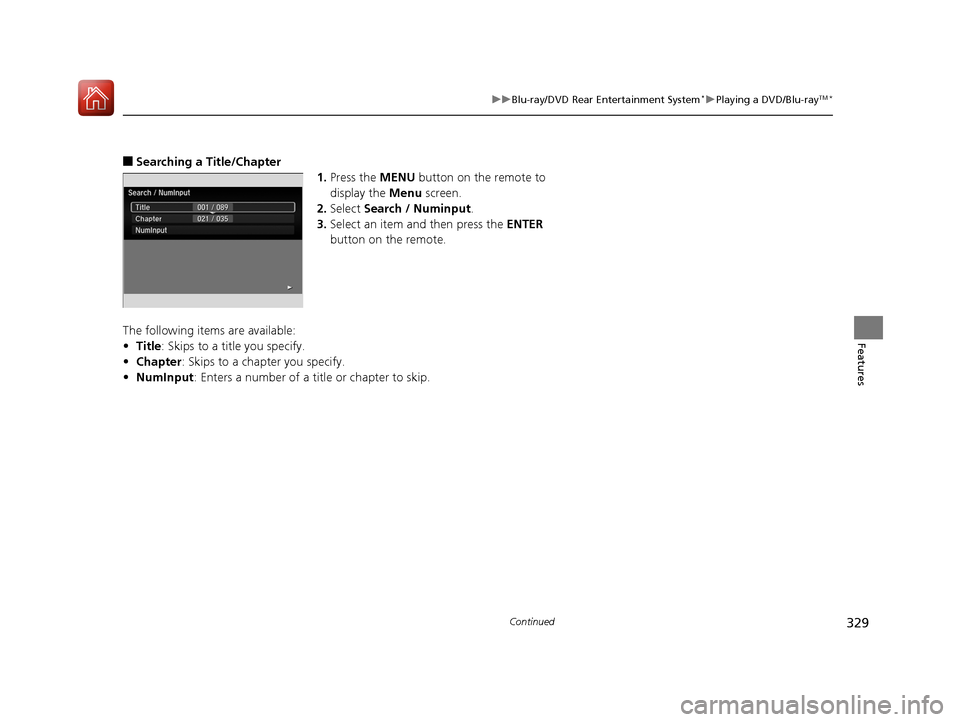
1.Press the MENU button on the remote to
display the Menu screen.
2. Select Search / Numinput .
3. Select an item and then press the ENTER
button on the remote.
The following items are available:
• Title : Skips to a title you specify.
• Chapter : Skips to a chap ter you specify.
• NumInput : Enters a number of a title or chapter to skip.
17 PILOT-31TG76100.book 329 ページ 2016年9月20日 火曜日 午後4時9分
Page 331 of 673
330
uuBlu-ray/DVD Rear Entertainment System*uPlaying a DVD/Blu-rayTM*
Features
1. Press the SETUP button on the remote to
display the SETUP screen.
2. Select an item and then press the ENTER
button on the remote.
The following items are available:
• Display Adjust : Adjusts the screen's preferences.
2Adjusting the Screen P. 331
•Aspect Ratio : Selects an aspect ratio of the image.
2Setting the Aspect Ratio P. 332
•PERSONAL SURROUND : Sets the surround of the wireless headphones.
2Setting the Personal Surround P. 332
•Language : Sets the system language used on all screens.
2Setting the Language P. 333
After you make all the adjustments, the sc reen goes back to the top SETUP screen,
or press the CANCEL button to return.
■Screen and Surround Settings
17 PILOT-31TG76100.book 330 ページ 2016年9月20日 火曜日 午後4時9分
Page 332 of 673
331
uuBlu-ray/DVD Rear Entertainment System*uPlaying a DVD/Blu-rayTM*
Continued
Features
■Adjusting the Screen
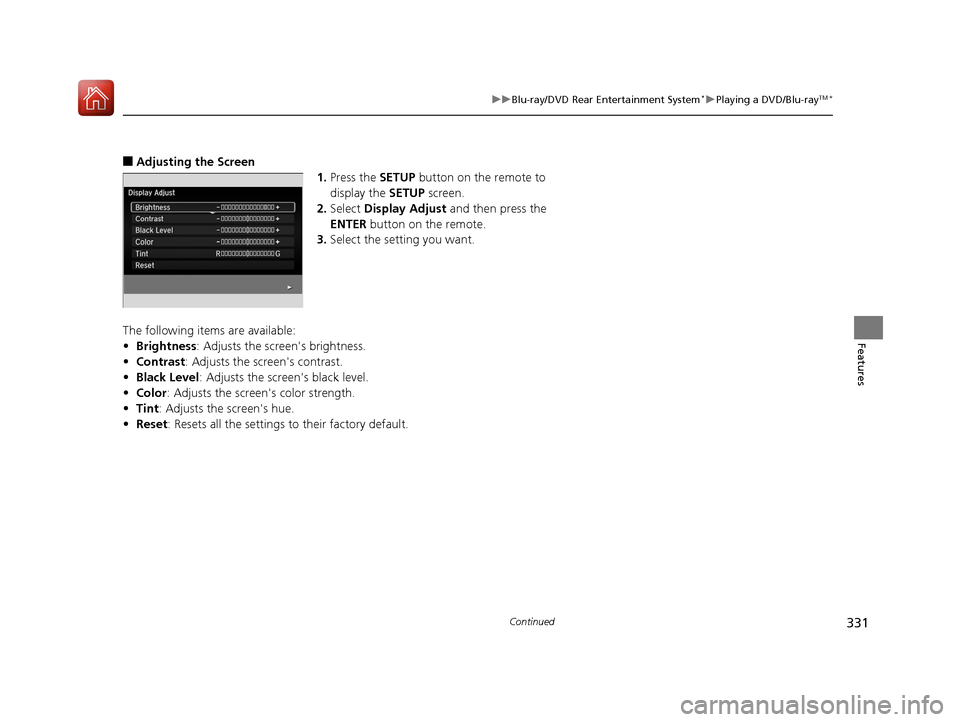
1.Press the SETUP button on the remote to
display the SETUP screen.
2. Select Display Adjust and then press the
ENTER button on the remote.
3. Select the setting you want.
The following items are available:
• Brightness: Adjusts the screen's brightness.
• Contrast : Adjusts the screen's contrast.
• Black Level : Adjusts the screen's black level.
• Color : Adjusts the screen 's color strength.
• Tint : Adjusts the screen's hue.
• Reset : Resets all the settings to their factory default.
17 PILOT-31TG76100.book 331 ページ 2016年9月20日 火曜日 午後4時9分
Page 333 of 673
332
uuBlu-ray/DVD Rear Entertainment System*uPlaying a DVD/Blu-rayTM*
Features
■Setting the Aspect Ratio
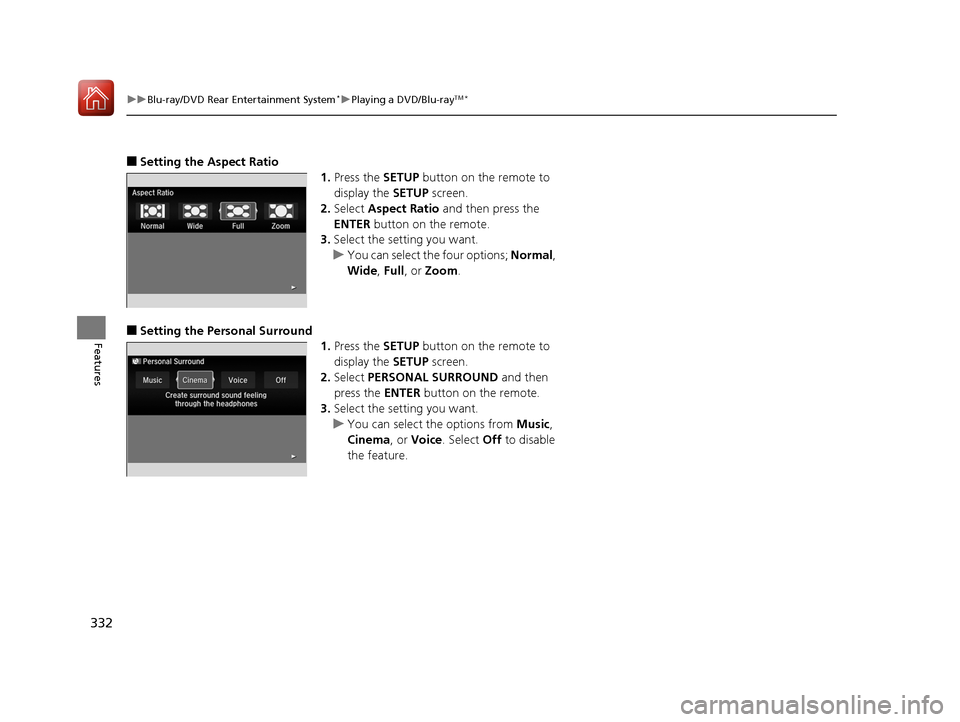
1.Press the SETUP button on the remote to
display the SETUP screen.
2. Select Aspect Ratio and then press the
ENTER button on the remote.
3. Select the setting you want.
u You can select the four options; Normal,
Wide , Full , or Zoom .
■Setting the Pers onal Surround
1.Press the SETUP button on the remote to
display the SETUP screen.
2. Select PERSONAL SURROUND and then
press the ENTER button on the remote.
3. Select the setting you want.
u You can select the options from Music,
Cinema, or Voice. Select Off to disable
the feature.
17 PILOT-31TG76100.book 332 ページ 2016年9月20日 火曜日 午後4時9分