Page 495 of 673
494
uuWhen Driving uECON Button
Driving
ECON Button
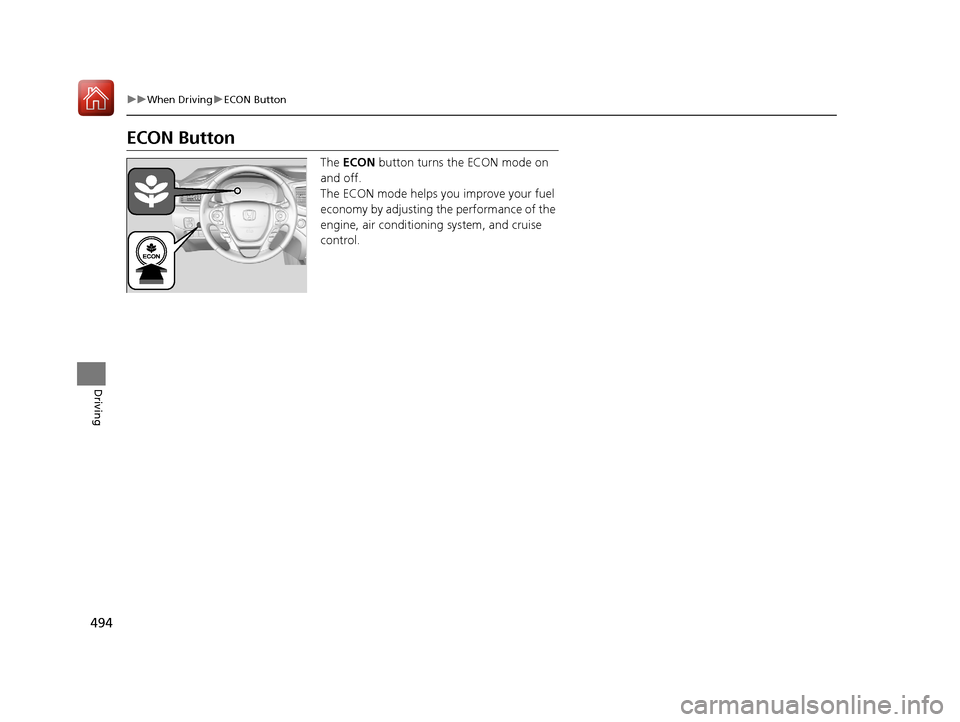
The ECON button turns the ECON mode on
and off.
The ECON mode helps you improve your fuel
economy by adjusting the performance of the
engine, air conditioning system, and cruise
control.
17 PILOT-31TG76100.book 494 ページ 2016年9月20日 火曜日 午後4時9分
Page 498 of 673

497
uuWhen Driving uCruise Control*
Continued
Driving
Cruise Control*
Maintains a constant vehicle speed without having to keep your foot on the
accelerator. Use cruise control on freeways or open road s where you can travel at a
constant speed with little ac celeration or deceleration.1Cruise Control*
It may not be possible to maintain a constant speed
when driving uphill or downhill.
When not using cruise control:
Turn off cruise control by pressing the CRUISE
button.
While in the ECON mode, it may take relatively more
time to accelerate to maintain the set speed.
Cruise control is not available when the Intelligent
Traction Management Snow, Mud
* or Sand* modes
are in operation.
3WARNING
Improper use of the cruise control can lead
to a crash.
Use the cruise control only when traveling
on open highways in good weather.
■Gear positions for cruise control:
In ( D
When to use
Always keep sufficient distance
between you and the vehicle in
front of you.■Vehicle speed for cruise control:
Desired speed in a range above
roughly 25 mph (40 km/h) ~
How to use
CRUISE MAIN is on in
the instrument panel.
Cruise control is ready to
use.
■Press the CRUISE button on the
steering wheel.
* Not available on all models
17 PILOT-31TG76100.book 497 ページ 2016年9月20日 火曜日 午後4時9分
Page 499 of 673
498
uuWhen Driving uCruise Control*
Driving
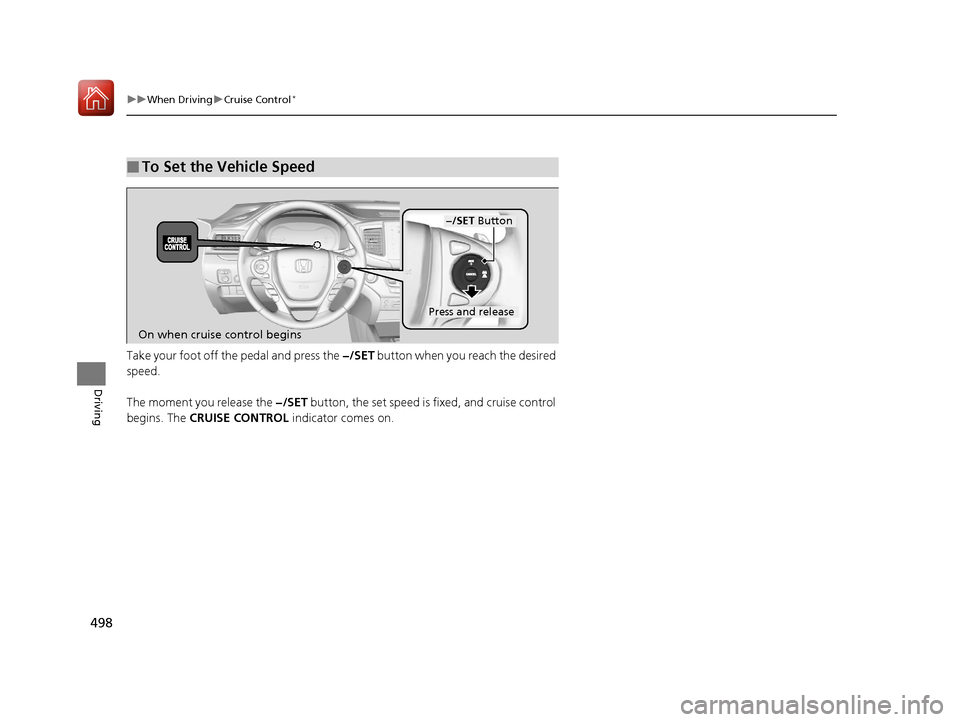
Take your foot off the pedal and press the −/SET button when you reach the desired
speed.
The moment you release the −/SET button, the set speed is fixed, and cruise control
begins. The CRUISE CONTROL indicator comes on.
■To Set the Vehicle Speed
−/SET Button
On when cruise control begins
Press and release
17 PILOT-31TG76100.book 498 ページ 2016年9月20日 火曜日 午後4時9分
Page 500 of 673
499
uuWhen Driving uCruise Control*
Driving
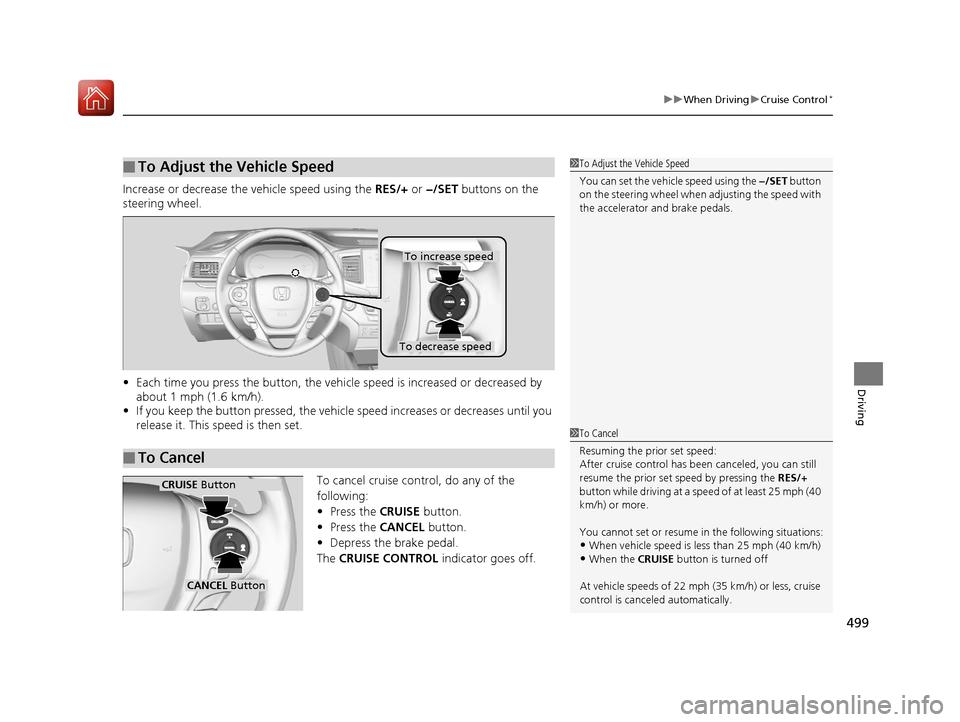
Increase or decrease the vehicle speed using the RES/+ or −/SET buttons on the
steering wheel.
• Each time you press the button, the vehicl e speed is increased or decreased by
about 1 mph (1.6 km/h).
• If you keep the button pressed, the vehicl e speed increases or decreases until you
release it. This speed is then set.
To cancel cruise control, do any of the
following:
• Press the CRUISE button.
• Press the CANCEL button.
• Depress the brake pedal.
The CRUISE CONTROL indicator goes off.
■To Adjust the Vehicle Speed1To Adjust the Vehicle Speed
You can set the vehicle speed using the −/SET button
on the steering wheel when adjusting the speed with
the accelerator and brake pedals.
■To Cancel
To decrease speed
To increase speed
1To Cancel
Resuming the prior set speed:
After cruise control has be en canceled, you can still
resume the prior set speed by pressing the RES/+
button while driving at a speed of at least 25 mph (40
km/h) or more.
You cannot set or resume in the following situations:
•When vehicle speed is less than 25 mph (40 km/h)
•When the CRUISE button is turned off
At vehicle speeds of 22 m ph (35 km/h) or less, cruise
control is canceled automatically.
CRUISE Button
CANCEL Button
17 PILOT-31TG76100.book 499 ページ 2016年9月20日 火曜日 午後4時9分
Page 503 of 673

502
uuWhen Driving uAdaptive Cruise Control (ACC)*
Driving
Adaptive Cruise Control (ACC)*
Helps maintain a constant vehicle speed an d a set following-interval behind a vehicle
detected ahead of yours, without you havi ng to keep your foot on the brake or the
accelerator.1 Adaptive Cruise Control (ACC)*
ACC can not be activated if Intelligent Traction
Management sett ing is snow, sand or mud.
3WARNING
Improper use of ACC can lead to a crash.
Use ACC only when traveling on open
highways in good weather.
3WARNING
ACC has limited braking capability.
When your vehicle speed drops below 22
mph, ACC will automatically cancel and no
longer will apply your vehicle's brakes.
Always be prepared to apply the brake
pedal when conditions require.
When to use
■Vehicle speed for adaptive crui se control: Desired speed in a
range above roughly 25 mph (40 km/h) ~
■Gear positions for adapti ve cruise control: In (D or (S*
The radar sensor is inside
the front grille.
The camera is located
behind the rearview
mirror.
* Not available on all models
17 PILOT-31TG76100.book 502 ページ 2016年9月20日 火曜日 午後4時9分
Page 504 of 673
Continued503
uuWhen Driving uAdaptive Cruise Control (ACC)*
Driving
1Adaptive Cruise Control (ACC)*
Important Reminder
As with any system, there are limits to ACC. Use the
brake pedal whenever necessary, and always keep a
safe distance between your vehicle and other
vehicles.
■Press the MAIN button on
the steering wheel.
ACC is on in the multi-
information display.
Adaptive cruise control is
ready to use.
How to use
* Not available on all models
17 PILOT-31TG76100.book 503 ページ 2016年9月20日 火曜日 午後4時9分
Page 505 of 673
uuWhen Driving uAdaptive Cruise Control (ACC)*
504
Driving
Take your foot off the pedal and press the –/SET button when you reach the desired
speed. The moment you release the –/SET button,
the set speed is fixed, and adaptive cruise
control begins. u A vehicle icon and distance bars appear
on the multi-information display.
■To Set the Vehicle Speed1Adaptive Cruise Control (ACC)*
ACC may not work properly under certai n conditions.
2 ACC Conditions and Limitations P. 507
When not using adaptive cr uise control: Turn off
adaptive cruise by pressing the MAIN button.
On when
adaptive cruise
control begins
Press and release –/SET
Button
Set Vehicle
Interval
Set Vehicle
Speed
* Not available on all models
17 PILOT-31TG76100.book 504 ページ 2016年9月20日 火曜日 午後4時9分
Page 506 of 673

Continued505
uuWhen Driving uAdaptive Cruise Control (ACC)*
Driving
■There is a vehicle ahead
ACC monitors if a vehicle ahead of you enters the ACC range. If a vehicle is detected
doing so, the ACC system maintains or decele rates your vehicle’s set speed in order
to keep the vehicle’s set followi ng-interval from the vehicle ahead.
2To Change Following-interval P. 509
■When in Operation1When in Operation
If the vehicle detected ahead of you slows down
abruptly, or if a nother vehicle is de tected cutting in
front of you, the beep er sounds and a message
appears on the multi-informat ion display to alert you
to brake.
Depress the brake pedal, and keep an appropriate
distance from the vehicle ahead.
Even if the distance betw een your vehicle and the
vehicle detected ahead is short, ACC may start
accelerating your vehi cle under the following
circumstances:
•The vehicle detected ahead of you is going at
almost the same speed as, or faster than your
vehicle.
•A vehicle that cuts in front of you is going faster
than your vehicle, gradua lly distancing itself from
you.
Beep
■When ACC detects a
vehicle within ACC range:■When the vehicle goes
out of ACC range:
The vehicle icon appears on the
multi-information display. The vehicle icon on the
multi-information display
becomes a dotted-line
contour.
ACC Range: 394 ft. (120 m)
17 PILOT-31TG76100.book 505 ページ 2016年9月20日 火曜日 午後4時9分