Page 120 of 465

119
uuOperating the Switches Around the Steering Wheel uENGINE START/STOP Button
Continued
Controls
ENGINE START/STOP Button
*1 : Except U.S. models with continuously variable transmission
■Changing the Power Mode
Models with smart entry system
1ENGINE START/STOP Button
ENGINE START/STOP Button Operating Range
You can start the engine when the smart entry
remote is inside the vehicl e.The engine may also run
if the smart entry remote is close to the door or
window, even if it is outside the vehicle.
ON mode:
Indicator in the button is of f, if the engine is running.
If the smart entry remote battery is weak, beeper
sounds and the message appears in the
information display. 2 If the Smart Entry Remote Battery is Weak
P. 422
Do not leave the power mode in ACCESSORY or ON
when you get out.
If the power mode does not change from VEHICLE
OFF to ACCESSORY, press the ENGINE START/STOP
button while moving the st eering wheel left and
right. The steering wheel will unlock, allowing the
mode to change.
Operating Range
Except U.S. models with cont inuously variable transmission
ACCESSORY
Indicator in the button is on.
Indicator in the button blinks
(from ON to ACCESSORY).
Operate the audio system and
other accessories in this position.
Continuously Variable Transmission Manual Transmission
VEHICLE OFF (LOCK)
Indicator in the button is off.
The steering wheel is locked.
*1
The power to all electrical
components is turned off.
ON
Indicator in the button is on.
All electrical components can
be used.
Press the button withou t the shift lever in
(P.
Shift to
( P then press the button.
Press the button.
Without depressing
the brake pedal
Without depressing
the clutch pedal
Indicator Indicator
Shift to (
P.U.S. models
17 FIT -31T5A6200.book 119 ページ 2016年5月27日 金曜日 午後6時33分
Page 128 of 465
127
uuOperating the Switches Around the Steering Wheel uDaytime Running Lights
Controls
Daytime Running Lights
The high beam headlights come on slightly dimmer than normal when the following
conditions have been met:
• The ignition switch is in ON
(w*1.
• The headlight switch is off, or in .
• The parking brake is released.
The lights remain on even if you set th e parking brake. Turning off the ignition
switch or setting the power mode to VEHI CLE OFF will turn off the daytime running
lights.
The high beam headlights return to the original brightness once the headlight
switch is turned on.
*1 : Models with the smart entry system have an ENGINE START/STOP button instead of an ignition switch.
17 FIT -31T5A6200.book 127 ページ 2016年5月27日 金曜日 午後6時33分
Page 141 of 465

uuAdjusting the Seats uRear Seats
140
Controls
The rear seats can be folded down separate ly to allow for additional storage space.
■To fold down the seat
1. Store the center seat belt first. Insert the
latch plate into the slot on the side of the
anchor buckle.
2. Retract the seat belt into the holder on the
ceiling.
2 Seat Belt with Detachable Anchor P. 38
3.Lower the head restra int to its lowest
position.
4. Pull the release lever and fold down the
seat-back.
To return the seat to th e original position, pull
up the seat-back in the upright position.
■Folding Down the Rear Seats1 Folding Down the Rear Seats
Make sure all items in the cargo area or items
extending to the rear seats are properly
secured. Loose items can fly forward if you have
to brake hard.
Remove any items from th e rear seat cushion and
floor before you fold down the rear seat.
To lock the seat-back upri ght, push it backwards until
it locks.
Make sure the seat-back, head restraints and seat
cushion are securely latche d back into place before
driving. Also, make sure all rear shoulder belts are
positioned in front of the seat-back, and the center
shoulder belt is re-posit ioned in the holding slot.
Make sure that the folded seat-back does not press
against the front passenger seat, as this can cause the
weight sensors in the front passenger seat to work
improperly.
2 Passenger Airbag Off Indicator P. 52
Anchor
Buckle
Latch Plate
Release Lever
17 FIT -31T5A6200.book 140 ページ 2016年5月27日 金曜日 午後6時33分
Page 220 of 465
219
uuAudio System Basic Operation uPlaying a Video Using the HDMI ®
Features
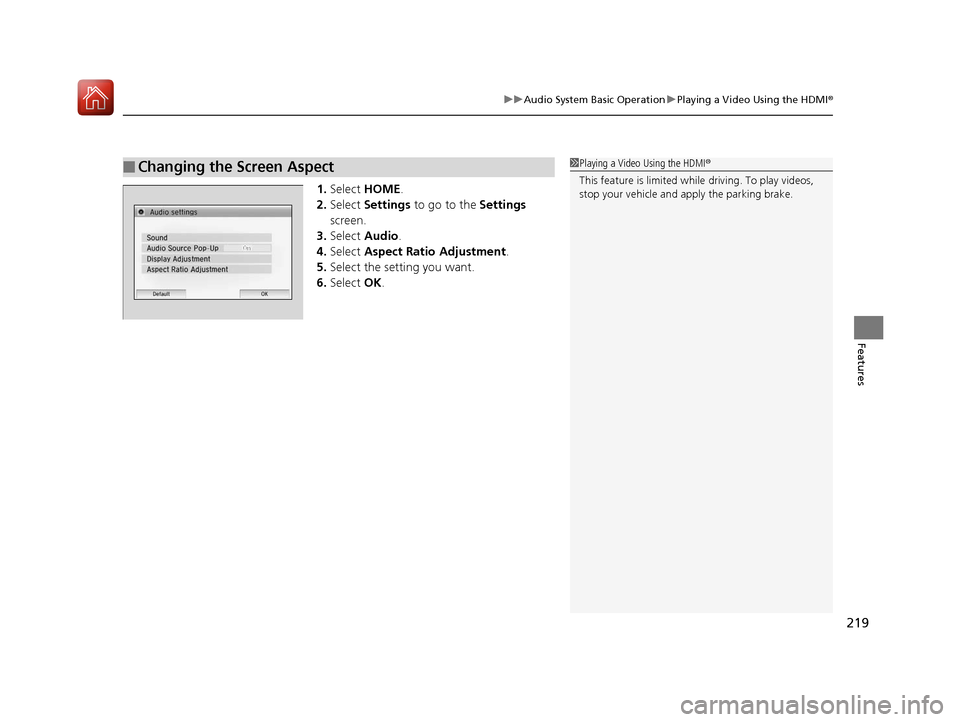
1.Select HOME .
2. Select Settings to go to the Settings
screen.
3. Select Audio .
4. Select Aspect Ratio Adjustment .
5. Select the setting you want.
6. Select OK.
■Changing the Screen Aspect1Playing a Video Using the HDMI®
This feature is limited while driving. To play videos,
stop your vehicle and apply the parking brake.
17 FIT -31T5A6200.book 219 ページ 2016年5月27日 金曜日 午後6時33分
Page 230 of 465

229Continued
Features
Customized Features
Use the audio/information screen to customize certain features.
See the navigation system manual for information of the customized features.
■How to customize
While the vehicle is at a complete st op with the ignition switch in ON
(w, press the
MENU/CLOCK button, then select Settings. To customize the phone settings,
press the button, then select Phone Setup.
1Customized Features
When you customize settings:
•Make sure that the vehicle is at a complete stop.
•Shift to (P.
•Set the parking brake.
Continuously variable transmission models
Manual transmission models
Models with navigation system
Models without navigation system
Models with color audio system
1 How to customize
These indications are used to show how to operate
the selector knob.
Rotate to select.
Press to enter.
To customize other features, select Settings , rotate
, then press .
2 List of customizable options P. 233
Audio/Information Screen
MENU/CLOCK Button
Selector Knob
(Phone) Button
17 FIT -31T5A6200.book 229 ページ 2016年5月27日 金曜日 午後6時33分
Page 237 of 465
uuCustomized Features u
236
Features
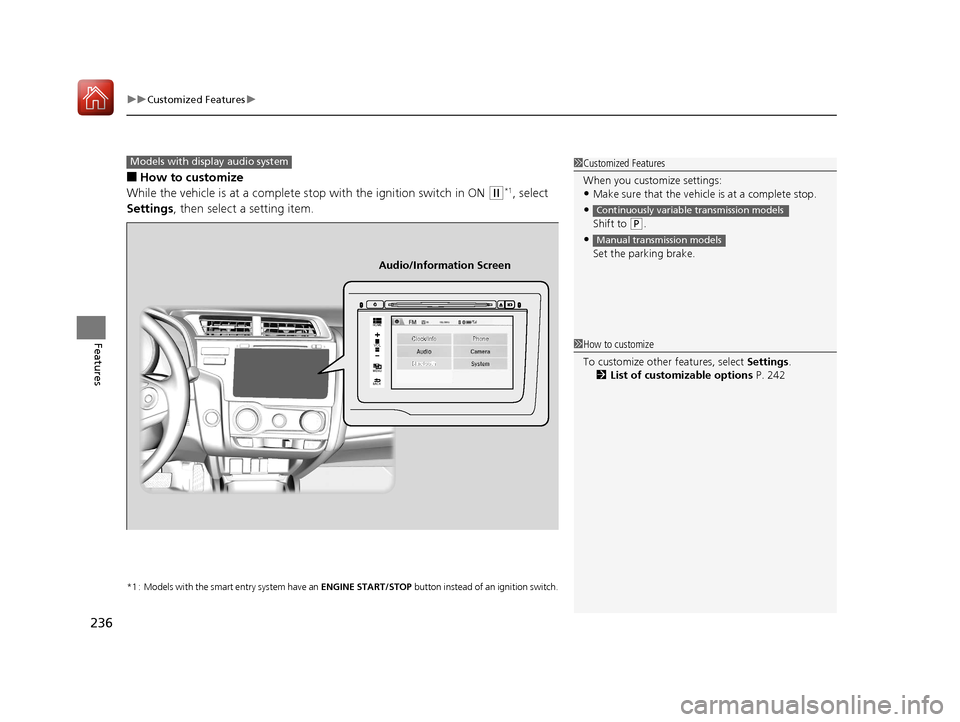
■How to customize
While the vehicle is at a complete stop with the ignition switch in ON
(w*1, select
Settings , then select a setting item.
*1 : Models with the smart entry system have an ENGINE START/STOP button instead of an ignition switch.
1Customized Features
When you customize settings:
•Make sure that the vehicle is at a complete stop.
•
Shift to (P.
•
Set the parking brake.
Continuously variable transmission models
Manual transmission models
Models with display audio system
92/
+20(
0(18
%$&.
Clock/Info Phone
Audio/Information Screen
1How to customize
To customize other features, select Settings .
2 List of customizable options P. 242
17 FIT -31T5A6200.book 236 ページ 2016年5月27日 金曜日 午後6時33分
Page 306 of 465

305
Driving
This chapter discusses driving, refueling, and information on items such as accessories.
Before Driving
Driving Preparation .............................. 306
Maximum Load Limit............................ 309
Towing a Trailer Towing Your Vehicle ............................ 312
When Driving
Starting the Engine .............................. 315
Starting the Engine .............................. 317
Precautions While Driving..................... 321
Continuously Variable Transmission
*.... 322
Shifting ................................................ 323
Models without smart entry system
Models with smart entry system
Continuously variable transmission models
without paddle shifters
Shifting................................................ 325
Shifting................................................ 329
ECON Button
*..................................... 332
Cruise Control*................................... 333
Forward Collision Warning (FCW)*...... 336
Lane Departure Warning (LDW)*......... 340Vehicle Stability Assist (VSA®), aka Electronic
Stability Control (ESC), System ............... 343
LaneWatchTM*...................................... 345
Tire Pressure Monitoring System (TPMS) .. 347
Tire Pressure Monitoring System (TPMS) - Required Federal Explanation ............. 349
Continuously variable transmission models
with paddle shifters
Manual transmission models
Braking Brake System ........................................ 351
Anti-lock Brake System (ABS) ................ 353
Brake Assist System .............................. 354
Parking Your Vehicle When Stopped ..................................... 355
Multi-View Rear Camera ....................... 356
Refueling
Fuel Information ................................... 358
How to Refuel ...................................... 359
Fuel Economy and CO
2 Emissions ......... 361
Improving Fuel Economy and Reducing CO2
Emissions ............................................. 361
Accessories and Modifications Accessories ........................................... 362
Modifications ....................................... 362
* Not available on all models
17 FIT -31T5A6200.book 305 ページ 2016年5月27日 金曜日 午後6時33分
Page 308 of 465
Continued307
uuBefore Driving uDriving Preparation
Driving
• Store or secure all items on board properly.
u Carrying too much cargo, or improperly storing it, can affect your vehicle’s
handling, stability, sto pping distance, and tires, and make it unsafe.
2Maximum Load Limit P. 309
•Do not pile items higher than the seat height.
u They can block your view and may be thrown forward in the event of sudden
braking.
• Do not place anything in the front seat footwells. Make sure to secure the floor
mat
*.
u An object or unsecured floor mat can in terfere with your brake and accelerator
pedal operation while driving.
• If you have any animals on board, do not let them move around in the vehicle.
u They may interfere with driving and a crash could occur.
• Securely close and lock al l doors and the tailgate.
2Locking/Unlocking the Doors from the Inside P. 101
•Adjust your seating position properly.
u Adjust the head restraint, too.
2Adjusting the Seats P. 135
2 Adjusting the Head Restraints P. 142
•Adjust the mirrors and steering wh eel properly for your driving.
u Adjust them while sitting in the proper driving position.
2 Adjusting the Mirrors P. 133
2 Adjusting the Steering Wheel P. 132
■Interior Checks1Interior Checks
The headlight aim is set by the factory, and does not
need to be adjusted. Howeve r, if you regularly carry
heavy items in the cargo area, have the aiming
readjusted at a dealer or by a qualified technician.
* Not available on all models
17 FIT -31T5A6200.book 307 ページ 2016年5月27日 金曜日 午後6時33分