Page 220 of 465
219
uuAudio System Basic Operation uPlaying a Video Using the HDMI ®
Features
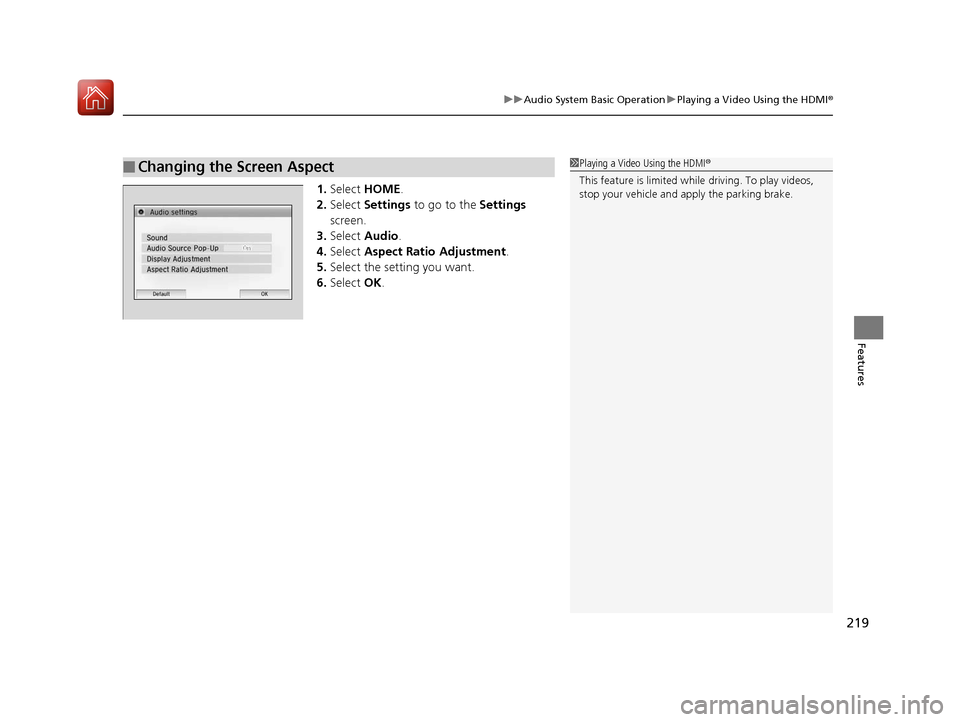
1.Select HOME .
2. Select Settings to go to the Settings
screen.
3. Select Audio .
4. Select Aspect Ratio Adjustment .
5. Select the setting you want.
6. Select OK.
■Changing the Screen Aspect1Playing a Video Using the HDMI®
This feature is limited while driving. To play videos,
stop your vehicle and apply the parking brake.
17 FIT -31T5A6200.book 219 ページ 2016年5月27日 金曜日 午後6時33分
Page 230 of 465

229Continued
Features
Customized Features
Use the audio/information screen to customize certain features.
See the navigation system manual for information of the customized features.
■How to customize
While the vehicle is at a complete st op with the ignition switch in ON
(w, press the
MENU/CLOCK button, then select Settings. To customize the phone settings,
press the button, then select Phone Setup.
1Customized Features
When you customize settings:
•Make sure that the vehicle is at a complete stop.
•Shift to (P.
•Set the parking brake.
Continuously variable transmission models
Manual transmission models
Models with navigation system
Models without navigation system
Models with color audio system
1 How to customize
These indications are used to show how to operate
the selector knob.
Rotate to select.
Press to enter.
To customize other features, select Settings , rotate
, then press .
2 List of customizable options P. 233
Audio/Information Screen
MENU/CLOCK Button
Selector Knob
(Phone) Button
17 FIT -31T5A6200.book 229 ページ 2016年5月27日 金曜日 午後6時33分
Page 237 of 465
uuCustomized Features u
236
Features
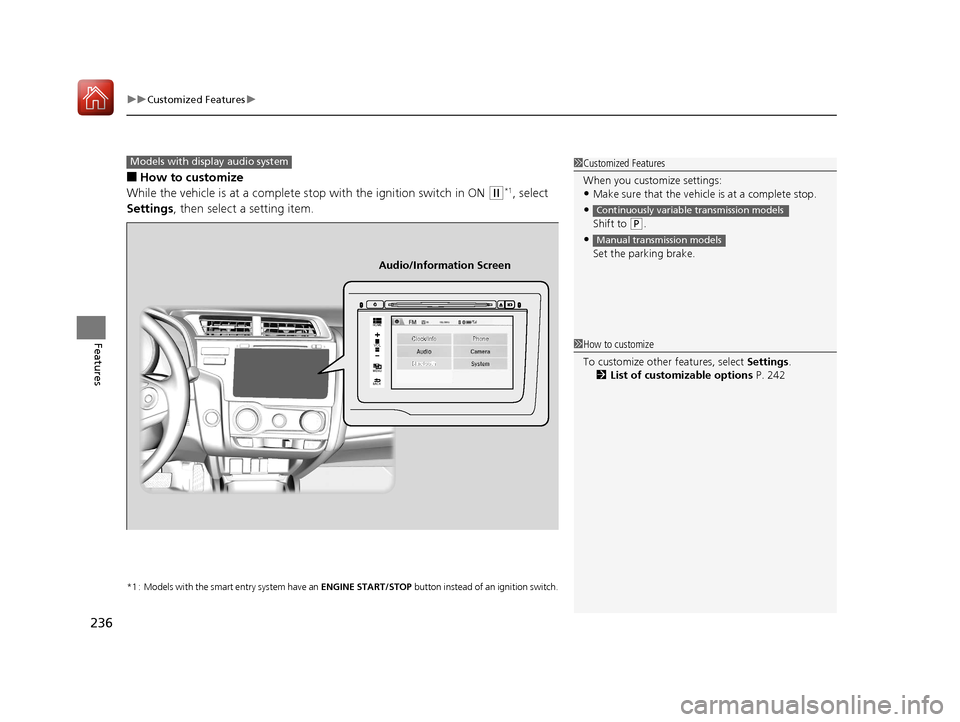
■How to customize
While the vehicle is at a complete stop with the ignition switch in ON
(w*1, select
Settings , then select a setting item.
*1 : Models with the smart entry system have an ENGINE START/STOP button instead of an ignition switch.
1Customized Features
When you customize settings:
•Make sure that the vehicle is at a complete stop.
•
Shift to (P.
•
Set the parking brake.
Continuously variable transmission models
Manual transmission models
Models with display audio system
92/
+20(
0(18
%$&.
Clock/Info Phone
Audio/Information Screen
1How to customize
To customize other features, select Settings .
2 List of customizable options P. 242
17 FIT -31T5A6200.book 236 ページ 2016年5月27日 金曜日 午後6時33分
Page 306 of 465

305
Driving
This chapter discusses driving, refueling, and information on items such as accessories.
Before Driving
Driving Preparation .............................. 306
Maximum Load Limit............................ 309
Towing a Trailer Towing Your Vehicle ............................ 312
When Driving
Starting the Engine .............................. 315
Starting the Engine .............................. 317
Precautions While Driving..................... 321
Continuously Variable Transmission
*.... 322
Shifting ................................................ 323
Models without smart entry system
Models with smart entry system
Continuously variable transmission models
without paddle shifters
Shifting................................................ 325
Shifting................................................ 329
ECON Button
*..................................... 332
Cruise Control*................................... 333
Forward Collision Warning (FCW)*...... 336
Lane Departure Warning (LDW)*......... 340Vehicle Stability Assist (VSA®), aka Electronic
Stability Control (ESC), System ............... 343
LaneWatchTM*...................................... 345
Tire Pressure Monitoring System (TPMS) .. 347
Tire Pressure Monitoring System (TPMS) - Required Federal Explanation ............. 349
Continuously variable transmission models
with paddle shifters
Manual transmission models
Braking Brake System ........................................ 351
Anti-lock Brake System (ABS) ................ 353
Brake Assist System .............................. 354
Parking Your Vehicle When Stopped ..................................... 355
Multi-View Rear Camera ....................... 356
Refueling
Fuel Information ................................... 358
How to Refuel ...................................... 359
Fuel Economy and CO
2 Emissions ......... 361
Improving Fuel Economy and Reducing CO2
Emissions ............................................. 361
Accessories and Modifications Accessories ........................................... 362
Modifications ....................................... 362
* Not available on all models
17 FIT -31T5A6200.book 305 ページ 2016年5月27日 金曜日 午後6時33分
Page 313 of 465
312
uuTowing a Trailer uTowing Your Vehicle
Driving
Towing Your Vehicle
Your vehicle is not designed to be towed be hind a motorhome. If your vehicle needs
to be towed in an emergency, refe r to the emergency towing information.
2Emergency Towing P. 438
Your vehicle can be towed behind a motorhome.
Perform the following procedure before towing your vehicle.
1. Shift to
(N.
2. Release the parking brake.
3. Turn the ignition sw itch to ACCESSORY
(q*1.
u Make sure the steering wheel does not lock.
4. Turn off all the electric devices. Do not use any accessory power sockets.
u This can prevent the battery from running down.
*1 : Models with the smart entry system have an ENGINE START/STOP button instead of an ignition switch.
■When Your Vehicle is Towed Behind a Motorhome
1Towing Your Vehicle
Do not exceed 65 mph (100 km/h).
Consult your towing parts sales or rental agency if
any other items are recommended or required for
your towing situation.Continuously variable transmission models
Manual transmission models
17 FIT -31T5A6200.book 312 ページ 2016年5月27日 金曜日 午後6時33分
Page 317 of 465

uuWhen Driving uStarting the Engine
316
Driving
3. Turn the ignition switch to START (e
without depressing the accelerator pedal.
1. Keeping your right foot on the brake peda l, release the parking brake. Check that
the parking brake indicator has gone off.
2 Parking Brake P. 351
2.Put the shift lever in (D. Select (R when reversing.
3. Gradually release the brake pedal and gently depress the accelerator pedal to pull
away.
■Hill start assist system
Hill start assist keeps the brake engaged br iefly to help prevent the vehicle from
rolling on inclines as you move your fo ot from the brake pedal to the accelerator.
Depress the clutch pedal, and shift to on e of the forward gears when facing uphill,
or
(R when facing downhill, then release the brake pedal.
Move the shift lever to
(D, (S, or (L when facing uphill, or (R when facing
downhill, then release the brake pedal.
1 Starting the Engine
Do not hold the key in START
(e for more than 10
seconds.
•If the engine does not start right away, wait for at
least 30 seconds before trying again.
•If the engine starts, but then immediately stops,
wait at least 30 seconds before repeating step 3
while gently depressing the accelerator pedal.
Release the accelerator pedal once the engine
starts.
The immobilizer system pr otects your vehicle from
theft. If an improperly c oded device is used, the
engine’s fuel system is disabled. 2 Immobilizer System P. 112
■Starting to Drive
Continuously variable transmission models
Manual transmission models
Continuously variable transmission models
1Hill start assist system
Hill start assist may not prevent the vehicle from
rolling downhill on a very st eep or slippery slope, and
does not operate on small inclines.
Hill start assist is not a replacement for the parking
brake.
17 FIT -31T5A6200.book 316 ページ 2016年5月27日 金曜日 午後6時33分
Page 320 of 465
319
uuWhen Driving uStarting the Engine
Continued
Driving
You can turn the engine off when the vehicle is completely stopped.
1. Shift to
(P.
2. Press the ENGINE START/STOP button.
• If the shift lever is in
(N, press the ENGINE START/STOP button.
• If the shift lever is in any gear other than
(N, depress the clutch pedal, then press
the ENGINE START/STOP button.
1. Keeping your right foot on the brake pedal, release the parking brake. Check that
the parking brake indicator has gone off.
2 Parking Brake P. 351
2.Put the shift lever in (D. Select (R when reversing.
3. Gradually release the brake pedal and gently depress the accelerator pedal to pull
away.
■Stopping the Engine
■Starting to Drive
Continuously variable transmission models
Manual transmission models
Continuously variable transmission models
17 FIT -31T5A6200.book 319 ページ 2016年5月27日 金曜日 午後6時33分
Page 321 of 465
uuWhen Driving uStarting the Engine
320
Driving
■Hill start assist system
Hill start assist keeps the brake engaged br iefly to help prevent the vehicle from
rolling on inclines as you move your fo ot from the brake pedal to the accelerator.
Depress the clutch pedal, and shift to on e of the forward gears when facing uphill,
or
(R when facing downhill, then release the brake pedal.
Move the shift lever to
(D or (S when facing uphill, or (R when facing downhill,
then release the brake pedal.
1 Hill start assist system
Hill start assist may not prevent the vehicle from
rolling downhill on a very st eep or slippery slope, and
does not operate on small inclines.
Hill start assist is not a replacement for the parking
brake.
Manual transmission models
Continuously variable transmission models
17 FIT -31T5A6200.book 320 ページ 2016年5月27日 金曜日 午後6時33分