Page 152 of 465
151
uuInterior Lights/Interior Convenience Items uInterior Convenience Items
Continued
Controls
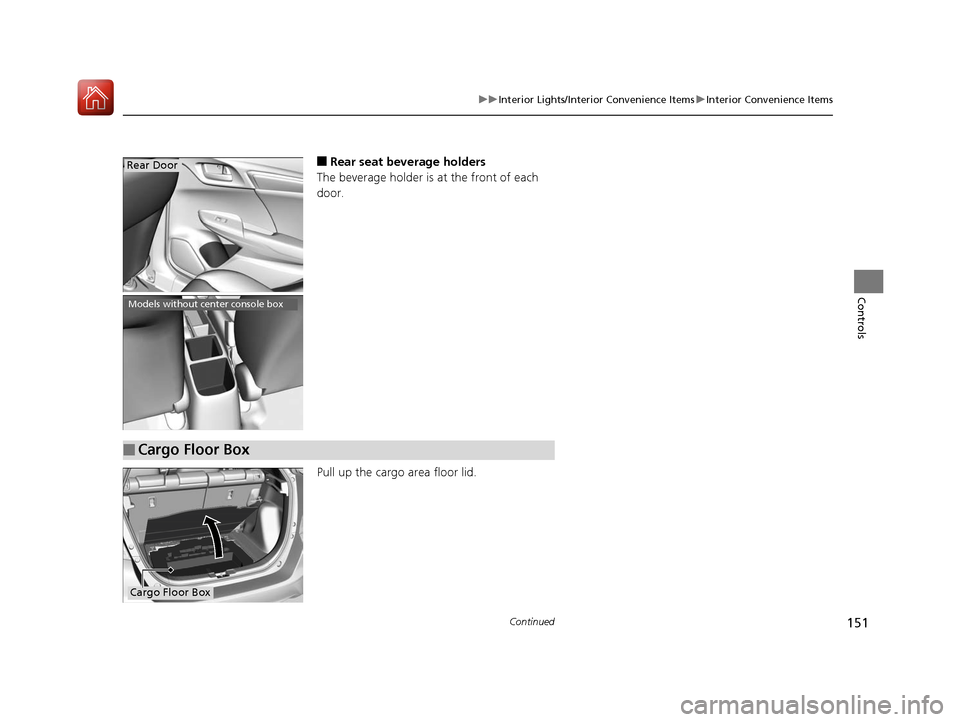
■Rear seat beverage holders
The beverage holder is at the front of each
door.
Pull up the cargo area floor lid.Rear Door
Models without center console box
■Cargo Floor Box
Cargo Floor Box
17 FIT -31T5A6200.book 151 ページ 2016年5月27日 金曜日 午後6時33分
Page 153 of 465
uuInterior Lights/Interior Convenience Items uInterior Convenience Items
152
Controls
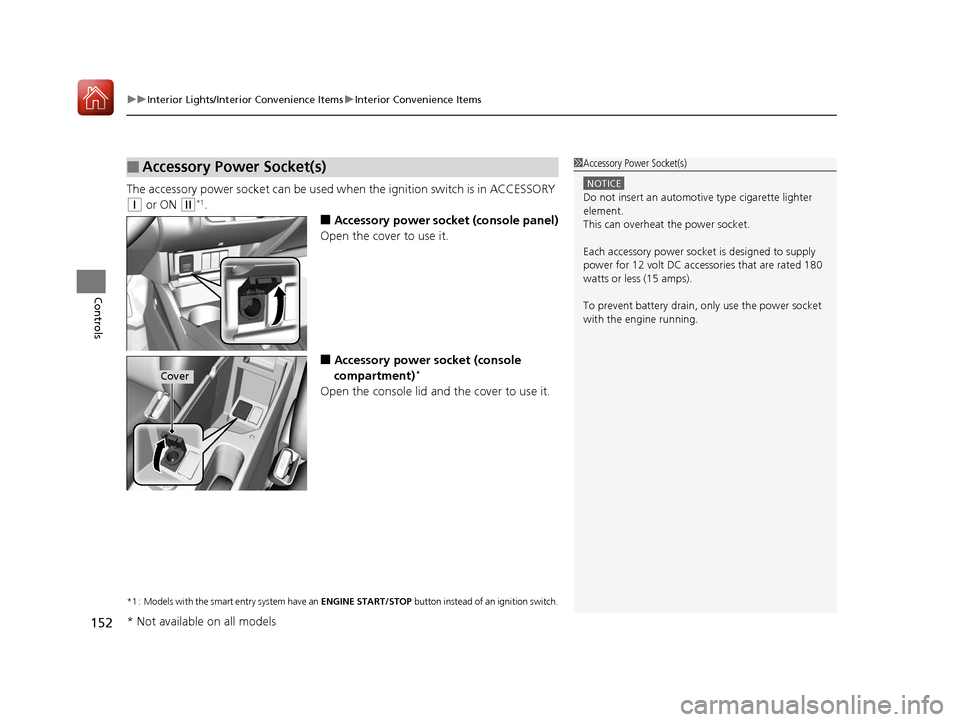
The accessory power socket can be used wh en the ignition switch is in ACCESSORY
(q or ON (w*1.
■Accessory power socket (console panel)
Open the cover to use it.
■Accessory power socket (console
compartment)*
Open the console lid and the cover to use it.
*1 : Models with the smart entry system have an ENGINE START/STOP button instead of an ignition switch.
■Accessory Power Socket(s)1Accessory Power Socket(s)
NOTICE
Do not insert an automotive type cigarette lighter
element.
This can overheat the power socket.
Each accessory power soc ket is designed to supply
power for 12 volt DC access ories that are rated 180
watts or less (15 amps).
To prevent battery drain, only use the power socket
with the engine running.
Cover
* Not available on all models
17 FIT -31T5A6200.book 152 ページ 2016年5月27日 金曜日 午後6時33分
Page 154 of 465
Continued153
uuInterior Lights/Interior Convenience Items uInterior Convenience Items
Controls
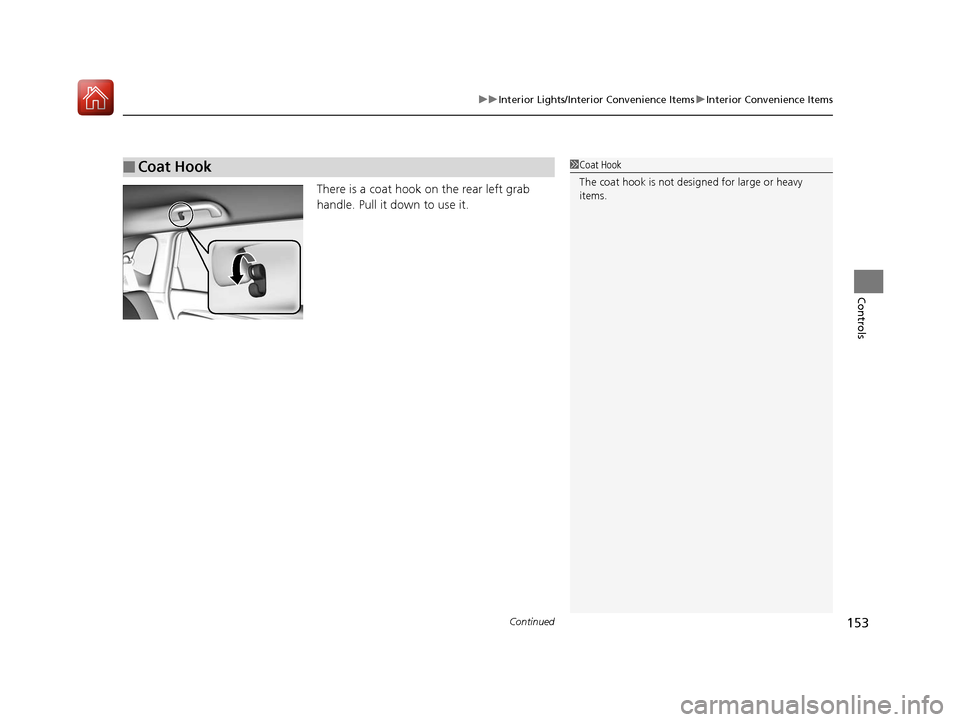
There is a coat hook on the rear left grab
handle. Pull it down to use it.
■Coat Hook1Coat Hook
The coat hook is not desi gned for large or heavy
items.
17 FIT -31T5A6200.book 153 ページ 2016年5月27日 金曜日 午後6時33分
Page 155 of 465
154
uuInterior Lights/Interior Convenience Items uInterior Convenience Items
Controls
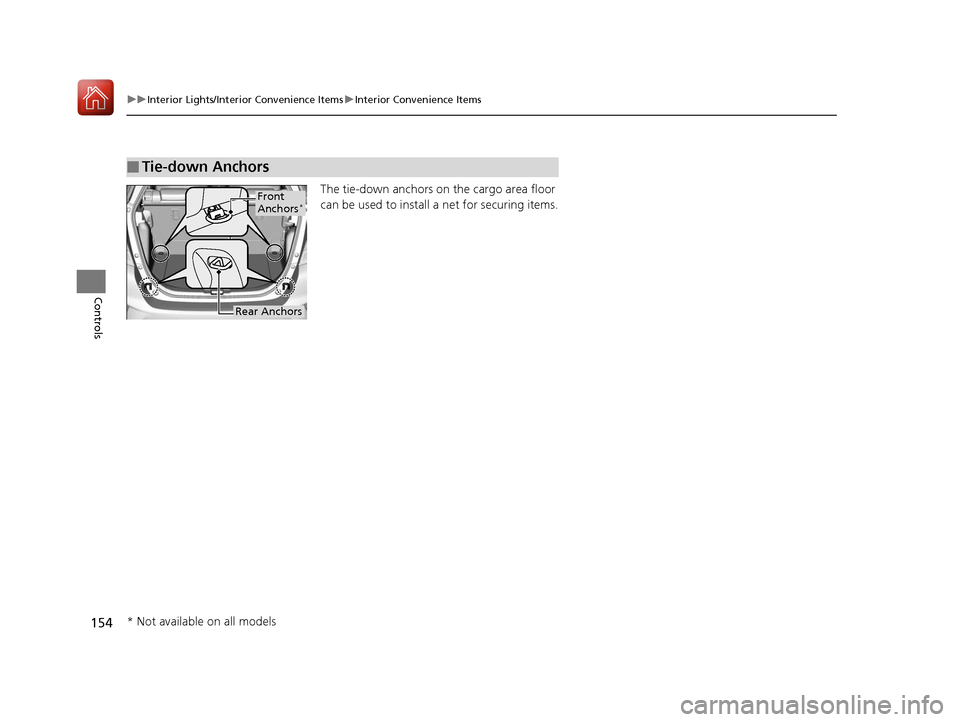
The tie-down anchors on the cargo area floor
can be used to install a net for securing items.
■Tie-down Anchors
Front
Anchors*
Rear Anchors
* Not available on all models
17 FIT -31T5A6200.book 154 ページ 2016年5月27日 金曜日 午後6時33分
Page 156 of 465
Continued155
uuInterior Lights/Interior Convenience Items uInterior Convenience Items
Controls
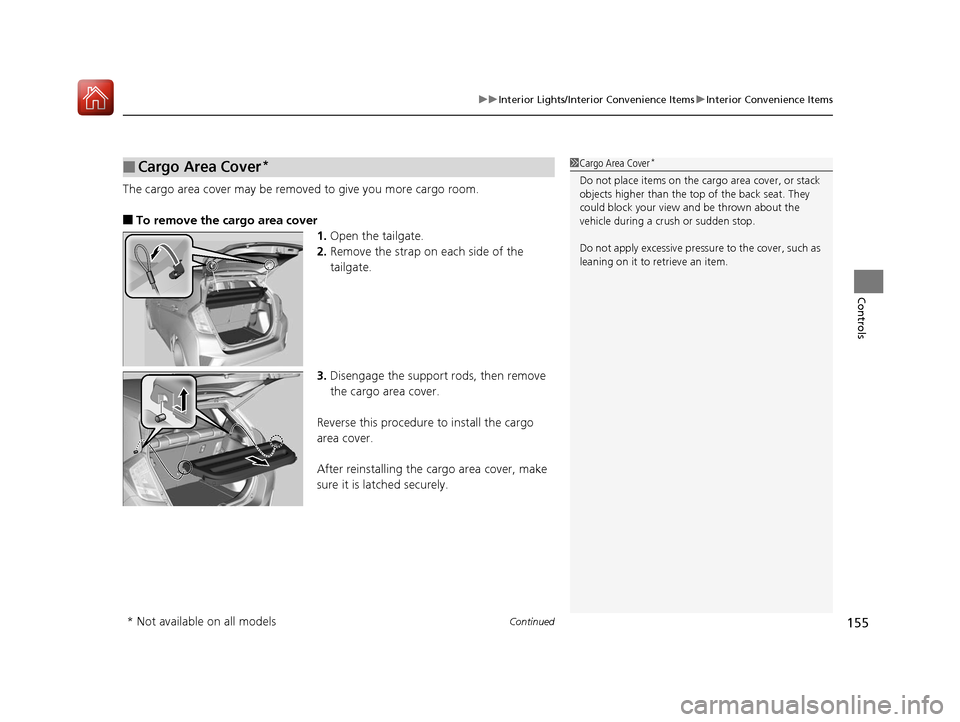
The cargo area cover may be removed to give you more cargo room.
■To remove the cargo area cover
1.Open the tailgate.
2. Remove the strap on each side of the
tailgate.
3. Disengage the support rods, then remove
the cargo area cover.
Reverse this procedure to install the cargo
area cover.
After reinstalling the cargo area cover, make
sure it is latched securely.
■Cargo Area Cover*1 Cargo Area Cover*
Do not place items on the cargo area cover, or stack
objects higher than the top of the back seat. They
could block your view and be thrown about the
vehicle during a crush or sudden stop.
Do not apply excessive pressure to the cover, such as
leaning on it to retrieve an item.
* Not available on all models
17 FIT -31T5A6200.book 155 ページ 2016年5月27日 金曜日 午後6時33分
Page 157 of 465
uuInterior Lights/Interior Convenience Items uInterior Convenience Items
156
Controls
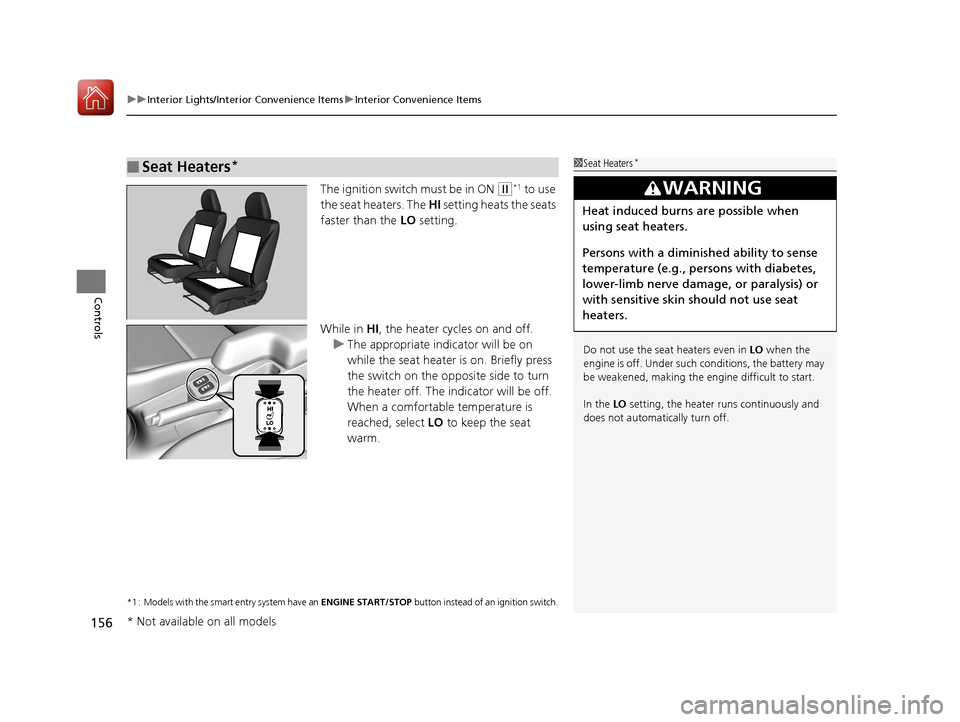
The ignition switch must be in ON (w*1 to use
the seat heaters. The HI setting heats the seats
faster than the LO setting.
While in HI, the heater cycles on and off.
u The appropriate indicator will be on
while the seat heater is on. Briefly press
the switch on the opposite side to turn
the heater off. The in dicator will be off.
When a comfortable temperature is
reached, select LO to keep the seat
warm.
*1 : Models with the smart entry system have an ENGINE START/STOP button instead of an ignition switch.
■Seat Heaters*1Seat Heaters*
Do not use the seat heaters even in LO when the
engine is off. Under such conditions, the battery may
be weakened, making the engine difficult to start.
In the LO setting, the heater runs continuously and
does not automatically turn off.
3WARNING
Heat induced burns are possible when
using seat heaters.
Persons with a diminished ability to sense
temperature (e.g., persons with diabetes,
lower-limb nerve damage, or paralysis) or
with sensitive skin should not use seat
heaters.
* Not available on all models
17 FIT -31T5A6200.book 156 ページ 2016年5月27日 金曜日 午後6時33分
Page 308 of 465
Continued307
uuBefore Driving uDriving Preparation
Driving
• Store or secure all items on board properly.
u Carrying too much cargo, or improperly storing it, can affect your vehicle’s
handling, stability, sto pping distance, and tires, and make it unsafe.
2Maximum Load Limit P. 309
•Do not pile items higher than the seat height.
u They can block your view and may be thrown forward in the event of sudden
braking.
• Do not place anything in the front seat footwells. Make sure to secure the floor
mat
*.
u An object or unsecured floor mat can in terfere with your brake and accelerator
pedal operation while driving.
• If you have any animals on board, do not let them move around in the vehicle.
u They may interfere with driving and a crash could occur.
• Securely close and lock al l doors and the tailgate.
2Locking/Unlocking the Doors from the Inside P. 101
•Adjust your seating position properly.
u Adjust the head restraint, too.
2Adjusting the Seats P. 135
2 Adjusting the Head Restraints P. 142
•Adjust the mirrors and steering wh eel properly for your driving.
u Adjust them while sitting in the proper driving position.
2 Adjusting the Mirrors P. 133
2 Adjusting the Steering Wheel P. 132
■Interior Checks1Interior Checks
The headlight aim is set by the factory, and does not
need to be adjusted. Howeve r, if you regularly carry
heavy items in the cargo area, have the aiming
readjusted at a dealer or by a qualified technician.
* Not available on all models
17 FIT -31T5A6200.book 307 ページ 2016年5月27日 金曜日 午後6時33分
Page 342 of 465
Continued341
uuWhen Driving uLane Departure Warning (LDW)*
Driving
The system begins to search for lane mark ings when all the following conditions are
met:
• The vehicle is traveling between at 45-90 mph (72-145 km/h).
• The vehicle is on a straight or slightly curved road.
• The turn signals are off.
• The brake pedal is not pressed.
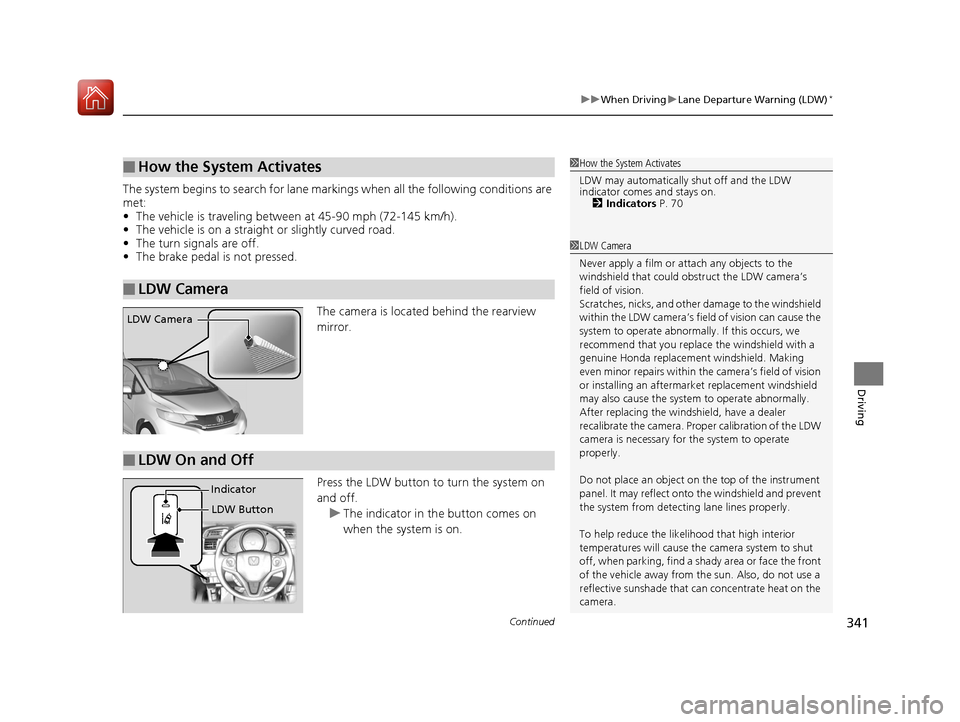
The camera is located behind the rearview
mirror.
Press the LDW button to turn the system on
and off.u The indicator in th e button comes on
when the system is on.
■How the System Activates
■LDW Camera
1 How the System Activates
LDW may automatically shut off and the LDW
indicator comes and stays on.
2 Indicators P. 70
1LDW Camera
Never apply a film or attach any objects to the
windshield that could obs truct the LDW camera’s
field of vision.
Scratches, nicks, and othe r damage to the windshield
within the LDW camera’s fi eld of vision can cause the
system to operate abnormall y. If this occurs, we
recommend that you replac e the windshield with a
genuine Honda replacem ent windshield. Making
even minor repairs within th e camera’s field of vision
or installing an aftermarket replacement windshield
may also cause the system to operate abnormally.
After replacing the winds hield, have a dealer
recalibrate the camera. Prop er calibration of the LDW
camera is necessary for the system to operate
properly.
Do not place an object on the top of the instrument
panel. It may reflect onto the windshield and prevent
the system from detecting lane lines properly.
To help reduce the likel ihood that high interior
temperatures will cause the camera system to shut
off, when parking, find a sh ady area or face the front
of the vehicle away from the sun. Also, do not use a
reflective sunshade that can concentrate heat on the
camera.
LDW Camera
■LDW On and Off
LDW Button
Indicator
17 FIT -31T5A6200.book 341 ページ 2016年5月27日 金曜日 午後6時33分