Page 322 of 657

321
uuAudio System Basic Operation uAndroid AutoTM
Continued
Features
Android AutoTM
When you connect an Android phone to the Display Audio system via the 1.5A USB
port, Android AutoTM is automatically initiated. When connected via Android
AutoTM, you can use the audio/information sc reen to access the Phone, Google
Maps (Navigation), Google Play Music, a nd Google Now functions. When you first
use Android Auto
TM, a tutorial will appear on the screen.
We recommend that you comple te this tutorial while safely parked before using
Android Auto
TM.
2 USB Port(s) P. 229
2 Auto Pairing Connection P. 323
1Android AutoTM
To use Android AutoTM, you need to download the
Android AutoTM app from Google Play to your
smartphone.
Only Android 5.0 (Lollipop) or later versions are
compatible with Android Auto
TM.
Bluetooth A2DP cannot be used with Android AutoTM
phone.
Park in a safe place befo re connecting your Android
phone to Android Auto
TM and when launching any
compatible apps.
To use Android Auto
TM, connect the USB cable to the
1.5A USB port. The USB port on the back of the
center console compartment will not enable Android
Auto
TM operation.
2 USB Port(s) P. 229
When your Android phone is connected to Android
Auto
TM, it is not possible to use the Bluetooth® Audio.
However, other previously paired phones can stream
audio via Bluetooth ® while Android Auto
TM is
connected. 2 Phone Setup P. 402
17 CR-V-31TLA6000.book 321 ページ 2016年10月11日 火曜日 午後6時37分
Page 324 of 657
Continued323
uuAudio System Basic Operation uAndroid AutoTM
Features
d Music and audio
Play Google Play Music an d music apps that are compatible with Android AutoTM.
To switch between music apps, press this icon.
e Go back to the Home Screen.
f Voice
Operate Android Auto
TM with your voice.
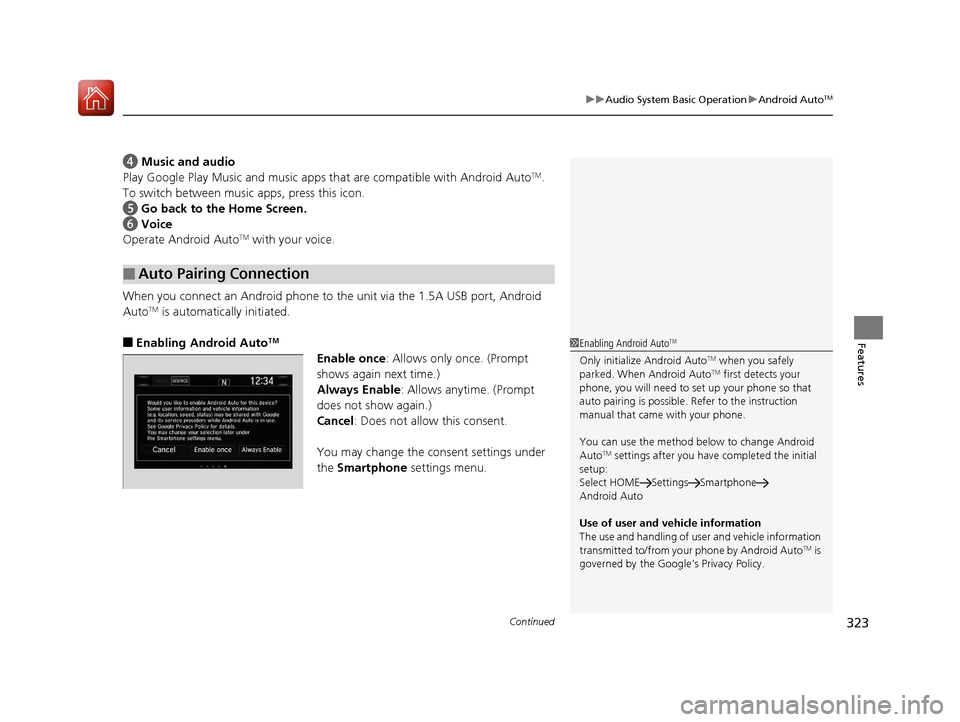
When you connect an Android phone to the unit via the 1.5A USB port, Android
Auto
TM is automatically initiated.
■Enabling Android AutoTM
Enable once : Allows only once. (Prompt
shows again next time.)
Always Enable: Allows anytime. (Prompt
does not show again.)
Cancel: Does not allow this consent.
You may change the consent settings under
the Smartphone settings menu.
■Auto Pairing Connection
1Enabling Android AutoTM
Only initialize Android AutoTM when you safely
parked. When Android AutoTM first detects your
phone, you will need to set up your phone so that
auto pairing is possible. Refer to the instruction
manual that came with your phone.
You can use the method below to change Android
Auto
TM settings after you have completed the initial
setup:
Select HOME Settings Smartphone
Android Auto
Use of user and vehicle information
The use and handling of user and vehicle information
transmitted to/from your phone by Android Auto
TM is
governed by the Google’s Privacy Policy.
17 CR-V-31TLA6000.book 323 ページ 2016年10月11日 火曜日 午後6時37分
Page 345 of 657
344
uuCustomized Features u
FeaturesBluetooth On/Off Status
Bluetooth Device List
Edit Pairing Code
Wi-Fi On/Off Status
Wi-Fi Device List
Wi-Fi
BluetoothBluetooth / Wi-Fi
Wi-Fi Information
Text/Email
Bluetooth Device List
Edit Speed Dial
Ring Tone
Phone
Automatic Phone Sync
HondaLink Assist
Enable Text/Email
Select Account
New Message Notification
Phone
LaneWatch*
Fixed Guideline
Dynamic Guideline
Show with Turn Signal
Rear CameraCamera
Display Time after Turn Signal Off
Reference Line
Cross Traffic
Monitor*
Default
Default
Default
* Not available on all models
17 CR-V-31TLA6000.book 344 ページ 2016年10月11日 火曜日 午後6時37分
Page 355 of 657

354
uuCustomized Features u
Features
*1:Default SettingSetup
Group Customizable Features Description Selectable Settings
CameraLaneWatch*
Reference LineSelects whether the reference lines come on
the LaneWatch monitor.On*1/
Off
DefaultCancels/Resets all cust omized items in the
LaneWatch group as default.Yes/No
Cross Traffic Monitor*Turns on and off the cross traffic monitor.On*1/ Off
Bluetooth /
Wi-Fi Bluetooth
Bluetooth On/Off Status
Changes the Bluetooth® status. On
*1/Off
Bluetooth Device List Pairs a new phone to HF
L, edits or deletes a
paired phone.
2 Phone Setup P. 402
—
Edit Pairing Code Edits a pairing code.
2
To change the pairing code setting P. 403Random/Fixed*1
Wi-Fi Wi-Fi On/Off Status
Changes the Wi-Fi mode. On/Off
*1
Wi-Fi Device List Connects, disconnects, or deletes the Wi-Fi
device.
—
Wi-Fi Information Shows the Wi-Fi information of the head unit. —
Default Cancels/Resets all cust
omized items in the
Bluetooth / Wi-Fi group as default. Yes
/No
* Not available on all models
17 CR-V-31TLA6000.book 354 ページ 2016年10月11日 火曜日 午後6時37分
Page 372 of 657

371Continued
Features
Bluetooth® HandsFreeLink ®
Bluetooth® HandsFreeLink ® (HFL) allows you to place and receive phone calls using
your vehicle's audio system, without handling your cell phone.
Using HFL
(Pick-up) button: Press to go directly to the pho ne screen or to answer an
incoming call.
(Hang-up/back) button: Press to end a call or to cancel a command.
(Talk) button: Press to call a number with a stored voice tag.
(Phone) button: Press to go directly to the phone screen.
Selector knob: Rotate to select an item on the screen, then press .
■HFL Buttons
1Bluetooth ® HandsFreeLink ®
Place your phone where y ou can get good reception.
To use HFL, you need a Bluetooth-compatible cell
phone. For a list of compatible phones, pairing
procedures, and special feature capabilities:
•U.S.: Visit www.handsfreelink.honda.com , or call
1-888-528 -7876.
•Canada: Visit www.handsfreelink.ca , or call 1-888-
528 -7876.
Voice control tips
•Aim the vents away from the ceiling and close the
windows, as noise coming fr om them may interfere
with the microphone.
•Press and release the button when you want to
call a number using a st ored voice tag. Speak
clearly and naturally after a beep.
•If the microphone picks up vo ices other than yours,
the command may be misinterpreted.
•To change the volume level, use the audio system’s
volume knob or the remote audio controls on the
steering wheel.
State or local laws may pr ohibit the operation of
handheld electronic devices while operating a vehicle.
If you receive a call while using the audio system, the
system resumes its operati on after ending the call.
Up to 20 speed dial entries can be stored. If there is
no entry in the system, Speed Dial is disabled. 2 Speed Dial P. 385
Up to 20 call histories can be stored. If there is no call
history, Call History is disabled.
Models with color audio system
(Talk) Button
Volume up Microphone
(Hang-up/Back) Button
(Pick-up) Button
Volume down Selector Knob
(Phone) Button
17 CR-V-31TLA6000.book 371 ページ 2016年10月11日 火曜日 午後6時37分
Page 378 of 657

Continued377
uuBluetooth ® HandsFreeLink ®u HFL Menus
Features
■To pair a cell phone (No phone has
been paired to the system)
1. Press the button or the button.
2. Rotate to select Yes, then press .
3. Press to select OK.
4. Make sure your phone is in search or
discoverable mode.
u HFL automatically searches for a
Bluetooth ® device.
5. When your phone appears on the list, select
it by pressing .
u If your phone doesn’t appear, select
Phone Not Found? and search for
Bluetooth ® devices using your phone.
From your phone, select
HandsFreeLink ®.
6. The system gives you a pairing code on the
audio/information screen.
u Confirm if the pairing code on the screen
and your phone match.
This may vary by phone.
7. A notification appears on the screen if
pairing is successful.
■Phone Setup1Phone Setup
Your Bluetooth -compatible phone must be paired to
HFL before you can make and receive hands-free
calls.
Phone Pairing Tips:
•You cannot pair your phone while the vehicle is
moving.
•Up to six phones can be paired.
•Your phone’s battery may dr ain faster when it is
paired to HFL.
•If your phone is not ready for pairing or not found
by the system within 30 seconds, the system will
time out and return to idle.
Once you have paired a phone, you can see it
displayed on the screen with one or two icons on the
right side.
These icons indicate the following: : The phone can be used with HFL.
: The phone is compatible with Bluetooth® Audio.
17 CR-V-31TLA6000.book 377 ページ 2016年10月11日 火曜日 午後6時37分
Page 379 of 657
378
uuBluetooth ® HandsFreeLink ®u HFL Menus
Features
■To pair a cell phone (when a phone has al ready been paired to the system)
1. Press the button or the button.
2. Rotate to select Yes, then press .
3. Rotate to select Add New Device,
then press .
4. Press to select OK.
u The screen changes to device list.
5. Make sure your phone is in search or
discoverable mode, then press .
u HFL automatically searches for a
Bluetooth ® device.
6. When your phone appears on the list, select
it by pressing .
u If your phone does not appear, select
Phone Not Found? and search for
Bluetooth ® devices using your phone.
From your phone, select
HandsFreeLink ®.
7. The system gives you a pairing code on the
audio/information screen.
u Confirm if the pairing code on the screen
and your phone match.
This may vary by a phone.
17 CR-V-31TLA6000.book 378 ページ 2016年10月11日 火曜日 午後6時37分
Page 381 of 657
380
uuBluetooth ® HandsFreeLink ®u HFL Menus
Features
■To change the pairing code setting
1. Press the button or the button.
2. Rotate to select Phone Setup, then
press .
3. Rotate to select Bluetooth Setup, then
press .
4. Rotate to select Pass-Key, then press
.
5. Input a new pairing code, then press .
17 CR-V-31TLA6000.book 380 ページ 2016年10月11日 火曜日 午後6時37分


