Page 163 of 657
162
uuOpening and Closing the Windows uOpening/Closing th e Power Windows
Controls
To open: Push the switch down.
To close: Pull the switch up.
Release the switch when the window reaches
the desired position.
To open: Press the unlock button, and then
within 10 seconds, press it again and keep it
pressed. If the windows and moonroof
* or
Panoramic Roof*1 stop midway, repeat the
procedure.
*1: Canadian models only, if equipped
■Opening/Closing Windows without Auto-Open/Close Function
Close
Open
■Opening Windows and the Moonroof* or Panoramic Roof*1
with the Remote
Unlock
Button
* Not available on all models
17 CR-V-31TLA6000.book 162 ページ 2016年10月11日 火曜日 午後6時37分
Page 164 of 657
163
uuOpening and Closing the Windows uOpening/Closing the Power Windows
Controls
To open: Unlock the driver’s door with the
key. Within 10 seconds of returning the key to
the central position, turn the key in the unlock
direction and hold it there.
To close: Lock the driver’s door with the key.
Within 10 seconds of re turning the key to the
central position, turn the key in the lock
direction and hold it there.
Release the key to stop the windows/
moonroof or panoramic roof
*1 at the desired
position. If you want further adjustment,
repeat the same operation.
*1: Canadian models only, if equipped
■Opening/Closing Windows and the Moonroof* or
Panoramic Roof*1 with the Key
CloseOpen
* Not available on all models
17 CR-V-31TLA6000.book 163 ページ 2016年10月11日 火曜日 午後6時37分
Page 165 of 657

164
Controls
Moonroof*
Opening and Closing the Moonroof
You can operate the moonroof when the power mode is in ON. Use the switch in
the front of the ceiling to open and close the moonroof.
■Automatic operation
To open: Pull the switch back firmly.
To close: Push the switch forward firmly.
The moonroof automatically opens or closes
all the way. To stop the moonroof midway,
touch the switch briefly.
■Manual operation
To open: Pull the switch back lightly, and
hold it until the desired position is reached.
To close: Push the switch forward lightly, and
hold it until the desired position is reached.
■Tilting the moonroof up
To tilt: Push on the center of the moonroof
switch.
To close: Push the switch forward firmly, then
release.
*1: Canadian models only, if equipped
■Using the Moonroof Switch
1 Using the Moonroof Switch
NOTICE
Opening the moonroof in below freezing
temperature or when it is covered with snow or ice
can damage the moonr oof panel or motor.
The power moonroof can be operated for up to 10
minutes after you set the power mode to VEHICLE
OFF (LOCK).
Opening either front door cancels this function.
When resistance is detected, the auto reverse
function causes the moonroof to change directions,
then stop. Auto reverse stops sensing when the
moonroof is almost closed to ensure that it fully
closes. Make sure that al l objects, including fingers,
are clear of the moonroof.
You can use the remote transmitter or the key to
operate the moonroof.
2Opening Windows and the Moonroof* or
Panoramic Roof*1 with the Remote P. 1622Opening/Closing Windows and the Moonroof*
or Panoramic Roof*1 with the Key P. 163
3WARNING
Opening or closing the moonroof on
someone's hands or fingers can cause
serious injury.
Make sure all hands and fingers are clear of
the moonroof before opening or closing it.
Open
CloseTilt
* Not available on all models
17 CR-V-31TLA6000.book 164 ページ 2016年10月11日 火曜日 午後6時37分
Page 166 of 657
165Continued
Controls
Panoramic Roof*1
Opening/Closing the Panoramic Roof
You can operate the panoramic roof when the power mode is in ON. Use the switch
in the front of the ceiling to open and close the panoramic roof.
*1: Canadian models only, if equipped1Opening/Closing the Panoramic Roof
NOTICE
Opening the panoramic roof in below freezing
temperature or when it is covered with snow or ice
can damage the panoramic roof panel or motor.
The panoramic roof and s unshade can be operated
for up to 10 minutes after y ou set the power mode to
VEHICLE OFF (LOCK).
Opening either front door cancels this function.
When resistance is detected, the auto reverse
function causes the panor amic roof to change
directions, then stop. Au to reverse stops sensing
when the panoramic roof is almost closed to ensure
that it fully closes. Make sure that all objects,
including fingers, are clear of the panoramic roof.
3WARNING
Opening or closing the panoramic roof on
someone’s hands or fingers can cause
serious injury.
Make sure all hands and fingers are clear of
the panoramic roof before opening or
closing it.
17 CR-V-31TLA6000.book 165 ページ 2016年10月11日 火曜日 午後6時37分
Page 167 of 657

uuPanoramic Roof*1uOpening/Closing the Panoramic Roof
166
Controls
■Automatic operation
To open: Pull the switch back firmly.
To close: Push the switch forward firmly.
The sunshade automatically opens or closes all
the way. To stop the sunshade midway, touch
the switch briefly.
■Manual operation
To open: Pull the switch back lightly, and
hold it until the desired position is reached.
To close: Push the switch fo rward lightly, and
hold it until the desired position is reached.
*1: Canadian models only, if equipped
■Using the Sunshade Switch
You can use the remote transmitter or the key to
operate the panoramic roof. 2 Opening Windows and the Moonroof
* or
Panoramic Roof*1 with the Remote P. 162
2 Opening/Closing Windows and the
Moonroof
* or Panoramic Roof*1 with the
Key P. 163
1Using the Sunshade Switch
The sunshade can be opened or closed to adjust the
amount of light that enters the cabin.
When you use the sunshade switch to open the
sunshade, the panoramic roof does not move.
The sunshade cannot be full y closed if the panoramic
roof is open. When you close the sunshade with the
panoramic roof open, the sunshade stops slightly
ahead of the panoramic roof glass. When you push
the switch forward again, the sunshade and the
panoramic roof close together.
Open
Close
* Not available on all models
17 CR-V-31TLA6000.book 166 ページ 2016年10月11日 火曜日 午後6時37分
Page 168 of 657
167
uuPanoramic Roof*1uOpening/Closing the Panoramic Roof
Controls
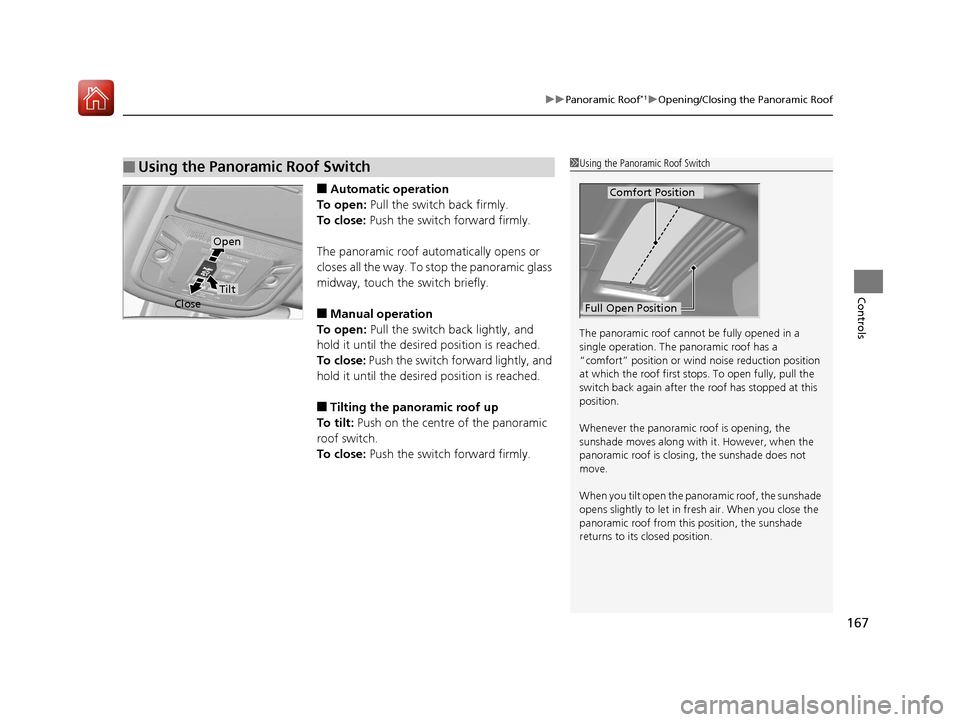
■Automatic operation
To open: Pull the switch back firmly.
To close: Push the switch forward firmly.
The panoramic roof automatically opens or
closes all the way. To stop the panoramic glass
midway, touch the switch briefly.
■Manual operation
To open: Pull the switch back lightly, and
hold it until the desired position is reached.
To close: Push the switch forward lightly, and
hold it until the desired position is reached.
■Tilting the panoramic roof up
To tilt: Push on the centre of the panoramic
roof switch.
To close: Push the switch forward firmly.
■Using the Panoramic Roof Switch1Using the Panoramic Roof Switch
The panoramic roof cannot be fully opened in a
single operation. The pa noramic roof has a
“comfort” position or wind noise reduction position
at which the roof first stops. To open fully, pull the
switch back again after the roof has stopped at this
position.
Whenever the panoramic roof is opening, the
sunshade moves along with it. However, when the
panoramic roof is closin g, the sunshade does not
move.
When you tilt open the panoramic roof, the sunshade
opens slightly to let in fr esh air. When you close the
panoramic roof from this position, the sunshade
returns to its closed position.
Comfort Position
Full Open Position
Open
Close
Tilt
17 CR-V-31TLA6000.book 167 ページ 2016年10月11日 火曜日 午後6時37分
Page 204 of 657

203Continued
Controls
Interior Lights/Interior Convenience Items
Interior Lights
■ON
The interior lights come on regardless of
whether the doors are open or closed.
■Door activated
The interior lights come on in the following
situations:
• When any doors are opened.
• You unlock the driver's door.
• You remove the key from the ignition
switch.
• When the power mode is set to VEHICLE
OFF (LOCK).
■OFF
The interior lights remain off regardless of
whether the doors are open or closed.
■Interior Light Switches1 Interior Light Switches
In the door activated position, the interior lights fade out
and go off about 30 seconds after the doors are closed.
The lights go off after 30 seconds in the following
situations:
•When you unlock the driver's door but do not open it.
•When you remove the key from the ignition switch
but do not open a door.
•When you set the power mode to VEHICLE OFF
(LOCK) but do not open a door.
You can change the interi or lights dimming time.
2 Customized Features P. 335
The interior lights go off i mmediately in the following
situations:
•When you lock the driver's door.
•When you close the driver's door with the key in
the ignition switch.
•When you close the driver’s door in ACCESSORY
mode.
•When you turn the ignition switch to ON ( w*1.
If you leave any doors open in VEHICLE OFF (LOCK)
mode, or without the key in the ignition switch, the
interior lights go off after about 15 minutes.
*1: Models with the smart entry system have an
ENGINE START/STOP button instead of an ignition
switch.
Models without smart entry system
Models with smart entry system
Models without smart entry system
Models with smart entry system
Door
Activated
Position
Off
Front
Front
Models with moonroof
Models with panoramic roof
Door Activated Position
Off
On
Models without smart entry system
Models with smart entry system
17 CR-V-31TLA6000.book 203 ページ 2016年10月11日 火曜日 午後6時37分
Page 205 of 657
204
uuInterior Lights/Interior Convenience Items uInterior Lights
Controls
■Front
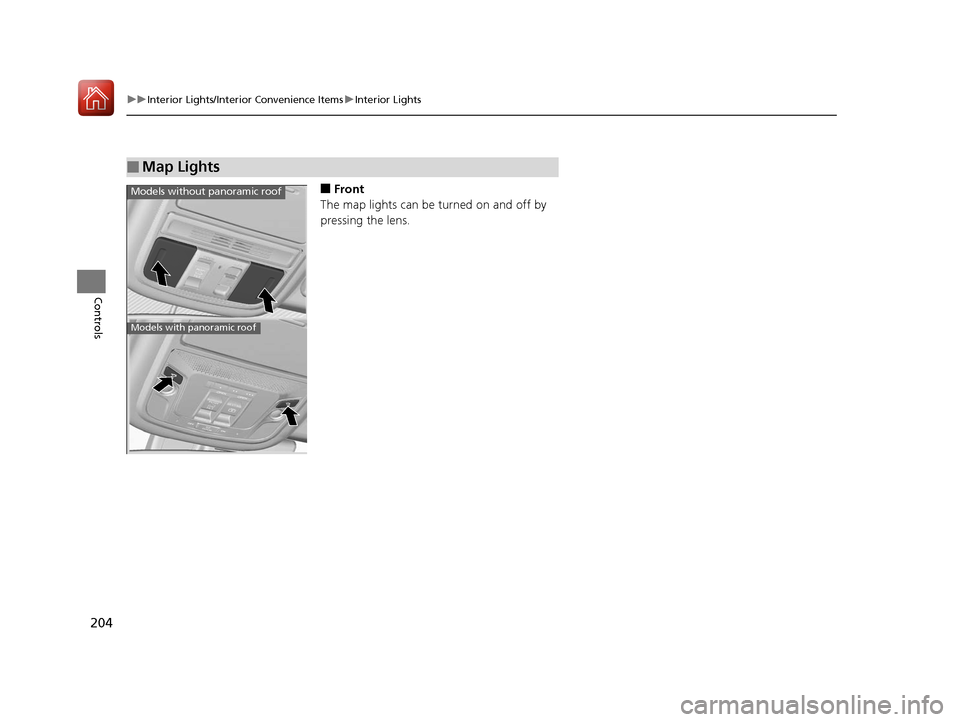
The map lights can be turned on and off by
pressing the lens.
■Map Lights
Models without panoramic roof
Models with panoramic roof
17 CR-V-31TLA6000.book 204 ページ 2016年10月11日 火曜日 午後6時37分