Page 99 of 601
98
uuIndicators uDriver Information Interface Wa rning and Information Messages*
Instrument Panel
MessageConditionExplanation
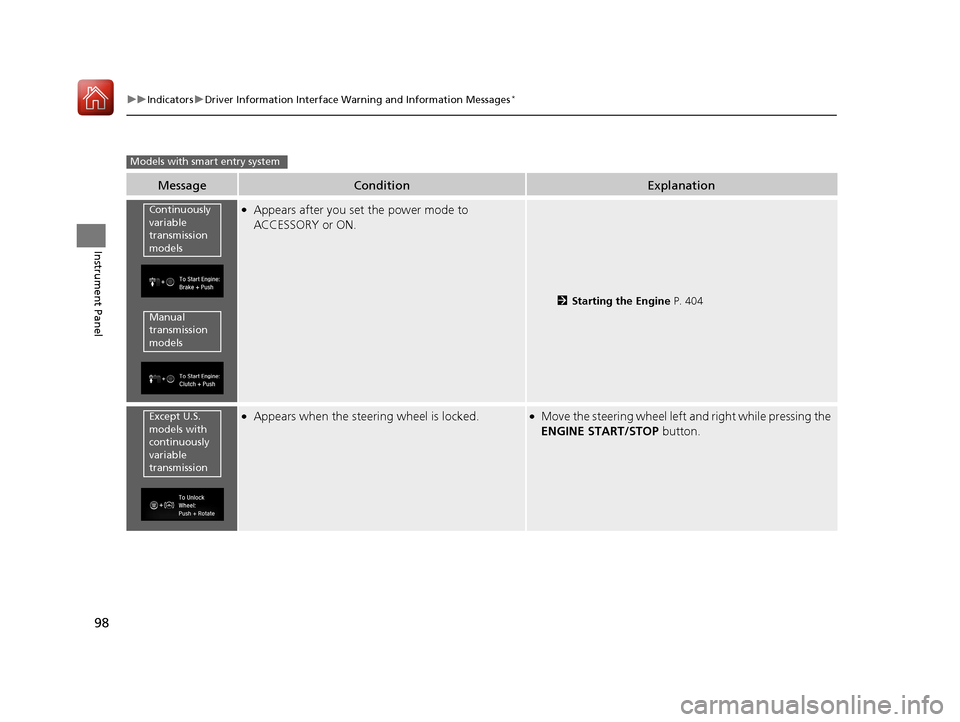
●Appears after you set the power mode to
ACCESSORY or ON.
2Starting the Engine P. 404
●Appears when the steering wheel is locked.●Move the steering wheel left and right while pressing the
ENGINE START/STOP button.
Models with smart entry system
Continuously
variable
transmission
models
Manual
transmission
models
Except U.S.
models with
continuously
variable
transmission
17 CIVIC 4D HCM (KA KC KL)-31TBA6100.book 98 ページ 2016年8月31日 水曜日 午後6時5分
Page 100 of 601
99
uuIndicators uDriver Information Interface Wa rning and Information Messages*
Continued
Instrument Panel
MessageConditionExplanation
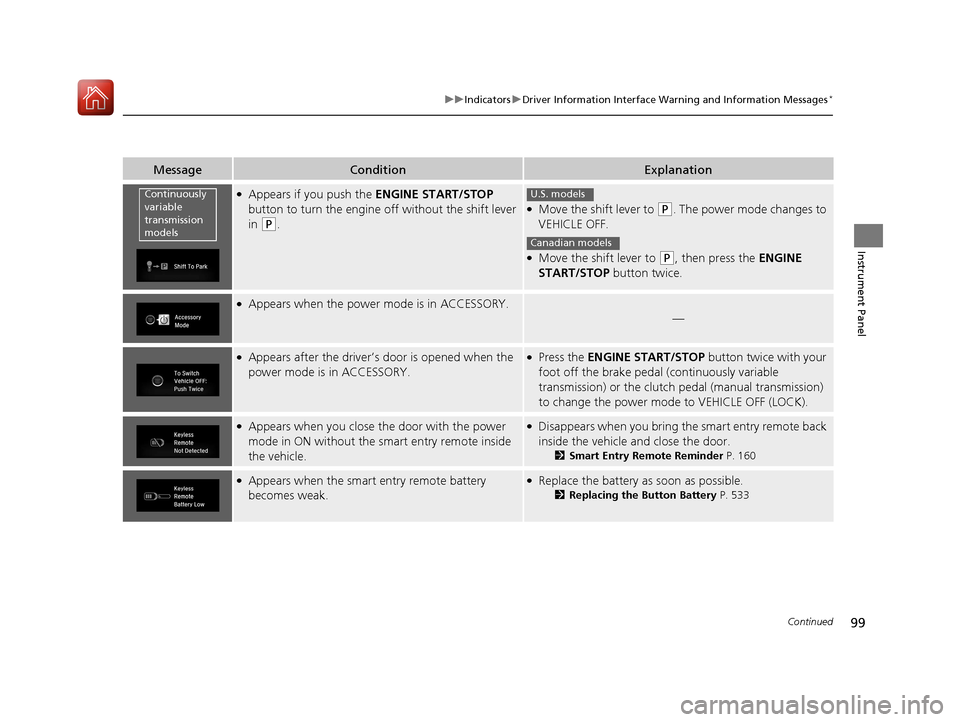
●Appears if you push the ENGINE START/STOP
button to turn the engine off without the shift lever
in
(P.
●Move the shift lever to (P. The power mode changes to
VEHICLE OFF.
●Move the shift lever to (P, then press the ENGINE
START/STOP button twice.
●Appears when the power mode is in ACCESSORY.
—
●Appears after the driver’s door is opened when the
power mode is in ACCESSORY.●Press the ENGINE START/STOP button twice with your
foot off the brake pedal (continuously variable
transmission) or the clutch pedal (manual transmission)
to change the power mode to VEHICLE OFF (LOCK).
●Appears when you close the door with the power
mode in ON without the smart entry remote inside
the vehicle.●Disappears when you bring the smart entry remote back
inside the vehicle and close the door.
2Smart Entry Remote Reminder P. 160
●Appears when the smart entry remote battery
becomes weak.●Replace the battery as soon as possible.
2Replacing the Button Battery P. 533
Continuously
variable
transmission
modelsU.S. models
Canadian models
17 CIVIC 4D HCM (KA KC KL)-31TBA6100.book 99 ページ 2016年8月31日 水曜日 午後6時5分
Page 101 of 601
100
uuIndicators uDriver Information Interface Wa rning and Information Messages*
Instrument Panel
MessageConditionExplanation
●Appears if the smart entry remote battery is too
weak to start the engine or the key is not within
operating range to start the engine.
A beeper sounds six times.●Bring the smart entry remote in front of the ENGINE
START/STOP button to be touched with.
2If the Smart Entry Remote Battery is Weak P. 553
●Appears when the starter system has a problem.●As a temporary measure, press and hold the ENGINE
START/STOP button for up to 15 seconds while pressing
the brake pedal and manua lly start the engine.
Have your vehicle checked by a dealer.
●Appears as soon as a problem is detected in the
smart entry system or pus h button starting system.●Appears constantly - Have your vehicle checked by a
dealer.
U.S.
Canada
17 CIVIC 4D HCM (KA KC KL)-31TBA6100.book 100 ページ 2016年8月31日 水曜日 午後6時5分
Page 104 of 601
103
uuIndicators uDriver Information Interface Wa rning and Information Messages*
Continued
Instrument Panel
MessageConditionExplanation
●Appears when the vehicle in front of you starts
moving while your vehicle is stopped automatically
by ACC with LSF.●Either press the RES/+ button or –/SET button, or
depress the accelerator pedal.
2 Adaptive Cruise Control (ACC) with Low Speed
Follow (LSF)* P. 422
●Appears when pressing the –/SET button while the
shift lever is in any position other than
(D or (S.
●ACC with LSF cannot be set.
2 Adaptive Cruise Control (ACC) with Low Speed
Follow (LSF)* P. 422
●Appears when the vehicle is stopped on a very steep
slope while ACC with LSF is in operation.●ACC with LSF has been au tomatically canceled.
2Adaptive Cruise Control (ACC) with Low Speed
Follow (LSF)* P. 422
Models with ACC with LSF
* Not available on all models
17 CIVIC 4D HCM (KA KC KL)-31TBA6100.book 103 ページ 2016年8月31日 水曜日 午後6時5分
Page 109 of 601
108
Instrument Panel
Gauges and Displays
Gauges
Gauges include the speedometer, tachometer, fuel gauge, and related indicators.
They are displayed when the ignition switch is in ON
(w*1.
Displays your driving speed in mph or km/h.
Shows the number of engine revolutions per minute.
*1: Models with the smart entry system have an ENGINE START/STOP button instead of an
ignition switch.
■Speedometer
■Tachometer
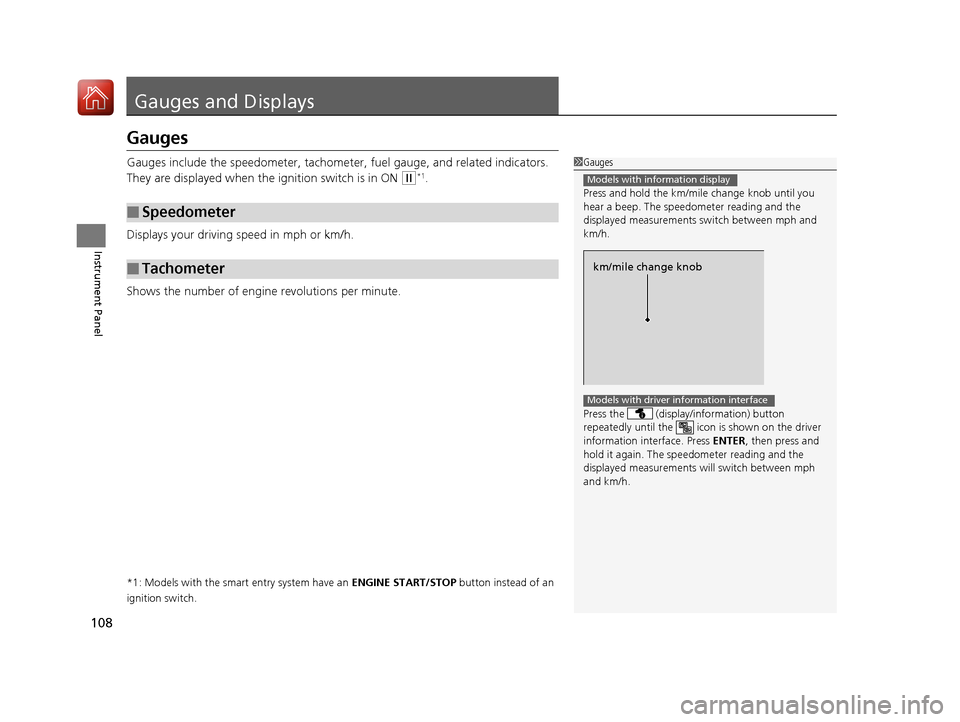
1 Gauges
Press and hold the km/mil e change knob until you
hear a beep. The speedometer reading and the
displayed measurements switch between mph and
km/h.
Press the (display /information) button
repeatedly until the ic on is shown on the driver
information interface. Press ENTER , then press and
hold it again. The spee dometer reading and the
displayed measurements wi ll switch between mph
and km/h.
Models with information display
km/mile change knob
Models with driver information interface
17 CIVIC 4D HCM (KA KC KL)-31TBA6100.book 108 ページ 2016年8月31日 水曜日 午後6時5分
Page 113 of 601
uuGauges and Displays uInformation Display*
112
Instrument Panel
Shows the outside temperature in Fahr enheit (U.S.) or Celsius (Canada).
■Adjusting the outside temperature indicator
Adjust the temperature reading up to ± 5° F or ± 3°C if the temperature reading
seems incorrect.
1. Turn the ignition switch to ON
(w*1.
2. Press and hold the ( TRIP) knob for 10 seconds or more while the outside
temperature is shown on the information display.
u The information display goes into temp erature adjustment mode. The display
starts showing from -5°F to +5°F (U .S.) or -3°C to +3°C (Canada).
3. Release the knob when the righ t adjustment amount is shown.
u The adjustment is complete.
*1: Models with the smart entry system have an ENGINE START/STOP button instead of an
ignition switch.
■Outside Temperature1 Outside Temperature
The temperature sensor is in the front bumper.
Road heat and exhaust from another vehicle can
affect the temperature reading when your vehicle
speed is less than 19 mph (30 km/h).
It may take several minutes for the display to be
updated after the temperature reading has stabilized.
17 CIVIC 4D HCM (KA KC KL)-31TBA6100.book 112 ページ 2016年8月31日 水曜日 午後6時5分
Page 119 of 601
uuGauges and Displays uDriver Information Interface*
118
Instrument Panel
Use the driver information interfac e to customize certain features.
■How to customize
Select the Vehicle Settings screen by pressing the button while the ignition
switch is in ON
(w*1, and the vehicle is at a complete stop. Select Vehicle Settings,
then press the ENTER button.
*1: Models with the smart entry system have an ENGINE START/STOP button instead of an
ignition switch.
■Customized Features
Models with color audio system1 Customized Features
To customize other features, press the /
button.
2 List of customizable options P. 121
2 Example of customization settings P. 125
34
Button
Press to go to the next
display.
ENTER Button
Press to set your selection.
Button
Press to go to Vehicle Menu.
Button
Press to scroll upwards.3
Button
Press to go back to the
previous display.
Button
Press to scroll downwards.4
17 CIVIC 4D HCM (KA KC KL)-31TBA6100.book 118 ページ 2016年8月31日 水曜日 午後6時5分
Page 128 of 601

127
Controls
This chapter explains how to operate the various controls necessary for driving.
Clock.................................................. 128
Locking and Unlocking the Doors Key Types and Functions .................. 130
Low Smart Entry Remote Signal Strength*... 132Locking/Unlocking the Doors from the Outside .......................................... 133
Locking/Unlocking the Doors from the Inside ............................................. 140
Childproof Door Locks ..................... 142
Auto Door Locking/Unlocking .......... 143
Opening and Closing the Trunk ....... 147
Security System Immobilizer System .......................... 150
Security System Alarm ...................... 150
Opening and Closing the Windows ..... 153Opening and Closing the Moonroof*..... 156
Operating the Switches Around the
Steering Wheel
Ignition Switch
*............................... 157
ENGINE START/STOP Button*........... 158
Ignition Switch and Power Mode Comparison ................................... 161
Turn Signals ..................................... 162
Light Switches.................................. 162
Fog Lights
*...................................... 165
Daytime Running Lights ................... 165
Wipers and Washers ........................ 166
Brightness Control ........................... 168
Rear Defogger/Heat ed Door Mirror
*
Button ........................................... 169
Adjusting the Steering Wheel........... 170 Adjusting the Mirrors
Interior Rearview Mirror ................... 171
Power Door Mirrors ......................... 172
Adjusting the Seats .......................... 173
Interior Lights/Interior Convenience Items ................................................ 181
Heating System
*
Using Automatic Heating ................. 193
Automatic Heating Sensors .............. 195
Climate Control System
*
Using Automatic Climate Control .... 196
Automatic Climate Control Sensors......202
* Not available on all models
17 CIVIC 4D HCM (KA KC KL)-31TBA6100.book 127 ページ 2016年8月31日 水曜日 午後6時5分