2017 HONDA CIVIC ABS
[x] Cancel search: ABSPage 493 of 601

492
uuMaintenance MinderTMuTo Use Maintenance MinderTM
Maintenance
■Maintenance Service Items1Maintenance Service Items
•Inspect idle speed every 160,000 miles (256,000
km).
•Adjust the valves during services A, B, 1, 2, or 3 if
they are noisy.Maintenance Minder Message
System Message
Indicator
Sub Items
Main Item
U.S. models
*1: If a Maintenance Minder message does not appear more than 12 months after the display is reset,
change the engine oil every year.
# : See information on maintenance and emissions warranty.
*2: If you drive in dusty conditions, replace the air cleaner element every 15,000 miles (24,000 km).
CODEMaintenance Main Items
A
●Replace engine oil*1
B●Replace engine oil*1 and oil filter●Inspect front and rear brakes●Inspect these items: • Tie rod ends, steering gearbox, and boots
• Suspension components
• Driveshaft boots
• Brake hoses and lines (including ABS/VSA)
• All fluid levels and condition of fluids
• Exhaust system
#
•Fuel lines and connections#*3: If you drive primarily in urban areas that have high concentrations of soot in the air from industry and
from diesel-powered vehicles, replace the dust and pollen filter every 15,000 miles (24,000 km).
*4: Driving in mountainous areas at very low vehicle speeds results in higher transmission temperatures.
This requires transmission fluid changes more frequently than recommended by the Maintenance
Minder. If you regularly drive your vehicle under these conditions, have the transmission fluid changed
every 25,000 miles (40,000 km).
*5: If a Maintenance Minder Indicator does not appear more than 36 months after the display for item 7 is reset, change the brake fluid every 3 years.
CODEMaintenance Sub Items
1
●Rotate tires
2●Replace air cleaner element*2
●Replace dust and pollen filter*3
●Inspect drive belt
3
●Replace transmission fluid*4
4●Replace spark plugs●Inspect valve clearance
5
●Replace engine coolant
7●Replace brake fluid*5
17 CIVIC 4D HCM (KA KC KL)-31TBA6100.book 492 ページ 2016年8月31日 水曜日 午後6時5分
Page 494 of 601

493
uuMaintenance MinderTMuTo Use Maintenance MinderTM
Continued
Maintenance
1Maintenance Service Items
•Inspect idle speed every 256,000 km (160,000
miles).
•Adjust the valves during services A, 0, 9, 1, 2, or 3
if they are noisy.
Canadian models
*1: If a Maintenance Minder message does not appear more than 12 months after the display is reset,
change the engine oil every year.
*2: If you drive in dusty conditions, replace the air cleaner element every 24,000 km (15,000 miles).
*3: If you drive primarily in urban areas that have high concentrations of soot in the air from industry and from diesel-powered vehicles, replace the dust and pollen filter every 24,000 km (15,000 miles).
*4: Driving in mountainous areas at very low vehicle speeds results in higher transmission temperatures.
This requires transmission fluid changes more frequently than recommended by the Maintenance
Minder. If you regularly drive your vehicle under these conditions, have the transmission fluid changed
every 40,000 km (25,000 miles).
*5: If a Maintenance Minder Indicator does not appear more than 36 months after the display for item 7 is reset, change the brake fluid every 3 years.
# : See information on maintenance and emissions warranty.
CODEMaintenance Main Items
A
●Replace engine oil*1
0●Replace engine oil*1 and oil filter
CODEMaintenance Sub Items
1
●Rotate tires
2●Replace air cleaner element*2
●Replace dust and pollen filter*3
●Inspect drive belt
3
●Replace transmission fluid*4
4●Replace spark plugs●Inspect valve clearance
5
●Replace engine coolant
7●Replace brake fluid*5
9●Service front and rear brakes●Inspect these items: • Tie rod ends, steering gearbox, and boots
• Suspension components
• Driveshaft boots
• Brake hoses and lines (including ABS/VSA)
• All fluid levels and condition of fluids
• Exhaust system
#
•Fuel lines and connections#
17 CIVIC 4D HCM (KA KC KL)-31TBA6100.book 493 ページ 2016年8月31日 水曜日 午後6時5分
Page 529 of 601
528
uuChecking and Maintaining Tires uTire and Wheel Replacement
Maintenance
Tire and Wheel Replacement
Replace your tires with radials of the sa me size, load range, speed rating, and
maximum cold tire pressure ra ting (as shown on the tire’s sidewall). Using tires of a
different size or construction can cause ce rtain vehicle systems such as the ABS and
Vehicle Stabilit y Assist (VSA®) system to work incorrectly.
It is best to replace all four tires at the same time. If that isn’t possible, replace the
front or rear tires in pairs.
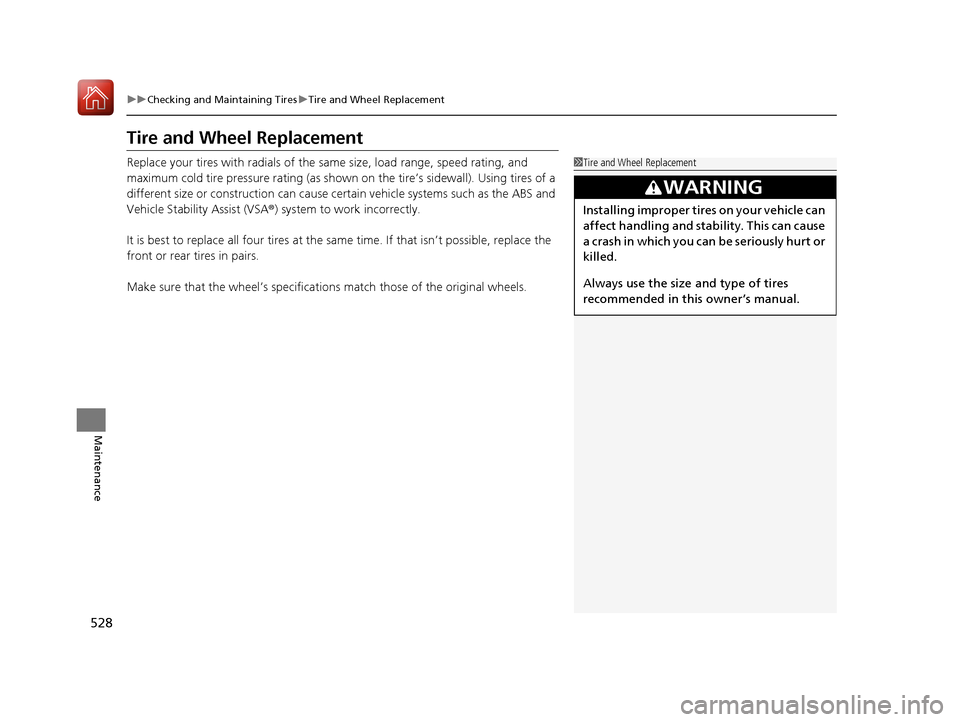
Make sure that the wheel’s specifications match thos e of the original wheels.1Tire and Wheel Replacement
3WARNING
Installing improper tires on your vehicle can
affect handling and stability. This can cause
a crash in which you can be seriously hurt or
killed.
Always use the size and type of tires
recommended in this owner’s manual.
17 CIVIC 4D HCM (KA KC KL)-31TBA6100.book 528 ページ 2016年8月31日 水曜日 午後6時5分
Page 555 of 601
554
uuEngine Does Not StartuEmergency Engine Stop
Handling the Unexpected
Emergency Engine Stop
The ENGINE START/STOP button may be used to stop the engine due to an
emergency situation even while driving. If you must stop the engine, do either of the
following operations:
• Press and hold the ENGINE START/STOP button for about two seconds.
• Firmly press the ENGINE START/STOP button twice.
The steering wheel will not lock. However, because turning off the engine disables
the power assist the engine provides to the steering and braking systems, it will
require significantly more physical effort an d time to steer and slow the vehicle. Use
both feet on the brake pedal to slow down the vehicle and stop immediately in a
safe place. With manual transmission models you can also downshift the
transmission to utilize engine braking.
The power mode is in ACCESSORY when the engine is stopped.
To change the mode to VEHICLE OFF, move the shift lever to
(P after the vehicle
comes to a complete stop.
Then press the ENGINE START/STOP button twice without depressing the brake
pedal.
The power mode changes to VEHICLE OFF.
Models with smart entry system
1 Emergency Engine Stop
Do not press the button while driving unless it is
absolutely necessary for th e engine to be switched
off.
Continuously variable transmission models
Canadian continuously variable transmission models
Manual transmission models
17 CIVIC 4D HCM (KA KC KL)-31TBA6100.book 554 ページ 2016年8月31日 水曜日 午後6時5分
Page 564 of 601
563
uuIndicator, Comi ng On/BlinkinguIf the Brake System Indicator (Red) Comes On or Blinks
Handling the Unexpected
If the Brake System Indicator (Red) Comes On or
Blinks
■Reasons for the indicator to come on
• The brake fluid is low.
• There is a malfunction in the brake system.
■What to do when the indicator comes on while driving
Depress the brake pedal lightly to check pedal pressure.
• If normal, check the brake fluid level the next time you stop.
• If abnormal, take immediate acti on. If necessary, downshift the
transmission to slow the vehicle using engine braking.
■Reason for the indicator to blink
• There is a problem with the electric parking brake system.
■What to do when the indicator blinks
Avoid using the parking brake and have your vehicle checked by a dealer
immediately.
1 If the Brake System Indicator (Red) Comes On or Blinks
Have your vehicle re paired immediately.
It is dangerous to drive with low brake fluid. If there
is no resistance from the brake pedal, stop
immediately in a safe plac e. If necessary downshift
the gears.
If the brake system indicator and ABS indicator come
on simultaneously, the elec tronic brake distribution
system is not working. Th is can result in vehicle
instability under sudden braking.
Have your vehicle inspecte d by a dealer immediately.
If the brake system indicator (red) blinks at the same
time when the brake system indicator (amber) comes
on, the parking br ake may not work.
Avoid using the parking brak e and have your vehicle
checked by a dealer immediately. 2 If the Brake System Indicator (Red) Comes
On or Blinks at the Same Time When the
Brake System Indicator (Amber) Comes On
P. 564
If you repeatedly operate th e electric parking brake in
a short period of time, the brake stops operating to
prevent heating of the system and the indicator
blinks.
It returns to its original state in approximately 1
minute.
U.S.
Canada
(Red)
17 CIVIC 4D HCM (KA KC KL)-31TBA6100.book 563 ページ 2016年8月31日 水曜日 午後6時5分
Page 568 of 601

567Continued
Handling the Unexpected
Fuses
Fuse Locations
If any electrical devices are not working,
turn the ignition switch to LOCK
(0*1 and
check to see if any appl icable fuse is blown.
Located near the battery. Push the tabs to
open the box.
Fuse locations are shown on the fuse box
cover. Locate the fuse in question by the
fuse number and box cover number.
■Engine Compartment Fuse Box
■Circuit protected and fuse rating
Circuit ProtectedAmps
1
Passenger’s Power Seat*/
Rear Seat Heaters*(60 A)
Cooling Fan*2(30 A)
Cooling Fan*3(50 A)
−−
IG Main*4
−*530 A −
Headlight High Beam Main30 A
Battery125 A
2
EPS70 A
IG Main 30 A*4
50 A*5
Fuse Box Option*(40 A)
Fuse Box 60 A
Front Wiper Motor30 A
Headlight Low Beam Main 30 A
3
Rear Defroster40 A
Starter Motor*4
−*530 A −
Fuse Box40 A
ABS/VSA Motor40 A
ABS/VSA FSR40 A
Blower Motor40 A
*1:Models with the smart entry system have an ENGINE START/STOP button
instead of an ignition switch.
*2:2.0L engine models
*3:1.5L engine models
*4:Models with smart entry system
*5:Models without smart entry system
*6:Continuously variable transmission models
4
−−
−−
−−
−−
5Cooling Fan5A
6Washer 15A
7FI Main15 A
8FI Sub 15A
9Stop Lights10 A
10 Injector*3(15 A)
11LAF5A
12 FI ECU 10 A
13Parking Lights10 A
14 Hazard 15 A
15IG Coil15 A
16 Transmission*6(15 A)
17Daytime Running Lights10 A
18 Back Up 10 A
Circuit ProtectedAmps
* Not available on all models
17 CIVIC 4D HCM (KA KC KL)-31TBA6100.book 567 ページ 2016年8月31日 水曜日 午後6時5分
Page 570 of 601
569
uuFuses uFuse Locations
Handling the Unexpected
*1:Models with smart entry system
*2:Models without smart entry system
Circuit ProtectedAmps
28Driver’s Power Window20 A
29Front Accessory Power
Socket20 A
30Smart Entry*1
−*210 A−
31Driver’s Power Seat
Reclining*(20 A)
32Front Seat Heater*(20 A)
33Driver’s Power Seat Sliding*(20 A)
34VSA/ABS10 A
35SRS10 A
36−−
37−−
38Driver Side Rear Door Lock(10 A)
39Driver’s Door Unlock10 A
* Not available on all models
17 CIVIC 4D HCM (KA KC KL)-31TBA6100.book 569 ページ 2016年8月31日 水曜日 午後6時5分
Page 590 of 601

Index
589
Index
Index
A
ABS (Anti-lock Brake System).................. 463
Accessories and Modifications ................ 541
Accessory Power Socket ........................... 187
Adaptive Cruise Control (ACC) with Low
Speed Follow (LSF) ........................... 89, 422
Adding the Coolant ................................. 506
Additives
Coolant .................................................. 505
Engine Oil ............................................... 498
Washer ................................................... 509
Additives, Engine Oil ............................... 498
Adjusting Armrest .................................................. 180
Clock ...................................................... 128
Front Head Restraints .............................. 176
Front Seats.............................................. 173
Mirrors.................................................... 171
Rear Seats ............................................... 179
Steering Wheel ....................................... 170
Temperature ................................... 112, 116
Adjusting the Clock ................................. 128
Adjusting the Sound ........................ 216, 251
Agile Handling Assist ............................... 449
Air Conditioning System (Climate Control
System) .................................................... 196
Changing the Mode................................ 196
Defrosting the Windshield and
Windows .............................................. 199 Dust and Pollen Filter ............................... 535
Recirculation/Fresh Air Mode ................... 198
Sensor ..................................................... 202
Synchronized Mode ................................. 201
Using Automatic Climate Control ............ 196
Air Conditioning System (Heating System) .................................................... 193
Sensor ..................................................... 195
Using Automatic Heating ......................... 193
Air Pressure ............................... 523, 577, 579
Airbags ........................................................ 46
Advanced Airbags ..................................... 52
After a Collision ......................................... 49
Airbag Care ............................................... 59
Event Data Recorder .................................... 0
Front Airbags (SRS) .................................... 49
Indicator .............................................. 57, 81
Passenger Front Airbag Off Indicator ......... 58
Sensors ...................................................... 46
Side Airbags .............................................. 53
Side Curtain Airbags .................................. 55
AM/FM Radio .................................... 218, 258
Android Auto ............................................ 295
Anti-lock Brake System (ABS) .................. 463
Indicator .................................................... 81
Apple CarPlay ........................................... 292
Armrest ..................................................... 180
Audio Remote Controls ............................ 207 Audio System
............................ 204, 211, 229
Adjusting the Sound........................ 216, 251
Audio/Information Screen................ 212, 230
Changing the Home Screen Icon Layout ................................................... 234
Changing the Screen Interface ................ 248
Closing Apps ........................................... 250
Customizing the Meter............................ 235
Display Setup .................................. 217, 252
Error Messages ........................................ 299
General Information ................................ 302
Home Screen........................................... 241
iPod ................................................ 220, 270
Limitations for Manual Operation ............ 253
Menu Customize ..................................... 249
MP3/WMA/AAC .............................. 223, 279
Reactivating ............................................ 206
Recommended Devices............................ 303
Remote Controls ..................................... 207
Security Code .......................................... 206
Selecting an Audio Source ....................... 253
Status Area ............................................. 247
Theft Protection ...................................... 206
USB Flash Drives ...................................... 303
USB Port(s) .............................................. 205
Wallpaper Setup.............................. 214, 239
Audio/Information Screen ............... 212, 230
Authorized Manuals ................................ 587
17 CIVIC 4D HCM (KA KC KL)-31TBA6100.book 589 ページ 2016年8月31日 水曜日 午後6時5分