Page 220 of 613

219
uuAudio System Basic Operation uAudio/Information Touch Screen
Continued
Features
■Info
Displays Trip Computer . To see all available information, Trip Computer, Voice
Info , or System/Device Information , select on the Info Menu screen.
Trip Computer :
• Current Drive tab: Displays the current trip information.
• History of Trip A tab: Displays information for the three previous drives. The
information is stored every time you reset Trip A.
To delete the history manually, select Delete History on the History of Trip A
tab. The confirmation message appears on the screen, then select Yes.
Voice Info : Displays the all commands list.
System/Device Information :
• System Info : Displays the device number and the vehicle identification number
(VIN).
• USB Info : Displays the memory usage of the USB device.
■Audio
Displays the current audio information.
■Settings
Enters the customizing menu screen.
2 Customized Features P. 315
■Navigation*
Displays the navigation screen.
2Refer to the Navigation System Manual
* Not available on all models
17 ACCORD 4D GAS-31T2A6400.book 219 ページ 2016年6月7日 火曜日 午後5時6分
Page 223 of 613

uuAudio System Basic Operation uAudio/Information Touch Screen
222
Features
You can change, store, and delete the wa llpaper on the audio/information touch
screen.
■Import wallpaper
You can import up to five images, one at a time, for wallpaper from a USB flash
drive. 1.Connect the USB flash drive to the USB
port.
2 USB Port(s*) P. 187
2. Select Settings .
3. Select Clock/Info .
4. Select Clock/Wallpaper Type , then open
the Wallpaper tab.
5. Select Add New .
u The picture name is displayed on the list.
6. Select a desired picture.
u The preview is displayed on the left side
on the screen.
7. Select Start Import to save the data.
u The display will return to the wallpaper
list.
■Wallpaper Setup1Wallpaper Setup
•When importing wallpaper files, the image must be
in the USB flash drive’s root directory.
Images in a folder cannot be imported.
•The file name must be fewer than 256 characters.•The file format of the im age that can be imported
is BMP (bmp) or JPEG (jpg).
•The individual file size limit is 5 MB.•The maximum image size is 4,096 × 4,096 pixels. If
the image size is less than 800 × 480 pixels, the
image is displayed in the middle of the screen with
the extra area appearing in black.
•If the USB flash drive doe s not have any pictures,
the No files detected message appears.
* Not available on all models
17 ACCORD 4D GAS-31T2A6400.book 222 ページ 2016年6月7日 火曜日 午後5時6分
Page 226 of 613

Continued225
uuAudio System Basic Operation uAudio/Information Touch Screen
Features
■To use apps or widgets
1.Select .
2. Select .
3. Select App List .
u The APPS screen appears.
4. Select the app or widget you want to use.
Preinstall app list:
• Browser : Displays the web browser utilized
by smartphone and Wi-Fi connection.
• Calculator : Displays Calculator.
• Downloads : Displays the data downloaded
from the web browser and so on.
• Install USB : Installs and updates apps
stored in the USB flash drive.
• Search : Displays various retrieval screens.
• Settings : Displays the Android setting
screen.1 To use apps or widgets
Select and hold a selected app or widget to add that
app’s or widget’s shortcut on the home screen.
Pre-installed apps may not start up normally. If this
occurs, you need to reset the system.
2 Defaulting All the Settings P. 338
If you perform Factory Data Reset , it may reset all
the settings to their factory default. 2 Defaulting All the Settings P. 338
In case those apps still do not startup normally even
after Factory Data Reset , contact your dealer.
There is a possibility that a browser is shut down in
the situation of the use. In that situation, the screen
will return to before the browser startup.
You can delete user installed apps by the following
procedure.
1. Select .
2. Select Settings .
3. Select System .
4. Select the Others tab.
5. Select Detail Information .
6. Select an App that you want to delete.
7. Select Delete .
Pre-installed apps cannot be deleted.
App List
17 ACCORD 4D GAS-31T2A6400.book 225 ページ 2016年6月7日 火曜日 午後5時6分
Page 237 of 613
236
uuAudio System Basic Operation uVoice Control Operation
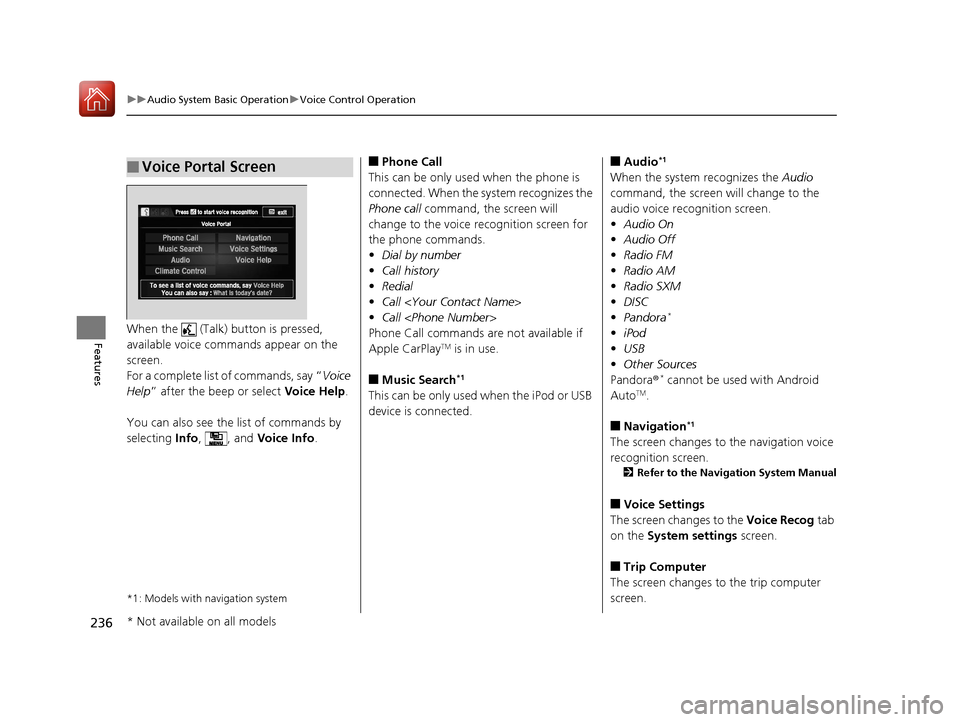
FeaturesWhen the (Talk) button is pressed,
available voice commands appear on the
screen.
For a complete list of commands, say “ Voice
Help ” after the beep or select Voice Help.
You can also see the list of commands by
selecting Info, , and Voice Info.
*1: Models with navigation system
■Voice Portal Screen■Phone Call
This can be only used when the phone is
connected. When the sy stem recognizes the
Phone call command, the screen will
change to the voice recognition screen for
the phone commands.
• Dial by number
• Call history
• Redial
• Call
• Call
Phone Call commands are not available if
Apple CarPlay
TM is in use.
■Music Search*1
This can be only used when the iPod or USB
device is connected.
■Audio*1
When the system recognizes the Audio
command, the screen will change to the
audio voice recognition screen.
• Audio On
• Audio Off
• Radio FM
• Radio AM
• Radio SXM
• DISC
• Pandora
*
•iPod
• USB
• Other Sources
Pandora ®
* cannot be used with Android
AutoTM.
■Navigation*1
The screen changes to the navigation voice
recognition screen.
2 Refer to the Navigation System Manual
■Voice Settings
The screen changes to the Voice Recog tab
on the System settings screen.
■Trip Computer
The screen changes to the trip computer
screen.
* Not available on all models
17 ACCORD 4D GAS-31T2A6400.book 236 ページ 2016年6月7日 火曜日 午後5時6分
Page 238 of 613

237
uuAudio System Basic Operation uVoice Control Operation
Continued
Features
■Voice Help
You can see a list of the available
commands on the screen.
• Useful Commands
• Phone Commands
• Audio Commands
• On Screen Commands
• Music Search Commands
• General Commands
• Climate Control Commands
• All Commands
• Voice Settings
• Getting Started
The system accepts these commands on the
voice portal top screen.
• Call
• Call
• What time is it?
• What is today’s date?
*1: Models with navigation system
■Useful Commands
The system accepts these commands on the
dedicated screen for the voice recognition
of the phone.
• Call by Number
• Call by Name
• Call
• Call
The system accepts these commands on the
dedicated screen for the voice recognition
of the audio.
■Radio FM Commands
• Radio tune to <87.7-107.9> FM
• Radio tune to <87.7 -107.9> HD <1-8>
FM
• Radio FM preset <1-12>
■Radio AM Commands
• Radio tune to <530-1710> AM
• Radio AM preset <1-6>
■Radio SXM Commands
• SXM channel <1-999>
• SXM channel
• Radio SXM preset <1-12>
■Phone Commands
■Audio Commands*1
■DISC Commands
• DISC play
• DISC play track <1-30>
■Pandora Commands*
•Pandora play
■iPod Commands
• iPod play
• iPod play track <1-30>
• Music Search
• What album is this?
• What am I listening to?
■USB Commands
• USB play
• USB play track <1-30>
• Music Search
• What album is this?
• What am I listening to?
■Bluetooth ® audio Commands
• Bluetooth ® audio play
NOTE:
Bluetooth ® Audio commands may not work
on some phones or Bluetooth® Audio
devices.
* Not available on all models
17 ACCORD 4D GAS-31T2A6400.book 237 ページ 2016年6月7日 火曜日 午後5時6分
Page 239 of 613
238
uuAudio System Basic Operation uVoice Control Operation
Features
When On Screen Commands is selected,
the explanation screen is displayed.
The system accepts these commands on the
Music Search screen.
■Using Song By Voice
Song By VoiceTM is a feature that allows you
to select music from your iPod or USB device
using Voice Commands. To activate this
mode, you must push the talk button and
say: “ Music search ”.
■Song By Voice Commands
• What am I listening to?
• Who am I listening to?
• Who is this?
• What’s playing?
• Who’s playing?
• What album is this?
*1: Models with navigation system
■On Screen Commands
■Music Search Commands*1
■Play Commands
• Play artist
• Play track/song
• Play album
• Play genre/category
• Play playlist
• Play composer
■List Commands
• List artist
• List album
• List genre/category
• List playlist
• List composer
• What time is it?
• What is today’s date?
■General Commands
•Climate Control on
• Climate Control off
• Fan Speed <1-7>
• Temperature max heat
• Temperature max cool
• Temperature <57-87> degrees
• Defrost on
• Defrost off
• Air conditioner on
• Air conditioner off
• More
• Climate control automatic
• Vent
• Dash and floor
• Fan speed up
• Fan speed down
• Floor vents
• Floor and defrost
• Temperature up
• Temperature down
■Climate Control Commands*1
17 ACCORD 4D GAS-31T2A6400.book 238 ページ 2016年6月7日 火曜日 午後5時6分
Page 255 of 613
254
uuAudio System Basic Operation uPlaying an iPod
Features
Playing an iPod
Connect the iPod using your dock connector to the USB port, then select the iPod
mode.
2 USB Port(s*) P. 187
*1:Some or all of the lists may not be displayed.
VOL (Volume) Icons
Select to adjust the volume.
(BACK) Icon
Select to go back to the previous
display.
Song Icons
Select or to change songs.
Select and hold to move rapidly
within a song.
(Power) Button
Press to turn the audio system
on and off.
Open/Close Icon*1
Displays/hides the detailed
information.
(MENU) Icon
Select to display the menu items.
Cover Art Audio/Information Touch Screen
Play/Pause Icon
Audio/Information Screen
* Not available on all models
17 ACCORD 4D GAS-31T2A6400.book 254 ページ 2016年6月7日 火曜日 午後5時6分
Page 256 of 613
Continued255
uuAudio System Basic Operation uPlaying an iPod
Features
1. Select and select Music Search.
2. Select the items on that menu.
■How to Select a Song from the Music Search List1Playing an iPod
Available operating functi ons vary on models or
versions. Some functions ma y not be available on the
vehicle's audio system.
If there is a problem, you may see an error message
on the audio/information touch screen. 2 iPod/USB Flash Drive P. 286
If you operate the musi c app on your iPhone/iPod
while the phone is connected to the audio system,
you may no longer be able to operate the same app
on the audio/information touch screen.
Reconnect the devi ce if necessary.
If an iPhone is connect ed via Apple CarPlay
TM, the
iPod/USB source is unavailab le and audio files on the
phone can only be played within Apple CarPlay
TM.
Category Selection
Item Selection
17 ACCORD 4D GAS-31T2A6400.book 255 ページ 2016年6月7日 火曜日 午後5時6分

