Page 11 of 494
GMC Sierra/Sierra Denali Owner Manual (GMNA-Localizing-U.S./Canada/
Mexico-9955992) - 2017 - crc - 5/3/16
10 In Brief
or when Retained Accessory Power
(RAP) is active. SeeRetained
Accessory Power (RAP) 0262.
Press the switch to lower the
window. Pull the switch up to
raise it. See Windows046 and
Power Windows 046.
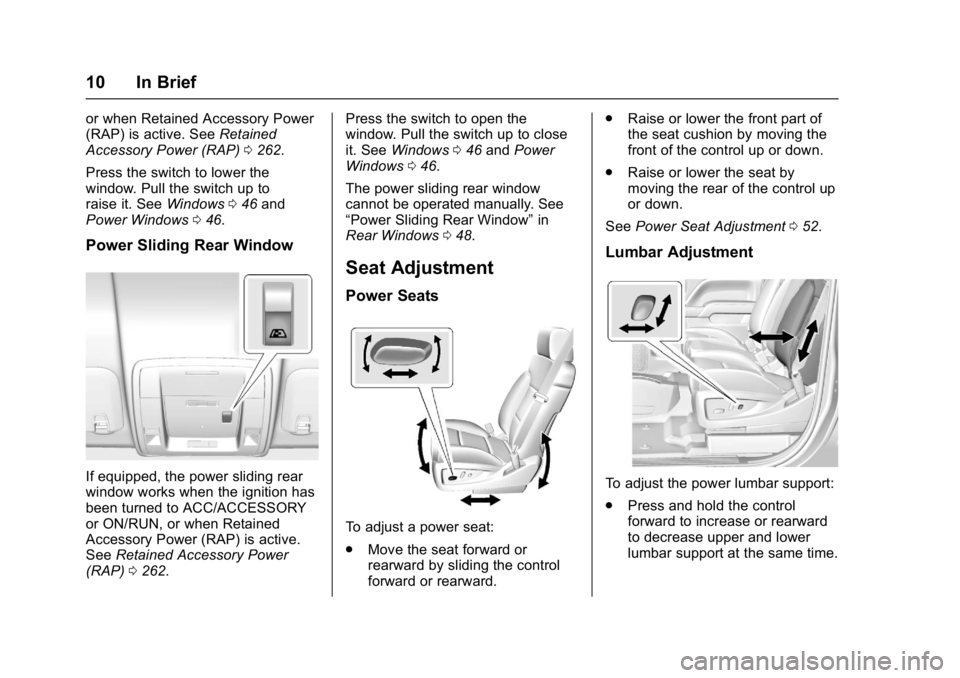
Power Sliding Rear Window
If equipped, the power sliding rear
window works when the ignition has
been turned to ACC/ACCESSORY
or ON/RUN, or when Retained
Accessory Power (RAP) is active.
See Retained Accessory Power
(RAP) 0262. Press the switch to open the
window. Pull the switch up to close
it. See
Windows 046 and Power
Windows 046.
The power sliding rear window
cannot be operated manually. See
“Power Sliding Rear Window” in
Rear Windows 048.
Seat Adjustment
Power Seats
To adjust a power seat:
.
Move the seat forward or
rearward by sliding the control
forward or rearward. .
Raise or lower the front part of
the seat cushion by moving the
front of the control up or down.
. Raise or lower the seat by
moving the rear of the control up
or down.
See Power Seat Adjustment 052.
Lumbar Adjustment
To adjust the power lumbar support:
.
Press and hold the control
forward to increase or rearward
to decrease upper and lower
lumbar support at the same time.
Page 12 of 494
GMC Sierra/Sierra Denali Owner Manual (GMNA-Localizing-U.S./Canada/
Mexico-9955992) - 2017 - crc - 5/3/16
In Brief 11
.Press and hold the control up to
increase upper lumbar support
and decrease lower lumbar
support.
Press and hold the control down
to increase lower lumbar support
and decrease upper lumbar
support.
See Lumbar Adjustment 052.
Reclining Seatbacks
To adjust the seatback:
.
Tilt the top of the control
rearward to recline.
. Tilt the top of the control forward
to raise. See
Reclining Seatbacks 053.
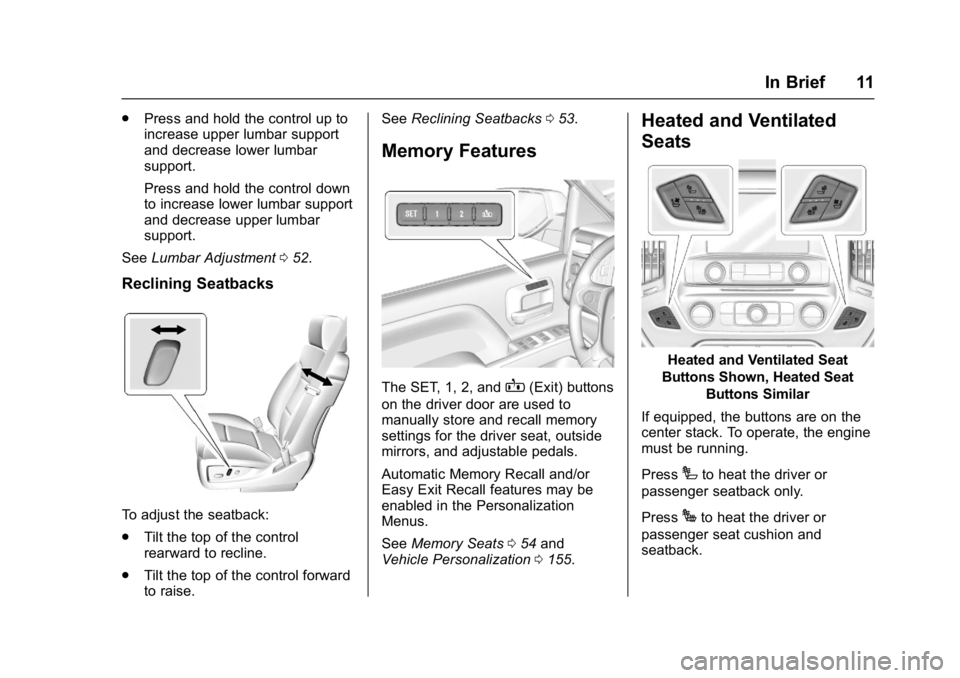
Memory Features
The SET, 1, 2, andB(Exit) buttons
on the driver door are used to
manually store and recall memory
settings for the driver seat, outside
mirrors, and adjustable pedals.
Automatic Memory Recall and/or
Easy Exit Recall features may be
enabled in the Personalization
Menus.
See Memory Seats 054 and
Vehicle Personalization 0155.
Heated and Ventilated
Seats
Heated and Ventilated Seat
Buttons Shown, Heated Seat Buttons Similar
If equipped, the buttons are on the
center stack. To operate, the engine
must be running.
Press
Ito heat the driver or
passenger seatback only.
Press
Jto heat the driver or
passenger seat cushion and
seatback.
Page 53 of 494
GMC Sierra/Sierra Denali Owner Manual (GMNA-Localizing-U.S./Canada/
Mexico-9955992) - 2017 - crc - 5/3/16
52 Seats and Restraints
the head restraint rearward, grasp
the head restraint and pull forward
fully until the mechanism releases
and allows the head restraint to
return to the full rear position.
The front seat outboard head
restraints are not removable.
Rear Seats
The rear seat has adjustable
headrests in the outboard seating
positions.
The height of the headrest can be
adjusted. Pull the headrest up to
raise it. To lower the headrest, push
the headrest down.
If you are installing a child restraint
in the rear seat, see“Securing a
Child Restraint Designed for the
LATCH System” underLower
Anchors and Tethers for Children
(LATCH System) 088.
Front Seats
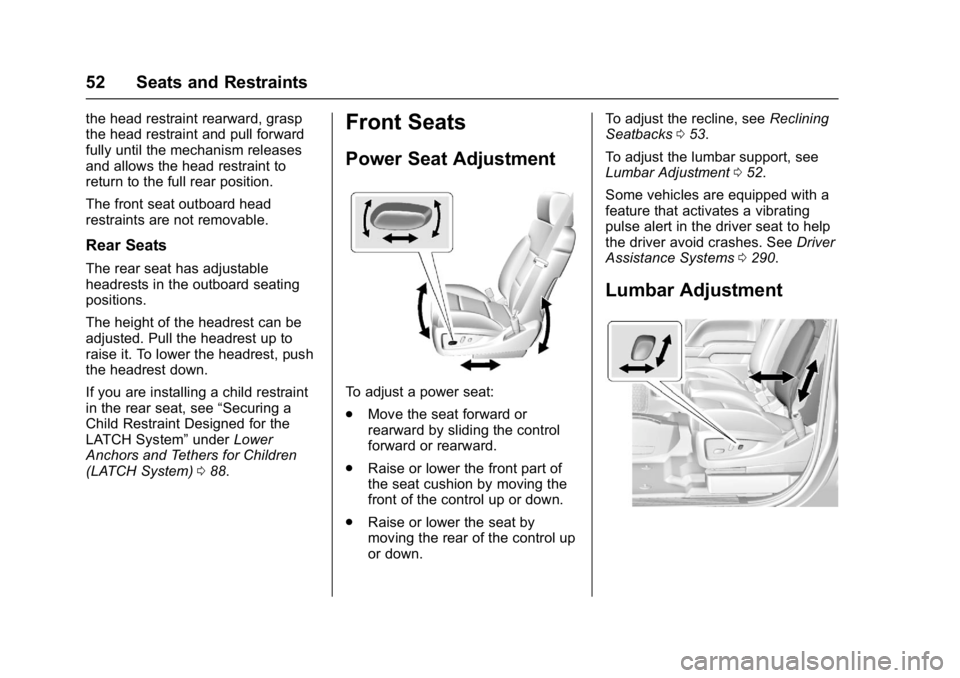
Power Seat Adjustment
To adjust a power seat:
.
Move the seat forward or
rearward by sliding the control
forward or rearward.
. Raise or lower the front part of
the seat cushion by moving the
front of the control up or down.
. Raise or lower the seat by
moving the rear of the control up
or down. To adjust the recline, see
Reclining
Seatbacks 053.
To adjust the lumbar support, see
Lumbar Adjustment 052.
Some vehicles are equipped with a
feature that activates a vibrating
pulse alert in the driver seat to help
the driver avoid crashes. See Driver
Assistance Systems 0290.
Lumbar Adjustment
Page 54 of 494
GMC Sierra/Sierra Denali Owner Manual (GMNA-Localizing-U.S./Canada/
Mexico-9955992) - 2017 - crc - 5/3/16
Seats and Restraints 53
To adjust the power lumbar support:
.Press and hold the control
forward to increase or rearward
to decrease upper and lower
lumbar support at the same time.
. Press and hold the control up to
increase upper lumbar support
and decrease lower lumbar
support.
Press and hold the control down
to increase lower lumbar support
and decrease upper lumbar
support.
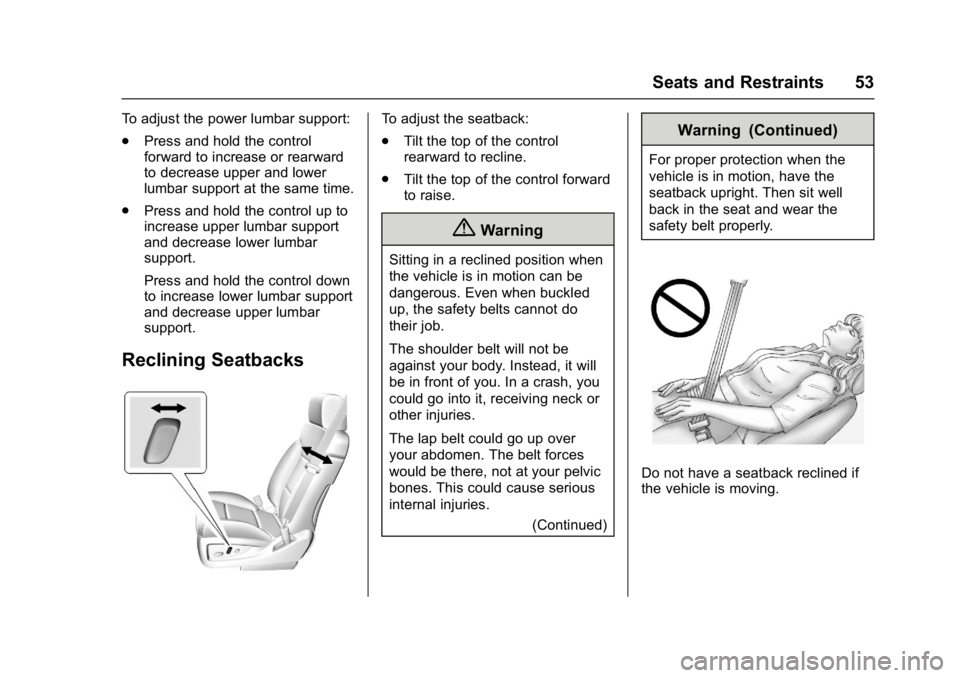
Reclining Seatbacks
To adjust the seatback:
.Tilt the top of the control
rearward to recline.
. Tilt the top of the control forward
to raise.
{Warning
Sitting in a reclined position when
the vehicle is in motion can be
dangerous. Even when buckled
up, the safety belts cannot do
their job.
The shoulder belt will not be
against your body. Instead, it will
be in front of you. In a crash, you
could go into it, receiving neck or
other injuries.
The lap belt could go up over
your abdomen. The belt forces
would be there, not at your pelvic
bones. This could cause serious
internal injuries.
(Continued)
Warning (Continued)
For proper protection when the
vehicle is in motion, have the
seatback upright. Then sit well
back in the seat and wear the
safety belt properly.
Do not have a seatback reclined if
the vehicle is moving.