2017 GMC SIERRA 1500 power steering
[x] Cancel search: power steeringPage 261 of 494

GMC Sierra/Sierra Denali Owner Manual (GMNA-Localizing-U.S./Canada/
Mexico-9955992) - 2017 - crc - 5/3/16
260 Driving and Operating
Caution
Using a tool to force the key to
turn in the ignition could cause
damage to the switch or break the
key. Use the correct key, make
sure it is all the way in, and turn it
only with your hand. If the key
cannot be turned by hand, see
your dealer.
1 (ACC/ACCESSORY) : This
position lets things like the radio
and the windshield wipers operate
while the engine is off. It also
unlocks the steering wheel. Use this
position if the vehicle must be
pushed or towed.
2 (ON/RUN) : This position can be
used to operate the electrical
accessories and to display some
instrument cluster warning and
indicator lights. This position can
also be used for service and
diagnostics, and to verify the proper
operation of the malfunction
indicator lamp as may be required
for emission inspection purposes.
The switch stays in this position when the engine is running. The
transmission is also unlocked in this
position on automatic transmission
vehicles.
If the key is left in the ACC/
ACCESSORY or ON/RUN position
with the engine off, the battery could
be drained. The vehicle may not
start if the battery is allowed to drain
for an extended period of time.
3 (START) :
This is the position that
starts the engine. When the engine
starts, release the key. The ignition
switch returns to ON/RUN for
driving.
A warning tone will sound when the
driver door is opened and the
ignition is in ACC/ACCESSORY or
LOCK/OFF, and the key is in the
ignition.
Starting the Engine
If the vehicle has a diesel engine,
see the Duramax diesel
supplement.
For an eAssist vehicle, see the
Silverado/Sierra eAssist
supplement.
Caution
If you add electrical parts or
accessories, you could change
the way the engine operates. Any
resulting damage would not be
covered by the vehicle warranty.
See Add-On Electrical
Equipment 0334.
Caution
If the steering wheel is turned
until it reaches the end of its
travel, and is held in that position
while starting the vehicle, damage
may occur to the power steering
system and there may be loss of
power steering assist.
Move the shift lever to P (Park) or
N (Neutral). To restart the engine
when the vehicle is already moving,
use N (Neutral) only.
Page 275 of 494
GMC Sierra/Sierra Denali Owner Manual (GMNA-Localizing-U.S./Canada/
Mexico-9955992) - 2017 - crc - 5/3/16
274 Driving and Operating
Drive Systems
Four-Wheel Drive
If equipped, four-wheel drive
engages the front axle for extra
traction. Read the appropriate
section for transfer case operation
before using.
Caution
Do not drive on clean, dry
pavement in 4
mand 4n(if
equipped) for an extended period
of time. These conditions may
cause premature wear on the
vehicle’s powertrain.
Driving on clean, dry pavement in
4HI or 4LO may:
. Cause a vibration to be felt in
the steering system.
. Cause tires to wear faster.
. Make the transfer case harder to
shift, and cause it to run noisier.
{Warning
Shifting the transfer case to
N (Neutral) can cause the vehicle
to roll even if the transmission is
in P (Park). You or someone else
could be seriously injured. Be
sure to set the parking brake
before placing the transfer case in
N (Neutral). See Parking
Brake 0282.
Caution
Extended high-speed operation in
4
nmay damage or shorten the
life of the drivetrain.
Engagement noise and bump when
shifting between 4
nand 4mor from
N (Neutral), with the engine running,
is normal.
Shifting into 4
nwill turn Traction
Control and StabiliTrak®off. See
Traction Control/Electronic Stability
Control 0284.
Manual Transfer Case
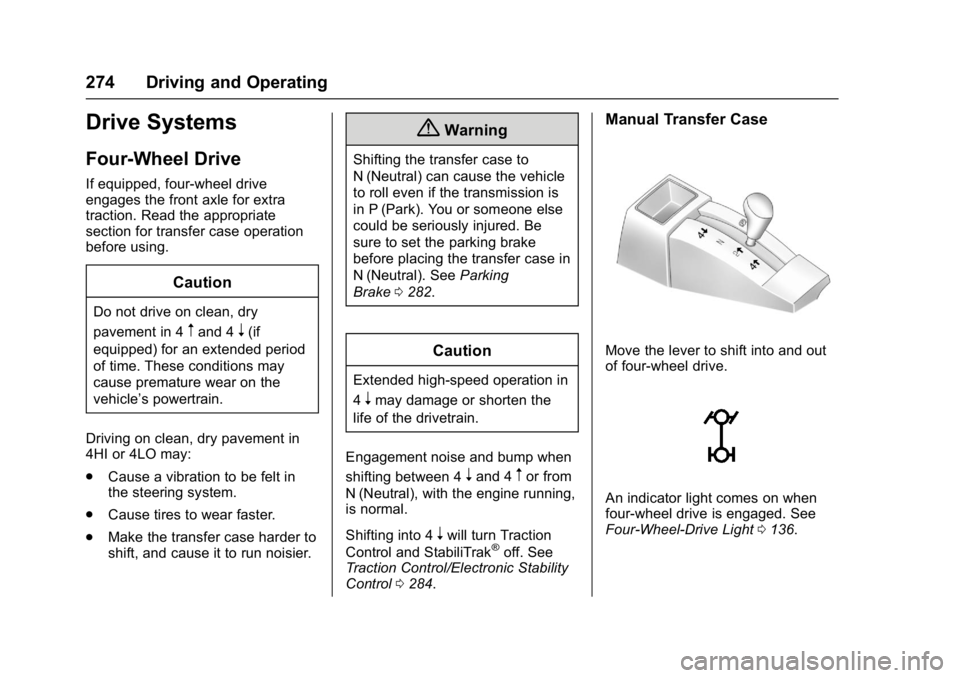
Move the lever to shift into and out
of four-wheel drive.
An indicator light comes on when
four-wheel drive is engaged. See
Four-Wheel-Drive Light 0136.
Page 331 of 494
GMC Sierra/Sierra Denali Owner Manual (GMNA-Localizing-U.S./Canada/
Mexico-9955992) - 2017 - crc - 5/3/16
330 Driving and Operating
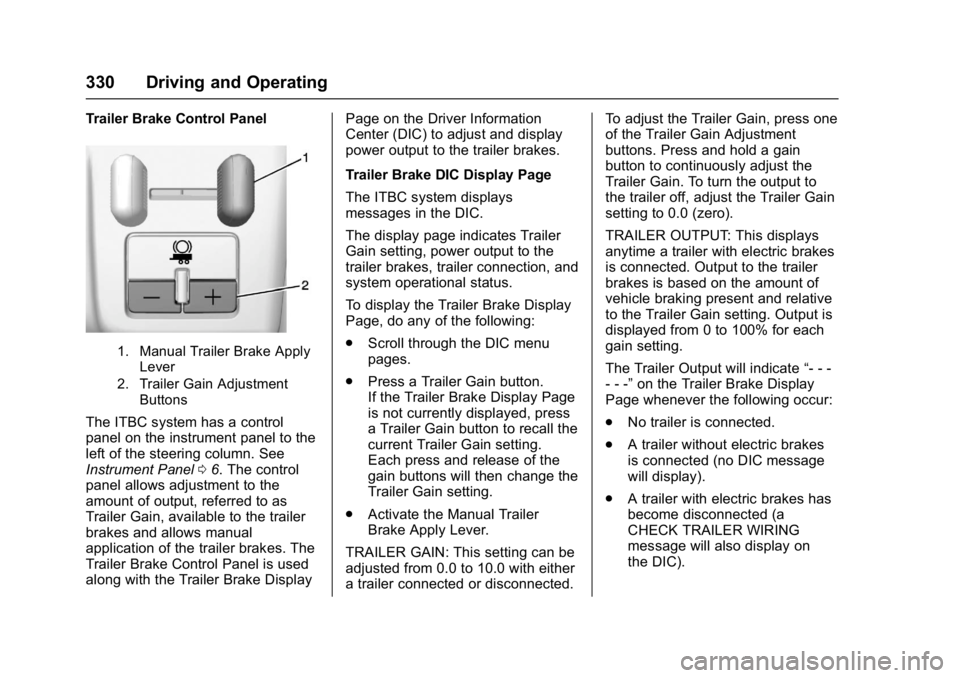
Trailer Brake Control Panel
1. Manual Trailer Brake ApplyLever
2. Trailer Gain Adjustment Buttons
The ITBC system has a control
panel on the instrument panel to the
left of the steering column. See
Instrument Panel 06. The control
panel allows adjustment to the
amount of output, referred to as
Trailer Gain, available to the trailer
brakes and allows manual
application of the trailer brakes. The
Trailer Brake Control Panel is used
along with the Trailer Brake Display Page on the Driver Information
Center (DIC) to adjust and display
power output to the trailer brakes.
Trailer Brake DIC Display Page
The ITBC system displays
messages in the DIC.
The display page indicates Trailer
Gain setting, power output to the
trailer brakes, trailer connection, and
system operational status.
To display the Trailer Brake Display
Page, do any of the following:
.
Scroll through the DIC menu
pages.
. Press a Trailer Gain button.
If the Trailer Brake Display Page
is not currently displayed, press
a Trailer Gain button to recall the
current Trailer Gain setting.
Each press and release of the
gain buttons will then change the
Trailer Gain setting.
. Activate the Manual Trailer
Brake Apply Lever.
TRAILER GAIN: This setting can be
adjusted from 0.0 to 10.0 with either
a trailer connected or disconnected. To adjust the Trailer Gain, press one
of the Trailer Gain Adjustment
buttons. Press and hold a gain
button to continuously adjust the
Trailer Gain. To turn the output to
the trailer off, adjust the Trailer Gain
setting to 0.0 (zero).
TRAILER OUTPUT: This displays
anytime a trailer with electric brakes
is connected. Output to the trailer
brakes is based on the amount of
vehicle braking present and relative
to the Trailer Gain setting. Output is
displayed from 0 to 100% for each
gain setting.
The Trailer Output will indicate
“- - -
- - -” on the Trailer Brake Display
Page whenever the following occur:
. No trailer is connected.
. A trailer without electric brakes
is connected (no DIC message
will display).
. A trailer with electric brakes has
become disconnected (a
CHECK TRAILER WIRING
message will also display on
the DIC).
Page 340 of 494
GMC Sierra/Sierra Denali Owner Manual (GMNA-Localizing-U.S./Canada/
Mexico-9955992) - 2017 - crc - 5/3/16
Vehicle Care 339
Vehicle Care
General Information
General Information . . . . . . . . . . 340
California Proposition65 Warning . . . . . . . . . . . . . . . . . 340
California Perchlorate Materials Requirements . . . . . 341
Accessories and Modifications . . . . . . . . . . . . . . . . 341
Vehicle Checks
Doing Your OwnService Work . . . . . . . . . . . . . . . 342
Hood . . . . . . . . . . . . . . . . . . . . . . . . . 342
Engine Compartment Overview . . . . . . . . . . . . . . . . . . . . 343
Engine Oil . . . . . . . . . . . . . . . . . . . . 348
Engine Oil Life System . . . . . . . 351
Automatic Transmission Fluid (6 Speed Transmission) . . . . . 352
Automatic Transmission Fluid (8 Speed Transmission) . . . . . 354
Engine Air Cleaner/Filter . . . . . . 355
Cooling System . . . . . . . . . . . . . . 356
Engine Coolant . . . . . . . . . . . . . . . 357
Engine Overheating . . . . . . . . . . 360
Overheated Engine Protection Operating Mode . . . . . . . . . . . . . 362
Engine Fan . . . . . . . . . . . . . . . . . . . 362 Power Steering Fluid (1500
Series) . . . . . . . . . . . . . . . . . . . . . . 363
Power Steering Fluid (2500/ 3500 Series) . . . . . . . . . . . . . . . . 363
Washer Fluid . . . . . . . . . . . . . . . . . 363
Brakes . . . . . . . . . . . . . . . . . . . . . . . 364
Brake Fluid . . . . . . . . . . . . . . . . . . . 365
Battery - North America . . . . . . 366
Four-Wheel Drive . . . . . . . . . . . . . 367
Front Axle . . . . . . . . . . . . . . . . . . . . 368
Rear Axle . . . . . . . . . . . . . . . . . . . . 368
Noise Control System . . . . . . . . 370
Starter Switch Check . . . . . . . . . 371
Automatic Transmission Shift
Lock Control Function
Check . . . . . . . . . . . . . . . . . . . . . . . 371
Ignition Transmission Lock Check . . . . . . . . . . . . . . . . . . . . . . . 371
Park Brake and P (Park) Mechanism Check . . . . . . . . . . 371
Wiper Blade Replacement . . . . 372
Glass Replacement . . . . . . . . . . 372
Headlamp Aiming
Headlamp Aiming . . . . . . . . . . . . 373
Bulb Replacement
Bulb Replacement . . . . . . . . . . . . 373
Halogen Bulbs . . . . . . . . . . . . . . . . 373
High Intensity Discharge (HID) Lighting . . . . . . . . . . . . . . . . . . . . . 373 LED Lighting . . . . . . . . . . . . . . . . . 373
Taillamps, Turn Signal,
Stoplamps, and Back-Up
Lamps . . . . . . . . . . . . . . . . . . . . . . 374
Center High-Mounted
Stoplamp (CHMSL) and
Cargo Lamp . . . . . . . . . . . . . . . . . 375
Replacement Bulbs . . . . . . . . . . . 375
Electrical System
High Voltage Devices and Wiring . . . . . . . . . . . . . . . . . . . . . . . 376
Electrical System Overload . . . 376
Fuses . . . . . . . . . . . . . . . . . . . . . . . . 376
Engine Compartment Fuse Block . . . . . . . . . . . . . . . . . . . . . . . . 376
Instrument Panel Fuse Block
(Right) . . . . . . . . . . . . . . . . . . . . . . 379
Instrument Panel Fuse Block (Left) . . . . . . . . . . . . . . . . . 381
Wheels and Tires
Tires . . . . . . . . . . . . . . . . . . . . . . . . . . 383
All-Season Tires . . . . . . . . . . . . . . 384
Winter Tires . . . . . . . . . . . . . . . . . . 384
Low-Profile Tires . . . . . . . . . . . . . 385
All-Terrain Tires . . . . . . . . . . . . . . . 385
Tire Sidewall Labeling . . . . . . . . 385
Tire Designations . . . . . . . . . . . . . 388
Tire Terminology andDefinitions . . . . . . . . . . . . . . . . . . 389
Page 349 of 494
GMC Sierra/Sierra Denali Owner Manual (GMNA-Localizing-U.S./Canada/
Mexico-9955992) - 2017 - crc - 5/3/16
348 Vehicle Care
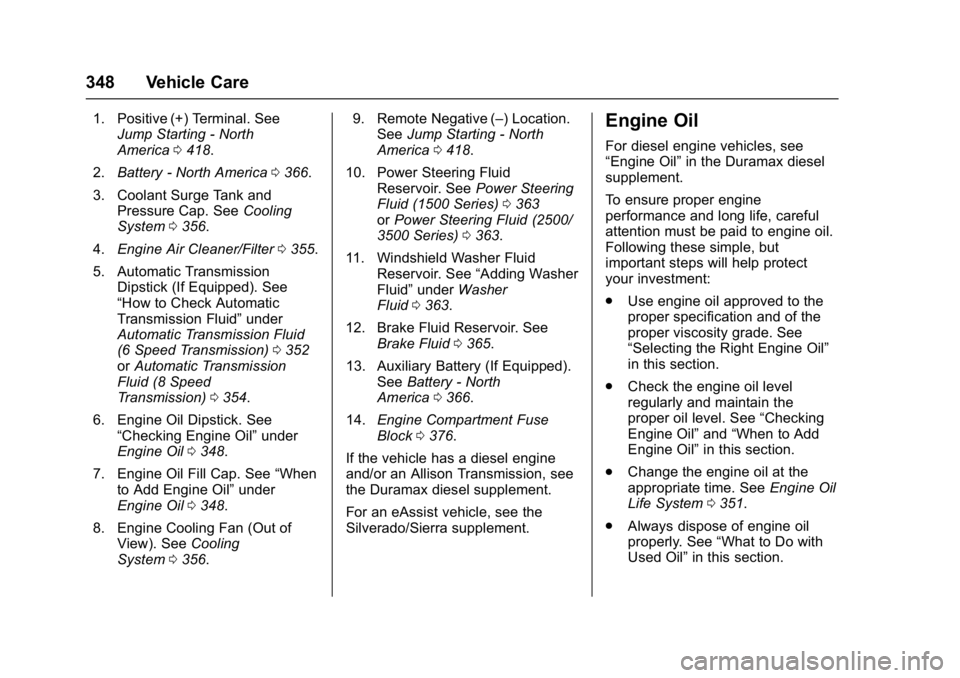
1. Positive (+) Terminal. SeeJump Starting - North
America 0418.
2. Battery - North America 0366.
3. Coolant Surge Tank and Pressure Cap. See Cooling
System 0356.
4. Engine Air Cleaner/Filter 0355.
5. Automatic Transmission Dipstick (If Equipped). See
“How to Check Automatic
Transmission Fluid” under
Automatic Transmission Fluid
(6 Speed Transmission) 0352
or Automatic Transmission
Fluid (8 Speed
Transmission) 0354.
6. Engine Oil Dipstick. See “Checking Engine Oil” under
Engine Oil 0348.
7. Engine Oil Fill Cap. See “When
to Add Engine Oil” under
Engine Oil 0348.
8. Engine Cooling Fan (Out of View). See Cooling
System 0356. 9. Remote Negative (–) Location.
See Jump Starting - North
America 0418.
10. Power Steering Fluid Reservoir. See Power Steering
Fluid (1500 Series) 0363
or Power Steering Fluid (2500/
3500 Series) 0363.
11. Windshield Washer Fluid Reservoir. See “Adding Washer
Fluid” under Washer
Fluid 0363.
12. Brake Fluid Reservoir. See Brake Fluid 0365.
13. Auxiliary Battery (If Equipped). SeeBattery - North
America 0366.
14. Engine Compartment Fuse
Block 0376.
If the vehicle has a diesel engine
and/or an Allison Transmission, see
the Duramax diesel supplement.
For an eAssist vehicle, see the
Silverado/Sierra supplement.Engine Oil
For diesel engine vehicles, see
“Engine Oil” in the Duramax diesel
supplement.
To ensure proper engine
performance and long life, careful
attention must be paid to engine oil.
Following these simple, but
important steps will help protect
your investment:
. Use engine oil approved to the
proper specification and of the
proper viscosity grade. See
“Selecting the Right Engine Oil”
in this section.
. Check the engine oil level
regularly and maintain the
proper oil level. See “Checking
Engine Oil” and“When to Add
Engine Oil” in this section.
. Change the engine oil at the
appropriate time. See Engine Oil
Life System 0351.
. Always dispose of engine oil
properly. See “What to Do with
Used Oil” in this section.
Page 364 of 494
GMC Sierra/Sierra Denali Owner Manual (GMNA-Localizing-U.S./Canada/
Mexico-9955992) - 2017 - crc - 5/3/16
Vehicle Care 363
Power Steering Fluid
(1500 Series)
The vehicle has electric power
steering and does not use power
steering fluid.
Power Steering Fluid
(2500/3500 Series)
SeeEngine Compartment Overview
0 343 for reservoir location.
When to Check Power Steering
Fluid
It is not necessary to regularly
check power steering fluid unless
there is a leak suspected in the
system or an unusual noise is
heard. A fluid loss in this system
could indicate a problem. Have the
system inspected and repaired. Wait for the power steering system
to cool, with the engine off, before
checking the fluid.
How to Check Power Steering
Fluid
To check the power steering fluid:
1. Turn the key off and let the engine compartment
cool down.
2. Wipe the cap and the top of the reservoir clean.
3. Unscrew the cap and wipe the dipstick with a clean rag.
4. Replace the cap and completely tighten it.
5. Remove the cap again and look at the fluid level on the
dipstick.
The level should be between the
ADD and FULL marks. If necessary,
add only enough fluid to bring the
level up to the hashed area between
the ADD and FULL marks.
What to Use
To determine what kind of fluid to
use, see Recommended Fluids and
Lubricants 0447. Always use the
proper fluid.
Caution
Use of the incorrect fluid may
damage the vehicle and the
damages may not be covered by
the vehicle warranty. Always use
the correct fluid listed in
Recommended Fluids and
Lubricants 0447.
Washer Fluid
What to Use
When windshield washer fluid needs
to be added, be sure to read the
manufacturer's instructions before
use. Use a fluid that has sufficient
protection against freezing in an
area where the temperature may fall
below freezing.
Page 381 of 494
GMC Sierra/Sierra Denali Owner Manual (GMNA-Localizing-U.S./Canada/
Mexico-9955992) - 2017 - crc - 5/3/16
380 Vehicle Care
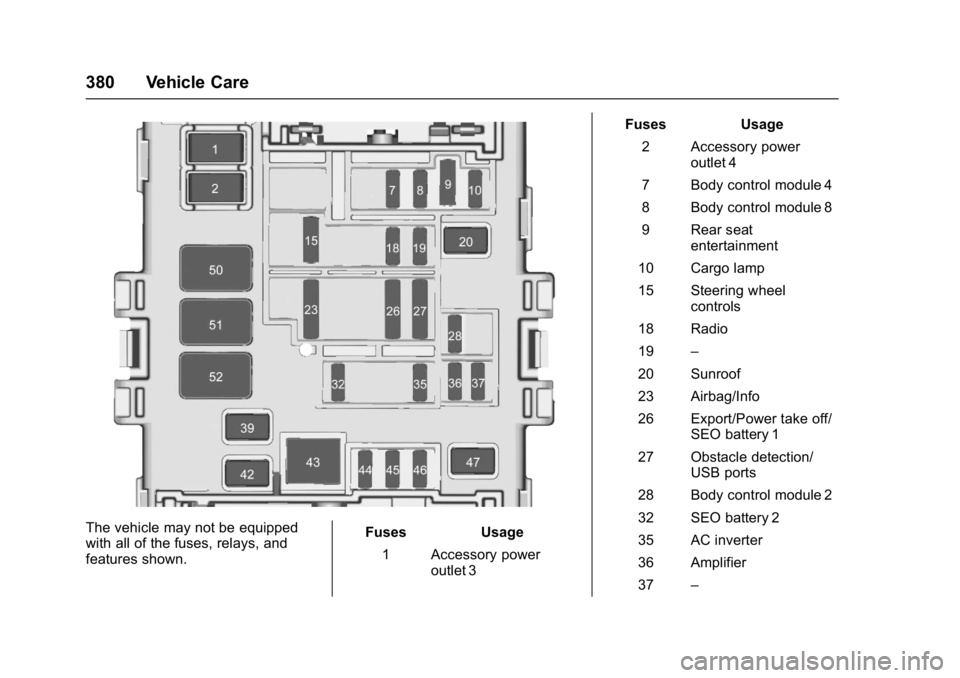
The vehicle may not be equipped
with all of the fuses, relays, and
features shown.Fuses Usage
1 Accessory power outlet 3 Fuses Usage
2 Accessory power outlet 4
7 Body control module 4
8 Body control module 8
9 Rear seat entertainment
10 Cargo lamp
15 Steering wheel controls
18 Radio
19 –
20 Sunroof
23 Airbag/Info
26 Export/Power take off/ SEO battery 1
27 Obstacle detection/ USB ports
28 Body control module 2
32 SEO battery 2
35 AC inverter
36 Amplifier
37 –
Page 384 of 494
GMC Sierra/Sierra Denali Owner Manual (GMNA-Localizing-U.S./Canada/
Mexico-9955992) - 2017 - crc - 5/3/16
Vehicle Care 383
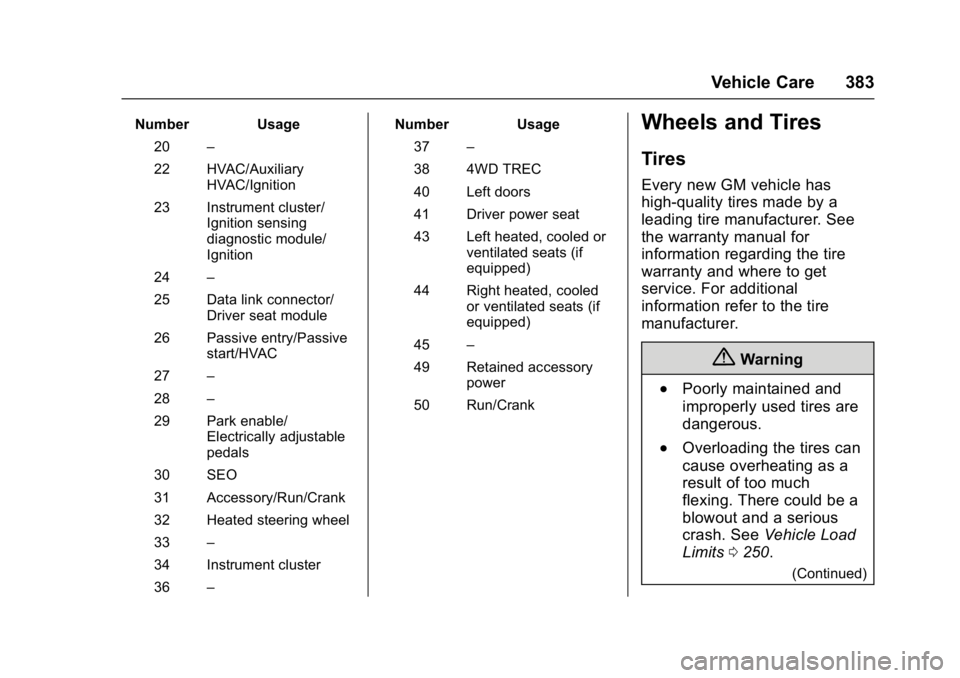
Number Usage20 –
22 HVAC/Auxiliary HVAC/Ignition
23 Instrument cluster/ Ignition sensing
diagnostic module/
Ignition
24 –
25 Data link connector/ Driver seat module
26 Passive entry/Passive start/HVAC
27 –
28 –
29 Park enable/ Electrically adjustable
pedals
30 SEO
31 Accessory/Run/Crank
32 Heated steering wheel
33 –
34 Instrument cluster
36 – Number Usage
37 –
38 4WD TREC
40 Left doors
41 Driver power seat
43 Left heated, cooled or ventilated seats (if
equipped)
44 Right heated, cooled or ventilated seats (if
equipped)
45 –
49 Retained accessory power
50 Run/CrankWheels and Tires
Tires
Every new GM vehicle has
high-quality tires made by a
leading tire manufacturer. See
the warranty manual for
information regarding the tire
warranty and where to get
service. For additional
information refer to the tire
manufacturer.
{Warning
.Poorly maintained and
improperly used tires are
dangerous.
.Overloading the tires can
cause overheating as a
result of too much
flexing. There could be a
blowout and a serious
crash. See Vehicle Load
Limits 0250.
(Continued)