2017 GMC ACADIA LIMITED ECU
[x] Cancel search: ECUPage 223 of 339

GMC Acadia Limited Owner Manual (GMNA-Localizing-U.S.-10283134) -
2017 - crc - 3/30/16
222 Vehicle Care
7. Start the engine and let it rununtil the upper radiator hose
feels warm. Any time during
this procedure, watch out for
the engine cooling fans.
8. If the coolant level inside the radiator filler neck is low, add
more of the proper DEX-COOL
coolant mixture through the
filler neck until the level is back
up to the base of the filler neck.
9. Replace the pressure cap tightly. At any time during this
procedure if coolant begins to
flow out of the filler neck,
reinstall the pressure cap.
Caution
If the pressure cap is not tightly
installed, coolant loss and
possible engine damage may
occur. Be sure the cap is properly
and tightly secured.
Engine Overheating
The vehicle has several indicators
to warn of engine overheating.
There is an engine coolant
temperature gauge on the
instrument panel cluster. See
Engine Coolant Temperature
Gauge 0106.
The vehicle may also display an
ENGINE OVERHEATED IDLE
ENGINE and ENGINE
OVERHEATED STOP ENGINE
message in the Driver Information
Center (DIC). See Engine Cooling
System Messages 0125.
You may decide not to lift the hood
when this warning appears, but
instead get service help right away.
See Roadside Assistance
Program 0308.
If you do decide to lift the hood,
make sure the vehicle is parked on
a level surface.
Then check to see if the engine
cooling fans are running. If the
engine is overheating, both fans should be running. If they are not,
do not continue to run the engine
and have the vehicle serviced.
Caution
Running the engine without
coolant may cause damage or a
fire. Vehicle damage would not be
covered by the vehicle warranty.
See
Overheated Engine
Protection Operating Mode 0223
for information on driving to a
safe place in an emergency.
If Steam Is Coming from the
Engine Compartment
{Warning
Steam from an overheated engine
can burn you badly, even if you
just open the hood. Stay away
from the engine if you see or hear
steam coming from it. Turn it off
and get everyone away from the
vehicle until it cools down. Wait
(Continued)
Page 231 of 339
GMC Acadia Limited Owner Manual (GMNA-Localizing-U.S.-10283134) -
2017 - crc - 3/30/16
230 Vehicle Care
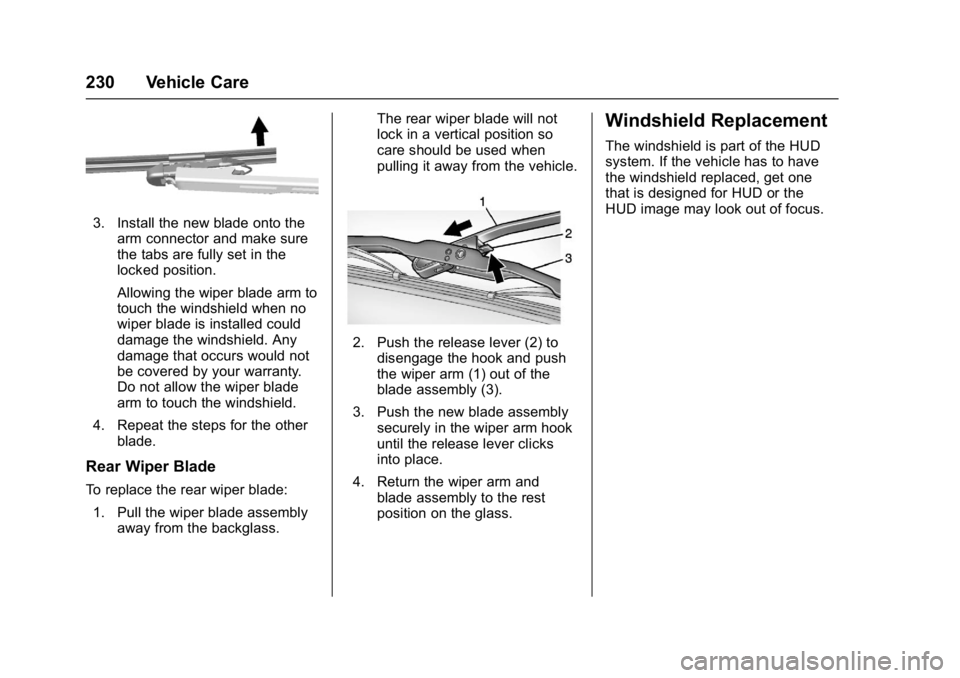
3. Install the new blade onto thearm connector and make sure
the tabs are fully set in the
locked position.
Allowing the wiper blade arm to
touch the windshield when no
wiper blade is installed could
damage the windshield. Any
damage that occurs would not
be covered by your warranty.
Do not allow the wiper blade
arm to touch the windshield.
4. Repeat the steps for the other blade.
Rear Wiper Blade
To replace the rear wiper blade:
1. Pull the wiper blade assembly away from the backglass. The rear wiper blade will not
lock in a vertical position so
care should be used when
pulling it away from the vehicle.
2. Push the release lever (2) to
disengage the hook and push
the wiper arm (1) out of the
blade assembly (3).
3. Push the new blade assembly securely in the wiper arm hook
until the release lever clicks
into place.
4. Return the wiper arm and blade assembly to the rest
position on the glass.
Windshield Replacement
The windshield is part of the HUD
system. If the vehicle has to have
the windshield replaced, get one
that is designed for HUD or the
HUD image may look out of focus.
Page 265 of 339

GMC Acadia Limited Owner Manual (GMNA-Localizing-U.S.-10283134) -
2017 - crc - 3/30/16
264 Vehicle Care
4. Turn the wrench (2)counterclockwise to lower the
spare tire (5) to the ground.
Continue turning the wrench
until the spare tire can be
pulled out from under the
vehicle.
5. Tilt the retainer and slip it
through the wheel opening to
remove the spare tire from the
cable.
6. Turn the wrench clockwise to raise the cable back up after
removing the spare tire.
Do not store a full-size or a flat
road tire under the vehicle. See
“Storing the Spare Tire” and
“Storing the Flat Tire” later in
this section.
Removing the Flat Tire and
Installing the Spare Tire
1. Do a safety check before
proceeding. See If a Tire Goes
Flat 0261 for more information.
2. If the vehicle has a wheel cover, loosen the plastic nut
caps with the wheel wrench.
They will not come off. Then,
using the flat end of the wheel
wrench, pry along the edge of
the cover until it comes off. Be
careful; the edges may be
sharp. Do not try to remove the
cover with your bare hands.
Store the wheel cover securely
in the rear of the vehicle until
you have the flat tire repaired
or replaced.
If the vehicle has aluminum
wheels, remove the wheel nut
caps using the wheel wrench.
3. Loosen the wheel nuts —but
do not remove them —using
the wrench. For wheels with a
wheel lock key, use the wheel
lock key between the lock nut
and wrench. The key is
supplied in the front passenger
door pocket.
Caution
If this vehicle has wheel locks and
an impact wrench is used to
remove the wheel nuts, the lock
nut or wheel lock key could be
(Continued)
Page 269 of 339

GMC Acadia Limited Owner Manual (GMNA-Localizing-U.S.-10283134) -
2017 - crc - 3/30/16
268 Vehicle Care
{Warning
Storing a jack, a tire, or other
equipment in the passenger
compartment of the vehicle could
cause injury. In a sudden stop or
collision, loose equipment could
strike someone. Store all these in
the proper place.
To store the spare tire: 1. Lay the compact spare tire near the rear of the vehicle with
the valve stem down.
2. Reinstall the plastic spare tire heat shield on the compact
spare tire.
3. Slide the cable retainer through the center of the wheel and
start to raise the compact
spare tire.
Make sure the retainer is fully
seated across the underside of
the wheel. 4. When the compact spare tire is
almost in the stored position,
turn the tire so the valve is
toward the rear of the vehicle.
This position helps when
checking the air pressure in the
compact spare tire.
5. Raise the tire fully against the underside of the vehicle.
Continue turning the wrench
until you feel more than two
clicks. This indicates that the
compact spare tire is secure
and the cable is tight. The
spare tire hoist cannot be
overtightened.
6. Make sure the tire is storedsecurely. Push, pull, and then
try to turn the tire. If the tire
moves, use the wrench to
tighten the cable.
Storing the Flat Tire
1. Cable
2. Liftgate Hinges
3. Spare Tire Heat Shield
4. Center of the Wheel
5. Door Striker
1. Remove the cable package
from the jack storage area.
Page 270 of 339

GMC Acadia Limited Owner Manual (GMNA-Localizing-U.S.-10283134) -
2017 - crc - 3/30/16
Vehicle Care 269
2. Remove the small center capby tapping the back of the cap
with the extension of the shaft,
if the vehicle has aluminum
wheels.
3. Put the flat tire in the rear storage area with the valve
stem pointing toward the rear
of the vehicle.
4. Pull the cable (1) through the door striker (5), the center of
the wheel (4), and the plastic
spare tire heat shield (3), as
shown.5. Hook the cable onto theoutside portion of the liftgate
hinges (2).
6. Hook the other end of the cable onto the outside portion of the
liftgate hinge on the other side
of the vehicle.
7. Pull on the cable to make sure it is secure.
8. Make sure the metal tube is
centered at the striker. Push
the tube toward the front of the
vehicle.
9. Close the liftgate and make sure it is latched properly.
Storing the Tools
1. Tool Bag
2. Wing Bolt
3. Jack
Put back all tools as they were
stored in the jack storage
compartment and put the
compartment cover back on.
1. Ensure that the bottom of the jack is facing toward you.
2. Replace the tool bag (1).
3. Turn the jack (3) on its side and place down on the holding
bracket.
Page 275 of 339

GMC Acadia Limited Owner Manual (GMNA-Localizing-U.S.-10283134) -
2017 - crc - 3/30/16
274 Vehicle Care
9. Connect the other end of thenegative (−) cable to the
remote negative (−) terminal of
the dead battery.
Your vehicle has a remote
negative (−) terminal for this
purpose.
10. Now start the vehicle with the good battery and run the
engine for a while.
11. Try to start the vehicle that had the dead battery. If it will not
start after a few tries, it
probably needs service.
Caution
If the jumper cables are
connected or removed in the
wrong order, electrical shorting
may occur and damage the
vehicle. The repairs would not be
covered by the vehicle warranty.
Always connect and remove the
jumper cables in the correct order,
making sure that the cables do
not touch each other or other
metal.
Jumper Cable Removal
Reverse the sequence exactly when
removing the jumper cables.
After starting the disabled vehicle
and removing the jumper cables,
allow it to idle for several minutes.
Towing the Vehicle
Caution
Incorrectly towing a disabled
vehicle may cause damage. The
damage would not be covered by
the vehicle warranty.
Do not lash or hook to
suspension components. Use the
proper straps around the tires to
secure the vehicle.
Use only a flatbed tow truck for
towing a disabled vehicle. Never
use a sling type lift or damage will
occur. Use ramps to help reduce
approach angles if necessary.
A towed vehicle should have its
drive wheels off the ground.
Consult a professional towing
service if the disabled vehicle must
be towed.
Page 277 of 339
GMC Acadia Limited Owner Manual (GMNA-Localizing-U.S.-10283134) -
2017 - crc - 3/30/16
276 Vehicle Care
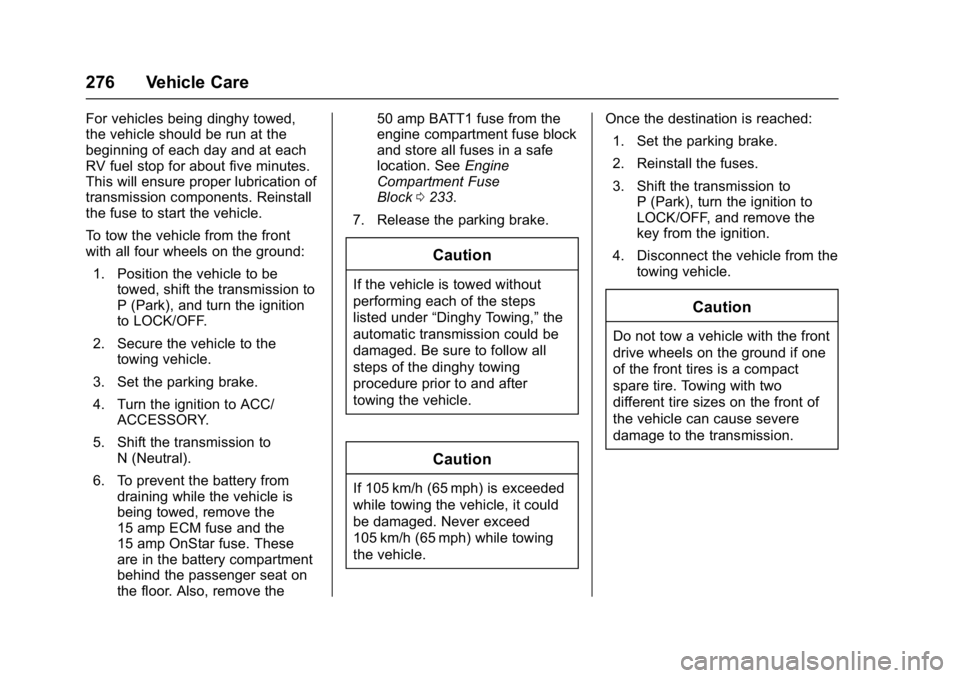
For vehicles being dinghy towed,
the vehicle should be run at the
beginning of each day and at each
RV fuel stop for about five minutes.
This will ensure proper lubrication of
transmission components. Reinstall
the fuse to start the vehicle.
To tow the vehicle from the front
with all four wheels on the ground:1. Position the vehicle to be towed, shift the transmission to
P (Park), and turn the ignition
to LOCK/OFF.
2. Secure the vehicle to the towing vehicle.
3. Set the parking brake.
4. Turn the ignition to ACC/ ACCESSORY.
5. Shift the transmission to N (Neutral).
6. To prevent the battery from draining while the vehicle is
being towed, remove the
15 amp ECM fuse and the
15 amp OnStar fuse. These
are in the battery compartment
behind the passenger seat on
the floor. Also, remove the 50 amp BATT1 fuse from the
engine compartment fuse block
and store all fuses in a safe
location. See
Engine
Compartment Fuse
Block 0233.
7. Release the parking brake.
Caution
If the vehicle is towed without
performing each of the steps
listed under “Dinghy Towing,” the
automatic transmission could be
damaged. Be sure to follow all
steps of the dinghy towing
procedure prior to and after
towing the vehicle.
Caution
If 105 km/h (65 mph) is exceeded
while towing the vehicle, it could
be damaged. Never exceed
105 km/h (65 mph) while towing
the vehicle. Once the destination is reached:
1. Set the parking brake.
2. Reinstall the fuses.
3. Shift the transmission to P (Park), turn the ignition to
LOCK/OFF, and remove the
key from the ignition.
4. Disconnect the vehicle from the towing vehicle.
Caution
Do not tow a vehicle with the front
drive wheels on the ground if one
of the front tires is a compact
spare tire. Towing with two
different tire sizes on the front of
the vehicle can cause severe
damage to the transmission.
Page 278 of 339
GMC Acadia Limited Owner Manual (GMNA-Localizing-U.S.-10283134) -
2017 - crc - 3/30/16
Vehicle Care 277
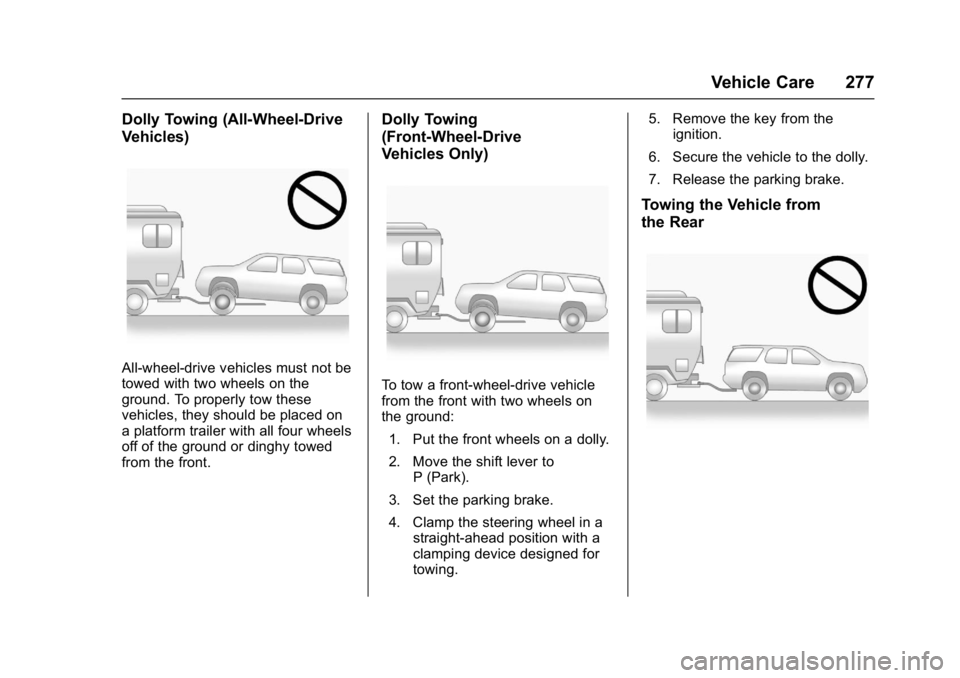
Dolly Towing (All-Wheel-Drive
Vehicles)
All-wheel-drive vehicles must not be
towed with two wheels on the
ground. To properly tow these
vehicles, they should be placed on
a platform trailer with all four wheels
off of the ground or dinghy towed
from the front.
Dolly Towing
(Front-Wheel-Drive
Vehicles Only)
To tow a front-wheel-drive vehicle
from the front with two wheels on
the ground:1. Put the front wheels on a dolly.
2. Move the shift lever to P (Park).
3. Set the parking brake.
4. Clamp the steering wheel in a straight-ahead position with a
clamping device designed for
towing. 5. Remove the key from the
ignition.
6. Secure the vehicle to the dolly.
7. Release the parking brake.
Towing the Vehicle from
the Rear