2017 GMC ACADIA LIMITED change wheel
[x] Cancel search: change wheelPage 227 of 339
GMC Acadia Limited Owner Manual (GMNA-Localizing-U.S.-10283134) -
2017 - crc - 3/30/16
226 Vehicle Care
Caution
Continuing to drive with worn-out
brake pads could result in costly
brake repair.
Some driving conditions or climates
can cause a brake squeal when the
brakes are first applied or lightly
applied. This does not mean
something is wrong with the brakes.
Properly torqued wheel nuts are
necessary to help prevent brake
pulsation. When tires are rotated,
inspect brake pads for wear and
evenly tighten wheel nuts in the
proper sequence to torque
specifications. See Capacities and
Specifications 0302.
Brake pads should be replaced as
complete sets.
Brake Pedal Travel
See your dealer if the brake pedal
does not return to normal height,
or if there is a rapid increase in
pedal travel. This could be a sign
that brake service may be required.
Replacing Brake System Parts
Always replace brake system parts
with new, approved replacement
parts. If this is not done, the brakes
may not work properly. The braking
performance expected can change
in many other ways if the wrong
replacement brake parts are
installed or if parts are improperly
installed.
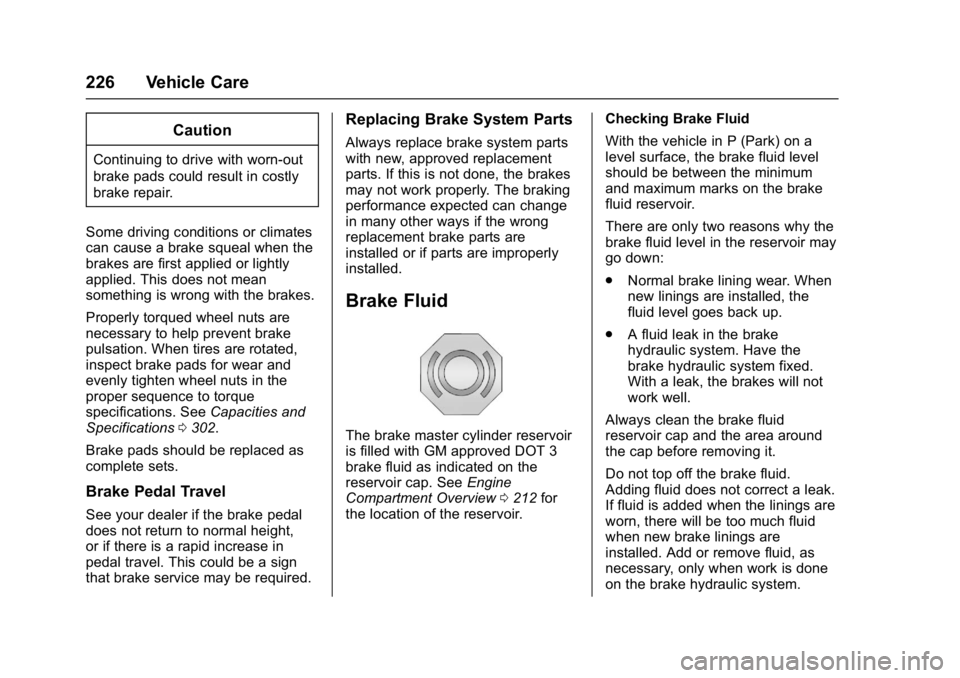
Brake Fluid
The brake master cylinder reservoir
is filled with GM approved DOT 3
brake fluid as indicated on the
reservoir cap. See Engine
Compartment Overview 0212 for
the location of the reservoir. Checking Brake Fluid
With the vehicle in P (Park) on a
level surface, the brake fluid level
should be between the minimum
and maximum marks on the brake
fluid reservoir.
There are only two reasons why the
brake fluid level in the reservoir may
go down:
.
Normal brake lining wear. When
new linings are installed, the
fluid level goes back up.
. A fluid leak in the brake
hydraulic system. Have the
brake hydraulic system fixed.
With a leak, the brakes will not
work well.
Always clean the brake fluid
reservoir cap and the area around
the cap before removing it.
Do not top off the brake fluid.
Adding fluid does not correct a leak.
If fluid is added when the linings are
worn, there will be too much fluid
when new brake linings are
installed. Add or remove fluid, as
necessary, only when work is done
on the brake hydraulic system.
Page 244 of 339

GMC Acadia Limited Owner Manual (GMNA-Localizing-U.S.-10283134) -
2017 - crc - 3/30/16
Vehicle Care 243
All-Season Tires
This vehicle may come with
all-season tires. These tires are
designed to provide good overall
performance on most road surfaces
and weather conditions. Original
equipment tires designed to GM's
specific tire performance criteria
have a TPC specification code
molded onto the sidewall. Original
equipment all-season tires can be
identified by the last two characters
of this TPC code, which will
be“MS.”
Consider installing winter tires on
the vehicle if frequent driving on
snow or ice-covered roads is
expected. All-season tires provide
adequate performance for most
winter driving conditions, but they
may not offer the same level of
traction or performance as winter
tires on snow or ice-covered roads.
See Winter Tires 0243.
Winter Tires
This vehicle was not originally
equipped with winter tires. Winter
tires are designed for increased
traction on snow and ice-covered
roads. Consider installing winter
tires on the vehicle if frequent
driving on ice or snow covered
roads is expected. See your dealer
for details regarding winter tire
availability and proper tire selection.
Also, see Buying New Tires 0256.
With winter tires, there may be
decreased dry road traction,
increased road noise, and shorter
tread life. After changing to winter
tires, be alert for changes in vehicle
handling and braking.
If using winter tires:
. Use tires of the same brand and
tread type on all four wheel
positions.
. Use only radial ply tires of the
same size, load range, and
speed rating as the original
equipment tires. Winter tires with the same speed
rating as the original equipment tires
may not be available for H, V, W, Y,
and ZR speed rated tires. If winter
tires with a lower speed rating are
chosen, never exceed the tire's
maximum speed capability.
Summer Tires
This vehicle may come with high
performance summer tires. These
tires have a special tread and
compound that are optimized for
maximum dry and wet road
performance. This special tread and
compound will have decreased
performance in cold climates, and
on ice and snow. It is recommended
that winter tires be installed on the
vehicle if frequent driving at
temperatures below approximately
5 °C (40 °F) or on ice or snow
covered roads is expected. See
Winter Tires
0243.
Page 256 of 339

GMC Acadia Limited Owner Manual (GMNA-Localizing-U.S.-10283134) -
2017 - crc - 3/30/16
Vehicle Care 255
Tire Rotation
Tires should be rotated every
12 000 km (7,500 mi). See
Maintenance Schedule0289.
Tires are rotated to achieve a
uniform wear for all tires. The
first rotation is the most
important.
Anytime unusual wear is
noticed, rotate the tires as soon
as possible, check for proper tire
inflation pressure, and check for
damaged tires or wheels. If the
unusual wear continues after the
rotation, check the wheel
alignment. See When It Is Time
for New Tires 0256 andWheel
Replacement 0260.
Use this rotation pattern when
rotating the tires.
If the vehicle has a compact
spare tire, do not include it in the
tire rotation.
Adjust the front and rear tires to
the recommended inflation
pressure on the Tire and
Loading Information label after
the tires have been rotated. See
Tire Pressure 0249 and Vehicle
Load Limits 0167.
Reset the Tire Pressure Monitor
System. See Tire Pressure
Monitor Operation 0251. Check that all wheel nuts are
properly tightened. See
“Wheel
Nut Torque” underCapacities
and Specifications 0302.
{Warning
Rust or dirt on a wheel, or on the
parts to which it is fastened, can
make wheel nuts become loose
after time. The wheel could come
off and cause an accident. When
changing a wheel, remove any
rust or dirt from places where the
wheel attaches to the vehicle. In
an emergency, a cloth or a paper
towel can be used; however, use
a scraper or wire brush later to
remove all rust or dirt.
Lightly coat the center of the
wheel hub with wheel bearing
grease after a wheel change or
tire rotation to prevent corrosion
or rust build-up. Do not get
grease on the flat wheel
mounting surface or on the
wheel nuts or bolts.
Page 263 of 339

GMC Acadia Limited Owner Manual (GMNA-Localizing-U.S.-10283134) -
2017 - crc - 3/30/16
262 Vehicle Care
Warning (Continued)
be badly injured or killed if the
vehicle slips off the jack. If a jack
is provided with the vehicle, only
use it for changing a flat tire.
If a tire goes flat, avoid further tire
and wheel damage by driving slowly
to a level place, well off the road,
if possible. Turn on the hazard
warning flashers. See Hazard
Warning Flashers 0144.
{Warning
Changing a tire can be
dangerous. The vehicle can slip
off the jack and roll over or fall
causing injury or death. Find a
level place to change the tire. To
help prevent the vehicle from
moving:
1. Set the parking brake firmly. (Continued)
Warning (Continued)
2. Put an automatictransmission in P (Park) or a
manual transmission in
1 (First) or R (Reverse).
3. Turn off the engine and do not restart while the vehicle
is raised.
4. Do not allow passengers to remain in the vehicle.
5. Place wheel blocks, if equipped, on both sides of
the tire at the opposite
corner of the tire being
changed.
When the vehicle has a flat tire (2),
use the following example as a
guide to assist in the placement of
the wheel blocks (1), if equipped.
1. Wheel Block (If Equipped)
2. Flat Tire
The following information explains
how to repair or change a tire.
Tire Changing
Removing Tools
The tools needed to remove the
spare tire are located in the storage
compartment on the driver side, at
the rear of the vehicle.
Page 309 of 339

GMC Acadia Limited Owner Manual (GMNA-Localizing-U.S.-10283134) -
2017 - crc - 3/30/16
308 Customer Information
GM Mobility
Reimbursement Program
This program is available to
qualified applicants for cost
reimbursement of eligible
aftermarket adaptive equipment
required for the vehicle, such as
hand controls or a wheelchair/
scooter lift for the vehicle.
For more information on the limited
offer, visit www.gmmobility.com or
call the GM Mobility Assistance
Center at 1-800-323-9935. Text
Telephone (TTY) users, call
1-800-833-9935.
General Motors of Canada also has
a Mobility Program. Visit www.gm.ca
or call 1-800-GM-DRIVE (463-7483)
for details. TTY users call
1-800-263-3830.
Roadside Assistance
Program
For U.S.-purchased vehicles, call
1-888-881-3302; (Text Telephone
(TTY): 1-888-889-2438).
For Canadian-purchased vehicles,
call 1-800-268-6800.
Service is available 24 hours a day,
365 days a year.
Calling for Assistance
When calling Roadside Assistance,
have the following information
ready:
.Your name, home address, and
home telephone number.
. Telephone number of your
location.
. Location of the vehicle
. Model, year, color, and license
plate number of the vehicle.
. Odometer reading, Vehicle
Identification Number (VIN), and
delivery date of the vehicle.
. Description of the problem.
Coverage
Services are provided for the
duration of the vehicle's powertrain
warranty.
In the U.S., anyone driving the
vehicle is covered. In Canada, a
person driving the vehicle without
permission from the owner is not
covered.
Roadside Assistance is not a part of
the New Vehicle Limited Warranty.
General Motors North America and
GMC reserve the right to make any
changes or discontinue the
Roadside Assistance program at
any time without notification.
General Motors North America and
GMC reserve the right to limit
services or payment to an owner or
driver if they decide the claims are
made too often, or the same type of
claim is made many times.
Services Provided
.Emergency Fuel Delivery:
Delivery of enough fuel for the
vehicle to get to the nearest
service station.
Page 337 of 339

GMC Acadia Limited Owner Manual (GMNA-Localizing-U.S.-10283134) -
2017 - crc - 3/30/16
336 Index
Safety Defects ReportingCanadian Government . . . . . . . . 315
General Motors . . . . . . . . . . . . . . . 315
U.S. Government . . . . . . . . . . . . . 315
Safety Locks . . . . . . . . . . . . . . . . . . . . . 30
Safety System Check . . . . . . . . . . . . 60
Scheduling Appointments . . . . . . . 310
Seats Head Restraints . . . . . . . . . . . . . . . . 44
Lumbar Adjustment, Front . . . . . . 45
Memory . . . . . . . . . . . . . . . . . . . . . . . . . 47
Power Adjustment, Front . . . . . . . 45
Rear . . . . . . . . . . . . . . . . . . . . . . . . . . . . 49
Reclining Seatbacks . . . . . . . . . . . . 46
Third Row Seat . . . . . . . . . . . . . . . . . 51
Securing Child Restraints . . . . 87, 89
Security
Light . . . . . . . . . . . . . . . . . . . . . . . . . . .115
Messages . . . . . . . . . . . . . . . . . . . . 129
OnStar
®. . . . . . . . . . . . . . . . . . . . . . 319
Vehicle . . . . . . . . . . . . . . . . . . . . . . . . . 34
Vehicle Alarm . . . . . . . . . . . . . . . . . . . 34
Service Accessories andModifications . . . . . . . . . . . . . . . . 209
Doing Your Own Work . . . . . . . . 210
Engine Soon Light . . . . . . . . . . . . 109
Maintenance Records . . . . . . . . 300 Service (cont'd)
Maintenance, General
Information . . . . . . . . . . . . . . . . . . 288
Parts Identification Label . . . . . 301
Publications Ordering
Information . . . . . . . . . . . . . . . . . . 313
Scheduling Appointments . . . . . 310
Vehicle Messages . . . . . . . . . . . . 130
Services
Special Application . . . . . . . . . . . 295
Servicing the Airbag . . . . . . . . . . . . . 72
Shift Lock Control Function Check, Automatic
Transmission . . . . . . . . . . . . . . . . . . 228
Shifting Into Park . . . . . . . . . . . . . . . . . . . . . . 176
Out of Park . . . . . . . . . . . . . . . . . . . 177
Side Blind Zone Alert (SBZA) . . . 193
Signals, Turn and
Lane-Change . . . . . . . . . . . . . . . . . 145
Spare Tire Compact . . . . . . . . . . . . . . . . . . . . . . 270
Special Application Services . . . . 295
Specifications and
Capacities . . . . . . . . . . . . . . . . . . . . . 302
Speedometer . . . . . . . . . . . . . . . . . . . 105
StabiliTrak Indicator Light . . . . . . . . . . . . . . . . .113 Start Assist, Hill . . . . . . . . . . . . . . . . . 184
Start Vehicle, Remote . . . . . . . . . . . 27
Starter Switch Check . . . . . . . . . . . 228
Starting the Engine . . . . . . . . . . . . . 173
Steering . . . . . . . . . . . . . . . . . . . . . . . . 162
Fluid, Power . . . . . . . . . . . . . . . . . . 224
Wheel Adjustment . . . . . . . . . . . . . . 98
Wheel Controls . . . . . . . . . . . . . . . . . 98
Storage Areas Armrest . . . . . . . . . . . . . . . . . . . . . . . . . 93
Cargo Cover . . . . . . . . . . . . . . . . . . . . 94
Cargo Management System . . . . 94
Center Console . . . . . . . . . . . . . . . . . 93
Convenience Net . . . . . . . . . . . . . . . 95
Glove Box . . . . . . . . . . . . . . . . . . . . . . 92
Instrument Panel . . . . . . . . . . . . . . . 92
Roof Rack System . . . . . . . . . . . . . . 95
Storage Compartments . . . . . . . . . . 92
Stuck Vehicle . . . . . . . . . . . . . . . . . . . 167
Summer Tires . . . . . . . . . . . . . . . . . . 243
Sun Visors . . . . . . . . . . . . . . . . . . . . . . . 40
Sunroof . . . . . . . . . . . . . . . . . . . . . . . . . . 41
Symbols . . . . . . . . . . . . . . . . . . . . . . . . . . 3
System Forward Collision
Alert (FCA) . . . . . . . . . . . . . . . . . . 192
Infotainment . . . . . . . . . . . . . 150, 317
Roof Rack . . . . . . . . . . . . . . . . . . . . . . 95
Page 338 of 339

GMC Acadia Limited Owner Manual (GMNA-Localizing-U.S.-10283134) -
2017 - crc - 3/30/16
Index 337
T
Tachometer . . . . . . . . . . . . . . . . . . . . . 105
Text Telephone (TTY) Users . . . . 307
Theft-Deterrent Systems . . . . . . . . . 35Immobilizer . . . . . . . . . . . . . . . . . . . . . 35
Third-Row Seats . . . . . . . . . . . . . . . . . 51
Time . . . . . . . . . . . . . . . . . . . . . . . . . . . . 101
Tires . . . . . . . . . . . . . . . . . . . . . . . . . . . . 242 All-Season . . . . . . . . . . . . . . . . . . . . 243
Buying New Tires . . . . . . . . . . . . . 256
Chains . . . . . . . . . . . . . . . . . . . . . . . . 261
Changing . . . . . . . . . . . . . . . . . . . . . 262
Compact Spare . . . . . . . . . . . . . . . 270
Designations . . . . . . . . . . . . . . . . . 246
Different Size . . . . . . . . . . . . . . . . . 258
If a Tire Goes Flat . . . . . . . . . . . . 261
Inspection . . . . . . . . . . . . . . . . . . . . 254
Messages . . . . . . . . . . . . . . . . . . . . 130
Pressure Light . . . . . . . . . . . . . . . . .114
Pressure Monitor Operation . . 251
Pressure Monitor System . . . . . 250
Rotation . . . . . . . . . . . . . . . . . . . . . . 255
Sidewall Labeling . . . . . . . . . . . . . 244
Terminology and Definitions . . 247
Uniform Tire QualityGrading . . . . . . . . . . . . . . . . . . . . . 258
Wheel Alignment and Tire Balance . . . . . . . . . . . . . . . . . . . . . 260 Tires (cont'd)
Wheel Replacement . . . . . . . . . . 260
When It Is Time for New
Tires . . . . . . . . . . . . . . . . . . . . . . . . 256
Winter . . . . . . . . . . . . . . . . . . . . . . . . 243
Tow/Haul Mode . . . . . . . . . . . . . . . . . 181
Tow/Haul Mode Light . . . . . . . . . . . 112
Towing Driving Characteristics . . . . . . . . 200
Equipment . . . . . . . . . . . . . . . . . . . . 205
General Information . . . . . . . . . . 200
Recreational Vehicle . . . . . . . . . . 275
Trailer . . . . . . . . . . . . . . . . . . . . . . . . 203
Vehicle . . . . . . . . . . . . . . . . . . . . . . . 274
Traction Control/Electronic Stability Control . . . . . . . . . . . . . . . 184
Trailer Towing . . . . . . . . . . . . . . . . . . . . . . . . 203
Transmission Automatic . . . . . . . . . . . . . . . . . . . . . 179
Fluid, Automatic . . . . . . . . . . . . . . 216
Messages . . . . . . . . . . . . . . . . . . . . 131
Transportation Program,
Courtesy . . . . . . . . . . . . . . . . . . . . . . 310
Turn and Lane-Change Signals . . . . . . . . . . . . . . . . . . . . . . . . 145
U
Uniform Tire Quality Grading . . . 258
Universal Remote System . . . . . . 139Operation . . . . . . . . . . . . . . . . . . . . . 141
Programming . . . . . . . . . . . . . . . . . 139
Using This Manual . . . . . . . . . . . . . . . . 2
V
Vehicle Alarm System . . . . . . . . . . . . . . . . . . 34
Canadian Owners . . . . . . . . . . . . . . . 2
Control . . . . . . . . . . . . . . . . . . . . . . . 162
Identification Number (VIN) . . . 301
Load Limits . . . . . . . . . . . . . . . . . . . 167
Messages . . . . . . . . . . . . . . . . . . . . 123
Personalization . . . . . . . . . . . . . . . 132
Reminder Messages . . . . . . . . . . 132
Remote Start . . . . . . . . . . . . . . . . . . . 27
Security . . . . . . . . . . . . . . . . . . . . . . . . 34
Speed Messages . . . . . . . . . . . . . 132
Towing . . . . . . . . . . . . . . . . . . . . . . . . 274
Vehicle Ahead Indicator . . . . . . . . 113
Vehicle Care Tire Pressure . . . . . . . . . . . . . . . . . 249
Vehicle Data Recording and Privacy . . . . . . . . . . . . . . . . . . . . . . . . 316
Ventilation, Air . . . . . . . . . . . . . . . . . . 158
Visors . . . . . . . . . . . . . . . . . . . . . . . . . . . 40