2017 FORD GT lock
[x] Cancel search: lockPage 77 of 313

Park Brake
Action
Message
Displays if you attempt to release the electric parking brakemanually without pressing the brake pedal.
To Release: Press Brake
and Switch
Displays if you must manually release the electric parking brake.
Park Brake Use Switch
to Release
Displays if you have not fully applied the electric parking brake.
Park Brake Not Applied
Displays if you have not fully released the electric parkingbrake.
Park Brake Not Released
Displays if the electric parking brake system enters a specialmode used to allow service of the rear brakes. Contact an authorized dealer.
Park Brake Maintenance
Mode
Displays if the electric park brake system detects a condition
that requires service. Some functionality may still be available. See an authorized dealer.
Park Brake Limited
Function Service Required
Displays if the electric parking brake system detects a condi-tion that requires service. See an authorized dealer.
Park Brake Malfunction
Service Now
Displays if the parking brake is set, the engine is running and
you drive the vehicle more than 3 mph (5 km/h). If the warning stays on after you release the parking brake, contact an authorized dealer.
Park Brake On
Starting System Action
Message
There is a problem with your vehicle ’s starting system. See
an authorized dealer for service.
Starting System Fault
Steering System Action
Message
The steering lock system has detected a condition thatrequires service. See an authorized dealer.
Steering Lock Malfunc-
tion Service Now
You need to turn your steering wheel when starting yourvehicle to unlock your steering column.
Steering Col. Lock Turn
Wheel while Starting vehicle
74
Ford GT (CGX) Canada/United States of America, enUSA, First Printing Information Displays
Page 78 of 313

Tire Pressure Monitoring System
Action
Message
One or more tires on your vehicle has low tire pressure. SeeTire Pressure Monitoring System (page 188).
Tire Pressure Low
The tire pressure monitoring system is malfunctioning. If thewarning stays on or continues to come on, contact an
authorized dealer.
See Tire Pressure Monitoring System (page 188).
Tire Pressure Monitor
Fault
A tire pressure sensor is malfunctioning or your spare tire is inuse. See
Tire Pressure Monitoring System (page 188). If
the warning stays on or continues to come on, contact an authorized dealer as soon as possible.
Tire Pressure Sensor
Fault
Transmission Action
Message
The transmission has limited functionality. See an authorized dealer.
Transmission Limited
Function See Manual
Displays as a reminder to shift into park. This message may
also display after reconnecting or recharging the battery until you cycle the ignition on. See
Changing the 12V Battery
(page 158).
Transmission Not in Park
Displays when the transmission has adjusted the shiftstrategy.
Transmission Adjusted
Displays when the transmission is adjusting the shift strategy.
Transmission Adapt-
Mode
Displays when the transmission shift selector is locked and unable to select gears.
Transmission Indicat-
Mode Lockup On
Displays when the transmission shift selector is unlocked andfree to select gears.
Transmission Indicat-
Mode Lockup Off
Displays if you cannot shift to the selected gear because ofcurrent vehicle conditions.
Invalid Gear Selection
75
Ford GT (CGX) Canada/United States of America, enUSA, First Printing Information Displays
Page 87 of 313
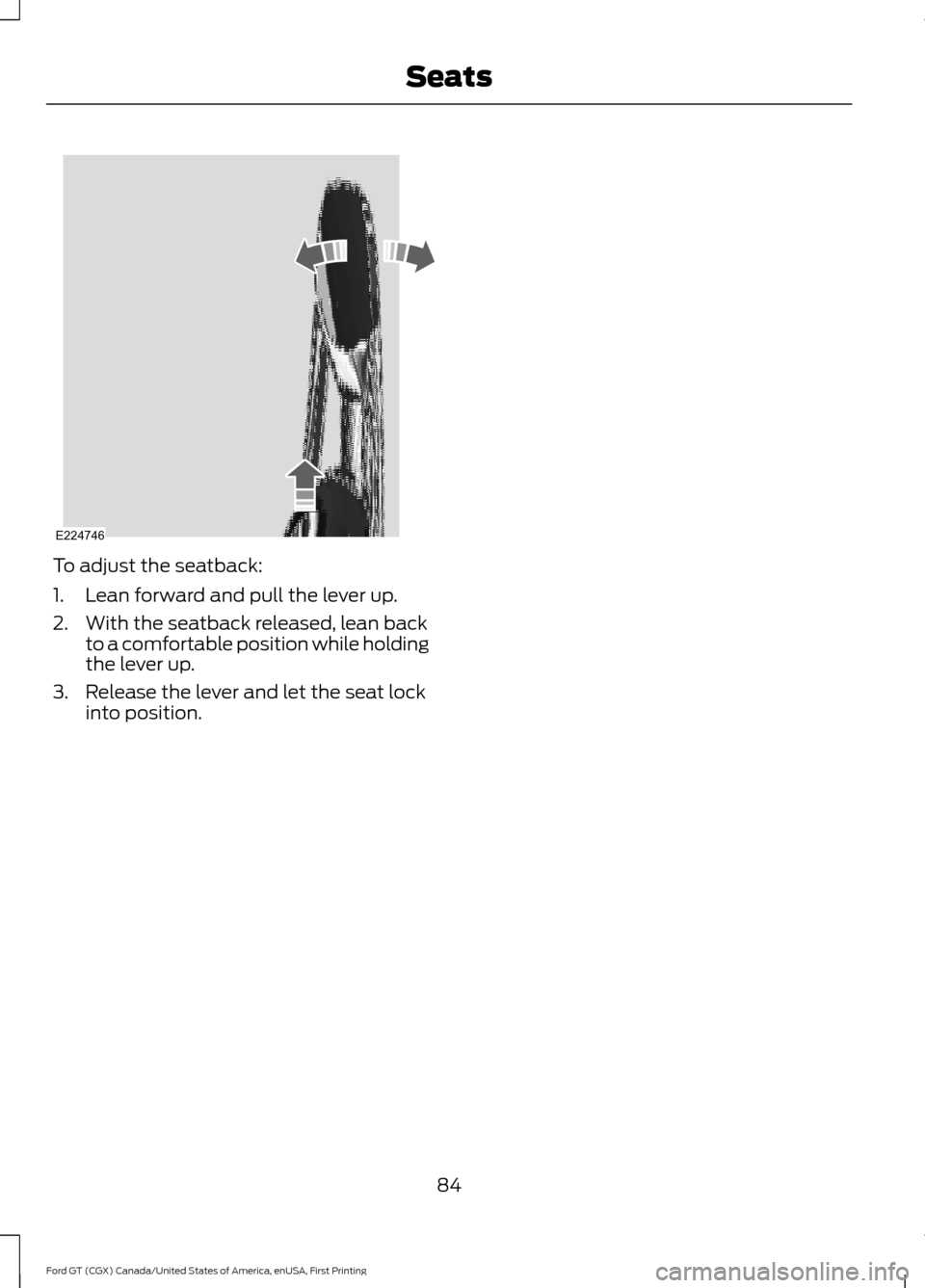
To adjust the seatback:
1. Lean forward and pull the lever up.
2. With the seatback released, lean back
to a comfortable position while holding
the lever up.
3. Release the lever and let the seat lock into position.
84
Ford GT (CGX) Canada/United States of America, enUSA, First Printing SeatsE224746
Page 91 of 313

STEERING WHEEL LOCK
The steering wheel locks automatically
when you leave your vehicle and take the
intelligent access key with you. The
steering wheel unlocks automatically when
you enter your vehicle with the intelligent
access key.
Note:
You may need to turn the steering
wheel left or right if the wheel does not
unlock completely. This may happen in
certain situations, such as parking your
vehicle on a steep grade.
STARTING THE ENGINE
When you start the engine, the idle speed
increases. This helps to warm up the
engine. If the engine idle speed does not
slow down automatically, have your
vehicle checked by an authorized dealer.
Note: You can crank the engine for a total
of 60 seconds, without the engine starting,
before the starting system temporarily
disables. The 60 seconds does not have to
be all at once. For example, you can crank
the engine three times for 20 seconds each,
without the engine starting, to reach the 60
second time limit. If you exceed the cranking
time, a message appears in the information
display to alert you of this. You cannot
attempt to start the engine for at least 15
minutes. After 15 minutes, you have a 15
second time limit to crank the engine. You
need to wait 60 minutes before you crank
the engine again for 60 seconds.
Before starting the engine, check the
following:
• Make sure all occupants fasten their
seatbelts.
• Make sure the headlamps and
electrical accessories are off. •
Make sure the parking brake is on.
• Move the transmission selector into
park (P).
Note: Do not touch the accelerator pedal.
Note: You must have your intelligent access
key in the vehicle in order to shift the
transmission out of park (P). 1. Fully press the brake pedal.
2.
Press the Engine START/STOP button.
The system does not function if:
• The key frequencies are jammed.
• The key battery has no charge.
If you are unable to start the engine, do the
following: 88
Ford GT (CGX) Canada/United States of America, enUSA, First Printing Starting and Stopping the EngineE243956 E228717
Page 92 of 313

1.
Place the key fob under the rubber mat
in front of the Engine START/STOP
button.
2. With the key in this position, press the brake pedal and then the Engine
START/STOP button to switch the
ignition on and start your vehicle.
Note: If the vehicle fails to start, replace
the key fob battery.
Fast Restart
The fast restart feature allows you to
restart the engine within 20 seconds of
switching it off, even if a valid key is not
present.
Within 20 seconds of switching the engine
off, press the brake pedal and press the
START/STOP button. After 20 seconds
have expired, you can no longer restart the
engine without the key present inside your
vehicle.
Once the engine has started, it remains
running until you press the START/STOP
button, even if the system does not detect
a valid key. If you open and close a door
while the engine is running, the system
searches for a valid key. You cannot restart
the engine if the system does not detect a
valid key within 20 seconds.
Failure to Start
If you cannot start the engine after three
attempts, wait 10 seconds and follow this
procedure:
1. Fully press the brake pedal.
2. Move the transmission selector to the park (P) position.
3. Fully press the accelerator pedal and hold it there.
4. Press the START/STOP button once. Stopping the Engine When Your
Vehicle is Stationary
1. Move the transmission selector to the
park (P) position.
2. Press the START/STOP button once.
3. Apply the parking brake.
Note: This switches off the ignition, all
electrical circuits, warning lamps and
indicators.
Stopping the Engine When Your
Vehicle is Moving WARNING
Switching off the engine when the
vehicle is still moving will result in a
loss of brake and steering assistance.
The steering will not lock, but higher effort
will be required. When the ignition is
switched off, some electrical circuits,
including air bags, warning lamps and
indicators may also be off. If the ignition
was turned off accidentally, you can shift
into neutral (N) and re-start the engine. 1. Move the transmission selector to the
neutral position and use the brakes to
bring your vehicle to a safe stop.
2. When your vehicle has stopped, park (P) will engage automatically.
3. Press and hold the START/STOP button for one second, or press it three
times within two seconds.
4. Apply the parking brake.
89
Ford GT (CGX) Canada/United States of America, enUSA, First Printing Starting and Stopping the Engine
Page 97 of 313

WARNINGS
Do not try to pry open or push open
the capless fuel system with foreign
objects. This could damage the fuel
system and its seal and cause injury to you
or others. Do not remove the fuel pump nozzle
from its fully inserted position when
refueling.
When refueling always shut the
engine off and never allow sparks or
open flames near the fuel tank filler
valve. Never smoke or use a cell phone
while refueling. Fuel vapor is extremely
hazardous under certain conditions. Avoid
inhaling excess fumes. Wait at least 10 seconds before
removing the fuel pump nozzle to
allow any residual fuel to drain into
the fuel tank. Stop refueling when the fuel pump
nozzle automatically shuts off for the
first time. Failure to follow this will
fill the expansion space in the fuel tank and
could lead to fuel overflowing. Note:
Your vehicle does not have a fuel filler
cap.
Note: You must unlock your vehicle before
opening and closing the fuel tank filler door. 1.
Fully open the fuel tank filler door until
it engages.
Note: When you insert the correct size fuel
pump nozzle a spring loaded inhibitor will
open.
2. Insert the fuel pump and keep it resting
on the cover of the fuel tank filler pipe
opening. 94
Ford GT (CGX) Canada/United States of America, enUSA, First Printing Fuel and RefuelingE228356 E139203
A
B
Page 102 of 313

AUTOMATIC TRANSMISSION
WARNINGS
Always fully apply the parking brake.
Make sure you shift into park (P) for
vehicles with an automatic
transmission. Switch the ignition off and
remove the key whenever you leave your
vehicle. Do not apply the brake pedal and
accelerator pedal simultaneously.
Applying both pedals simultaneously
for more than a few seconds will limit
engine performance, which may result in
difficulty maintaining speed in traffic and
could lead to serious injury. Your Ford GT vehicle is equipped with a
7-speed, dual clutch automatic
transmission. In drive (D), the transmission
shifts automatically, or you can shift with
the paddle shifters. In manual mode, you
must shift the transmission with the
paddle shifters.
Understanding the Positions of
Your Automatic Transmission
1. Fully press down the brake pedal.
2. Move the selector to the desired gear. Park (P)
With the transmission in park (P), your
vehicle locks the transmission and
prevents the wheels from turning. Always
come to a complete stop before putting
your vehicle into park (P).
Automatic Return to Park
Note:
This feature does not operate when
your vehicle is in Stay in Neutral mode.
Your vehicle has a feature that
automatically shifts your vehicle into park
(P) when any of the following conditions
occur:
• You turn the vehicle off.
• You open the driver's door with your
safety belt unlatched.
• Your safety belt is unlatched while the
driver's door is open.
If you turn your vehicle off while moving,
your vehicle first shifts into neutral (N) until
it slows down enough to shift into park (P)
automatically.
Note: If you have waited an extended
period of time (2-15 minutes) before starting
your vehicle, unlatching your safety belt
causes this feature to activate, even with
the driver's door closed.
Note: This feature may not work properly
if the door ajar switch is malfunctioning. If
your door ajar indicator does not illuminate
when you open the driver ’s door or the
indicator illuminates with the driver ’s door
closed, see your authorized dealer.
Reverse (R)
With the selector in reverse (R), your
vehicle moves backward. Always come to
a complete stop before shifting into and
out of reverse (R).
99
Ford GT (CGX) Canada/United States of America, enUSA, First Printing TransmissionE227917
Page 104 of 313

SelectShift in drive (D):
•
Provides a temporary manual mode
for performing more demanding
maneuvers where extra control of gear
selection is required (for example,
when overtaking). This mode holds a
selected gear for a temporary period
of time dependent on driver inputs (for
example, steering or accelerator pedal
input).
SelectShift in manual (M):
• Provides a permanent manual gear
selection where full control of gear
selection is required.
The instrument cluster displays your
currently selected gear. If a gear is
requested but not available due to vehicle
conditions (low speed, too high engine
speed for requested gear selection), the
current gear flashes three times.
Brake-Shift Interlock WARNINGS
When doing this procedure, you need
to take the transmission out of park
(P) which means your vehicle can
roll freely. To avoid unwanted vehicle
movement, always fully apply the parking
brake prior to doing this procedure. Use
wheels chocks if appropriate. WARNINGS
If the parking brake is fully released,
but the brake warning lamp remains
illuminated, the brakes may not be
working properly. Have your vehicle
checked as soon as possible. Note:
You should only use this procedure
in the event that your vehicle is disabled and
you cannot start the engine in order to shift
into Neutral (N) to move it. Use the provided
Transmission Park Override tool to release
the transmission park mechanism and allow
the rear tires to roll freely.
Note: See your authorized dealer as soon
as this procedure is used.
Note: Do not drive your vehicle until you
verify that the brake lamps are working.
Your vehicle is equipped with a brake-shift
interlock feature that prevents moving the
selector from park (P) when the ignition is
in the on position and the brake pedal is
not pressed.
If you cannot move the selector out of park
(P) position with the ignition in the on
position and the brake pedal pressed, a
malfunction may have occurred. It is
possible that a fuse has blown or your
vehicle ’s brake lamps are not operating
properly. See Fuse Specification Chart
(page 138).
If the fuse is good and the brake lamps are
functioning, then there may be a fault in
the system. To roll the car or to allow the
vehicle to be transported for repair, use the
following procedure to place the
transmission into neutral (N) manually. To
place the transmission into neutral (N) in
the event of a battery failure, or other
electrical fault that prevents the shifter
from working, use this procedure.
101
Ford GT (CGX) Canada/United States of America, enUSA, First Printing TransmissionE243776