2017 FORD FIESTA center console
[x] Cancel search: center consolePage 137 of 450

PRINCIPLE OF OPERATION
Electronic Stability Program
WARNINGS
The system does not relieve you of
your responsibility to drive with due
care and attention. Failure to drive
with due care and attention could lead to
loss of vehicle control. Vehicle modifications involving
braking system, aftermarket roof
racks, suspension, steering system,
tire construction and wheel and tire size
may change the handling characteristics
of the vehicle and may adversely affect
the performance of the AdvanceTrac
system. In addition, installing any stereo
loudspeakers may interfere with and
adversely affect the AdvanceTrac system.
Install any aftermarket stereo loudspeaker
as far as possible from the front center
console, the tunnel, and the front seats in
order to minimize the risk of interfering with
the AdvanceTrac sensors. Reducing the
effectiveness of the AdvanceTrac system
could lead to an increased risk of loss of
vehicle control, vehicle rollover, personal
injury and death. Remember that even advanced
technology cannot defy the laws of
physics. It’
s always possible to lose
control of a vehicle due to inappropriate
driver input for the conditions. Aggressive
driving on any road condition can cause
you to lose control of your vehicle
increasing the risk of personal injury or
property damage. Activation of the
AdvanceTrac system is an indication that
at least some of the tires have exceeded
their ability to grip the road; this could
reduce the operator ’s ability to control the
vehicle potentially resulting in a loss of
vehicle control, vehicle rollover, personal
injury and death. If your AdvanceTrac
system activates, SLOW DOWN. Without Advance Trac
A
With Advance Trac
B
The system supports stability when your
vehicle starts to slide away from your
intended path. This is performed by braking
individual wheels and reducing engine
torque as needed.
The system also provides an enhanced
traction control function by reducing
engine torque if the wheels spin when you
accelerate. This improves your ability to
pull away on slippery roads or loose
surfaces, and improves comfort by limiting
wheel spin in hairpin bends.
Stability Control Warning Lamp
While driving, it flashes when the system
is operating. See Warning Lamps and
Indicators (page 81).
135
Fiesta (CCT) Canada/United States of America, HE8J 19A321 AA enUSA, Edition date: 201607, First Printing Stability Control
(If Equipped)E72903A
AA
B
BB
B
Page 276 of 450
Action
Condition
Message
Contact SIRIUS at 1-888-
539-7474 to resolve
subscription issues.
Your satellite service is no
longer available.
Questions? Call
1-888-539-7474
Use the channel guide to
turn off the Lock or Skip
function on that station.
All the channels in the
selected category are either
skipped or locked.
None found
Check Channel Guide
No action required.
SIRIUS has updated the
channels available for your
vehicle.
Subscription Updated
AUDIO INPUT JACK WARNINGS
Driving while distracted can result in
loss of vehicle control, crash and
injury. We strongly recommend that
you use extreme caution when using any
device that may take your focus off the
road. Your primary responsibility is the safe
operation of your vehicle. We recommend
against the use of any hand-held device
while driving and encourage the use of
voice-operated systems when possible.
Make sure you are aware of all applicable
local laws that may affect the use of
electronic devices while driving. For safety reasons, do not connect
or adjust the settings on your
portable music player while your
vehicle is moving. Store the portable music player in a
secure location, such as the center
console or the glove box, when your
vehicle is moving. Hard objects may
become projectiles in a collision or sudden
stop, which may increase the risk of serious
injury. The audio extension cable must be
long enough to allow the portable music
player to be safely stored while your
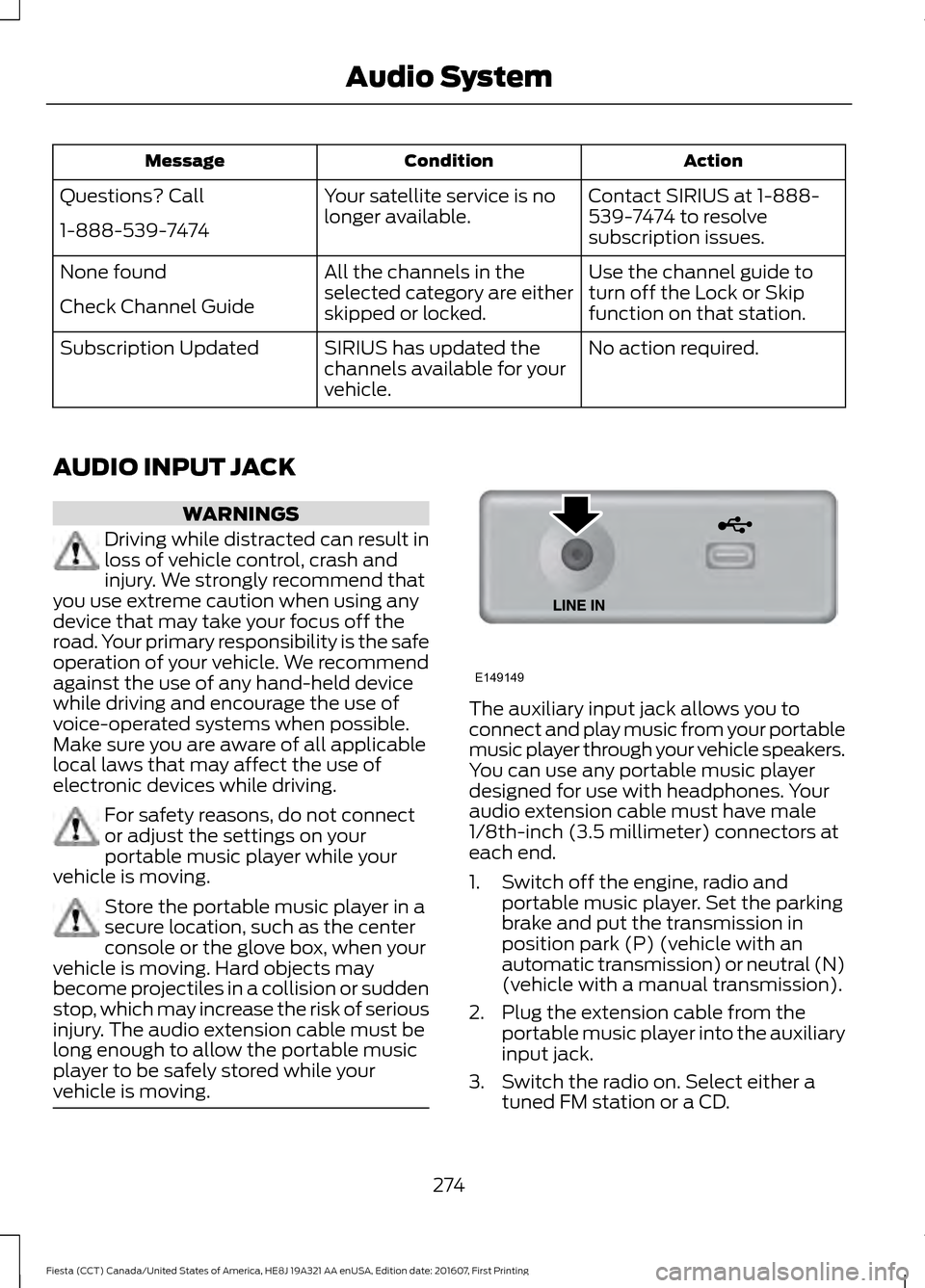
vehicle is moving. The auxiliary input jack allows you to
connect and play music from your portable
music player through your vehicle speakers.
You can use any portable music player
designed for use with headphones. Your
audio extension cable must have male
1/8th-inch (3.5 millimeter) connectors at
each end.
1. Switch off the engine, radio and
portable music player. Set the parking
brake and put the transmission in
position park (P) (vehicle with an
automatic transmission) or neutral (N)
(vehicle with a manual transmission).
2. Plug the extension cable from the portable music player into the auxiliary
input jack.
3. Switch the radio on. Select either a tuned FM station or a CD.
274
Fiesta (CCT) Canada/United States of America, HE8J 19A321 AA enUSA, Edition date: 201607, First Printing Audio SystemE149149
Page 277 of 450
4. Adjust the volume as desired.
5. Switch your portable music player on
and adjust its volume to half its
maximum level.
6. Press AUX until LINE or LINE IN
appears in the display. You should hear
music from your device even if it is low.
7. Adjust the volume on your portable music player until it reaches the volume
level of the FM station or CD. Do this
by switching back and forth between
the AUX and FM or CD controls.
USB PORT
(If Equipped) WARNING
Driving while distracted can result in
loss of vehicle control, crash and
injury. We strongly recommend that
you use extreme caution when using any
device that may take your focus off the
road. Your primary responsibility is the safe
operation of your vehicle. We recommend
against the use of any hand-held device
while driving and encourage the use of
voice-operated systems when possible.
Make sure you are aware of all applicable
local laws that may affect the use of
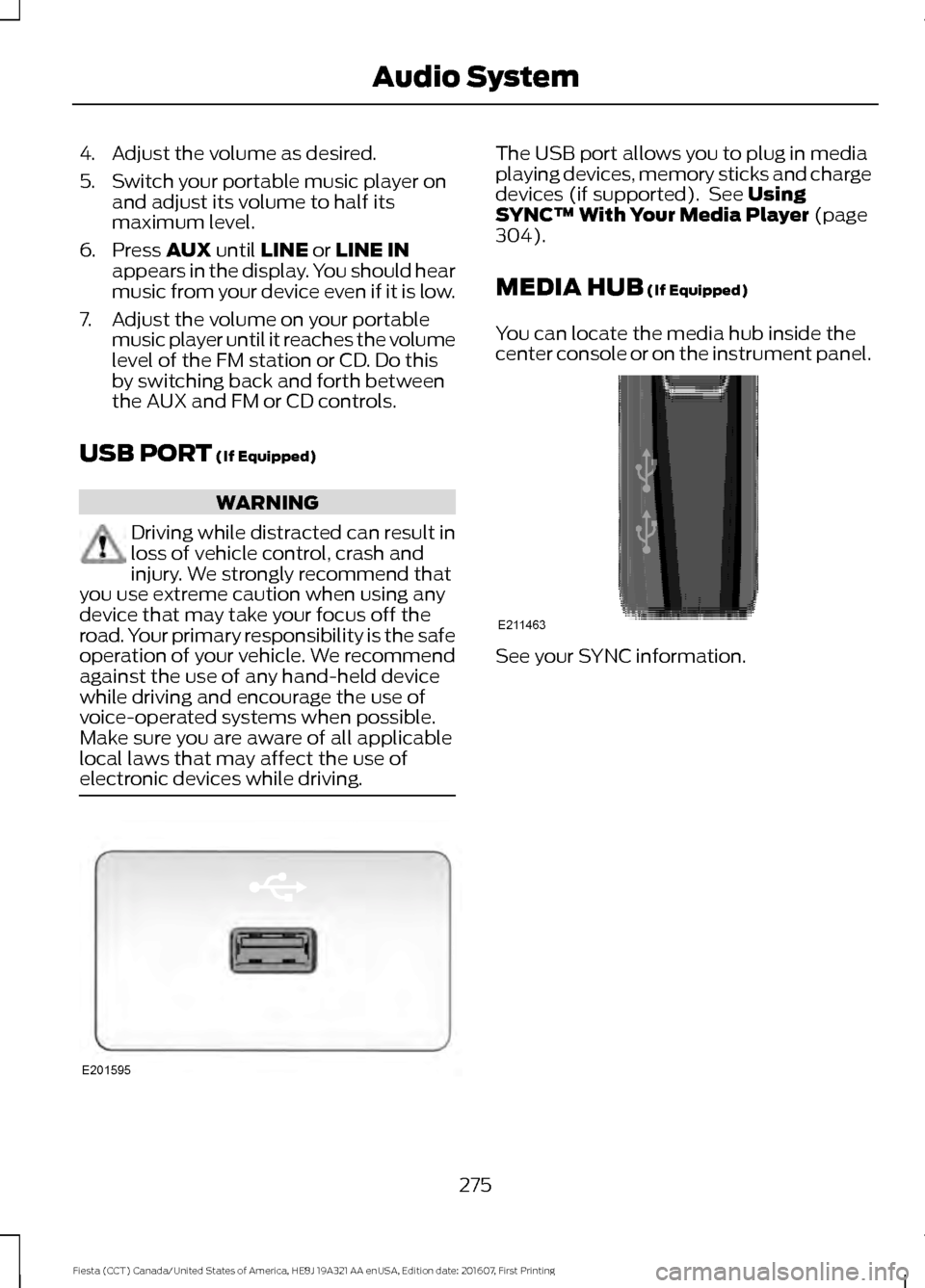
electronic devices while driving. The USB port allows you to plug in media
playing devices, memory sticks and charge
devices (if supported). See
Using
SYNC™ With Your Media Player (page
304).
MEDIA HUB
(If Equipped)
You can locate the media hub inside the
center console or on the instrument panel. See your SYNC information.
275
Fiesta (CCT) Canada/United States of America, HE8J 19A321 AA enUSA, Edition date: 201607, First Printing Audio SystemE201595 E211463
Page 305 of 450
To Access Using the Phone Menu
Press the phone button to access the
SYNC phone menu on-screen. You can
then scroll to:
Menu item
Press OK to access a list
of available applications.
Mobile Apps
Scroll through the list of
available applications and
press OK to select a
particular app. Once an
app is running through
SYNC, you can access an
app’s menu by pressing the
MENU
button to first
access the SYNC menu.
Scroll until the app name followed by
"Menu", is displayed (such as, sticher
Menu), then press
OK. From here, you can
access an application's features, such as
Thumbs up and Thumbs down. For more information, please visit: Website
www.SYNCMyRide.com
To Access Using the Media Menu
Press the
AUX button on the center
console.
Press the Menu button to the SYNC menu and scroll to: Action and description
Menu item
Press the
OK button.
SYNC-Media
Press the
OK button and scroll through the list of available
applications and select your desired app.
Mobile Apps
Scroll until the app name followed by
"Menu", is displayed (such as, Stitcher
Menu), then press
OK. From here, you can
access an application's features, such as
Thumbs up and Thumbs down. For more information, please visit: Website
www.SYNCMyRide.com
303
Fiesta (CCT) Canada/United States of America, HE8J 19A321 AA enUSA, Edition date: 201607, First Printing SYNC™
(If Equipped)
Page 352 of 450
Function
Button
Composers
This button allows you to choose a specific
letter to view within the category you are
browsing.
A-Z Jump
If available, this allows you to browse the
folders and files on your USB device.
Explore Device
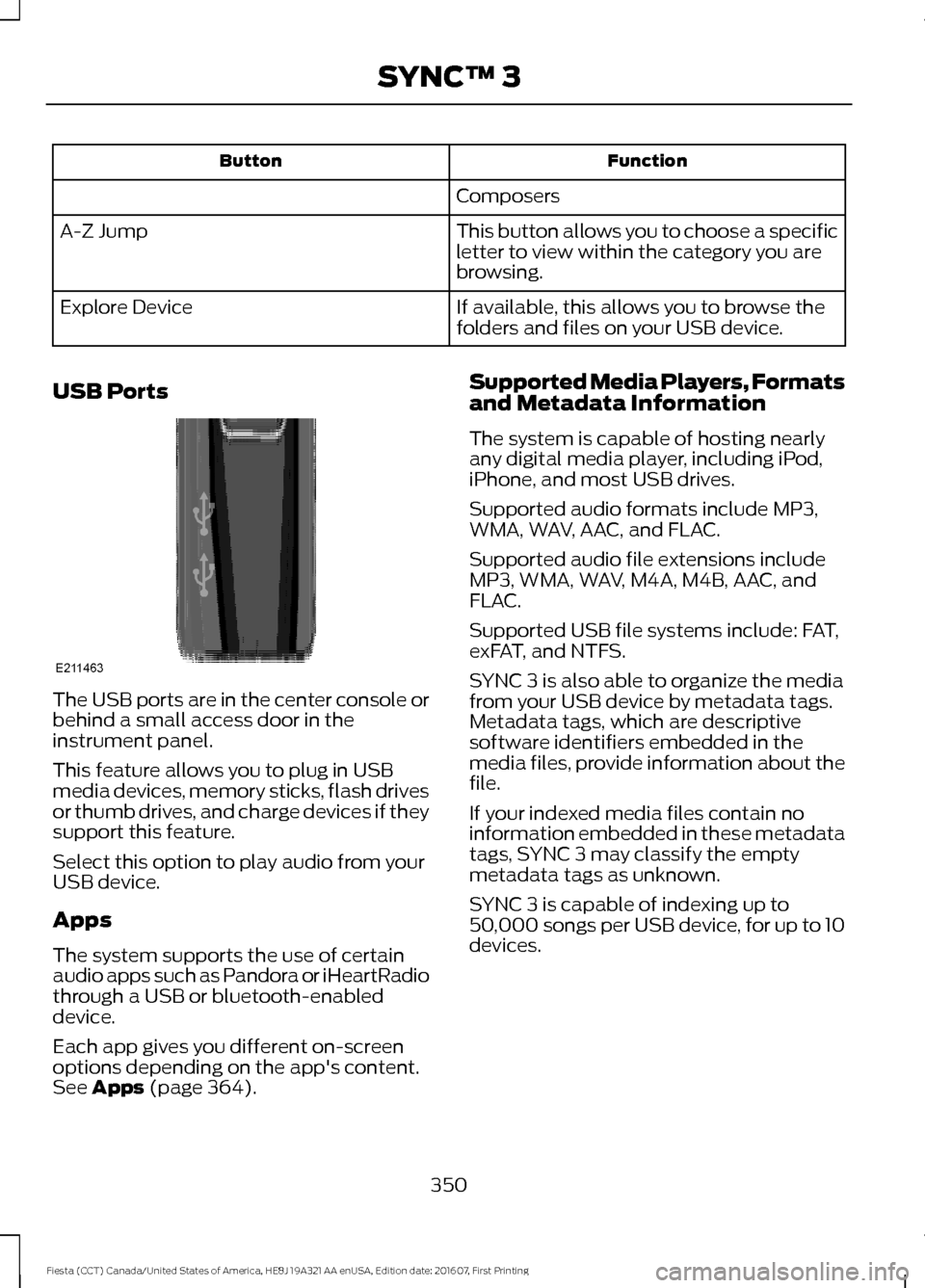
USB Ports The USB ports are in the center console or
behind a small access door in the
instrument panel.
This feature allows you to plug in USB
media devices, memory sticks, flash drives
or thumb drives, and charge devices if they
support this feature.
Select this option to play audio from your
USB device.
Apps
The system supports the use of certain
audio apps such as Pandora or iHeartRadio
through a USB or bluetooth-enabled
device.
Each app gives you different on-screen
options depending on the app's content.
See Apps (page 364). Supported Media Players, Formats
and Metadata Information
The system is capable of hosting nearly
any digital media player, including iPod,
iPhone, and most USB drives.
Supported audio formats include MP3,
WMA, WAV, AAC, and FLAC.
Supported audio file extensions include
MP3, WMA, WAV, M4A, M4B, AAC, and
FLAC.
Supported USB file systems include: FAT,
exFAT, and NTFS.
SYNC 3 is also able to organize the media
from your USB device by metadata tags.
Metadata tags, which are descriptive
software identifiers embedded in the
media files, provide information about the
file.
If your indexed media files contain no
information embedded in these metadata
tags, SYNC 3 may classify the empty
metadata tags as unknown.
SYNC 3 is capable of indexing up to
50,000 songs per USB device, for up to 10
devices.
350
Fiesta (CCT) Canada/United States of America, HE8J 19A321 AA enUSA, Edition date: 201607, First Printing SYNC™ 3E211463
Page 442 of 450

Bonnet Lock
See: Opening and Closing the Hood...........182
Booster Seats..................................................23
Types of Booster Seats...................................... 24
Brake Fluid Check.........................................192
Brakes.................................................................131 General Information........................................... 131
Breaking-In......................................................157
Bulb Specification Chart..........................208
C
Cabin Air Filter...............................................100
California Proposition 65..............................11
Capacities and Specifications - 1.0L EcoBoost™.................................................250
Alternative Engine Oil for Extreme Cold Climates........................................................... 252
Capacities............................................................ 250
Specifications..................................................... 250
Capacities and Specifications - 1.6L Duratec-16V Ti-VCT (Sigma)
..............253
Alternative Engine Oil for Extreme Cold
Climates........................................................... 256
Capacities............................................................. 253
Specifications..................................................... 254
Capacities and Specifications................243
Cargo Nets
.......................................................147
Installing and Removing the Cargo
Net....................................................................... 147
Car Wash See: Cleaning the Exterior................................ 212
Catalytic Converter
.......................................119
Driving with a Catalytic Converter.................119
Center Console
...............................................110
Changing a Bulb - 4-Door..........................197 Center High Mounted Stop Lamp................201
Front Fog Lamps............................................... 200
Headlamp............................................................. 198
Interior Lamp....................................................... 202
License Plate Lamp.......................................... 202
Luggage Compartment Lamp, Footwell Lamp and Liftgate Lamp........................... 202
Reading Lamps.................................................. 202
Rear Lamps......................................................... 200
Side Direction Indicator................................... 199
Changing a Bulb - 5-Door........................203 Center High Mounted Stop Lamp...............206 Front Fog Lamps...............................................
205
Headlamp.............................................................203
Interior Lamp....................................................... 207
License Plate Lamp.......................................... 206
Luggage Compartment Lamp, Footwell Lamp and Liftgate Lamp........................... 207
Reading Lamps................................................... 207
Rear Lamps......................................................... 206
Side Direction Indicator.................................. 204
Changing a Fuse
...........................................180
Fuses....................................................................... 180
Changing a Road Wheel
...........................238
Dissimilar Spare Wheel and Tire Assembly
Information..................................................... 238
Stowing the Flat Tire......................................... 241
Tire Change Procedure.................................... 239
Changing the 12V Battery..........................193 Remove and Reinstall the Battery...............194
Changing the Engine Air Filter................209
Changing the Front Wiper Blades..........195
Changing the Rear Wiper Blades
...........195
Checking MyKey System Status...............54 MyKey Distance.................................................... 54
Number of Admin Keys...................................... 54
Number of MyKeys.............................................. 54
Checking the Wiper Blades......................194
Child Restraint and Seatbelt Maintenance.................................................35
Child Restraint Positioning.........................25
Child Safety.......................................................16 General Information............................................. 16
Child Safety Locks..........................................27 Left-Hand Side..................................................... 28
Right-Hand Side................................................... 28
Cigar Lighter
...................................................108
Cleaning Leather Seats..............................215
Cleaning Products.........................................211
Cleaning the Engine.....................................213
Cleaning the Exterior...................................212 Exterior Chrome Parts....................................... 212
Exterior Plastic Parts.......................................... 212
Stripes or Graphics............................................. 212
Underbody............................................................. 213
Under Hood........................................................... 213
Cleaning the Instrument Panel and Instrument Cluster Lens..........................215
Cleaning the Interior....................................214
Cleaning the Wheels...................................216
440
Fiesta (CCT) Canada/United States of America, HE8J 19A321 AA enUSA, Edition date: 201607, First Printing Index
Page 446 of 450

Smart Unlocks for Integrated Keyhead
Transmitter......................................................... 57
Smart Unlocks for Intelligent Access Keys....................................................................... 57
Unlocking the Doors With the Interior Door Handles............................................................... 57
Luggage Covers..............................................147
Removing the Cover.......................................... 148
Lug Nuts See: Changing a Road Wheel....................... 238
M
Maintenance..................................................182 General Information.......................................... 182
Manual Climate Control..............................95
Manual Liftgate
..............................................59
Opening and Closing the Liftgate.................. 59
Manual Seats
.................................................104
Adjusting the Height of the Driver
Seat.................................................................... 104
Adjusting the Lumbar Support..................... 104
Moving the Seat Backward and Forward............................................................. 104
Recline Adjustment........................................... 105
Manual Transmission..................................125 Parking Your Vehicle.......................................... 126
Recommended Shift Speeds......................... 125
Reverse................................................................... 126
Using the Clutch.................................................. 125
Media Hub
.......................................................275
Message Center See: Information Displays................................. 85
Mirrors See: Heated Windows and Mirrors..............100
See: Windows and Mirrors................................ 76
Mobile Communications Equipment.......13
Moonroof...........................................................79 Moonroof Sliding Shade.................................... 79
Opening and Closing the Moonroof..............79
Venting the Moonroof......................................... 79
Motorcraft Parts - 1.0L EcoBoost™.................................................246
Motorcraft Parts - 1.6L Duratec-16V Ti-VCT (Sigma)
.........................................247
MyKey Troubleshooting...............................54
MyKey ™..............................................................51
Principle of Operation.......................................... 51N
Navigation......................................................356
cityseeker.............................................................. 363
Destination Mode.............................................. 358
Map Mode............................................................ 356
Navigation Map Updates............................... 364
Navigation Menu................................................. 361
SiriusXM Traffic and Travel Link................... 364
Waypoints............................................................ 362
Normal Scheduled Maintenance..........399
O
Oil Change Indicator Reset
.......................187
Resetting the Oil Life Monitoring
System............................................................... 187
Oil Check See: Engine Oil Check....................................... 186
Opening and Closing the Hood...............182 Closing the Hood................................................ 183
Opening the Hood.............................................. 182
Ordering Additional Owner's Literature......................................................169
Obtaining a French Owner ’s Manual..........170
Overhead Console
........................................110
P
Parking Aids
.....................................................137
Principle of Operation....................................... 137
Parking Brake..................................................132 All Vehicles............................................................ 132
Vehicles With Automatic Transmission.................................................... 132
Vehicles With Manual Transmission............132
Passive Anti-Theft System........................64 SecuriLock®........................................................... 64
PATS See: Passive Anti-Theft System..................... 64
Perchlorate.........................................................11
Personalized Settings
...................................87
Measure Units........................................................ 87
Switching Chimes Off......................................... 87
Personal Safety System ™
..........................36
How Does the Personal Safety System
Work?.................................................................. 36
444
Fiesta (CCT) Canada/United States of America, HE8J 19A321 AA enUSA, Edition date: 201607, First Printing Index