2017 FORD EDGE instrument panel
[x] Cancel search: instrument panelPage 4 of 544

Introduction
About This Manual...........................................7
Symbols Glossary
.............................................7
Data Recording
..................................................9
California Proposition 65..............................11
Perchlorate.........................................................11
Ford Credit
..........................................................11
Replacement Parts Recommendation.......................................12
Special Notices................................................12
Mobile Communications Equipment.....................................................13
Export Unique Options..................................13
Environment
Protecting the Environment........................15
At a Glance
Instrument Panel Overview........................16
Child Safety
General Information
.......................................18
Installing Child Restraints
............................19
Booster Seats
...................................................27
Child Restraint Positioning
.........................29
Child Safety Locks.........................................30
Seatbelts
Principle of Operation...................................32
Fastening the Seatbelts...............................33
Seatbelt Height Adjustment
......................37
Seatbelt Warning Lamp and Indicator Chime..............................................................37
Seatbelt Reminder
........................................38
Child Restraint and Seatbelt Maintenance................................................39
Seatbelt Extension
........................................40
Personal Safety System ™
Personal Safety System ™
...........................41Supplementary Restraints
System
Principle of Operation
..................................42
Driver and Passenger Airbags...................43
Front Passenger Sensing System............44
Side Airbags
.....................................................46
Driver and Passenger Knee Airbags........47
Safety Canopy ™
............................................48
Crash Sensors and Airbag Indicator.......49
Airbag Disposal..............................................50
Keys and Remote Controls
General Information on Radio Frequencies...................................................51
Remote Control
...............................................51
Replacing a Lost Key or Remote Control
............................................................57
MyKey ™
Principle of Operation..................................58
Creating a MyKey...........................................59
Clearing All MyKeys
......................................60
Checking MyKey System Status
................61
Using MyKey With Remote Start Systems.........................................................62
MyKey Troubleshooting
...............................62
Doors and Locks
Locking and Unlocking
................................64
Manual Liftgate
..............................................68
Power Liftgate.................................................69
Keyless Entry
....................................................72
Security
Passive Anti-Theft System.........................75
Anti-Theft Alarm
............................................76
1
Edge (CDQ) Canada/United States of America, enUSA, Edition date: 201608, First Printing Table of Contents
Page 8 of 544

Cleaning the Exterior.................................290
Waxing..............................................................291
Cleaning the Engine....................................292
Cleaning the Windows and Wiper Blades..........................................................292
Cleaning the Interior...................................293
Cleaning the Instrument Panel and Instrument Cluster Lens.......................293
Cleaning Leather Seats.............................294
Repairing Minor Paint Damage
..............294
Cleaning the Wheels..................................294
Vehicle Storage............................................295
Body Styling Kits
..........................................297
Wheels and Tires
General Information...................................298
Tire Sealant and Inflator Kit....................300
Tire Care
.........................................................306
Using Summer Tires
...................................322
Using Snow Chains.....................................323
Tire Pressure Monitoring System...........324
Changing a Road Wheel............................327
Technical Specifications
...........................332
Capacities and Specific- ations
Engine Specifications - 2.0L EcoBoost™................................................333
Engine Specifications - 2.7L EcoBoost™................................................333
Engine Specifications - 3.5L....................334
Motorcraft Parts - 2.0L EcoBoost™
......335
Motorcraft Parts - 2.7L EcoBoost™
......336
Motorcraft Parts - 3.5L...............................337
Vehicle Identification Number................338
Vehicle Certification Label.......................339
Transmission Code Designation............339
Capacities and Specifications - 2.0L EcoBoost™...............................................340
Capacities and Specifications - 2.7L EcoBoost™...............................................344 Capacities and Specifications - 3.5L....348
Audio System
General Information
...................................353
Audio Unit - Vehicles With: Sony AM/FM/ CD..................................................................354
Audio Unit - Vehicles With: AM/FM/CD/ SYNC............................................................358
Audio Unit - Vehicles With: Premium AM/ FM/CD.........................................................360
Digital Radio
..................................................362
Satellite Radio..............................................364
USB Port
..........................................................367
Media Hub......................................................367
SYNC™
General Information...................................368
Using Voice Recognition...........................370
Using SYNC™ With Your Phone.............372
SYNC™ Applications and Services
......384
Using SYNC™ With Your Media Player...........................................................389
SYNC™ Troubleshooting
.........................398
SYNC™ 3
General Information
..................................406
Home Screen.................................................419
Using Voice Recognition
...........................420
Entertainment...............................................427
Climate............................................................437
Phone................................................................441
Navigation......................................................446
Apps.................................................................454
Settings...........................................................457
SYNC™ 3 Troubleshooting.....................469
Accessories
Accessories
....................................................482
5
Edge (CDQ) Canada/United States of America, enUSA, Edition date: 201608, First Printing Table of Contents
Page 19 of 544

INSTRUMENT PANEL OVERVIEW
Air vents.
A
Direction indicator lever. See Direction Indicators (page 89).
B
Information display controls. See
Information Display Control (page 81).
C
Instrument cluster. See
Instrument Cluster (page 97).
D
Information display controls. See
Information Display Control (page 81).
E
Wiper lever. See
Windshield Wipers (page 82).
F
Information and entertainment display.
G
Hazard flasher switch. See
Hazard Warning Flashers (page 242).
H
Audio unit. See
Audio System (page 353).
I
Climate control. See
Climate Control (page 128).
J
Heated seat switch. See
Climate Controlled Seats (page 144).
K
Parking aid switch. Auto-start-stop switch. See Parking Aids (page 188). See
Auto-Start-Stop
(page 160).
L
Parking brake. See
Electric Parking Brake (page 181).
M
16
Edge (CDQ) Canada/United States of America, enUSA, Edition date: 201608, First Printing At a GlanceE190407
Page 47 of 544
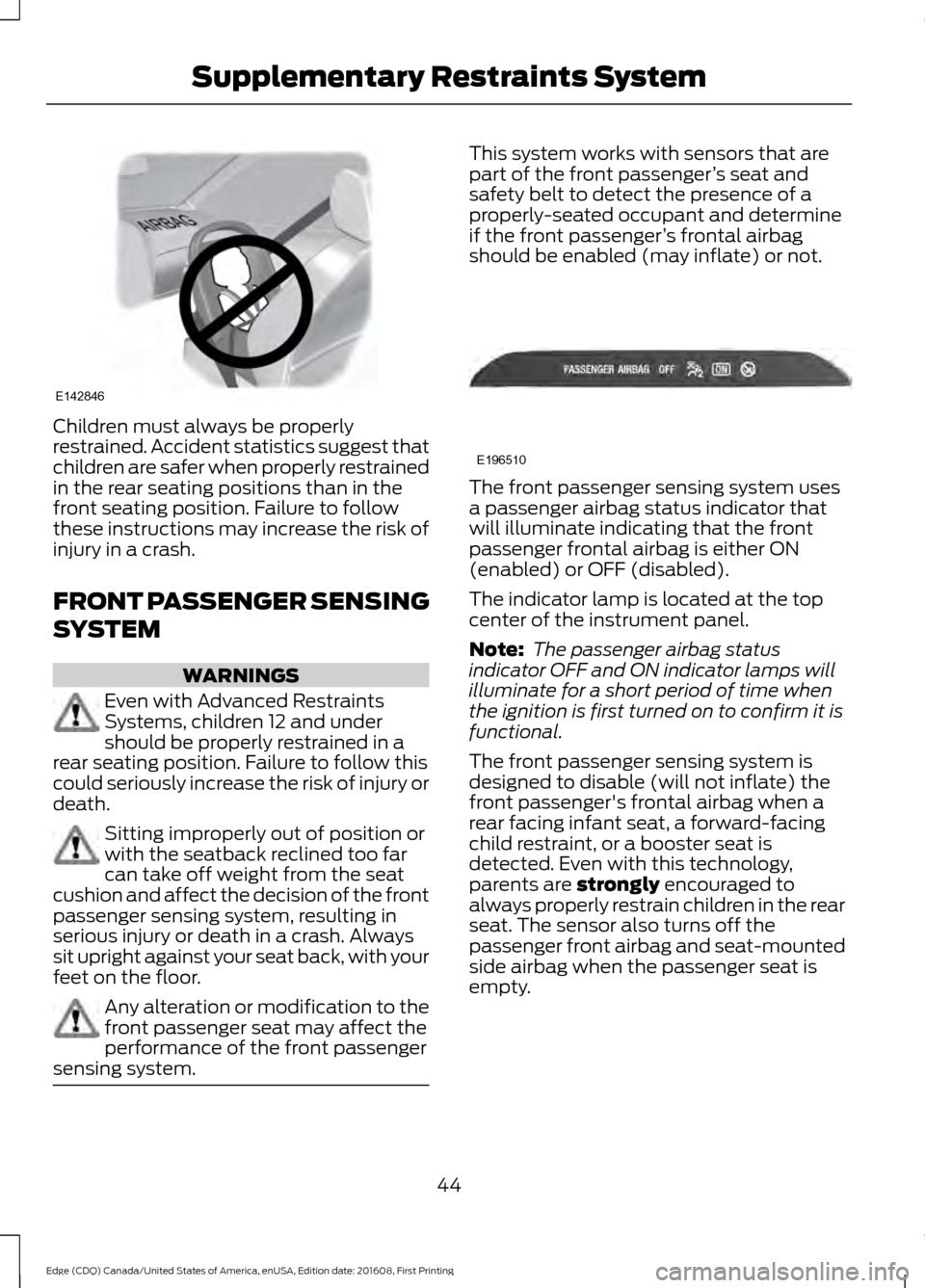
Children must always be properly
restrained. Accident statistics suggest that
children are safer when properly restrained
in the rear seating positions than in the
front seating position. Failure to follow
these instructions may increase the risk of
injury in a crash.
FRONT PASSENGER SENSING
SYSTEM
WARNINGS
Even with Advanced Restraints
Systems, children 12 and under
should be properly restrained in a
rear seating position. Failure to follow this
could seriously increase the risk of injury or
death. Sitting improperly out of position or
with the seatback reclined too far
can take off weight from the seat
cushion and affect the decision of the front
passenger sensing system, resulting in
serious injury or death in a crash. Always
sit upright against your seat back, with your
feet on the floor. Any alteration or modification to the
front passenger seat may affect the
performance of the front passenger
sensing system. This system works with sensors that are
part of the front passenger
’s seat and
safety belt to detect the presence of a
properly-seated occupant and determine
if the front passenger ’s frontal airbag
should be enabled (may inflate) or not. The front passenger sensing system uses
a passenger airbag status indicator that
will illuminate indicating that the front
passenger frontal airbag is either ON
(enabled) or OFF (disabled).
The indicator lamp is located at the top
center of the instrument panel.
Note:
The passenger airbag status
indicator OFF and ON indicator lamps will
illuminate for a short period of time when
the ignition is first turned on to confirm it is
functional.
The front passenger sensing system is
designed to disable (will not inflate) the
front passenger's frontal airbag when a
rear facing infant seat, a forward-facing
child restraint, or a booster seat is
detected. Even with this technology,
parents are strongly encouraged to
always properly restrain children in the rear
seat. The sensor also turns off the
passenger front airbag and seat-mounted
side airbag when the passenger seat is
empty.
44
Edge (CDQ) Canada/United States of America, enUSA, Edition date: 201608, First Printing Supplementary Restraints SystemE142846 E196510
Page 50 of 544

WARNINGS
Do not use accessory seat covers.
The use of accessory seat covers
may prevent the deployment of the
side airbags and increase the risk of injury
in an accident. Do not lean your head on the door.
The side airbag could injure you as it
deploys from the side of the
seatback. Do not attempt to service, repair, or
modify the seat airbag supplemental
restraint systems, its fuses or the
seat cover on a vehicle containing seat
airbags as you could be seriously injured
or killed. Contact your authorized dealer
as soon as possible. If the side airbag has deployed, the
airbag will not function again. The
side airbag system (including the
seat) must be inspected as soon as
possible. If the airbag is not replaced, the
unrepaired area will increase the risk of
injury in a crash. The side airbags are on the outboard side
of the seatbacks of the front seats. The
airbag was designed to inflate between
the door panel and occupant to further
enhance the protection provided to
occupants in certain side impact crashes. The system consists of the following:
•
A label or embossed side panel
indicating that side airbags are fitted
to your vehicle.
• Side airbags inside the driver and front
passenger seatbacks.
• Front passenger sensing system. Crash sensors and monitoring
system with readiness indicator.
See Crash Sensors and Airbag
Indicator (page 49).
The design and development of the side
airbag system included recommended
testing procedures that were developed
by a group of automotive safety experts
known as the Side Airbag Technical
Working Group. These recommended
testing procedures help reduce the risk of
injuries related to the deployment of side
airbags.
DRIVER AND PASSENGER
KNEE AIRBAGS WARNINGS
Keep the glove box door closed while
driving for optimal performance of
the passenger knee airbag during a
crash. To reduce risk of injury, do not
obstruct or place objects in the
deployment path of the knee airbag.
A driver knee airbag is located under or
within the instrument panel. A passenger
knee airbag is located within the glove box
door. During a crash, the restraints control
module may activate the driver and
passenger knee airbags based on crash
severity and occupant conditions. Under
certain crash and occupant conditions, the
47
Edge (CDQ) Canada/United States of America, enUSA, Edition date: 201608, First Printing Supplementary Restraints SystemE152533 E67017
Page 52 of 544

The system consists of the following:
•
Safety Canopy curtain airbags located
above the trim panels over the front
and rear side windows identified by a
label or wording on the headliner or
roof-pillar trim.
• A flexible headliner which opens above
the side doors to allow air curtain
deployment · Crash sensors and monitoring
system with a readiness
indicator. See Crash Sensors
and Airbag Indicator (page 49).
Properly restrain children 12 years old and
under in the rear seats. The Safety Canopy
will not interfere with children restrained
using a properly installed child or booster
seat because it is designed to inflate
downward from the headliner above the
doors along the side window opening.
The design and development of the Safety
Canopy included recommended testing
procedures that were developed by a
group of automotive safety experts known
as the Side Airbag Technical Working
Group. These recommended testing
procedures help reduce the risk of injuries
related to the deployment of side airbags
(including the Safety Canopy).
CRASH SENSORS AND
AIRBAG INDICATOR WARNING
Modifying or adding equipment to
the front end of your vehicle
(including hood, bumper system,
frame, front end body structure, tow hooks
and hood pins) may affect the
performance of the airbag system,
increasing the risk of injury. Do not modify
or add equipment to the front end of your
vehicle. Your vehicle has a collection of crash and
occupant sensors which provide
information to the restraints control
module. The restraints control module
deploys (activates) the front seatbelt
pretensioners, driver airbag, passenger
airbag, knee airbag(s), seat mounted side
airbags, the Safety Canopy and optional
rear inflatable seatbelts. Based on the type
of crash, the restraints control module
deploys the appropriate safety devices.
The restraints control module also
monitors the readiness of the above safety
devices plus the crash and occupant
sensors. The readiness of the safety
system is indicated by a warning indicator
light in the instrument cluster or by a
backup tone if the warning light is not
working. Routine maintenance of the
airbag is not required.
A difficulty with the system is indicated by
one or more of the following:
•
The readiness light will not illuminate
immediately after the ignition is
switched on.
• The readiness light either flashes or
stays lit.
• A series of five beeps will be heard. The
tone pattern repeats periodically until
the problem, the light or both are
repaired.
If any of these things happen, even
intermittently, have the supplemental
restraint system serviced at an authorized
dealer immediately. Unless serviced, the
system may not function properly in the
event of a crash.
49
Edge (CDQ) Canada/United States of America, enUSA, Edition date: 201608, First Printing Supplementary Restraints SystemE67017 E67017
Page 60 of 544

Note:
You must press the START/STOP
button on the instrument panel once while
applying the brake pedal before driving your
vehicle.
The power windows will not work during
the remote start and the radio will not turn
on automatically.
The parking lamps will remain on and the
vehicle will run for 5, 10, or 15 minutes,
depending on the setting.
Extending the Vehicle Run Time
Repeat Steps 1 and 2 with the vehicle still
running to extend the run time for another
remote start duration. If you programmed
the duration to last 10 minutes, the second
10 minutes will begin after what is left of
the first activation time. For example, if
the vehicle had been running from the first
remote start for five minutes, the vehicle
will continue to run now for a total of 15
minutes. You can extend the remote start
up to a maximum of 35 minutes.
Wait at least five seconds before remote
starting after a vehicle shutdown.
Turning the Vehicle Off After Remote
Starting Press the button once. The
parking lamps will turn off.
You may have to be closer to the
vehicle than when starting due to ground
reflection and the added noise of the
running vehicle.
You can disable or enable the remote start
system through the information display.
See
General Information (page 104).
Memory Feature
(If Equipped)
You can use the remote control to recall
memory positions. If programmed to a
pre-set position, the remote control recalls
memory positions when you unlock your
vehicle. See Memory Function (page 140). REPLACING A LOST KEY OR
REMOTE CONTROL
Replacement keys or remote controls can
be purchased from an authorized dealer.
Authorized dealers can program remote
controls for your vehicle. See
Passive
Anti-Theft System (page 75).
57
Edge (CDQ) Canada/United States of America, enUSA, Edition date: 201608, First Printing Keys and Remote ControlsE138625
Page 73 of 544

From the Instrument Panel
Press the button on the
instrument panel.
With the Remote Control Press the button twice within
three seconds.
With the Outside Control Button
Opening the Liftgate
1. Unlock the liftgate with the remote control or power door unlock control.
If an intelligent access key is within 3 ft
(1 m) of the liftgate, the liftgate unlocks
when you press the liftgate release
button. 2.
Press the control button located in the
top of the liftgate pull-cup handle.
Note: Allow the power system to open the
liftgate. Manually pushing or pulling the
liftgate may activate the system ’s obstacle
detection feature and stop the power
operation or reverse its direction. Manually
interfering with the liftgate motion may also
replicate a strut failure. Closing the Liftgate WARNING
Keep clear of the liftgate when
activating the rear switch.
Press and release the liftgate control
button.
Stopping the Liftgate Movement
Note:
Do not apply sudden excessive force
to the liftgate while it is in motion. This
could damage the power liftgate and its
components.
You can stop the liftgate movement by
doing any of the following:
• Pressing the liftgate control button.
• Pressing the liftgate button on the
remote control twice.
• Pressing the liftgate button on the
instrument panel.
• Moving your foot under and away from
the center rear bumper in a single-kick
motion. *
* This method only works for vehicles with
the hands-free liftgate feature.
Setting the Liftgate Open Height
1. Open the liftgate.
70
Edge (CDQ) Canada/United States of America, enUSA, Edition date: 201608, First Printing Doors and LocksE138633 E138630 E138632 E138636