Page 155 of 350

Display
After pressing the “Display” button on the touchscreen
the following settings will be available.
Setting NameSelectable Options
Display Mode Auto Manual
NOTE: When the “Display Mode” feature is set to “Auto” the radio touchscreen’s brightness will be adjusted
with all other Instrument Panel displays and lights when they are adjusted using the Instrument Cluster Dis-
play buttons on the right-hand side of the Instrument Cluster Display. When the “Display Mode” feature is set
to “Manual” the radio screen brightness can be adjusted independently using the “Brightness” feature below.
Brightness +–
Language EnglishEspañol Français
Touchscreen Beep On Off
Units
After pressing the “Units” button on the touchscreen,
you may select each unit of measure independently displayed in the Instrument Cluster Display. The fol-
lowing selectable units of measure are listed below:
Setting Name
Selectable Options
US Changes the Instrument Cluster Display to US units of measure.
Metric Changes the Instrument Cluster Display to Metric units of measure.
4
UNDERSTANDING YOUR INSTRUMENT PANEL 153
Page 158 of 350
Lights
After pressing the “Lights” button on the touchscreen,
the following settings will be available.
Setting NameSelectable Options
Daytime Running Lights OnOff
Doors & Locks
After pressing the “Doors & Locks” button on the
touchscreen, the following setting will be available.
Setting Name Selectable Options
Auto Door Locks OnOff
NOTE: When the “Auto Door Locks” feature is selected, all doors will lock automatically when the vehicle
reaches a speed of 12 mph (20 km/h).
Remote Door Unlock/Door Unlock DriverAll
NOTE: When “Driver” is selected, only the driver ’s door will unlock on the first push of the key fob UNLOCK
button, you must push the key fob UNLOCK button twice to unlock the passenger ’s doors. When “All” is
selected, all of the doors will unlock on the first press of the key fob UNLOCK button.
156 UNDERSTANDING YOUR INSTRUMENT PANEL
Page 166 of 350

•Change source to USB
• Play artist Beethoven;Play album Greatest Hits;
Play song Moonlight Sonata; Play genreClassical
TIP: Press the “Browse” button on the touchscreen to
see all of the music on your iPod or USB device. Your
Voice Command must match exactlyhow the artist,
album, song and genre information is displayed.Voice Text Reply
Uconnect will announce incomingtext messages. Push the
PHONE button
and say Listen.(Must have com-
patible mobile phone paired to Uconnect system.)
1.Once an incoming text message is read to you, push the
PHONE button
. After the beep, say... “Reply.”
2. Listen to the Uconnect prompts. After the beep,
repeat one of the pre-defined messages and follow
the system prompts.
PRE-DEFINED VOICE TEXT REPLY RESPONSES
Yes. Stuck in traffic. See you later.No. Start without me.I’ll be late.
Okay. Where are you?I will be
minutes late.
Call me. Are you there
yet?
I’ll call you later. I need
directions. See you in
of minutes.
I’m on my way. Can’t talk right
now.
I’m lost. Thanks.
Uconnect 5.0/5.0 NAV Media
164 UNDERSTANDING YOUR INSTRUMENT PANEL
Page 172 of 350
IconDescription
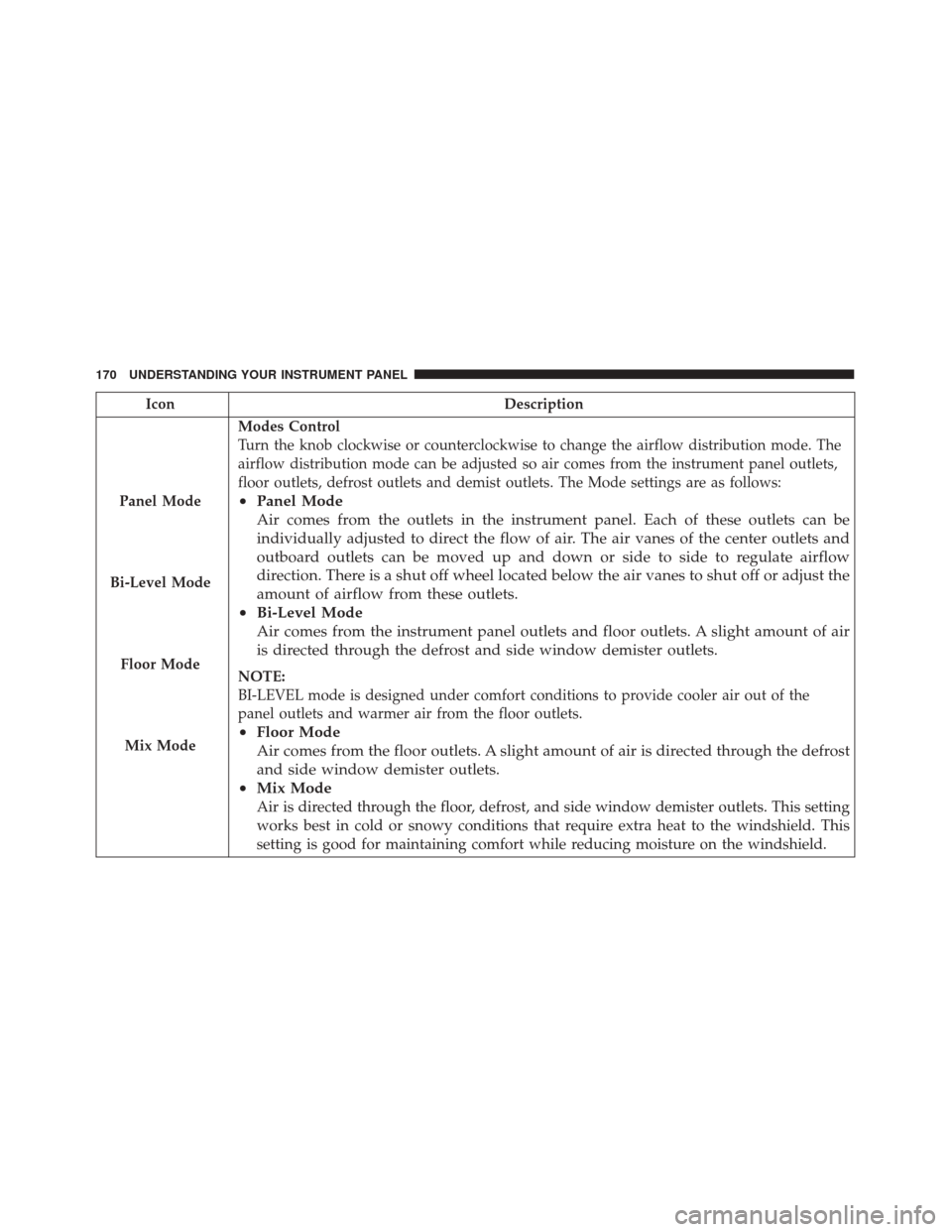
Panel Mode
Bi-Level Mode
Floor Mode
Mix Mode
Modes Control
Turn the knob clockwise or counterclockwise to change the airflow distribution mode. The
airflow distribution mode can be adjusted so air comes from the instrument panel outlets,
floor outlets, defrost outlets and demist outlets. The Mode settings are as follows:
• Panel Mode
Air comes from the outlets in the instrument panel. Each of these outlets can be
individually adjusted to direct the flow of air. The air vanes of the center outlets and
outboard outlets can be moved up and down or side to side to regulate airflow
direction. There is a shut off wheel located below the air vanes to shut off or adjust the
amount of airflow from these outlets.
• Bi-Level Mode
Air comes from the instrument panel outlets and floor outlets. A slight amount of air
is directed through the defrost and side window demister outlets.
NOTE:
BI-LEVEL mode is designed under comfort conditions to provide cooler air out of the
panel outlets and warmer air from the floor outlets.
•Floor Mode
Air comes from the floor outlets. A slight amount of air is directed through the defrost
and side window demister outlets.
• Mix Mode
Air is directed through the floor, defrost, and side window demister outlets. This setting
works best in cold or snowy conditions that require extra heat to the windshield. This
setting is good for maintaining comfort while reducing moisture on the windshield.
170 UNDERSTANDING YOUR INSTRUMENT PANEL
Page 176 of 350

IconDescription
Panel Mode
Floor Mode
Bi-Level Mode
Mix Mode
Modes Control
Push the button in the center of the knob to change the airflow distribution mode. The air-
flow distribution mode can be adjusted so air comes from the instrument panel outlets,
floor outlets, defrost outlets and demist outlets. The Mode settings are as follows:
• Panel Mode
Air comes from the outlets in the instrument panel. Each of these outlets can be
individually adjusted to direct the flow of air. The air vanes of the center outlets and
outboard outlets can be moved up and down or side to side to regulate airflow
direction. There is a shut off wheel located below the air vanes to shut off or adjust the
amount of airflow from these outlets.
• Floor Mode
Air comes from the floor outlets. A slight amount of air is directed through the defrost
and side window demister outlets.
• Bi-Level Mode
Air comes from the instrument panel outlets and floor outlets. A slight amount of air
is directed through the defrost and side window demister outlets. To access this mode,
press both the Panel and Floor Mode buttons
NOTE:
BI-LEVEL mode is designed under comfort conditions to provide cooler air out of the
panel outlets and warmer air from the floor outlets.
174 UNDERSTANDING YOUR INSTRUMENT PANEL
Page 184 of 350
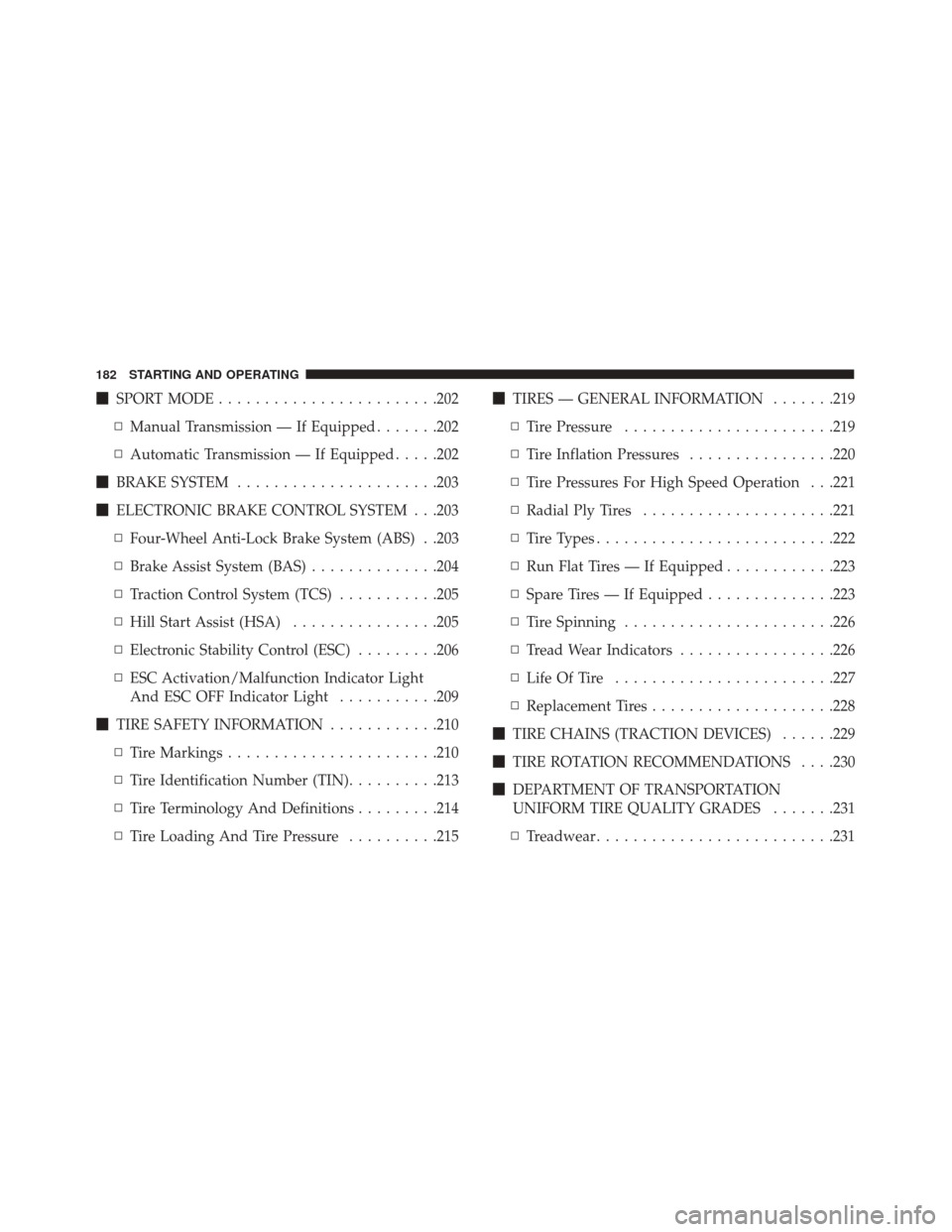
�SPORT MODE ....................... .202
▫ Manual Transmission — If Equipped .......202
▫ Automatic Transmission — If Equipped .....202
� BRAKE SYSTEM ..................... .203
� ELECTRONIC BRAKE CONTROL SYSTEM . . .203
▫ Four-Wheel Anti-Lock Brake System (ABS) . .203
▫ Brake Assist System (BAS) ..............204
▫ Traction Control System (TCS) ...........205
▫ Hill Start Assist (HSA) ................205
▫ Electronic Stability Control (ESC) .........206
▫ ESC Activation/Malfunction Indicator Light
And ESC OFF Indicator Light ...........209
� TIRE SAFETY INFORMATION ............210
▫ Tire Markings ...................... .210
▫ Tire Identification Number (TIN) ..........213
▫ Tire Terminology And Definitions .........214
▫ Tire Loading And Tire Pressure ..........215�
TIRES — GENERAL INFORMATION .......219
▫ Tire Pressure ...................... .219
▫ Tire Inflation Pressures ................220
▫ Tire Pressures For High Speed Operation . . .221
▫ Radial Ply Tires .....................221
▫ Tire Types ......................... .222
▫ Run Flat Tires — If Equipped ............223
▫ Spare Tires — If Equipped ..............223
▫ Tire Spinning ...................... .226
▫ Tread Wear Indicators .................226
▫ Life Of Tire ....................... .227
▫ Replacement
Tires ....................228
� TIRE CHAINS (TRACTION DEVICES) ......229
� TIRE ROTATION RECOMMENDATIONS . . . .230
� DEPARTMENT OF TRANSPORTATION
UNIFORM TIRE QUALITY GRADES .......231
▫ Treadwear ......................... .231
182 STARTING AND OPERATING
Page 189 of 350

Fully press the clutch pedal before you shift gears. As
you release the clutch pedal, lightly press the accelera-
tor pedal.
NOTE:To shift into REVERSE from NEUTRAL, lift the
ring under the knob and, at the same time move the
gear selector to the right and then backward.
Use each gear in numerical order; do not skip a gear. Be
sure the transmission is in first gear, not third, when
starting from a standing position. Damage to the clutch
can result from starting in third gear.
For most city driving, you will find it easier to use only
the lower gears. For steady highway driving with light
accelerations, fifth gear is recommended.
Never drive with your foot resting on the clutch pedal,
and never try to hold the vehicle on a hill with the
clutch pedal partially engaged. This will cause abnor-
mal wear on the clutch. REVERSE gear is not synchronized and the vehicle
must be at a complete stop to shift into REVERSE gear.
When selecting REVERSE gear, the driver should pause
(approximately 2 seconds) after pushing in the clutch
pedal and prior to shifting into REVERSE which allows
gears to stop spinning. Should an unwanted clash noise
be produced, the pause length should be increased.
NOTE:
•
Clashing REVERSE gear, especially if vehicle is mov-
ing, can result in transmission damage.
• During cold weather, until the transmission lubricant
is warm, you may experience slightly higher shift
efforts. This is normal and not harmful to the trans-
mission.
5
STARTING AND OPERATING 187
Page 197 of 350

If the transmission temperature exceeds normal operat-
ing limits, the transmission controller will expand the
range of torque converter clutch engagement. This is
done to prevent transmission damage due to overheat-
ing.
During cold temperatures, transmission operation may
be modified depending on engine coolant temperature.
Normal operation will resume once the engine tempera-
ture has risen to a suitable level.
Transmission Limp Home Mode
Transmission function is monitored electronically for
abnormal conditions. If a condition is detected that
could result in transmission damage, Transmission
Limp Home Mode is activated. In this mode, the
transmission remains in third gear regardless of which
forward gear is selected. PARK, REVERSE, and NEU-
TRAL will continue to operate. The Malfunction Indi-
cator Light (MIL) may be illuminated. Limp Home
Mode allows the vehicle to be driven to an authorized
dealer for service without damaging the transmission.In the event of a momentary problem, the transmission
can be reset to regain all forward gears by performing
the following steps:
1. Stop the vehicle.
2. Shift the transmission into PARK.
3. Turn the ignition to the OFF position.
4. Wait approximately 10 seconds.
5. Restart the engine.
6. Shift into the desired gear range. If the problem is no
longer detected, the transmission will return to nor-
mal operation.
NOTE: Even if the transmission can be reset, we rec-
ommend that you visit your authorized dealer at your
earliest possible convenience. Your authorized dealer
has diagnostic equipment to determine if the problem
could recur.
If the transmission cannot be reset, authorized dealer
service is required.
5
STARTING AND OPERATING 195
