2017 FIAT 124 SPIDER ABARTH change time
[x] Cancel search: change timePage 34 of 292
Settings Changing
Settings can be changed using the
following procedure:
1. Safely park the vehicle. Both doors
must remain closed.
2. Place the ignition in the ON position.
3. Push and hold the lock side of the
driver's door-lock switch within
20 seconds of placing the ignition in the
ON position, and make sure a beep
sound is heard about eight seconds
afterwards.
4. Refer to the auto lock/unlock
function setting table, determine the
function number for the desired setting.
Push the unlock side of the driver's
door-lock switch the same number of
times as the selected function number
(example: if you select function 2, push
the unlock side of the switch only two
times).
5. Three seconds after the function
setting has been changed, a beep
sound will beep in the amount of the
selected function number (example:
Function number 3 = three beep
sounds). Automatic Transmission Vehicles
The doors cannot be locked or
unlocked while the setting function is
being performed.
The procedure can be cancelled by
pushing the lock side of the door-lock
switch.
Note:
The vehicle lock-out prevention
feature prevents you from locking
yourself out of the vehicle. Both doors,
trunk lid, and the fuel filler door will
automatically unlock if they are locked
using the power door locks with any
door open. If both the doors are closed
even though the trunk lid is open, both
the doors and the fuel filler door will
lock.
Door Unlock (Control) System
With Collision Detection — if
equipped : this system automatically
unlocks the doors, trunk lid, and the
fuel filler door in the event the vehicle is
involved in an accident to allow
passengers to get out of the vehicle
immediately and prevent being trapped
inside. While the ignition is placed in the ON position and in the event the
vehicle receives an impact strong
enough to inflate the air bags, both the
doors, the trunk lid, and fuel filler door
are automatically unlocked after about
six seconds have elapsed from the
time of the accident. The doors, trunk
lid, and the fuel filler door may not
unlock depending on how an impact is
applied, the force of the impact, and
other conditions of the accident. If
door-related systems or the battery is
malfunctioning, the doors, trunk lid,
and the fuel filler door will not unlock.
When opening a door, the power
windows open a little automatically.
When closing the door, the power
windows close automatically. This is a
function for improving the sealing of
the window, and it does not mean
there is a problem. If the vehicle battery
is disconnected for vehicle
maintenance or other reasons, the
power windows will not open or close
automatically. If the power windows do
not open or close, the automatic
open/close mechanism for the
windows must be reset.
32
GETTING TO KNOW YOUR VEHICLE
Page 42 of 292

Daytime Running Lights
(DRL)
The daytime running lights turn on
automatically when the vehicle starts
moving.
They turn off when the parking brake is
engaged or the gear selector is shifted
to the Park (P) position (if equipped with
automatic transmission).
Note:In some markets, the daytime
running lights can be deactivated. For
markets that allow deactivation, refer to
“Personalization Features” in “Knowing
Your Instrument Panel” for further
information.
High Beams
The headlights can be switched
between high and low beams by
moving the lever forward or backward.
When the headlight high-beams are on,
the
high beam indicator is
illuminated.
Flash To Pass
You can signal another vehicle with your
headlights by partially pulling the
headlight lever toward the steering
wheel. This will cause the high beam
headlights to turn on until the lever is
released.
The
high beam indicator in the
instrument cluster illuminates
simultaneously.
Automatic Lighting
When the headlight switch is in the
AUTO position and the ignition is
switched ON, the light will sense the
surrounding lightness or darkness and
automatically turns the headlights, other
exterior lights and dashboard
illumination on or off.
Note: Do not shade the light sensor by
placing a sticker or a label on the
windshield. Otherwise the light sensor
will not operate correctly.
The light sensor also works as a rain
sensor for the auto-wiper control. Keep
hands and scrapers clear of the
windshield when the wiper lever is in
the AUTO position and the ignition is
switched ON as fingers could be
pinched or the wipers and wiper blades
damaged when the wipers activate
automatically. If you are going to clean the windshield, be sure the wipers are
turned off completely when the engine
is running.
Note:
The headlights, other exterior lights
and dashboard lights may not turn off
immediately even if the surrounding
area becomes well-lit because the light
sensor determines that it is night time if
the surrounding area is continuously
dark for several minutes such as inside
long tunnels, traffic jams inside tunnels,
or in indoor parking lots. In this case,
the lights turn off if the light switch is
turned to the OFF position.
When the headlight switch is in the
AUTO position and the ignition is
switched to ACC or the ignition is
switched off, the headlights, other
exterior lights and dashboard
illumination will turn off.
The dashboard lights can be
adjusted by rotating the knob in the
instrument cluster. The day/night mode
can be changed by rotating the knob
until a beep sound is heard.
The sensitivity of the automatic
lightsmaybechangedbyan
authorized dealer.
05030101-12A-003Light Sensor
40
GETTING TO KNOW YOUR VEHICLE
Page 43 of 292
Follow Me Home
The follow me home light system turns
on the headlights (low beams) when the
lever is operated.
System Activation
When the lever is pulled with the ignition
switched to ACC or OFF, the low beam
headlights turn on.
The headlights turn off after a certain
period of time has elapsed after the
doors are closed.
The time until the headlights turn off
after all of the doors are closed can be
changed. If no operations are done for
three minutes after the lever is pulled,
the headlights turn off.
The headlights turn off if the lever is
pulled again while the headlights are on.
Front Fog Lights
The front fog light can be used when
the ignition is switched to ON and the
headlights or parking lights are on.
Activation
Turn the headlight switch in
orposition before activate front fog
lights.
Rotate the fog light switch to
position. The
fog light indicator in the
instrument cluster illuminates while the
front fog lights are on.
Deactivation
Perform one of the following operations
to turn off the front fog lights:
Rotate the fog light switch to OFF
position.
Turn the headlight switch to OFF
position.
Switch the ignition to a position other
than ON.
The
fog light indicator in the
instrument cluster goes off when the
front fog light is turned off. With auto-light control
When the fog light switch is in
position and the headlight switch is
in AUTO position, the front fog lights will
stay on.
Turn Signals
The ignition must be switched to the
ON position to use the turn and
lane-change signals.
Move the signal lever down (for a left
turn) or up (for a right turn). The signal
will self-cancel after the turn is
completed.
If the indicator light continues to flash
after a turn, manually return the lever to
its original position.
The turn signal indicators (green)
in the instrument cluster flash
according to the operation of the turn
signal lever to show which signal is
working.
Note: If an indicator light stays on
without flashing or if it flashes
abnormally, one of the turn signal bulbs
may be burned out.
Lane Change Assist
Move the lever halfway toward the
direction of the lane change (until the
indicator flashes) and hold it there. It will
return to the off position when released.
Three-flash turn signal
After releasing the turn signal lever, the
turn signal indicator flashes three times.
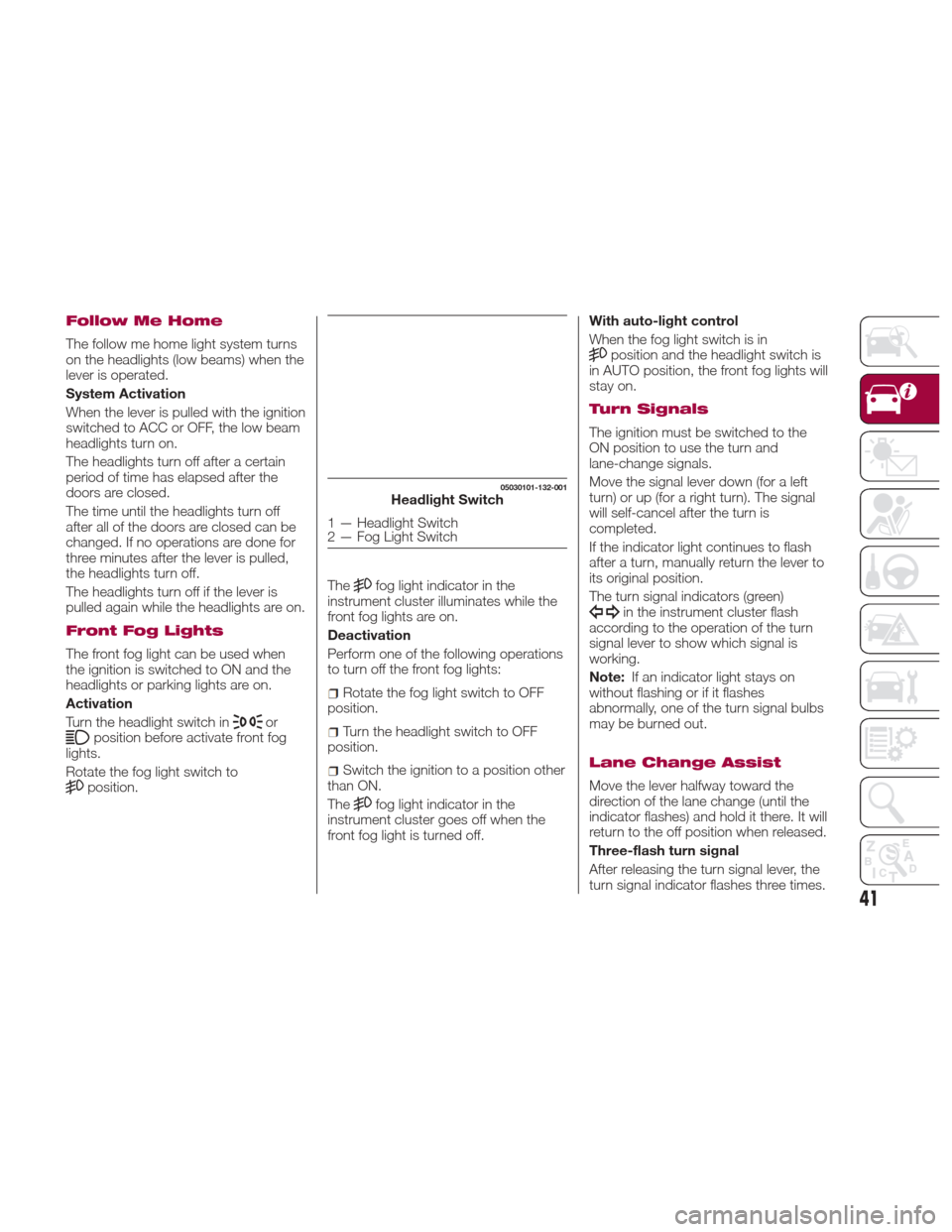
05030101-132-001Headlight Switch
1 — Headlight Switch
2 — Fog Light Switch
41
Page 62 of 292
4. After the HomeLink indicator light
changesfromaslowtoarapidly
blinking light, release both the
HomeLink and hand-held transmitter
buttons.
5. Connect power to the device being
programmed.
6. Firmly press and hold the
programmed HomeLink button for five
seconds, and then release it. Perform
this operation two times to activate the
door or gate. If the door or gate does
not activate, press and hold the
just-trained HomeLink button and
observe the indicator light. If the
indicator light stays on constantly,
programming is complete and your
device should activate when the
HomeLink button is pressed and
released;
Note:To program the remaining two
HomeLink buttons, begin with
“Programming” - step one.
7. If the indicator light blinks rapidly for
two seconds and then turns to a
constant light, continue with
“Programming” steps (see below) to
complete the programming of a rolling
code equipped device (most commonly
a garage door opener). 8. At the garage door opener receiver
(motor-head unit) in the garage, locate
the “learn” or “smart” button. This can
usually be found where the hanging
antenna wire is attached to the
motorhead unit.
9. Firmly press and release the “learn”
or “smart” button (the name and color
of the button may vary by
manufacturer).
Note:
Complete the programming
within 30 seconds.
10. Return to the vehicle and firmly
press, hold for two seconds and
release the programmed HomeLink
button. Repeat the “ press/hold/
release” sequence a second time, and,
depending on the brand of the garage
door opener (or other rolling code
equipped device), repeat this sequence
a third time to complete the
programming process. HomeLink
should now activate your rolling code
equipped device.
Note:
To program the remaining two
HomeLink buttons, begin with
“Programming” - step one.
For questions or comments, please
contact HomeLink at
www.homelink.com or
1-800-355-3515 .Gate Operator/Canadian
Programming
Canadian radio-frequency laws require
transmitter signals to “time-out” (or quit)
after several seconds of transmission -
which may not be long enough for
HomeLink to pick up the signal during
programming.
Similar to this Canadian law, some U.S.
gate operators are designed to
“time-out” in the same manner.
If you live in Canada or you are having
difficulties programming a gate operator
by using the “Programming”
procedures (regardless of where you
live), replace “Programming HomeLink”
step three with the following:
Note:If programming a garage door
opener or gate operator, it is advised to
unplug the device during the “cycling”
process to prevent possible
overheating.
1. Continue to press and hold the
HomeLink button while you press and
release -every two seconds (“cycle”)
your hand-held transmitter until the
frequency signal has successfully been
accepted by HomeLink (the indicator
light will flash slowly and then rapidly).
2. Proceed with the “Programming”
steps to complete.
60
GETTING TO KNOW YOUR VEHICLE
Page 85 of 292

immediately and take appropriate
measures. If the vehicle continues to be
driven, it could cause damage to the
engine.
Fuel Gauge
The fuel gauge 2 shows approximately
how much fuel is remaining in the tank
when the ignition is in the ON position.
We recommend keeping the tank over
1/4 full.
E= Empty
F= Full
If the low fuel warning light illuminates
or the fuel level is very low, refuel as
soon as possible.
Note:
After refueling, it may require some
time for the indicator to stabilize. In
addition, the indicator may deviate
while driving on a slope or curve since
the fuel moves in the tank.
The display indicating a quarter or
less remaining fuel has more segments
to show the remaining fuel level in
greater detail.
The direction of the arrow on the
fuel gauge indicates that the fuel door
lid is on the left side of the vehicle.
Outside Temperature
Display
When the ignition is in the ON position,
the outside temperature is displayed.
Under the following conditions, the
outside temperature display may differ
from the actual outside temperature
depending on the surroundings and
vehicle conditions:
Significantly cold or hot
temperatures.
Sudden changes in outside
temperature.
The vehicle is parked.
The vehicle is driven at low speeds. Changing The Temperature Unit Of
The Outside Temperature Display
The outside temperature unit can be
switched between Fahrenheit and
Celsius using the following procedure.
Vehicles With Fiat Connect 7.0
Settings can be changed through the
Connect 7.0 radio screen. Refer to
“Personalization Features” in this
chapter.
Note:
When the temperature unit
indicated in the outside temperature
display is changed, the temperature
unit indicated in the engine coolant
gauge display changes in conjunction
with it.
GUID-05020107345034Outside Temperature Screen Display
83
Page 87 of 292

For cruising, these are recommended
shift points:
GearVehicle speed
1to2 7mph(11km/h)
2
to 3 19 mph (31 km/h)
3 to 4 26 mph (42 km/h)
4 to 5 34 mph (55 km/h)
5 to 6 41 mph (66 km/h)
Downshifting
When you must slow down in heavy
traffic or on a steep upgrade, downshift
before the engine starts to overwork.
This reduces the chance of stalling and
gives better acceleration when you
need more speed.
On a steep downgrade, downshifting
helps maintain safe speed and prolongs
brake life. Manually Shifting Up (Automatic
Transmission)
Using selector lever: to shift up to a
higher gear, tap the selector lever back
+ once.
Paddle Mode — If Equipped
Tapping one of the steering
wheel-mounted shift paddles (+/-), if
equipped, while the gear selector is in
DRIVE (D), will activate Paddle Mode (a
temporary manual mode). The current
gear will be displayed in the instrument
cluster, with the "M" also illuminated.
The transmission will revert back to
normal operation (if the gear selector
remains in DRIVE) after a period of time,
depending on accelerator pedal activity.
MAINTENANCE
MONITOR — IF
EQUIPPED
Oil Life Reset
Versions With FIAT Connect
7.0 Radio
Proceed as follows:
1. Select the icon
on the home
screen to display the “Applications”
screen;
2. Select “Maintenance” to display the
maintenance list screen;
3. Switch the tab and select the setting
item you want to change: “Scheduled”,
“Tire rotation”, “Oil Change”.
85
Page 88 of 292

Oil Life Monitor
You can customize settings in the setup display as follows:
TabItem Explanation
Scheduled Setting
Notification can be turned on/off.
Time (months) Displays the time or distance until maintenance is due. Select this item to set the maintenance
period. “Scheduled Due!” is displayed in red, and the indicator light will illuminate in the Instrument
Cluster when the remaining distance is less than 300 mi (500 km) or the remaining number of days is less than 15 (whichever comes first).
Distance (mile
or km)
Reset Resets the time and distance to the initial values. Once the system turns on, it needs to be reset
whenever carrying out maintenance.
Tire Rotation Setting
Notification can be switched on/off.
Distance (mile or km) Displays the distance until tire rotation is due. Select this item to set the tire rotation distance. “Tire
Rotation Due!” is displayed in red and the wrench indicator light will illuminate in the Instrument Cluster when the remaining distance is less than 300 mi (500 km).
Reset Resets the remaining distance to the initial value. Once the system turns on, it needs to be reset
whenever rotating the tires.
Oil Change Setting
Notification can be switched on/off.
Distance (mile or km) Displays the distance until an oil change is due. Select this item to set the oil change distance. “Oil
Change Due!” is displayed in red, and the indicator light will illuminate in the Instrument Cluster when the remaining distance is less than 300 mi (500 km).
Reset Resets the remaining distance to the initial value. Once the system turns on, it needs to be reset
whenever replacing the engine oil.
Oil life (%) Displays the engine oil life until an oil change is due. “Oil Change Due!” is displayed in red and the
indicator light will illuminate in the Instrument Cluster when remaining oil life distance is less than 300 mi (500 km), or remaining days are less than 15 (whichever comes first).
Reset Resets the remaining oil life to 100%. The system must be reset whenever replacing the engine oil.
(*) The engine oil flexible maintenance setting is available (only some models). Consult an Authorized Dealership for details.
When the engine oil flexible maintenance setting is selected, you will see the following items in the display.
The vehicle calculates the remaining oil life based on the engine operating conditions and lets you know when an oil change is
due by illuminating the indicator light in the instrument cluster.
86
GETTING TO KNOW YOUR INSTRUMENT PANEL
Page 106 of 292

Message Indicated On
Display — If Equipped
With Fiat Connect
7.0 System
If a message is displayed in the center
display, take appropriate action (in a
calm manner) according to the
displayed message.
If the following messages are displayed
in the center display, a vehicle system
may be malfunctioning:
Engine Coolant Temperature
High: displays if the engine coolant
temperature has increased excessively.
Charging System Malfunction :
displays if the charging system has a
malfunction.
Temperature Warning :the
following message is displayed when
the temperature around the center
display is high. Lowering the
temperature of the inside of the vehicle
or the temperature around the center
display by avoiding direct sunlight is
recommended.
Stop the vehicle in a safe place and
contact an Authorized Dealership.
Warning Sound Is
Activated
Lights-On Reminder
If lights are on and the ignition is placed
in the ACC position, or the ignition is
placed in the OFF position, a
continuous beep sound will be heard
when the driver's door is opened.
Note:
When the ignition is placed in the
ACC position, the “Ignition not cycled
Off Warning Beep” overrides the
lights-on reminder.
A personalized function is available
to change the sound volume for the
lights-on reminder.
Air Bag/Seat Belt Pretensioner
System Warning Beep
If there is a problem with the air
bag/seat belt pretensioner systems and
the warning light illumination, a warning
beep sound will be heard for about
5 seconds every minute.
The air bag and seat belt pretensioner
system warning beep sound will
continue to be heard for approximately
35 minutes. Contact an Authorized
Dealership as soon as possible.
Caution!
Do not drive the vehicle with the air
bag/seat belt pretensioner system warning
beep sounding. Driving the vehicle with the
air bag/seat belt pretensioner system
warning beep sounding is dangerous. In a
collision, the air bags and the seat belt
pretensioner system will not deploy and
this could result in death or serious injury.
Contact an Authorized Dealership as soon
as possible.
Seat Belt Warning Beep
Except Mexico
If the driver's seat belt is not fastened
when the ignition is in the ON position,
a beep sound will be heard for about
6 seconds.
If the driver or the passengers seat belt
is not fastened and the vehicle is driven
at a speed faster than about 12 MPH
(20 km/h), a beep sound will be heard
again for a specified period of time.
Until a seat belt is fastened or a given
period of time has elapsed, the beep
sound will not stop even if the vehicle
speed falls below 12 MPH (20 km/h).
104
GETTING TO KNOW YOUR INSTRUMENT PANEL