Page 218 of 530
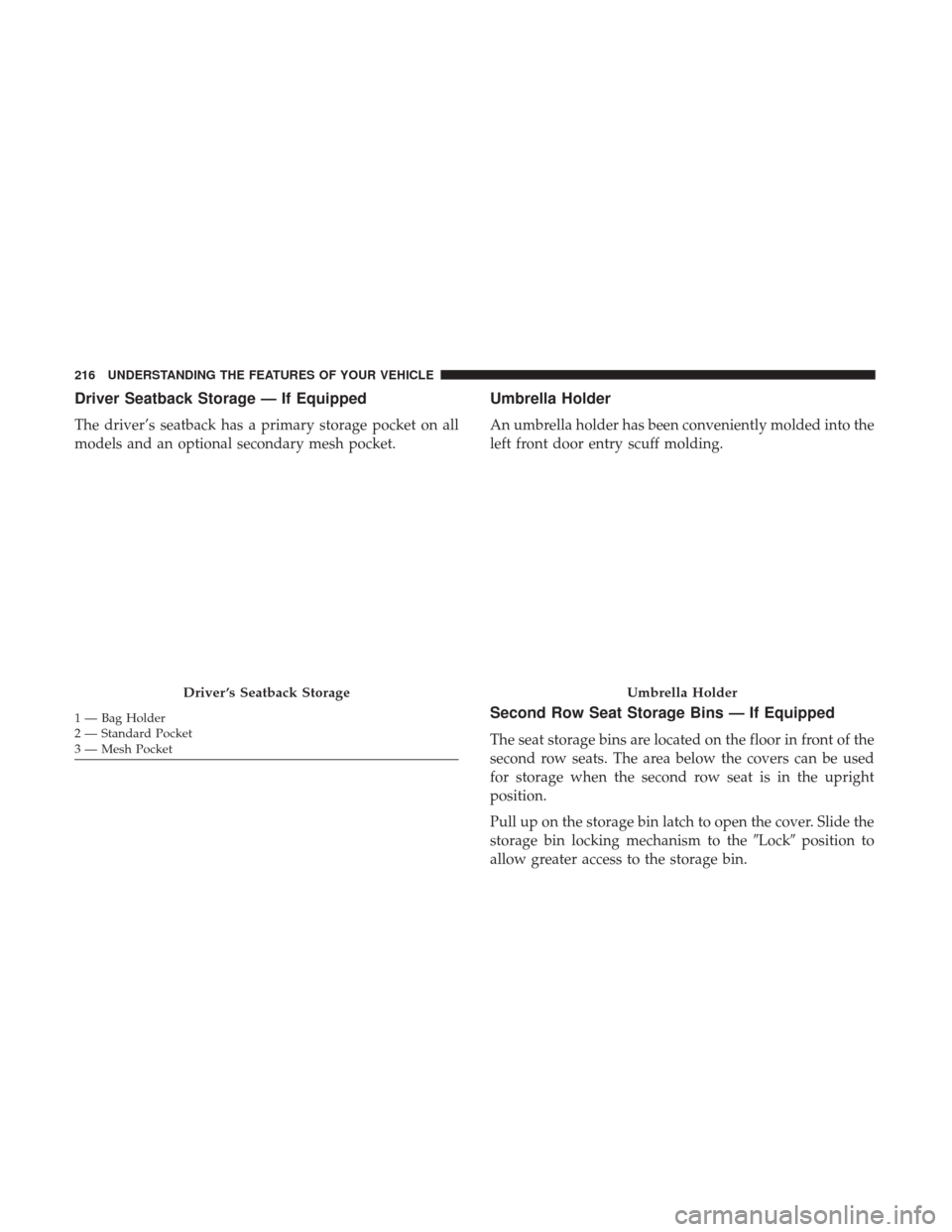
Driver Seatback Storage — If Equipped
The driver’s seatback has a primary storage pocket on all
models and an optional secondary mesh pocket.
Umbrella Holder
An umbrella holder has been conveniently molded into the
left front door entry scuff molding.
Second Row Seat Storage Bins — If Equipped
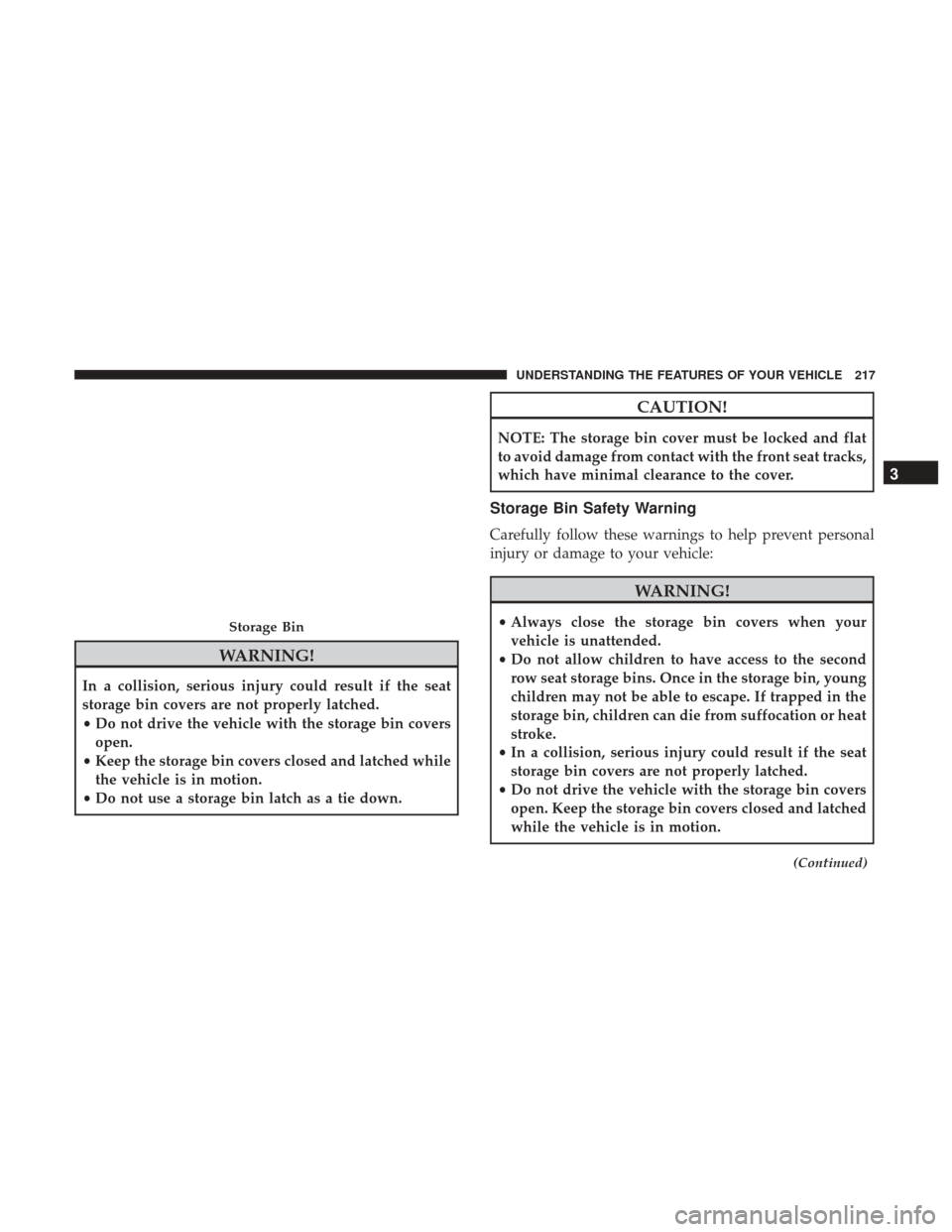
The seat storage bins are located on the floor in front of the
second row seats. The area below the covers can be used
for storage when the second row seat is in the upright
position.
Pull up on the storage bin latch to open the cover. Slide the
storage bin locking mechanism to the�Lock�position to
allow greater access to the storage bin.
Driver ’s Seatback Storage
1 — Bag Holder
2 — Standard Pocket
3 — Mesh Pocket
Umbrella Holder
216 UNDERSTANDING THE FEATURES OF YOUR VEHICLE
Page 219 of 530
WARNING!
In a collision, serious injury could result if the seat
storage bin covers are not properly latched.
•Do not drive the vehicle with the storage bin covers
open.
• Keep the storage bin covers closed and latched while
the vehicle is in motion.
• Do not use a storage bin latch as a tie down.
CAUTION!
NOTE: The storage bin cover must be locked and flat
to avoid damage from contact with the front seat tracks,
which have minimal clearance to the cover.
Storage Bin Safety Warning
Carefully follow these warnings to help prevent personal
injury or damage to your vehicle:
WARNING!
•Always close the storage bin covers when your
vehicle is unattended.
• Do not allow children to have access to the second
row seat storage bins. Once in the storage bin, young
children may not be able to escape. If trapped in the
storage bin, children can die from suffocation or heat
stroke.
• In a collision, serious injury could result if the seat
storage bin covers are not properly latched.
• Do not drive the vehicle with the storage bin covers
open. Keep the storage bin covers closed and latched
while the vehicle is in motion.
(Continued)
Storage Bin
3
UNDERSTANDING THE FEATURES OF YOUR VEHICLE 217
Page 220 of 530
WARNING!(Continued)
•Do not operate the storage bin covers while the
vehicle is in motion.
• Do not use a storage bin latch as a tie down.
CAUTION!
The storage bin cover must be flat and locked to avoid
damage from contact with the front seat tracks, which
have minimal clearance to the cover.
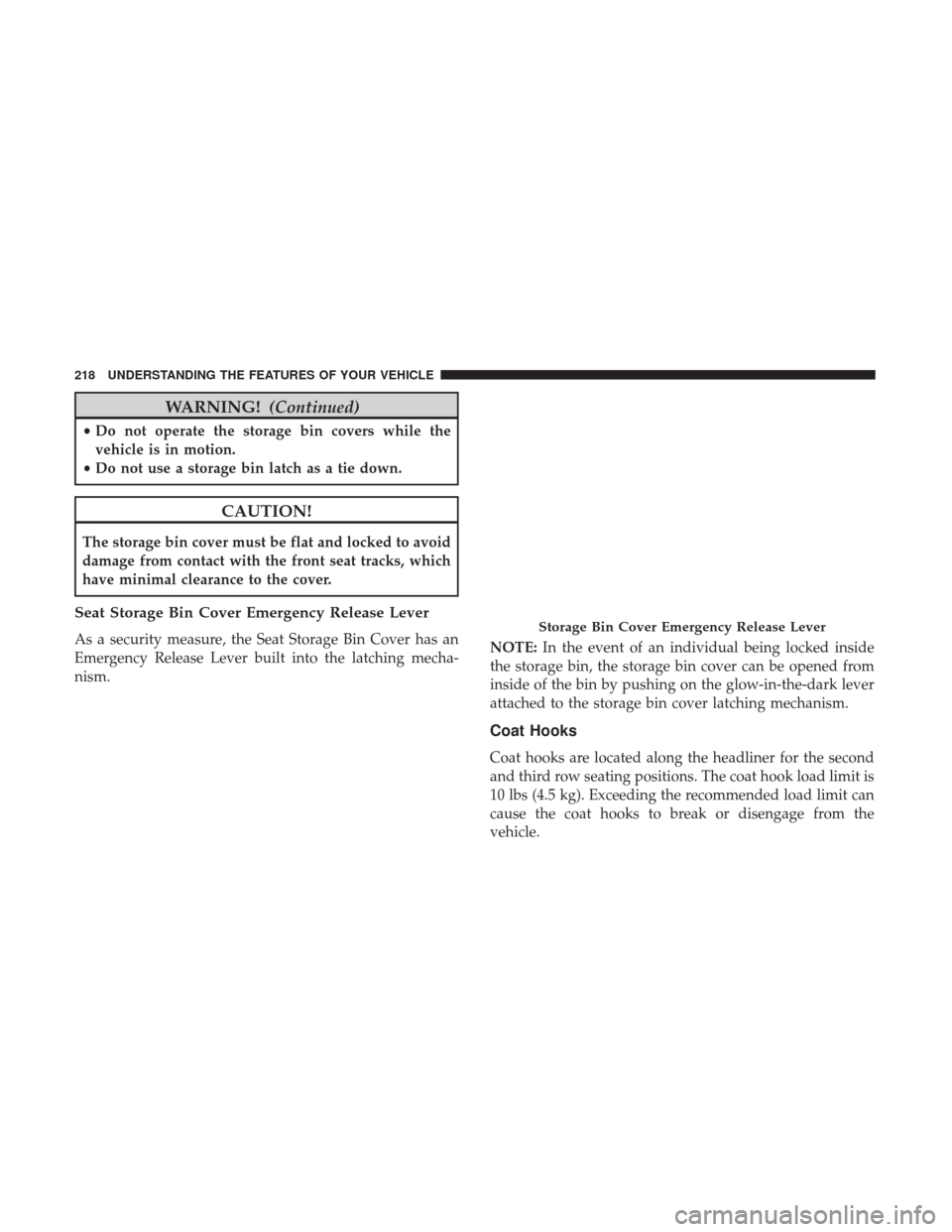
Seat Storage Bin Cover Emergency Release Lever
As a security measure, the Seat Storage Bin Cover has an
Emergency Release Lever built into the latching mecha-
nism. NOTE:
In the event of an individual being locked inside
the storage bin, the storage bin cover can be opened from
inside of the bin by pushing on the glow-in-the-dark lever
attached to the storage bin cover latching mechanism.
Coat Hooks
Coat hooks are located along the headliner for the second
and third row seating positions. The coat hook load limit is
10 lbs (4.5 kg). Exceeding the recommended load limit can
cause the coat hooks to break or disengage from the
vehicle.
Storage Bin Cover Emergency Release Lever
218 UNDERSTANDING THE FEATURES OF YOUR VEHICLE
Page 237 of 530
▫Locking The Remote Control ...............308
▫ Replacing The Remote Control Batteries .......308
▫ Headphones Operation ...................309
▫ Controls ............................ .309
▫ Replacing The Headphone Batteries ..........310
▫ Unwired Stereo Headphone Lifetime Limited
Warranty ............................ .310
▫ System Information .....................311
� STEERING WHEEL AUDIO CONTROLS — IF
EQUIPPED ............................321
▫ Radio Operation ........................321 ▫
CD Player ............................321
� CD/DVD/BLU-RAY DISC MAINTENANCE . . . .322
� RADIO OPERATION AND MOBILE DEVICES . . .322
▫ General Information .....................322
� CLIMATE CONTROLS ....................323
▫ Manual Heating And Air Conditioning System — If
Equipped ............................323
▫ Rear Manual Climate Control — If Equipped . . .327
▫ Automatic Temperature Control (ATC) — If
Equipped ............................329
▫ Operating Tips ........................336
4
UNDERSTANDING YOUR INSTRUMENT PANEL 235
Page 245 of 530
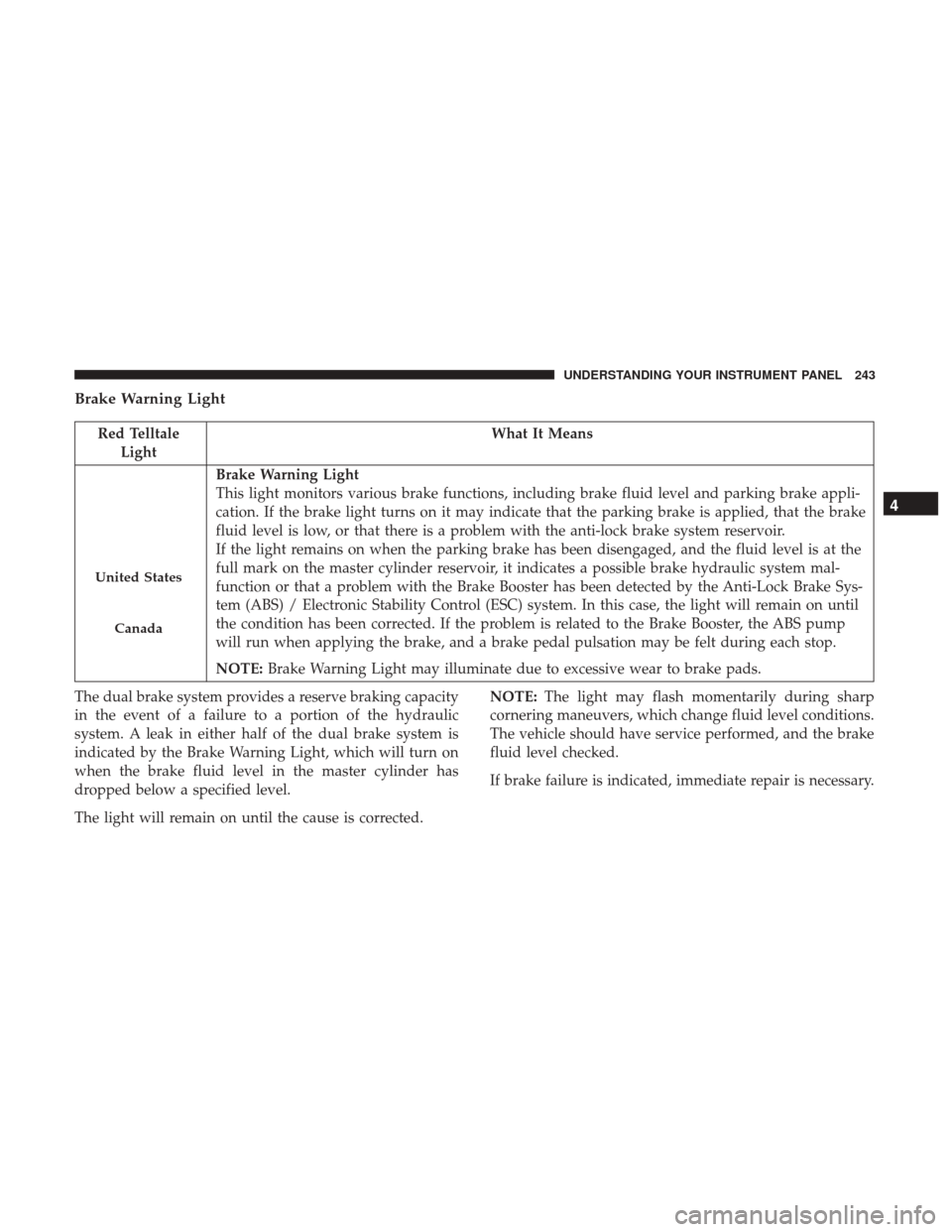
Brake Warning Light
Red TelltaleLight What It Means
United States
Canada
Brake Warning Light
This light monitors various brake functions, including brake fluid level and parking brake appli-
cation. If the brake light turns on it may indicate that the parking brake is applied, that the brake
fluid level is low, or that there is a problem with the anti-lock brake system reservoir.
If the light remains on when the parking brake has been disengaged, and the fluid level is at the
full mark on the master cylinder reservoir, it indicates a possible brake hydraulic system mal-
function or that a problem with the Brake Booster has been detected by the Anti-Lock Brake Sys-
tem (ABS) / Electronic Stability Control (ESC) system. In this case, the light will remain on until
the condition has been corrected. If the problem is related to the Brake Booster, the ABS pump
will run when applying the brake, and a brake pedal pulsation may be felt during each stop.
NOTE:
Brake Warning Light may illuminate due to excessive wear to brake pads.
The dual brake system provides a reserve braking capacity
in the event of a failure to a portion of the hydraulic
system. A leak in either half of the dual brake system is
indicated by the Brake Warning Light, which will turn on
when the brake fluid level in the master cylinder has
dropped below a specified level.
The light will remain on until the cause is corrected. NOTE:
The light may flash momentarily during sharp
cornering maneuvers, which change fluid level conditions.
The vehicle should have service performed, and the brake
fluid level checked.
If brake failure is indicated, immediate repair is necessary.
4
UNDERSTANDING YOUR INSTRUMENT PANEL 243
Page 246 of 530

WARNING!
Driving a vehicle with the red brake light on is
dangerous. Part of the brake system may have failed. It
will take longer to stop the vehicle. You could have a
collision. Have the vehicle checked immediately.
Vehicles equipped with the Anti-Lock Brake System (ABS)
are also equipped with Electronic Brake Force Distribution
(EBD). In the event of an EBD failure, the Brake Warning
Light will turn on along with the ABS Light. Immediate
repair to the ABS system is required. Operation of the Brake Warning Light can be checked by
placing the ignition in the ON/RUN position. The light
should illuminate for approximately two seconds. The light
should then turn off unless the parking brake is applied or
a brake fault is detected. If the light does not illuminate,
have the light inspected by an authorized dealer.
The light also will turn on when the parking brake is
applied with the ignition placed in the ON/RUN position.
NOTE:
This light shows only that the parking brake is
applied. It does not show the degree of brake application.
Battery Charge Warning Light
Red Telltale Light What It Means
Battery Charge Warning Light
This light illuminates when the battery is not charging properly. If it stays on while the engine is
running, there may be a malfunction with the charging system. Contact your authorized dealer as
soon as possible. This indicates a possible problem with the electrical system or a related compo-
nent.
244 UNDERSTANDING YOUR INSTRUMENT PANEL
Page 251 of 530
Yellow Telltale Indicator Lights
Anti-Lock Brake (ABS) Indicator Light
Yellow TelltaleLight What It Means
Anti-Lock Brake (ABS) Indicator Light
This light monitors the Anti-Lock Brake System (ABS). The light will turn on when the ignition is
placed in the ON/RUN position and may stay on for as long as four seconds.
If the ABS light remains on or turns on while driving, then the Anti-Lock portion of the brake
system is not functioning and service is required. However, the conventional brake system will
continue to operate normally if the brake warning light is not on.
If the ABS light is on, the brake system should be serviced as soon as possible to restore the ben-
efits of Anti-Lock Brakes. If the ABS light does not turn on when the ignition is placed in the
ON/RUN position, have the light inspected by an authorized dealer.4
UNDERSTANDING YOUR INSTRUMENT PANEL 249
Page 264 of 530
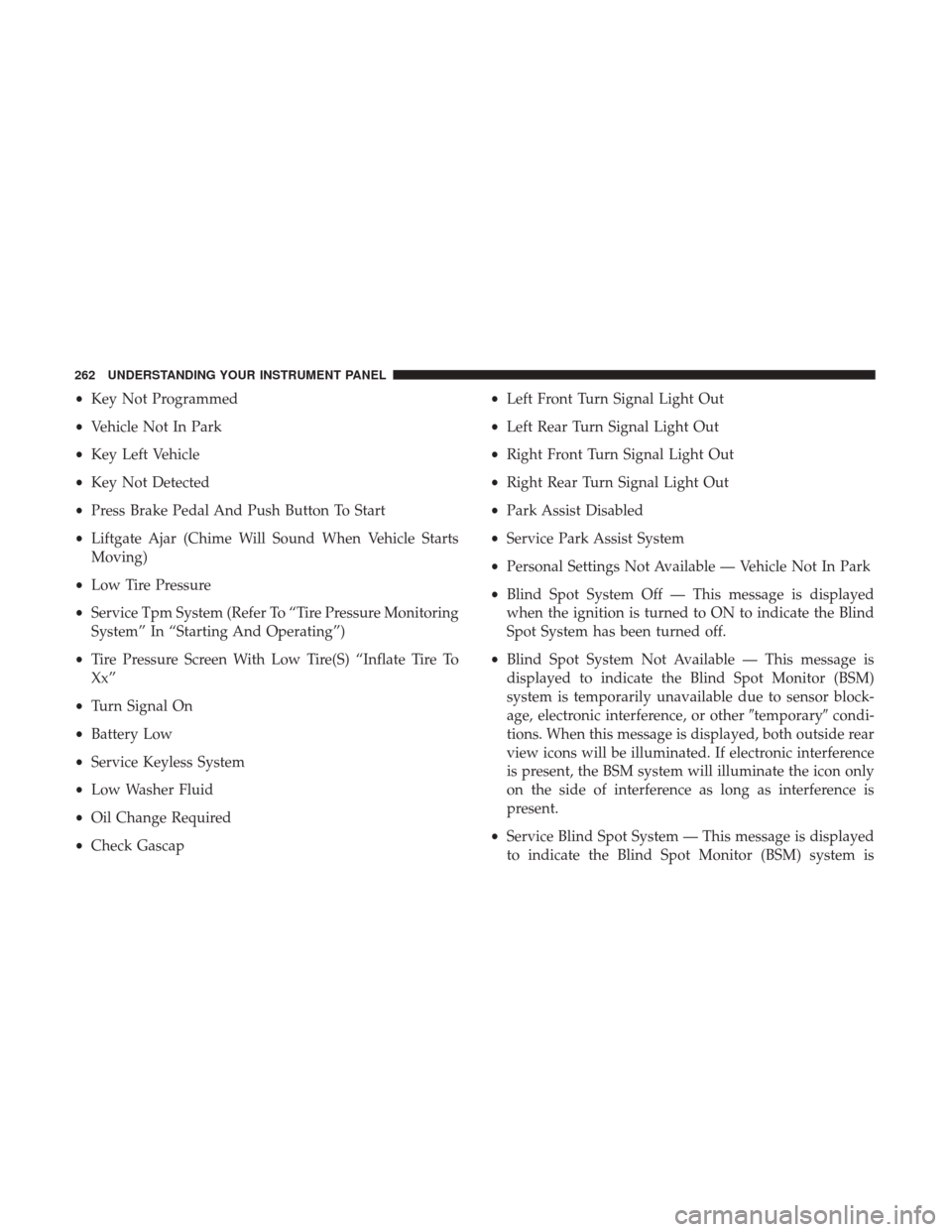
•Key Not Programmed
• Vehicle Not In Park
• Key Left Vehicle
• Key Not Detected
• Press Brake Pedal And Push Button To Start
• Liftgate Ajar (Chime Will Sound When Vehicle Starts
Moving)
• Low Tire Pressure
• Service Tpm System (Refer To “Tire Pressure Monitoring
System” In “Starting And Operating”)
• Tire Pressure Screen With Low Tire(S) “Inflate Tire To
Xx”
• Turn Signal On
• Battery Low
• Service Keyless System
• Low Washer Fluid
• Oil Change Required
• Check Gascap •
Left Front Turn Signal Light Out
• Left Rear Turn Signal Light Out
• Right Front Turn Signal Light Out
• Right Rear Turn Signal Light Out
• Park Assist Disabled
• Service Park Assist System
• Personal Settings Not Available — Vehicle Not In Park
• Blind Spot System Off — This message is displayed
when the ignition is turned to ON to indicate the Blind
Spot System has been turned off.
• Blind Spot System Not Available — This message is
displayed to indicate the Blind Spot Monitor (BSM)
system is temporarily unavailable due to sensor block-
age, electronic interference, or other �temporary�condi-
tions. When this message is displayed, both outside rear
view icons will be illuminated. If electronic interference
is present, the BSM system will illuminate the icon only
on the side of interference as long as interference is
present.
• Service Blind Spot System — This message is displayed
to indicate the Blind Spot Monitor (BSM) system is
262 UNDERSTANDING YOUR INSTRUMENT PANEL