Page 240 of 530

Safety/Assistance
After pressing the “Safety/Assistance” button on the
touchscreen the following settings will be available:
Setting NameSelectable Options
Steering Feel Op-
tions — If Equipped Normal
SportComfort
NOTE:
When your vehicle is not equipped with Performance Control, the Steering Feel Options feature will allow you to ad-
just the steering effort and feel. Your vehicle will come pre-set to the “Normal” steering setting. This setting provides
a balanced steering feel and steering effort. Press the “Sport” button on the touchscreen to provide an increased
amount of steering feel, requiring a higher amount of steering effort. Press the “Comfort” button on the touchscreen
to provide a lower steering effort. ParkSense — If Equipped Sound Only
Sound and Display
NOTE:
The ParkSense system will scan for objects behind the vehicle when the transmission gear selector is in REVERSE and
the vehicle speed is less than 11 mph (18 km/h). It will provide an alert (audible and/or visual) to indicate the prox-
imity to other objects. The system can be enabled with Sound Only, or Sound and Display.
238 UNDERSTANDING YOUR INSTRUMENT PANEL
Page 241 of 530

Setting NameSelectable Options
Rear ParkSense
Chime Volume — If Equipped Low
MedHigh
ParkView Backup Camera Active Guidelines On
Off
NOTE:
Your vehicle may be equipped with the ParkView Rear Back Up Camera Active Guidelines that allows you to see ac-
tive guidelines over the ParkView Back up camera display whenever the gear selector is put into REVERSE. The im-
age will be displayed on the radio touchscreen display along with a caution note to “check entire surroundings”
across the top of the screen. After five seconds, this note will disappear. ParkView Backup Camera Delay On
Off
NOTE:
When the vehicle is shifted out of REVERSE (with camera delay turned off), the rear camera mode is exited and the
navigation or audio screen appears again. When the vehicle is shifted out of REVERSE (with camera delay turned
on), the rear view image with dynamic grid lines will be displayed for up to 10 seconds after shifting out of “RE-
VERSE” unless the forward vehicle speed exceeds 8 mph (12 km/h), the transmission is shifted into PARK or the ig-
nition is switched to the off position. To set the ParkView Backup Camera Delay press the “Controls” button on the
touchscreen, the “settings” button on the touchscreen, then the “Safety & Assistance” button on the touchscreen.
4
UNDERSTANDING YOUR INSTRUMENT PANEL 239
Page 262 of 530
Setting NameSelectable Options
LaneSense Warning — If Equipped Early
MediumLate
NOTE:
When the “LanseSense Warning” feature is selected, it sets the distance at which the steering wheel will provide feed-
back for potential lane departures. The LDW sensitivity can be set to provide either an “Early,” “Medium,” or “Late”
warning zone start point. LaneSense Strength — If Equipped Low
MediumHigh
NOTE:
When the “LaneSense Strength” feature is selected, it sets the strength of the steering wheel feedback for potential
lane departures. ParkSense — If Equipped Sound Only
Sound and Display
NOTE:
The ParkSense system will scan for objects behind the vehicle when the transmission gear selector is in REVERSE and
the vehicle speed is less than 11 mph (18 km/h). It will provide an alert (audible and/or visual) to indicate the prox-
imity to other objects. The system can be enabled with Sound Only, or Sound and Display.
260 UNDERSTANDING YOUR INSTRUMENT PANEL
Page 263 of 530
Setting NameSelectable Options
Rear ParkSense Vol- ume Low
Medium High
NOTE:
The Rear ParkSense Chime Volume settings can be selected from the Instrument Cluster Display or Uconnect System.
The chime volume settings include LOW, MEDIUM, and HIGH. The factory default volume setting is MEDIUM.
ParkSense will retain its last known configuration state through ignition cycles. Tilt Side Mirrors In Reverse
NOTE:
When the “Tilt Side Mirror In Reverse” feature is selected, the exterior sideview mirrors will tilt downward when the
ignition is in the RUN position and the transmission gear selector is in the REVERSE position. The mirrors will move
back to their previous position when the transmission is shifted out of REVERSE.
4
UNDERSTANDING YOUR INSTRUMENT PANEL 261
Page 265 of 530
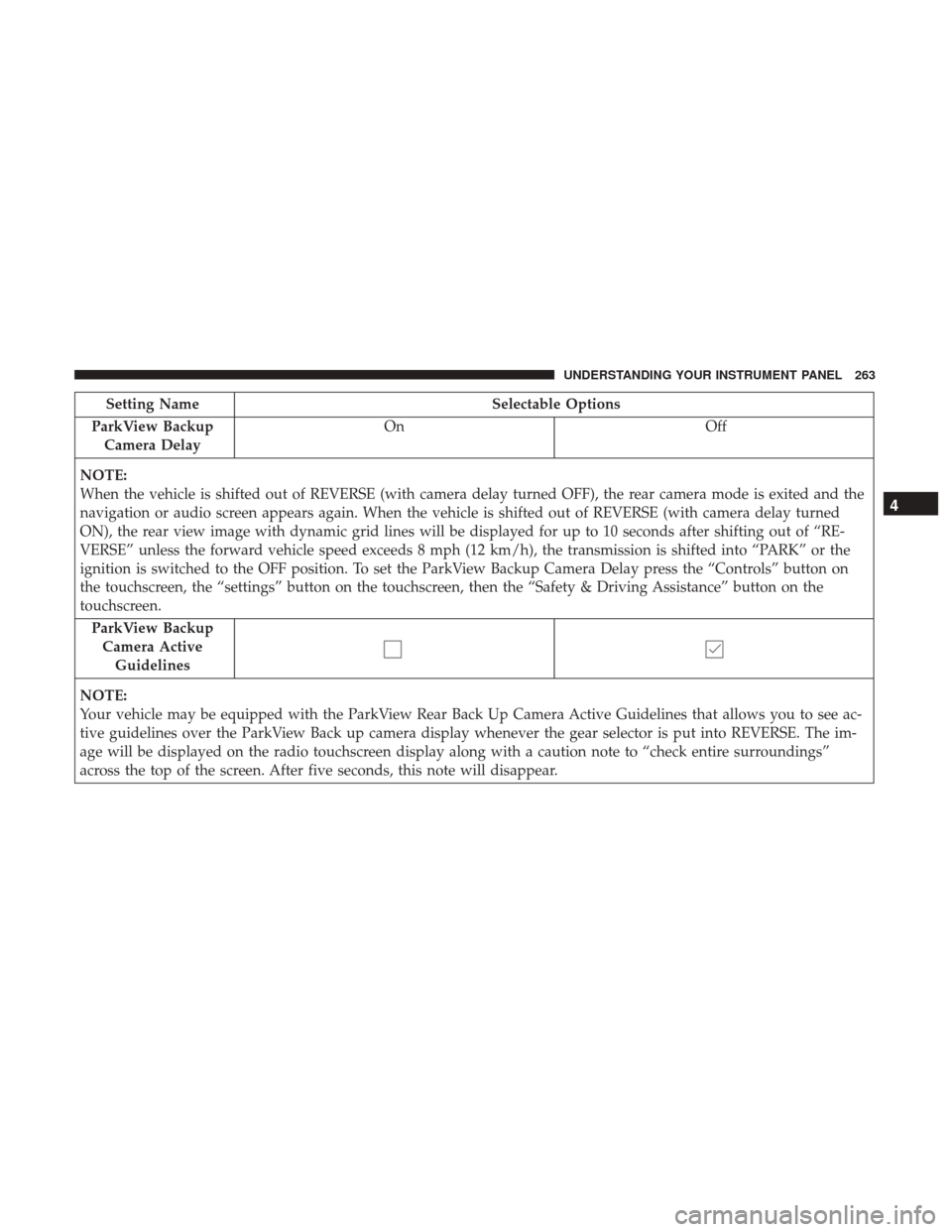
Setting NameSelectable Options
ParkView Backup Camera Delay On
Off
NOTE:
When the vehicle is shifted out of REVERSE (with camera delay turned OFF), the rear camera mode is exited and the
navigation or audio screen appears again. When the vehicle is shifted out of REVERSE (with camera delay turned
ON), the rear view image with dynamic grid lines will be displayed for up to 10 seconds after shifting out of “RE-
VERSE” unless the forward vehicle speed exceeds 8 mph (12 km/h), the transmission is shifted into “PARK” or the
ignition is switched to the OFF position. To set the ParkView Backup Camera Delay press the “Controls” button on
the touchscreen, the “settings” button on the touchscreen, then the “Safety & Driving Assistance” button on the
touchscreen. ParkView BackupCamera Active Guidelines
NOTE:
Your vehicle may be equipped with the ParkView Rear Back Up Camera Active Guidelines that allows you to see ac-
tive guidelines over the ParkView Back up camera display whenever the gear selector is put into REVERSE. The im-
age will be displayed on the radio touchscreen display along with a caution note to “check entire surroundings”
across the top of the screen. After five seconds, this note will disappear.
4
UNDERSTANDING YOUR INSTRUMENT PANEL 263
Page 281 of 530
Gauges 1
When selected, this screen displays the following values:
•Oil Temperature
Shows the actual oil temperature.
• Coolant Temperature
Shows the actual coolant temperature. •
Oil Pressure
Shows the actual oil pressure.
Gauges 2
When selected, this screen displays the following values:
• Battery Voltage
Shows the actual battery voltage.
Performance Pages — Gauges 1
Performance Pages — Gauges 2 (Automatic Transmission)
4
UNDERSTANDING YOUR INSTRUMENT PANEL 279
Page 282 of 530
•Intake Air Temperature
Shows the actual intake air temperature.
• Transmission Temperature (Automatic Transmission
Only)
Shows the actual transmission temperature.
G-Force
When selected, this screen displays all four G-Force values
(two lateral and two longitudinal) as well as steering angle.
When G-Force is selected, the following features will be
available:
• Lateral G-Force Left and Right
The lateral g-force measures the (sideways) left and right
force of the vehicle.
Charger Performance Pages — G-Force
280 UNDERSTANDING YOUR INSTRUMENT PANEL
Page 284 of 530

•Instantaneous Torque
Shows the instantaneous torque.
• Oil Pressure
Shows the actual engine oil pressure.
• Gear (Automatic Transmission Only)
Shows the current (or pending) operating gear of the
vehicle.
Performance Control — If Equipped
Your vehicle is equipped with a Performance Control
feature which allows for coordinating the operation of
various vehicle systems depending upon the type of driv-
ing behavior desired. The Performance Control feature is
controlled through the Uconnect radio and may be ac-
cessed by performing any of the following:
• Pushing the Super Track Pack button on the instrument
panel switch bank.
• Selecting “Performance Control” from the “Apps”
menu.
• Selecting “Performance Control” from within the Perfor-
mance Pages menu. You will be able to enable, disable, and customize the
functionality of the Launch Control and Drive Mode
Set-Up features within Performance Control.
Descriptions of these features are provided below. To
access information about the functionality of these features
through the Uconnect system, press the “Info” button on
the touchscreen.
Launch Mode
WARNING!
Launch Mode is intended for off-highway or off-road
use only and should not be used on any public
roadways. It is recommended that this feature be used
in a controlled environment, and within the limits of
the law. The capabilities of the vehicle as measured by
the performance pages must never be exploited in a
reckless or dangerous manner, which can jeopardize
the user ’s safety or the safety of others. Only a safe,
attentive, and skillful driver can prevent accidents.
282 UNDERSTANDING YOUR INSTRUMENT PANEL


