Page 167 of 506
STORAGE
Glove Compartment
The glove compartment is located on the passenger side of
the instrument panel.
Console Storage
The center console has a storage compartment located
underneath the armrest. The compartment contains a 12
Volt power outlet, and a molded-in coin holder (designed
to hold various size coins). The center console may also be
equipped with an IPOD/USB/MP3 Control. This supports
Mini, 4G, Photo, Nano, 5G iPod and iPhone devices. Refer
to “IPOD/USB/MP3 Control – If Equipped” in “Under-
standing Your Instrument Panel” for further information.
Glove Compartment
Opened Glove Compartment
3
UNDERSTANDING THE FEATURES OF YOUR VEHICLE 165
Page 170 of 506
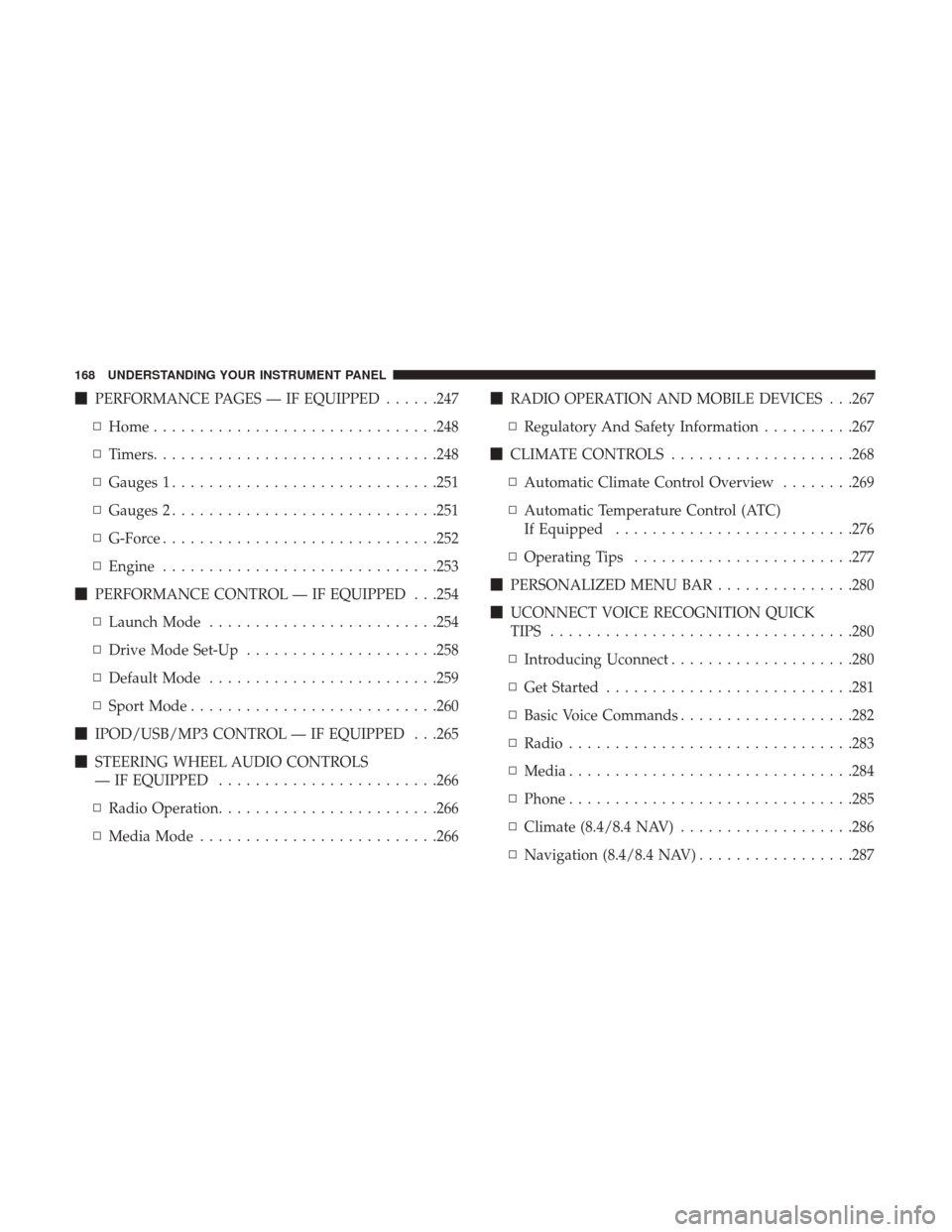
�PERFORMANCE PAGES — IF EQUIPPED ......247
▫ Home .............................. .248
▫ Timers .............................. .248
▫ Gauges 1 ............................ .251
▫ Gauges 2 ............................ .251
▫ G-Force ............................. .252
▫ Engine ............................. .253
� PERFORMANCE CONTROL — IF EQUIPPED . . .254
▫ Launch Mode ........................ .254
▫ Drive Mode Set-Up .....................258
▫ Default Mode ........................ .259
▫ Sport Mode .......................... .260
� IPOD/USB/MP3 CONTROL — IF EQUIPPED . . .265
� STEERING WHEEL AUDIO CONTROLS
— IF EQUIPPED ....................... .266
▫ Radio Operation ....................... .266
▫ Media Mode ......................... .266�
RADIO OPERATION AND MOBILE DEVICES . . .267
▫ Regulatory And Safety Information ..........267
� CLIMATE CONTROLS ....................268
▫ Automatic Climate Control Overview ........269
▫ Automatic Temperature Control (ATC)
If Equipped ......................... .276
▫ Operating Tips ....................... .277
� PERSONALIZED MENU BAR ...............280
� UCONNECT VOICE RECOGNITION QUICK
TIPS ................................ .280
▫ Introducing Uconnect ....................280
▫ Get Started .......................... .281
▫ Basic
Voice Commands ...................282
▫ Radio .............................. .283
▫ Media .............................. .284
▫ Phone .............................. .285
▫ Climate (8.4/8.4 NAV) ...................286
▫ Navigation (8.4/8.4 NAV) .................287
168 UNDERSTANDING YOUR INSTRUMENT PANEL
Page 211 of 506

are larger than the capability of charging system. The
charging system is still functioning properly.
• Turning on all possible vehicle electrical loads (e.g.
HVAC to max settings, exterior and interior lights,
overloaded power outlets +12V, 115V AC, USB ports)
during certain driving conditions (city driving, towing,
frequent stopping).
• Installing options like additional lights, upfitter electri-
cal accessories, audio systems, alarms and similar de-
vices.
• Unusual driving cycles (short trips separated by long
parking periods).
• The vehicle was parked for an extended period of time
(weeks, months).
• The battery was recently replaced and was not charged
completely.
• The battery was discharged by an electrical load left on
when the vehicle was parked.
• The battery was used for an extended period with the
engine not running to supply radio, lights, chargers,
+12V portable appliances like vacuum cleaners, game
consoles and similar devices. What to do when an electrical load reduction action
message is present (“Battery Saver On” or “Battery Saver
Mode”)
During a trip:
•
Reduce power to unnecessary loads if possible:
– Turn off redundant lights (interior or exterior)
– Check what may be plugged in to power outlets +12V, 115V AC, USB ports
– Check HVAC settings (blower, temperature)
– Check the audio settings (volume)
After a trip:
• Check if any aftermarket equipment was installed (ad-
ditional lights, upfitter electrical accessories, audio sys-
tems, alarms) and review specifications if any (load and
Ignition Off Draw currents).
• Evaluate the latest driving cycles (distance, driving time
and parking time).
• The vehicle should have service performed if the mes-
sage is still present during consecutive trips and the
evaluation of the vehicle and driving pattern did not
help to identify the cause.
4
UNDERSTANDING YOUR INSTRUMENT PANEL 209
Page 267 of 506
IPOD/USB/MP3 CONTROL — IF EQUIPPED
This feature allows an iPod or external USB device to be
plugged into the USB port.
Located in the front storage area of the center console, this
feature allows an iPod/MP3 player, or an external USB
device, to be connected to the audio system.iPod control supports Mini, 4G, Photo, Nano, 5G iPod and
iPhone devices. Some iPod software versions may not fully
support the iPod control features. Please visit Apple’s
website for software updates.
For further information, refer to the Uconnect Owner ’s
Manual Supplement.
Uconnect 5.0 USB/AUX/SD Card Ports
1 — Aux Jack
2 — USB Port
3 — SD Card Slot
Uconnect 8.4/8.4 NAV USB/AUX Ports
1 — USB Port
2 — AUX Jack
3 — USB Port
4
UNDERSTANDING YOUR INSTRUMENT PANEL 265
Page 286 of 506
Media
Uconnect offers connections via USB, Bluetooth and auxil-
iary ports (If Equipped). Voice operation is only available
for connected USB and AUX devices. (Remote CD player
optional and not available on all vehicles.)
Push the VR button
. After the beep, say one of the
following commands and follow the prompts to switch
your media source or choose an artist.
• Change source to Bluetooth
• Change source to AUX
• Change source to USB
• Play artist Beethoven; Play album Greatest Hits; Play
song Moonlight Sonata; Play genreClassical
TIP: Press the Browse button on the touchscreen to see all
of the music on your USB device. Your Voice Command
must match exactlyhow the artist, album, song and genre
information is displayed.
Uconnect 8.4/8.4 NAV Radio
Uconnect 5.0 Media
284 UNDERSTANDING YOUR INSTRUMENT PANEL
Page 293 of 506
Apple CarPlay — If Equipped
Apple CarPlay allows you to use your voice to interact
with Siri through your vehicle’s voice recognition system,
and use your smartphone’s data plan to project your
iPhone and a number of its apps onto your Uconnect
touchscreen. Connect your iPhone 5, or higher, to one of
the media USB ports, using the factory-provided Lightning
cable, and press the new CarPlay icon that replaces your
“Phone” icon on the main menu bar to begin Apple
CarPlay. Press and hold the VR button on the steering
wheel, or press and hold the “Home” button within Apple
CarPlay, to activate Siri, which recognizes natural voice
commands to use a list of your iPhone’s features:
•Phone
• Music
• Messages
• Maps
• Additional Apps Refer to your Uconnect Owner ’s Manual Supplement for
further information.
Apple CarPlay
4
UNDERSTANDING YOUR INSTRUMENT PANEL 291
Page 294 of 506
Android Auto — If Equipped
Android Auto allows you to use your voice to interact with
Android’s best-in-class speech technology through your
vehicle’s voice recognition system, and use your smart-
phone’s data plan to project your Android powered smart-
phone and a number of its apps onto your Uconnect
touchscreen. Connect your Android 5.0 (Lollipop), or
higher, to one of the media USB ports, using the factory-
provided USB cable, and press the new Android Auto icon
that replaces your “Phone” icon on the main menu bar to
begin Android Auto. Push and hold the VR button on the
steering wheel, or press and hold the “Microphone” icon
within Android Auto, to activate Android’s VR, which
recognizes natural voice commands, to use a list of your
smartphone’s features:
•Maps
• Music
• Phone
• Text Messages
• Additional Apps Refer to your Uconnect Owner ’s Manual Supplement for
further information.
Android Auto
292 UNDERSTANDING YOUR INSTRUMENT PANEL
Page 452 of 506
CAUTION!(Continued)
•When replacing a blown fuse, it is important to use
only a fuse having the correct amperage rating. The
use of a fuse with a rating other than indicated may
result in a dangerous electrical system overload. If a
properly rated fuse continues to blow, it indicates a
problem in the circuit that must be corrected.
Cavity Cartridge Fuse Mini-FuseDescription
2 60 Amp Yellow –Front PDC Feed #1
3 – –Fuse – Spare
4 60 Amp Yellow –Front PDC Feed #2
5 30 Amp Pink
20 Amp Blue – Police –
Sunroof/Dome Lamp – Police
6 40 Amp Green –Exterior Lighting #1
7 40 Amp Green –Exterior Lighting #2
8 30 Amp Pink –Interior Lighting
9 40 Amp Green –Power Locks
10 30 Amp Pink –Driver Door Control Module
11 30 Amp Pink –Passenger Door Control Module
12 – 20 Amp YellowDual USB Center Console Rear/
450 MAINTAINING YOUR VEHICLE


