Page 188 of 269
186
C1_en_Chap10a_ Autoradio-Toyota-tactile-1_ed01-2016
In the event of prolonged exposure to sunlight and very hot conditions, the
s
ystem may go into stand-by (screen
a
nd sound completely off) for at least
5 m
inutes.
Return
to normal operation takes
p
lace when the temperature in the
p
assenger
c
ompartment
d
rops.
First steps
In ACC mode or when starting the vehicle, the system comes on.
Use
the button at bottom right of the screen for
a
ccess to the main menus.
A
second press returns the system to the last
s
ource activated, then press the virtual buttons
i
n the screen.
Audio and Telematics
Page 189 of 269
187
C1_en_Chap10a_ Autoradio-Toyota-tactile-1_ed01-2016
Press to mute the sound.
A long press reinitialises the system.
Volume
(each source is independent).
Select
audio
source
(depending
on
version):
-
"
FM"
/
"AM"
/
"DAB"*
radio.
-
"
USB"
player.
-
T
elephone
connected
by
Bluetooth
and
w
ith
Bluetooth
streaming.
-
M
edia
player
connected
to
the
auxiliary
s
ocket
( jack,
cable
not
supplied).
Short-cuts:
using
virtual
buttons
in
the
top
bar
o
f
the
screen,
it
is
possible
to
go
directly
to
the
c
hoice
of
audio
source,
telephone
functions
or
"
Mirror Screen
®" mode.
*
Depending
on
equipment. To
clean the screen, use a soft non-
abrasive
cloth (spectacles cloth) without
a
ny additional product or a damp cloth.
Do
not use pointed objects on the
sc
reen.
Do
not touch the screen with wet hands.
Pressing with more than one finger is not recognised.
The
s
creen
c
an
b
e
u
sed
w
hen
w
earing
g
loves.
.
Audio and Telematics
Page 190 of 269
188
C1_en_Chap10a_ Autoradio-Toyota-tactile-1_ed01-2016
Steering mounted controls
Change multimedia source.
P ress and hold: mute / restore
s
ound from the radio or pause media
s
ources. Increase
volume.
Decrease volume.Reject
the incoming call.
End
the call in progress.
Other
than on a call: press to return
t
o the radio screen or the clock if the
r
adio is not active.
Radio:
change to preset radio
s
tations in ascending order.
Media: next track.
Radio: change to preset radio
s
tations in descending order.
Media: previous track.
Accept an incoming call.
Other than on a call: press to open
t
he list of contacts; a second press
o
pens the calls history.
A
Page 191 of 269
189
C1_en_Chap10a_ Autoradio-Toyota-tactile-1_ed01-2016
Menus
Audio sourceConfiguration
Telephone
Connection Vehicle information
Select an audio source, a radio station, view p
hotos or videos. Adjust
settings for sounds or brightness a
nd activate or deactivate certain settings
a
ccording to use.
Connect a telephone by Bluetooth®.
Run
certain
applications
on
a
your
smartphone
i
n
the
touch
screen.
Enter
navigation
settings
and
select
a
d
estination. Access
the
trip
computer.
.
Audio and Telematics
Page 199 of 269

197
C1_en_Chap10a_ Autoradio-Toyota-tactile-1_ed01-2016
Press on "Audio source " to display t
he carousel of sound sources. Press "
Audio source " to display the
c
arousel of audio sources.
Select " DAB". Select "
DAB".
Select " DAB radio configuration ".
Activate " L-band". Select "
DAB radio configuration ".
Activate " Alternative DAB
frequency ".
Select the "
Station" tab then select a
station from those received.
Select the " Manual" tab to search for
a station.
Digital radio provides higher quality
r
eception and also the display of
a
dditional
in
formation
(
album
ar
twork...)
o
n
the radio station being listened to.
S
elect "DAB" in the carousel of audio
s
ources.
The range of multiplexes available is
d
isplayed in alphabetical order.
Digital radio does not cover 100% of the
t
e r r i to r y.
When
the digital signal is weak, the
"A
lternative DAB frequency" option
makes
it possible to continue listening
t
o the same station, by automatically
s
witching to the corresponding "FM"
s
tation (if there is one).If
the "DAB" station being listened to
i
s not available, or if "L-band" is not
activated,
the sound will cut out while
t
he digital signal is too weak.
If "
Alternative DAB frequency "
tracking
is activated, there is a
d
ifference of a few seconds when the
s
ystem switches to the "FM" analogue
r
adio station with sometimes a variation
i
n volume.
When
the digital signal is restored, the
s
ystem automatically changes back
t
o "DAB".
DAB / FM station tracking
Digital radio
.
Audio and Telematics
Page 200 of 269
198
C1_en_Chap10a_ Autoradio-Toyota-tactile-1_ed01-2016
Media
USB player
Insert a USB memory stick into the USB port or connect a USB peripheral device to the USB
p
ort using a suitable cable (not supplied).
The
system builds playlists
(in
temporary memory), an operation
w
hich can take from a few seconds to
s
everal minutes at the first connection.
Reduce
the number of non-music files
a
nd the number of folders to reduce the
w
aiting
t
ime.
The
playlists are updated every time the
i
gnition is switched off or connection
o
f a USB memory stick. However, the
a
udio system memorises these lists and
i
f they are not modified, the loading time
w
ill be shorter.
Auxiliary (A/V) input
Connect a portable device (MP3 player…) to the auxiliary JACK socket using an audio cable.
Audio and Telematics
Page 202 of 269

200
C1_en_Chap10a_ Autoradio-Toyota-tactile-1_ed01-2016
Information and advice
The system accepts USB mass storage devices o r A pple® players via the
USB
ports.
The
adaptor cable is not
sup
plied.
Control
of
the
peripheral device is with
t
he
audio
system
controls.
Other
peripherals, not recognised on
c
onnection,
must
be connected to the
a
uxiliary
socket
using a Jack cable
(
not supplied).
It
is
advisable
to
restrict
file
names
to
2
0 characters,
without
using
of
special
c
haracters
(e.g.:
"
"
?
;
ù)
to
avoid
any
playing
a
nd
d
isplaying
pro
blems.
Use
only
USB
memory
sticks
formatted
FAT32
(
File
Allocation
Table).
The
audio
system
plays
files
with
the
extension:
".wma",
type
Ver7
and
Ver8
with
bit
rate
b
etween
48
and
192
Kbps
and
type
Ver9
with
b
it
rate
between
48
and
320
Kbps.
".aac",
with
bit
rate
between
16
and
320
Kbps.
".mp3
-
MPEG1"
with
bit
rate
between
32
and
3
20
Kbps
and
".mp3
-
MPEG2"
with
bit
rate
b
etween
8
and
160
Kbps.
The
sampling
rates
supported
are
11,
22,
44
a
nd
48
KHz. The
system
can
alternatively read files
v
ia the Bluetooth
® system and the USB po
rt.
It
is
recommended that the USB cable
f
or
the
portable
device is used.
Audio and Telematics
Page 203 of 269
201
C1_en_Chap10a_ Autoradio-Toyota-tactile-1_ed01-2016
Audio streaming
Once connected for streaming, the telephone is considered as a media
s
ource.
It
is recommended that "Repeat "
mode
b
e activated in the Bluetooth device.
Streaming
allows audio files on your
t
elephone to be played via the vehicle's
s
peakers.
Connect the telephone: see the "
Telephone "
section, then " Bluetooth".
Choose either " Connect all" or " Connect as
audio player "
pro
file.
If
play
does not start automatically, it may
b
e
necessary to start audio play from the
t
elephone.
Control is from the peripheral device or by
u
sing
the audio system controls.
Connecting Apple® players
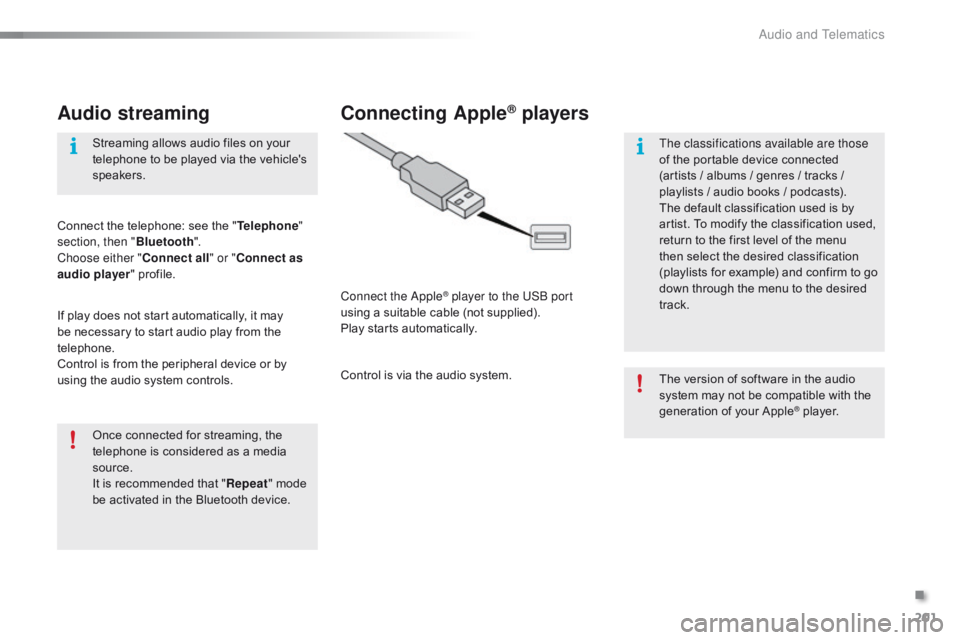
Connect the Apple® player to the USB port
using
a
suitable
cable (not supplied).
Play
starts
automatically.
Control
is
via
the
audio system. The
version of software in the audio
s
ystem may not be compatible with the
g
eneration of your Apple
® player.
T
he classifications available are those
of
the
portable
device
connected
(
artists
/
albums
/
genres
/ tracks /
p
laylists
/
a
udio
books /
podcasts).
The
default
classification
used is by
a
rtist.
To
modify
the
classification used,
r
eturn
to
the
first
level
of
the menu
t
hen
select
the
desired
classification
(
playlists
for
example)
and confirm to go
d
own
through
the
menu
to the desired
t
rack.
.
Audio and Telematics


