Page 141 of 828

15. Driver Temperature Control Up Button
Provides the driver with independent temperature con-
trol. Push the button on the faceplate for warmer tem-
perature settings or on the touchscreen, press and slide
the temperature bar button towards the red arrow for
warmer temperature settings.
NOTE:In Sync mode, this button will also automatically
adjust the passenger temperature setting at the same
time.
Driver and Passenger Temperature Control Button
Provides the temperature setting for both the driver and
the passenger seating positions, which can be indepen-
dently set after selecting this button.Climate Control Functions
A/C (Air Conditioning)
The Air Conditioning (A/C) button allows the operator
to manually activate or deactivate the air conditioning
system. When the air conditioning system is turned on,
cool dehumidified air will flow through the outlets into
the cabin. For improved fuel economy, press the A/C
button to turn off the air conditioning and manually
adjust the blower and airflow mode settings. Also, make
sure to select only Panel, Bi-Level or Floor modes.
NOTE:
• If fog or mist appears on the windshield or side glass,
select Defrost mode and increase blower speed if
needed.
• If your air conditioning performance seems lower than
expected, check the front of the A/C condenser (lo-
cated in front of the radiator), for an accumulation of
3
GETTING TO KNOW YOUR VEHICLE 139
Page 142 of 828

dirt or insects. Clean with a gentle water spray from
the front of the radiator and through the condenser.
MAX A/C
MAX A/C sets the control for maximum cooling perfor-
mance.
Press and release to toggle between MAX A/C and the
prior settings. The button illuminates when MAX A/C is
ON.
In MAX A/C, the blower level and mode position can be
adjusted to desired user settings. Pressing other settings
will cause the MAX A/C operation to switch to the
selected setting and MAX A/C to exit.
Recirculation
When outside air contains smoke, odors, or high humid-
ity, or if rapid cooling is desired, you may wish to recirculate interior air by pressing the Recirculation con-
trol button. The recirculation indicator will illuminate
when this button is selected. Press the button a second
time to turn off the Recirculation mode and allow outside
air into the vehicle.
NOTE:
In cold weather, use of recirculation mode may
lead to excessive window fogging. The recirculation
feature may be unavailable (button on the touchscreen
greyed out) if conditions exist that could create fogging
on the inside of the windshield. On systems with Manual
Climate Controls, the Recirculation mode is not allowed
in Defrost mode to improve window clearing operation.
Recirculation will be disabled automatically if this mode
is selected. Attempting to use Recirculation while in this
mode will cause the LED in the control button to blink
and then turn off.
140 GETTING TO KNOW YOUR VEHICLE
Page 144 of 828
NOTE:The system will not automatically sense the
presence of fog, mist or ice on the windshield. DEFROST
mode must be manually selected to clear the windshield
and side glass.
Controlling The Rear Climate Controls From The
Front ATC Panel
The Three-Zone ATC system allows for adjustment of the
rear climate controls from the front ATC panel.
To change the rear system settings:
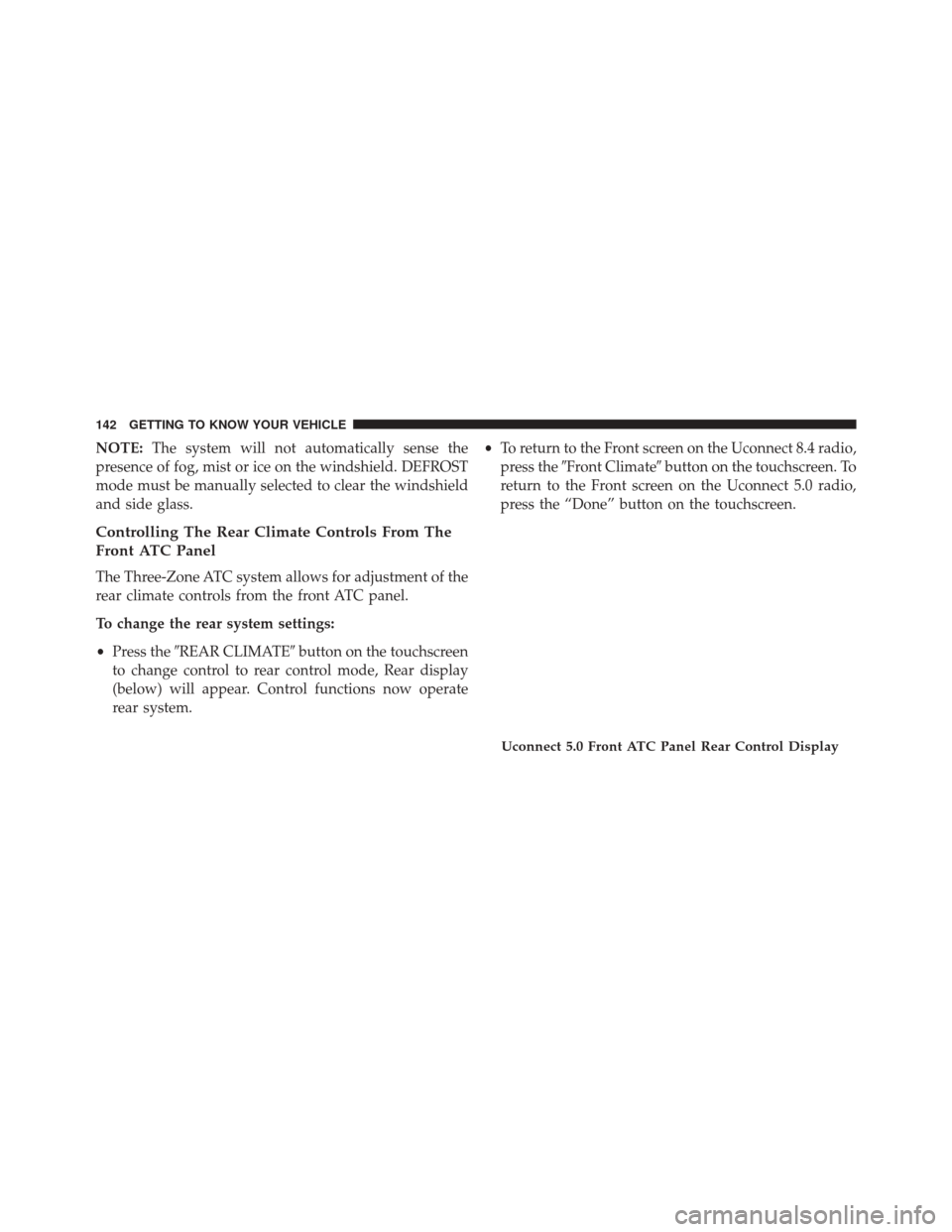
• Press the �REAR CLIMATE� button on the touchscreen
to change control to rear control mode, Rear display
(below) will appear. Control functions now operate
rear system. •
To return to the Front screen on the Uconnect 8.4 radio,
press the �Front Climate� button on the touchscreen. To
return to the Front screen on the Uconnect 5.0 radio,
press the “Done” button on the touchscreen.
Uconnect 5.0 Front ATC Panel Rear Control Display
142 GETTING TO KNOW YOUR VEHICLE
Page 146 of 828
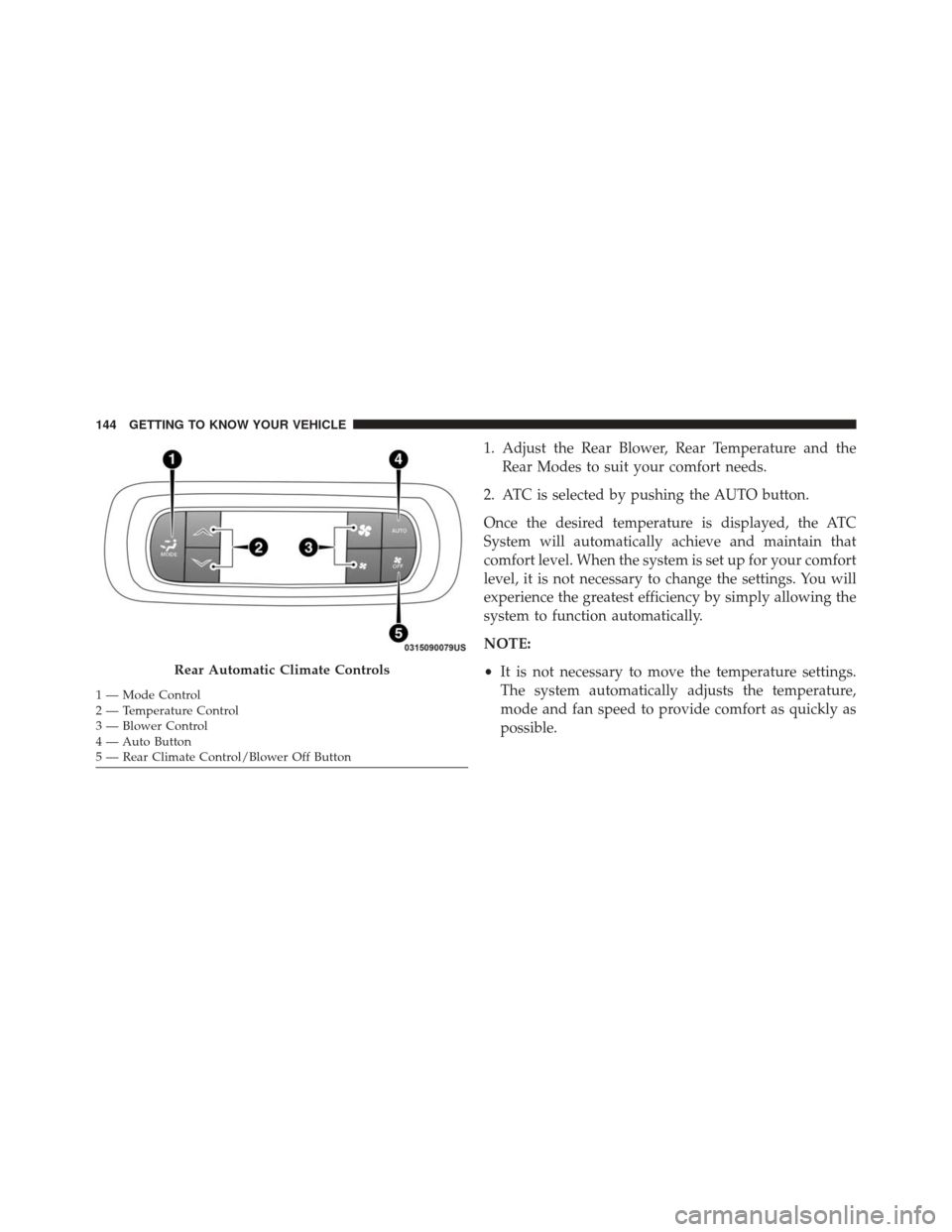
1. Adjust the Rear Blower, Rear Temperature and theRear Modes to suit your comfort needs.
2. ATC is selected by pushing the AUTO button.
Once the desired temperature is displayed, the ATC
System will automatically achieve and maintain that
comfort level. When the system is set up for your comfort
level, it is not necessary to change the settings. You will
experience the greatest efficiency by simply allowing the
system to function automatically.
NOTE:
• It is not necessary to move the temperature settings.
The system automatically adjusts the temperature,
mode and fan speed to provide comfort as quickly as
possible.
Rear Automatic Climate Controls
1 — Mode Control
2 — Temperature Control
3 — Blower Control
4 — Auto Button
5 — Rear Climate Control/Blower Off Button 144 GETTING TO KNOW YOUR VEHICLE
Page 757 of 828
Uconnect Theater Home Screen And Controls
You can choose sources such as HDMI, USB, Apps, or
Blu-ray. You may also view content of the opposite screen
in one step by choosing the “View Screen” source card.
Uconnect Theater Home Screen
1 — Search Button (Media
Search)
2 — Power Button
3 — Settings Button
4 — Toggle Button List and
Icon View5 — Source Card Page Indica-
tor1or2
6 — Wired Headphone Volume
7 — Climate Control Button
8 — Home Button
9 — Source Cards
Source Card Selection
10
MULTIMEDIA 755