Page 362 of 592
The system will then instruct the driver to check their
surroundings and move forward.When the vehicle has reached the end of its forward
movement, the system will instruct the driver to check
their surroundings and stop the vehicle’s movement.
NOTE:
It is the driver ’s responsibility to use the brake and
stop the vehicle. The driver should check their surround-
ings and be prepared to stop the vehicle either when
instructed to, or when driver intervention is required.
Check Surroundings — Move Forward
Check Surroundings — STOP
360 STARTING AND OPERATING
Page 365 of 592

WARNING!
Drivers must be careful when performing parallel or
perpendicular parking maneuvers even when using
the ParkSense Active Park Assist system. Always
check carefully behind and in front of your vehicle,
look behind and in front of you, and be sure to check
for pedestrians, animals, other vehicles, obstructions,
and blind spots before backing up and moving for-
ward. You are responsible for safety and must continue
to pay attention to your surroundings. Failure to do so
can result in serious injury or death.
CAUTION!
•The ParkSense Active Park Assist system is only a
parking aid and it is unable to recognize every
obstacle, including small obstacles. Parking curbs
might be temporarily detected or not detected at all.
Obstacles located above or below the sensors will
not be detected when they are in close proximity.
• The vehicle must be driven slowly when using the
ParkSense Active Park Assist system in order to be
able to stop in time when an obstacle is detected. It is
(Continued)
CAUTION! (Continued)
recommended that the driver looks over his/her
shoulder when using the ParkSense Active Park
Assist system.
LANESENSE — IF EQUIPPED
LaneSense Operation
The LaneSense system is operational at speeds above
37 mph (60 km/h) and below 112 mph (180 km/h). It uses
a forward looking camera to detect lane markings and
measure vehicle position within the lane boundaries.
When both lane markings are detected and the driver
unintentionally drifts out of the lane (no turn signal
applied), the LaneSense system provides a haptic warning
in the form of torque applied to the steering wheel to
prompt the driver to remain within the lane boundaries.
The LaneSense system will also provide a visual warning
through the instrument cluster display to prompt the
driver to remain within the lane boundaries.
The driver may manually override the haptic warning by
applying torque into the steering wheel at any time.6
STARTING AND OPERATING 363
Page 374 of 592
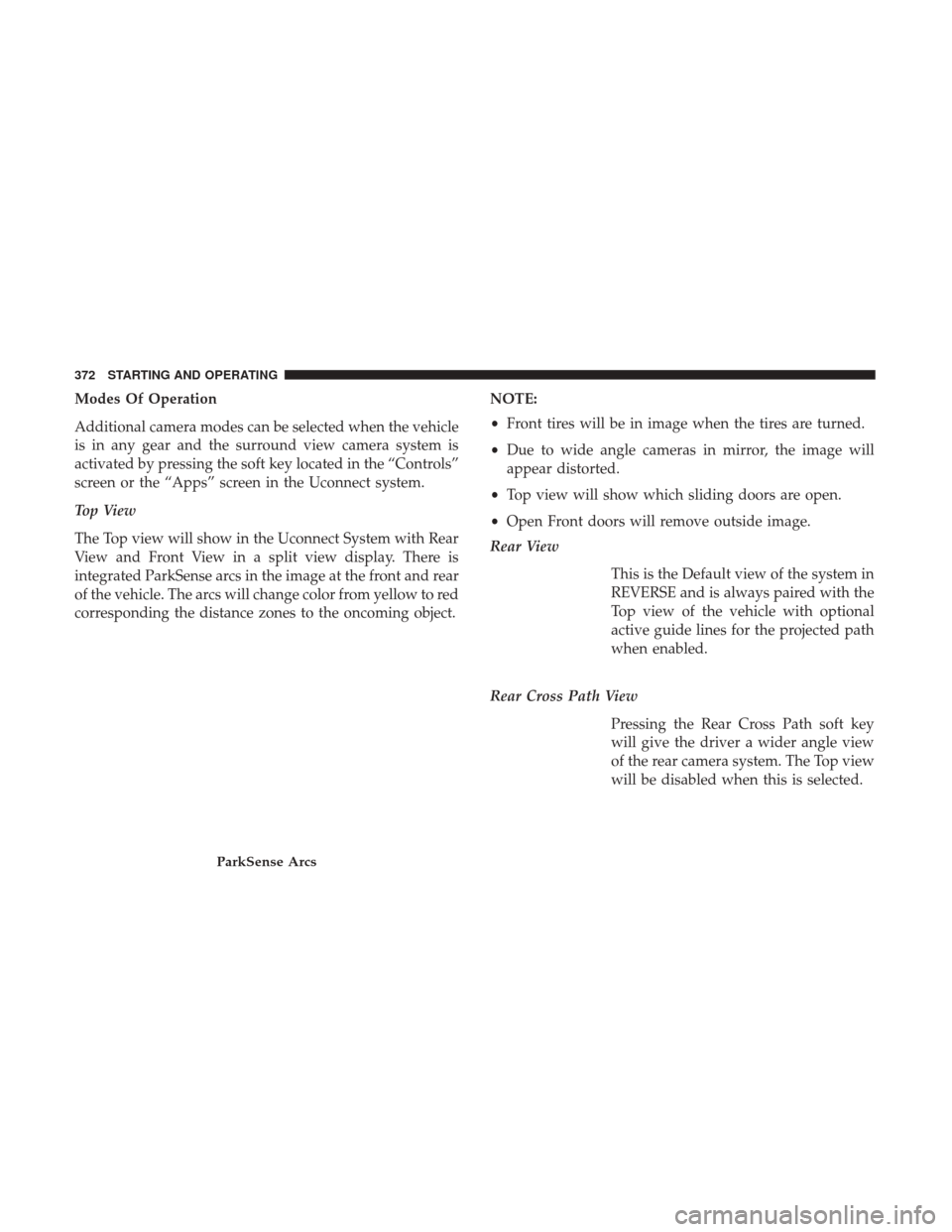
Modes Of Operation
Additional camera modes can be selected when the vehicle
is in any gear and the surround view camera system is
activated by pressing the soft key located in the “Controls”
screen or the “Apps” screen in the Uconnect system.
Top View
The Top view will show in the Uconnect System with Rear
View and Front View in a split view display. There is
integrated ParkSense arcs in the image at the front and rear
of the vehicle. The arcs will change color from yellow to red
corresponding the distance zones to the oncoming object.NOTE:
•
Front tires will be in image when the tires are turned.
• Due to wide angle cameras in mirror, the image will
appear distorted.
• Top view will show which sliding doors are open.
• Open Front doors will remove outside image.
Rear View
This is the Default view of the system in
REVERSE and is always paired with the
Top view of the vehicle with optional
active guide lines for the projected path
when enabled.
Rear Cross Path View Pressing the Rear Cross Path soft key
will give the driver a wider angle view
of the rear camera system. The Top view
will be disabled when this is selected.
ParkSense Arcs
372 STARTING AND OPERATING
Page 375 of 592
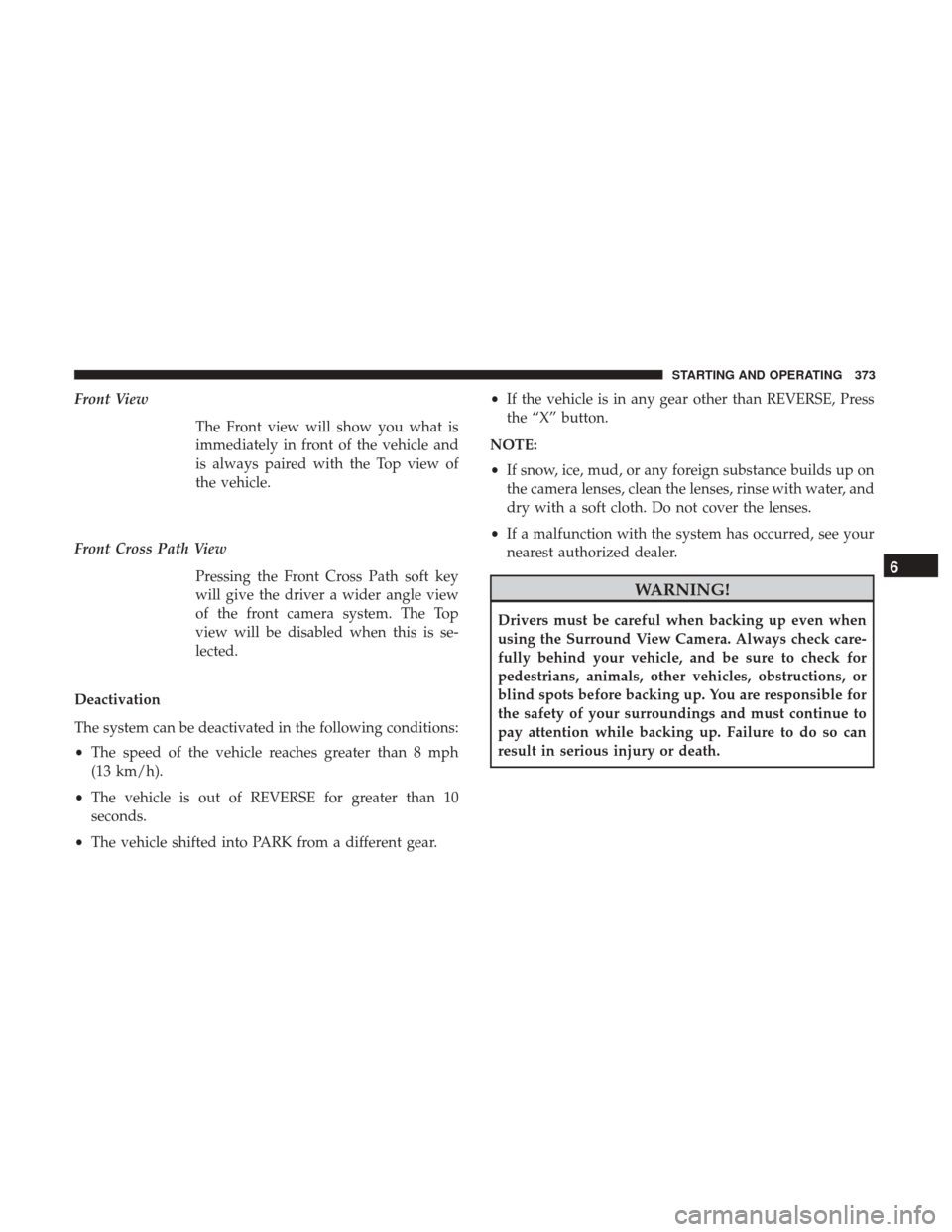
Front ViewThe Front view will show you what is
immediately in front of the vehicle and
is always paired with the Top view of
the vehicle.
Front Cross Path View Pressing the Front Cross Path soft key
will give the driver a wider angle view
of the front camera system. The Top
view will be disabled when this is se-
lected.
Deactivation
The system can be deactivated in the following conditions:
• The speed of the vehicle reaches greater than 8 mph
(13 km/h).
• The vehicle is out of REVERSE for greater than 10
seconds.
• The vehicle shifted into PARK from a different gear. •
If the vehicle is in any gear other than REVERSE, Press
the “X” button.
NOTE:
• If snow, ice, mud, or any foreign substance builds up on
the camera lenses, clean the lenses, rinse with water, and
dry with a soft cloth. Do not cover the lenses.
• If a malfunction with the system has occurred, see your
nearest authorized dealer.
WARNING!
Drivers must be careful when backing up even when
using the Surround View Camera. Always check care-
fully behind your vehicle, and be sure to check for
pedestrians, animals, other vehicles, obstructions, or
blind spots before backing up. You are responsible for
the safety of your surroundings and must continue to
pay attention while backing up. Failure to do so can
result in serious injury or death.
6
STARTING AND OPERATING 373
Page 387 of 592
IN CASE OF EMERGENCY
CONTENTS
�HAZARD WARNING FLASHERS ............386
� ASSIST AND 9–1–1 REARVIEW MIRROR — IF
EQUIPPED ........................... .386
� BULB REPLACEMENT ....................392
▫ Replacement Bulbs .....................392
▫ Replacing Exterior Bulbs ..................394
� FUSES ............................... .398
▫ General Information .....................398
▫ Fuse Location ........................ .399
▫ Underhood Fuses ...................... .399
� TIRE SERVICE KIT — IF EQUIPPED ..........406�
JUMP-STARTING ....................... .417
▫ Preparations For Jump-Start ...............418
▫ Jump-Starting Procedure ..................420
� REFUELING IN EMERGENCY ..............421
� IF YOUR ENGINE OVERHEATS .............421
� FREEING A STUCK VEHICLE ..............422
� TOWING A DISABLED VEHICLE ............423
� ENHANCED ACCIDENT RESPONSE SYSTEM
(EARS) .............................. .426
� EVENT DATA RECORDER (EDR) ............426
7
Page 391 of 592

NOTE:•Your vehicle may be transmitting data as authorized
by the subscriber.
• Once a connection is made between the vehicle’s 9-1-1
Call system and the 9-1-1 operator, the 9-1-1 operator
may be able to open a voice connection with the
vehicle to determine if additional help is needed. Once
the 9-1-1 operator opens a voice connection with the
vehicle’s 9-1-1 Call system, the operator should be able
to speak with you or other vehicle occupants and hear
sounds occurring in the vehicle. The vehicle’s 9-1-1
Call system will attempt to remain connected with the
9-1-1 operator until the 9-1-1 operator terminates the
connection.
5. The 9-1-1 operator may attempt to contact appropriate emergency responders and provide them with impor-
tant vehicle information and GPS coordinates.WARNING!
•If anyone in the vehicle could be in danger (e.g., fire
or smoke is visible, dangerous road conditions or
location), do not wait for voice contact from a 9-1-1
operator. All occupants should exit the vehicle im-
mediately and move to a safe location.
• Never place anything on or near the vehicle’s oper-
able 1X(voice/data) or 3G(data) network and GPS
antennas. You could prevent operable 1X(voice/data)
or 3G(data) network and GPS signal reception,
which can prevent your vehicle from placing an
emergency call. An operable 1X(voice/data) or
3G(data) network and GPS signal reception is re-
quired for the 9-1-1 Call system to function properly.
• The 9-1-1 Call system is embedded into the vehicle’s
electrical system. Do not add aftermarket electrical
equipment to the vehicle’s electrical system. This
may prevent your vehicle from sending a signal to
initiate an emergency call. To avoid interference that
can cause the 9-1-1 Call system to fail, never add
aftermarket equipment (e.g., two-way mobile radio,
CB radio, data recorder, etc.) to your vehicle’s electri-
cal system or modify the antennas on your vehicle. IF
(Continued)
7
IN CASE OF EMERGENCY 389
Page 392 of 592

WARNING!(Continued)
YOUR VEHICLE LOSES BATTERY POWER FOR
ANY REASON (INCLUDING DURING OR AFTER
AN ACCIDENT), THE UCONNECT FEATURES,
APPS AND SERVICES, AMONG OTHERS, WILL
NOT OPERATE.
• Modifications to any part of the 9-1-1 Call system
could cause the air bag system to fail when you need
it. You could be injured if the air bag system is not
there to help protect you.
9-1-1 Call System Limitations
Vehicles sold in Canada and Mexico DO NOThave 9-1-1
Call system capabilities.
9-1-1 or other emergency line operators in Canada and
Mexico may not answer or respond to 9-1-1 system calls.
If the 9-1-1 Call system detects a malfunction, any of the
following may occur at the time the malfunction is de-
tected, and at the beginning of each ignition cycle:
• The Rearview Mirror light located between the ASSIST
and 9-1-1 buttons will continuously be illuminated red. •
The Device Screen will display the following message
“Vehicle device requires service. Please contact your
dealer.”
• An In-Vehicle Audio message will state “Vehicle device
requires service. Please contact your dealer.”
WARNING!
• Ignoring the Rearview Mirror light could mean you
will not have 9-1-1 Call services. If the Rearview
Mirror light is illuminated, have an authorized
dealer service the 9-1-1 Call system immediately.
• The Occupant Restraint Control module turns on the
air bag Warning Light on the instrument panel if a
malfunction in any part of the system is detected. If
the Air Bag Warning Light is illuminated, have an
authorized dealer service the Occupant Restraint
Control system immediately.
Even if the 9-1-1 Call system is fully functional, factors
beyond FCA US LLC’s control may prevent or stop the
9-1-1 Call system operation. These include, but are not
limited to, the following factors:
• The ignition is in OFF position.
• The vehicle’s electrical systems are not intact.
390 IN CASE OF EMERGENCY
Page 405 of 592
CavityCartridge Fuse Blade FuseDescription
F52 ––Not Used
F53 ––Not Used
F54 40 Amp Green –ESP-ECU And Valves
F55A –15 Amp Blue RF Hub/KIN/ESL - BUX
Only
F55B – DVD / VRM
F56A –10 Amp Red OCM / ESL
F56B – ESC - Electric Stability
Control / ESP / EBCM
F57 –20 Amp Yellow PIM - Main Power Supply
F58 ––Not Used
F59 ––Not Used
F60 –20 Amp Yellow Rear Cargo APO
F61 ––Not Used
F62 –20 Amp Yellow PIM - Redundant Main
Power Supply
F63 ––Not Used
F64 ––Not Used
F65 ––Not Used
7
IN CASE OF EMERGENCY 403


