2017 CHEVROLET VOLT parking
[x] Cancel search: parkingPage 28 of 376

Chevrolet VOLT Owner Manual (GMNA-Localizing-U.S./Canada/Mexico-
9807421) - 2017 - CRC - 11/18/15
In Brief 27
Less energy is used at low fan
speeds. When using the fan:
.Fan Only is the most energy
efficient climate setting as long
as
0is not selected.
. Use eco for moderate air
conditioning and heater
operation. This is the next most
energy efficient setting as long
as
0is not selected.
. MAX provides the most comfort
but is the least energy efficient.
Use the auto heated seat feature
and the heated steering wheel
instead of climate settings. Heating
the seat and steering wheel uses
less energy than heating the vehicle
interior.
Use remote start to heat or cool the
interior when the vehicle is plugged
in to maximize the electric range by
utilizing electricity from the electrical
outlet. Engine Assisted Heating,
if equipped, can be personalized
while plugged in. See
“Engine
Assist Heat Plugged In” under
Vehicle Personalization 0141.
In hot weather, avoid parking in
direct sunlight or use sunshades
inside the vehicle.
Turn off the front and rear window
defog/defrost when they are no
longer needed.
Avoid driving with the windows open
at highway speeds.
Vehicle Charging/Maintenance
Charging
Keep the vehicle plugged in, even
when fully charged, to keep the
battery temperature ready for the
next drive. This is important when
outside temperatures are extremely
hot or cold. Maintenance
Always keep the tires properly
inflated and the vehicle properly
aligned.
The weight of excess cargo in the
vehicle affects efficiency and range.
Avoid carrying more than is needed.
If fuel is not regularly used, consider
keeping the fuel tank only one-third
full. Excess fuel weight impacts
efficiency and range.
For fuel recommendations, see
Fuel
0230.
Avoid unnecessary use of electrical
accessories. Power used for
functions other than propelling the
vehicle will reduce EV range.
Using a rooftop carrier will reduce
efficiency due to additional weight
and drag.
Page 39 of 376

Chevrolet VOLT Owner Manual (GMNA-Localizing-U.S./Canada/Mexico-
9807421) - 2017 - CRC - 11/18/15
38 Keys, Doors, and Windows
four seconds. Pressing/
again during a remote start will
turn the feature off.
Remote start will automatically shut
off after 10 minutes unless a time
extension is done.
While the remote start is active, the
parking lamps will turn on and
remain on.
After entering the vehicle during a
remote start, press POWER
Oon
the center stack with the brake
pedal applied to operate as normal.
The remote start can be initiated
two separate times between driving.
For each remote start, the
passenger compartment will be
heated or cooled for 10 minutes.
Extending Vehicle Run Time
The vehicle run time can also be
extended by another 10 minutes,
if during the first 10 minutes
Steps 1 and 2 are repeated while
the vehicle is still running. An
extension can be requested
30 seconds after starting. This
provides a total of 20 minutes. The remote start can only be
extended once.
When the remote start is extended,
the second 10-minute period is
added on to the first 10 minutes for
a total of 20 minutes.
A maximum of two remote starts,
or a remote start with an extension,
are allowed between vehicle
operation.
The vehicle's ignition must be
changed to ON/RUN and then back
to OFF before the remote start
procedure can be used again.
Canceling Remote Start
To cancel a remote start, do any of
the following:
.
Aim the RKE transmitter at the
vehicle and press and hold
/
until the parking lamps turn off.
. Turn on the hazard warning
flashers.
. Press POWER
Oon the center
stack, with the brake pedal
applied, then press POWER
O
again to turn the vehicle off.
Conditions in Which Remote
Start May Not Work
Conditions in which a remote start
may not occur include:
. An open hood.
. The RKE transmitter is in the
vehicle.
. The vehicle is not in P (Park).
. Vehicle propulsion system fault
conditions, including an
emission control system
malfunction.
. High voltage battery fault
conditions.
A second remote start or extension
will not occur if the fuel level is low.
During a remote start, conditions in
which a remote start may be
canceled include:
. Vehicle propulsion system or
high voltage battery fault
conditions.
. Low engine oil pressure.
. Engine coolant temperature that
is too high.
Page 96 of 376

Chevrolet VOLT Owner Manual (GMNA-Localizing-U.S./Canada/Mexico-
9807421) - 2017 - CRC - 11/18/15
Instruments and Controls 95
Instruments and
Controls
Controls
Steering Wheel Adjustment . . . . 96
Steering Wheel Controls . . . . . . . 96
Heated Steering Wheel . . . . . . . . 96
Horn . . . . . . . . . . . . . . . . . . . . . . . . . . . 97
Windshield Wiper/Washer . . . . . . 97
Compass . . . . . . . . . . . . . . . . . . . . . . 98
Clock . . . . . . . . . . . . . . . . . . . . . . . . . . 98
Power Outlets . . . . . . . . . . . . . . . . . 99
Wireless Charging . . . . . . . . . . . . . 99
Warning Lights, Gauges, and
Indicators
Warning Lights, Gauges, andIndicators . . . . . . . . . . . . . . . . . . . 101
Instrument Cluster . . . . . . . . . . . . 101
Speedometer . . . . . . . . . . . . . . . . . 105
Odometer . . . . . . . . . . . . . . . . . . . . . 105
Trip Odometer . . . . . . . . . . . . . . . . 105
Battery Gauge (High Voltage) . . . . . . . . . . . . . . . . . . . . . 105
Fuel Gauge . . . . . . . . . . . . . . . . . . . 105
Driver Efficiency Gauge . . . . . . 106
Power Indicator Gauge . . . . . . . 107
Safety Belt Reminders . . . . . . . . 107
Airbag Readiness Light . . . . . . . 108 Passenger Airbag Status
Indicator . . . . . . . . . . . . . . . . . . . . 108
Charging System Light (12-Volt Battery) . . . . . . . . . . . . . . . . . . . . . 109
Malfunction Indicator Lamp
(Check Engine Light) . . . . . . . . 109
Brake System Warning Light . . . . . . . . . . . . . . . . . . . . . . . . . 111
Electric Parking Brake Light . . . . . . . . . . . . . . . . . . . . . . . . . 111
Service Electric Parking Brake Light . . . . . . . . . . . . . . . . . . . . . . . . 112
Antilock Brake System (ABS) Warning Light . . . . . . . . . . . . . . . 112
Sport Mode Light . . . . . . . . . . . . . 112
Mountain Mode Light . . . . . . . . . 113
Hold Mode Light . . . . . . . . . . . . . . 113
Lane Keep Assist (LKA) Light . . . . . . . . . . . . . . . . . . . . . . . . 113
Vehicle Ahead Indicator . . . . . . . 113
Traction Off Light . . . . . . . . . . . . . 113
StabiliTrak
®OFF Light . . . . . . . . 114
Traction Control System (TCS)/ StabiliTrak
®Light . . . . . . . . . . . . 114
Engine Coolant Temperature Warning Light . . . . . . . . . . . . . . . 114
Tire Pressure Light . . . . . . . . . . . 115
Engine Oil Pressure Light . . . . . 115
Low Fuel Warning Light . . . . . . . 116
Security Light . . . . . . . . . . . . . . . . . 116
Vehicle Ready Light . . . . . . . . . . 116 High-Beam On Light . . . . . . . . . . 116
Lamps On Reminder . . . . . . . . . . 117
Cruise Control Light . . . . . . . . . . 117
Door Ajar Light . . . . . . . . . . . . . . . 117
Information Displays
Power Flows . . . . . . . . . . . . . . . . . . 117
Programmable Charging . . . . . . 119
Energy Information . . . . . . . . . . . 128
Driver Information
Center (DIC) . . . . . . . . . . . . . . . . 130
Vehicle Messages
Vehicle Messages . . . . . . . . . . . . 132
Battery and ChargingMessages . . . . . . . . . . . . . . . . . . . 132
Brake System Messages . . . . . 133
Compass Messages . . . . . . . . . . 133
Cruise Control Messages . . . . . 133
Door Ajar Messages . . . . . . . . . . 133
Electric Drive Unit Messages . . . . . . . . . . . . . . . . . . . 134
Engine Cooling System Messages . . . . . . . . . . . . . . . . . . . 134
Engine Oil Messages . . . . . . . . . 134
Fuel System Messages . . . . . . . 135
Key and Lock Messages . . . . . 135
Lamp Messages . . . . . . . . . . . . . . 136
Object Detection System Messages . . . . . . . . . . . . . . . . . . . 136
Page 98 of 376

Chevrolet VOLT Owner Manual (GMNA-Localizing-U.S./Canada/Mexico-
9807421) - 2017 - CRC - 11/18/15
Instruments and Controls 97
Horn
Pressaon the steering wheel pad
to sound the horn.
Windshield Wiper/Washer
The windshield wiper/washer lever
is on the side of the steering
column. With the ignition in ACC/
ACCESSORY or ON/RUN, move
the windshield wiper lever to select
the wiper speed.
HI : Use for fast wipes. LO :
Use for slow wipes.
INT : Move the lever up to INT for
intermittent wipes, then turn the
band up for more frequent wipes or
down for less frequent wipes.
OFF : Use to turn the wipers off.
1X : For a single wipe, briefly move
the lever down. For several wipes,
hold the lever down.
Clear snow and ice from the wiper
blades and windshield before using
them. If frozen to the windshield,
carefully loosen or thaw them.
Damaged blades should be
replaced. See Wiper Blade
Replacement 0258.
Heavy snow or ice can overload the
wiper motor. If the wiper motor
overheats, the windshield wipers will stop until the motor cools and the
wiper control is turned off. See
Electrical System Overload
0262.
Wiper Parking
If the vehicle is turned to
STOPPING THE VEHICLE/OFF
while the wipers are on LO, HI, or
INT, they will immediately stop.
If the windshield wiper lever is then
moved to OFF before the driver
door is opened or within 10 minutes,
the wipers will restart and move to
the base of the windshield.
If the vehicle is turned to
STOPPING THE VEHICLE/OFF
while the wipers are performing
wipes due to windshield washing,
the wipers continue to run until they
reach the base of the windshield.
f: Pull the windshield wiper
lever toward you to spray windshield
washer fluid and activate the wipers.
The wipers will continue until the
lever is released or the maximum
wash time is reached. When the
lever is released, additional wipes
may occur depending on how long
the windshield washer had been
Page 112 of 376

Chevrolet VOLT Owner Manual (GMNA-Localizing-U.S./Canada/Mexico-
9807421) - 2017 - CRC - 11/18/15
Instruments and Controls 111
not used to perform an Emissions
Inspection/Maintenance test or to
service the vehicle may affect
vehicle operation. SeeAdd-On
Electrical Equipment 0234. See
your dealer if assistance is needed.
The vehicle may not pass
inspection if:
. The light is on when the engine
is running.
. The light does not come on
when the vehicle is in Service
Only Mode.
. Critical emission control systems
have not been completely
diagnosed. If this happens, the
vehicle would not be ready for
inspection and might require
several days of routine driving
before the system is ready for
inspection. This can happen if
the 12-volt battery has recently
been replaced or run down, or if
the vehicle has been recently
serviced.
See your dealer if the vehicle will
not pass or cannot be made ready
for the test.Brake System Warning
Light
The vehicle brake system consists
of two hydraulic circuits. If one
circuit is not working, the remaining
circuit can still work to stop the
vehicle. For normal braking
performance, both circuits need to
be working.
If the warning light comes on, there
is a brake problem. Have the brake
system inspected right away.
MetricEnglish
This light should come on briefly
when the engine is started. If it does
not come on then, have it fixed so it
will be ready to warn you if there is
a problem.
If the light comes on and stays on,
there is a brake problem.
{Warning
The brake system might not be
working properly if the brake
system warning light is on.
Driving with the brake system
warning light on can lead to a
crash. If the light is still on after
the vehicle has been pulled off
the road and carefully stopped,
have the vehicle towed for
service.
Electric Parking Brake
Light
MetricEnglish
This light comes on when the
parking brake is applied. If the light
continues flashing after the parking
brake is released, or while driving,
there is a problem with the Electric
Page 113 of 376
Chevrolet VOLT Owner Manual (GMNA-Localizing-U.S./Canada/Mexico-
9807421) - 2017 - CRC - 11/18/15
112 Instruments and Controls
Parking Brake system or another
system. A message may also
display in the Driver Information
Center (DIC). SeeBrake System
Messages 0133.
If the light does not come on,
or remains flashing, see your dealer.
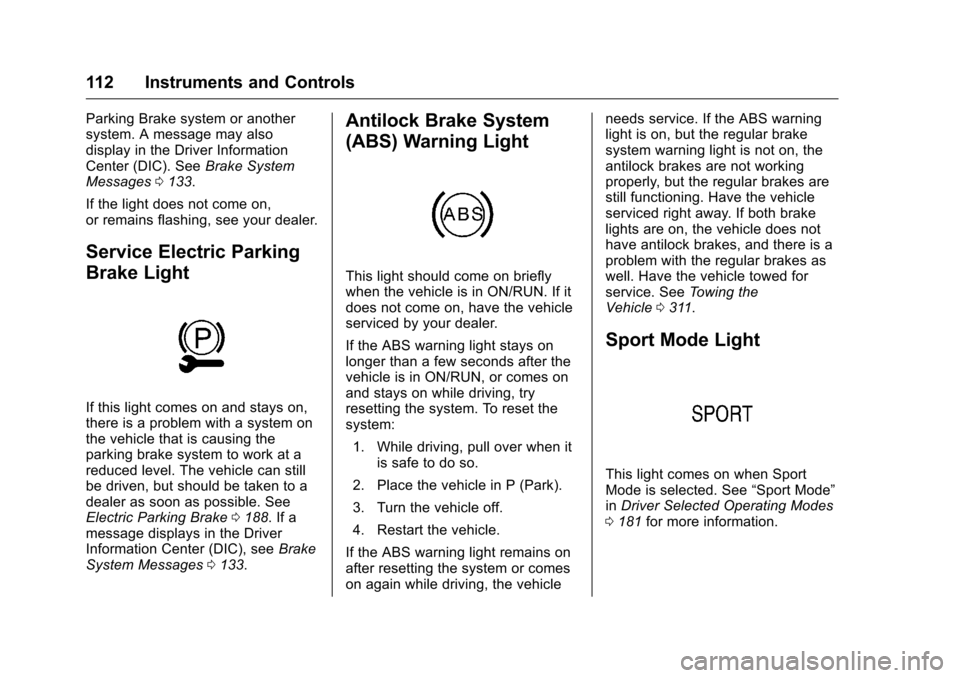
Service Electric Parking
Brake Light
If this light comes on and stays on,
there is a problem with a system on
the vehicle that is causing the
parking brake system to work at a
reduced level. The vehicle can still
be driven, but should be taken to a
dealer as soon as possible. See
Electric Parking Brake 0188. If a
message displays in the Driver
Information Center (DIC), see Brake
System Messages 0133.
Antilock Brake System
(ABS) Warning Light
This light should come on briefly
when the vehicle is in ON/RUN. If it
does not come on, have the vehicle
serviced by your dealer.
If the ABS warning light stays on
longer than a few seconds after the
vehicle is in ON/RUN, or comes on
and stays on while driving, try
resetting the system. To reset the
system:
1. While driving, pull over when it is safe to do so.
2. Place the vehicle in P (Park).
3. Turn the vehicle off.
4. Restart the vehicle.
If the ABS warning light remains on
after resetting the system or comes
on again while driving, the vehicle needs service. If the ABS warning
light is on, but the regular brake
system warning light is not on, the
antilock brakes are not working
properly, but the regular brakes are
still functioning. Have the vehicle
serviced right away. If both brake
lights are on, the vehicle does not
have antilock brakes, and there is a
problem with the regular brakes as
well. Have the vehicle towed for
service. See
Towing the
Vehicle 0311.
Sport Mode Light
This light comes on when Sport
Mode is selected. See “Sport Mode”
in Driver Selected Operating Modes
0 181 for more information.
Page 134 of 376

Chevrolet VOLT Owner Manual (GMNA-Localizing-U.S./Canada/Mexico-
9807421) - 2017 - CRC - 11/18/15
Instruments and Controls 133
LOW BATTERY
This message displays when the
12-volt battery voltage is low. See
Battery - North America0256.
SERVICE BATTERY
CHARGING SYSTEM
This message displays when there
is a fault in the 12-volt battery
charging system. See your dealer
for service.
SERVICE HIGH VOLTAGE
CHARGING SYSTEM
This message displays when there
is a problem with the high voltage
charging system. See your dealer
for service.
Brake System Messages
BRAKE FLUID LOW
This message displays when the
brake fluid level is low. See Brake
Fluid 0254.
RELEASE PARKING BRAKE
This message displays if the Electric
Parking Brake is on while the
vehicle is in motion. Release it
before attempting to drive. See
Electric Parking Brake 0188.
SERVICE BRAKE ASSIST
This message displays when there
is a problem with the brake boost
system. When this message
displays, the brake pedal may be
harder to push and the stopping
distance may be longer. See your
dealer for service.
SERVICE PARKING BRAKE
This message displays when there
is a problem with the Electric
Parking Brake. See your dealer for
service.
STEP ON BRAKE TO
RELEASE PARK BRAKE
This message displays when
attempting to release the Electric
Parking Brake without the brake
pedal applied. See Electric Parking
Brake 0188.
Compass Messages
Dashes may be displayed if the
vehicle temporarily loses
communication with the Global
Positioning System (GPS).
Cruise Control Messages
CRUISE SET TO XXX
This message displays when the
cruise control is set and shows the
speed it was set to. See Cruise
Control 0194.
Door Ajar Messages
DOOR OPEN
A door open symbol will be
displayed on the DIC showing which
door is open. If the vehicle has been
shifted out of P (Park), a DOOR
OPEN message will also be
displayed. The DOOR OPEN
message may also be displayed if
the vehicle starts to move. Close the
door completely.
Page 138 of 376

Chevrolet VOLT Owner Manual (GMNA-Localizing-U.S./Canada/Mexico-
9807421) - 2017 - CRC - 11/18/15
Instruments and Controls 137
LANE CHANGE ALERT OFF
This message indicates that the
driver has turned the Side Blind
Zone Alert (SBZA) and Lane
Change Alert (LCA) systems off.
LANE KEEPING ASSIST
UNAVAILABLE
This message displays when the
Lane Keep Assist (LKA) and Lane
Departure Warning (LDW) system is
temporarily unavailable. The LKA
system does not need service.
This message could be due to the
camera being blocked. Clean the
outside of the windshield behind the
rearview mirror.
PARK ASSIST OFF
This message displays when the
Parking Assist system has been
turned off or when there is a
temporary condition causing the
system to be disabled.
SERVICE FORWARD
COLLISION SYSTEM
If this message displays, see your
dealer for service . Forward
Collision Alert (FCA) and/or the
Forward Automatic Braking (FAB)
System may not work. Do not use
these systems until the vehicle has
been repaired.
SERVICE FRONT CAMERA
If this message remains on after
continued driving, see your dealer
for service. Do not use the Lane
Keep Assist (LKA), Lane Departure
Warning (LDW), Forward Automatic
Braking (FAB), and Forward
Collision Alert (FCA) features.
SERVICE PARK ASSIST
This message displays if there is a
problem with the Parking Assist
system. Do not use this system to
help you park. See your dealer for
service.
SERVICE SIDE DETECTION
SYSTEM
If this message remains on after
continued driving, the vehicle needs
service. Side Blind Zone Alert
(SBZA), Lane Change Alert (LCA),
and Rear Cross Traffic Alert (RCTA)
features will not work. See your
dealer for service.
SIDE DETECTION SYSTEM
UNAVAILABLE
This message indicates that Side
Blind Zone Alert (SBZA), Lane
Change Alert (LCA), and Rear
Cross Traffic Alert (RCTA) are
disabled either because the sensor
is blocked and cannot detect
vehicles in the blind zone, or the
vehicle is passing through an open
area, such as the desert, where
there is insufficient data for
operation. This message may also
activate during heavy rain or due to
road spray. The vehicle does not
need service. For cleaning, see
"Washing the Vehicle" under
Exterior Care0314.