2017 CHEVROLET SUBURBAN ignition
[x] Cancel search: ignitionPage 175 of 465
Chevrolet Tahoe/Suburban Owner Manual (GMNA-Localizing-U.S./Canada/
Mexico-9955986) - 2017 - crc - 7/5/16
174 Instruments and Controls
Airbag System Messages
SERVICE AIRBAG
This message displays if there is a
problem with the airbag system.
Take the vehicle to your dealer for
service.
Security Messages
SERVICE THEFT DETERRENT
SYSTEM
This message displays when there
is a problem with the theft-deterrent
system. The vehicle may or may not
restart, so you may want to take the
vehicle to your dealer before turning
off the engine. SeeImmobilizer
Operation (Key Access) 055 or
Immobilizer Operation (Keyless
Access) 056.
Steering System
Messages
STEERING ASSIST IS
REDUCED DRIVE WITH CARE
This message may display if a
problem occurs with the electric
power steering system. If this
message appears, steering effort
may be slightly higher than normal.
The vehicle is still safe to drive. Use
caution while in reduced assist
mode. If this message is persistent
or appears repeatedly, take the
vehicle to your dealer for service.
See Steering 0237.
SERVICE POWER STEERING
This message displays when there
is a problem with electric power
steering. If this message displays
and a reduction in steering
performance or loss of power
steering assistance is noticed, see
your dealer. See Steering0237.
Starting the Vehicle
Messages
PRESS BRAKE TO START
This message is displayed when
attempting to start the vehicle
without first pressing the brake
pedal.
SERVICE KEYLESS START
SYSTEM
This message is displayed if there is
a problem with the pushbutton start
system. Take the vehicle to your
dealer for service.
Tire Messages
SERVICE TIRE MONITOR
SYSTEM
If equipped with the Tire Pressure
Monitor System (TPMS), this
message displays if a part on the
system is not working properly. The
tire pressure light also flashes and
then remains on during the same
ignition cycle. See Tire Pressure
Light 0156. Several conditions may
cause this message to appear. See
Page 176 of 465
Chevrolet Tahoe/Suburban Owner Manual (GMNA-Localizing-U.S./Canada/
Mexico-9955986) - 2017 - crc - 7/5/16
Instruments and Controls 175
Tire Pressure Monitor Operation
0372. If the warning comes on and
stays on, there may be a problem
with the TPMS. See your dealer.
TIRE LEARNING ACTIVE
If equipped with the Tire Pressure
Monitor System (TPMS), this
message displays when the system
is relearning the tire positions on
your vehicle. The tire positions must
be relearned after rotating the tires
or after replacing a tire or sensor.
See Tire Inspection 0375, Tire
Rotation 0375, Tire Pressure
Monitor System 0371, and Tire
Pressure 0369.
TIRE PRESSURE LOW ADD
AIR TO TIRE
If equipped with the Tire Pressure
Monitor System (TPMS), this
message displays when the
pressure in one or more of the
vehicle's tires is low. This message
also displays with a vehicle picture
to indicate the location of the low
tire. The low tire pressure warning
light will also come on. See Tire
Pressure Light 0156. You can receive more than one tire pressure
message at a time. If a tire pressure
message appears on the DIC, stop
as soon as you can. Have the tire
pressures checked and set to those
shown on the Tire and Loading
Information label. See
Tires0362,
Vehicle Load Limits 0247, and Tire
Pressure 0369. The DIC also
shows the tire pressure values. See
Driver Information Center (DIC)
(Base Level) 0158 orDriver
Information Center (DIC)
(Uplevel) 0160.
Transmission Messages
4WD OFF
If equipped with four-wheel drive,
this message displays when the
four-wheel-drive system is
temporarily disabled due to an
overheated condition. The vehicle
will run in two-wheel drive when this
message is present. Once the
four-wheel-drive system cools down,
the message turns off and the
four-wheel-drive system returns to
normal operation.
4WD SHIFT IN PROGRESS
This message will display while the
four-wheel-drive system is shifting.
FOR 4WD LOW SHIFT TO
NEUTRAL
If a four-wheel drive shift into 4nis
requested, and the vehicle speed is
correct, but the transmission is not
in N (Neutral), this message will
display until the transmission is
shifted to N (Neutral).
FOR 4WD LOW SLOW TO XXX
If a four-wheel drive shift into 4nis
requested, but the vehicle speed is
too high, this message will display
until the correct vehicle speed is
reached.
GRADE BRAKING ACTIVE
This message displays when grade
braking has been activated while
driving on downhill grades. This
message will only appear the first
time the feature is activated in an
ignition cycle. See Tow/Haul Mode
0 266, Automatic Transmission
0 262, and Cruise Control 0278.
Page 178 of 465
Chevrolet Tahoe/Suburban Owner Manual (GMNA-Localizing-U.S./Canada/
Mexico-9955986) - 2017 - crc - 7/5/16
Instruments and Controls 177
Vehicle Reminder
Messages
CHECK TRAILER WIRING
On vehicles with the Integrated
Trailer Brake Control (ITBC) system,
this message may display and a
chime may sound when one of the
following conditions exists:
.A trailer with electric brakes
becomes disconnected from the
vehicle.
‐If the disconnect occurs while
the vehicle is stopped, this
message clears itself after a
short time.
‐ If the disconnect occurs while
the vehicle is moving, this
message stays on until the
ignition is turned off.
. There is a short in the wiring to
the electric trailer brakes.
When this message displays, power
is no longer available to the trailer
brakes. As soon as it is safe to do so,
carefully pull the vehicle over to the
side of the road and turn the ignition
off. Check the wiring connection to
the trailer and turn the ignition back
on. This message clears if the trailer
is reconnected. This message also
clears if you acknowledge it. If this
message still displays, either the
vehicle or the trailer needs service.
See your dealer.
See
“Integrated Trailer Brake
Control System” underTowing
Equipment 0310.
ICE POSSIBLE DRIVE
WITH CARE
This message displays when ice
conditions are possible.
TRAILER CONNECTED
On vehicles with the Integrated
Trailer Brake Control (ITBC) system,
this message displays briefly when
a trailer with electric or electric over
hydraulic brakes is first connected
to the vehicle. This message clears itself after
several seconds. This message also
clears if you acknowledge it. After
this message clears, the TRAILER
GAIN and OUTPUT displays appear
in the DIC.
See
Driver Information Center (DIC)
(Base Level) 0158 orDriver
Information Center (DIC) (Uplevel)
0 160 and“Integrated Trailer Brake
Control System” underTowing
Equipment 0310.
Washer Fluid Messages
WASHER FLUID LOW ADD
FLUID
This message displays when the
windshield washer fluid is low. Fill
the windshield washer fluid reservoir
as soon as possible. See Engine
Compartment Overview 0323 for
the location of the windshield
washer fluid reservoir. Also, see
Washer Fluid 0338 for more
information.
Page 190 of 465
Chevrolet Tahoe/Suburban Owner Manual (GMNA-Localizing-U.S./Canada/
Mexico-9955986) - 2017 - crc - 7/5/16
Lighting 189
Lighting
Exterior Lighting
Exterior Lamp Controls . . . . . . . 189
Exterior Lamps OffReminder . . . . . . . . . . . . . . . . . . . 191
Headlamp High/Low-Beam Changer . . . . . . . . . . . . . . . . . . . . 191
Flash-to-Pass . . . . . . . . . . . . . . . . 191
Daytime Running Lamps (DRL) . . . . . . . . . . . . . . . 192
Automatic Headlamp System . . . . . . . . . . . . . . . . . . . . . . 192
Hazard Warning Flashers . . . . . 193
Turn and Lane-Change Signals . . . . . . . . . . . . . . . . . . . . . . 193
Fog Lamps . . . . . . . . . . . . . . . . . . . 194
Interior Lighting
Instrument Panel Illumination Control . . . . . . . . . . . . . . . . . . . . . . 194
Dome Lamps . . . . . . . . . . . . . . . . . 195
Reading Lamps . . . . . . . . . . . . . . 195
Lighting Features
Entry Lighting . . . . . . . . . . . . . . . . 196
Exit Lighting . . . . . . . . . . . . . . . . . . 196
Battery Load Management . . . 196
Battery Power Protection . . . . . 197
Exterior Lighting
Exterior Lamp Controls
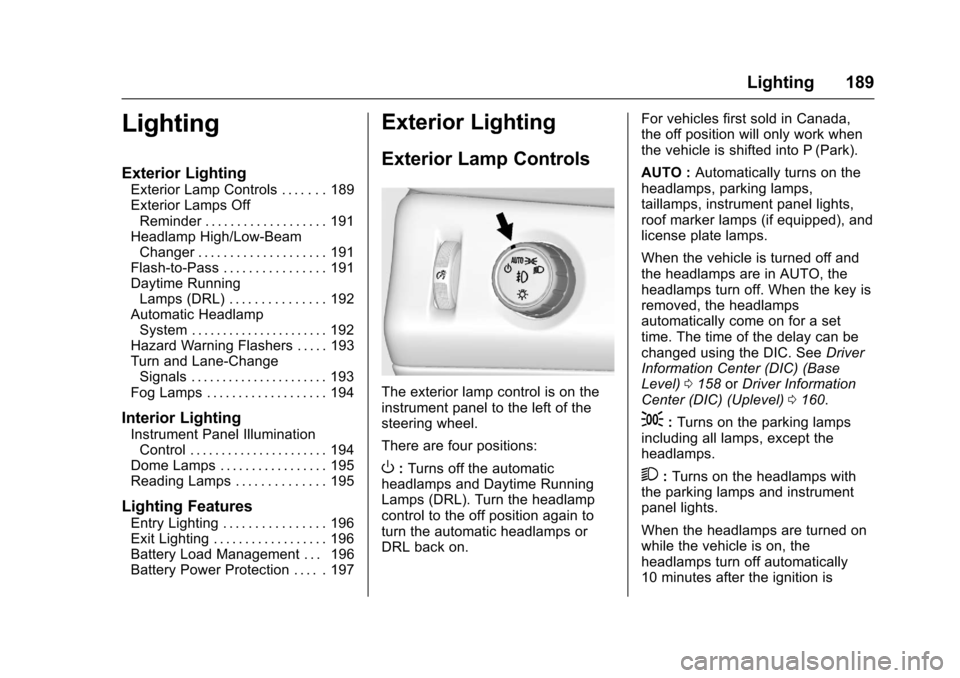
The exterior lamp control is on the
instrument panel to the left of the
steering wheel.
There are four positions:
O: Turns off the automatic
headlamps and Daytime Running
Lamps (DRL). Turn the headlamp
control to the off position again to
turn the automatic headlamps or
DRL back on. For vehicles first sold in Canada,
the off position will only work when
the vehicle is shifted into P (Park).
AUTO :
Automatically turns on the
headlamps, parking lamps,
taillamps, instrument panel lights,
roof marker lamps (if equipped), and
license plate lamps.
When the vehicle is turned off and
the headlamps are in AUTO, the
headlamps turn off. When the key is
removed, the headlamps
automatically come on for a set
time. The time of the delay can be
changed using the DIC. See Driver
Information Center (DIC) (Base
Level) 0158 orDriver Information
Center (DIC) (Uplevel) 0160.
;:Turns on the parking lamps
including all lamps, except the
headlamps.
2: Turns on the headlamps with
the parking lamps and instrument
panel lights.
When the headlamps are turned on
while the vehicle is on, the
headlamps turn off automatically
10 minutes after the ignition is
Page 191 of 465
Chevrolet Tahoe/Suburban Owner Manual (GMNA-Localizing-U.S./Canada/
Mexico-9955986) - 2017 - crc - 7/5/16
190 Lighting
turned off. When the headlamps are
turned on while the vehicle is off,
the headlamps will stay on for
10 minutes before turning off to
prevent the battery from being
drained. Turn the headlamp control
off and then back to the headlamp
on position to make the headlamps
stay on for an additional 10 minutes.
To keep the lamps on for more than
10 minutes, the ignition must be in
the ACC/ACCESSORY or ON/RUN
position.
IntelliBeam®System
If equipped, this system turns the
vehicle's high-beam headlamps on
and off according to surrounding
traffic conditions.
The system turns the high-beam
headlamps on when it is dark
enough and there is no other traffic
present.
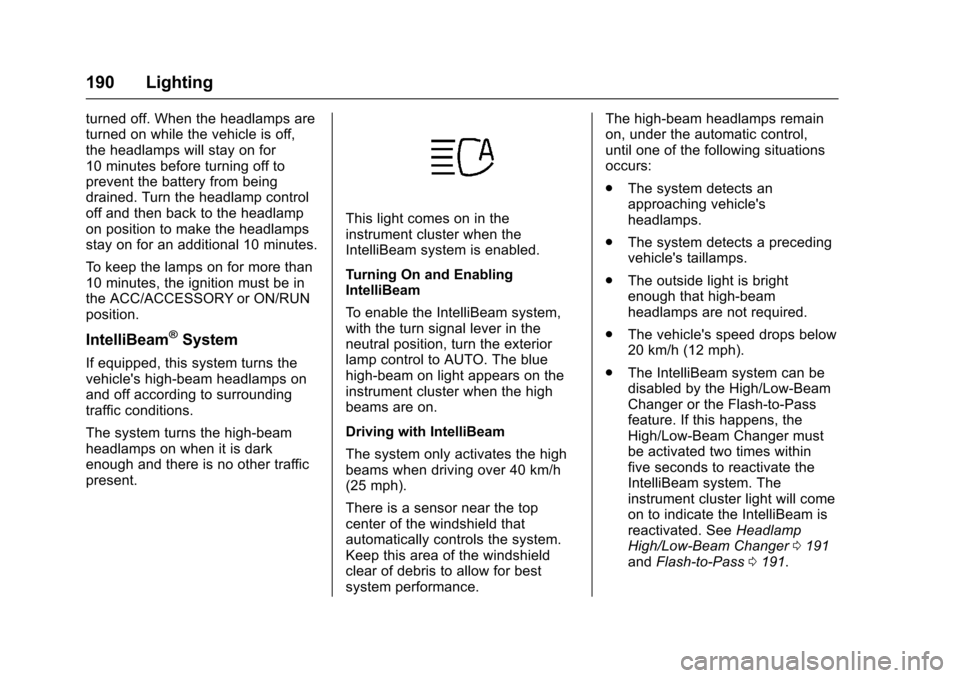
This light comes on in the
instrument cluster when the
IntelliBeam system is enabled.
Turning On and Enabling
IntelliBeam
To enable the IntelliBeam system,
with the turn signal lever in the
neutral position, turn the exterior
lamp control to AUTO. The blue
high-beam on light appears on the
instrument cluster when the high
beams are on.
Driving with IntelliBeam
The system only activates the high
beams when driving over 40 km/h
(25 mph).
There is a sensor near the top
center of the windshield that
automatically controls the system.
Keep this area of the windshield
clear of debris to allow for best
system performance.The high-beam headlamps remain
on, under the automatic control,
until one of the following situations
occurs:
.
The system detects an
approaching vehicle's
headlamps.
. The system detects a preceding
vehicle's taillamps.
. The outside light is bright
enough that high-beam
headlamps are not required.
. The vehicle's speed drops below
20 km/h (12 mph).
. The IntelliBeam system can be
disabled by the High/Low-Beam
Changer or the Flash-to-Pass
feature. If this happens, the
High/Low-Beam Changer must
be activated two times within
five seconds to reactivate the
IntelliBeam system. The
instrument cluster light will come
on to indicate the IntelliBeam is
reactivated. See Headlamp
High/Low-Beam Changer 0191
and Flash-to-Pass 0191.
Page 192 of 465
Chevrolet Tahoe/Suburban Owner Manual (GMNA-Localizing-U.S./Canada/
Mexico-9955986) - 2017 - crc - 7/5/16
Lighting 191
The high beams may not turn off
automatically if the system cannot
detect another vehicle's lamps
because of any of the following:
.The other vehicle's lamps are
missing, damaged, obstructed
from view, or otherwise
undetected.
. The other vehicle's lamps are
covered with dirt, snow, and/or
road spray.
. The other vehicle's lamps cannot
be detected due to dense
exhaust, smoke, fog, snow, road
spray, mist, or other airborne
obstructions.
. The vehicle's windshield is dirty,
cracked, or obstructed by
something that blocks the view
of the light sensor.
. The vehicle is loaded such that
the front end points upward,
causing the light sensor to aim
high and not detect headlamps
and taillamps.
. The vehicle is being driven on
winding or hilly roads. The automatic high-beam
headlamps may need to be disabled
if any of the above conditions exist.
Exterior Lamps Off
Reminder
A reminder chime sounds when the
headlamps or parking lamps are
manually turned on, the ignition is
off, and a door is open. To disable
the chime, turn the lamps off.
Headlamp High/
Low-Beam Changer
$
:
Push the turn signal lever
toward the instrument panel to
change the headlamps from low to
high beam.
Pull the turn signal lever toward you
and release it to return to low-beam
headlamps.
When the high-beam headlamps are
on, this indicator light on the
instrument cluster will also be on.
Flash-to-Pass
This feature lets you use the
high-beam headlamps to signal a
driver in front of you that you want
to pass. It works even if the
headlamps are in the automatic
position.
To use it, pull the turn signal lever
toward you, then release it.
If the headlamps are in the
automatic position or on low beam,
the high-beam headlamps will turn
on. Depending on the type of
headlamp, they will either turn off
after a short duration or stay on as
long as you hold the lever toward
you. The high-beam indicator on the
instrument cluster will come on.
Release the lever to return to
normal operation.
Page 193 of 465
Chevrolet Tahoe/Suburban Owner Manual (GMNA-Localizing-U.S./Canada/
Mexico-9955986) - 2017 - crc - 7/5/16
192 Lighting
Daytime Running
Lamps (DRL)
DRL can make it easier for others to
see the front of the vehicle during
the day. Fully functional DRL are
required on all vehicles first sold in
Canada.
The DRL system comes on when
the following conditions are met:
.The ignition is on.
. The exterior lamp control is
in AUTO.
. The transmission is not in
P (Park).
. The light sensor determines it is
daytime.
When the DRL system is on, only
the DRL are on. The taillamps,
sidemarker lamps, instrument panel
lights, and other lamps will not
be on.
When it begins to get dark, the
automatic headlamp system
switches from DRL to the
headlamps. To turn off the DRL, turn the exterior
lamp control to the off position and
then release. For vehicles first sold
in Canada, off will only work when
the vehicle is in P (Park).
Automatic Headlamp
System
When the exterior lamp control is
set to AUTO and it is dark enough
outside, the headlamps come on
automatically.
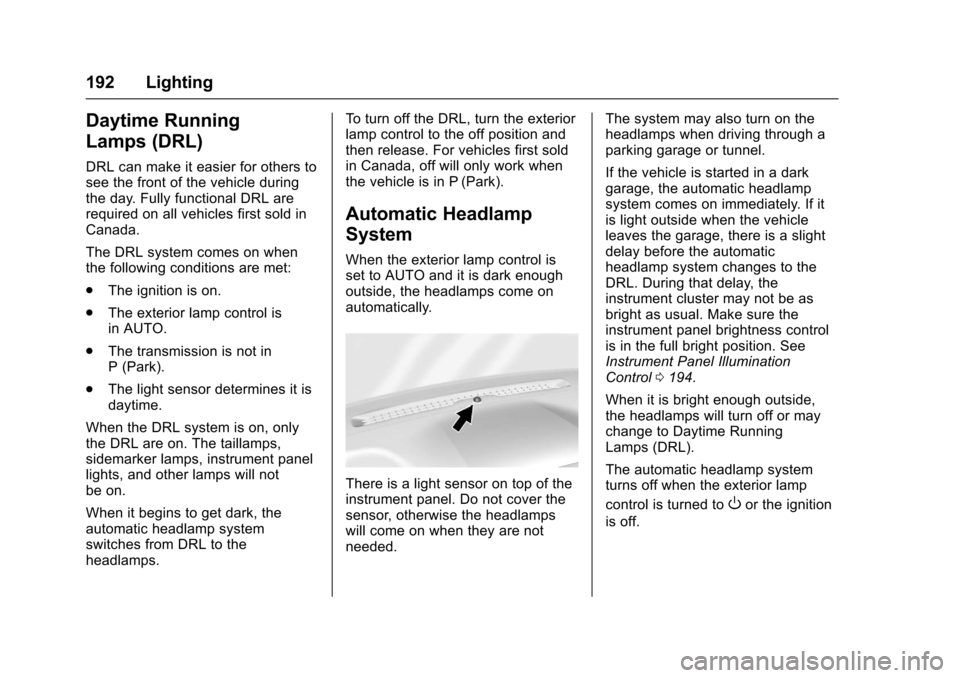
There is a light sensor on top of the
instrument panel. Do not cover the
sensor, otherwise the headlamps
will come on when they are not
needed.
The system may also turn on the
headlamps when driving through a
parking garage or tunnel.
If the vehicle is started in a dark
garage, the automatic headlamp
system comes on immediately. If it
is light outside when the vehicle
leaves the garage, there is a slight
delay before the automatic
headlamp system changes to the
DRL. During that delay, the
instrument cluster may not be as
bright as usual. Make sure the
instrument panel brightness control
is in the full bright position. See
Instrument Panel Illumination
Control
0194.
When it is bright enough outside,
the headlamps will turn off or may
change to Daytime Running
Lamps (DRL).
The automatic headlamp system
turns off when the exterior lamp
control is turned to
Oor the ignition
is off.
Page 195 of 465
Chevrolet Tahoe/Suburban Owner Manual (GMNA-Localizing-U.S./Canada/
Mexico-9955986) - 2017 - crc - 7/5/16
194 Lighting
Fog Lamps
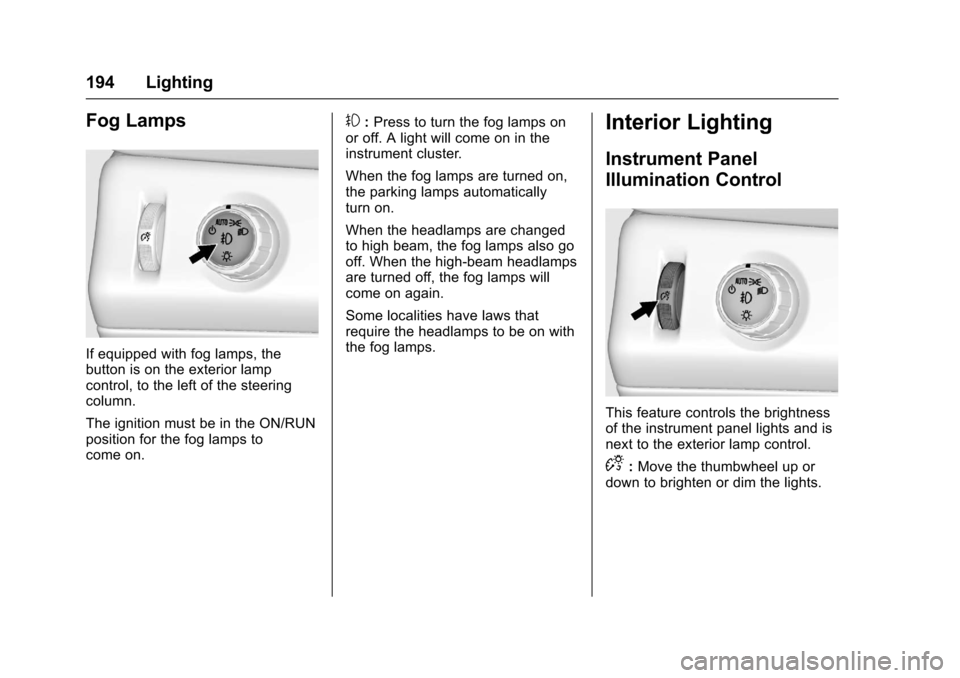
If equipped with fog lamps, the
button is on the exterior lamp
control, to the left of the steering
column.
The ignition must be in the ON/RUN
position for the fog lamps to
come on.
#:Press to turn the fog lamps on
or off. A light will come on in the
instrument cluster.
When the fog lamps are turned on,
the parking lamps automatically
turn on.
When the headlamps are changed
to high beam, the fog lamps also go
off. When the high-beam headlamps
are turned off, the fog lamps will
come on again.
Some localities have laws that
require the headlamps to be on with
the fog lamps.Interior Lighting
Instrument Panel
Illumination Control
This feature controls the brightness
of the instrument panel lights and is
next to the exterior lamp control.
D: Move the thumbwheel up or
down to brighten or dim the lights.