2017 CHEVROLET SUBURBAN warning light
[x] Cancel search: warning lightPage 105 of 465

Chevrolet Tahoe/Suburban Owner Manual (GMNA-Localizing-U.S./Canada/
Mexico-9955986) - 2017 - crc - 7/5/16
104 Seats and Restraints
Warning (Continued)
inspected and any necessary
replacements made as soon as
possible.
If an airbag inflates, you will need to
replace airbag system parts. See
your dealer for service.
If the airbag readiness light stays on
after the vehicle is started or comes
on when you are driving, the airbag
system may not work properly. Have
the vehicle serviced right away. See
Airbag Readiness Light 0149.
Child Restraints
Older Children
Older children who have outgrown
booster seats should wear the
vehicle safety belts.
The manufacturer instructions that
come with the booster seat state the
weight and height limitations for that
booster. Use a booster seat with a
lap-shoulder belt until the child
passes the fit test below: .
Sit all the way back on the seat.
Do the knees bend at the seat
edge? If yes, continue. If no,
return to the booster seat.
. Buckle the lap-shoulder belt.
Does the shoulder belt rest on
the shoulder? If yes, continue.
If no, try using the rear safety
belt comfort guide, if available.
See “Rear Safety Belt Comfort
Guides” underLap-Shoulder Belt
0 85. If a comfort guide is not
available, or if the shoulder belt
still does not rest on the
shoulder, then return to the
booster seat.
. Does the lap belt fit low and
snug on the hips, touching the
thighs? If yes, continue. If no,
return to the booster seat.
. Can proper safety belt fit be
maintained for the length of the
trip? If yes, continue. If no,
return to the booster seat.
If you have the choice, a child
should sit in a position with a
lap-shoulder belt and get the
additional restraint a shoulder
belt can provide.
Page 130 of 465
Chevrolet Tahoe/Suburban Owner Manual (GMNA-Localizing-U.S./Canada/
Mexico-9955986) - 2017 - crc - 7/5/16
Instruments and Controls 129
Instruments and
Controls
Controls
Steering Wheel Adjustment . . . 130
Steering Wheel Controls . . . . . . 131
Heated Steering Wheel . . . . . . . 132
Horn . . . . . . . . . . . . . . . . . . . . . . . . . . 132
Windshield Wiper/Washer . . . . 132
Rear Window Wiper/Washer . . . . . . . . . . . . . . . . . . . . . 134
Compass . . . . . . . . . . . . . . . . . . . . . 135
Clock . . . . . . . . . . . . . . . . . . . . . . . . . 135
Power Outlets . . . . . . . . . . . . . . . . 136
Wireless Charging . . . . . . . . . . . . 138
Warning Lights, Gauges, and
Indicators
Warning Lights, Gauges, and Indicators . . . . . . . . . . . . . . . . . . . 140
Instrument Cluster . . . . . . . . . . . . 141
Speedometer . . . . . . . . . . . . . . . . . 145
Odometer . . . . . . . . . . . . . . . . . . . . . 145
Trip Odometer . . . . . . . . . . . . . . . . 145
Tachometer . . . . . . . . . . . . . . . . . . . 145
Fuel Gauge . . . . . . . . . . . . . . . . . . . 145
Engine Oil Pressure
Gauge . . . . . . . . . . . . . . . . . . . . . . 146 Engine Coolant Temperature
Gauge . . . . . . . . . . . . . . . . . . . . . . 147
Voltmeter Gauge . . . . . . . . . . . . . 148
Safety Belt Reminders . . . . . . . . 149
Airbag Readiness Light . . . . . . . 149
Passenger Airbag Status Indicator . . . . . . . . . . . . . . . . . . . . 150
Charging System Light . . . . . . . 151
Malfunction Indicator Lamp (Check Engine Light) . . . . . . . . 151
Brake System Warning Light . . . . . . . . . . . . . . . . . . . . . . . . 153
Antilock Brake System (ABS) Warning Light . . . . . . . . . . . . . . . 154
Tow/Haul Mode Light . . . . . . . . . 154
Hill Descent Control Light . . . . 154
Lane Keep Assist (LKA) Light (1500 Series) . . . . . . . . . . . . . . . 154
Vehicle Ahead Indicator . . . . . . 155
Traction Off Light . . . . . . . . . . . . . 155
StabiliTrak®OFF Light . . . . . . . . 155
Traction Control System (TCS)/ StabiliTrak
®Light . . . . . . . . . . . 156
Tire Pressure Light . . . . . . . . . . . 156
Low Fuel Warning Light . . . . . . 156
Security Light . . . . . . . . . . . . . . . . . 157
High-Beam On Light . . . . . . . . . . 157
Front Fog Lamp Light . . . . . . . . . 157
Lamps On Reminder . . . . . . . . . 157
Cruise Control Light . . . . . . . . . . 157
Information Displays
Driver Information Center (DIC) (Base Level) . . . . . . . . . . . . . . . . 158
Driver Information Center (DIC) (Uplevel) . . . . . . . . . . . . . . . . . . . . 160
Head-Up Display (HUD) . . . . . . 162
Vehicle Messages
Vehicle Messages . . . . . . . . . . . . 166
Battery Voltage and Charging
Messages . . . . . . . . . . . . . . . . . . . 166
Brake System Messages . . . . . 167
Compass Messages . . . . . . . . . . 167
Cruise Control Messages . . . . . 167
Door Ajar Messages . . . . . . . . . . 168
Engine Cooling System Messages . . . . . . . . . . . . . . . . . . . 168
Engine Oil Messages . . . . . . . . . 169
Engine Power Messages . . . . . 169
Fuel System Messages . . . . . . . 170
Key and Lock Messages . . . . . 170
Lamp Messages . . . . . . . . . . . . . . 170
Object Detection System
Messages . . . . . . . . . . . . . . . . . . . 171
Ride Control System Messages . . . . . . . . . . . . . . . . . . . 172
Airbag System Messages . . . . 174
Security Messages . . . . . . . . . . . 174
Steering System Messages . . . . . . . . . . . . . . . . . . . 174
Page 139 of 465
Chevrolet Tahoe/Suburban Owner Manual (GMNA-Localizing-U.S./Canada/
Mexico-9955986) - 2017 - crc - 7/5/16
138 Instruments and Controls
For vehicles with bench seats, the
110/120 volt power outlet is on the
center stack below the climate
controls.
An indicator light on the outlet turns
on to show it is in use. The light
comes on when the ignition is in
ON/RUN, equipment requiring less
than 150 watts is plugged into the
outlet, and no system fault is
detected.
The indicator light does not come on
when the ignition is in LOCK/OFF or
if the equipment is not fully seated
into the outlet.
If equipment is connected using
more than 150 watts or a system
fault is detected, a protection circuit
shuts off the power supply and the
indicator light turns off. To reset the
circuit, unplug the item and plug it
back in or turn the ignition off and
then back to ON/RUN. The power
restarts when equipment using 150
watts or less is plugged into the
outlet and a system fault is not
detected.The power outlet is not designed for
the following, and may not work
properly if they are plugged in:
.
Equipment with high initial peak
wattage, such as
compressor-driven refrigerators
and electric power tools.
. Other equipment requiring an
extremely stable power supply,
such as
microcomputer-controlled
electric blankets and touch
sensor lamps.
. Medical equipment.
Wireless Charging
The vehicle may have wireless
charging on top of the center
console. See Center Console
Storage 0126. The system
wirelessly charges one PMA or Qi
compatible mobile device.
To check for phone or other device
compatibility:
. In the U.S., see
my.chevrolet.com/learn. .
In Canada, see
gmtotalconnect.ca.
. Or, see your dealer for details.
{Warning
Wireless charging can affect the
operation of an implanted
pacemaker or other medical
devices. If you have one, it is
recommended to consult with
your doctor before using the
wireless charging system.
The vehicle must be in ON/RUN,
ACC/ACCESSORY, or Retained
Accessory Power (RAP). The
wireless charging feature may not
correctly indicate charging when the
vehicle is in RAP. See Retained
Accessory Power (RAP) 0258.
The operating temperature is −20 °C
(−4 °F) to 60 °C (140 °F) for the
charging system and 0 °C (32 °F) to
35 °C (95 °F) for the phone.
Page 141 of 465
Chevrolet Tahoe/Suburban Owner Manual (GMNA-Localizing-U.S./Canada/
Mexico-9955986) - 2017 - crc - 7/5/16
140 Instruments and Controls
Warning Lights,
Gauges, and
Indicators
Warning lights and gauges can
signal that something is wrong
before it becomes serious enough
to cause an expensive repair or
replacement. Paying attention to the
warning lights and gauges could
prevent injury.
Some warning lights come on briefly
when the engine is started to
indicate they are working. When
one of the warning lights comes on
and stays on while driving, or when
one of the gauges shows there may
be a problem, check the section that
explains what to do. Waiting to do
repairs can be costly and even
dangerous.
Page 146 of 465
Chevrolet Tahoe/Suburban Owner Manual (GMNA-Localizing-U.S./Canada/
Mexico-9955986) - 2017 - crc - 7/5/16
Instruments and Controls 145
be displayed in the Info app. See
“Driver Information Center (DIC)
(Uplevel)”in the Index.
Speed Warning : The Speed
Warning display allows the driver to
set a speed that they do not want to
exceed. To set the Speed Warning,
press
pwhen Speed Warning is
displayed, or press
Von the main
view to set the speed value. Press
worxto adjust the value. PressVto set the speed. Once the speed
is set, this feature can be turned off
by pressing
Vwhile viewing this
page. If the selected speed limit is
exceeded, a pop-up warning is
displayed with a chime.
Software Information : Press
p
while Software Information is
highlighted to display open source
software information.
Speedometer
The speedometer shows the
vehicle's speed in either kilometers
per hour (km/h) or miles per
hour (mph).
Odometer
The odometer shows how far the
vehicle has been driven, in either
kilometers or miles.
Trip Odometer
The trip odometer shows how far
the vehicle has been driven since
the trip odometer was last reset.
The trip odometer is accessed and
reset through the Driver Information
Center (DIC). SeeDriver
Information Center (DIC) (Base
Level) 0158 orDriver Information
Center (DIC) (Uplevel) 0160.
Tachometer
The tachometer displays the engine
speed in revolutions per
minute (rpm).
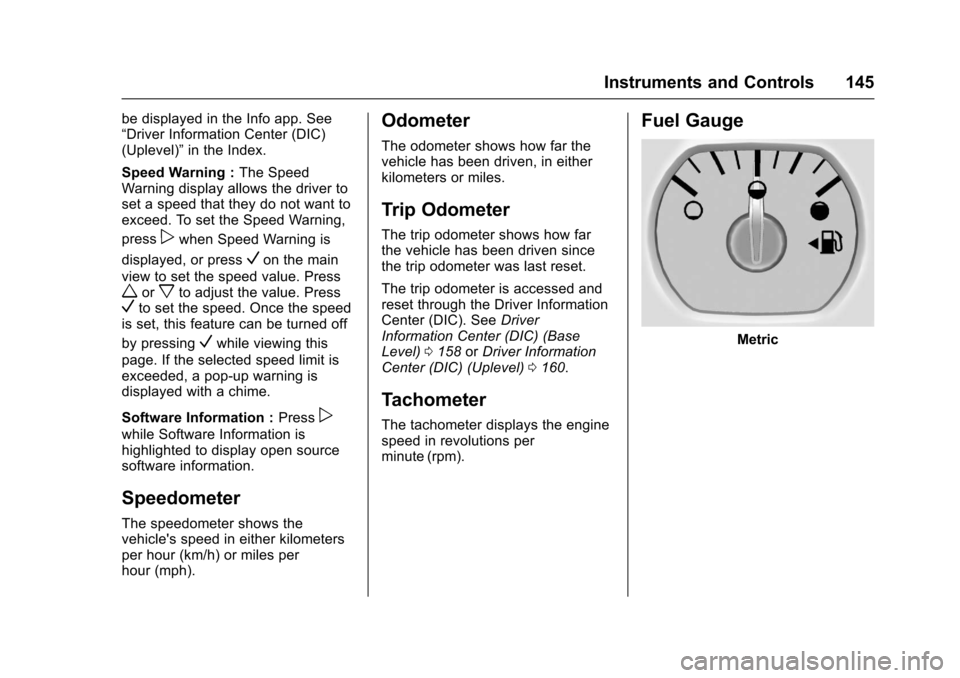
Fuel Gauge
Metric
Page 149 of 465
Chevrolet Tahoe/Suburban Owner Manual (GMNA-Localizing-U.S./Canada/
Mexico-9955986) - 2017 - crc - 7/5/16
148 Instruments and Controls
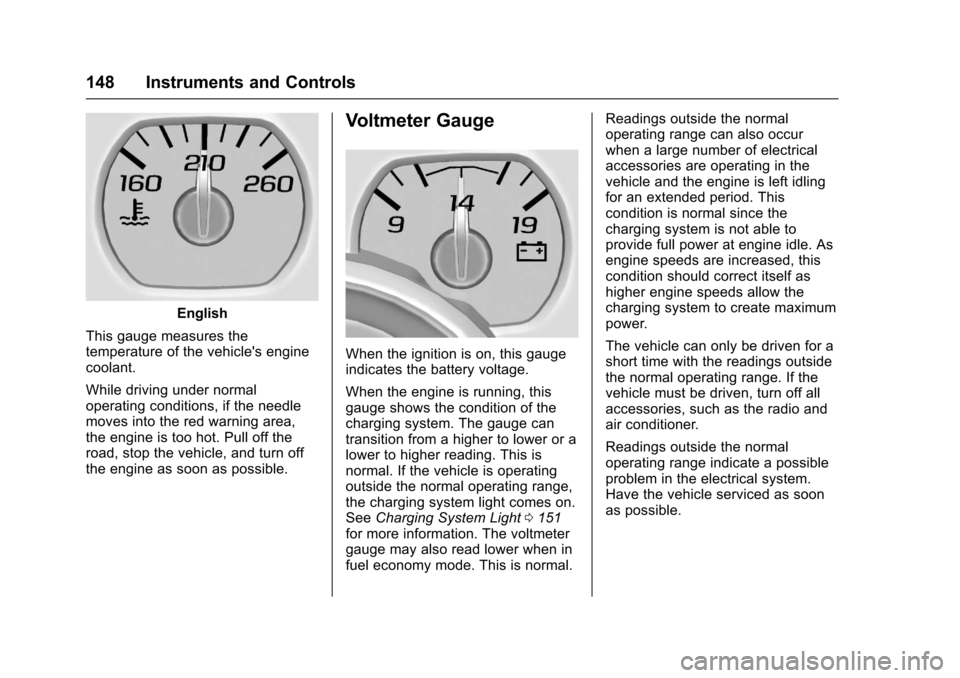
English
This gauge measures the
temperature of the vehicle's engine
coolant.
While driving under normal
operating conditions, if the needle
moves into the red warning area,
the engine is too hot. Pull off the
road, stop the vehicle, and turn off
the engine as soon as possible.
Voltmeter Gauge
When the ignition is on, this gauge
indicates the battery voltage.
When the engine is running, this
gauge shows the condition of the
charging system. The gauge can
transition from a higher to lower or a
lower to higher reading. This is
normal. If the vehicle is operating
outside the normal operating range,
the charging system light comes on.
See Charging System Light 0151
for more information. The voltmeter
gauge may also read lower when in
fuel economy mode. This is normal. Readings outside the normal
operating range can also occur
when a large number of electrical
accessories are operating in the
vehicle and the engine is left idling
for an extended period. This
condition is normal since the
charging system is not able to
provide full power at engine idle. As
engine speeds are increased, this
condition should correct itself as
higher engine speeds allow the
charging system to create maximum
power.
The vehicle can only be driven for a
short time with the readings outside
the normal operating range. If the
vehicle must be driven, turn off all
accessories, such as the radio and
air conditioner.
Readings outside the normal
operating range indicate a possible
problem in the electrical system.
Have the vehicle serviced as soon
as possible.
Page 151 of 465
Chevrolet Tahoe/Suburban Owner Manual (GMNA-Localizing-U.S./Canada/
Mexico-9955986) - 2017 - crc - 7/5/16
150 Instruments and Controls
The airbag readiness light comes on
for several seconds when the
vehicle is started. If the light does
not come on then, have it fixed
immediately.
{Warning
If the airbag readiness light stays
on after the vehicle is started or
comes on while driving, it means
the airbag system might not be
working properly. The airbags in
the vehicle might not inflate in a
crash, or they could even inflate
without a crash. To help avoid
injury, have the vehicle serviced
right away.
If there is a problem with the airbag
system, a Driver Information Center
(DIC) message may also come on.
See Airbag System
Messages 0174.
Passenger Airbag Status
Indicator
The vehicle has a passenger
sensing system. See Passenger
Sensing System 098 for important
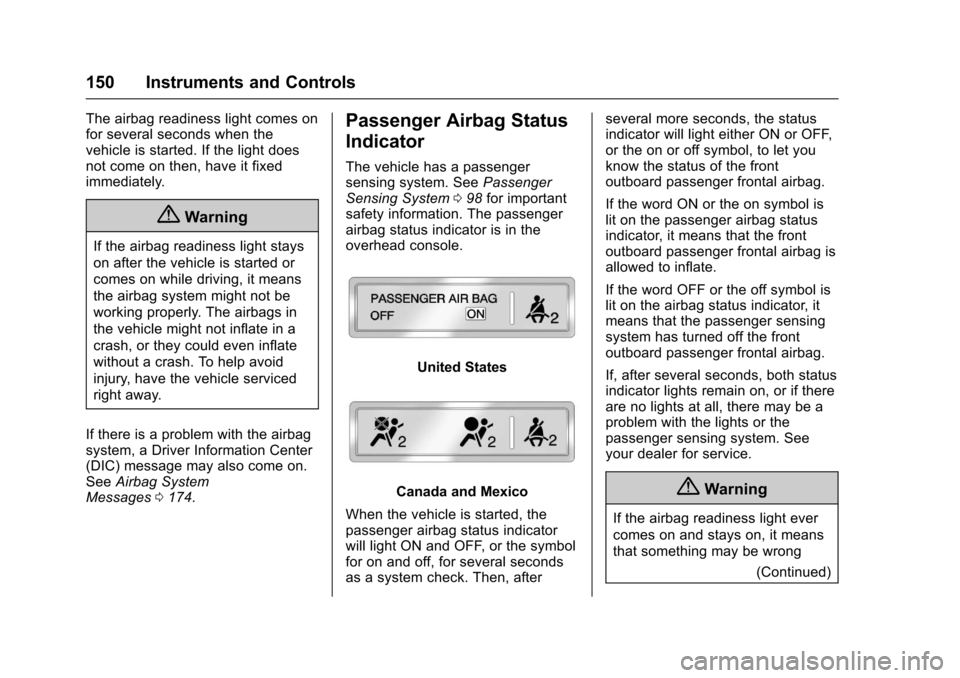
safety information. The passenger
airbag status indicator is in the
overhead console.
United States
Canada and Mexico
When the vehicle is started, the
passenger airbag status indicator
will light ON and OFF, or the symbol
for on and off, for several seconds
as a system check. Then, after several more seconds, the status
indicator will light either ON or OFF,
or the on or off symbol, to let you
know the status of the front
outboard passenger frontal airbag.
If the word ON or the on symbol is
lit on the passenger airbag status
indicator, it means that the front
outboard passenger frontal airbag is
allowed to inflate.
If the word OFF or the off symbol is
lit on the airbag status indicator, it
means that the passenger sensing
system has turned off the front
outboard passenger frontal airbag.
If, after several seconds, both status
indicator lights remain on, or if there
are no lights at all, there may be a
problem with the lights or the
passenger sensing system. See
your dealer for service.{Warning
If the airbag readiness light ever
comes on and stays on, it means
that something may be wrong
(Continued)
Page 152 of 465
Chevrolet Tahoe/Suburban Owner Manual (GMNA-Localizing-U.S./Canada/
Mexico-9955986) - 2017 - crc - 7/5/16
Instruments and Controls 151
Warning (Continued)
with the airbag system. To help
avoid injury to yourself or others,
have the vehicle serviced right
away. SeeAirbag Readiness
Light 0149 for more information,
including important safety
information.
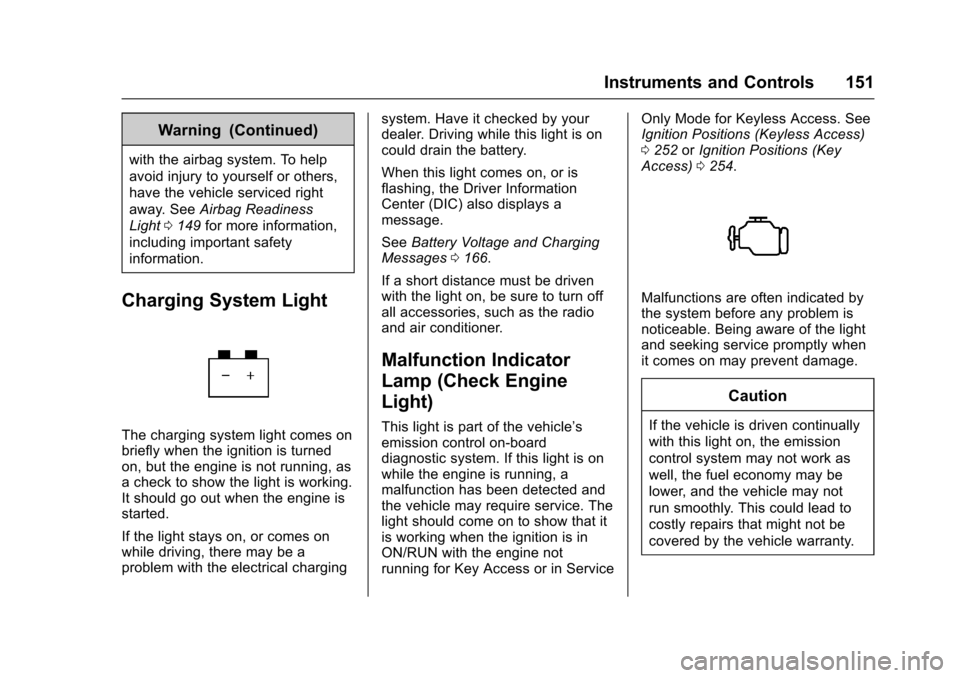
Charging System Light
The charging system light comes on
briefly when the ignition is turned
on, but the engine is not running, as
a check to show the light is working.
It should go out when the engine is
started.
If the light stays on, or comes on
while driving, there may be a
problem with the electrical charging system. Have it checked by your
dealer. Driving while this light is on
could drain the battery.
When this light comes on, or is
flashing, the Driver Information
Center (DIC) also displays a
message.
See
Battery Voltage and Charging
Messages 0166.
If a short distance must be driven
with the light on, be sure to turn off
all accessories, such as the radio
and air conditioner.
Malfunction Indicator
Lamp (Check Engine
Light)
This light is part of the vehicle’s
emission control on-board
diagnostic system. If this light is on
while the engine is running, a
malfunction has been detected and
the vehicle may require service. The
light should come on to show that it
is working when the ignition is in
ON/RUN with the engine not
running for Key Access or in Service Only Mode for Keyless Access. See
Ignition Positions (Keyless Access)
0
252 orIgnition Positions (Key
Access) 0254.
Malfunctions are often indicated by
the system before any problem is
noticeable. Being aware of the light
and seeking service promptly when
it comes on may prevent damage.
Caution
If the vehicle is driven continually
with this light on, the emission
control system may not work as
well, the fuel economy may be
lower, and the vehicle may not
run smoothly. This could lead to
costly repairs that might not be
covered by the vehicle warranty.